How to Properly Transcribe an Interview Like a Pro
Learn how to properly transcribe an interview with our complete guide. Get expert tips on setup, recording, AI tools, and proofreading for perfect transcripts.
tl;dr: The secret to properly transcribing an interview isn't spending hours typing. It’s all about a simple, smart workflow: start by capturing high-quality audio in a quiet room, use a top-notch AI transcription tool like WhisperAI to get a nearly perfect first draft, and then dedicate a few minutes to a final human review to catch any small errors. This approach transforms a tedious chore into a quick and easy task.
Your Fast Track to Perfect Interview Transcription
Learning how to properly transcribe an interview is less about becoming a speed typist and more about setting up a smart, efficient process. It’s really about turning a spoken conversation into a clear, accurate, and searchable document without it eating up your entire day.
Here’s a little secret: a great transcript actually begins long before you even think about hitting a "transcribe" button. It starts with capturing a clean recording and ends with a quick but absolutely essential proofread.
This guide is your roadmap. We’ll cover the must-dos, from setting up your recording for success to choosing the right tools that do the heavy lifting for you. While manual transcription was once the only game in town, today’s technology offers a much faster, more accurate path.
The Modern Transcription Workflow
The whole idea is to let technology handle the grunt work, freeing you up to focus on quality control. This simple, three-part process is the key to getting accurate results without losing your mind.
This infographic lays out the modern approach perfectly.
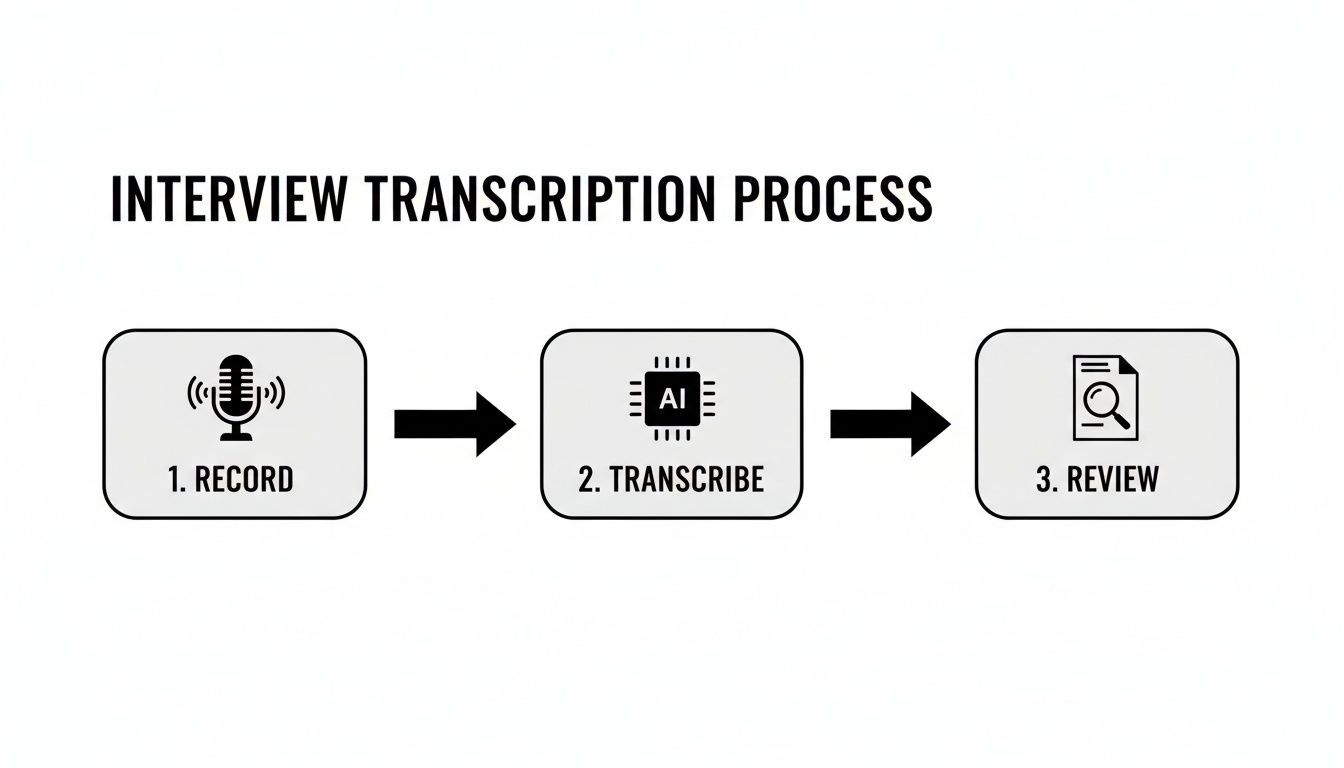
As you can see, the flow is dead simple: record, let AI generate the draft, and then give it a final look-over. This is how you produce professional-quality transcripts quickly and consistently.
To really see why this is such a game-changer, it helps to compare the old way with the new. Today's tools have made what used to be a specialized, time-consuming service accessible to everyone. The table below really puts the difference in perspective.
Manual vs. AI Transcription at a Glance
| Factor | Manual Transcription | AI-Powered Transcription |
|---|---|---|
| Speed | Extremely slow. A 1-hour interview can take 4-6 hours to transcribe. | Incredibly fast. A 1-hour interview is often done in under 10 minutes. |
| Cost | Expensive. Professional services can charge $60-$150+ per audio hour. | Highly affordable. Often just a few dollars per hour, or even free. |
| Effort | High. Requires intense focus, listening, and typing skills. | Low. The primary effort is a quick final proofread and edit. |
| Accuracy | Can be very high, but prone to human error and fatigue. | Reaches 95-99% accuracy with good audio; minor errors may need fixing. |
| Availability | Dependent on human schedules; not instant. | Available 24/7, on-demand. Upload a file anytime. |
The takeaway is clear: modern AI transcription services, like those offered by tools such as WhisperAI, have completely shifted the balance. They give you the speed and cost-effectiveness of a machine with the final polish of a human review, offering the best of both worlds.
Preparing Your Audio for Flawless Transcription
Let's start with a truth every seasoned transcriber knows: to get a great transcript, you need clean audio. The old saying "garbage in, garbage out" has never been more accurate. This is, without a doubt, the most important part of the entire transcription process.
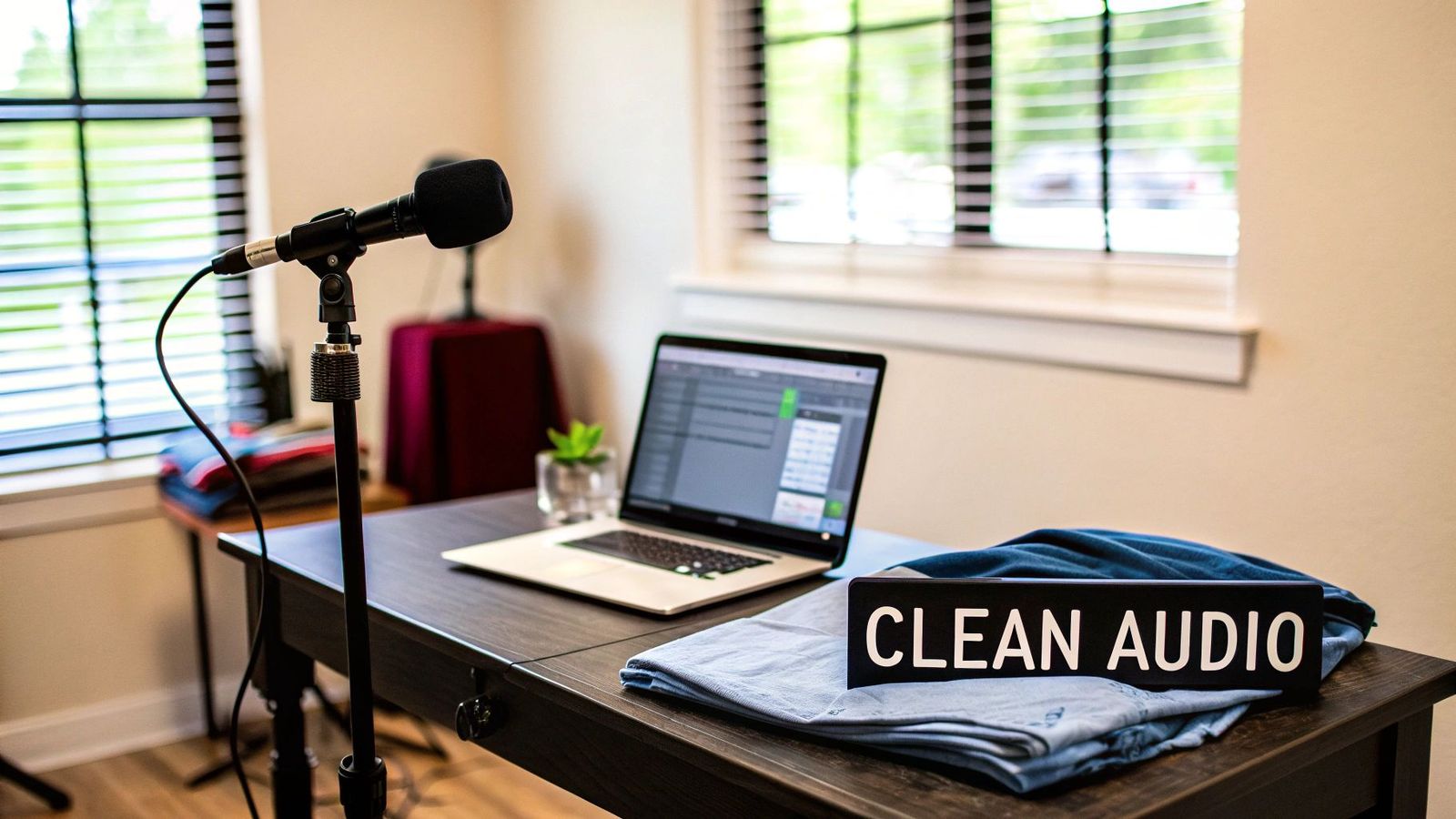
The fate of your transcript is sealed long before you hit "upload." It all comes down to the quality of the recording itself. Even the most sophisticated AI will stumble over muffled words, background noise, or people talking over each other. That just means more cleanup work for you.
Think of it this way: clean audio is the foundation you build your transcript on. A little prep work upfront will literally save you hours of headaches down the line.
Secure Consent Before Anything Else
Before you even touch a microphone, there’s one step you can't skip: getting informed consent. This is more than just good manners; it's an ethical and often legal requirement. You need to tell your interviewee exactly how their recording will be used and get their clear, enthusiastic "yes" to being recorded.
A proper consent document is absolutely best practice. It clarifies what a writer can or can’t do with the material and protects both you and your participant from future misunderstandings.
Taking this simple step builds immediate trust and makes sure everyone is on the same page. It’s a non-negotiable part of any professional interview.
Engineer Your Recording Environment
Your laptop’s built-in mic? It’s fine for a quick Zoom call, but it’s terrible for a high-quality interview. It’s designed to pick up everything—your keyboard clicks, the computer fan, and every little echo in the room. Even a basic external microphone will be a huge upgrade.
To get the best possible sound, try to follow these simple rules:
- Use Separate Mics: If you can, give each person their own microphone. This lets you record on separate audio channels, which is a lifesaver for cutting out crosstalk and figuring out who said what.
- Find a Quiet Space: Look for a room with soft surfaces. Carpets, curtains, and even a packed bookshelf are great for soaking up sound and killing echo. Hardwood floors and bare walls are your worst enemy here.
- Eliminate Background Noise: Shut the windows to block out street noise, silence your phone, and kill any humming fans or air conditioners. These little distractions can easily swallow up important words.
These small tweaks are the bedrock of capturing clear dialogue. If you want to really level up, exploring advanced recording techniques for sound quality can take your audio from good to great.
Honestly, capturing pristine sound is the biggest lever you can pull for an accurate transcript. To see just how much crystal-clear audio helps the technology work its magic, check out our complete guide to AI audio transcription. Once you have a high-quality file, you’re ready to let the tools do the heavy lifting.
Choosing the Right Transcription Tools
Once you have a clean audio file, it's time to decide how you're going to turn that recording into text. You're at a fork in the road: you can go the traditional, manual route or take the modern, AI-powered path. Honestly, understanding how to properly transcribe an interview today really comes down to knowing the massive difference between these two options.
Doing it by hand is a serious time commitment. The old rule of thumb is that a seasoned pro needs about four hours to transcribe just one hour of audio. That's a huge chunk of a workday. In fact, research shows that voice recognition software can lead to an 83% reduction in transcription time. What used to take half a day can now be knocked out in less than two hours.
This is where AI platforms completely change the game.
Why Modern AI Platforms Are Superior
Today’s AI transcription services, like WhisperAI, are a world away from the clunky voice-to-text software of the past. They're built on sophisticated models trained on enormous amounts of data, which means they can handle different accents, complex terminology, and even overlapping conversations with surprising accuracy.
Instead of hitting rewind a dozen times to catch a single phrase, you get a solid first draft back in just a few minutes. The AI does all the heavy lifting, freeing you up to focus on the content itself. For instance, when you're choosing a tool, finding one with AI auto-captioning not only speeds things up but also makes your final product more accessible. You can learn more by exploring AI auto-captioning for enhanced accessibility.
It's not just about getting it done fast; it's about getting a smart starting point. A good AI tool gives you a transcript that's already structured with speaker labels and timestamps, turning the final edit into a quick proofread.
You're not starting from scratch. You're starting with a document that's already 95-99% complete.
Key Features to Look for in an AI Tool
Of course, not all AI transcription tools are built the same. To avoid frustration, you'll want a platform that offers a solid suite of features designed to make your life easier from start to finish.
Here’s what I always look for:
- High Accuracy: The engine has to be good. It needs to handle a bit of background noise or multiple speakers without churning out gibberish.
- Automatic Speaker Labeling: This is a non-negotiable for me. Manually figuring out who said what is one of the most tedious parts of transcription. A good tool does this for you.
- Accurate Timestamps: Being able to click a word and instantly hear the corresponding audio is a lifesaver during review. Precise timestamps make finding and fixing errors a breeze.
- An Intuitive Editor: No AI is 100% perfect, so you’ll need to make a few tweaks. A clean, web-based editor that syncs the text with the audio is essential for making quick corrections.
The right platform turns a dreaded task into a simple workflow: upload the file, review the draft, and export the final document. If you’re trying to figure out which service is best for you, our guide to the best AI transcription apps breaks down the top contenders.
How to Edit and Refine Your AI Transcript
An AI-generated transcript is an incredible head start, but it's rarely the finish line. I like to think of it as a 95% complete first draft. That final 5% is where a human touch turns the raw text into a polished, professional document that truly captures the conversation.
This editing phase isn't just about catching typos; it’s about making deliberate choices to shape the final output. The very first decision you need to make will define the entire editing process.
Choose Your Style: Verbatim vs. Clean Verbatim
Before you correct a single word, you have to know your end goal. Do you need to capture every single sound exactly as it was spoken, or are you aiming for a more readable, cleaned-up version?
- Verbatim Transcription: This is a literal, word-for-word record. It includes every single filler word ("um," "ah," "you know"), false starts, and stutters. This style is absolutely essential for legal proceedings, psychological analysis, or deep research where how something was said is just as important as what was said.
- Clean Verbatim Transcription: This is the go-to for most projects in business, journalism, and content creation. You’ll strip out all the filler words, stammers, and distracting repetitions to create a transcript that’s smooth and easy to read. The goal is to preserve the speaker's original meaning without all the conversational clutter.
For almost every interview, clean verbatim is the way to go. It gets the message across clearly and makes the content much easier to pull quotes from for articles, reports, or meeting summaries.
The Proofreading Workflow
Once you’ve picked your style, it’s time to get into the edit. Most modern transcription platforms have fantastic built-in editors that sync the audio playback right to the text. This is a game-changer. You can click on any word in the transcript and instantly hear the exact moment it was spoken.
As you listen and read along, you’ll start to notice a few common AI slip-ups. These usually happen because of tricky accents, regional dialects, or slight imperfections in the audio.
Your proofreading should zero in on a few key areas:
- Speaker Labels: Make sure the AI assigned each line of dialogue to the right person. This can get mixed up, especially when people talk over each other or in a fast-paced conversation.
- Homophones: AI often trips up on words that sound alike but have different meanings. Keep an eye out for mix-ups like "their," "there," and "they're," or "to" and "too."
- Proper Nouns and Jargon: The AI probably won’t recognize the unique spelling of a person's name, a specific company, or a niche industry acronym. You'll need to correct these manually.
The human touch is what elevates a good transcript to a great one. Your brain can catch nuance and context—like sarcasm or specific terminology—that an algorithm might miss. This final pass ensures the transcript is not just accurate, but also true to the conversation's intent.
The goal here is to be both quick and thorough. By focusing on these common problem spots, you can efficiently polish your AI draft into a final, reliable document. If you want a better sense of what to expect from automated tools, take a look at our deep dive on AI transcription accuracy.
Formatting and Sharing Your Final Transcript
You've made it through the recording, transcribing, and editing. Now it's time for the final, crucial step: packaging your work into a professional, genuinely useful document. Don't underestimate this part—a well-formatted transcript is searchable, scannable, and far more valuable to whoever needs it.
Think of it as the final presentation of your hard work. A messy, confusing document can completely undermine the accuracy you spent hours perfecting.
Laying Out Your Transcript for Clarity
Before you even get to the first line of dialogue, add a simple header with the essential details. This little bit of context is a hallmark of a properly prepared transcript and saves a lot of headaches later on.
Make sure your header includes:
- Interview Title or Subject: Something clear and descriptive.
- Participant Names: List the interviewer and interviewee, including their roles.
- Date of Interview: The day the recording happened.
- File Name: The name of the original audio file, so anyone can find it easily.
Adding these details transforms a basic text file into a professional record. From there, consistency is everything. Make sure speaker labels are clear and bold (like John Doe:), timestamps follow a uniform style (e.g., [00:01:24]), and you handle non-verbal cues the same way every time, like putting [laughs] or [crosstalk] in brackets.
A great transcript should feel intuitive. Someone who wasn't there should be able to read it and understand not just what was said, but the entire flow of the conversation without any confusion.
Choosing the Right Export Format
Finally, you need to share your work in a format that actually fits the end goal. Different situations call for different file types, and a solid transcription service like the one from WhisperAI for AI Transcription will give you plenty of options.
Here’s a quick rundown of the most common formats and when to use them:
- .DOCX (Microsoft Word): This is your go-to for collaboration. It’s universally editable, which means team members can easily pull quotes, add comments, or make their own revisions.
- .PDF (Portable Document Format): Perfect for when you need a final, read-only version. Use this to preserve the formatting and prevent any accidental changes. It’s the standard for official reports and archiving.
- .TXT (Plain Text): A simple, no-frills option. It's incredibly lightweight and works on pretty much any device, making it great for quick sharing or importing data into other software.
- .SRT (SubRip Subtitle file): This is absolutely essential for video. An SRT file contains your transcript broken down with precise timestamps, ready to be uploaded to platforms like YouTube for perfect closed captions.
A Few Common Transcription Questions
Even with a solid game plan, you're bound to run into a few questions when you start transcribing interviews regularly. Let's clear up some of the most common hurdles you might face.
Verbatim vs. Clean Verbatim: What's the Difference?
This is one of the first calls you'll have to make, and it completely changes how you'll approach the editing phase. The two styles are built for very different needs.
A verbatim transcription is a word-for-word, sound-for-sound account of the recording. You capture everything:
- Filler words ("um," "uh," "like," "you know")
- Stutters and false starts
- Repetitive words and even non-verbal sounds like coughs or laughter
This level of detail is essential in legal settings, academic research, or psychological studies where how something was said is just as important as what was said.
On the other hand, clean verbatim (also called intelligent verbatim) prioritizes readability. The goal is to create a polished transcript by stripping out all the conversational noise—the ums, ahs, stutters, and repetitions—while keeping the speaker's original meaning perfectly intact.
For just about any business, marketing, or journalistic purpose, clean verbatim is your best bet. It gives you a professional, easy-to-read document that gets right to the point.
How Long Does It Actually Take to Transcribe an Hour of Audio?
This is the million-dollar question, and the answer depends entirely on your workflow. Knowing the difference here is crucial for planning your time and meeting deadlines.
If you’re typing it all out by hand, the old industry benchmark is a 4:1 ratio. That means a seasoned pro needs about four hours to transcribe one hour of high-quality audio. If you’re dealing with background noise, thick accents, or people talking over each other, that number can easily jump to six hours or more. It’s a real grind.
This is where technology completely changes the game. A good AI transcription tool can process that same hour of audio in just a few minutes. Of course, you’ll still need to proofread it. I usually budget 30 to 60 minutes to review that one-hour transcript, but the time savings are still massive. You’re easily looking at a time reduction of over 80% compared to doing it manually.
How Can I Get the Best Results from an AI Transcriber?
Getting a great transcript from an AI isn't magic; it's about giving the system good material to work with. The old saying holds true: garbage in, garbage out.
To really nail the accuracy with any AI tool, you need to focus on three things:
- Record Excellent Audio: This is, without a doubt, the most important piece of the puzzle. Use a dedicated external mic for each person, and find a quiet room without echo or background chatter. The clearer the audio, the easier it is for the AI to get it right.
- Encourage Clean Speaking: It helps to give your interviewees a quick heads-up beforehand. Ask them to speak clearly and try not to interrupt each other. When speakers are cleanly separated, the AI has a much easier time distinguishing who said what.
- Use a High-Quality AI: Not all AI services are built the same. Go with a platform that uses a modern, powerful AI model. These systems have been trained on a huge variety of accents, dialects, and technical terms, which means they'll give you a much more accurate starting point for your edits.
Control these factors, and you'll get a transcript that's incredibly close to perfect right from the start, saving you a ton of time on the back end.
Ready to stop wasting hours on manual transcription? WhisperAI uses a state-of-the-art AI model to turn your interviews into accurate, polished transcripts in minutes. Experience the speed and precision for yourself. Check out our powerful AI transcription service and get your first draft done in record time.