A Practical Guide to Transcribe Audio with AI
tl;dr: To get a great transcript, start with clean audio (good mic, quiet room), use an AI tool like whisperai.com/ai-transcription for a quick first draft, then do a quick editing pass to fix names and polish the text. This simple process turns your audio into searchable, accessible content you can easily repurpose.
Converting spoken words into text used to be a long, painstaking process. Now, with the right AI tools, you can transcribe audio in just a few minutes. This simple act unlocks your audio files, making them searchable, accessible, and incredibly easy to use for other projects.
Below is a quick overview of what audio transcription can do for you and the essential first steps.
Quick Guide to Transcribing Audio
| Benefit | What It Means For You | Essential Step | Quick Tip |
|---|---|---|---|
| Searchability | Instantly find key moments, quotes, or data points in your recordings. | Convert your audio into a text document. | Use "Ctrl+F" on the transcript to jump to specific words instead of scrubbing through audio. |
| Accessibility | Open your content to audiences who are deaf, hard of hearing, or prefer reading. | Publish the transcript alongside your audio or video file. | Include transcripts with all public-facing content to meet inclusivity standards. |
| Content Repurposing | Easily turn one recording into blog posts, social media updates, and marketing copy. | Identify the most compelling sections of your transcript. | Pull out key quotes or interesting stories to create shareable soundbites and graphics. |
| SEO Improvement | Help search engines understand and rank your audio content for relevant keywords. | Post the full transcript on the same page as your podcast or webinar embed. | Your transcript is packed with keywords that Google can index, boosting your visibility. |
Taking these steps transforms a static audio file into a dynamic, multi-purpose asset that works much harder for you.
Why Transcribing Audio Unlocks Your Content's Potential
Think about all the brilliant ideas, critical decisions, and memorable quotes locked away in your audio files. Whether it's a team meeting, a research interview, or a podcast episode, that value is trapped until you turn it into text. Transcription creates a written record that becomes a powerful asset for your work.
This isn't just a small trend; it's a massive shift in how we handle information. The global AI transcription market is expected to jump from $4.5 billion in 2024 to an incredible $19.2 billion by 2034. Why the boom? Businesses are seeing cost savings of up to 80% over manual transcription, and the demand for accessible digital content has never been higher.
Turning Audio into Searchable Assets
Once you transcribe a recording, you make every word discoverable. No more wasting time scrubbing through an hour-long file to find that one specific comment. A simple "Ctrl+F" search gets you there in seconds.
This is a complete game-changer for so many people:
- Researchers can pinpoint key quotes from hours of interview recordings instantly.
- Content creators can find the perfect soundbites for social media or pull-quotes for blog posts.
- Business teams can easily look up action items or decisions from past meetings without re-listening.
If you’re a creator, you know how valuable your time is. We explore this in more detail in our guide on transcription for content creators.
Expanding Your Reach and Accessibility
A text transcript immediately makes your content available to a much wider audience. It’s essential for people who are deaf or hard of hearing, but the benefits don’t stop there.
Many people simply prefer to read, and a transcript gives them that option. It's also a huge help for non-native speakers who can follow the text more easily than spoken conversation.
By providing a transcript, you're not just adding text; you're removing barriers. It's a fundamental step in creating inclusive content that everyone can benefit from, regardless of how they choose to consume it.
Supercharging Your SEO Efforts
Here's a simple truth: search engines can't listen to your podcast or webinar, but they are brilliant at reading text.
When you publish a transcript on the same page as your audio, you're handing Google a rich, keyword-dense document to crawl and index. This one move can seriously improve your visibility in search results, bringing a whole new audience straight to your content. Using a tool like WhisperAI makes this entire process seamless.
How to Prep Your Audio for a Flawless Transcription
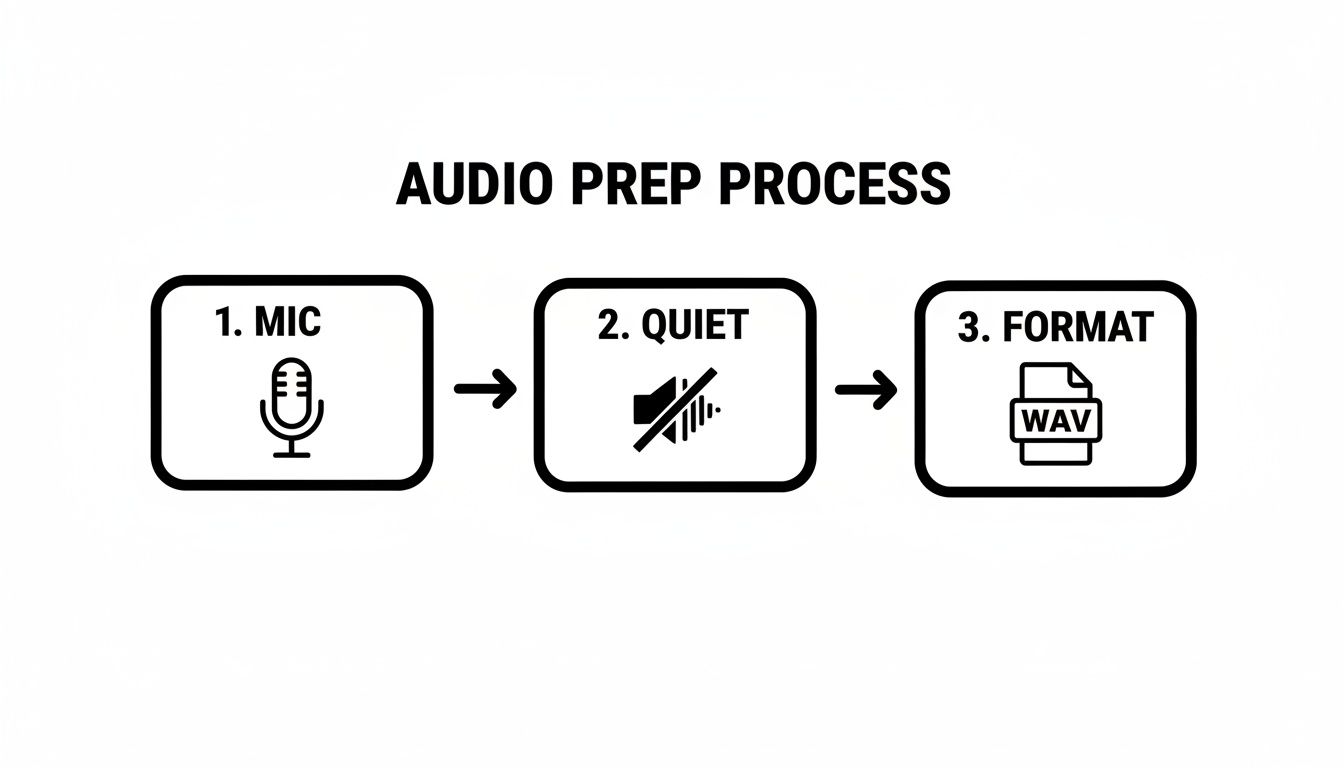
The short version: Your transcript’s accuracy is all about your audio quality. If you use a decent mic, find a quiet spot, speak clearly, and save your file in a high-quality format like WAV or FLAC, you'll save yourself a mountain of editing headaches later.
The old tech mantra "garbage in, garbage out" has never been more true than with AI transcription. Even the smartest AI will struggle to understand words buried under a layer of background hum or recorded from across the room. Nailing your audio from the start is the secret to getting a transcript that’s actually useful.
Think of it this way: giving clean audio to a transcription tool is like handing a chef top-tier ingredients. You're making their job easy and guaranteeing a better result. A few small tweaks to how you record can make a night-and-day difference.
Find a Good Recording Space
You don't need a professional sound booth, but you absolutely need to get a handle on your recording environment. Background noise is the number one killer of accurate transcripts.
You’d be surprised what a microphone picks up. The most common offenders are:
- The low hum of an air conditioner or heater
- Whirring computer fans
- Echoes bouncing off hard surfaces in an empty room
- Distant traffic, sirens, or people talking in another room
Here’s a simple trick the pros use: find a small room with plenty of soft things in it. A walk-in closet is a classic for a reason—the clothes absorb sound and kill echoes. But even a bedroom with a thick rug, curtains, and a soft couch is a massive step up from a bare office or kitchen.
Pick the Right Mic and Use It Properly
That little microphone built into your laptop is fine for a quick video call, but it's designed to capture everything happening around you. For transcription, that’s the last thing you want. Investing in a dedicated external microphone is probably the single best thing you can do for your audio.
You've got a few solid options:
- Lapel Mic: These clip right onto your shirt and are perfect for interviews. They stay close to the speaker, isolating their voice from everything else.
- USB Microphone: A solid desktop USB mic is a fantastic all-rounder for anyone recording podcasts, voiceovers, or notes at their desk.
- Headset with a Boom Mic: If you’re on a lot of calls or in online meetings, a good headset keeps the microphone at a consistent distance from your mouth, which is key for clarity.
Once you have your mic, don't be shy—get close to it. A distance of about 6-8 inches is a great starting point. Try to speak directly into the mic at a steady pace and volume. Always do a quick sound check before hitting record for real; it'll help you catch issues like being too loud (which causes a distorted "clipping" sound) or too quiet.
Pro Tip: Recording a group conversation? Ideally, give everyone their own mic. If that’s not in the cards, place one high-quality omnidirectional microphone right in the middle of the table so it can capture everyone as clearly as possible.
Choose the Best Audio File Format
The format you save your audio in really does matter. MP3s are popular because they create small files, but they use "lossy" compression. This means the file is shrunk by permanently throwing away bits of audio data, which can smudge the details the AI needs to work effectively.
For the best possible accuracy, always opt for a lossless format.
| Format | Type | Why It's Better for Transcription |
|---|---|---|
| WAV | Lossless | This is the gold standard. It’s an uncompressed format that keeps every single bit of the original audio, giving the AI a crystal-clear signal. |
| FLAC | Lossless | FLAC offers the same pristine quality as WAV, but it's smartly compressed to create a smaller file without losing any data. A win-win. |
| MP3 | Lossy | This format sacrifices audio detail for a smaller file size. The result can be muddy sound that confuses the AI and leads to errors. |
While a powerful tool like the one at whisperai.com/ai-transcription is built to handle many different formats, starting with a clean WAV or FLAC file gives it the best shot at perfection. This one choice can be the difference between a transcript that's 95% accurate and one that requires you to fix every other sentence.
Using an AI Tool to Transcribe Audio in Minutes
Alright, you've prepped your audio file and it sounds great. Now for the fun part. This is where an AI tool like WhisperAI takes the tedious work of manual typing off your plate and turns hours of effort into just a few minutes. Let's walk through how it actually works and, more importantly, how to get the best possible result.
The AI transcription space is absolutely booming—it’s set to become a USD 1.5 billion market globally by 2025 and is still growing at a hefty 12% CAGR. Why the explosion? Because the technology has gotten really good. Just a few years ago, we were lucky to get 80% accuracy. Now, with clear audio, we're seeing upwards of 95% accuracy, which is a massive leap.
With over 4 million podcasts out there and 80% of companies now recording their meetings, the demand for fast, reliable transcription is higher than ever. It's a game-changer.
Getting Started on the Dashboard
Most AI transcription platforms are designed to be incredibly user-friendly. You'll typically see a big, friendly "upload" button or a drag-and-drop area to get your audio file into the system. No complicated menus to navigate.
Once your file is loaded, you're not quite done. Before you hit "transcribe," the tool will ask you to configure a few key settings. This is where you can make a huge difference in the quality of your final transcript.
Choosing Your Core Settings
This part is crucial. Don't just blaze past these options. Taking a moment here to tell the AI what you're working with will save you a ton of editing headaches later on.
Here’s what you absolutely need to pay attention to:
- Language Selection: If you know the language being spoken is, say, German, then select "German" from the dropdown. This gives the AI a massive head start. If you're not sure, or if multiple languages are mixed in, the auto-detect feature is surprisingly accurate and a great fallback.
- Speaker Labeling (Diarization): This is a must-have for any recording with more than one person. Turning this on tells the AI to identify who is speaking and when, labeling them as "Speaker 1," "Speaker 2," and so on. Without it, you get a giant, unreadable block of text. For interviews, meetings, or podcasts, this is non-negotiable.
- Noise Reduction: If you followed the audio prep advice from earlier, you might be able to skip this. But let's be realistic—recordings aren't always perfect. If your audio has some background hum from an air conditioner or the chatter of a coffee shop, this feature is your best friend. It helps the AI focus on the voices and ignore the rest.
I've seen it time and time again: people skip these settings to save 30 seconds, only to spend 30 minutes fixing a messy transcript. A quick check here makes all the difference.
From Upload to Transcript
With your settings locked in, you can finally click that transcribe button. This is where the magic happens. The AI analyzes the audio, picks out the words, figures out who said what, and pieces it all together into a clean, time-stamped document. An hour-long recording can often be transcribed in less than ten minutes. It's still wild to me how fast it is.
If you’re just getting your feet wet, playing around with a good audio-to-text converter is the best way to see how these features work in real time. The goal is to let the machine do the heavy lifting for you.
For those working with video content, many of the same principles apply. If that's your focus, you might find this guide on how to transcribe a YouTube video for effective learning really helpful.
Editing and Polishing Your Transcript Like a Pro
AI transcription has gotten incredibly good, often hitting 95% accuracy or more with clean audio. But that last 5%? That’s where you come in. This final editing pass is what separates a decent transcript from a professional, polished document ready for anything.
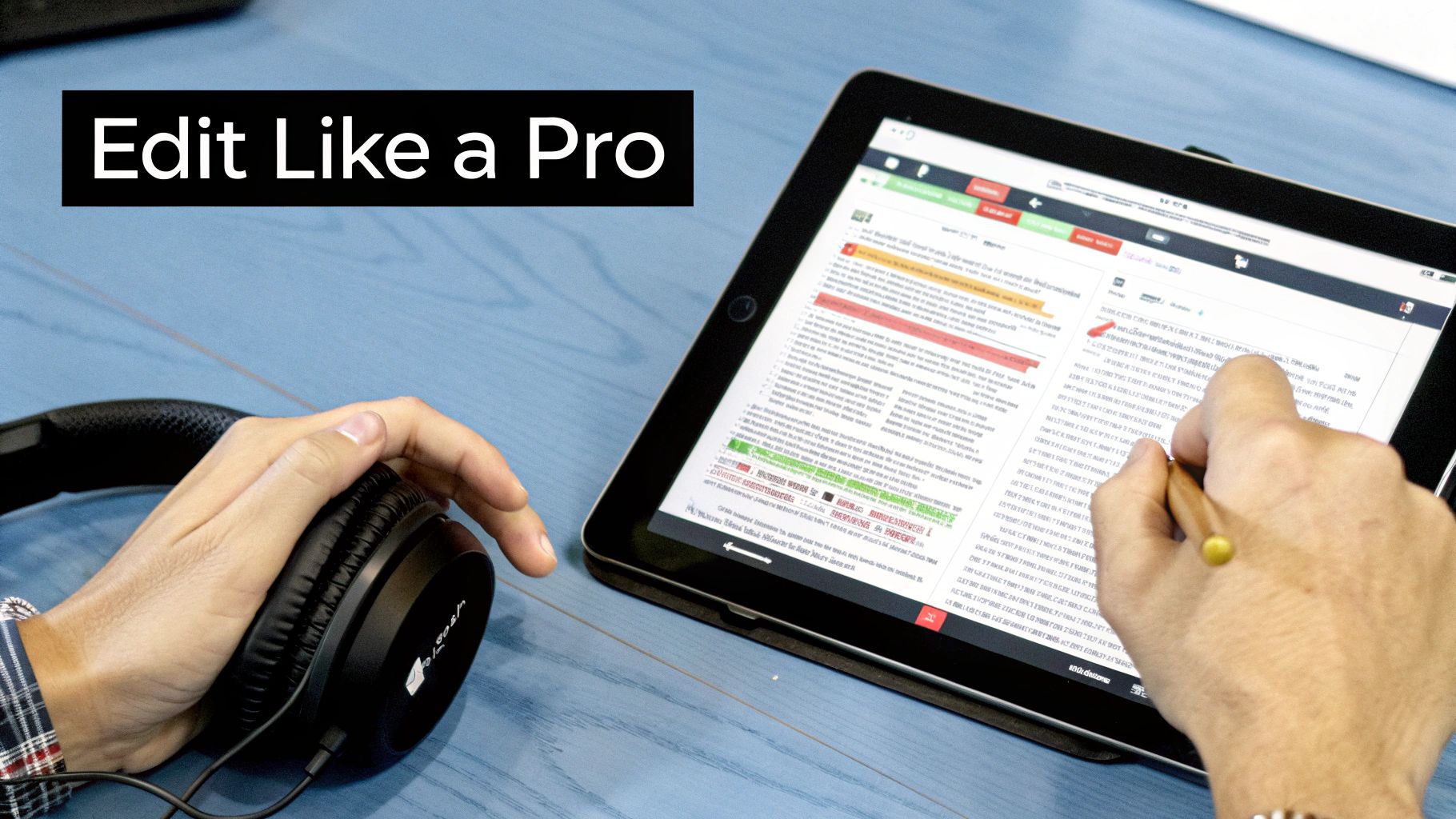
Think of it as the difference between a rough draft and a finished piece. Thankfully, most modern tools—including WhisperAI—have interactive editors built right in, making this process much less of a chore.
My Go-To Method: The Two-Pass Edit
To keep from getting bogged down, I always use a simple two-pass workflow. This trick helps you stay focused by tackling one type of correction at a time, which makes the whole process faster and way more accurate.
First Pass: The Accuracy Check
On your first time through, play the original audio and read along with the transcript. Your only mission here is to fix the factual errors.
- Misheard Words: AI can stumble over proper nouns, company names, and niche jargon. Keep an ear out for those.
- Speaker Labels: Make sure the right person is credited for each line of dialogue. It’s easy to correct a "Speaker 1" that should have been "Speaker 2."
- Timestamp Sync: A quick check to see if the timestamps actually line up with the audio. If they're off, it can throw off anyone trying to reference a specific moment later on.
This first run-through is all about substance, making sure the transcript is a faithful record of what was actually said.
Second Pass: The Readability Polish
Now that the content is accurate, you can focus on making it easy to read. You can usually do this second pass without even listening to the audio again.
- Punctuation & Grammar: This is where you add the commas, periods, and question marks that give the text its flow and make sentences clear.
- Capitalization: Scan for any capitalization mistakes, especially at the start of sentences or with names.
- Paragraph Breaks: Long blocks of text are intimidating. Break up lengthy monologues into shorter, scannable paragraphs. Your readers will thank you.
This review turns a raw text file into a clean, professional document.
A polished transcript isn't just about being correct; it's about being usable. The goal is to create a document that someone can read and understand without needing the original audio at all.
Verbatim vs. Clean Read: Which One Do You Need?
One of the key editing decisions you’ll make is choosing between two main styles: verbatim or clean read. The right one depends entirely on what you're using the transcript for.
| Editing Style | What It Includes | Best For |
|---|---|---|
| Verbatim | Every single utterance—filler words ("um," "uh"), stutters, false starts, and repeated words. | Legal depositions, qualitative research interviews, and any situation where the exact manner of speaking is crucial data. |
| Clean Read | The core message, but with filler words, repetitions, and false starts removed for clarity and flow. | Blog posts, meeting summaries, podcast show notes, and any content intended for a public audience to read easily. |
For most projects, a clean read is the way to go. It keeps the speaker's original meaning intact but makes the text much more digestible. If you're curious about how AI handles these differences, our article on AI transcription accuracy has some great insights.
Once your transcript is polished, you can take it a step further. Applying information summarization techniques is a great way to pull out the key takeaways, and having a clean transcript to start with makes that process a whole lot easier.
Tailoring Your Workflow for Different Projects
If you're using the same transcription process for every project, you're likely missing out. The ideal workflow for a creative podcaster looks nothing like what a meticulous academic researcher needs, and that's completely different from what a busy project manager is looking for.
Thinking about transcription this way is what turns a simple text file into a powerful tool. It’s a big deal, too. The U.S. transcription market, combining both automated and human services, was valued at a staggering USD 30.42 billion in 2024. That number shows just how critical transcription has become everywhere, from legal offices and corporate boardrooms to media studios and universities. You can explore more insights about the transcription market's scale and see how different industries depend on this technology.
For Podcasters and Content Creators
When you’re a podcaster, your transcript is so much more than a script—it's a marketing machine. You’re chasing SEO, making your content accessible, and mining it for future use.
Your workflow should be all about creating a clean read transcript. This means you’re on a mission to hunt down and remove all the "ums," "ahs," filler words, and sentences that trail off into nowhere. The final text needs to read as smoothly as a well-written blog post.
Here’s how to get there:
- Speaker Labeling is a Must: For any show with a host and guest, this is non-negotiable. It makes the conversation easy to follow.
- Edit for Readability: Dive into the AI-generated text and start polishing. The goal is flow. Break up those giant paragraphs so people can easily scan the content.
- Think Like an SEO: As you edit, make sure your most important keywords are spelled out correctly. A full, accurate transcript gives search engines a feast of text to index, helping new listeners find you.
- Find Your Gold: A clean transcript is a goldmine. Pull out the best quotes for social media graphics, build your show notes from it, and find inspiration for your next newsletter.
For Academic and Market Researchers
Researchers play a completely different ballgame. For them, verbatim accuracy is the only thing that matters. The way a research participant hesitates, repeats a word, or corrects themselves isn't noise; it’s part of the data.
For qualitative analysis, context and nuance are king. A verbatim transcript captures not just what was said, but how it was said, preserving the integrity of the original conversation for detailed study.
A solid research workflow looks like this:
- Start with Verbatim: When you get a transcript from a platform like the WhisperAI AI transcription tool, you’re already starting with a near-verbatim draft. Your job is to get it to 100%.
- Edit with a Light Touch: Your only edits should be to fix clear AI mistakes, like a misheard technical term or a mangled name. Leave the filler words and stutters alone—they're crucial.
- Anonymize Where Needed: If you’re working with sensitive data, a critical part of your editing pass is removing or replacing names and any other details that could identify your participants.
- Trust Your Timestamps: Double-check that the timestamps are perfectly synced with the audio. This is your lifeline when you need to jump back to the original recording to analyze a specific quote.
For Business Professionals and Teams
In the corporate world, nobody has time to sift through a 45-page transcript of an hour-long meeting. The goal here is simple: document decisions and clarify who is doing what. The focus is on action, not conversation.
Here's an efficient workflow for your meeting notes:
- Identify Your Speakers: Knowing who said what is essential for accountability. Make sure the AI has correctly labeled each person who spoke.
- Cut the Fluff: Be ruthless. Get rid of the small talk, the inside jokes, and any conversations that went off-topic. You want a concise summary, not a novel.
- Make the Important Stuff Pop: Use bolding or bullet points to highlight action items, deadlines, and key decisions. This lets your team scan the document in 30 seconds and get everything they need.
- Lead with a Summary: Put a quick, two-sentence summary at the very top. What was the point of the meeting, and what were the major outcomes? This gives everyone the high-level view instantly.
To make it even clearer, let's break down how these different needs translate into specific settings and priorities.
Transcription Workflow Comparison by Use Case
This table shows at a glance how you should approach transcription based on what you're trying to accomplish.
| Use Case | Primary Goal | Recommended Edit Style | Key Feature to Use |
|---|---|---|---|
| Podcast/Content | SEO, Accessibility, & Content Repurposing | Clean Read | Speaker Labeling |
| Academic Research | 100% Verbatim Accuracy & Data Integrity | True Verbatim | Word-Level Timestamps |
| Business Meeting | Action Items, Decisions, & Accountability | Edited Summary | Speaker Labeling & Summary |
| Clinical Notes | Accurate Patient Record & Medical Terminology | Intelligent Verbatim | Custom Vocabulary |
As you can see, the "best" way to transcribe is entirely dependent on the job at hand. By adapting your approach, you can transform a raw audio file into a perfectly crafted document that meets the unique demands of your project.
A Few Common Questions We Hear All the Time
Even with a tool as powerful as AI transcription, it's totally normal to have a few questions before you dive in. Let's walk through some of the things people ask most often. My goal is to give you clear, no-nonsense answers so you can start transcribing with confidence.
We’ll tackle everything from how accurate you can expect it to be to whether it's actually safe for your sensitive files.
How Accurate is AI Transcription, Really?
This is always the first question, and for good reason. The short answer? It can be incredibly accurate, but that all comes down to the quality of your audio.
For a clean recording—think one person speaking clearly with little to no background noise—you can realistically expect up to 95% accuracy, sometimes even better. But a few things can definitely trip it up and bring that number down.
- Background Noise: A loud café, a humming AC unit, or passing sirens can easily confuse the AI. It has to work harder to separate the words from the noise.
- People Talking Over Each Other: Let's be honest, even humans can't make sense of crosstalk. When voices overlap, the AI will struggle and might miss or jumble phrases.
- Strong Accents or Dialects: Modern AI is trained on a massive range of accents, but particularly heavy or less common ones can still cause some hiccups.
- Technical Jargon: If you're discussing highly specialized terms in medicine or engineering, the AI might misinterpret a word it hasn't been trained on.
Just think of it this way: the AI's accuracy directly reflects how well it can "hear." The cleaner the audio you feed it, the cleaner the transcript you'll get back.
Is It Safe to Upload Sensitive Audio Files?
This is a big one. When you're dealing with confidential client meetings, private patient notes, or sensitive research interviews, security is paramount. The good news is that any reputable transcription service takes this just as seriously as you do.
When you're vetting a tool, here’s what to look for on their security checklist:
- End-to-End Encryption: This is non-negotiable. It means your file is scrambled and unreadable from the moment you upload it, during processing, and while it’s stored. Look for standards like 256-bit AES encryption.
- Data Privacy Compliance: Certifications like GDPR or SOC 2 aren't just fancy badges. They prove the company follows strict, audited rules for protecting your data.
- Confidentiality Agreements: Read the fine print. The terms of service should state explicitly that your data is yours alone and won't be used for anything other than your transcription.
Your data's security is non-negotiable. A professional-grade service will treat your files with the same level of protection you'd expect from any other secure business software. It's not an afterthought; it's a core feature.
Platforms built for professionals bake these measures into their core product, so you can upload your files without a second thought.
How Long Does It Take to Transcribe an Hour of Audio?
This is where you really see the magic of AI. The time savings compared to doing it by hand are just staggering.
| Transcription Method | Time to Transcribe 1 Hour of Audio |
|---|---|
| Manual (Human Transcriber) | 4-6 hours on average, and that's for an experienced pro. |
| AI-Powered Tool | 5-10 minutes, depending on the file size and how busy the servers are. |
An experienced human transcriber, someone who does this for a living, will spend at least four hours transcribing a single hour of clear audio. That's a solid half-day of focused listening, typing, rewinding, and editing.
An AI tool, on the other hand, can knock out that same hour of audio in the time it takes you to grab a cup of coffee. This is a massive efficiency boost, freeing you up to actually use the information in your transcript instead of just creating it.
Can AI Handle Multiple Speakers and Accents?
Absolutely. Modern AI has gotten remarkably good at untangling conversations with multiple people, thanks to a couple of key advancements.
Speaker Diarization This is the fancy term for telling different voices apart. When you turn on speaker labeling, the AI analyzes the unique vocal characteristics of each person and tags their speech accordingly (e.g., "Speaker 1," "Speaker 2"). This is what transforms a messy block of text into a script-like dialogue, which is a lifesaver for meetings, interviews, or podcasts.
Handling Accents The AI models behind these tools have been trained on an almost unimaginable amount of voice data from all over the world. This includes a huge variety of accents and dialects. While a very thick or uncommon accent might still throw it for a loop occasionally, the tech is always getting smarter. It handles common variations in English (like American, British, or Australian) and many non-native speakers with impressive accuracy.
At the end of the day, the AI is a pattern-matching machine. The more accents and speech patterns it’s exposed to, the better it gets at its job.
Ready to put the power of AI transcription to work for you? With WhisperAI, you can turn hours of audio into accurate, searchable text in just minutes. Experience the speed, security, and precision that thousands of professionals rely on every day.