12 Free Business Meeting Minutes Template Downloads to Use in 2026
Find the perfect business meeting minutes template. Download 12 free, customizable templates for Word, Google Docs, and more to streamline your workflow.
tl;dr: Meetings are essential, but poor record-keeping makes them a waste of time. A good business meeting minutes template solves this by standardizing how you capture key decisions, action items, and discussions. This guide cuts through the noise to give you the 12 best templates available, from simple DOCX files to integrated solutions in platforms like ClickUp and Notion. We provide direct links, previews, and practical tips for each option so you can find the perfect fit for your team’s workflow, whether you need a formal board meeting record or a quick team sync summary.
Meetings can either drive progress or become a black hole for productivity. The difference often boils down to a single document: the meeting minutes. Without a clear, consistent record of what was discussed, who's responsible for what, and the decisions made, valuable time and momentum just evaporate. The simplest solution is a well-structured business meeting minutes template. It provides a reliable framework to ensure no critical detail slips through the cracks.
Think of this guide as your go-to resource for finding the right template for any situation. We’ve done the legwork and compiled a list of the best options out there, from classic Microsoft Word and Google Docs formats to integrated templates within project management tools like Smartsheet, Notion, and Confluence. Whether you're documenting a formal board meeting, a creative brainstorming session, or a daily stand-up, there's a template here designed to fit your needs. To get a better feel for what effective minutes look like, it’s worth checking out various meeting minutes template samples.
Our goal isn't just to help you record conversations, but to empower you to create actionable records that move your team forward. For each template on our list, you'll find:
- A quick overview of its best use case.
- Direct download links for DOCX, PDF, and Google Docs formats where available.
- Previews and practical tips for customization.
We’ll even show you how to streamline your workflow by using an AI transcription service like WhisperAI to generate an accurate transcript, which you can then use to fill out your chosen template flawlessly. Let's find the template that will transform your meeting documentation process.
1. Microsoft Word Templates
For any team living in the Microsoft 365 ecosystem, starting with Word's built-in template gallery is the most straightforward option. Microsoft offers a curated selection of free, professionally designed business meeting minutes templates you can access directly within Word. This keeps your entire workflow within a familiar environment, eliminating the need for third-party tools. The biggest advantage here is the seamless integration with OneDrive and SharePoint, which enables real-time co-authoring, comments, and version control.
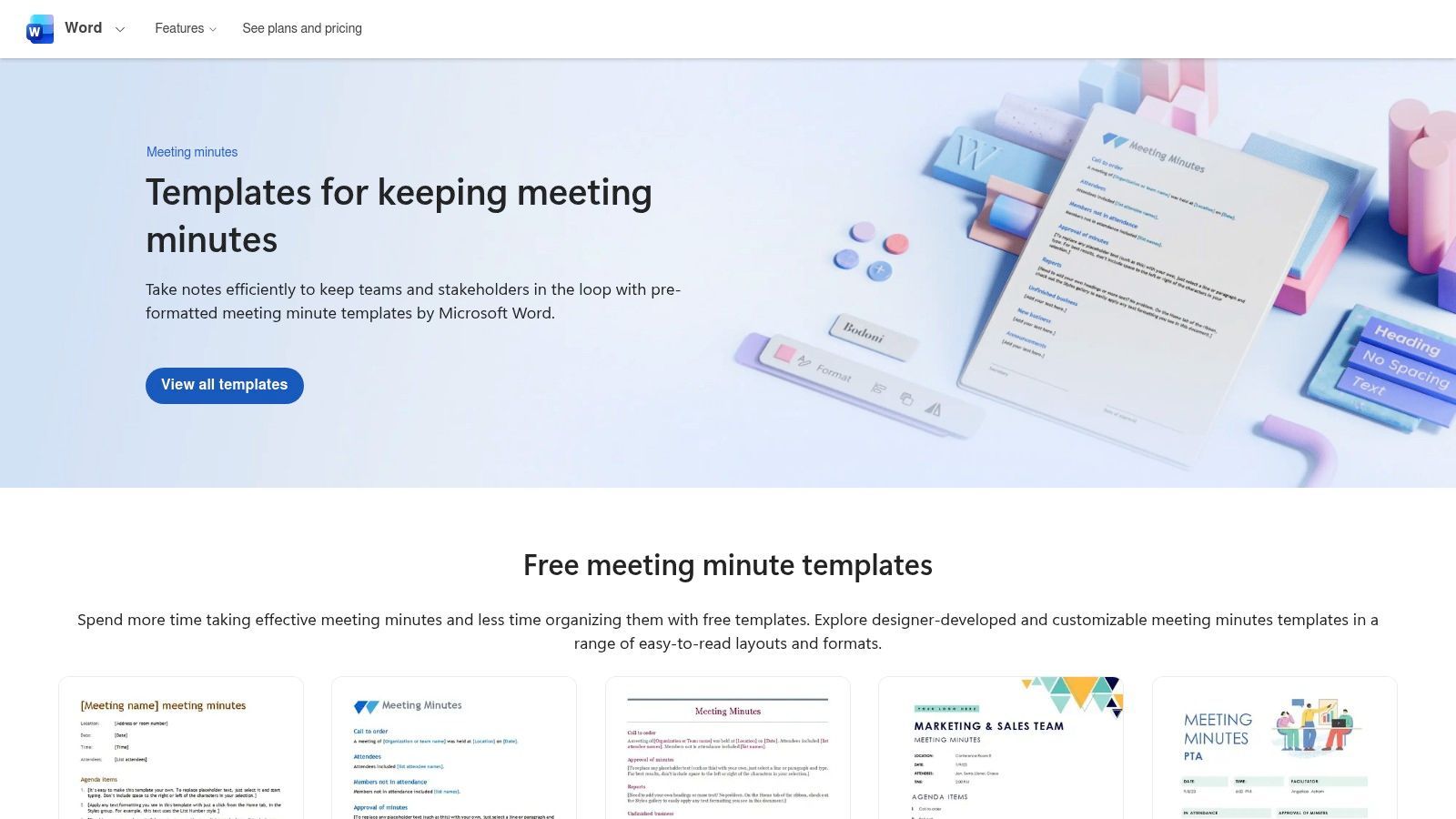
The platform is known for its powerful formatting capabilities, but it's the AI-powered features that are changing the game. Organizations with Microsoft 365 Copilot subscriptions can leverage AI to draft minutes directly from a meeting transcript, which can dramatically reduce the administrative headache of documenting meetings.
Key Features and User Experience
Microsoft’s templates are a solid foundation for any kind of meeting, from formal board sessions to casual team huddles.
- Best For: Businesses standardized on Microsoft 365 looking for integrated and highly customizable templates.
- Pricing: Templates are free. Advanced AI features require an eligible paid Microsoft 365 Copilot subscription.
- Pros:
- Familiar Interface: Almost everyone knows their way around Microsoft Word.
- Excellent Collaboration: Real-time co-authoring and commenting via OneDrive and SharePoint.
- Advanced Formatting: Unmatched control over styles, headers, footers, and branding.
- Cons:
- Gated AI Features: The most powerful time-saving feature, Copilot, is locked behind a specific paid plan.
- Complexity: Advanced styling and template customization can have a steeper learning curve.
Website: https://word.cloud.microsoft/create/en/minutes-templates/
2. Google Docs (Meeting notes building blocks)
For teams that run on Google Workspace, Google Docs provides a deeply integrated and collaborative way to handle meeting minutes. Instead of dealing with standalone files, Google offers smart “building blocks” that instantly create structured notes tied directly to your Google Calendar events. This feature is a massive time-saver, letting you generate a pre-populated business meeting minutes template with a single click from your calendar. It automatically fills in the event title, date, and attendee list, making setup a breeze.
The platform’s real magic lies in its Smart Chips, which allow you to @-mention attendees to assign action items, link to other Google Drive files, and add dates that sync with your Calendar. As Google continues to integrate its Gemini AI, eligible Workspace users are also getting access to automated summaries and insights. This transforms Google Docs from a simple note-taking tool into an intelligent documentation hub. To make your notes even more comprehensive, an audio-to-text-converter can capture every detail from your meeting.
Key Features and User Experience
Google's templates are perfect for agile teams that value speed, accessibility, and seamless integration over complex formatting.
- Best For: Teams using Google Workspace who need fast, collaborative, and context-aware meeting notes.
- Pricing: Free for personal use. Advanced AI and administrative features require a paid Google Workspace plan.
- Pros:
- Seamless Integration: Unbeatable connection with Google Calendar, Drive, and Meet.
- Instant Collaboration: Superior real-time co-editing that eliminates version control chaos.
- Smart Features: Smart chips and AI summaries (on eligible plans) automate and enrich notes.
- Cons:
- Tier-Dependent Features: The most powerful AI tools are limited to specific paid Workspace tiers.
- Limited Customization: The default building block offers less granular formatting control than Word.
Website: https://docs.google.com/
3. Canva Meeting Minutes Maker
When visual polish and brand consistency are top priorities, Canva is the go-to platform for creating meeting minutes. It moves beyond boring text documents, offering a massive library of professionally designed templates that you can customize with an intuitive drag-and-drop editor. This approach is fantastic for producing visually engaging minutes that can be easily shared as PDFs or images—perfect for stakeholder updates, newsletters, or any communication where design is just as important as the content.
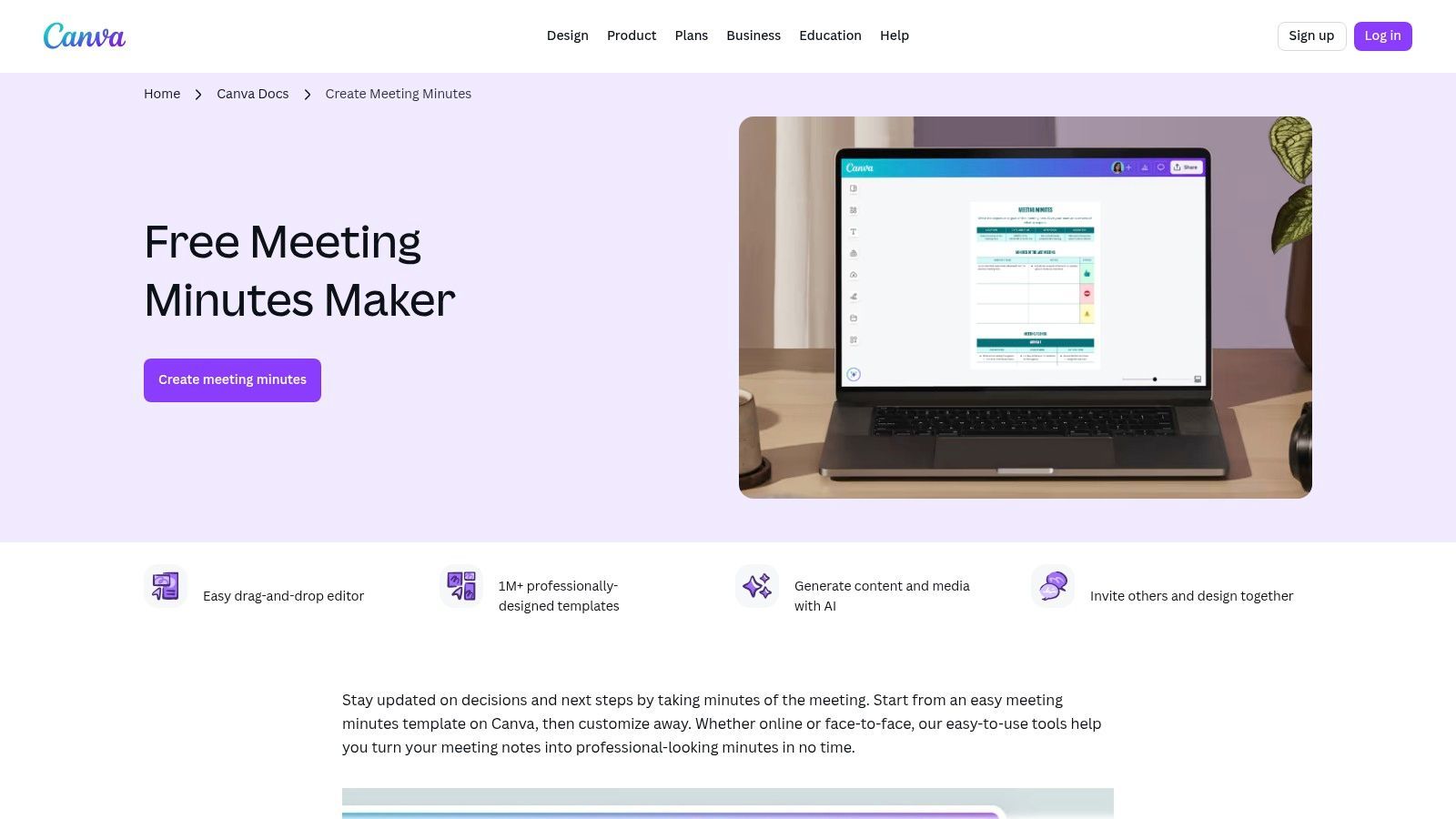
Canva's strength is making graphic design accessible to everyone. Teams can quickly apply their brand kits—logos, colors, and fonts—to any business meeting minutes template for a consistently professional look. While it does offer collaboration features like commenting, its real power lies in its design tools and the ease of creating shareable, beautiful assets, rather than being a pure document management system.
Key Features and User Experience
Canva’s intuitive interface makes it simple to transform standard meeting notes into polished, on-brand documents, even with zero design experience.
- Best For: Teams that want to create visually attractive and branded meeting minutes for easy sharing and presentation.
- Pricing: A robust free version is available. Canva Pro unlocks premium templates, design elements, and advanced features like Brand Kits.
- Pros:
- Visually Striking: Massive library of high-quality, modern templates.
- Effortless Branding: Quickly apply brand colors, fonts, and logos with Brand Kits.
- User-Friendly Interface: The simple drag-and-drop editor is accessible to non-designers.
- Cons:
- Limited for Text-Heavy Documents: Less suited for complex, multi-page meeting archives than traditional word processors.
- Premium Assets: Some of the best templates and design elements require a Canva Pro subscription.
Website: https://www.canva.com/create/meeting-minutes/
4. Template.net
Think of Template.net as a huge marketplace for business templates, offering a diverse collection of downloadable and editable business meeting minutes templates. Its main strength is its support for multiple formats—it provides files for Word, Google Docs, Apple Pages, and even PDF. This flexibility is a lifesaver for teams that use different software or need to share non-editable files for official records. The platform is essentially a one-stop shop for various business needs, offering templates for specific meeting types, not just generic layouts.
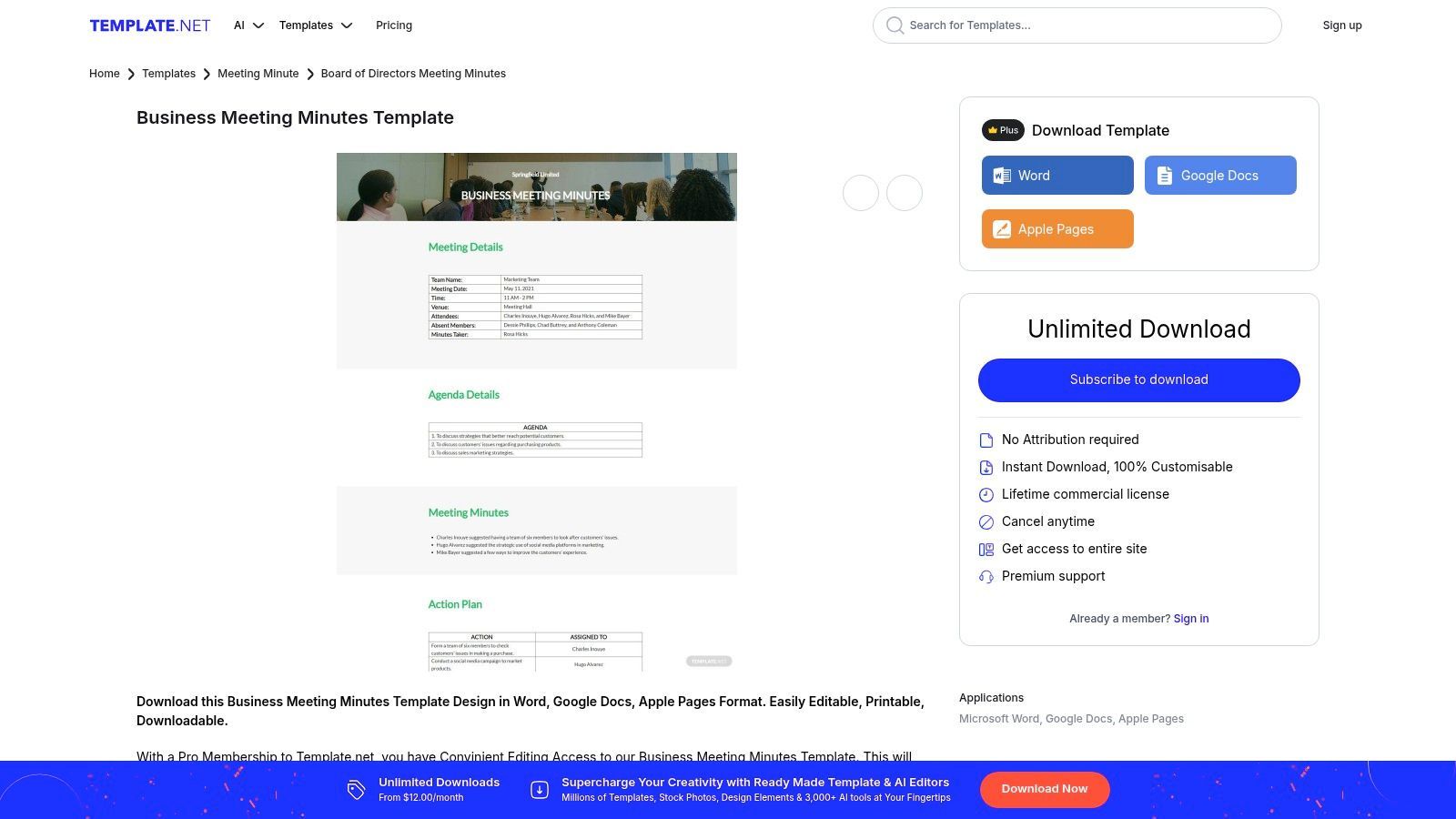
While there are plenty of free options, Template.net’s premium subscription unlocks a much larger library and access to a built-in online editor. This editor even includes AI-assisted features to help you populate and refine your minutes directly on the platform before downloading. This hybrid approach caters to a wide range of users, from those needing a quick, free template to professionals looking for more advanced editing tools.
Key Features and User Experience
Template.net shines by providing a variety of formats, ensuring compatibility no matter what software your team prefers.
- Best For: Individuals and businesses that need templates in multiple formats (Word, Google Docs, Pages, PDF) and appreciate a wide selection of designs.
- Pricing: Offers a mix of free templates. A Pro membership is required for premium designs and the online AI editor.
- Pros:
- Broad Format Support: Unmatched compatibility across different word processors and platforms.
- Variety of Layouts: Extensive library with many business-focused and specific-use templates.
- Online Editor: A subscription provides access to a web-based editor with helpful AI features.
- Cons:
- Paywalled Content: The most professional and polished templates are often locked behind a Pro membership paywall.
- Inconsistent Quality: As with any marketplace, the design quality and level of detail can vary between templates.
Website: https://www.template.net/editable/5210/business-meeting-minutes/?utm_source=openai
5. Smartsheet (Meeting Agenda/Minutes Template Set)
For teams where meeting outcomes need to translate directly into project tasks, Smartsheet offers a powerful solution that blends minutes with actionable project management. This template set is designed to manage agendas, capture notes, and rigorously track action items within a dynamic, spreadsheet-like environment. The key advantage is its ability to connect meeting discussions directly to task assignments, due dates, and status reports, ensuring nothing gets forgotten.
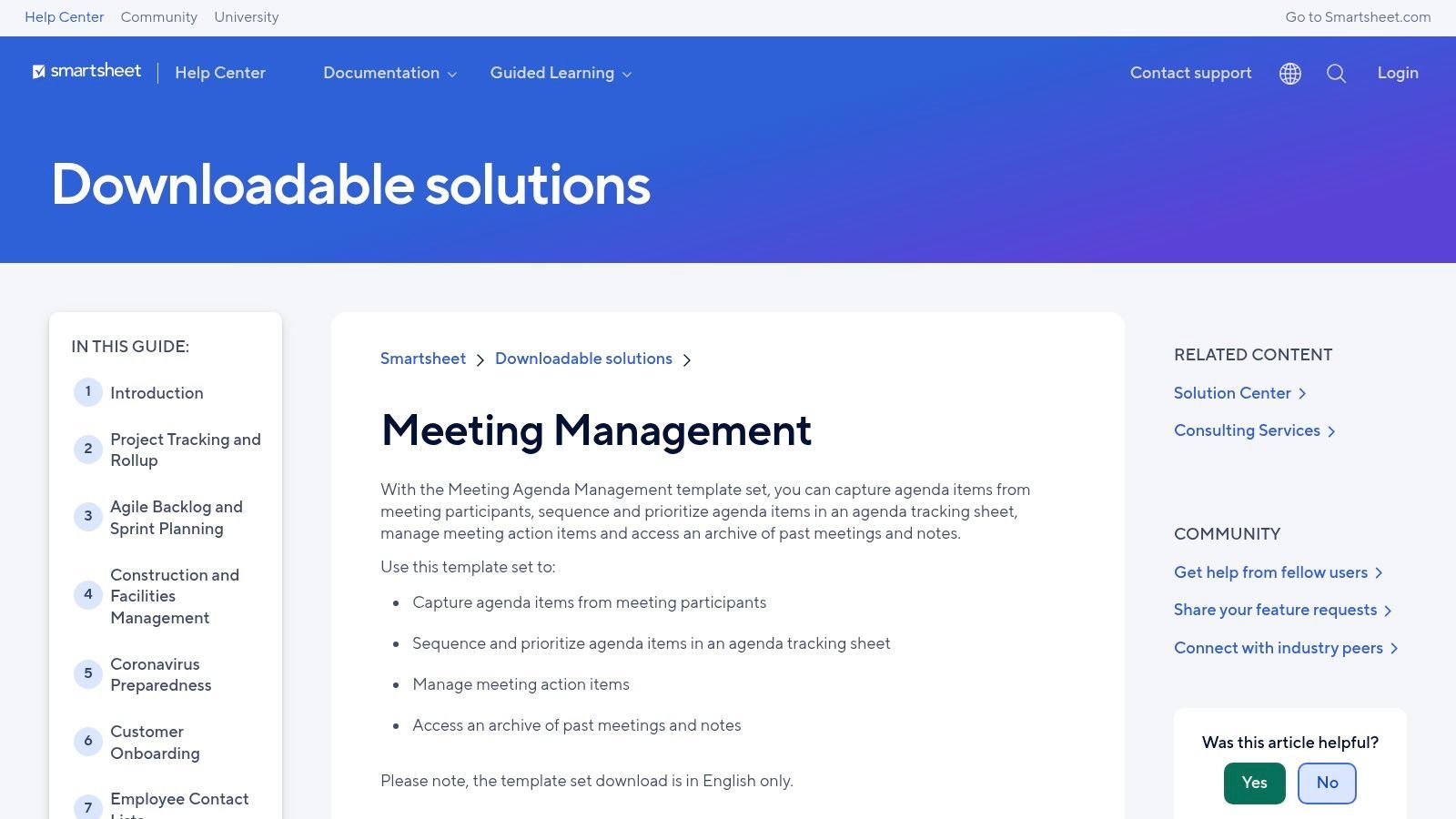
Smartsheet stands out by treating meeting minutes not as static documents, but as living components of a broader project workflow. Its platform allows for powerful cross-sheet reporting, where action items from multiple meetings can be consolidated into a single dashboard. This makes it an ideal business meeting minutes template for program managers and teams managing recurring meetings who need a high-level view of all commitments and their progress.
Key Features and User Experience
Smartsheet transforms standard meeting documentation into a centralized command center for team accountability and project tracking.
- Best For: Project-based teams and managers who need to integrate meeting action items directly into their project management workflows.
- Pricing: Templates are free to use, but unlocking the full power of reporting and automation requires a paid Smartsheet plan.
- Pros:
- Action-Oriented: Excels at turning discussion points into trackable tasks with owners and deadlines.
- Powerful Reporting: Consolidates data from multiple meeting sheets into dashboards for comprehensive oversight.
- Workflow Automation: Supports automated reminders and status updates for assigned action items.
- Cons:
- Requires Smartsheet Ecosystem: Most valuable when the entire team is actively using Smartsheet.
- Overkill for Simple Needs: Can be overly complex for one-off meetings or basic note-taking.
6. ClickUp Templates (Meeting Minutes)
For teams that need their meeting notes to be instantly actionable, ClickUp offers a powerful, integrated solution. Instead of just documenting discussions, ClickUp’s Docs feature provides a free meeting minutes template designed to convert conversation points directly into trackable tasks within your project management ecosystem. This approach bridges the gap between discussion and execution, ensuring that action items are assigned, monitored, and completed without ever leaving the platform. It turns static notes into dynamic workflow components.
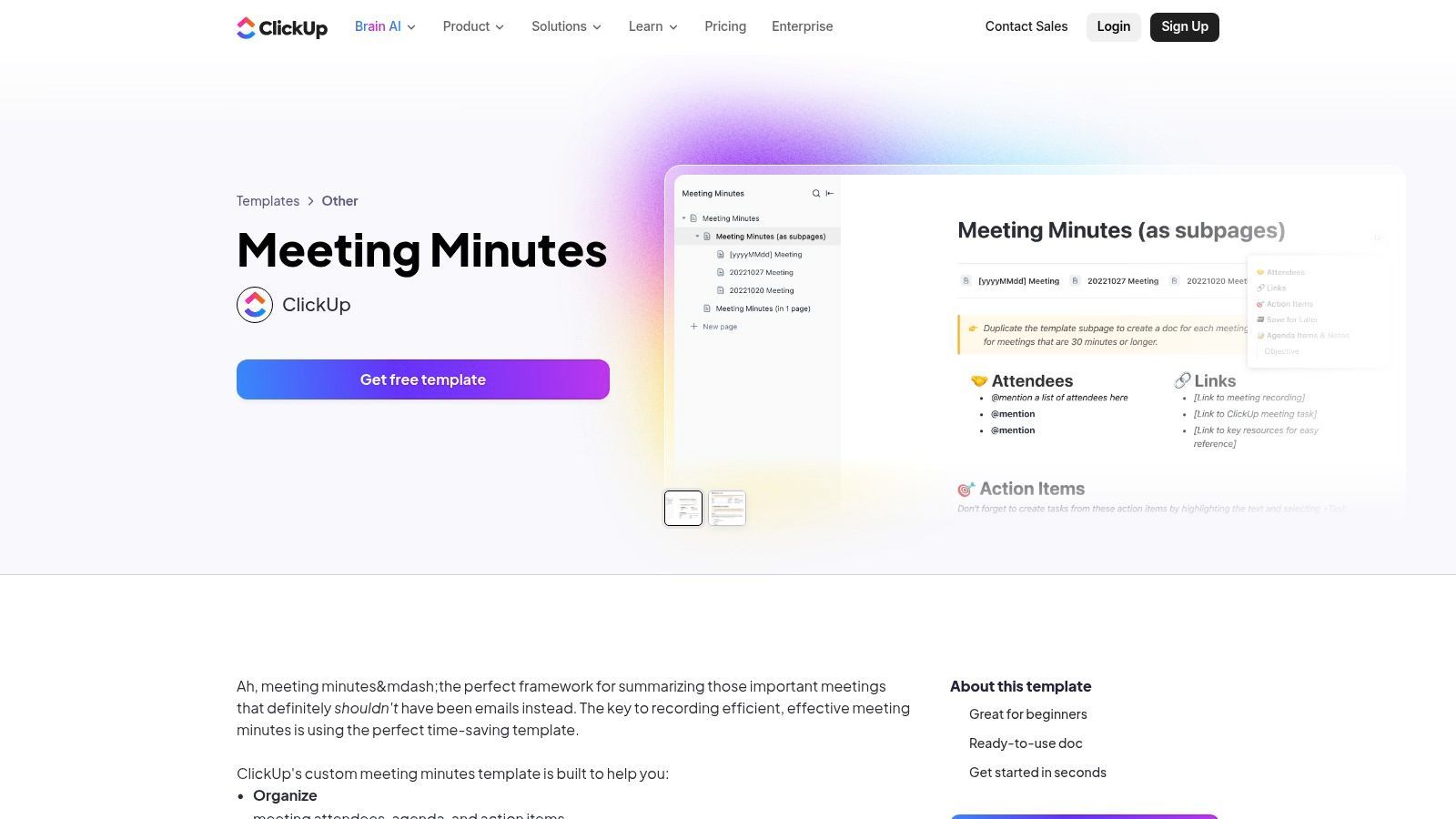
The platform really shines by embedding the business meeting minutes template directly into its task and project management framework. You can highlight any line of text within your minutes and instantly create a new task, assign it to a team member, and set a due date. This tight integration is perfect for agile teams, project managers, and anyone who needs to ensure meeting outcomes translate into tangible progress, solving the common problem of action items getting lost in the shuffle.
Key Features and User Experience
ClickUp’s templates are designed to streamline the entire meeting lifecycle, from creating the agenda to following up after the meeting.
- Best For: Teams already using or planning to adopt ClickUp for project management who want to unify their documentation and workflow.
- Pricing: Templates are free. Core features are available on the free plan, with advanced capabilities on paid tiers.
- Pros:
- Action-Oriented: Instantly convert any text from your minutes into an assignable task.
- Integrated Workflow: Keeps meeting notes and project tasks in one centralized location.
- Multiple Views: Includes organized sections for agenda, action items, and decision logs.
- Cons:
- Platform Commitment: To get the full benefits, your team needs to adopt ClickUp as its primary work hub.
- Learning Curve: The platform's extensive features can be overwhelming for new users.
Website: https://clickup.com/templates/meeting-minutes-kkmvq-15041
7. Atlassian Confluence Templates (Meeting Notes)
For software development, IT, and agile teams already operating in the Atlassian ecosystem, Confluence’s built-in Meeting Notes templates are the gold standard. Instead of creating a separate document, your minutes become an integrated part of your team’s shared knowledge base. This keeps meeting outcomes, decisions, and action items directly alongside project plans and technical documentation, creating a single source of truth for your entire workflow. The biggest benefit is this deep integration with Jira and the broader Atlassian suite.
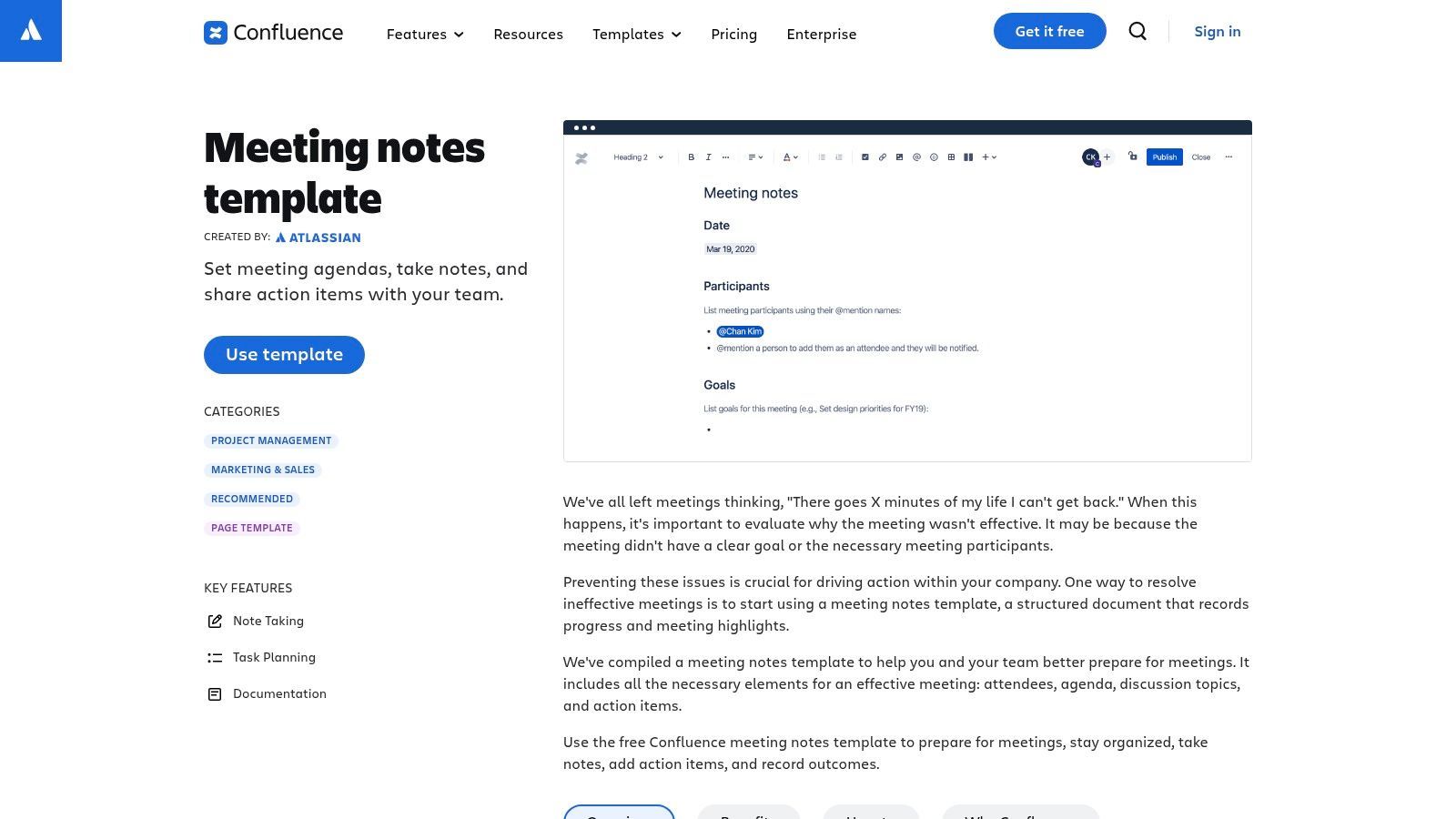
The platform excels at making minutes actionable and discoverable. Using "blueprints," Confluence pre-populates pages with sections for attendees, goals, discussion points, and action items. You can @mention teammates to assign tasks, which then appear in their personal task lists. All meeting notes are automatically indexed and searchable, neatly organized within a project or team space. Combining these notes with a transcript can be incredibly powerful; you can compare AI transcription tools to find one that fits your workflow.
Key Features and User Experience
Confluence’s templates transform meeting minutes from static records into dynamic, living documents that are connected to your projects.
- Best For: Agile, tech, and project teams heavily invested in the Atlassian (Jira, Confluence) ecosystem.
- Pricing: A limited free plan is available. Paid plans are required for larger teams and advanced features.
- Pros:
- Deep Integration: Seamlessly connects minutes with Jira issues, user profiles, and project spaces.
- Action-Oriented: Built-in task lists and @mentions make assigning and tracking follow-ups easy.
- Excellent Organization: The page tree structure and powerful search make past minutes easily accessible.
- Cons:
- Ecosystem Lock-In: Offers minimal value to teams not already using Confluence and Jira.
- Complexity: Can be overkill for simple meetings; the interface has a learning curve for new users.
Website: https://www.atlassian.com/software/confluence/templates/meeting-notes?utm_source=openai
8. Notion Template Gallery (Meeting Notes)
For teams that practically live in Notion, using a native template is the best way to integrate meeting documentation into broader company workflows. Notion offers a vast gallery of both official and community-built templates, allowing you to find a business meeting minutes template that connects directly to project trackers, task lists, and team wikis. This creates a single source of truth where meeting outcomes aren't isolated documents but active parts of a larger operational database.
The platform’s key differentiator is its relational database structure. You can tag attendees, link action items to specific project boards, and automatically populate meeting details. For teams on a paid plan, Notion AI can summarize notes, extract action items, and even draft follow-up communications, turning your minutes into a dynamic and actionable record.
Key Features and User Experience
Notion’s flexibility makes it ideal for tech-savvy teams who want to build custom systems around their meeting documentation.
- Best For: Teams already using Notion for project management and seeking a deeply integrated, all-in-one knowledge base.
- Pricing: A wide selection of free templates is available. Notion AI features require a paid subscription.
- Pros:
- Highly Customizable: Templates can be modified to create completely bespoke workflows and relational databases.
- All-in-One Workspace: Connects minutes directly to tasks, projects, and other company documentation.
- Large Template Variety: A huge gallery of free and paid templates from Notion and the community.
- Cons:
- Learning Curve: Advanced setups and database modeling require time to learn and implement effectively.
- Variable Quality: The quality and complexity of third-party community templates can vary significantly.
Website: https://www.notion.so/templates
9. Vertex42 (Meeting Minutes Templates)
For those who value function over flair, Vertex42 is a long-trusted resource for practical, no-nonsense business templates. It offers a focused collection of well-structured and highly functional meeting minutes templates, available for both Microsoft Word and Google Docs. This platform is perfect for users who need a solid, downloadable template without the complexity or design-heavy elements of more modern tools, making it a straightforward and reliable choice.
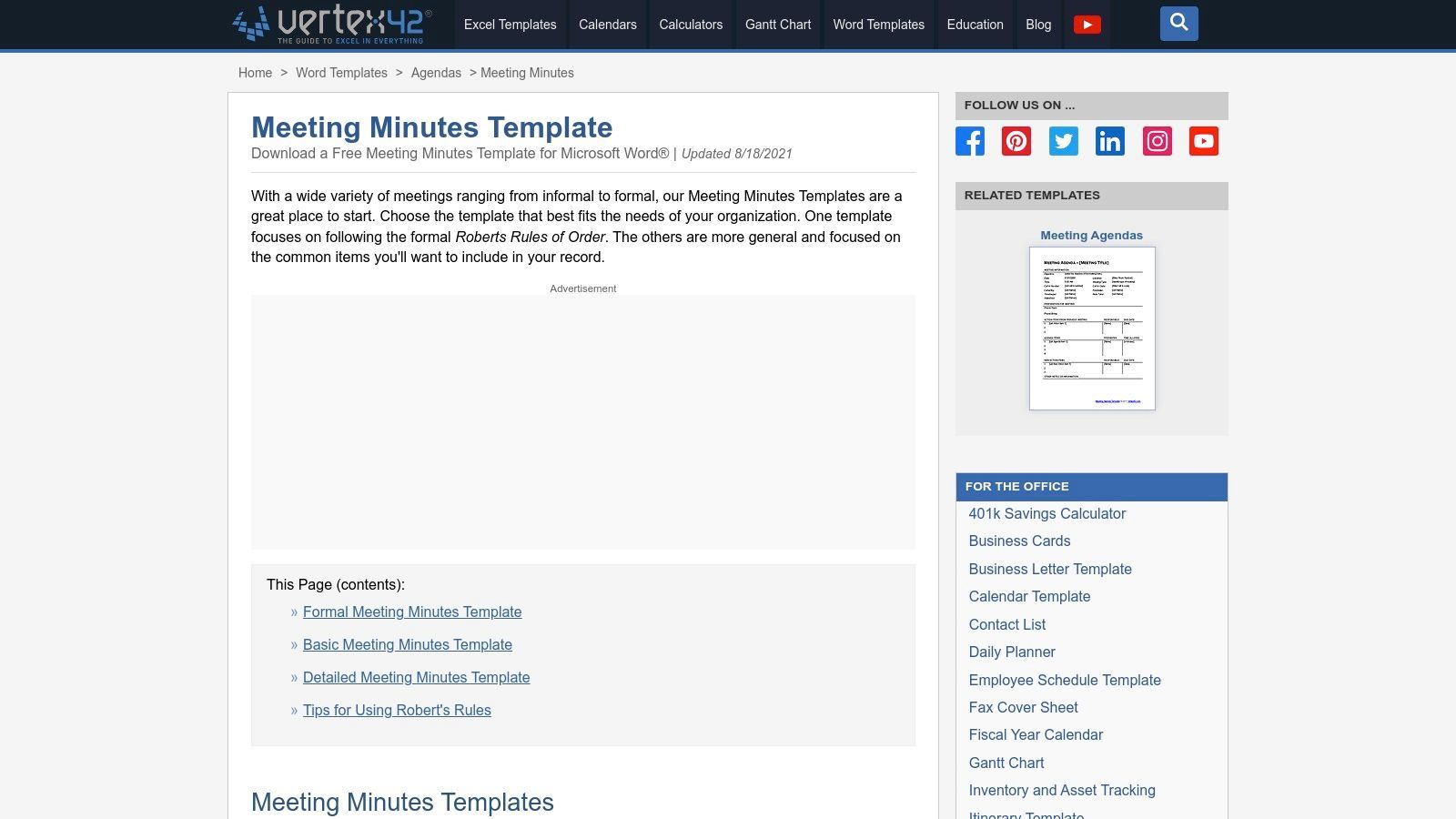
What really makes this platform stand out is that it offers templates specifically designed to align with formal procedures like Robert's Rules of Order—a crucial feature for board meetings, committees, and other official proceedings. The provided Word files are also theme-enabled, allowing for quick customization of colors and fonts to match your company branding with minimal effort. This makes Vertex42 a go-to source for a professional and effective business meeting minutes template.
Key Features and User Experience
Vertex42 provides a clean user experience, with direct downloads and clear instructions for using each template effectively.
- Best For: Organizations needing formal, structurally sound templates, especially those following Robert's Rules of Order.
- Pricing: Free for personal, private use. A commercial license is required for business use.
- Pros:
- Formal Structure: Includes a template specifically designed for Robert's Rules of Order.
- Easy to Customize: Theme-enabled Word files simplify branding and style adjustments.
- Cross-Platform: Provides both DOCX and Google Docs versions for flexibility.
- Cons:
- License Restrictions: The free version has limitations; a paid license is needed for most business scenarios.
- Basic Designs: The visual style is very traditional and may not suit teams looking for modern aesthetics.
Website: https://www.vertex42.com/WordTemplates/meeting-minutes.html?utm_source=openai
10. HubSpot Business Templates (Meeting Minutes)
For teams looking for a simple, effective, and free solution, HubSpot offers a downloadable business meeting minutes template that gets right to the point. Known for its extensive library of marketing and sales resources, HubSpot provides a clean, well-structured template designed for immediate use. This is perfect for small businesses or teams that need a professional format without the complexity of dedicated software, allowing them to capture essential details quickly. The download includes versions for Word, Google Docs, and PDF, offering great flexibility.
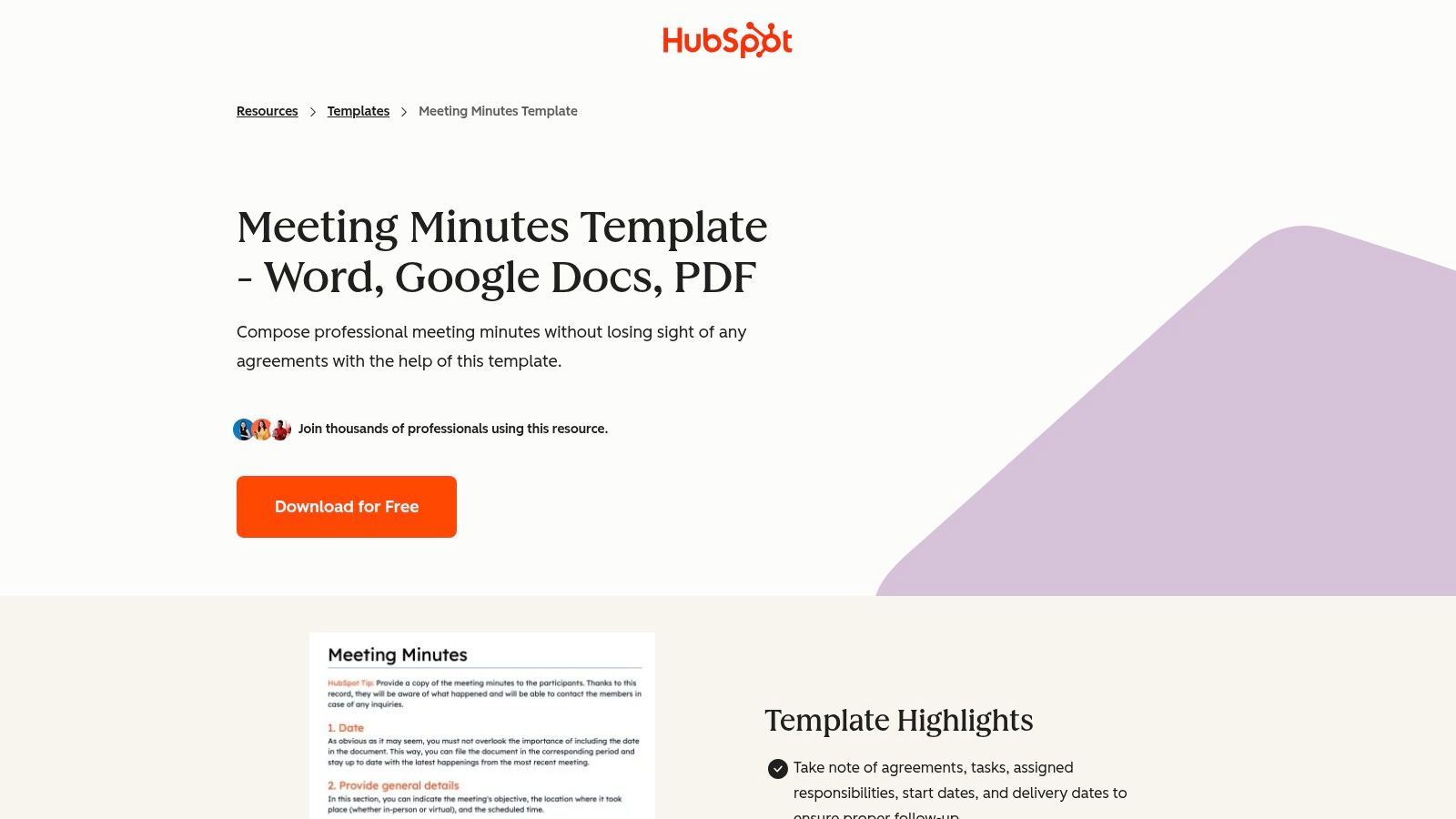
What makes HubSpot’s offering great is its no-frills, practical design. It guides users with clear sections for meeting objectives, attendees, agenda items, decisions made, and action items with assigned owners and due dates. While it's a standalone document, its true value lies in its simplicity and the trust associated with the HubSpot brand. Pairing this template with an accurate transcript is a game-changer; you can learn more about how AI transcription for business elevates this process.
Key Features and User Experience
HubSpot's template is an ideal starting point for organizations that prioritize clarity and efficiency over advanced features.
- Best For: Small to medium-sized businesses or teams needing a straightforward, professionally designed template at no cost.
- Pricing: Free. Access to the download may require submitting contact information through a simple form.
- Pros:
- Multi-Format Availability: Comes in DOC, Google Docs, and PDF formats for maximum compatibility.
- Clean and Professional: The layout is business-ready and easy to follow.
- Action-Oriented: Clearly defined sections for action items, owners, and deadlines.
- Cons:
- Gated Content: Requires users to fill out a form to download the template bundle.
- Manual Customization: Branding and layout adjustments must be made manually in your chosen editor.
Website: https://www.hubspot.com/business-templates/meeting-minutes
11. ProjectManager.com (Free Meeting Minutes Template)
ProjectManager.com offers a free, downloadable Word template specifically designed with project teams in mind. Unlike generic templates, this one is structured to capture not just discussions, but also the critical follow-ups, dependencies, and decisions that keep projects moving forward. It’s an ideal starting point for project managers, scrum masters, or any team lead who needs to translate meeting outcomes into actionable tasks. The main benefit is its direct focus on linking conversations to project execution, even if you don't use their full software suite.
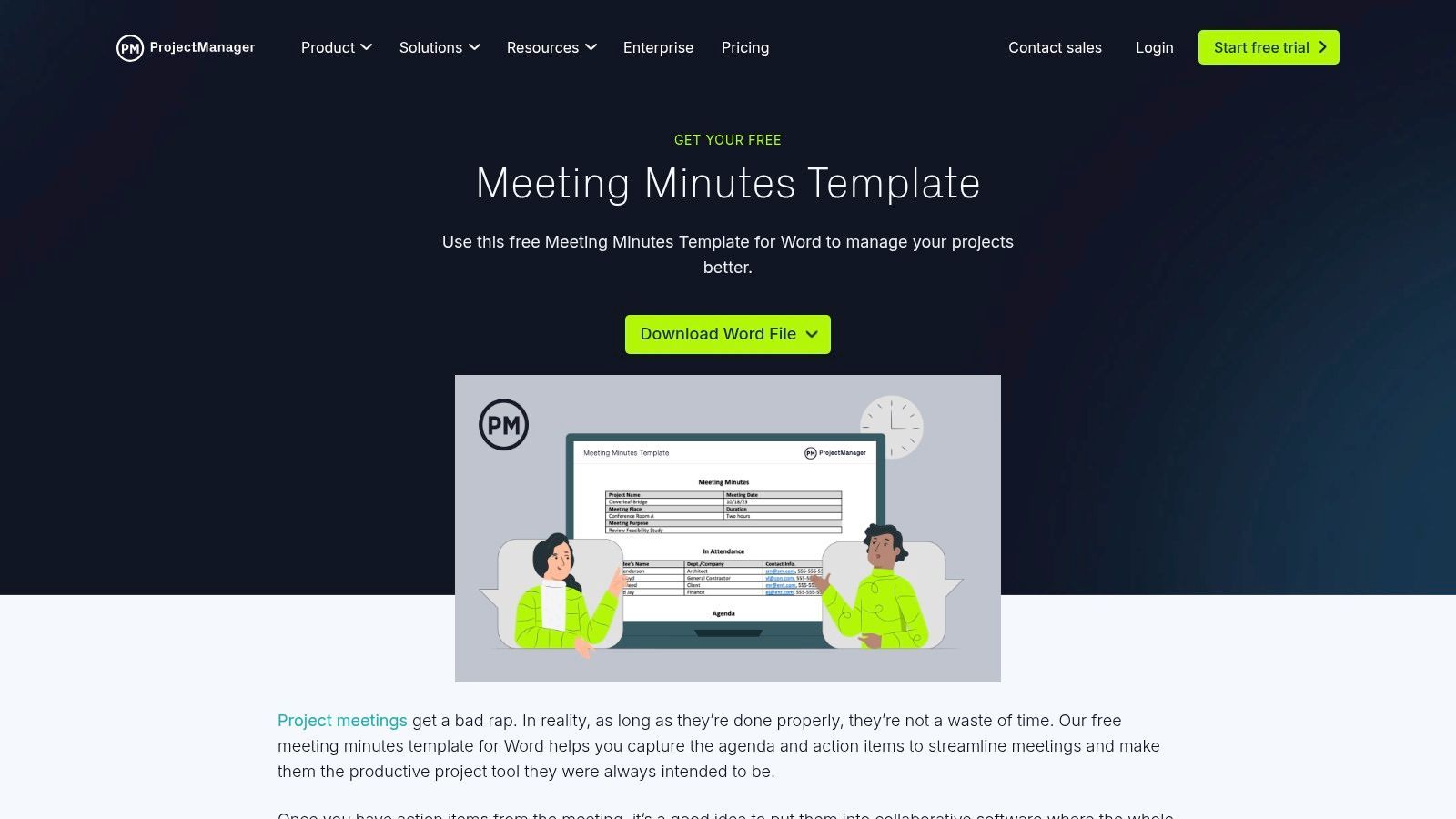
This template stands out by providing a clear framework for agenda items, discussions, and most importantly, action items with assigned owners and due dates. While the Word document is a standalone tool, the site naturally nudges users to integrate these action items into their paid project management platform for more advanced tracking and dashboards. This makes the template a practical, no-cost entry point into a more structured project management ecosystem.
Key Features and User Experience
The template is straightforward and tailored for project teams that need to maintain clear documentation and accountability.
- Best For: Project-based teams, PMOs, and managers who need a meeting minutes template focused on action items and deliverables.
- Pricing: The Word template is completely free to download. The full software platform requires a paid subscription.
- Pros:
- Project-Centric: Designed specifically for tracking project progress and tasks.
- No-Cost Entry: Easy, instant download without requiring any signup or subscription.
- Action-Oriented: Strong emphasis on assigning owners and deadlines to follow-up tasks.
- Cons:
- Utilitarian Design: The aesthetic is basic and functional, lacking visual polish.
- Platform Upsell: The context around the template consistently guides users toward their paid software.
Website: https://www.projectmanager.com/templates/meeting-minutes-template
12. Adobe Acrobat (Meeting Minutes Templates & Examples)
For teams where the final output needs to be a secure, distributable PDF, Adobe's resources are an excellent starting point. The company provides a collection of downloadable meeting minutes templates in various styles, including standard, detailed, formal, and informal. This approach is especially useful for organizations that need to finalize minutes, distribute them as non-editable documents, or collect e-signatures for official approval using the powerful Acrobat workflow.
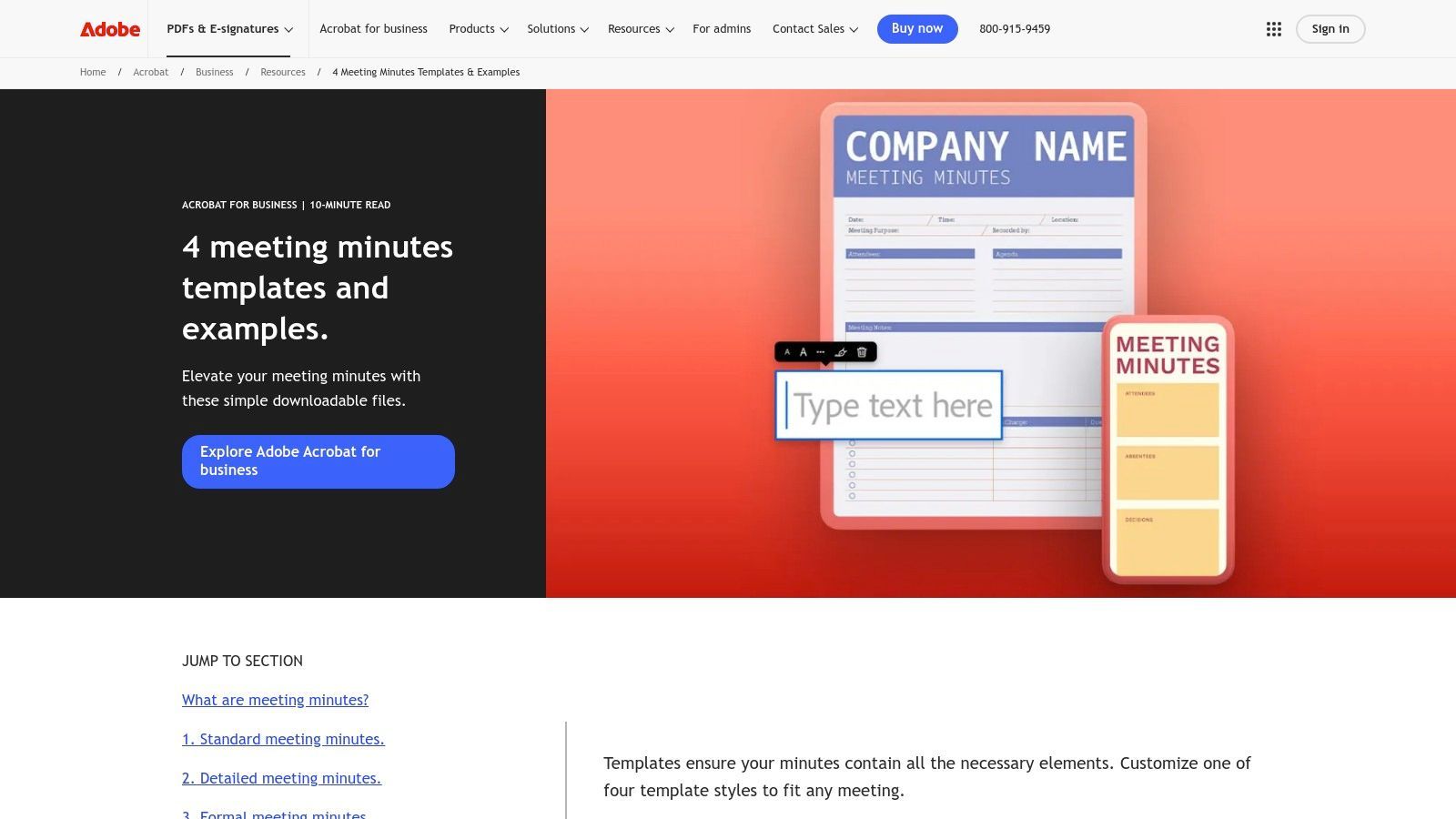
The platform stands out by pairing its templates with clear, practical guidance on what to include for each type of meeting. This educational component helps ensure compliance and clarity, which is especially important for formal board meetings. While the templates are free to download, leveraging Adobe's full suite of PDF editing, security, and e-signature tools requires an Acrobat subscription, making it a complete solution for document finalization and archival.
Key Features and User Experience
Adobe’s offering is more than just templates; it’s a gateway into a secure document management ecosystem.
- Best For: Companies in regulated industries or those requiring formal sign-off on meeting minutes.
- Pricing: Templates are free. Advanced PDF editing and e-signature features require a paid Adobe Acrobat subscription.
- Pros:
- Secure Distribution: Ideal for finalizing minutes as PDFs for secure, read-only distribution.
- Helpful Guidance: Provides best practices and content suggestions for different meeting styles.
- E-Signature Integration: Seamlessly integrates with Acrobat for collecting legally binding signatures.
- Cons:
- Editing Limitations: Significant edits are best done in a word processor before converting to PDF.
- Subscription for Full Power: The most valuable features (e-signatures, advanced editing) are behind a paywall.
Website: https://www.adobe.com/acrobat/business/resources/meeting-minutes-templates.html
Top 12 Meeting Minutes Templates Comparison
| Tool | ✨ Unique features | Integrations / Workflow | ★ UX / Quality | 💰 Pricing / Value | 👥 Target audience |
|---|---|---|---|---|---|
| Microsoft Word Templates | Editable Word templates; Copilot draft from transcripts (eligible) ✨ 🏆 | OneDrive / SharePoint, export PDF/DOCX | ★★★★☆ | Free templates; Copilot requires paid M365 💰 | 👥 Microsoft 365 users, formal docs |
| Google Docs (Meeting notes building blocks) | Calendar-linked one-click notes; smart chips; Gemini summaries (eligible) ✨ 🏆 | Google Calendar, Drive, real-time collab | ★★★★☆ | Free; advanced AI on Workspace tiers 💰 | 👥 Google Workspace teams |
| Canva Meeting Minutes Maker | Visually polished templates, Brand Kits, AI text/media ✨ 🏆 | Exports PDF/PNG, in-app collaboration | ★★★★☆ | Free / Pro for premium assets 💰 | 👥 Marketing & design teams |
| Template.net | Multi-format downloads (DOCX/GDocs/PDF/Pages); online editor + AI (subs) ✨ | Cross-format files, offline-ready | ★★★☆☆ | Many templates behind Pro membership 💰 | 👥 Users needing cross-format templates |
| Smartsheet (Agenda/Minutes) | Agenda capture, action tracking, cross-sheet reporting ✨ 🏆 | Smartsheet sheets, reporting, automation | ★★★★☆ | Best value with paid Smartsheet plans 💰 | 👥 Ops teams needing follow-up workflows |
| ClickUp Templates (Meeting Minutes) | Convert notes into assignable tasks; multiple meeting variants ✨ | ClickUp tasks/projects integration | ★★★★☆ | Free plan; fuller benefits with ClickUp adoption 💰 | 👥 Teams using ClickUp / PMs |
| Atlassian Confluence Templates | Blueprints, @mentions, decision logs, page tree archives ✨ | Confluence KB, Jira links | ★★★★☆ | Requires Confluence subscription 💰 | 👥 Documentation-heavy teams |
| Notion Template Gallery | Relational DBs for meetings, templates + Notion AI (eligible) ✨ | Databases linked to tasks/projects | ★★★★☆ | Free + paid tiers for AI features 💰 | 👥 Teams wanting custom workflows |
| Vertex42 (Meeting Minutes) | Robert's Rules–aligned formal templates; clear structure ✨ | DOCX / Google Docs downloads | ★★★☆☆ | Free downloads; license limits apply 💰 | 👥 Traditional businesses / boards |
| HubSpot Business Templates | Business-ready layouts with guidance and agendas ✨ | DOC/Google Docs/PDF downloads | ★★★☆☆ | Free (short form may be required) 💰 | 👥 Small businesses & non-profits |
| ProjectManager.com (Free Template) | Project-focused agenda & action tracking guidance ✨ | Word download; pairs with PM SaaS | ★★★☆☆ | Free template; promotes paid SaaS 💰 | 👥 Project teams / PMOs |
| Adobe Acrobat (Meeting Minutes) | Multiple styles + PDF editing and e-signature workflows ✨ 🏆 | PDF workflows, e-sign via Acrobat | ★★★★☆ | Some features require Acrobat subscription 💰 | 👥 Regulated orgs, legal, execs |
Final Thoughts
Diving into the world of meeting documentation can feel like a chore, but as we've seen, the right business meeting minutes template is a powerful tool for turning chaotic discussions into clear, actionable records. The main takeaway here is simple: there’s no single "best" template. The ideal choice depends entirely on your team's workflow, the type of meetings you have, and the software you already use every day.
We've covered a wide range of options, from the universally accessible Microsoft Word and Google Docs templates—perfect for straightforward documentation—to more integrated solutions like ClickUp, Notion, and Confluence, which embed your meeting notes directly into your project management ecosystem. For those who care about design, Canva offers a creative edge, while platforms like Vertex42 and HubSpot provide robust, professional options for specific needs like formal board meetings.
The goal is always the same: create a system of record that is reliable, easy to understand, and drives accountability. A well-structured template isn't just about filling in blanks; it's a strategic framework that guides the conversation, ensures all voices are heard, and translates decisions into tangible next steps.
Selecting Your Perfect Business Meeting Minutes Template
So, how do you choose? Instead of getting lost in the options, start by asking a few key questions about your team’s process:
- Where do you work? If your team lives in Google Workspace, Google Docs' native templates are a no-brainer. If you're embedded in a tool like ClickUp or a knowledge base like Confluence, using their integrated templates is the logical way to keep information centralized.
- What is the meeting's purpose? A formal board meeting calls for a rigid, detailed template like those from Vertex42, while a creative brainstorming session might be better served by a flexible format from Notion or Canva.
- Who is the audience? Are the minutes for internal team members who just need quick access to action items, or for external stakeholders who require a polished, formal document? This will determine the level of detail and professionalism your template needs.
- What is your biggest pain point? If it's disorganization, an integrated solution is your best bet. If it's a lack of follow-through, choose a template that heavily emphasizes action items, owners, and deadlines.
The Future of Meeting Minutes: Beyond the Template
While a solid business meeting minutes template is your foundation, the process of creating minutes is evolving fast. Manually listening and typing is becoming a major bottleneck. This is where modern technology offers a serious upgrade to your workflow.
AI-powered transcription services are changing how we capture meeting content. Instead of one person frantically taking notes, these tools generate a full, accurate transcript of the conversation. You can take a raw transcript from a tool like WhisperAI and use it as the definitive source to populate your chosen template. This workflow not only saves a ton of time but also drastically improves the accuracy and completeness of your minutes, ensuring no critical detail is missed.
Beyond templates, newer technologies like AI transcription services are emerging. For instance, you could explore tools such as Fireflies.ai for business meeting transcription to automate the capture of discussions. The combination of a structured template and an AI-generated transcript creates a powerful, efficient, and reliable system for meeting documentation. It frees up your team to focus on the conversation itself, confident that the record-keeping is being handled with precision.
Ultimately, the template is just the beginning. The real value comes from building a consistent process around it. By choosing the right framework and pairing it with smart technology, you can elevate your meeting minutes from a tedious administrative task to a strategic asset that drives clarity, alignment, and progress across your entire organization.
Ready to supercharge your meeting minutes workflow? A great template is the skeleton, but an accurate transcript is the lifeblood. WhisperAI - #1 AI Transcription provides a verbatim record of your discussions, ensuring you never miss a decision, action item, or key insight. Simply upload your meeting audio and let our AI do the heavy lifting, giving you the perfect source material to populate any business meeting minutes template with 100% accuracy.