How Do I Record a Phone Call? A Practical Guide
Wondering how do I record a phone call legally and easily? This guide covers the best methods for iPhone, Android, and VoIP, plus the laws you need to know.
tl;dr: Recording a phone call is totally doable, but you have to get the legal part right first. Use third-party apps for iPhones (they use 3-way calling), check for built-in features on Android, or use desktop software for the best quality on VoIP calls. Always, always get consent from the other party by saying something like, "Hey, I'm recording this for my notes, is that okay?" Once you have the recording, use a service like WhisperAI AI Transcription to turn the audio into a searchable text file you can actually use.
Why Recording Phone Calls Is a Game-Changer for Professionals
Recording phone calls isn't just for journalists or massive call centers anymore. It's become a critical tool for professionals across the board. Think about it: how many times have you hung up from an important call with a client or a project stakeholder and tried to piece together every key detail from memory? It's a recipe for mistakes.
Capturing these conversations creates a source of truth. It’s an objective record that can clear up disputes, confirm agreements, and stop misunderstandings in their tracks. You can finally move from "I'm pretty sure they said..." to "Here's exactly what we agreed upon."

Unlocking Real Business Value from Your Calls
The benefits of recording calls go way beyond just having a backup. For many people, it’s a direct path to boosting productivity and gaining deeper insights into their work.
- Sales and Training: Imagine being able to review real customer calls to fine-tune your pitch, practice handling objections, or train new hires with actual examples instead of role-playing.
- Project Management: A project manager can instantly lock down a verbal agreement on a scope change or a new deadline, which protects both the client and the delivery team from future headaches.
- Journalism and Research: Nothing beats having a recording for pulling precise quotes. It ensures complete accuracy and upholds the integrity of your reporting or academic work.
- Client Services: Keeping a record of client conversations helps guarantee that no detail gets lost in translation. Every request can be tracked and addressed with precision.
This isn't just a niche trend; it’s a massive shift in how businesses operate. The global market for call recording tools was valued at around USD 4.5 billion in 2023 and is on track to hit USD 9.8 billion by 2032. That growth is being fueled by businesses needing to stay compliant and protect themselves from disputes.
The real magic happens when you turn spoken words into usable data. A recording is the raw material, but an accurate, searchable transcript is where the value truly lies.
To really tap into this, you'll want to look at dedicated services like SnapDial's call recording solution that offer reliable options. But remember, the recording is just the first step.
The final piece of the puzzle is turning all that audio into text you can actually use. With a service like WhisperAI AI Transcription, hours of conversation become instantly searchable. You can find that one key detail in seconds and share critical insights with your team without having to scrub through audio files.
Let's Talk About the Law: The Most Important Part of Call Recording
Before you even think about hitting ‘record,’ we need to cover the most critical piece of this puzzle: the law. This isn't just a friendly suggestion—it’s the one step you absolutely cannot skip. Recording a call without the proper consent can land you in serious legal hot water, so let’s make sure you get this right from the start.
The entire legal framework really boils down to one simple idea: consent. But what that means can change dramatically depending on where you are. Thankfully, the rules are pretty easy to understand once you know what to look for.
One-Party vs. Two-Party Consent: What’s the Difference?
In the United States, call recording laws generally fall into one of two buckets: one-party consent or two-party consent. The distinction is simple, but it has huge implications for how you need to handle your recordings.
One-party consent is the law of the land federally and in the majority of states. It's exactly what it sounds like: as long as you are part of the conversation, you can legally record it. You don't need anyone else's permission. You are the "one party" giving consent.
Two-party consent is the stricter of the two. In these states, you need to get explicit permission from everyone on the call before you can record. And don't let the name fool you—if there are five people on a conference call, all five need to agree. That’s why it’s often called “all-party consent.”
The smartest, safest approach? Just pretend you're always in a two-party consent state. A simple heads-up at the beginning of the call—"Hey, just so you know, I'm recording this for my notes"—is the easiest way to stay compliant and keep things transparent.
So, how do you know which rule applies to your call? It all comes down to geography—your location and, sometimes, the location of the person you're talking to.
A Quick Reference to US Call Recording Consent Laws
Trying to memorize the specific laws for all 50 states is a headache nobody needs. Instead, here’s a simplified table to give you a quick lay of the land. Just remember, this is a guide, not a substitute for actual legal advice from a professional.
| Consent Type | What It Means | Example States |
|---|---|---|
| One-Party Consent | Only one person on the call (that's you) needs to consent to the recording. | New York, Texas, Ohio, Georgia, Arizona |
| Two-Party Consent | Everyone on the call must be notified and agree to be recorded. | California, Florida, Illinois, Pennsylvania, Washington |
The good news is that most states—38 of them, plus D.C.—are one-party consent states. The tricky part is that some of the biggest states, like California and Florida, require all-party consent. You absolutely have to know which rules you're playing by.
What Happens When Calls Cross State Lines?
This is where it gets a little murky. Let's say you're in Texas (a one-party state) and you're calling a client in California (a two-party state). Whose law do you follow?
Honestly, there isn't a single, universally agreed-upon answer. Because of that legal gray area, the advice from nearly every legal expert is the same: always follow the stricter law. In our example, you'd need to get your Californian client's permission, just as if you were sitting right there with them.
This "better-safe-than-sorry" mindset is your best friend here. It eliminates all the guesswork and potential risk.
Getting consent doesn't have to be awkward. A simple, friendly announcement at the start of the call is all it takes.
Here are a few phrases I've used that work well:
- "Just to let you know, I'll be recording this call for my notes. Is that okay with you?"
- "Before we dive in, I'm going to record our conversation just to make sure I don't miss anything. Hope that's alright."
- "For quality and training purposes, this call is being recorded."
A quick "sure" or "yep, that's fine" is all you need. You're now operating legally and, just as importantly, ethically. This kind of transparency builds trust and shows respect. Once you've handled the legalities, you can focus on getting a great recording and a clean transcript with a tool like WhisperAI AI Transcription.
Your Go-To Methods for Recording Calls on an iPhone
Trying to record a call on an iPhone can feel like a bit of a maze. Apple’s serious commitment to user privacy means there's no built-in "record" button. That’s by design—it’s there to protect conversations from being secretly recorded.
But just because it isn't easy doesn't mean it's impossible. You just need the right approach to get a clean, reliable recording. Let's skip the unreliable hacks and focus on what actually works.
The Three-Way Call Merge: The Most Reliable Method
The gold standard for recording iPhone calls is a clever workaround that uses three-way calling. Instead of the recording happening on your phone itself, you merge your conversation with a third-party recording service.
It sounds a little technical, but it’s pretty simple in practice. You just call the recording service, put them on hold, dial the person you want to speak with, and then merge the two calls. Once you do that, the service captures everything.
Plenty of apps on the App Store are built around this exact method. They streamline the process, giving you a dedicated number to call and a simple interface to manage your recordings.
Here’s why this approach is so popular:
- It’s Reliable: Because it doesn't depend on your iPhone's internal software, it won’t break with the next iOS update.
- Audio is Clear: The sound is captured directly from the carrier line, which means it’s way clearer than anything you’d get from a speakerphone.
- Compliance is Easier: Many services can automatically play a beep or a pre-recorded message to notify the other party, which helps you stay on the right side of consent laws.
The three-way call merge is hands-down the most dependable way to get a clean recording from an iPhone call. It usually involves a small subscription fee, but the cost is well worth it for a clear and reliable audio file.
Before you start, it’s a good idea to quickly review the consent laws we talked about earlier. No matter which method you use, getting consent right is critical.
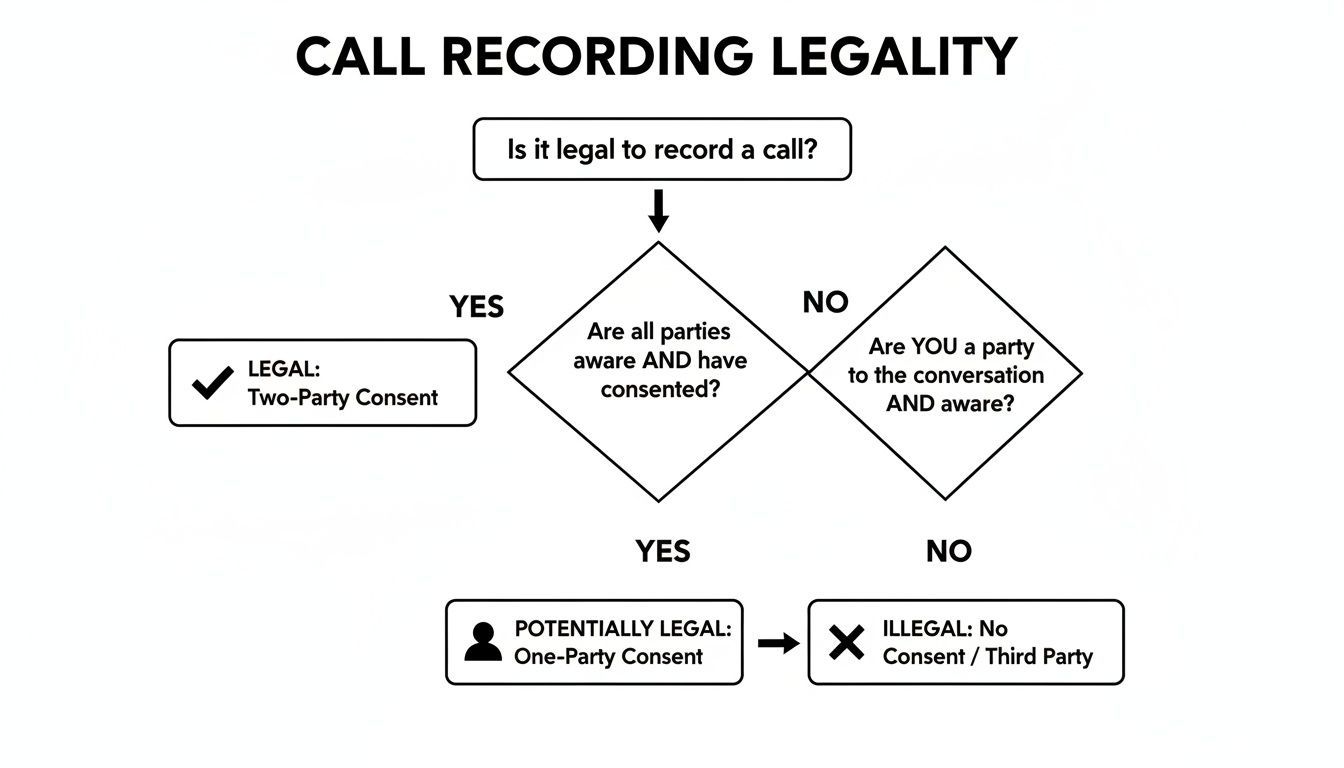
This flowchart breaks down the core legal question, helping you figure out if you're in a one-party or two-party (all-party) consent situation.
Exploring Other iPhone Recording Options
While the call-merge trick is my top recommendation, it’s not the only game in town. Depending on your budget and needs, a couple of other methods might work better for you.
External Hardware Recorders
If you need the absolute best audio quality or want a setup that’s completely independent of any app, an external hardware recorder is a great investment. These are small physical devices that plug into your iPhone’s audio output, usually via a Lightning adapter.
They capture audio directly from the source, which gives you pristine sound. This is the kind of setup you’ll see journalists and researchers use when they can’t afford any audio glitches. The only real drawbacks are the price and having to carry an extra piece of gear.
The Classic Speakerphone Method
And then there's the old-school, no-cost solution: put your iPhone on speaker and use another device to record. You could use a second phone, a digital voice recorder, or even the microphone on your laptop.
This method is free and requires zero setup, but it should be your last resort if you care about audio quality. You’re going to capture all the background noise and echo in the room, and the recording will likely sound distant and unprofessional. Still, in a pinch, it’s better than nothing.
Whichever route you take, the goal is always a clean audio file. Once you have it, you can easily turn that conversation into a searchable document using an accurate service like WhisperAI AI Transcription.
How to Record Calls on Your Android Phone
Recording calls on Android can feel like a bit of a maze. Because Android is so open, the experience changes dramatically depending on whether you're using a Samsung, a Google Pixel, or another brand. Throw in Google's ever-tightening privacy rules, and what works on one phone might not work on another. Let's walk through how to navigate it.
First, check for the easiest option: a built-in recorder. Some Android phones come with a native call recording feature right out of the box. If you’re lucky enough to have one, you'll usually see a "Record" button on your screen during a call. It's the cleanest, most reliable way to do it.
But many manufacturers disable this feature, often because of local laws. If you don't see that button, it's time to head to the Google Play Store.
Finding a Third-Party App That Actually Works
The Play Store is flooded with call recording apps, but honestly, many of them are duds. Android security updates often break them, preventing them from capturing the other person's audio. An app that worked flawlessly on your old phone might be completely useless after a system update.
So, how do you pick a winner? Look for a few tell-tale signs:
- Recent Updates: An app that was updated last week is a much better bet than one that hasn't been touched in a year. It shows the developer is trying to keep up.
- Reviews from Your Phone's Twin: Don't just read reviews—hunt for ones from people using your exact phone model and Android version. Their experience is the most relevant.
- Sensible Permissions: The app will need access to your microphone and storage. If it's asking for your location or camera, be suspicious.
This space is getting more crowded for a reason. With over 3 billion VoIP users worldwide and businesses increasingly using AI to analyze calls, the demand is huge. You can dive deeper into these market trends to see where things are headed.
Fixing Common Android Recording Problems
Even with a promising app, you're likely to hit a few snags. Android is designed to protect call audio, which is great for privacy but a real headache for recording.
The number one complaint I hear is, "It only recorded my side of the conversation!" The other person is either completely silent or sounds like they're miles away. This is almost always an Android security measure blocking the app.
Here are a couple of things to try when that happens.
Issue #1: The recording is one-sided.
- Switch the audio source. Dive into the app’s settings and look for an "Audio Source" option. You might see choices like "Mic," "Voice Call," or "Voice Uplink." Cycle through them to see if one works.
- The speakerphone trick. It’s a clumsy workaround, but it often works. Put the call on speakerphone. Your phone's microphone will then pick up the other person's voice from the speaker. The quality won’t be perfect, but it’s better than silence.
Issue #2: The app broke after an Android update.
- Check for an app update. Good developers quickly release patches to fix compatibility issues with new Android versions.
- Reset the permissions. Go to your phone’s settings, find the app, and revoke its permissions. Then, grant them again. Sometimes this simple reset is all it takes to get things working again.
Finding the right setup for your specific Android phone might take some patience. Check for that native recorder first. If it's not there, be prepared to test a couple of well-regarded apps. Once you have that clean audio file, you can get it transcribed quickly and accurately with a tool like WhisperAI AI Transcription.
Recording Calls from Your Desktop or VoIP Service
If you're after the absolute best audio quality, recording calls on your desktop is the way to go. Moving the conversation to a platform like Zoom, Google Meet, or Skype often sidesteps the quirks and limitations you run into with mobile phones. The best part? Most of these services already have a recording feature baked right in.
You’ll usually spot a big "Record" button somewhere in the call window. Clicking it almost always alerts everyone on the call, either with a sound or a pop-up message. This is a huge help for getting consent out of the way transparently. These tools are built to capture everyone's audio directly from the source, giving you that balanced, high-fidelity sound that's perfect for transcription later.
Using Built-In Platform Recorders
On most major platforms, the process couldn't be simpler. Take Zoom, for instance—the host can kick off a recording and choose to save it right on their computer or in the cloud. Google Meet does something similar, automatically dropping the recording into the host's Google Drive.
Just remember, these features are often tied to your subscription plan. Free accounts might not have recording enabled.
Before you hit record, it’s smart to quickly check two things:
- Your Account Permissions: Is call recording included in your plan?
- Participant Notification: Know how the app tells people they're being recorded, and give a friendly verbal heads-up anyway.
If you're looking to understand the broader landscape of internet-based phone systems, exploring different VoIP Services for Businesses can provide a ton of useful context.
What to Do When There’s No Record Button
So, what if you're using a niche VoIP app or a custom tool without a built-in recorder? No sweat. You can turn to free, powerful software that gives you even more control over the final audio.
Two of my go-to recommendations are OBS Studio and Audacity. OBS is famous for video streaming, but it's an incredible audio recorder too. Audacity is a dedicated audio editor that's perfect for this job. The trick is to set up the software to capture two audio sources at once: your microphone and your computer's system audio. That way, you get a clean recording of both you and the person on the other end.
The real win with desktop software is the quality. You're grabbing the digital audio directly, so you don't have to worry about the background noise or spotty signal that can ruin a mobile recording. This makes a world of difference for transcription accuracy.
It's clear the business world sees the value here. The market for call recording solutions has become essential for everything from compliance to training.
No matter how you capture the audio, the goal is always a clean MP3 or WAV file. Once you have it, the next step is turning that conversation into useful, searchable text. When you're ready, check out our guide on finding the best audio to text converter to finish the job.
Turning Your Recorded Calls into Actionable Intelligence
So, you've handled the legal side of things and now you've got a crisp, clear audio file of your call. Great. But what's next? A raw MP3 or M4A file is a good start, but its true value is still trapped inside. Just hoarding recordings is like having a library full of books with no index—all the information is there, but good luck finding what you need when you need it.
This is the point where we stop just recording and start generating real business intelligence. A searchable, accurate transcript takes that static audio file and turns it into a living, breathing asset you can actually use for reports, analysis, and follow-ups.
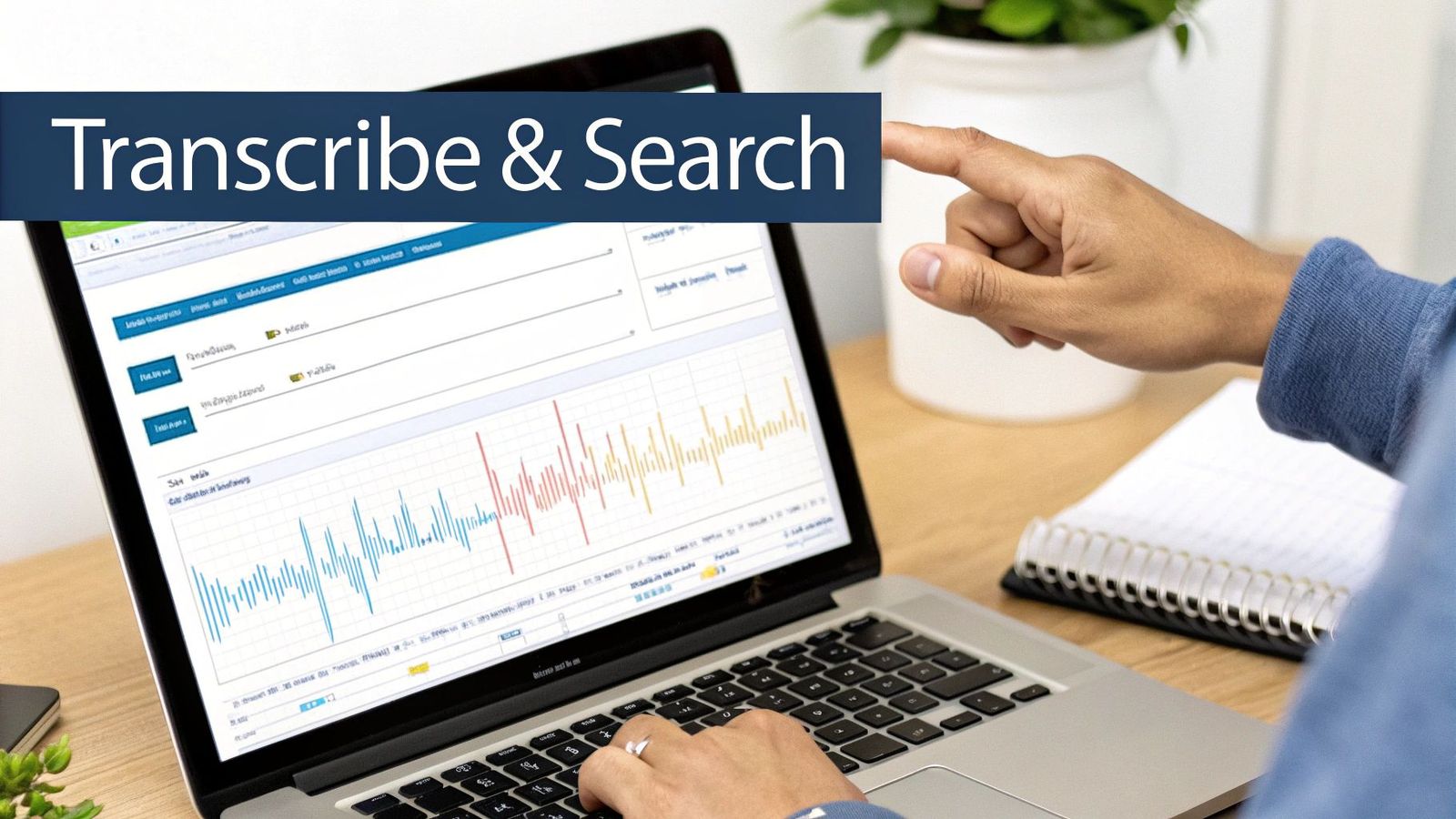
From Audio File to Searchable Asset with AI
Let's be honest, nobody has time to manually transcribe calls. It’s a tedious, mind-numbing process that’s guaranteed to be full of mistakes. Thankfully, this is a perfect job for AI. This is where a tool like WhisperAI AI Transcription completely changes the game.
Instead of spending hours with headphones on, hitting pause and rewind, you just upload your file. The AI does all the heavy lifting, and in just a few minutes, you get back a text document that captures the entire conversation with stunning accuracy.
This isn’t just about saving time; it fundamentally changes how you interact with the information from your calls.
Key Features Professionals Rely On
Not all transcription services are built the same. When you’re dealing with important business conversations, you need a tool that can handle the messiness of real-world dialogue.
- Speaker Distinction: The transcript has to clearly label who said what. Without this, it’s just a wall of text, making it nearly impossible to follow the conversation's flow or create accurate notes.
- Multi-Language Support: If you work with international teams or clients, the ability to accurately transcribe different languages is non-negotiable.
- Live Transcription: Some of the best platforms can transcribe in real time. Imagine finishing a meeting and already having a searchable document ready to go.
The goal is to move beyond simply archiving recordings. It's about actively using them to create reports, generate video captions, analyze key decisions, and easily share insights with your team.
For example, imagine being able to instantly search a month's worth of client calls for every mention of a competitor's name or a specific feature request. That kind of insight is simply impossible to get from audio files alone. As you look at different services, it's worth learning more about the technology driving AI audio transcription to see what separates a decent tool from a great one.
Once your transcript is ready, you can export it into formats like DOCX, PDF, or TXT, dropping it right into your existing workflow. You can finally unlock the value that’s been sitting unheard in all your recordings.
Got Questions About Recording Calls? We've Got Answers
Even after you've got the basics down, a few questions always seem to pop up when it comes to recording phone calls. Let's run through some of the most common ones I hear. These are the details that can make the difference between a smooth process and a frustrating one.
Is It Legal to Record Someone Without Telling Them?
This is easily the most important question, and the answer is a firm "it depends on where you are." In the U.S., you'll run into either "one-party consent" or "two-party consent" laws. With one-party consent, you're in the clear as long as you are part of the conversation.
However, in two-party (sometimes called "all-party") consent states, you need everyone's permission. Period.
My advice? Just act like you're in a two-party consent state no matter what. A quick, "Hey, just to let you know, I'm recording this call for my notes, is that okay?" at the beginning is all it takes. It keeps you safe legally and builds trust.
What’s the Best Way to Record Calls on an iPhone?
Apple’s privacy policies make it impossible for an app to directly record a standard phone call. It's a built-in security feature of iOS.
The most reliable workaround is to use an app that cleverly uses a three-way conference call. Apps like TapeACall or Rev Call Recorder have you dial their service number, and then you merge that line with the person you're actually trying to call. It sounds a bit clunky, but it works like a charm and sidesteps Apple's restrictions completely.
Will the Other Person Know I’m Recording the Call?
If you're doing it right, then yes, they absolutely will know. And they should.
Beyond your own verbal announcement, many of the best recording services automatically play a little beep or a recorded message to make sure everyone is aware. Trying to record a call secretly isn't just unethical; it can land you in serious legal trouble. It's simply not worth the risk.
How Do I Get the Best Possible Audio Quality?
Great question. A muffled, noisy recording is almost as useless as no recording at all, especially if you plan to transcribe it later. Here are a few simple things that make a huge difference:
- Ditch the Speakerphone: This is the #1 killer of audio quality. It picks up every echo and background noise in the room.
- Use a Headset: Even the basic earbuds that came with your phone are a massive step up. A dedicated headset with a boom mic is even better.
- Find a Quiet Spot: Recording in a car or a busy coffee shop is a recipe for disaster. A small room with carpet and curtains is ideal for cutting down on echo.
- Go with VoIP if You Can: When recording on a computer, services like Zoom or Google Voice capture the audio digitally, which almost always results in cleaner, crisper sound than an analog phone line.
Keeping these pointers in mind will give you a clean, legally sound recording that’s perfect for turning into an accurate transcript.
Once you have your recording, WhisperAI can turn that conversation into an accurate, searchable transcript in minutes. Stop scrubbing through audio files and unlock the valuable insights from your calls. Visit whisperai.com/ai-transcription to see how easy it is to get started.