A Guide to Flawless Portuguese Transcription
Master Portuguese transcription with our guide. Learn to handle dialects, accents, and audio issues for accurate AI-powered audio-to-text results.
tl;dr: Perfect Portuguese transcription is a team effort. Start with high-quality audio, choose the correct dialect (Brazilian vs. European) in your AI tool, and always finish with a human review to catch nuances the AI misses. This guide walks you through that exact process for professional, reliable results.
Let's be honest: AI has completely changed the game for Portuguese transcription. What used to be a tedious, hours-long task of typing out audio word-for-word can now be done in minutes. But if you think you can just click a button and get a perfect transcript, you're in for a surprise.
Getting professional-grade results is about more than just the AI. It's a blend of smart prep work, knowing which dialect to choose (Brazilian vs. European), and a final, critical human review. This guide breaks down that exact process. We'll get into the "human-in-the-loop" strategy that separates sloppy, unusable drafts from transcripts you can actually rely on.
The Modern Way to Transcribe Portuguese
The days of manually transcribing Portuguese audio are pretty much over. It was slow, expensive, and frankly, a massive headache. Today, AI-powered platforms give you an incredible head start, turning hours of audio into a workable text in a fraction of the time.
This isn't just a small improvement; it's a total shift in how we handle spoken content. As Brazil's market grows and communication with Portuguese-speaking nations increases, the demand for accurate transcripts is exploding. To keep up, you need the right tools. Using the best audio transcription software isn't just a suggestion—it's essential for getting the job done right.
Why a Good Transcript Is More Important Than Ever
The global language services market, which covers both translation and transcription, is on a serious growth trajectory. Valued at around USD 75 billion in 2025, it's projected to soar past USD 127 billion by 2032. A huge chunk of that growth is driven by the demand for Portuguese.
This means converting audio to text accurately is no longer a niche skill. It’s a core function for:
- Global Businesses: Transcribing virtual meetings with teams in Lisbon or localizing marketing videos for São Paulo.
- Academic Researchers: Creating searchable archives of lectures or documenting interviews with native Portuguese speakers.
- Media Creators: Generating subtitles for films, captions for social media, or written versions of podcasts to reach a wider audience.
The modern workflow is pretty straightforward: prepare your audio, let the AI do its thing, and then have a human clean it up.
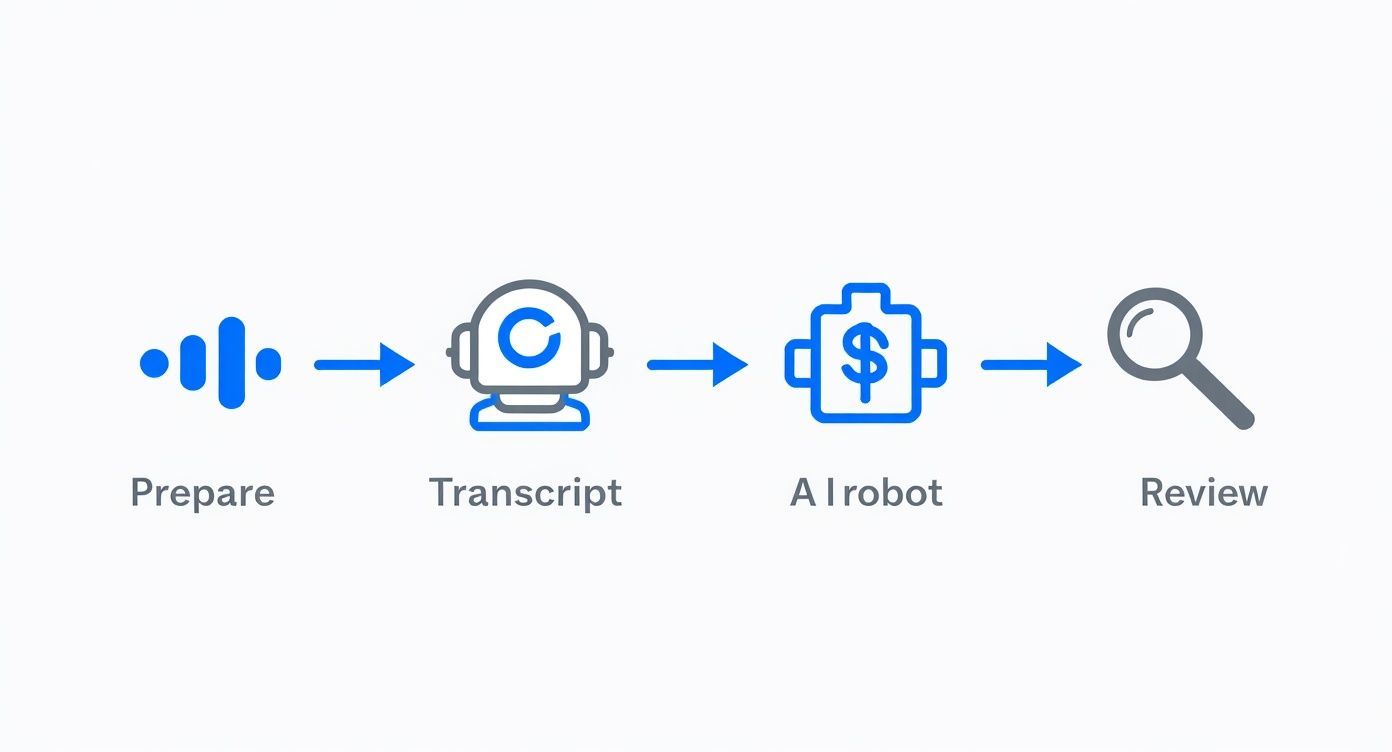
This process proves that AI is a powerful assistant, but it's not ready to replace human oversight just yet. That final review is where the magic happens.
Before you even upload a file, a little prep work goes a long way. The table below outlines the key factors that will make or break your transcription accuracy. Think of it as your pre-flight checklist.
Key Factors for Accurate Portuguese AI Transcription
| Factor | Why It Matters | Quick Tip |
|---|---|---|
| Audio Quality | AI struggles with background noise, echo, and low volume. Garbage in, garbage out. | Use a decent microphone and record in a quiet space. Even a slight improvement makes a huge difference. |
| Dialect Selection | Brazilian and European Portuguese have different vocabulary, slang, and pronunciation. | Always select the correct dialect in your software. If unsure, listen to the first few seconds of the audio. |
| Speaker Overlap | When people talk over each other, the AI gets confused and can merge or drop dialogue. | If possible, encourage speakers to take turns. For existing audio, be prepared to manually separate dialogue. |
| Technical Jargon | Industry-specific terms or acronyms can be easily misinterpreted by a general AI model. | Create a glossary of key terms beforehand to help with the manual review and ensure consistency. |
Getting these basics right from the start will save you a massive amount of editing time later. It's the difference between a quick clean-up and a complete rewrite.
The "Human-in-the-Loop" Strategy
The most effective method for professional transcription today is what we call the "human-in-the-loop" approach. It's simple: you accept that AI, while incredibly fast, isn't perfect.
The AI does the heavy lifting, delivering a draft that's about 90-95% accurate in good conditions. Then, a human expert—someone who understands the nuances of the language—steps in. They clean up dialect-specific phrases, fix technical terms, and correct punctuation.
This hybrid model gives you the best of both worlds: the raw speed of AI combined with the precision and contextual understanding of a human editor. It’s how you guarantee your final transcript is not just close, but perfect.
By mastering this process, you can turn any raw Portuguese audio into a polished, reliable document. To get a better feel for the tech powering this, check out our deep dive into AI audio transcription. It’s the professional standard that will set your work apart.
Preparing Your Audio for Peak AI Performance
tl;dr: Your transcript's accuracy starts with your audio. Messy audio with background noise, echo, and inconsistent volume will confuse any AI, leading to a frustrating editing process. The key is to clean up your files before uploading them using free tools and to choose high-quality, uncompressed audio formats like WAV or FLAC over MP3s.
There's an old saying in computing that perfectly applies to AI transcription: garbage in, garbage out.
The single biggest factor determining the accuracy of your Portuguese transcription isn't the AI model itself—it's the quality of the audio you feed it. Sending a noisy, echo-filled file to an AI is like asking someone to take notes in a crowded, loud restaurant. They're going to miss crucial details.
A few minutes of prep can be the difference between a 75% accurate draft that needs a total rewrite and a 95% accurate one that just needs a quick polish. I once had a chaotic webinar recording where speakers were at different volumes and a loud air conditioner hummed in the background. The first AI transcript was a disaster.
After just 15 minutes of cleanup, I ran it through the AI again. The word accuracy jumped to a solid 95% before I even touched the text. You don't need a professional studio—just a few smart adjustments.
Choosing the Right Audio Format
Not all audio files are created equal. MP3 is common, but its compression can sabotage transcription AI. Compression works by throwing away audio data the human ear might not notice, but an AI relies on that data to tell the difference between similar-sounding words.
For the best results, always go with a lossless format.
- WAV (Waveform Audio File Format): This is the gold standard. It’s an uncompressed format that keeps every bit of the original audio data. The files are large, but the quality is unmatched.
- FLAC (Free Lossless Audio Codec): This is my personal favorite. It offers the same perfect quality as WAV but compresses the file size without losing any data. It’s the best of both worlds.
If you absolutely must use a compressed format like MP3, check the bitrate. It needs to be at least 192 kbps, but 320 kbps is far better. A higher bitrate means less data was discarded, giving the AI more to work with.
Simple Cleanup Techniques for Clearer Audio
You don't need to be an audio engineer to dramatically improve your recordings. Free software like Audacity is incredibly powerful and surprisingly easy to learn. Focusing on three key areas can work wonders for your Portuguese transcription project.
First, kill the background noise. That constant hum from a fan, computer, or air conditioner is easy to filter out. In Audacity, you just use the "Noise Reduction" effect. You select a small clip of pure background noise, let the tool learn what it is, and then apply the filter to the whole track.
Second, fix inconsistent volume levels. If one speaker is shouting and another is whispering, the AI will struggle. Use the "Normalize" or "Compressor" tools to even out those peaks and valleys, making the entire conversation clear and consistent. For content creators looking to refine their production workflow, our guide on transcription for content creation offers more tips on achieving professional-sounding audio.
The goal of audio cleanup isn't to create a studio-quality masterpiece. It's simply to remove distractions so the AI can focus on what matters most: the spoken words.
Finally, deal with echo and reverb. This is common when recording in rooms with hard surfaces. While it's tougher to fix than background noise, simple de-reverb plugins can help. For future recordings, try hanging a few blankets on the walls—it makes a huge difference.
Prepping your audio properly sets the stage for a smooth, accurate transcription process, saving you hours of frustrating corrections down the line.
Navigating Dialects and Platform Settings
tl;dr: Don't just select 'Portuguese' and hope for the best. Choosing the correct dialect—Brazilian or European—is the most critical setting for accurate transcription. We'll show you how vocabulary differences can derail your transcript, how to use speaker labeling for clarity, and how to build a custom vocabulary to teach the AI your specific jargon, saving you hours of manual corrections.
Once your audio is clean and ready, you’ve hit the most critical step of the entire process. This is where most transcriptions go wrong. Just picking "Portuguese" from a dropdown menu and hitting "transcribe" is a rookie mistake that almost guarantees a transcript full of frustrating errors.
This isn’t just a minor detail; it’s the absolute foundation of an accurate portuguese transcription.
The linguistic gap between Brazilian and European Portuguese is wide enough to completely throw off an AI model. They use different vocabulary, slang, and even pronounce the same words in distinct ways. An AI trained mostly on one dialect will inevitably struggle to make sense of the other, leaving you with a messy draft that needs heavy editing.
Think of it like giving an American directions using British terms like "lorry," "boot," and "dual carriageway." They’d probably figure it out, but there would be moments of confusion. For an AI, that confusion gets multiplied, resulting in bizarre word choices that can completely change the meaning of a sentence.
The Critical Dialect Choice: Brazilian vs. European
Any serious transcription platform, including WhisperAI, will ask you to specify either Brazilian Portuguese (pt-BR) or European Portuguese (pt-PT). Make the right choice here, and you've already won half the battle.
What if your audio has speakers from both Brazil and Portugal? My advice is to run a quick test. Take a one-minute clip and transcribe it using both settings. See which one gives you a cleaner result before you commit to the entire file.
Let's imagine a real-world scenario. You're transcribing a business call where a colleague from Lisbon is talking about her commute.
- Set to European Portuguese, the AI correctly transcribes "autocarro" (bus).
- But on a Brazilian Portuguese setting, the AI will likely hear that and write "ônibus," or worse, some phonetic nonsense if the accent is thick.
One word might not seem like a big deal, but when you have dozens of these little mistakes peppered throughout a long recording, the cleanup work becomes a massive headache.
The single best thing you can do for accuracy is to treat Brazilian and European Portuguese as two completely separate languages in your transcription tool. This choice has the biggest impact on the quality of your first draft.
To really drive this point home, here are a few common vocabulary differences that can trip up an AI.
Brazilian vs. European Portuguese Common Differences
This table shows just how different everyday words can be, highlighting why selecting the correct dialect is non-negotiable for an accurate portuguese transcription.
| Concept | Brazilian Portuguese | European Portuguese |
|---|---|---|
| Bus | Ônibus | Autocarro |
| Train | Trem | Comboio |
| Breakfast | Café da manhã | Pequeno-almoço |
| Cellphone | Celular | Telemóvel |
| Team/Squad | Time | Equipa |
| Ice Cream | Sorvete | Gelado |
As you can see, the AI isn't just correcting for a slight accent; it's navigating a completely different lexicon.
Unlocking Clarity With Speaker Labeling
If your audio has more than one speaker—like an interview, podcast, or meeting—speaker labeling is your best friend. Without it, you’ll be staring at a giant, intimidating wall of text, making it impossible to tell who said what.
Activating speaker labeling (sometimes called "diarization") tells the AI to identify and separate each unique voice, usually tagging them as "Speaker 1," "Speaker 2," and so on. This instantly transforms a chaotic monologue into a structured, readable script. For global teams trying to keep track of conversations, this clarity is essential. It's a key part of the puzzle for enabling things like real-time translation for global teams.
Teaching the AI Your Language With Custom Vocabulary
Here’s a pro tip that will save you an incredible amount of time: teach the AI your specific jargon before you start. Every industry, company, and project has its own language—acronyms, brand names, and technical terms that a general AI has never heard of.
Imagine transcribing a biotech webinar mentioning the drug adalimumabe or a tech meeting about a new platform called "Project Phoenix." An AI will almost certainly butcher these words, turning them into phonetic gibberish.
This is where a custom vocabulary (or glossary) feature comes in. It lets you create a simple list of these unique words. By uploading this list, you’re giving the AI a study guide.
- Product Names: "Our new ChromaSync software..."
- Company Acronyms: "...reporting to the EVP of R&D..."
- Technical Jargon: "...analyzing the phylogenetic tree..."
- Speaker Names: "...as Dr. Alencar mentioned..."
Putting this list together takes maybe five minutes upfront, but it prevents you from having to make dozens, or even hundreds, of the same correction over and over again. It’s the most powerful way to tailor the AI's output to your specific world, ensuring your final portuguese transcription is not just accurate, but contextually perfect.
The Human Touch: Perfecting Your Transcript
tl;dr: Here's the deal: your AI-generated transcript is a fantastic first draft, but it's not the final product. The real magic happens during the human review. This is where you'll catch common AI slip-ups like homophones, add punctuation that reflects the actual flow of conversation, and make a call on what to do with all those filler words like 'tipo' or 'uhm'. This editing phase, armed with a simple style guide and some keyboard shortcuts, is what takes a good transcript and makes it a truly professional and accurate document.
Think of your AI-generated text as a block of marble fresh from the quarry. It has the basic shape, but the fine details that turn it into a sculpture are still waiting to be carved out. The AI handles the heavy lifting, no doubt. But it’s the human touch that brings artistry, accuracy, and nuance to the final portuguese transcription. This is where you transform a solid draft into a flawless, reliable record of what was said.
The goal here isn't to re-transcribe everything from scratch; it’s all about refinement. Even the best AI, which can boast accuracy rates over 95%, is going to make small yet meaningful errors. These are the kinds of mistakes a machine just can't catch because they require a deep understanding of context, intent, and the subtle rhythms of human speech. If you want to dive deeper into the metrics, you can learn more about the nuances of AI transcription accuracy.
This process is your final quality control checkpoint. It ensures the speaker's original message is preserved perfectly, without any of the weird artifacts AI can sometimes leave behind.
Your Practical Editing Checklist
To make this process as painless as possible, you need a system. Don't just read from top to bottom. Instead, actively hunt for the specific types of errors AI is known for. Here’s the checklist I personally use to guide my reviews.
- Verify Speaker Labels: First thing's first. AI diarization is pretty good, but it can get tripped up if speakers have similar vocal pitches or tend to talk over each other. A quick scan to confirm "Speaker 1" is actually the same person throughout the conversation is a critical first step.
- Correct Homophones: This is a huge one in Portuguese. AI frequently confuses words that sound alike but mean completely different things, like
mas(but) andmais(more), orcem(one hundred) andsem(without). These tiny mistakes can completely flip the meaning of a sentence. - Add Intentional Punctuation: An AI will add punctuation based on grammar rules, not conversational flow. It's your job to listen to the speaker's tone and pauses. Should that long pause be an em dash (—) for dramatic effect, or just a simple comma? Was that statement actually a question? This is where you bring the human element back into the text.
- Check for Misinterpreted Words: Keep an ear out for words the AI just got plain wrong. This happens a lot with thick accents, technical jargon you forgot to add to your custom vocabulary, or when a bit of background noise muddies the audio.
By focusing on these specific areas, you'll get through the editing process much more efficiently than if you just did a simple proofread.
The Great Filler Word Debate
So, what do you do with all the ums, ahs, and classic Portuguese filler words like tipo (like), então (so), and né (right)? The answer depends entirely on what the transcript is for. There are two main schools of thought here.
- Clean Read (Non-Verbatim): For most situations—like turning audio into blog posts, creating meeting summaries, or generating video subtitles—you'll want to strip these out. It makes the final text much cleaner and easier to read, getting straight to the point.
- True Verbatim: On the other hand, if you're working on something like a legal deposition, academic research, or a psychological analysis, you need to keep everything. Every single stutter, false start, and "uhm" is a piece of data that offers insight into the speaker's thought process or emotional state.
Before you even start editing, make a decision. Are you aiming for a polished, easy-to-read document or a precise, verbatim record of an event? This choice will guide your entire editing philosophy for the project.
Create a Simple Style Guide
For larger projects or ongoing work, consistency is everything. A simple style guide ensures every transcript follows the same set of rules, even if different people are working on them. It doesn't have to be a massive document.
Just define a few key rules for things like:
- Numbers: Will you spell out numbers one through nine, or just use numerals for everything?
- Acronyms: Is it "EVP" or "E.V.P."?
- Formatting: How will you mark inaudible speech?
[inaudible]or maybe(crosstalk)? - Timestamp Frequency: Should timestamps appear every 30 seconds, at the start of every paragraph, or only when a new speaker begins?
Finally, do yourself a favor and learn your platform’s keyboard shortcuts for play/pause, rewind, and adjusting playback speed. Shaving a few seconds off every little correction really adds up, potentially saving you hours on a long portuguese transcription. This mix of a clear checklist, a defined style, and efficient tools is what turns a good AI draft into a flawless final transcript.
Repurposing Your Transcript: Subtitles and Security
tl;dr: Once your Portuguese text is polished, it’s not just a document anymore—it’s a versatile asset. The most obvious next step is turning that transcript into subtitles or captions. This single action makes your video content massively more accessible, boosting engagement and comprehension almost instantly.
But this isn’t just a simple copy-and-paste job. To make it work, you need to export your transcript in a specific format that includes both the text and the precise timing data required to sync it perfectly with your video.
Thankfully, most professional-grade transcription platforms, including WhisperAI, handle this for you. They let you export directly into industry-standard formats, saving you the headache of manually timestamping every single line. Two formats really own this space.
- .SRT (SubRip Text): This is the undisputed champion of compatibility. It's a plain text file with numbered subtitles, start/end times, and the text itself. Pretty much every video player and social media platform on the planet supports it.
- .VTT (WebVTT): You can think of VTT as SRT’s modern cousin. It does everything SRT does but adds support for more advanced formatting like bold and italics, on-screen positioning, and other styling options. This makes it a better pick for web-based video players where you want more creative control.
For most situations, SRT is your go-to, universal choice. But if you need to fine-tune the look and feel of your captions directly in the file, VTT is the way to go.
Don't Skip This: Security and Confidentiality
Now that we're talking about more advanced uses, we have to shift gears and discuss security. This is the part people often gloss over, but it's completely non-negotiable when you’re working with sensitive material. Transcribing a public YouTube video is one thing. Handling a confidential legal deposition, a private medical consultation, or a top-secret corporate strategy meeting is a different universe.
When your audio contains sensitive data, mastering data security and compliance isn't just a best practice—it's essential. These files can be loaded with personally identifiable information (PII), trade secrets, or protected health information (PHI). A data breach here isn't just an "oops"; it can trigger serious legal and financial blowback.
The global transcription market is exploding, reflecting just how much sensitive industries rely on these services. It was valued at roughly USD 23.78 billion in 2024 and is projected to climb to USD 35.5 billion by 2031. That massive growth highlights the absolute necessity of iron-clad security protocols to protect the mountains of data being processed.
What to Demand from a Secure Transcription Service
Before you even think about uploading a sensitive file, do your homework. A transcription service’s commitment to security needs to be transparent, comprehensive, and easy to find. Never just assume your data is safe—verify it.
A truly professional workflow is both efficient and secure. Choosing a platform with weak security is a risk not worth taking, no matter how good the transcription quality is.
Here are the non-negotiables to look for:
- End-to-End Encryption: Your data must be encrypted both in transit (as it uploads and downloads) and at rest (while stored on their servers). Look for the gold standard: 256-bit AES encryption.
- Compliance Certifications: Reputable platforms will have certifications like SOC 2 Type II and be GDPR compliant. These aren't just fancy badges; they mean an independent third party has audited and approved their security practices.
- A Crystal-Clear Privacy Policy: Get into the fine print. Does the company claim any rights to your data? Do they use your content to train their AI models? A trustworthy service will state, in no uncertain terms, that your data is yours alone and won't be used for anything else.
- Data Deletion Policies: You need the power to permanently delete your files and transcripts from the platform's servers whenever you want. No questions asked.
A platform’s security posture is a direct reflection of its commitment to its users. To see what top-tier security looks like in practice, you can review the details of WhisperAI's security practices. At the end of the day, protecting confidential information starts with choosing the right tools for the job.
Common Questions About Portuguese Transcription
tl;dr: In perfect conditions, AI can hit 95% accuracy for Portuguese, but it always needs a human touch-up. The key to handling accents is picking the right dialect (Brazilian vs. European) from the start. Modern AI tools can handle mixed Portuguese/English audio pretty well, and cost-wise, a hybrid AI-then-human approach gives you the best bang for your buck.
Even when you've got your workflow down, a few questions always seem to pop up. Let's be honest, the details of Portuguese transcription can get tricky, especially when you're juggling different accents, technical jargon, or a tight budget.
I've been there. So, I've put together some straight answers to the questions I hear most often. Think of this as your field guide for getting those final details right and making sure your project runs smoothly.
How Accurate Is AI for Portuguese Transcription?
In a perfect world, AI is incredibly accurate. Feed it a crystal-clear audio file of a single person speaking with zero background noise, and you can see accuracy rates hit 95%. That’s a fantastic first draft for any project.
But real life is messy.
Heavy accents, people talking over each other, a bit of room echo—all these things can cause that accuracy score to drop. I always tell people to think of AI as a hyper-efficient assistant that gets you about 90% of the way there. It does the heavy lifting, saving you hours of tedious work.
The final 5-10% is where a skilled human editor makes all the difference. That last pass is non-negotiable for catching subtle errors, fixing dialect-specific phrasing, and ensuring the final text is polished enough for professional use.
What Is the Best Way to Handle Different Portuguese Accents?
Your first move is also your most important one: use a platform that lets you specify the dialect. Always select either ‘Brazilian Portuguese’ or ‘European Portuguese’ before you even hit "transcribe." This one setting gives you the single biggest boost in baseline accuracy right out of the gate.
Now, what if you're working with an accent from Angola or Mozambique? You'll need to do a little experimenting.
- Take a short clip from your audio and run it through both the Brazilian and European settings.
- Compare the two transcripts. One will almost always give you a cleaner starting point.
No matter what, the real magic happens during the edit. Nothing replaces an editor's familiarity with regional slang and pronunciation. And a pro tip: if you're working on a long-term project with a specific accent, take the time to build a custom vocabulary list in your tool. It pays off big time, dramatically improving the AI's performance on future files.
Can I Transcribe Audio with Mixed Portuguese and English?
Yes, absolutely. This is a super common scenario, and most modern AI transcription tools are designed for it. The feature you're looking for is usually called ‘language detection’ or multilingual transcription.
When you turn it on, the AI listens for and switches between Portuguese and English on the fly. It's powerful, but it's not perfect. It can get tripped up on short phrases where someone code-switches mid-sentence or on proper names that sound similar in both languages. Like with everything else, a quick human review is essential to make sure every language switch was caught correctly.
How Much Does Portuguese Transcription Typically Cost?
The cost of Portuguese transcription really runs the gamut, so there's an option for just about any budget. Here’s how it usually breaks down:
| Service Type | Typical Cost (Per Audio Minute) | Best For |
|---|---|---|
| Fully Automated AI | $0.10 - $0.25 | Quick first drafts, internal notes, and projects on a tight deadline. |
| Human Transcription | $1.00 - $3.00+ | Legal proceedings, medical records, or any content that needs to be perfect for publication. |
| Hybrid Approach | Varies (AI cost + editor's time) | The sweet spot for balancing speed, cost, and high accuracy. |
From my experience, the hybrid approach offers the best overall value. You let an affordable AI service generate the initial transcript in minutes. Then, you can either polish it yourself or hand it off to a professional editor for the final review. It’s the most efficient way to get high-quality, reliable results without breaking the bank.
Ready to turn your Portuguese audio into accurate, searchable text in minutes? With WhisperAI, you get professional-grade transcription powered by cutting-edge AI, supported by enterprise-level security. Start your project today and see how easy it can be. Learn more at https://whisperai.com.