Crafting the Perfect Summary of a Meeting
Learn how to write a summary of a meeting that drives action. Our guide offers practical tips, templates, and a clear workflow for effective notes.
tl;dr: A great meeting summary isn't just notes; it's a strategic tool. It boils down a long conversation into key decisions, discussion points, and actionable next steps. To create one, capture everything during the meeting (ideally with a transcription tool), then filter for decisions and action items. Structure it for scannability with clear headings and owner/deadline assignments. Use AI to create the initial transcript and draft, but always add a human touch for accuracy and context before sending it out promptly.
A good meeting summary is more than just a jumble of notes. It’s a short, sharp document that pulls out the absolute essentials: the key decisions that were made, the most important discussion points, and—crucially—the actionable next steps. Think of it as boiling down a long, sometimes winding, conversation into a clear record that keeps the whole team aligned and moving forward together.
Why Better Meeting Summaries Drive Real Results

Have you ever walked out of a meeting buzzing with great ideas, only to find a week later that nobody can quite remember who was supposed to do what? It’s a classic, and incredibly frustrating, problem. Without a clear record to lean on, brilliant solutions and firm decisions just seem to evaporate into thin air.
This is exactly why a well-written meeting summary is one of your team's most powerful tools. It’s not just boring admin work; it's the critical link that connects talk to action. If you skip it, you’re left with a fog of ambiguity that almost always leads to missed deadlines and circular conversations.
The Real Cost of Vague Notes
The hidden drain from bad meetings is huge. When notes are unclear, incomplete, or just plain missing, people start working from different assumptions. This inevitably leads to wasted effort, duplicated work, or tasks that simply get dropped altogether.
Think about this for a second: somewhere between 36 million and 56 million meetings happen every single day in the US. Yet, a staggering 65% of professionals admit that most of those meetings are a waste of their time. The cost to the US economy? An estimated $37 billion a year. These numbers are a massive wake-up call, and a solid summary is your first line of defense against that lost time and money.
A great summary isn't just about what happened; it's about what happens next. It creates a single source of truth that clarifies expectations and holds everyone accountable for their part.
Turning Talk into Tangible Progress
On the flip side, the benefits of a stellar summary are immediate and tangible. It acts as a reliable reference point for everyone, ensuring that even people who couldn't make it are kept in the loop.
Here’s what a great summary of a meeting really does for you:
- Creates Clear Accountability: Action items are tied to specific people and deadlines. No more guesswork.
- Keeps Everyone in the Loop: It’s a reliable record for absentees and other stakeholders, ensuring information flows consistently across the team.
- Prevents "Groundhog Day" Meetings: A clear summary stops you from rehashing the same topics over and over, freeing up time for what’s actually next.
- Drives Measurable Action: It transforms a conversation into a clear, actionable plan, turning insights into real-world progress.
Ultimately, learning to produce a great meeting summary is a huge step in boosting your personal productivity and your team’s overall impact. When you pair it with other effective meeting management strategies, it's the best way to make sure your meetings lead to meaningful progress, not just more meetings.
The Core Components of an Actionable Summary
A great meeting summary isn't just a dry record of who said what. It's a strategic tool. You should think of it as a blueprint for action—something your team can scan in 60 seconds and know exactly what needs to happen next. Before you even start writing, you have to know what separates a useless wall of text from a document that actually drives progress.
Your job isn't to be a court stenographer; that's what a full transcript is for. Instead, you're an editor, tasked with distilling a long conversation down to its most vital parts.
Start with the Essentials
First things first, get the basics on the page. Every summary needs a header that gives anyone, at a glance, the complete context of the meeting. This isn't just for show; it makes the summary searchable and instantly understandable weeks or even months down the line.
Your header should always nail down these three things:
- Meeting Title: Be specific. "Q3 Marketing Campaign Kickoff" is way more helpful than "Marketing Meeting."
- Date and Time: This is critical for creating a clear project timeline and historical record.
- Attendees and Absentees: Knowing who was in the room—and who wasn’t—is crucial for context and accountability.
This simple block of information frames everything that follows.
The Anatomy of an Effective Meeting Summary
To make this crystal clear, here’s a quick-reference table breaking down the essential parts of a meeting summary. These are the non-negotiable elements that deliver clarity and drive accountability every time.
| Component | What It Does | Example Snippet |
|---|---|---|
| Header | Provides instant context for search and reference. | Meeting: Q3 Product Launch SyncDate: October 28, 2024Attendees: Jane D, Mike R, Priya K |
| Key Decisions | Creates a permanent, unambiguous record of what was agreed upon. | Decision: We will proceed with Vendor A for the new CRM. Reason: Better pricing and integration support. |
| Action Items | Assigns clear ownership and deadlines to move work forward. | ACTION: Mike R. to finalize the contract with Vendor A by Friday, Nov 1. |
| Open Questions | Tracks important unresolved topics for future follow-up. | PARKED: Final budget for ad spend TBD pending finance approval. |
This structure ensures nothing slips through the cracks and that everyone leaves the meeting on the same page.
Document Key Decisions
Here’s where your summary starts to create real value. Most meetings exist to make decisions. If you don't record them with absolute precision, you’re just setting yourself up for confusion and wasted time later on. A vague note like, "Team agreed to review the software," is completely useless.
You need to be explicit. State exactly what was decided and, just as importantly, why.
The goal is to write it so clearly that someone who missed the meeting can understand the outcome without asking a single question. This kills ambiguity before it has a chance to spread.
For example, a solid decision entry looks like this:
- Decision: The "Project Sparrow" proposal is approved for the Q4 launch.
- Reasoning: Aligns with our budget and offers a faster timeline than the "Project Hawk" alternative, which was rejected.
Nail Down the Actionable Next Steps
This is it. This is the single most important part of any meeting summary. Without clear, assigned action items, you just had a nice chat. This section is what turns conversation into a concrete plan, and there can be zero room for interpretation.
Every single action item needs three things to work:
- A Specific Task: Use a clear, verb-led instruction. No fluff.
- A Single Owner: Name the one person responsible. Even if a team is involved, one person owns it.
- A Firm Deadline: Use a real date. "Next week" doesn't count.
Forget writing something like "Look into new CRM options." A powerful action item is: "ACTION: Sarah J. to research three alternative CRM platforms and share a comparison doc by EOD Wednesday (10/30)." That level of clarity is what actually gets things done. For more tips on crafting effective documents, explore our collection of helpful guides.
A Simple Workflow for Consistent Summaries
Great meeting summaries don’t just happen by accident. I’ve learned they’re the result of a solid, repeatable process—not a frantic scramble to remember who said what hours after everyone’s logged off. Trying to write a summary from memory is a recipe for disaster; you might get the gist, but you’ll miss the critical details that truly matter.
The secret is having a simple workflow that takes you from the live conversation to a polished, distributed summary without all the stress. This isn't about having a photographic memory. It's about having a reliable system that ensures you capture what truly matters, every single time.
First, Capture Everything
This first step happens right in the meeting. Your goal isn’t to write the final summary on the fly, but to gather the raw material. You’ve really got two ways to go about this, and the best one just depends on your personal style and what tools you have at your disposal.
One way is to take active, manual notes. If you go this route, focus only on the big rocks: decisions made, action items assigned, and any major unresolved questions. Don't get lost in the weeds trying to transcribe every single word. Just listen for those key phrases like, "So, the decision is..." or "Okay, the next step for you is..."
The other, smarter approach is to let technology do the heavy lifting. Recording the meeting and running it through a transcription service gives you a perfect, word-for-word record. This frees you up to be fully present and engaged in the conversation, knowing you can go back to the exact wording later. For complex discussions, this is an absolute lifesaver. You can find a reliable audio-to-text converter to handle the job, even with tricky accents or technical jargon.
Sift and Extract the Essentials
Once the meeting’s over, you’ll have either your raw notes or a full transcript. Now the real work begins. This is where you turn that mountain of information into something concise and genuinely useful. Your mission is to find the signal in the noise.
Scan through everything with a very specific filter in mind. You’re hunting for just three things:
- Decisions: What did the group formally agree to? Pinpoint the exact moments of consensus.
- Action Items: Who is doing what, and by when? Be ruthless about getting this crystal clear.
- Key Discussion Points: What were the one or two critical insights that led to those decisions? A little context goes a long way.
This filtering process is precisely what makes a summary so valuable. It’s where you separate the essential from the merely interesting.
Remember, a summary is not a transcript. Its power comes from what you choose to leave out. Be selective and focus only on the information needed to drive action and alignment.
This simple flow chart really nails the core focus of any good summary.
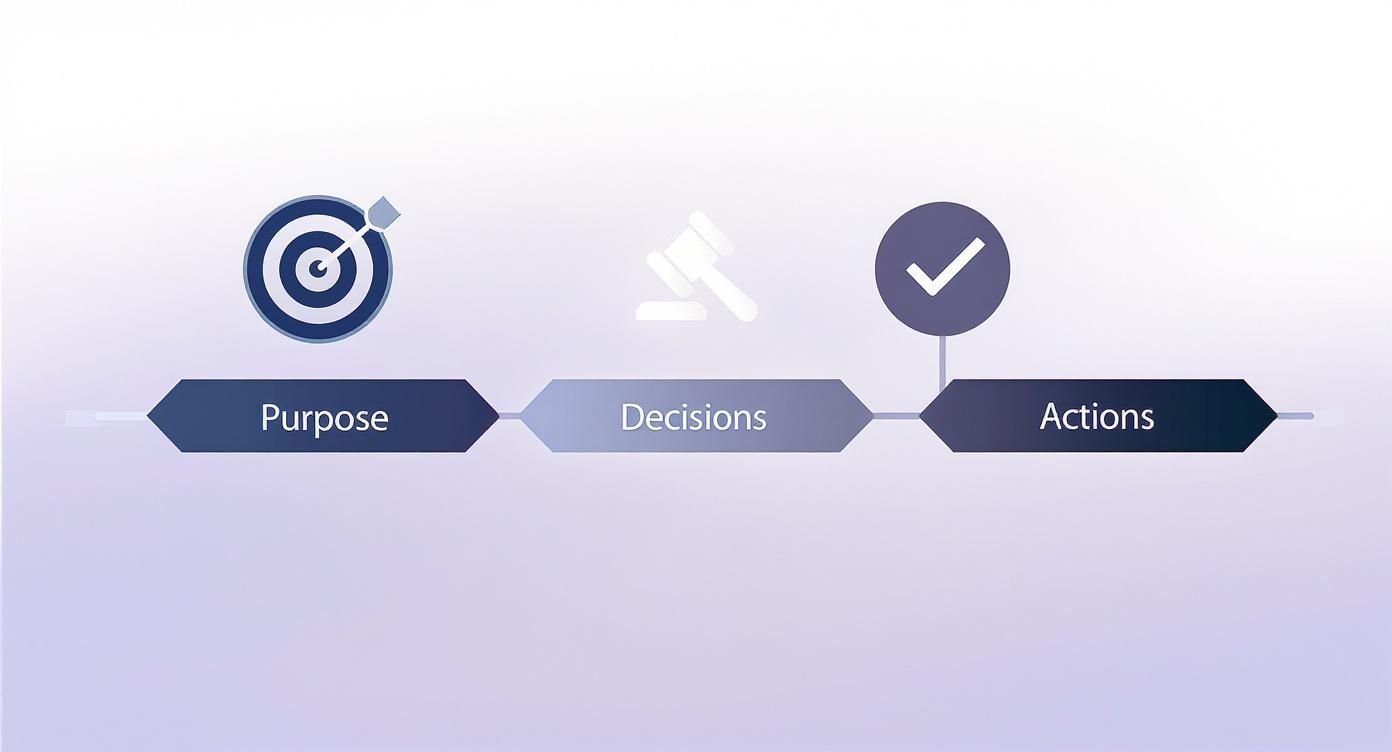
It all starts with a clear purpose, documents the concrete decisions, and wraps up with who needs to do what.
Structure Your Draft for Scannability
With your key points pulled out, it's time to put the summary together. Let's be honest—people are busy and they scan everything. Your formatting needs to make the most important information jump right off the page.
Start with a clean header: meeting title, date, and a list of who was there. Then, use distinct, bolded headings like Key Decisions and Action Items.
For the action items, I swear by this simple format for every single task:
- [ACTION] A quick, clear description of the task.
- [OWNER] The one person responsible for getting it done.
- [DUE] A specific deadline (e.g., EOD Friday, Nov 8).
This structure makes the summary instantly actionable. Someone can glance at it for 30 seconds and know exactly what's on their plate.
Review and Distribute Promptly
Alright, almost done. Before you hit "send," take a minute to read through your draft. Does it make sense? Is it accurate? If you can, ask another person who was in the meeting to give it a quick once-over. This simple sanity check can catch a misunderstanding before it has a chance to snowball.
Once you’re confident it’s solid, get it out the door—ideally within a few hours of the meeting. The longer you wait, the more the context fades and the less impact your summary will have. Timeliness is everything. Sending it quickly locks in the agreements and gets people moving on their tasks while the conversation is still fresh in their minds.
Real-World Summary Templates You Can Adapt
Theory is great, but nothing beats seeing how it works in practice. So, let's move past the abstract and look at three battle-tested templates you can steal for your next meeting.
Think of these less as rigid rules and more as flexible frameworks. They're designed to make sure you capture what matters, whether the meeting is a quick huddle or a formal planning session. You can copy, paste, and tweak them to fit exactly what your team needs.
Template 1: The Quick Project Check-In
This is your go-to for daily stand-ups or weekly syncs. The whole point is speed and clarity. We're zeroing in on progress, blockers, and nothing else. It’s all about maintaining momentum.
Scenario: A weekly sync for the "Alpha Launch" software project.
Subject: Project Alpha - Weekly Sync Summary - Oct 28, 2024
Attendees: Sarah (PM), David (Dev), Maria (QA)
Key Updates & Blockers
- David: User authentication module is 90% complete. Blocked by final API key from the security team.
- Maria: QA testing plan is drafted. Can't start until the module is on the staging environment.
Decisions
- We'll use a temporary API key for the staging environment to unblock QA. Security confirmed this is okay.
Action Items
- ACTION: Sarah to get the temporary API key from security and give it to David by EOD today (10/28).
- ACTION: David to deploy the module to staging by 11 AM tomorrow (10/29).
Why it works: This format is brutally efficient. Anyone can scan this in 30 seconds and know exactly what's going on. Using names and bold text makes it easy to spot who's doing what and why they're blocked.
Template 2: The Formal Client Kickoff
When you’re meeting with a client, especially for the first time, your summary has two jobs. It needs to align everyone on the plan, and it acts as a professional record of what was promised. Getting the tone right is crucial.
Scenario: The first official meeting with a new client, "Innovate Corp," for a website redesign.
Subject: Project Horizon Kickoff Summary | WhisperAI + Innovate Corp
Date: October 28, 2024
Attendees: Jane (Our PM), Tom (Our Designer), Lisa (Client Lead), Mark (Client Marketing)
Project Goal & Scope Confirmed
We're all aligned on the main goal: launching a redesigned marketing website by March 1, 2025. The focus is on generating leads and improving the mobile experience. Scope includes the 15 core pages outlined in the SOW.
Key Decisions Made
- Communication: Project updates will live in our shared Slack channel. Weekly meetings are set for Tuesdays at 10 AM EST.
- Design Direction: We're moving forward with the "Modern & Minimalist" concept for the first wireframes.
Next Steps (Action Items)
- ACTION (Innovate Corp): Lisa to share Google Analytics access and the brand style guide by Friday, Nov 1.
- ACTION (WhisperAI): Tom to create and share two homepage wireframe concepts by Friday, Nov 8.
- ACTION (WhisperAI): Jane to schedule the recurring weekly meetings. (Completed)
Why it works: This summary feels more formal and reassuring. It kicks off by restating the shared goal, which reinforces that everyone is on the same page. Best of all, it groups the action items by organization, so there's zero confusion about who owns what.
Template 3: The Strategic Planning Session
High-level meetings—the big brainstorming and strategy sessions—are different. A good summary needs to capture more than just decisions. It has to bottle up the core ideas, debates, and even the open questions that will fuel the next conversation.
Scenario: An internal leadership meeting to plan the company's annual goals.
For these kinds of complex meetings, accurate records are non-negotiable. This is especially true in specialized fields like HR, where our guide for HR professionals shows just how vital clear documentation is for both strategy and compliance.
Example Summary:
Subject: 2025 Strategic Goals - Planning Session Summary
Date: October 28, 2024
Attendees: CEO, CTO, Head of Sales, Head of Marketing
High-Level Themes Discussed
- Market Expansion: We explored entering the European market.
- Product Innovation: We debated launching a new AI-powered analytics feature.
- Customer Retention: We brainstormed ideas for a new loyalty program.
Decisions Made
- Our main company focus for the first half of 2025 will be Market Expansion into Europe. Product innovation will be the priority for the second half.
Open Questions & Parking Lot
- What are the legal and data privacy hurdles for operating in the EU?
- Do we have the team to build a major new product in H2, or do we need to hire?
Action Items for Next Session
- ACTION: Head of Sales to pull together a preliminary market analysis for Germany and the UK by Nov 15.
- ACTION: CTO to draft a high-level technical roadmap for the analytics feature by Nov 15.
Why it works: This structure is perfect for capturing broad, strategic talks. The "Themes" section gives crucial context to the decisions, while the "Open Questions" list acts as a "parking lot" to make sure important ideas don't get lost. It perfectly tees up the next round of planning.
Using AI to Get Your Meeting Summaries Done Faster
Let's be real for a moment: trying to manually summarize a long meeting from your own notes is a losing battle. By the time you sit down to write, important details are already getting fuzzy. This is where AI tools are completely changing the game.
These tools aren’t here to replace your judgment. Think of them as hyper-efficient assistants. They handle the most time-consuming parts of the process, which frees you up to do the important work: refining the message, adding context, and getting the final summary into the right hands.
From Raw Audio to a Rock-Solid Transcript
It all starts with getting the words right. An accurate transcription is the bedrock of a good summary. A tool like WhisperAI can turn a meeting recording into a complete, word-for-word text file in just a few minutes. Suddenly, that transcript becomes your single source of truth.
No more relying on memory or deciphering your frantic scribbles. Need to check the exact wording of a decision? Or pull a direct quote for context? It's all there, perfectly documented and easily searchable. This gives you an incredibly strong foundation to build your summary of a meeting.
The real value of AI here isn't getting a perfect summary with one click. It’s about getting a 90% complete draft almost instantly. That lets you focus your expertise on the final 10%—the polishing and strategic thinking that actually matters.
With the business events industry roaring back to life—hotel group bookings are already at 90% of pre-pandemic levels—keeping clear, accurate records of what was decided is non-negotiable. It’s what keeps projects from stalling out.
Don't Overlook Data Privacy
The minute you start using AI for meetings, security should be top of mind. Most meetings contain sensitive information: financial figures, private client details, or future company strategy. Uploading that raw audio to a random cloud service is a massive security risk.
This is where you need to be smart about the tools you choose. Some AI solutions are built to be self-hosted or operate locally, meaning your confidential conversations never leave your own secure environment. For any organization serious about data protection, this is a critical feature, not a nice-to-have. You can find a good breakdown of tools that put security first by checking out a list of the best AI transcription apps.
Turning Your Transcript into a Sharp Summary
Once you have that clean, secure transcript, the hard part is over. Your job shifts from being a writer to being an editor. You’re simply pulling out the most important signal from the noise.
Here’s a simple workflow I use all the time:
- Hunt for keywords: Use the search function (Ctrl+F or Cmd+F) to jump straight to mentions of "action item," "decision," "deadline," or a specific project name.
- Track who said what: Quality AI tools will automatically label the speakers. This makes it a breeze to see who committed to which task.
- Lift direct quotes: Just copy and paste the exact sentences where decisions were finalized or action items were assigned. Drop them right into your summary template.
This approach turns a daunting creative task into a straightforward editing job. It not only saves a ton of time but also makes your final summary more accurate and reliable.
Common Questions About Meeting Summaries
Even with the best templates and workflows, you're bound to run into a few tricky situations when creating a meeting summary. Let's tackle some of the most common questions that pop up.
How Detailed Should a Summary Be?
This is the big one. The simple answer? It depends on the meeting type. A good summary should be long enough to be clear but short enough that people will actually read it.
- Daily stand-ups or check-ins: Keep these super brief. A few bullet points on what was done, what’s next, and any blockers are perfect.
- Formal client meetings: You'll want a bit more detail here. Reiterate the main goals and decisions to make sure everyone is on the same page and to create a professional paper trail.
- Strategic planning sessions: These summaries can be longer. Your goal is to capture the high-level themes, key debates, and any big, unanswered questions that will shape future talks.
The golden rule is to focus on outcomes, not the play-by-play conversation. If a detail doesn't tie back to a decision, an action item, or crucial context, it probably doesn’t belong in the summary.
Who Should Be Responsible for the Summary?
Ideally, this is decided before the meeting even starts.
Rotating this duty among team members is a great way to share the load and ensure one person isn't always stuck with note-taking. On the other hand, some teams find it’s more efficient for a designated person, like the project manager or team lead, to handle all summaries for consistency.
The most important thing is simply having a clear owner. Knowing who’s responsible from the get-go eliminates that awkward "I thought you were doing it" moment.
What's the Difference Between a Summary and Minutes?
This distinction trips up a lot of people, but it’s a crucial one. They serve very different purposes.
| Aspect | Meeting Summary | Meeting Minutes |
|---|---|---|
| Purpose | To drive action and alignment. | To create a detailed, official record. |
| Audience | The project team and direct stakeholders. | Board members, legal, or compliance teams. |
| Content | Only key decisions, action items, and context. | A comprehensive account of discussions, votes, and motions. |
| Length | Concise and scannable (often one page). | Can be several pages long and very detailed. |
Put simply: a summary is a tool, while minutes are a record. For about 95% of your day-to-day business meetings, a summary is all you need.
Can I Use AI for the Whole Process?
Think of AI as a fantastic assistant, not a replacement for human judgment. Use it for the heavy lifting, like transcribing your meeting audio and getting a first draft of the summary on paper. It's a huge time-saver.
To do this, you can upload meeting transcripts or notes directly into tools like ChatGPT and let it work its magic.
But once the AI gives you a draft, a human needs to step in. A person should always review the output to add context, check for accuracy, and make sure the action items and decisions are crystal clear. That final polish should always come from you.
Ready to create accurate, effortless meeting summaries in minutes? WhisperAI uses advanced AI to transcribe your meetings with near-human accuracy, providing the perfect foundation for your notes. Stop wasting time on manual transcription and start turning your conversations into action. Try WhisperAI today!