A Practical Guide to Taking Minutes of Meeting
Master the art of taking minutes of meeting. This guide covers prep, real-time tips, and using AI to create accurate, actionable records for your team.
tl;dr: Taking great meeting minutes comes down to a simple, three-part rhythm: prepare well beforehand, capture the essentials during the meeting, and refine your notes into a clear summary afterward. It’s all about creating a reliable record of what was decided and who’s doing what next.
Why Mastering Meeting Minutes Matters More Than Ever
Let's be honest, taking meeting minutes can feel like a chore. But it's one of the most vital tasks for turning talk into tangible results. Think of great minutes as your team's official memory—a documented record of decisions, assigned tasks, and shared understanding. They're the best defense against the all-too-common "Wait, I don't remember agreeing to that" conversation.
This simple visual breaks down the entire process into three core stages.
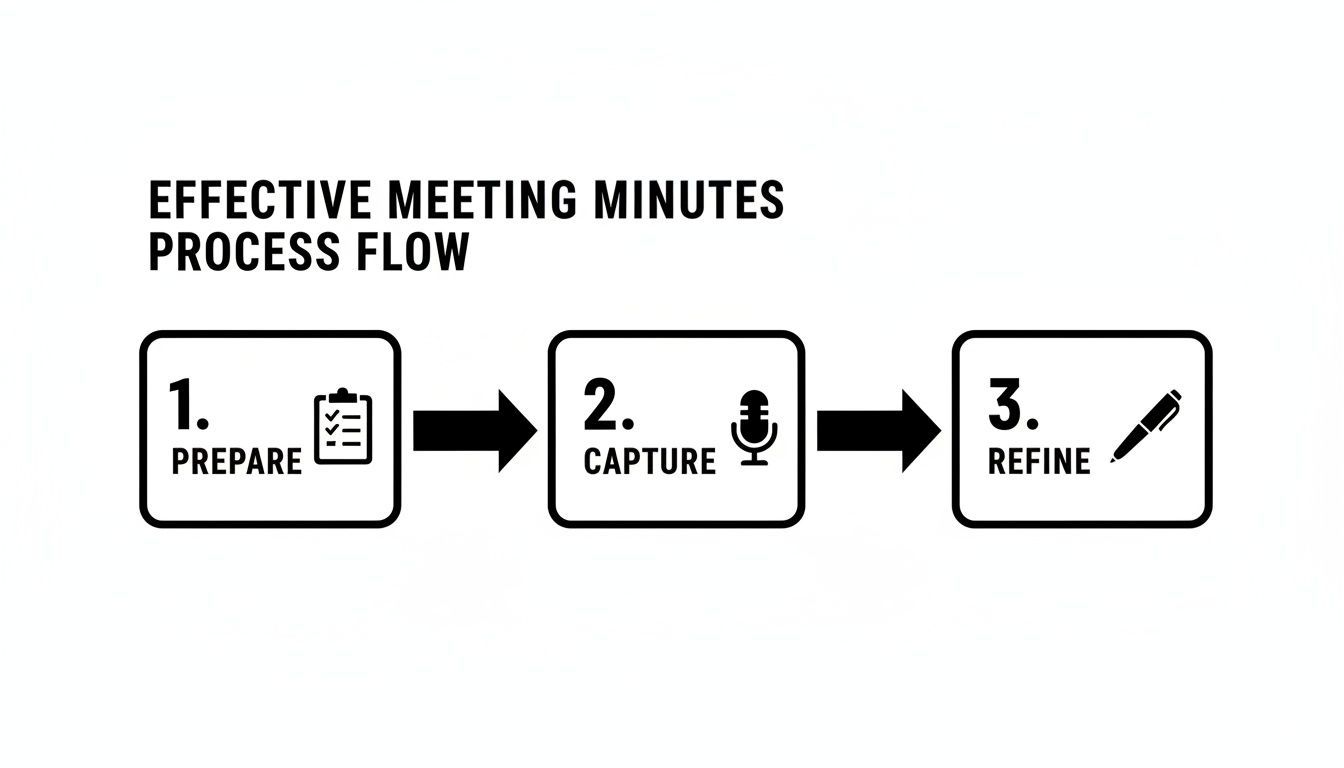
As you can see, the work doesn't just happen during the meeting. It’s a full cycle that ensures nothing important gets lost along the way.
The True Cost of Ineffective Meetings
The need for solid note-taking is staggering when you look at the numbers. In the United States alone, an estimated 36 to 56 million meetings happen every single day. The average employee now spends about 11.3 hours per week in meetings—that’s nearly 28% of their workweek!
When those discussions aren't captured properly, the cost adds up fast. It's estimated that unproductive meetings cost U.S. businesses a whopping $399 billion every year. Detailed minutes, especially when backed by a precise transcript from a tool like WhisperAI AI Transcription, transform that potential waste into a clear path forward. You can dig deeper into these meeting productivity statistics to see the full picture.
The purpose of meeting minutes is not just to record what was said, but to document what was decided. They are the bridge between discussion and execution, ensuring forward momentum.
Key Goals of Taking Minutes
At the end of the day, you’re not just creating a document; you're creating a tool that helps your team succeed. Good minutes serve a few critical purposes:
- Creates Accountability: They clearly state who owns each action item and by when, leaving no room for confusion.
- Provides a Legal Record: For boards and official committees, minutes are a legal document outlining the organization's decisions and formal proceedings.
- Aligns the Team: They keep everyone on the same page, including people who couldn't make it to the meeting.
- Measures Progress: Over time, minutes become a historical log, allowing you to look back and track how projects and goals are progressing.
The Anatomy of Great Meeting Minutes
So, what should actually be in your minutes? While the format can vary, certain pieces of information are non-negotiable for creating a document that's actually useful. A good set of minutes tells you not just what happened, but why it matters and what comes next.
Here’s a quick-reference table breaking down the essential components.
Essential Components of Effective Meeting Minutes
| Component | Purpose | Example |
|---|---|---|
| Meeting Title & Date | Provides basic context for easy reference and filing. | "Q3 Marketing Strategy Session - October 26, 2023" |
| Attendees & Absentees | Clarifies who was present for the decisions made. | Attendees: Jane Doe, John Smith. Absent: Sam Jones. |
| Agenda Items Discussed | Outlines the topics covered, confirming the meeting stayed on track. | "1. Review of Q2 Campaign Performance 2. Brainstorm for Holiday Promo..." |
| Key Decisions Made | Records the final outcomes of discussions and any formal votes. | "Decision: The team approved the 'Winter Wonderland' campaign concept." |
| Action Items | Assigns specific tasks to individuals with clear deadlines. | "AI: @John to finalize the campaign budget by EOD Friday (11/3)." |
| Next Meeting Date | Sets expectations for follow-up and continued progress. | "Next meeting scheduled for November 9, 2023, at 10 AM." |
Having these elements in every set of minutes ensures anyone can pick them up—whether they were in the room or not—and understand exactly what happened and what they need to do.
How to Prepare Before the Meeting Starts

Here's a little secret from years of taking notes: the quality of your meeting minutes is decided long before anyone says a word. What you do beforehand separates the frantic, messy note-takers from the calm, collected ones who capture everything that matters.
Good preparation turns you from a passive scribe into an active participant. Think of it like a chef doing their mise en place. They don't start chopping vegetables when the order comes in; they prepare everything first so they can focus on cooking. The same principle applies here.
Connect with the Meeting Facilitator
Your very first move should be a quick chat with the person running the meeting. A five-minute conversation can give you more valuable context than a dozen emails. You're trying to get inside their head to understand the meeting's real purpose.
Get straight to the point with a few targeted questions:
- What’s the number one goal here? Are we brainstorming, making a final decision, or just sharing updates?
- What key decisions absolutely have to be made by the time we wrap up?
- Are there any sensitive topics I should be aware of?
- Who are the most important voices in the room today?
Getting these answers helps you anticipate the flow of the conversation and zero in on the moments that truly count. Taking a few minutes to master the meeting planner workflow will make this part of the process second nature.
Build Your Minute-Taking Framework
Once you have the meeting agenda, put it to work. Use it to build a simple outline or template for your notes before the meeting even starts. This framework is your roadmap, ensuring you don’t get lost and miss a critical discussion.
It doesn’t have to be fancy. Just create a document and list each agenda item as a heading. Under each heading, leave some space for your notes, any decisions made, and the action items that come up.
By creating a skeleton of your minutes based on the agenda, you’ve already done 50% of the organizational work. During the meeting, your job becomes filling in the blanks rather than starting from scratch.
This single step saves you from the headache of trying to decipher a chaotic mess of notes later. It’s a gift to your future self.
Confirm Roles and Get Your Tools Ready
A few final logistical checks can save a lot of confusion. Quickly confirm who is doing what. Is someone officially keeping time? Who's the facilitator in charge of keeping everyone on track? And most importantly, make it clear that you are the designated minute-taker so nobody else is duplicating the work.
Then, get your gear in order. If you’re going old-school with a notebook, make sure it’s a fresh page with a good pen. If you’re on a laptop, close all those extra tabs that will inevitably distract you.
And if you plan to record the audio—which I highly recommend for accuracy—get consent from the attendees and make sure your tech is ready to go. Firing up a tool like WhisperAI AI Transcription beforehand means you can capture every detail without sacrificing your ability to listen for the bigger picture.
Capturing Notes and Key Moments in Real Time
Once the meeting starts, your focus is your most valuable asset. The single biggest mistake I see people make is trying to act like a court reporter, desperately trying to capture every single word. That's a surefire way to burn out and miss what actually matters.
Your real job is to be an expert filter. You're there to find the signal in the noise—the specific moments that actually define the meeting's purpose and outcome.
Listen for Trigger Phrases
Over time, you'll train your ear to perk up when you hear certain phrases. Think of them as verbal signposts that flag something important. When you hear one, it’s your cue to start writing.
- "So, the decision is..."
- "We've agreed to move forward with..."
- "The next step will be..."
- "Who's going to take ownership of this?"
- "Can we get that done by next Friday?"
Phrases like these almost always lead directly to a key decision, a concrete action item, or a firm deadline. These are the absolute essentials for your minutes.
Your goal isn't to transcribe the conversation; it's to document the conclusions. Differentiating between the discussion and the decision is the core skill of effective minute-taking.
Embracing a Hybrid Approach with Technology
Trying to capture everything by hand is quickly becoming a thing of the past, especially now that so many teams are hybrid or fully remote. Virtual meetings have completely changed the game.
The shift has been massive. Between 2020 and 2022, the proportion of virtual meetings globally jumped from 48% to 77%. Platforms like Zoom now host around 300 million daily meeting participants. With 86% of workers now in meetings with at least one remote person, according to this breakdown of meeting statistics, relying only on handwritten notes just isn't a reliable way to create a solid record anymore. This is where technology becomes your best friend.
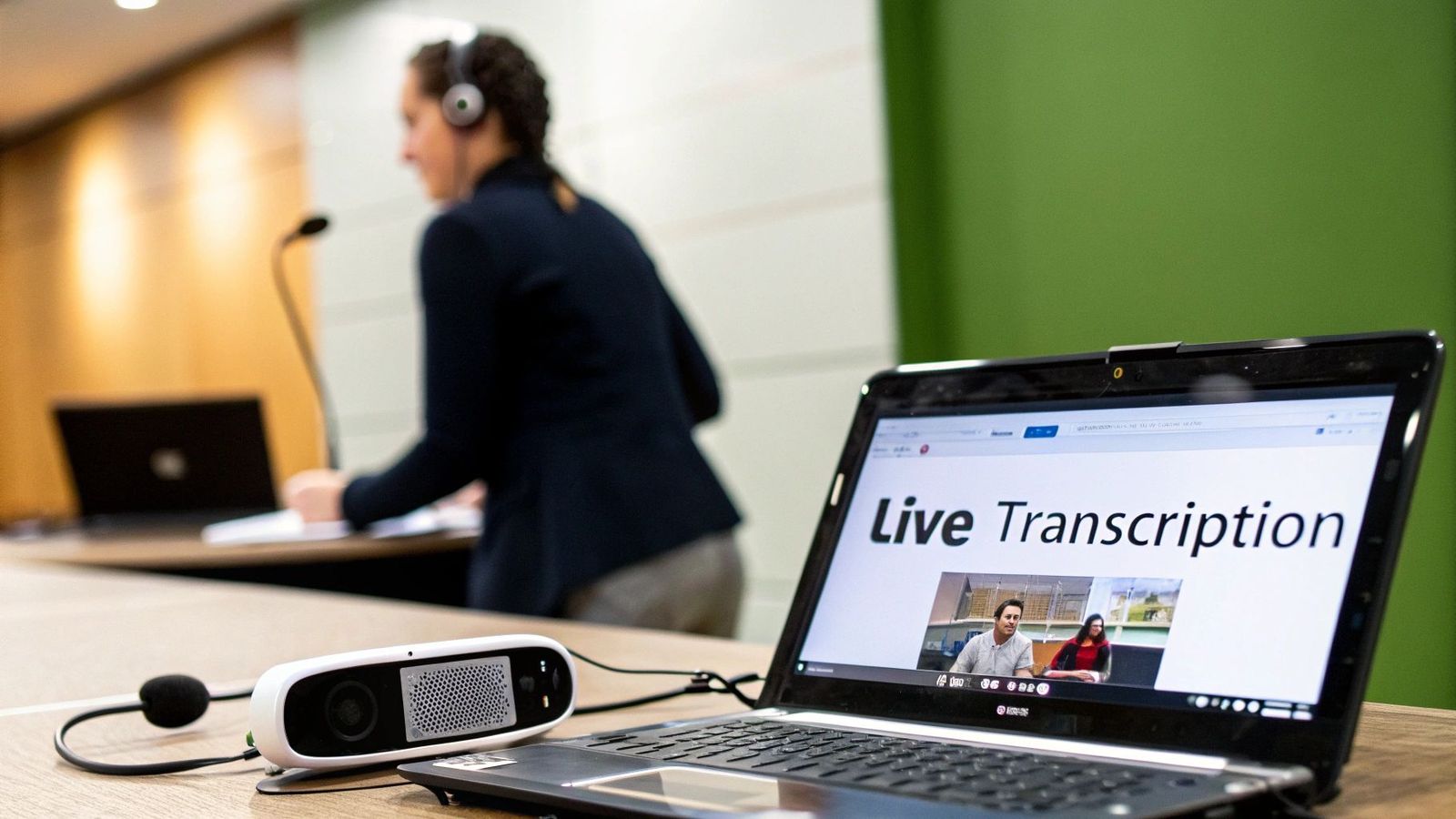
Using an audio recorder or, even better, a dedicated AI transcription tool creates a perfect, word-for-word record of the entire discussion. This simple step frees you from frantic typing and lets you focus on a much higher-level task: understanding the context.
The Role of AI in Modern Minute-Taking
Think of this as a hybrid strategy. You’re pairing your human intelligence with the raw power and precision of a machine.
- The AI's Job: Capture every single word with accuracy. A tool like WhisperAI AI Transcription can generate a verbatim transcript in real time, often with speaker labels. This file becomes your source of truth, so there's never any doubt about what was said.
- Your Job: Look beyond the words. Note the non-verbal cues and high-level insights. Was there hesitation around a decision? Did the team seem genuinely excited about a new idea? Who were the key influencers driving the debate? A transcript alone will never capture this crucial context.
This approach truly gives you the best of both worlds. The AI handles the detailed grunt work, while you provide the strategic oversight and emotional intelligence that turn good minutes into great ones. You can learn more about how this works in our guide to AI audio transcription.
Handling Recording Ethically
Using technology to record meetings comes with one non-negotiable rule: always get consent. Before you hit that record button, make it a standard part of your process to announce that the meeting will be recorded for transcription.
A simple, upfront statement is all it takes. "Just so everyone is aware, I'll be recording the audio for this meeting to ensure our minutes are accurate. Is everyone comfortable with that?"
This one step is crucial for maintaining trust and transparency. It also keeps you in compliance with privacy regulations, which can vary by region. By being direct, you set a professional tone and ensure everyone is on the same page.
Post-Meeting: Refining and Distributing Your Minutes
Alright, the meeting's over. You can finally relax, right? Not quite. In many ways, the real work is just getting started. Now you have to turn those scribbled notes, shorthand, and raw audio into a clear, professional document that people will actually use.
This isn't just about creating a record; it's about building a tool. Great minutes drive action and eliminate any confusion about what comes next.

From Chaos to Clarity: Structuring Your Minutes
Don't reinvent the wheel. The best way to structure your minutes is to follow the meeting agenda. It’s the natural framework for the conversation, and anyone who was there will find it easy to follow along.
Using the agenda as your guide ensures you cover every topic in a logical order. It’s also a lifesaver for anyone who couldn't make it, giving them a clear rundown of how the discussion unfolded.
If you recorded the meeting, a full AI transcription is your safety net. You're no longer trying to piece things together from memory, wondering about the exact wording of a key decision. An accurate, word-for-word record means you can pull direct quotes and confirm details with 100% confidence.
Editing with a Purpose: Brevity and Impact
Okay, it’s time to get ruthless. Your first editing pass is all about cutting the fluff—the "ums," "ahs," random side-chats, and anything else that doesn't add to the official record. You're distilling the conversation down to its most essential parts.
Remember, minutes are a summary, not a screenplay. Be concise, but don't lose the important stuff.
- Summarize, don't transcribe: Instead of writing out an entire back-and-forth debate, just capture the main arguments that led to the final decision.
- Kill the repetition: People say the same thing in different ways all the time. Your job is to capture the final, clearest point just once.
- Focus on the outcome: The most important thing is what was decided, not the scenic route the team took to get there.
This process is what turns a long, rambling transcript into a document people can scan in minutes. Using an audio to text converter gives you a clean, editable transcript to start with, which can seriously speed things up.
The Secret to Getting Things Done: Nailing Action Items
Pay close attention here, because this is where most meeting minutes fail. Vague action items are the number one reason things don't get done after a meeting. Every single task you document needs three non-negotiable elements.
- A Specific Task: Use strong, active verbs. Don't write "Budget." Write "Finalize the Q4 marketing budget proposal."
- A Clear Owner: Assign the task to one person by name. Using @JaneDoe works great. Never assign a task to a whole team or, even worse, "someone."
- A Hard Deadline: "Soon" is not a deadline. "By EOD Friday, November 10th" is a deadline. Be specific.
Think of a well-written action item as a mini-contract. It creates a clear line of accountability and turns a vague intention into a real commitment.
Before you send the minutes out, read every action item and ask yourself: "If I were brand new here, would I know exactly what to do, who’s doing it, and when it’s due?" If the answer is anything but a resounding "yes," it's time for another edit. This is how you make sure the meeting's momentum actually leads to results.
Using Templates for Different Meeting Types
Let's be honest, not all meetings are the same. So why would you take notes for a formal board meeting the same way you would for a casual team brainstorm? A one-size-fits-all approach to meeting minutes just doesn’t work. It’s inefficient and often misses the entire point of the gathering.
Using templates is the secret to capturing what really matters. It’s not about creating more work; it’s about having a smart, flexible framework that adapts to the meeting’s purpose. This way, you’re focused on the right details from the moment the meeting starts.
Tailoring Minutes for Formal Board Meetings
When you're dealing with a formal board of directors meeting or an official committee, your minutes become a legal document. Here, the name of the game is precision and protocol. There's simply no room for casual summaries or personal interpretations.
Your template for these high-stakes meetings should have clear sections for:
- Motions and Resolutions: You need to capture the exact wording of any motion, noting who proposed it and who seconded it.
- Voting Records: State the outcome of every vote clearly. Was it unanimous? Did it pass 7-2? Get the numbers down.
- Official Decisions: Record all approved decisions verbatim. This creates an unambiguous, official record of every action the board took.
Think of these minutes less as a summary and more as a legal instrument. They have to be objective, precise, and able to withstand scrutiny down the road.
Meeting Type and Minute-Taking Focus
The kind of meeting you're in dictates what you should be writing down. A project stand-up has a completely different goal than a strategic planning session, and your notes need to reflect that.
This table breaks down how your focus should shift.
| Meeting Type | Primary Focus | Key Information to Capture |
|---|---|---|
| Formal Board Meeting | Legal Record & Compliance | Motions, votes, official resolutions, attendance, and adherence to parliamentary procedure. |
| Project Check-In/Stand-Up | Action & Momentum | Progress updates, current blockers, and specific, assigned action items with deadlines. |
| Brainstorming Session | Idea Generation & Creativity | Themes, key concepts, mind maps, and potential ideas for future exploration. |
| Client Kick-off Meeting | Alignment & Relationship Building | Project scope, key stakeholders, agreed-upon deliverables, timelines, and communication plan. |
By tailoring your approach, you ensure the minutes are actually useful to everyone involved instead of just being a formality.
Capturing Action in Project Check-Ins
Now, let's pivot to something completely different: a weekly project sync or a daily stand-up. The goal here isn't legal compliance—it's all about maintaining momentum. Your minutes for these meetings need to be lean, fast, and focused entirely on action.
A good template for a project meeting will always highlight:
- Progress Updates: A quick summary of what’s been done since the last check-in.
- Blockers and Challenges: What’s getting in the way? Name the obstacles holding the team back.
- Next Steps: This is the most important part. Get crystal-clear action items written down with names and due dates attached.
For these fast-paced meetings, you're not trying to document the entire conversation. You're documenting commitments.
Templates for Brainstorming and Creative Sessions
What about those free-flowing meetings where the goal is just to throw ideas at the wall? For brainstorming sessions, traditional, rigid minute-taking can actually kill creativity. Nobody wants to feel like their half-baked thought is being formally recorded for all time.
Here, your "template" might be more visual or thematic.
- Group Ideas by Theme: Instead of a long, linear list, try clustering related concepts together. A mind map can be perfect for this.
- Capture Key Concepts: Don't worry about who said what. Just focus on the big ideas that sparked energy in the room.
- Note Potential Next Steps: Which ideas did the team get excited about? Make a quick note of concepts that might be worth exploring later.
The power of structured note-taking goes beyond just work meetings. The same ideas apply to personal productivity, and you can learn more by checking out resources on building note templates for daily planning.
Getting this right really matters. Disorganized meetings come with a massive cost—research shows that 65% of workers feel meetings keep them from their real work. Unproductive meetings cost the U.S. economy an astounding $399 billion every year.
Structured minutes, especially when you have a perfect transcript from a tool like WhisperAI AI Transcription, act as a kind of insurance policy. They guarantee that decisions, deadlines, and brilliant ideas are never lost. As this in-depth analysis of meeting statistics shows, using the right template ensures your documentation drives progress instead of just taking up server space.
Legal and Compliance Rules for Meeting Records
It’s easy to think of taking minutes as just another administrative chore, but for many organizations, it’s a task loaded with legal significance. Formal minutes—especially for corporations, non-profits, and official committees—aren't just scribbled notes. They are the official legal record of how your organization is governed and the decisions it makes.
These documents are your proof that the organization is running properly, sticking to its own bylaws, and making choices in a fair and transparent way. If you ever find yourself in a legal dispute, audit, or regulatory review, a solid set of meeting minutes can be your best line of defense, showing you’ve done your due diligence and followed procedure.
Why Your Minutes Are Considered Legal Documents
For any incorporated entity, most state laws actually require you to keep a record of board and shareholder meetings. These records are concrete evidence that the leadership is living up to its fiduciary duties—that is, acting in the best interest of the organization and everyone who has a stake in it.
Think about it like this: if a major financial decision is challenged down the road, the minutes provide a clear, time-stamped story of the discussion, the thinking behind the decision, and who voted for what. Without that paper trail, the organization is left vulnerable to liability, and board members could even face personal legal trouble.
Meeting minutes are what turn a simple conversation into an official corporate action. They are the primary evidence that a board or committee has fulfilled its obligations, which makes getting the accuracy and procedure right absolutely critical.
Navigating Confidentiality and Data Privacy
The moment you decide to record a meeting, whether with audio or video, confidentiality and data privacy jump to the front of the line. You have to be upfront about recording and, depending on where you are, you’ll likely need to get consent from everyone involved before you press that record button.
- Always Get Consent: Make it a habit to announce at the start of every meeting that it's being recorded for transcription purposes.
- Handle Sensitive Information with Care: If the conversation touches on sensitive personal, financial, or proprietary details, think carefully about who will get to see the recording and the final minutes.
- Keep It Secure: Both your audio files and the final documents need to be stored securely to keep them from falling into the wrong hands.
Document Retention and Approval Policies
You can't just keep records forever, but you can't just toss them out, either. A formal document retention policy isn't just nice to have; it's essential for compliance and good governance. This policy should spell out exactly how long different types of meeting minutes need to be kept.
How long is long enough? It really depends on your industry regulations and legal requirements, but a common best practice is to hang on to board minutes permanently as part of the organization's core historical record.
The final piece of the puzzle is the approval process, which is what makes the minutes official.
- Draft and Share: Right after the meeting, get the draft minutes out to all attendees for their review.
- Review and Revise: Give members a chance to suggest corrections or ask for clarifications.
- Approve Formally: The minutes are then officially approved, usually with a vote at the start of the very next meeting.
Once approved, that's it—the minutes are now the official and final record. Trying to change them after this point is a big deal and typically requires a formal motion to amend the record. For legal professionals who deal with these complexities daily, mastering these practices is non-negotiable. You can find more details in our guide for legal professionals on managing transcripts and records. This structured process protects the integrity of your organization's official history.
Answering the Tough Questions About Taking Minutes
Even the most seasoned minute-taker runs into tricky situations. When you're the one responsible for the official record, questions are inevitable. Here are some of the most common curveballs I've seen and how to handle them with confidence.
What If the Conversation Goes Off-Topic?
It’s going to happen. Meetings rarely stick perfectly to the script. Your best bet is to gently steer the conversation back to the agenda without shutting anyone down.
Your job is to document what’s relevant to the meeting's purpose. A quick note like, “Discussion on Q4 budget deferred to the finance meeting,” is all you need. If a tangent doesn't result in a decision or an action item for this meeting, it doesn't belong in the official record.
How Much Detail Is Too Much?
This is the classic balancing act. You need to capture the important stuff without creating a novel that no one will ever read. The goal is a concise summary, not a word-for-word transcript.
I always tell people to stick to the big three:
- Decisions Made: What did the group officially agree to?
- Action Items: Who is doing what, and what's the deadline?
- Key Points: What were the main arguments that led to the decision?
Think of your minutes as the 5-minute summary of the meeting. If someone who wasn't there can read it and grasp every important outcome, you've nailed it.
How Do I Handle Disagreements or Conflicts?
When tensions rise, your role is to be a neutral observer. It’s crucial to avoid taking sides or capturing emotional language. Instead, focus on the substance of the different perspectives.
For instance, instead of writing, "Jane was upset about the deadline," a more professional and accurate entry would be, "Jane raised concerns about the project timeline, citing potential resource conflicts." Stick to the facts and the business logic behind each argument. This keeps the record professional and useful, rather than personal.
What’s the Best Way to Share the Final Minutes?
Once your minutes are finalized, getting them to the team is the final step. Just emailing a Word doc is an old-school approach that often leads to confusion over which version is the latest.
Today's tools make this much easier. I'd recommend using a shared, cloud-based platform.
- Collaboration Hubs: A Google Doc or a page in Microsoft Teams keeps everything in one live, comment-friendly spot.
- Project Management Tools: Linking the minutes directly to a card in Asana or Trello puts them right where the work is happening.
- Company Intranet: A central, internal site works great as a permanent, official archive.
The key is to have a single source of truth that everyone can access. This simple step ensures the hard work you put into capturing the meeting actually helps drive the team forward.
Ready to stop worrying about missing a critical detail? WhisperAI uses the world's most powerful transcription technology to turn meeting audio into accurate text in minutes. See how people are saving hours and creating perfect records with WhisperAI AI Transcription.