A Guide to Meeting Transcription Software
Discover how meeting transcription software saves time and boosts productivity. Our guide covers key features, how the technology works, and security.
tl;dr: Meeting transcription software automatically records your meetings and converts the audio into accurate, searchable text. Think of it as a perfect note-taker for every call, allowing your team to focus on the discussion instead of scrambling to write everything down. This simple switch saves a ton of time, ensures no detail is missed, and keeps action items from falling through the cracks.
The End of Manual Meeting Notes
Are you constantly trying to keep up in back-to-back calls, struggling to capture every important detail? You’re not the only one. The pressure to listen, think, contribute, and type coherent notes all at once is a recipe for missed information and forgotten tasks. This is where meeting transcription software completely changes how you work.
Imagine having a perfect, searchable memory of every conversation your team has ever had. That’s really the core of it. Instead of relying on frantic, often inaccurate manual notes, this technology gives you a complete written record of the entire discussion. It’s more than just a recording; it's an intelligent scribe that knows exactly who said what, and when.
Shifting from Note-Taker to Participant
The biggest change is a shift in focus. When your team no longer has to worry about who’s taking notes—or when everyone stops trying to do it at once—people can finally engage fully in the conversation. This leads to way better brainstorming, deeper problem-solving, and collaboration that actually feels collaborative.
By automating the note-taking process, meeting transcription software turns fleeting conversations into permanent, searchable assets for your entire organization.
This switch has an immediate and direct impact on how productive your team can be. Professionals can easily spend several hours a week just writing, cleaning up, and organizing meeting notes. Automating that task frees up all that time, letting your people focus on the high-value work that actually moves the needle. Best of all, having a complete transcript puts an end to the classic "who agreed to do that?" debate by providing a single source of truth for every decision.
The Immediate Wins for Your Team
Getting started with this kind of software isn't some long, complicated project. You'll feel the benefits almost instantly, as it smooths out the rough edges of your team's daily routines. Here's a quick look at the core advantages you'll see right away.
Immediate Benefits of Meeting Transcription Software
| Benefit | Impact on Your Workflow | Example |
|---|---|---|
| Time Savings | Slashes the time you spend on manual note-taking, summarizing calls, and sending out meeting minutes. | A project manager saves 3-5 hours per week by no longer having to manually type and organize notes from daily stand-ups and stakeholder calls. |
| Improved Accuracy | Captures every single word as it was spoken, getting rid of the human error, bias, and missed details that plague manual notes. | A sales team can pull up an exact transcript to recall a client's specific feature requests, ensuring their proposal is perfectly on point. |
| Enhanced Accessibility | Creates a searchable text archive of all your conversations, making key information available to anyone, anytime. | A new hire can get up to speed in days, not weeks, by searching transcripts for project history and key decisions without needing to interrupt colleagues. |
From saving time to locking in accountability, the impact is clear from day one. It's one of the simplest ways to make your meetings smarter and your team more effective.
How AI Actually Transcribes Your Meetings
tl;dr: Meeting transcription software is like having an AI assistant listen in on your calls. It uses advanced tech to recognize who's talking, turn their speech into clean text, and organize it all into a readable document. This process, powered by something called Automatic Speech Recognition (ASR), transforms spoken conversations into searchable, valuable data in just a few minutes.
Ever wonder how the messy audio from a team call magically turns into a clean, formatted text document? It's not magic, but it’s close. It's a sophisticated process driven by artificial intelligence, and understanding how it works reveals why some tools are miles ahead of others in accuracy and usefulness.
Think of it like teaching someone a new language from scratch. First, they have to learn to recognize individual sounds and connect them to letters. That's the basic building block. From there, they learn to string those sounds into words, then words into sentences, picking up on grammar, context, and even the speaker's tone along the way.
AI-powered transcription software follows a very similar path. It takes the raw audio from your meeting and breaks it down into its most fundamental components. This first critical step is handled by a technology called Automatic Speech Recognition (ASR)—basically, the system's "ears."
From Sound Waves to Text
The ASR model analyzes the sound waves in your audio file, identifying phonetic patterns and matching them to words in its massive vocabulary. Just like a language student improves with practice, ASR models like the one behind WhisperAI are trained on millions of hours of diverse audio. This deep training is what allows them to accurately pinpoint words despite different accents, background noise, or people talking over each other.
But just turning sounds into a string of words isn’t enough to create a transcript you can actually use. That’s where another layer of intelligence, Natural Language Processing (NLP), kicks in. If ASR provides the ears, NLP is the "brain" that makes sense of it all.
NLP is what elevates a simple word-for-word dictation into a coherent, structured document. It adds punctuation, formats paragraphs, and even understands the nuances of the conversation.
This technology is catching on fast. The AI transcription market was valued at $4.5 billion in 2024 and is expected to hit $19.2 billion by 2034. Why the boom? Because businesses are realizing it saves an incredible amount of time while hitting accuracy rates well above 99%.
The infographic below shows this simple but powerful flow in action.
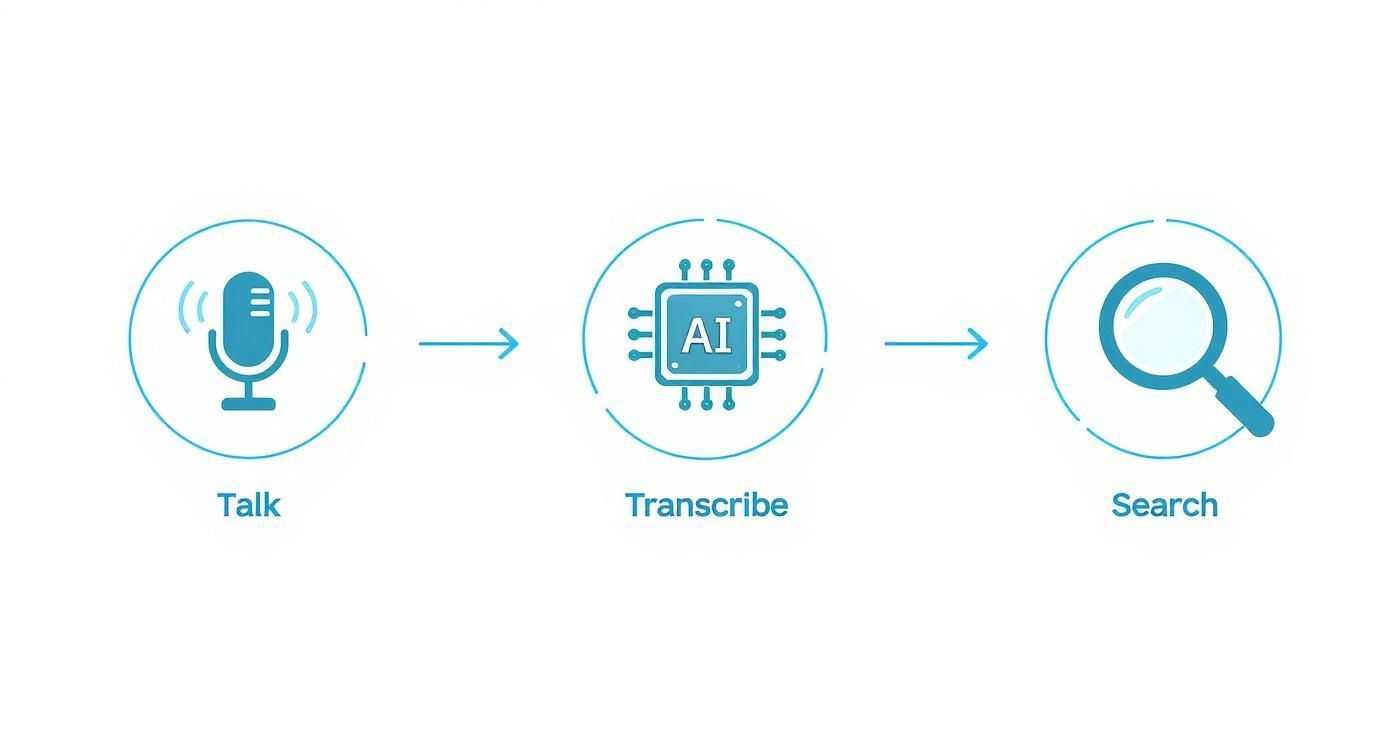
As you can see, spoken words are captured, processed by AI, and transformed into a searchable asset, turning every conversation into a source of valuable data.
Identifying Who Said What
One of the most important features of any good meeting transcription tool is its ability to tell speakers apart. Without it, you’d just have a wall of text with no context. This is handled by a process called speaker diarization.
The AI analyzes the unique vocal characteristics of each person in the meeting—like their pitch, tone, and speaking rhythm—to create a distinct voiceprint. It then uses these voiceprints to tag each part of the conversation with the correct person's name, creating a clean, easy-to-follow dialogue.
Here’s a quick look at the entire journey from start to finish:
- Audio Capture: The software ingests the audio file from your meeting recording.
- ASR Processing: The ASR model converts the audio into a raw, unformatted string of text.
- Speaker Diarization: The system identifies the unique voiceprint of each speaker and labels who said what.
- NLP Refinement: Finally, the NLP model applies grammar rules, adds punctuation, and structures the text for readability.
Advanced tools like WhisperAI can even be trained on custom vocabularies to make sure they nail industry-specific jargon or company names. You can dive deeper into the nuts and bolts in our guide to AI audio transcription technology.
The result is a polished, accurate, and speaker-labeled transcript that’s ready to be shared, searched, and analyzed—turning your fleeting conversations into actionable intelligence.
Choosing the Right Transcription Software
tl;dr: When you’re picking a transcription tool, don't get lost in the marketing hype. Zero in on four things that actually matter: how accurate it is, whether it can tell who’s talking (speaker labeling), if you need it live or just a recording, and if it handles all the languages your team uses. Knowing what to ask about these features is the key to finding software that works for you, not against you.
Stepping into the world of meeting transcription software can feel a bit overwhelming. With so many options out there, it’s easy to get buried in flashy feature lists and confusing jargon. The trick is to cut through the noise and focus on what will genuinely make a difference in your day-to-day work.
Let's be clear: not all platforms are created equal. Some are fine for simple, one-off tasks. Others, like WhisperAI, are built from the ground up for professional settings where you can't afford mistakes. To make a smart choice, you have to understand the core features that separate a decent tool from an indispensable one.
The Foundation of a Great Transcript
At the end of the day, a transcript is only as good as it is accurate. This sounds obvious, but you'd be surprised how much precision can vary from one service to another. That's why transcription accuracy is the single most important metric you should look at.
A 90% accuracy rate might sound impressive, but think about it: that's 10 wrong words for every 100 spoken. In a half-hour meeting, you're looking at hundreds of errors that create confusion and a cleanup nightmare. For any serious business or academic work, you should be aiming for solutions that consistently hit 95% accuracy or higher, even when dealing with background noise or different accents.
Just as important is speaker labeling—sometimes called diarization. This is the magic that figures out who said what. Without it, you’re just staring at a wall of text with no context.
A transcript without clear speaker labels is like a movie script with no character names. You get the words, but you lose the entire context of the conversation.
Good speaker labeling turns a jumble of words into a clear, readable dialogue. It’s essential for tracking action items, understanding who made which decision, and pulling accurate quotes.
Matching Features to Your Workflow
Beyond accuracy and speaker ID, you need to think about how the software actually fits into your team's process. This often boils down to a choice between real-time and post-meeting transcription.
- Real-Time Transcription: This gives you a live, rolling transcript while the meeting is still happening. It's perfect for improving accessibility for team members who are hearing-impaired or for quickly grabbing something that was just said without interrupting the flow.
- Post-Meeting Transcription: This processes the audio after the meeting ends. It's not instant, but this method often lets the AI do a deeper analysis, which can sometimes lead to even higher accuracy. It’s the best option for creating a polished, permanent record of a conversation.
And in today's global workplace, language support is non-negotiable. If your team is spread across different countries or you work with multilingual clients, you need a tool that can handle more than just English. Advanced meeting transcription software like WhisperAI can automatically detect and transcribe over 100 languages, making sure nothing gets lost in translation. This is a big reason why the market for these tools is projected to jump from $21 billion in 2022 to over $35 billion by 2032—AI is simply making global collaboration easier. You can learn more about the future of AI in meeting transcription to see how this trend is evolving.
If you want to see how different tools stack up, our guide on the best AI transcription apps breaks down the top options available.
A Checklist for Making Your Decision
To make sure you choose a tool that adds real value, it helps to have a clear set of criteria. The checklist below breaks down the most important features to look for and gives you the right questions to ask vendors. Use this framework to confidently figure out which solution truly fits your needs.
Feature Comparison Checklist for Transcription Software
| Feature | What It Is | Why It Matters | Questions to Ask Vendors |
|---|---|---|---|
| Transcription Accuracy | The percentage of words the software correctly converts from speech to text. | High accuracy is essential for a reliable record, reducing the need for manual corrections and preventing misunderstandings. | What is your average accuracy rate for audio with background noise or multiple speakers? Can I test it with my own meeting recordings? |
| Speaker Labeling | The ability of the AI to identify and attribute dialogue to each individual speaker in the meeting. | It provides crucial context, making the transcript easy to read and understand. Essential for tracking accountability and decisions. | How does your system handle speakers with similar voices or people who talk over each other? |
| Processing Speed | How quickly the software can deliver a finished transcript, either in real-time or after the meeting. | Fast turnaround is key for agile workflows where meeting notes and action items need to be distributed promptly. | What is the average turnaround time for a one-hour meeting recording? Do you offer real-time transcription? |
| Language Support | The number of languages and dialects the software can accurately transcribe. | Critical for global teams, international client calls, and multilingual content to ensure inclusivity and clear communication. | Which languages and dialects do you support? Does the software automatically detect the language being spoken? |
Armed with these questions, you're in a much better position to look past the marketing and find a transcription service that will become an indispensable part of your toolkit.
Keeping Your Meeting Data Secure
When your team’s conversations get into client details, strategic plans, or proprietary information, data security stops being a feature and becomes a fundamental requirement. Choosing a meeting transcription software means you’re handing over some of your most sensitive assets to a third party. So, understanding a provider’s security posture is completely non-negotiable.
This means looking past the marketing claims and digging into the specific protocols they use to protect your information. Think of it like hiring a security guard for your digital conversations; you need to know they’re vetted, reliable, and ready to handle any threat.
The stakes here are incredibly high. A data breach involving meeting transcripts could expose confidential business strategies, personal employee data, or sensitive client information, leading to serious financial and reputational damage.

Navigating Compliance and Data Privacy
If your organization operates in a regulated industry, compliance is everything. Regulations like the General Data Protection Regulation (GDPR) in Europe and the Health Insurance Portability and Accountability Act (HIPAA) in the United States set strict rules for handling personal and health-related data.
Your transcribed meeting notes can easily fall under these regulations. For instance, if a meeting involves discussing customer data of EU citizens, GDPR applies. A telehealth consultation transcript must adhere to HIPAA’s stringent privacy standards. Messing this up can lead to fines that run into the millions.
A provider's commitment to security isn't just about protecting you from external threats. It's about giving you the tools and assurances needed to meet your own legal and ethical obligations for data privacy.
You need a partner that doesn’t just say they're compliant but can prove it with certifications and transparent policies. Look for providers that have achieved SOC 2 Type II compliance—a rigorous, third-party audit that verifies their security controls and operational effectiveness over time.
Key Security Protocols to Look For
So, what does strong security actually look like in practice? It boils down to a few key pillars that work together to keep your data locked down. When you’re vetting a potential meeting transcription software, make sure you can check these boxes.
Here’s a quick checklist of security features you should confirm with any vendor:
- End-to-End Encryption: Your data needs to be encrypted both while it’s being transferred (in transit) and while it's stored on their servers (at rest). The gold standard here is AES-256 encryption, which is virtually unbreakable.
- Access Controls: You should have complete control over who can see, edit, or share transcripts. Features like role-based access control (RBAC) ensure team members only access information relevant to their roles.
- Data Residency Options: Can you choose where your data is stored? For organizations subject to data sovereignty laws, being able to store data in a specific region (like the EU or the USA) is a must-have.
- Secure Data Deletion: When you no longer need data, you must be able to delete it—permanently. The platform should have clear policies explaining how and when your data is purged from their servers.
At WhisperAI, we built our platform with a security-first mindset from day one. You can see our comprehensive approach by reviewing our detailed WhisperAI security and compliance policies, which cover everything from our encryption methods to our SOC 2 controls. By making these security fundamentals a priority, you can ensure your confidential conversations stay exactly that—confidential.
Integrating Transcription into Your Workflow
tl;dr: A great transcription tool doesn't add another step to your day; it removes several. By connecting it to the software you already use—like your calendar, CRM, and project management apps—you can automate everything from note-taking to task assignment. This turns your meeting transcripts into an active part of your workflow, not just a passive record.
The real power of any software isn't just what it can do on its own, but how well it plays with the other tools you rely on every day. The best meeting transcription software doesn't feel like another app to manage. Instead, it weaves itself into your existing workflow, acting as a quiet, efficient engine that powers everything from sales follow-ups to project updates.
Think of it as building a digital nervous system for your team's conversations. When your transcription tool is a standalone island, you’re stuck manually copying and pasting information from one place to another. But when it's integrated, that data flows automatically, saving time and killing the risk of human error.
This seamless connection turns a static transcript into a dynamic asset. Action items identified in a project meeting can instantly become tasks in Asana or Jira. Key client feedback from a sales call can automatically populate a record in your CRM. This level of automation is what separates a simple recording tool from a genuine productivity platform.
Connecting to Your Calendar and Meeting Apps
The most fundamental integration is with your calendar and video conferencing tools. By linking your transcription software to Google Calendar, Outlook, Zoom, or Microsoft Teams, you can create a completely hands-off process.
It’s simple: the software automatically joins your scheduled meetings, records them, and delivers the transcript to your inbox shortly after the call ends. This basic connection ensures you never forget to hit "record" and that every important conversation is captured without you lifting a finger.
Pushing Insights into Your Core Platforms
Beyond just scheduling, the most valuable integrations are those that push transcribed data into the systems where your team actually does their work. This is where you start to see huge efficiency gains.
For instance, connecting your transcription tool to your Customer Relationship Management (CRM) platform like Salesforce or HubSpot can be a game-changer for sales teams.
- Sales Calls: Imagine a salesperson finishes a discovery call. The software transcribes the conversation, identifies key pain points and next steps, and automatically logs those notes under the correct contact in the CRM. The sales manager can then review the conversation without having to sit in on every call.
- Customer Support: A support agent handles a complex troubleshooting call. The full transcript is attached to the support ticket, giving the entire team complete context if the issue needs to be escalated.
Integrations transform your transcription software from a passive listening tool into an active participant in your business processes, ensuring valuable insights are delivered exactly where they're needed.
Similarly, connections with project management tools streamline internal collaboration. Action items and deadlines mentioned during a weekly sync can be automatically converted into tasks assigned to the right people in platforms like Trello or Monday.com.
Real-World Integration Examples
The applications for a well-integrated transcription workflow are nearly endless. The growth of the transcription market—expected to surpass $32.6 billion in the U.S. alone by 2025—is driven by this demand for connected, efficient systems across all industries.
Here’s how different teams can use integrations:
- Marketing Teams: Transcribe user interviews and feed the transcripts into a research repository to easily identify customer language and pain points for new campaigns.
- Academic Researchers: Integrate transcription with data analysis software to code and analyze qualitative interview data more efficiently. Check out our business professionals guide for more applications.
- Content Creators: Connect to video editing software to generate perfectly synchronized captions (SRT files) for podcasts and videos, improving accessibility and SEO.
By thoughtfully connecting your meeting transcription software to your core operational tools, you create a powerful, automated system that not only saves time but also ensures that the valuable knowledge shared in meetings is put to work immediately.
Measuring the ROI of Your Software
tl;dr: To prove your meeting transcription software is worth the cost, you need to calculate its Return on Investment (ROI). Focus on real numbers: tally up the hours your team saves by not typing notes, figure out the cost of mistakes from bad notes, and add the value of having a searchable archive. A simple formula can show you exactly how the software quickly pays for itself in saved time and better efficiency.
So, how do you convince the finance department that a new tool is a smart investment and not just another line item on the expense report? The answer is all about demonstrating its Return on Investment, or ROI.
When it comes to meeting transcription software, calculating this value is surprisingly straightforward once you know what to look for. It’s about moving beyond the simple convenience of automated notes and translating that into cold, hard numbers. The core of any ROI calculation is quantifying the time—and therefore money—your team gets back.
Quantifying Time Saved on Manual Work
The most direct and undeniable saving comes from eliminating manual note-taking. Think about a typical project manager who spends, on average, 30-60 minutes after every single important meeting just organizing, clarifying, and distributing notes. If they have five of those meetings a week, that's up to five hours of administrative drag reclaimed.
To put a dollar value on this, you can use a simple formula:
(Hours Saved Per Week) x (Average Employee Hourly Cost) x (52 Weeks) = Annual Savings
Even a conservative estimate often reveals that the software pays for itself on time savings alone. And that's before you even factor in the productivity boost from letting your team focus on their actual jobs instead of playing secretary.
The Hidden Costs of Inaccuracy
Another powerful metric, though a bit harder to track, is the cost of bad information. Manual notes are notoriously unreliable. Details get missed, action items are forgotten, and crucial decisions are misremembered. These small errors can easily snowball into costly rework, blown deadlines, or strained client relationships.
Imagine the financial hit from a single missed requirement on a client call. Having a perfectly accurate, searchable transcript acts as your insurance policy against these expensive mistakes. While the value of risk mitigation is trickier to quantify upfront, it’s a massive part of the business case. Our article on understanding AI transcription accuracy dives deeper into how precision directly impacts business outcomes.
Building Your Business Case
With these elements in hand, you can build a powerful argument for bringing on a meeting transcription software solution. Let’s walk through a quick worksheet-style example for a team of ten.
ROI Calculation Example
- Time Savings:
- Team members save an average of 2 hours/week each on note-taking.
- Total hours saved per week: 20 hours (2 hours x 10 people).
- Let's assume an average hourly employee cost of $50.
- Weekly savings: $1,000 (20 hours x $50).
- Annual Savings from Time: $52,000.
- Productivity Gains:
- Having a searchable archive makes finding information 50% faster.
- This recaptures another hour per employee per week, easily.
- Annual Productivity Value: $26,000 (10 hours/week x $50 x 52 weeks).
By combining these tangible benefits, you can clearly show that the software isn't a cost center—it's a profit driver that improves operational efficiency across the board.
Common Questions About Transcription Software
tl;dr: People always ask about accuracy, how software tells different speakers apart, and the difference between live versus after-the-fact transcription. The short answer is that top tools can hit 95-99% accuracy, use "speaker diarization" to identify voices, and offer both real-time and post-meeting options to cover any workflow.
Even when you see the potential, it's smart to have a few questions before bringing a new tool into your workflow. When it comes to meeting transcription software, we find the same handful of questions pop up for most teams.
Getting clear answers is the last step before you can make a decision you feel good about. Let's tackle the most common questions we hear from professionals just like you.
How Accurate Is AI Meeting Transcription Software?
This is usually the first thing people ask, and for good reason—a transcript full of mistakes is worse than no transcript at all. Leading AI tools, especially those built on powerful models like OpenAI's Whisper, can achieve 95-99% accuracy when the audio is clean.
But let's be realistic. Things like heavy background noise, strong accents, or several people talking over each other can bring that number down. That’s why platforms like WhisperAI include features like custom vocabularies, which help the AI learn industry-specific jargon or unique company names, boosting accuracy where it matters most. It’s always a good idea to give critical transcripts a quick once-over for peace of mind.
Can Transcription Software Handle Multiple Speakers and Accents?
Absolutely. This is a non-negotiable feature for any professional-grade software. The best tools use a technology called speaker diarization to figure out who said what. The AI essentially listens for unique vocal fingerprints—like pitch and speaking rhythm—to correctly label each line of dialogue.
Modern AI models are also trained on massive, global datasets, making them incredibly good at understanding a wide variety of accents. Still, performance can vary from one tool to the next. The best way to know for sure is to take advantage of a free trial and test a potential solution with a recording of your actual team.
What Is the Difference Between Real-Time and Post-Meeting Transcription?
This one comes down to your specific needs. Neither is "better" than the other; they just serve different purposes.
- Real-Time Transcription: This gives you a live, scrolling feed of the conversation as it's happening. It's fantastic for accessibility, helping colleagues with hearing impairments follow along, or for letting someone quickly catch up if they got distracted without having to interrupt the speaker.
- Post-Meeting Transcription: This approach processes the entire audio file after the meeting ends. It's not instant, but waiting a few minutes often allows the AI to perform a deeper analysis, which can sometimes lead to slightly higher accuracy.
It's a simple choice: do you need immediate access (real-time), or do you want the most polished final document possible (post-meeting)? Many platforms offer both, so you don't have to choose.
Ready to turn your conversations into searchable, actionable assets? WhisperAI offers business-grade transcription with unmatched accuracy, security, and ease of use. Sign up today and experience the future of meetings.