12 Best Audio Transcription Software Options for 2025 | WhisperAI
Discover the best audio transcription software for your needs. We review 12 top tools for accuracy, speed, and features to help you choose the right one.
tl;dr
In a hurry? For the best mix of accuracy, security, and powerful features for professionals, WhisperAI is our top pick. For automated meeting notes, Otter.ai is a productivity powerhouse. For content creators who edit audio/video, Descript is a game-changer.
Manually transcribing audio from meetings, interviews, or lectures is a massive time sink. Turning hours of spoken words into accurate, usable text is a tedious job that can bring productivity to a screeching halt. Thankfully, AI-powered transcription software solves this by automating the entire process, giving you searchable and editable text in a fraction of the time.
But let's be honest, the market is flooded with options, each promising the moon. Finding the right one is tough. A podcaster needs perfect accuracy, while a corporate team might prioritize top-notch security and speaker identification. This guide is here to cut through the noise.
We've rolled up our sleeves and rigorously tested the top contenders to bring you a definitive list of the best audio transcription software for 2025. For each of the 12 platforms, we break down the key features, accuracy, security, and pricing. You'll find direct links and screenshots to see exactly how each tool works. Our goal is to give you the information you need to pick the perfect software for your workflow, whether it's for academic research, creating content, or legal compliance. It's time to find the right tool, get your time back, and unlock the valuable insights hiding in your audio files.
1. WhisperAI
tl;dr
WhisperAI stands out as the best audio transcription software for professionals and teams who need a powerful, scalable, and secure platform. It combines the near-human accuracy of OpenAI's Whisper model with enterprise-grade features like unlimited usage plans, robust security, and advanced collaboration tools, making it a top-tier choice for business, academic, and media workflows.
WhisperAI is a business-grade voice-to-text platform built for high-volume, high-accuracy transcription. It harnesses the impressive power of OpenAI's Whisper model to turn hours of audio into precise, searchable text in just minutes. This service is designed from the ground up for users who can't afford to compromise on quality—from researchers transcribing technical lectures to legal teams documenting depositions and podcasters creating detailed show notes.
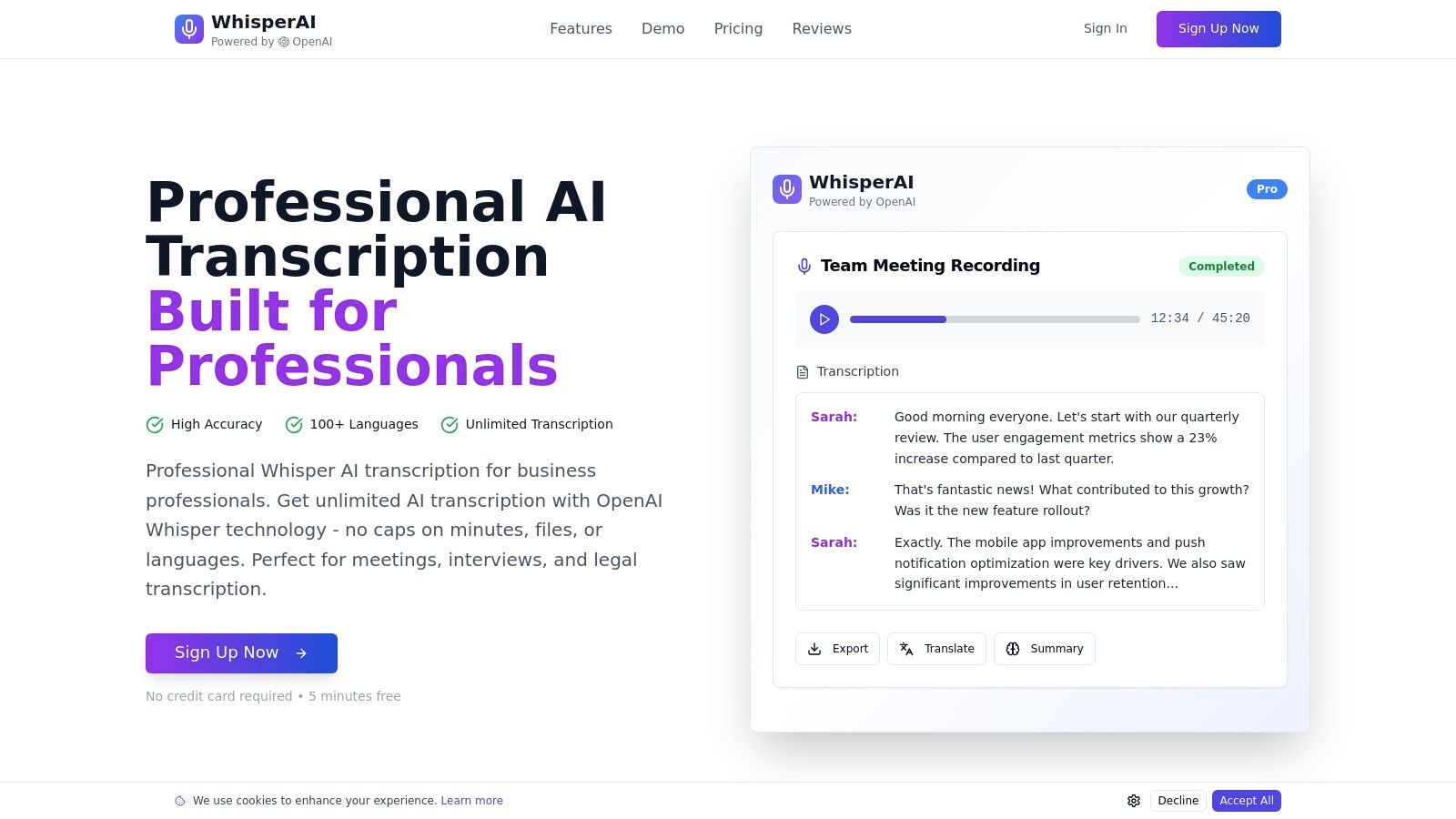
What really makes WhisperAI shine is its combination of modern AI with a reliable, enterprise-ready infrastructure. The platform excels at parsing complex audio, easily handling heavy accents, specialized terminology, and significant background noise across more than 100 languages. Its real-time transcription and instant translation features are invaluable for global teams and live events. The in-browser editor, complete with auto-save and easy export options (PDF, DOCX, TXT, SRT), ensures that transcripts are not just accurate but immediately ready for whatever you need them for—be it documentation, content creation, or compliance reporting.
Key Strengths & Use Cases
This platform is a perfect fit for organizations where transcription is a core part of day-to-day operations. The unlimited usage plans do away with the unpredictable, per-minute billing common elsewhere, offering a predictable cost structure that's ideal for power users.
- For Business & Enterprise: Teams can process huge volumes of meeting recordings, training sessions, and client calls with fast parallel processing. GDPR compliance and AES-256 encryption provide the security needed to handle sensitive corporate data.
- For Academics & Researchers: With support for large file uploads (up to 5GB) and high accuracy on technical language, researchers can efficiently transcribe interviews, focus groups, and lectures.
- For Content Creators: Podcasters and media producers can streamline their production pipeline by quickly generating transcripts for show notes, articles, and video captions (SRT format).
Pricing & Access
WhisperAI offers a tiered pricing model to suit different needs. A free trial is available, giving you a chance to test the platform's accuracy and features. For serious use, paid plans are necessary. The "Business Pro" plan is a standout, offering unlimited transcription minutes, which is a huge advantage for high-volume users.
Website: https://whisperai.com
| Pros | Cons |
|---|---|
| Exceptional accuracy across 100+ languages, even with technical jargon and noise.Unlimited usage plans provide predictable, scalable pricing for teams and power users.Enterprise-grade security with GDPR compliance and 256-bit encryption.Robust feature set including real-time transcription, speaker labeling, and multiple export formats (SRT, DOCX). | Free tier is a limited trial; heavy usage requires a paid subscription.AI-generated transcripts may not meet the strict requirements for certified legal or court use without human review. |
2. Otter.ai
tl;dr
An exceptional all-in-one transcription tool best for individuals and teams who need automated notes, summaries, and action items from virtual meetings. Its AI Notetaker and deep integrations with conferencing platforms make it a powerhouse for productivity.
Otter.ai has carved out a special place in the transcription world by focusing squarely on meetings and collaborative work. It does more than just transcribe; its "AI Notetaker" can automatically join your Zoom, Google Meet, or Microsoft Teams calls. During the meeting, it provides real-time captions and then generates a full transcript—complete with speaker identification and timestamps—just moments after the call ends.
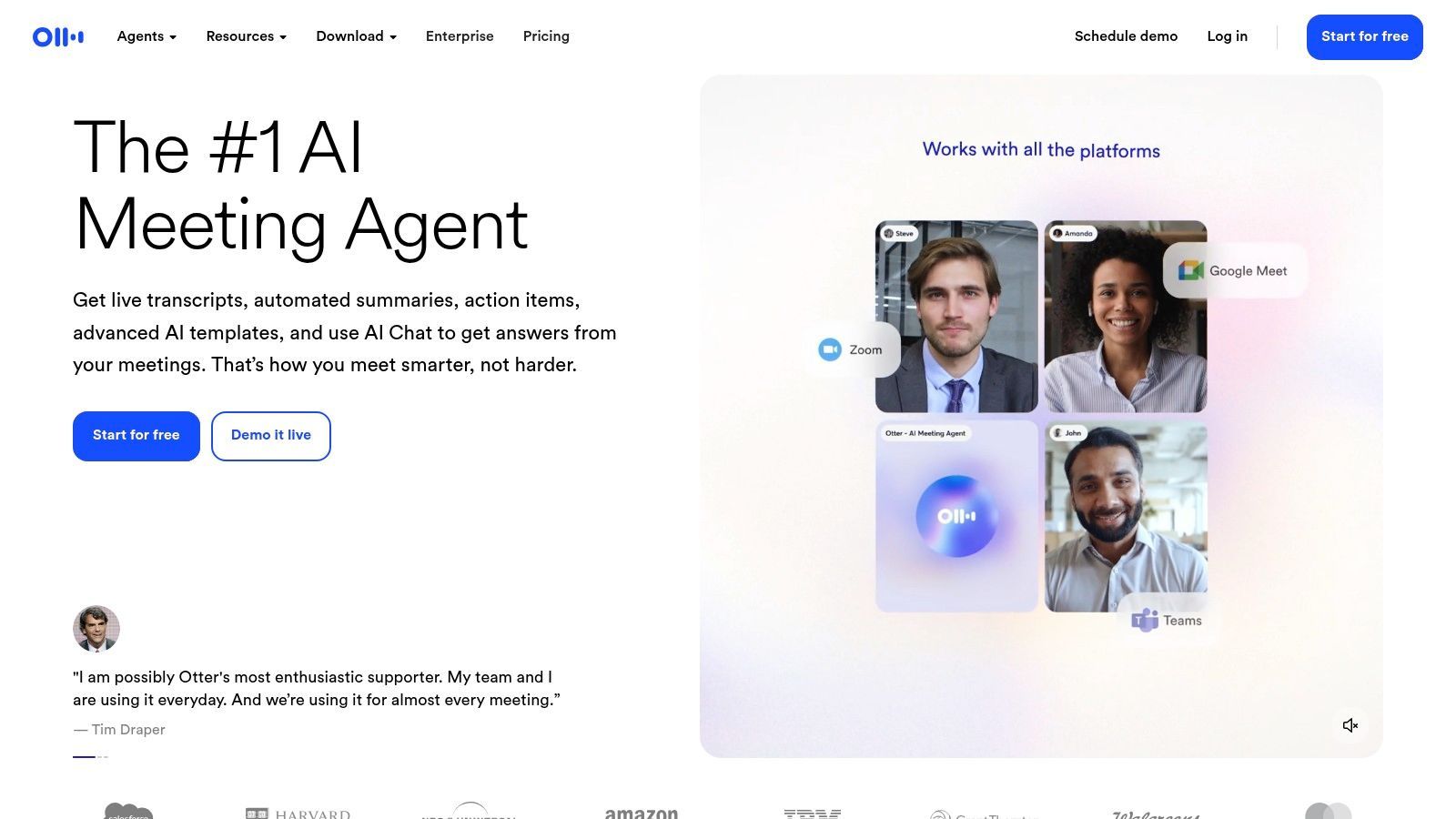
The real magic of Otter.ai happens after the meeting. The platform uses AI to automatically create a concise summary, outline key discussion points, and even pull out a list of action items. This is a lifesaver for professionals who need to quickly recall decisions and delegate tasks without re-reading a lengthy transcript. The user experience is clean and intuitive, with a solid web interface, dedicated mobile apps, and a handy Chrome extension for transcribing any audio playing in your browser. Its collaborative features, like highlighting and commenting directly on the transcript, make it easy for teams to stay on the same page.
Key Details & Pricing
- Best For: Business professionals, students, and teams needing automated meeting notes and summaries.
- Key Features: AI Notetaker for live meetings, automated summaries and action items, real-time captions, and team workspaces.
- Pros: Excellent integration with major meeting platforms, powerful AI summary features, and very easy to use.
- Cons: The free plan has significant limitations on import/transcription minutes, and advanced collaboration features are behind a paywall.
Otter.ai offers a free Basic plan, with paid tiers including Pro ($16.99/mo) and Business ($35/user/mo) that provide more transcription minutes, advanced features, and team management tools. While it excels in its niche, you can explore a detailed comparison in this Whisper AI vs. Otter.ai breakdown to see how it stacks up against other models.
3. Rev
tl;dr
A top-tier hybrid transcription service perfect for users who need both the speed of AI and the guaranteed accuracy of human professionals. Its clear, pay-as-you-go pricing for human services makes it the go-to for critical projects where highly accurate is non-negotiable.
Rev stands out in the audio transcription market by offering a powerful hybrid model. It provides a fast, automated AI transcription service for quick turnarounds and everyday tasks, but its real claim to fame is its professional, human-powered transcription. This service guarantees an impressive highly accurate, making it an essential tool for legal depositions, academic research, and final-cut video captions where every word matters. This dual approach lets you choose the right tool for the job, all within a single platform.
The platform's strength lies in its simplicity and reliability, especially for its human transcription service. You just upload your audio or video file, select any add-ons like timestamps or verbatim transcription, and get back a highly accurate document, typically within hours. The AI service is just as straightforward, featuring a user-friendly editor to review and polish the machine-generated text. For organizations with strict security needs, Rev also offers enterprise-level solutions that are SOC 2 and HIPAA compliant, ensuring your data is handled securely.
Key Details & Pricing
- Best For: Professionals in legal, media, and academic fields needing guaranteed high accuracy; users who want a mix of AI and human services.
- Key Features: Human transcription (highly accurate), fast AI transcription, professional video captions and subtitles, and enterprise-level security options.
- Pros: Industry-leading accuracy with human transcription, simple per-minute pricing model, and the flexibility to choose between AI and human services.
- Cons: Human transcription is significantly more expensive than purely automated solutions, and advanced enterprise features like SSO are limited to higher-tier plans.
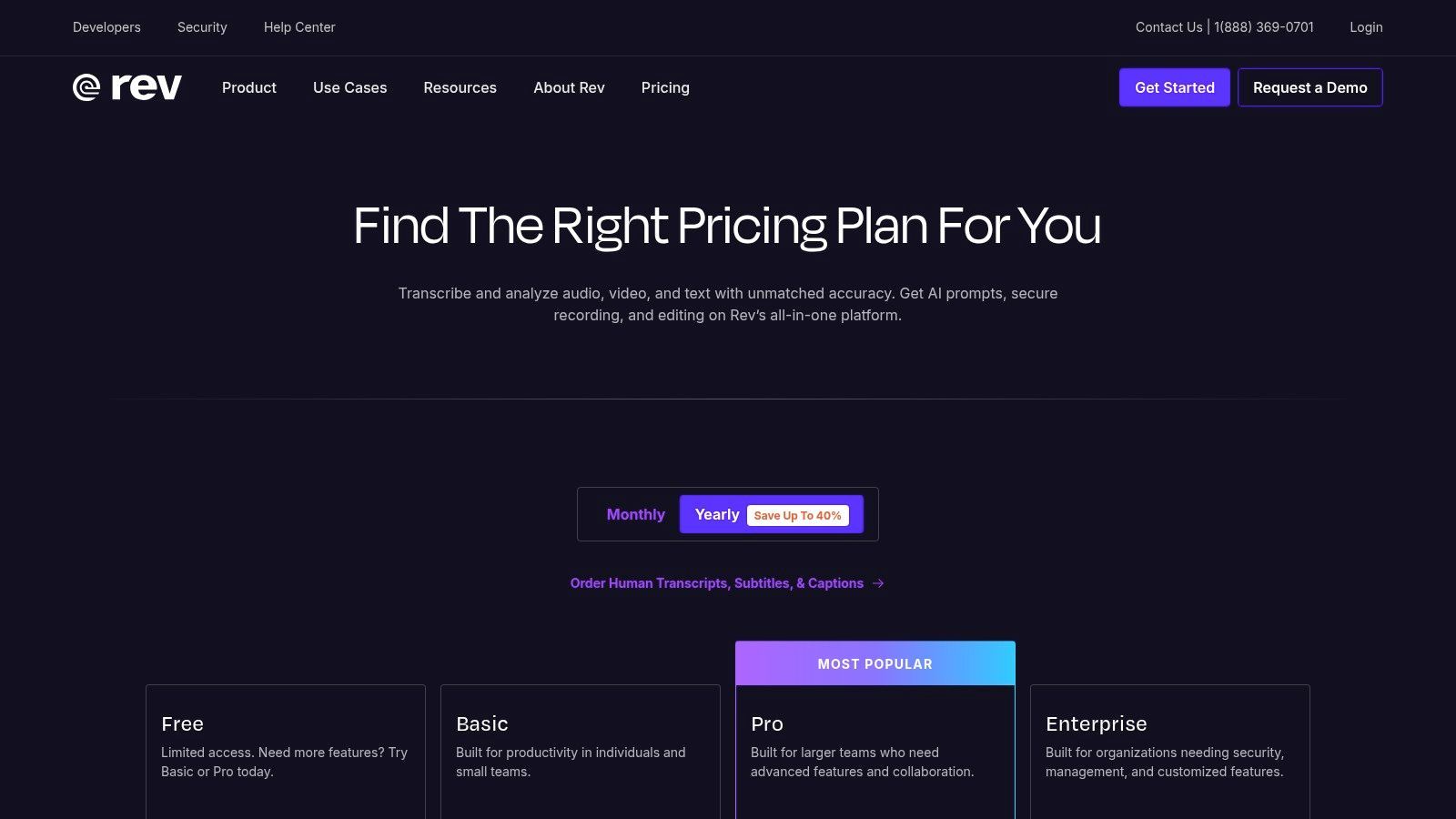
Rev's pricing is transparent, with human transcription starting at $1.50 per audio minute and AI transcription available via a subscription starting at $29.99/mo (billed annually). You can view all options on the Rev pricing page.
4. Descript
tl;dr
A powerful tool for content creators that merges audio transcription directly with audio/video editing. It's the best audio transcription software for podcasters, YouTubers, and anyone who needs to edit their recordings as easily as editing a text document.
Descript completely changes the game for post-production by treating your audio and video like an editable text document. After it transcribes your file with impressive accuracy, you can edit the media itself simply by deleting words or sentences in the transcript. This "doc-style" editing is incredibly intuitive and powerful, letting you cut, copy, paste, and rearrange your recording without ever touching a traditional timeline.
Beyond its killer editing feature, Descript is packed with tools built for creators. It can automatically remove filler words like "um" and "uh" with a single click. Its "Studio Sound" feature makes voice recordings sound like they were captured in a professional studio, while "Overdub" lets you create a clone of your voice to correct misspoken words. With integrated remote recording, screen recording, and collaborative tools, it's an all-in-one content creation suite built on a foundation of world-class transcription. The platform's unique approach is especially great for those managing a lot of video content, as detailed in this comprehensive video transcription guide.
Key Details & Pricing
- Best For: Podcasters, video creators, journalists, and marketers who need to edit recorded content efficiently.
- Key Features: Text-based audio/video editing, AI-powered Overdub voice cloning, Studio Sound enhancement, and automatic filler word removal.
- Pros: Innovative and highly efficient editing workflow, excellent for content creators needing integrated tools, and flexible plans with add-on hours.
- Cons: The powerful desktop app can be resource-intensive, and advanced AI features can quickly use up allotted transcription/credit hours.
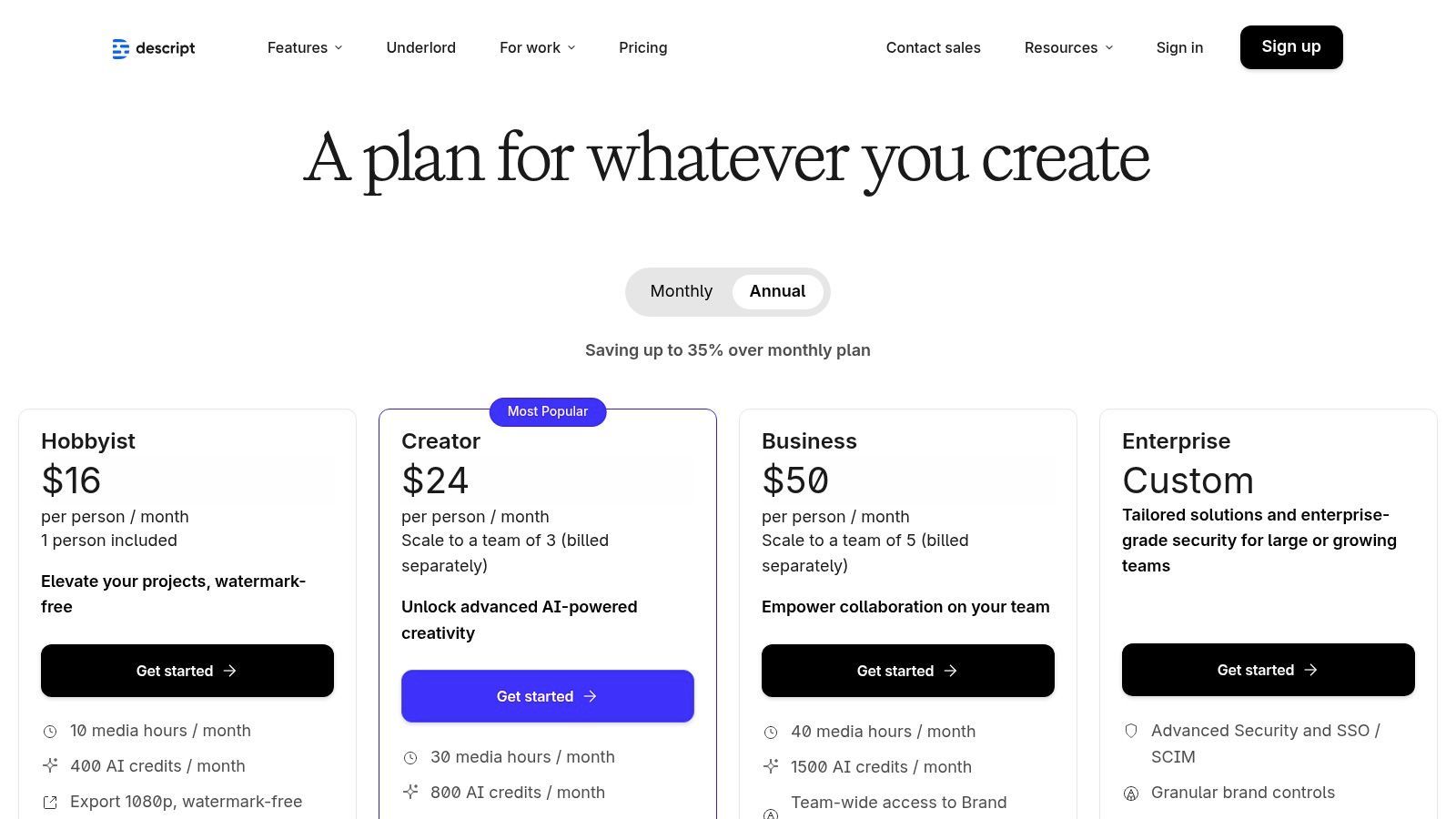
Descript offers a free plan with limited features. Paid plans include Creator ($15/mo) and Pro ($30/mo), with custom pricing for Enterprise needs. You can learn more at Descript's pricing page.
5. Trint
tl;dr
A newsroom-grade transcription platform built for high-stakes editorial workflows. Trint excels in collaborative environments like journalism, media production, and legal teams, offering powerful tools for editing, translating, and sharing transcripts securely.
Trint was created by journalists, for journalists, and you can feel that in its design. It's more than just one of the best audio transcription software options; it's a complete content creation engine. The browser-based interface combines a powerful automated transcript generator with a text editor, letting users verify, edit, and even add comments or highlights collaboratively in real-time. This focus on a secure, shared editorial process makes it perfect for teams working on sensitive stories or legal depositions where accuracy and a clear audit trail are critical.
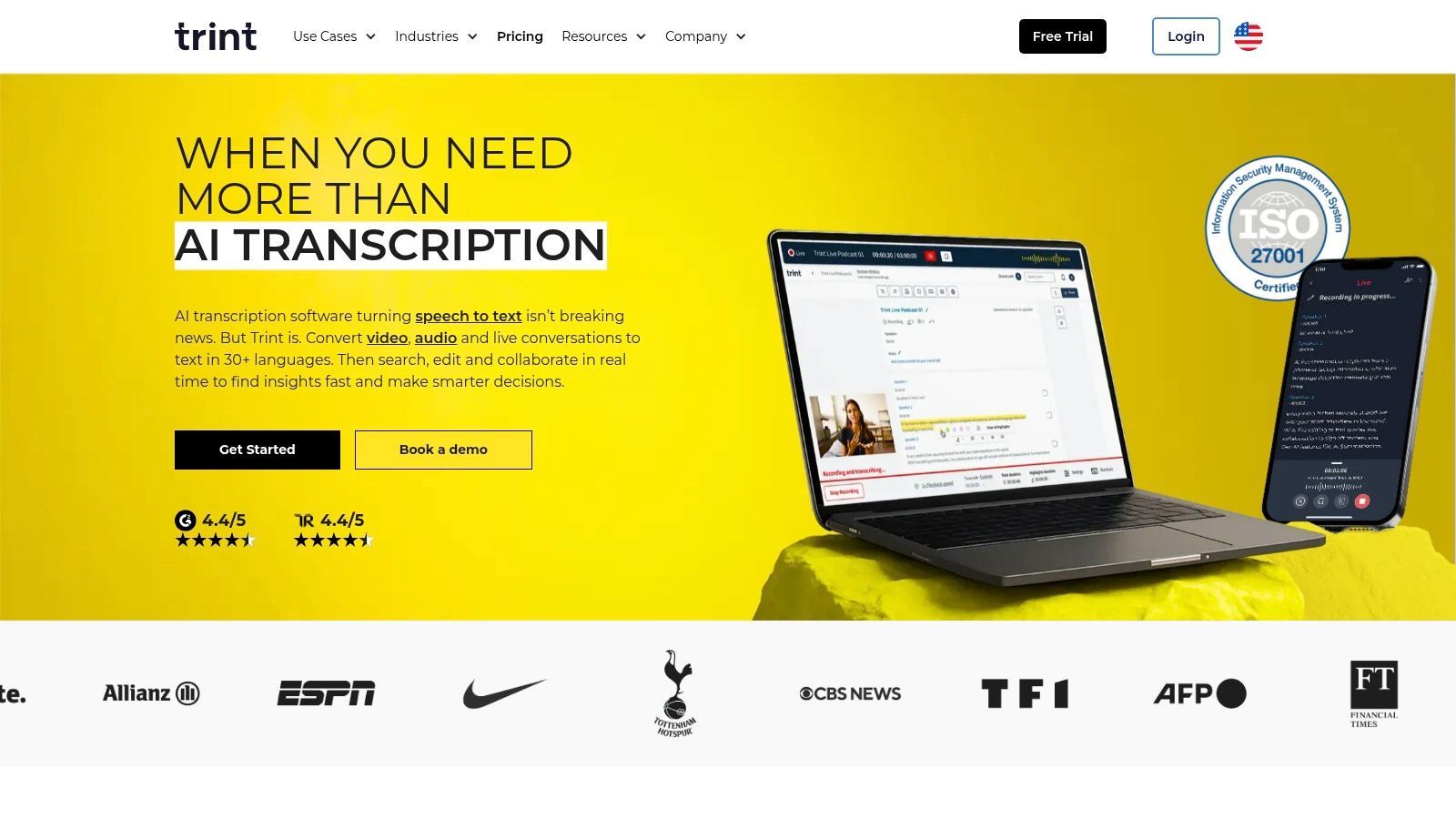
What really sets Trint apart is its suite of features designed for professional content producers. Its "Trint Live" feature can transcribe events and streams in real-time, while its built-in translation can convert transcripts and captions into over 50 languages, helping a story reach a global audience. The platform also offers AI-powered summarization to quickly find the key narrative in long interviews. With robust security credentials like ISO 27001 certification and a strong emphasis on team-based workflows, Trint provides a secure and efficient environment for turning raw audio into polished, publishable content.
Key Details & Pricing
- Best For: Journalists, media production houses, legal professionals, and enterprise teams needing a secure, collaborative transcription workflow.
- Key Features: Live transcription, multi-language translation, advanced collaboration tools (highlights, comments), AI summarization, and robust security protocols.
- Pros: Mature editorial workflow perfectly suited to media teams, strong security and compliance, and offers a 7-day free trial.
- Cons: Pricing can be higher than consumer-focused tools and may vary by region, while extra fees can apply for long-term storage.
Trint offers several plans starting with the Starter plan ($80/user/mo) and Advanced plan ($100/user/mo), with custom pricing for Enterprise needs. You can see how its professional features compare to other top-tier tools in this list of the best AI transcription apps.
6. Sonix.ai
tl;dr
A highly rated transcription and translation service known for its speed, accuracy, and a brilliantly intuitive in-browser editor. Sonix is ideal for content creators and teams who need a fast turnaround on video, audio, and subtitle files with straightforward, predictable pricing.
Sonix.ai has made a name for itself as one of the best audio transcription software options by focusing on a smooth user experience from upload to export. It quickly processes audio and video files, returning an accurate, timestamped transcript right in its powerful in-browser editor. This editor lets you easily review, edit, and polish your transcript while listening to the synced audio, making corrections a breeze. The platform supports over 38 languages for both transcription and translation, making it a versatile tool for global content.
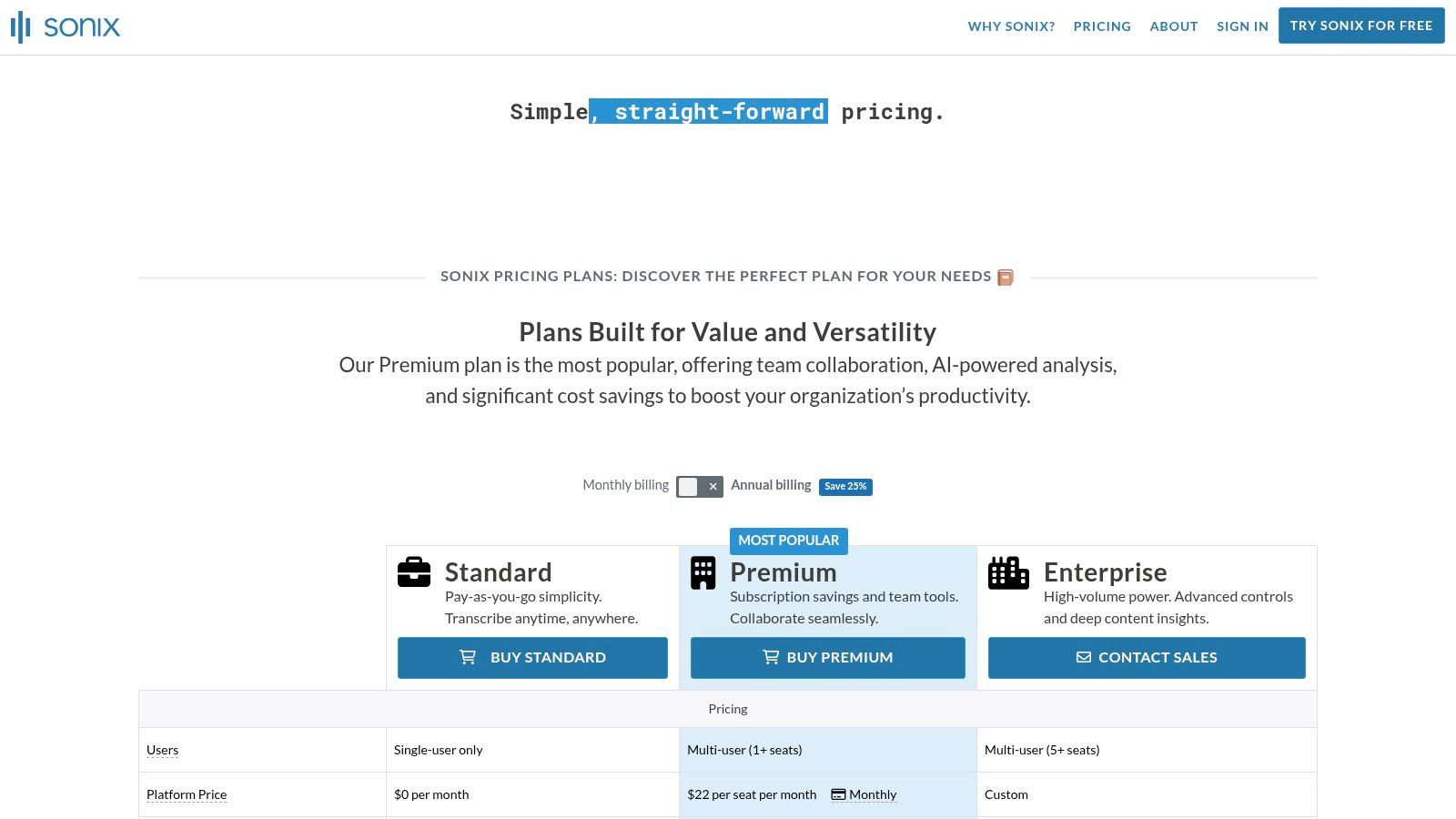
What makes Sonix particularly appealing is its transparent and flexible pricing, which includes both pay-as-you-go and subscription models. This predictability is a huge plus for individuals and businesses with fluctuating workloads. It also offers excellent collaborative features, allowing teams to share projects, leave comments, and work from a single transcript. For media professionals, the ability to burn captions directly into a video or export in various subtitle formats (like SRT and VTT) is a major advantage that simplifies the post-production workflow.
Key Details & Pricing
- Best For: Podcasters, journalists, filmmakers, and marketing teams needing fast, accurate transcripts and subtitles.
- Key Features: In-browser transcript editor, automated translation, speaker diarization, multiple export formats (SRT, VTT, DOCX), and team collaboration tools.
- Pros: Very transparent and predictable pricing model, user-friendly editor simplifies corrections, and offers a generous 30-minute free trial.
- Cons: It's an AI-only service with no human review option, and translation is an additional cost priced similarly to the initial transcription.
Sonix offers a Standard pay-as-you-go plan at $10/hour and a Premium subscription at $22/user/mo which includes a lower rate of $5/hour. Enterprise plans are also available for larger teams. To better understand how its AI-driven service fits into the market, you can explore this guide on AI audio transcription for more context.
7. Happy Scribe
tl;dr
A versatile and multilingual transcription platform ideal for content creators and global teams who need both AI-powered speed and the option for human-perfected accuracy. Its strong support for subtitling and diverse export formats makes it a top choice for video production.
Happy Scribe stands out as a robust solution in the audio transcription software space by offering a flexible hybrid model. Users can choose fast, automated AI transcription or opt for a 100% human-made service for projects that demand maximum accuracy. This adaptability makes it suitable for a wide range of uses, from transcribing internal meetings to creating professional, broadcast-quality subtitles for global audiences. The platform supports an impressive 80+ languages, catering to international businesses and creators.
The user experience is built around a clean, collaborative editor that lets teams review and polish transcripts or subtitles together. What makes Happy Scribe especially valuable for video producers and marketers is its extensive range of export formats, including SRT, VTT, and even specific formats for editing software like Final Cut Pro and Avid. This focus on post-production workflows, combined with its translation capabilities, solidifies its position as a go-to tool for anyone creating accessible, multilingual video content.
Key Details & Pricing
- Best For: Video producers, podcasters, and global teams needing accurate subtitles and multilingual transcriptions.
- Key Features: AI and human transcription services, support for 80+ languages, collaborative editor, and extensive subtitle export options.
- Pros: Flexible hybrid model (AI + human), strong multilingual support, and a wide array of export formats for video editing.
- Cons: Human proofreading costs can add up, and removing watermarks or accessing advanced features requires a paid plan.
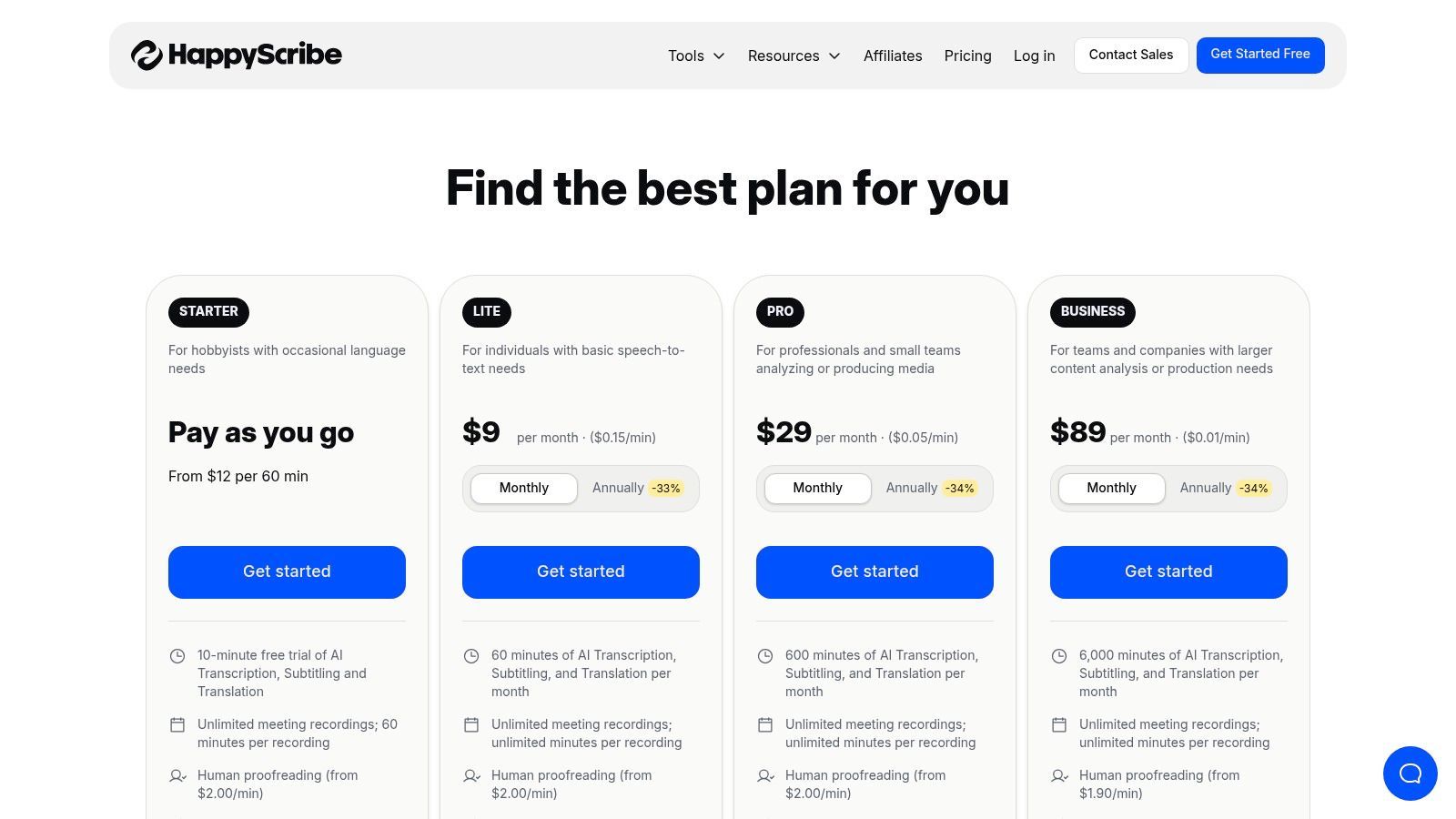
Happy Scribe offers a free trial, pay-as-you-go options, and subscription plans like Lite (€17/mo) and Pro (€29/mo) that provide more hours and features. Explore all options on their official pricing page.
8. Amazon Transcribe (AWS)
tl;dr
A highly scalable, developer-focused transcription service for building applications with advanced speech-to-text capabilities. It's best for businesses that need to integrate high-volume, industry-specific transcription directly into their existing AWS workflows and products.
Amazon Transcribe isn't a standalone app but a powerful building block within the Amazon Web Services (AWS) ecosystem. As part of our best audio transcription software lineup, it offers an API-driven approach, letting developers embed automatic speech recognition (ASR) directly into their applications. It can handle both real-time streaming and batch processing of pre-recorded audio files, making it incredibly versatile for different technical needs.
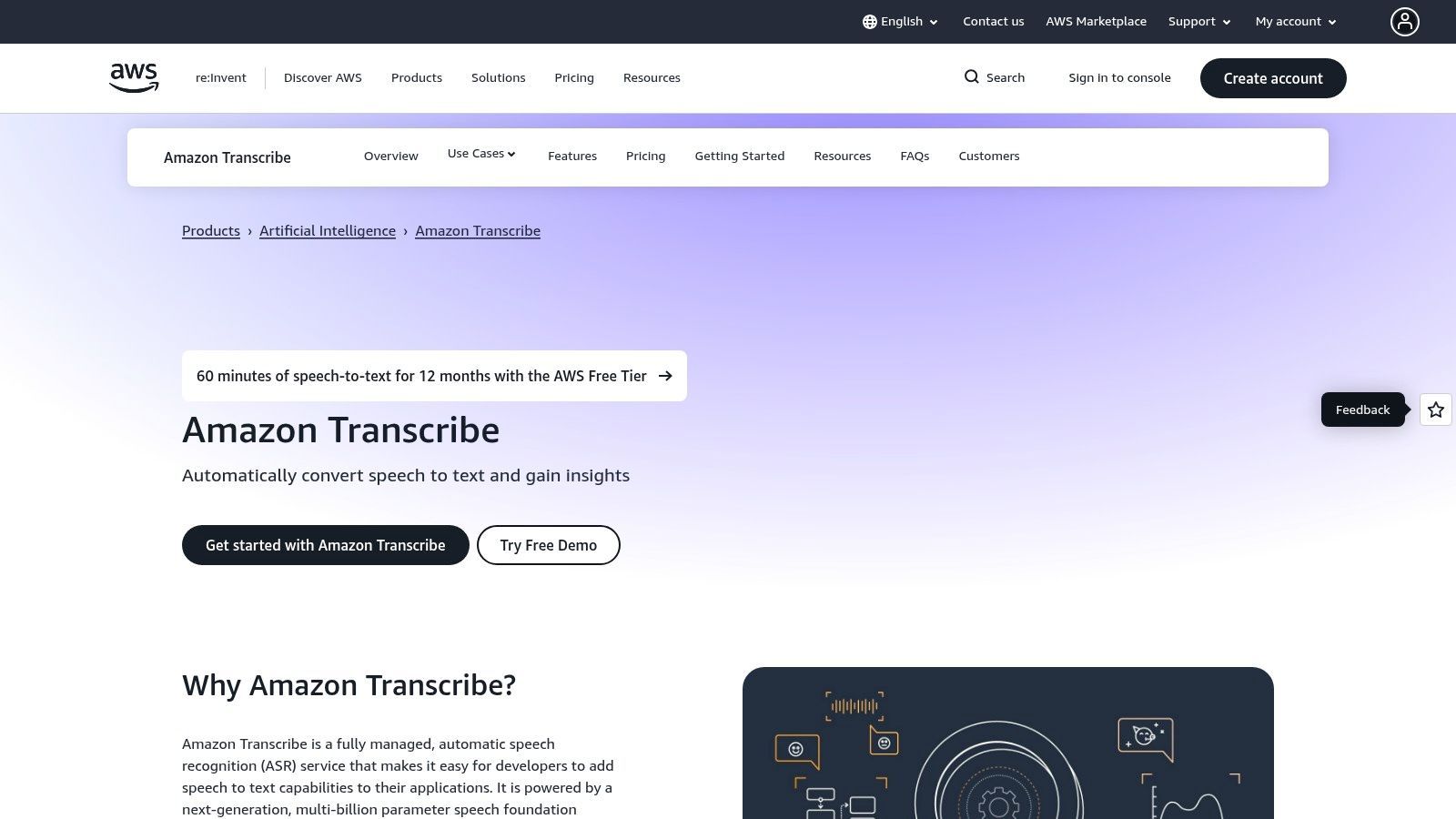
What truly sets Amazon Transcribe apart are its specialized models and enterprise-grade features. It provides custom vocabularies to improve accuracy for domain-specific terms, PII redaction to automatically remove sensitive data, and multi-channel diarization to separate speakers in different audio channels. It also offers specialized models for unique use cases like Amazon Transcribe Medical, which is HIPAA-eligible, and Amazon Transcribe Call Analytics for contact centers. This focus on customization and compliance makes it a go-to for regulated industries and large-scale data processing.
Key Details & Pricing
- Best For: Developers and businesses needing to build transcription features into custom applications or process audio at scale within an AWS environment.
- Key Features: Streaming and batch transcription API, custom vocabularies, PII redaction, specialized models (Medical, Call Analytics), and speaker diarization.
- Pros: Extremely scalable and deeply integrated with other AWS services, and offers powerful, industry-specific models for enhanced accuracy.
- Cons: Requires technical expertise and engineering resources to implement; its pay-as-you-go pricing can be complex to predict.
Amazon Transcribe uses a pay-as-you-go model, billed per second of audio transcribed, with a free tier for new customers. Pricing varies by region and model type. You can see how its technical capabilities stack up in this speech-to-text platform comparison to decide if its API-first approach is right for you.
9. Google Cloud Speech-to-Text
tl;dr
A powerful and highly accurate API-based transcription service best for developers and businesses that need to integrate top-tier speech recognition directly into their applications and workflows within the Google Cloud ecosystem.
Google Cloud Speech-to-Text isn't a consumer app but a foundational API that powers many other services. It gives developers access to the same sophisticated speech recognition technology used in Google products like Google Assistant. This service is built for scalability and precision, providing multiple transcription models tailored for specific use cases—such as telephony, video, and medical dictation—to ensure higher accuracy for specialized audio.
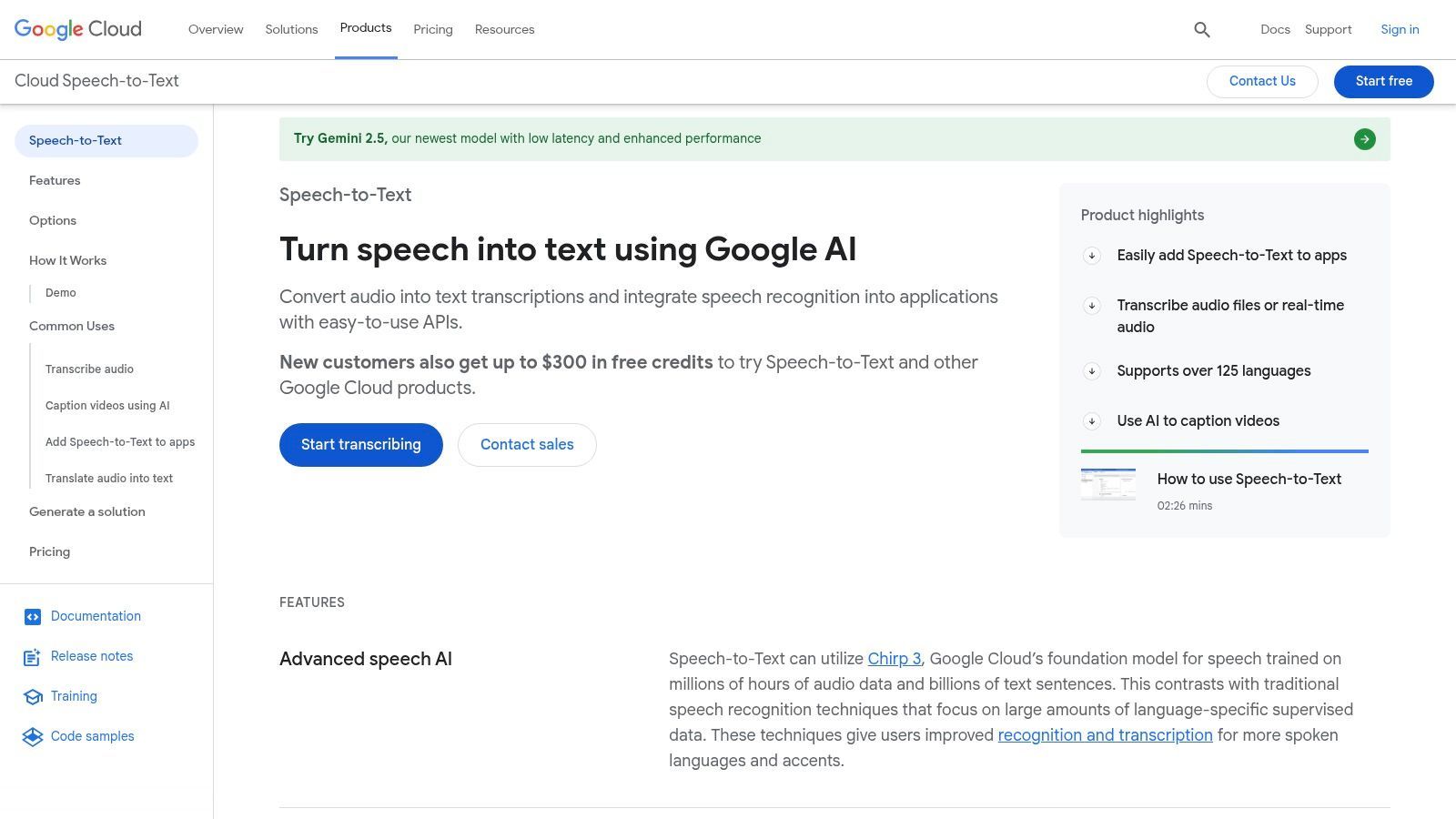
What makes this one of the best audio transcription software options for technical users is its flexibility. It supports both real-time streaming transcription for live audio and batch processing for pre-recorded files. Features like speaker diarization, automatic punctuation, and support for over 125 languages make it incredibly robust. It's an ideal choice for building custom solutions, like transcribing call center recordings at scale or adding voice command capabilities to an app. The deep integration with other Google Cloud Platform (GCP) services like Cloud Storage and BigQuery allows for smooth data processing pipelines.
Key Details & Pricing
- Best For: Developers, enterprises, and tech companies needing to build custom applications with integrated transcription.
- Key Features: Multiple specialized models (phone, video, medical), streaming and batch transcription, speaker diarization, and extensive language support.
- Pros: Exceptional accuracy and reliability, deep integration with the Google Cloud ecosystem, and flexible pay-as-you-go pricing.
- Cons: Requires technical expertise to implement, and the various models and pricing tiers can be confusing for new users.
Google Cloud Speech-to-Text operates on a pay-as-you-go model, with pricing based on the amount of audio processed per month, starting at around $0.006 per 15 seconds. Pricing varies depending on the specific model used, and volume discounts are available for large-scale users. You can explore the full capabilities on the official Google Cloud website.
10. Microsoft Azure AI Speech (Speech to Text)
tl;dr
A powerful and highly customizable transcription service for developers and enterprises deeply invested in the Microsoft ecosystem. It offers exceptional flexibility with options for custom models, on-premise deployment, and robust security features.
Microsoft Azure's AI Speech service is less of a ready-to-use app and more of a foundational technology for building custom solutions. As one of the best audio transcription software components for developers, it provides both real-time and batch transcription APIs that can be integrated into existing applications. Its core strength is its customization and deployment flexibility, allowing organizations to train models on their specific domain vocabulary—like unique product names or industry jargon—for superior accuracy.
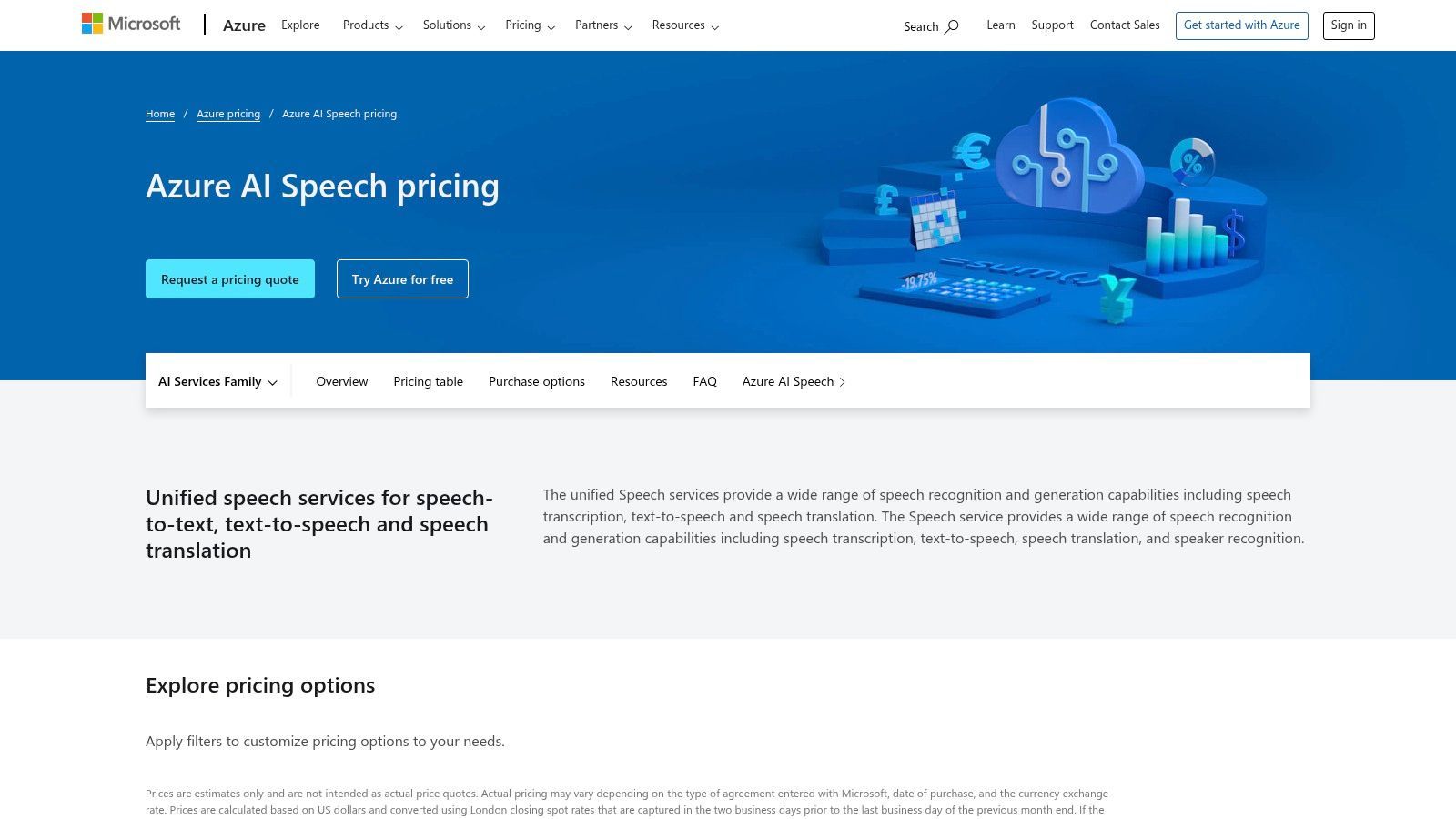
What really sets Azure AI Speech apart is its enterprise-grade focus. It supports containerized deployment, meaning companies can run the speech-to-text service on their own infrastructure (on-premise or private cloud) for maximum data control and security. This is a crucial feature for industries like healthcare, finance, and government that have strict data residency and compliance rules. While it requires technical expertise to implement, the platform's power and integration with the broader Azure ecosystem make it an unmatched choice for large-scale, custom transcription projects.
Key Details & Pricing
- Best For: Enterprises and developers needing a highly customizable, secure, and scalable transcription engine to build into their own products.
- Key Features: Real-time and batch transcription, custom model training, speaker diarization, on-premise deployment via containers, and strong security.
- Pros: Excellent for enterprise use with strong security and compliance, highly flexible deployment options, and a free tier for evaluation.
- Cons: Requires development resources to implement, pricing can be complex as it varies by region, and custom model training is an additional cost.
Azure AI Speech offers a free tier that includes 5 audio hours per month. Beyond that, it operates on a pay-as-you-go model, with pricing for standard transcription starting around $1 per audio hour, though exact rates vary by region and feature set.
11. OpenAI Realtime API (speech-in/speech-out)
tl;dr
A developer-focused API that merges transcription, AI reasoning, and speech output into a single, low-latency stream. It's best for building modern conversational AI applications rather than serving as a standalone transcription tool.
OpenAI's Realtime API represents a major shift from traditional audio transcription software by integrating multiple AI functions into one pipeline. Instead of a separate Speech-to-Text (STT), Large Language Model (LLM), and Text-to-Speech (TTS) stack, this API handles live audio input and output through a single multimodal session. This allows developers to build applications that can not only transcribe in real-time but also understand, reason, and respond vocally with minimal delay, powered by models like GPT-4o.
What makes this API unique is its architectural simplicity. By combining transcription with powerful features like function calling and summarization in one continuous flow, it opens the door for sophisticated, real-time voice agents, intelligent assistants, or accessibility tools. This isn't a consumer app for transcribing a recorded file; it's a foundational technology for developers aiming to create smooth conversational experiences. The focus on low latency is critical, making interactions feel more natural and responsive compared to systems built from separate, pieced-together components.
Key Details & Pricing
- Best For: Developers and businesses building custom voice-enabled AI applications, real-time assistants, or advanced interactive systems.
- Key Features: Unified API for STT, LLM, and TTS; low-latency audio input/output; built-in function and tool calling; multimodal session support.
- Pros: Radically simplifies development architecture, enables highly responsive conversational AI, and can be more cost-effective than managing separate API pipelines.
- Cons: Not an end-user transcription product, requires significant development expertise to implement, and the token-based pricing model necessitates careful cost management.
Pricing for the OpenAI Realtime API is based on a token model that accounts for audio minutes and model usage. Developers should consult the official OpenAI pricing page to estimate costs for their specific use cases, as it differs from traditional per-minute transcription services.
12. G2 (Transcription Software category)
tl;dr
Not a transcription tool itself, but a comprehensive B2B software marketplace. G2 is an essential starting point for researching, comparing, and discovering the best audio transcription software based on verified user reviews and detailed feature filters.
While G2 doesn't perform transcription, it earns a spot on this list as an invaluable research hub. It aggregates dozens of transcription services into one category, letting you sort and compare options based on real user satisfaction scores, market presence, and specific features. Think of it as the ultimate pre-purchase guide, giving you a bird's-eye view of the entire landscape before you commit to a subscription.
The platform's strength lies in its granularity. You can filter vendors by business size (small, mid-market, enterprise), key features like automatic transcription or speaker identification, and user ratings. This helps you move beyond marketing claims and see how tools actually perform for businesses like yours. G2's comparison tool lets you see head-to-head stats for up to four vendors, making it easy to weigh the pros and cons of your top choices. For anyone tasked with finding the right solution for their team, starting your search here can save hours of work.
Key Details & Pricing
- Best For: Professionals and teams in the research phase of selecting transcription software.
- Key Features: Verified user reviews and ratings, advanced filtering options, head-to-head vendor comparisons, and market-quadrant reports.
- Pros: A wide range of vendors are listed, from niche tools to enterprise leaders. It's excellent for discovering alternatives and learning before you buy.
- Cons: Sponsored placements can influence visibility, so always verify vendor details on their official sites. User experiences can vary widely based on their specific needs.
Access to G2's reviews and comparison tools is free for users. To explore the full list and start comparing options, you can visit the G2 Transcription Software category.
Top 12 Audio Transcription Tools: Feature Comparison
| Product | Core Features | Quality | Pricing / Value | Target & USP |
|---|---|---|---|---|
| WhisperAI | 100+ languages, live & large-file uploads, in-browser editor, exports (SRT/PDF/DOCX), speaker labels | ★★★★★ | Free trial + Business Pro unlimited plans; predictable billing | Teams, researchers, media, legal — enterprise-grade security (GDPR, 256-bit encryption) |
| Otter.ai | Live captioning, AI Notetaker, mobile apps & integrations | ★★★★ | Free + paid tiers; import limits on free | Meetings, education, SMBs — strong conferencing integrations |
| Rev | AI + optional human transcription, captions, timestamps | ★★★★ AI / ★★★★★ Human | Transparent per-minute pay-as-you-go; human costs higher | Users needing high-accuracy/legal transcripts; mix AI+human |
| Descript | Text-based audio/video editing, Overdub, Studio Sound | ★★★★ | Free + subscriptions; credits for advanced AI features | Podcasters/creators — integrated editor + production tools |
| Trint | Live transcription, translation, editorial editor & collaboration | ★★★★ | Subscription trials; regional pricing nuances | Journalists/media/legal — editorial collaboration focus |
| Sonix.ai | Fast AI, clean editor, per-second billing, API | ★★★★ | Transparent per-hour/second rates; predictable costs | Teams wanting clear pricing & API integration |
| Happy Scribe | AI + optional human proofreading, subtitling (80+ langs) | ★★★★ | Pay-as-you-go or subscription; human proofing costs extra | Localization, subtitling, media teams |
| Amazon Transcribe (AWS) | Streaming/batch, custom vocabularies, PII redaction, medical models | ★★★★ | Pay-as-you-go; AWS integration/infra costs | Developers/enterprises — deep AWS pipeline integration |
| Google Cloud Speech-to-Text | Streaming/batch, diarization, phone/video/medical models | ★★★★ | Per-second billing + GCP resource costs; volume discounts | Devs needing GCP ecosystem & scalable ASR |
| Microsoft Azure AI Speech | Real-time/batch, custom models, container/on-prem options | ★★★★ | Region-based pricing; free 5 hrs/month eval | Enterprises — security, identity & on-prem support |
| OpenAI Realtime API | Low-latency speech I/O, multimodal, integrated LLM tooling | ★★★★ | Token/audio pricing; competitive but complex to estimate | Developers/integrators — unify STT + LLM + TTS stacks |
| G2 (Transcription category) | Vendor directory, user reviews, filters & comparisons | ★★★★ | Free research tool | Buyers researching vendors — review hub and comparisons |
Making the Right Choice: Which Transcription Software Is Best for You?
tl;dr
Your choice of the best audio transcription software depends entirely on your primary needs. For ultimate accuracy, scalability, and security, especially in enterprise or research settings, WhisperAI is the leading choice. For collaborative meeting notes, Otter.ai excels. For content creators needing an all-in-one editing suite, Descript is unparalleled. Prioritize your core need—accuracy, collaboration, editing, or human review—to find your perfect fit.
Navigating the crowded market of transcription tools can feel overwhelming. We've looked at everything from standalone AI powerhouses like WhisperAI and Sonix.ai to developer-focused APIs from AWS and Google, and even hybrid services like Rev. The key takeaway is clear: the "best" tool isn't a one-size-fits-all solution. It's the one that aligns perfectly with your specific workflow, security needs, and budget.
The landscape has changed dramatically. What was once a tedious, manual chore is now a highly automated process driven by sophisticated AI. This evolution has unlocked immense value for professionals in every field, turning spoken words into data you can search, analyze, and repurpose.
Your Decision Framework: Key Factors to Re-evaluate
Before you pull the trigger, boil your needs down to a few core priorities. The right choice becomes much clearer when you weigh these factors against the options we've covered.
- Accuracy and Reliability: If your work in legal, healthcare, or academic research demands the highest possible precision, accuracy is non-negotiable. Tools like WhisperAI and the major cloud provider APIs (AWS, Google, Azure) often lead in raw accuracy benchmarks, minimizing the need for extensive manual correction.
- Workflow Integration: How does transcription fit into your day-to-day tasks? If you're a podcaster or video editor, a tool like Descript that weaves transcription directly into the editing process is a game-changer. For teams that live in Zoom and Google Meet, Otter.ai's real-time meeting assistant features provide immediate, actionable value.
- Security and Compliance: For enterprise, healthcare (HIPAA), or legal sectors, security isn't just a feature—it's a must-have. Scrutinize each provider's data handling policies, on-premise deployment options, and compliance certifications. This is an area where enterprise-focused solutions and major cloud platforms typically offer the most robust guarantees.
- Speaker Diarization and Identification: Do you need to know who said what? For interviews, multi-participant meetings, and legal depositions, accurate speaker labeling is crucial. Check how well each tool handles speaker changes, especially in recordings with crosstalk or varying audio quality.
- Cost vs. Value: Don't just look at the monthly price tag. Think about the total cost of ownership. A cheaper tool that forces you to spend hours on manual corrections might be more expensive in the long run than a highly accurate, automated system. Calculate the value based on time saved, errors avoided, and new opportunities unlocked.
Final Thoughts on Implementation
Once you've picked your software, the journey isn't over. Successful implementation requires a smart approach. Start with a pilot project to test the tool with your actual audio files and workflows. This will expose any hidden challenges with your audio quality, specific accents, or the technical jargon in your field.
Create clear guidelines for your team on best practices for recording audio to maximize transcription quality. Things like microphone placement, minimizing background noise, and speaking clearly can dramatically improve the accuracy of any AI model.
Ultimately, the goal is to transform your audio and video content from a passive, linear format into an active, intelligent asset. The right software empowers you to search, analyze, and extract insights from every spoken word, driving efficiency and innovation in your work. Choose wisely, implement thoughtfully, and unlock the full potential of your voice data.
Ready to experience the pinnacle of transcription accuracy and security? WhisperAI leverages state-of-the-art AI to deliver unparalleled results for enterprise teams, researchers, and professionals who demand the best. See for yourself why it's a top choice in our review of the best audio transcription software by trying it today.