How to Transcribe a TikTok Video Quickly and Accurately
Learn how to transcribe TikTok video content in minutes. This guide shows you how to turn viral clips into text for SEO, captions, and repurposing.
tl;dr: Need to transcribe a TikTok video? The process is simple: download the video, extract the audio into an MP3 file, and then upload that audio file to a powerful AI transcription tool. In just a few minutes, you'll have a complete text transcript ready for blogs, social media, or in-depth analysis.
Why Transcribing TikTok Videos Is a Game Changer
Have you ever scrolled through TikTok, found an absolute gem of a video, and wished you could just grab all the valuable info from it without rewatching it ten times? That’s exactly where transcription comes in. It’s no longer just about adding captions for accessibility; it’s a powerhouse strategy for creators, marketers, and anyone looking to get the most out of their content.
Think about it. A marketing team can analyze the spoken content of trending audio from dozens of viral videos in a matter of minutes. A creator can take a single 60-second clip and effortlessly spin it into a detailed blog post. When you convert that spoken audio into text, you're transforming a fleeting moment into a lasting, searchable asset.
Unlocking Your Content's Full Potential
The real magic begins after you get the text. A transcript is essentially a blueprint for creating more content. That hilarious rant or super-helpful tip from a video? It can now become the backbone of a blog post, a series of engaging tweets, or even a key section in your next newsletter.
All of a sudden, one piece of content is working for you across multiple platforms. This stretches its reach and impact far beyond the original 60-second clip. For anyone juggling a packed content schedule, that kind of efficiency is an absolute lifesaver.
Gaining a Competitive Edge
It’s no secret that AI transcription is blowing up. The market was valued at a whopping $4.5 billion in 2024 and is projected to nearly double to $7.33 billion by 2032. Why the massive growth? Because savvy marketing teams are relying on accurate transcripts to inform their strategies. Tools like WhisperAI are perfect for this, as they can handle over 100 languages and the tricky accents so common in TikTok audio.
For a typical team, this can save over four hours of tedious manual work per person each week. That adds up to a whole month of productive time saved every year. You can dig deeper into how this trend is shaping content strategy.
This is the kind of fast-paced, audio-heavy content we're talking about, pulled right from the TikTok feed. Every one of these videos has spoken words—tutorials, jokes, trending sounds—that search engines can't see and are a pain to reuse without a transcript.
Key Takeaway: Turning your TikTok audio into text is the single best way to make your content searchable, accessible, and endlessly reusable. You're essentially multiplying the value of your video creation efforts.
With a good transcript in hand, you can immediately:
- Boost Your SEO: Google can’t watch your video, but it can read the text. Pop that transcript on your blog, and suddenly your TikTok content is discoverable through search.
- Make Your Content More Accessible: Captions and transcripts open up your videos to people who are hard of hearing or just prefer to watch with the sound off (which is a lot of people!).
- Repurpose Content in a Flash: No more re-watching a video a dozen times to pull quotes. Just scan the text for key points and ideas to use in social posts, articles, or emails.
Manual vs AI Transcription for TikToks
So, should you type it all out yourself or let an AI do the heavy lifting? Here’s a quick breakdown of why AI is the clear winner for transcribing fast-paced TikTok content.
| Feature | Manual Transcription | AI Transcription (WhisperAI) |
|---|---|---|
| Speed | Extremely slow (4-5 hours per hour of audio) | Incredibly fast (minutes per hour of audio) |
| Cost | High (if outsourced) or time-consuming (if DIY) | Very affordable, with many free or low-cost plans |
| Accuracy | Prone to human error, especially with slang/accents | Highly accurate (up to 99%), excels with accents |
| Scalability | Not scalable for multiple videos | Easily handles hundreds of videos at once |
| Features | Just plain text | Speaker labels, timestamps, multiple export formats |
Honestly, for the speed and accuracy you get, AI is the only practical way to go. The time you save can be better spent creating your next great video.
Step 1: Extracting Audio from the TikTok Video
Before you can get a transcript, you need the audio from the TikTok. This might sound a little technical, but it’s actually pretty straightforward. All we’re doing is pulling the sound out of the video and saving it as its own audio file, which we can then feed to the AI.
Think of it like handing the AI a clean recording to listen to. If the audio is muffled, staticky, or drowned out by background noise, your transcript is going to be a mess. A crisp, clear audio file is the secret to getting an accurate transcription right from the start.
Getting the Audio from a TikTok Video
How you grab the audio really just depends on whether you're on a computer or your phone. Both ways are fast and get the job done.
The Easy Way for Desktop Users
If you’re on a laptop or desktop, the simplest method is to use an online TikTok video downloader. These sites are dead simple. You just find the TikTok you want to transcribe, copy the link, and paste it into the downloader. It'll give you a video file, usually an MP4.
With the video saved on your computer, the next step is to extract the audio. You don’t need any fancy software. A quick search for an online "MP4 to MP3 converter" will give you plenty of free options. Upload your video, and the site will hand you back an MP3 file ready to go.
A Quick Workaround for Mobile Users
Working straight from your phone? A screen recording is your best friend. Just pull up the TikTok, hit the screen record button on your phone, and let it play.
Once you’ve got the screen recording, you'll need a simple app to turn that video into an audio file. Head to your app store and search for a "video to MP3 converter." You'll find tons of free apps that can do this in seconds. It’s an extra step, but it’s a super reliable way to get the job done without a computer.
Why Audio Quality Is Everything
I can't stress this enough: the quality of your audio file directly determines how accurate your final transcript will be. An AI transcription tool is only as good as the file you give it. That’s why a high-quality format like an MP3 or WAV is best—it keeps the spoken words clear and easy for the AI to understand.
A clean audio source is the single most important factor for getting a near-perfect AI transcription. Background noise, loud music, or low-bitrate audio can introduce errors that require manual correction later.
Put it this way: if you can barely understand what someone is saying in a noisy room, an AI is going to struggle, too. This is where a powerful tool like WhisperAI really stands out, since it’s built to handle different audio qualities and accents incredibly well.
Here’s a look at the simple interface you’ll use to upload your audio file. The whole thing is designed to be easy. You can just drag and drop your MP3 right in and get the transcription started immediately.
A Pro Tip for Noisy Videos
What about those TikToks with loud, trending music playing over the person talking? This is a really common problem and can easily confuse even the smartest AI.
Here's a little trick that works wonders:
- Use a free audio editor: A tool like Audacity is perfect for this. It has features that can help you isolate the vocals or dial down the background noise.
- Find a "vocal remover" filter: Many modern audio tools have simple AI-powered filters that do a surprisingly good job of separating the voice from the music.
- Export the cleaner audio: Even a small reduction in the music volume can make a massive difference in your transcript's accuracy.
Spending a couple of extra minutes cleaning up the audio will save you a ton of time editing the transcript later. Once your MP3 is prepped and ready, you're all set to see what a great AI transcription tool can do.
Step 2: Using AI to Transcribe Your TikTok Audio
Now that you have a clean MP3 file, it’s time for the fun part. This is where we’ll turn all that spoken audio into a polished, usable transcript. Forget spending hours manually typing everything out; a dedicated AI tool like WhisperAI makes this process shockingly fast.
The whole process is simple. You just head over to the WhisperAI AI transcription page and drag your MP3 file right into the dashboard. No complex menus, no confusing setup. The AI just starts working its magic, analyzing the audio and converting it into text almost instantly.
This quick flowchart breaks down the path from a TikTok video to a clean audio file that's ready for transcription.
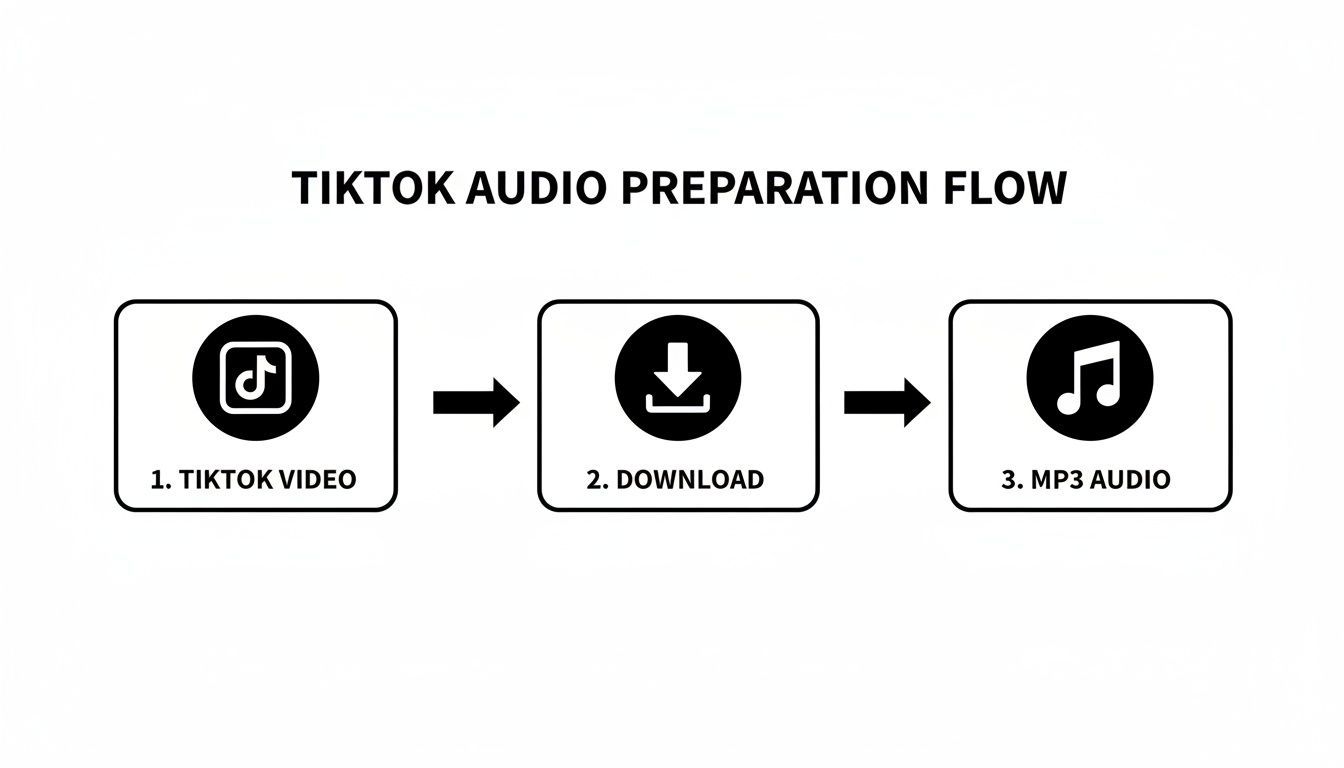
As you can see, it's just a few quick steps to prep your audio, which is the key to getting a high-quality transcript later on.
Key AI Features for TikTok Content
Today’s AI transcription tools are built with the fast-paced, often chaotic nature of TikTok videos in mind. They do a lot more than just basic speech-to-text.
- Automatic Language Detection: Does the video switch between English and Spanish? Not a problem. The AI can identify and transcribe multiple languages within the same audio file, saving you a massive headache.
- Speaker Labeling: This is a lifesaver for interviews, duets, or any video with multiple speakers. The AI figures out who is talking and when, then labels their dialogue accordingly. This keeps the final transcript organized and easy to follow.
Pro Tip: My advice is to always let the AI do the first pass, even if the audio contains a lot of industry slang or technical jargon. You'll be surprised how much it gets right. It's always faster to correct a few specific words than it is to type out the entire thing from scratch.
Think about it this way: you have a 60-second TikTok breaking down a complex topic like quantum computing. The creator is speaking quickly and using a ton of jargon. Trying to transcribe that manually would be an absolute nightmare of constantly pausing, rewinding, and Googling how to spell things.
With an AI tool, you upload the audio and, in just a minute or two, you get back a transcript that’s already 95-99% accurate. The AI recognizes the technical terms and timestamps every single word, giving you a nearly perfect foundation to work from.
Why This Matters for Content Creators
The demand for video transcription has absolutely skyrocketed, and TikTok is a huge reason why. Viewers on the platform are now conditioned to expect captions on everything they watch. The numbers back this up: subtitled videos have a 91% completion rate, a huge jump from the 66% for videos without them.
That boost in engagement is massive. For creators, marketers, or researchers who need to transcribe TikTok video content at scale—we're talking hundreds of videos a day—AI tools are non-negotiable.
Of course, AI's role doesn't stop at transcription. The same technology is used in all sorts of data analysis and tracking platforms. If you're digging into content performance, for example, you might want to check out some of the best AI search tracker tools on the market. Using AI to pull actionable insights from content is quickly becoming standard practice. Diving into the best AI transcription apps can also give you a better sense of all the different options available to fit your project's specific needs.
Step 3: Polishing and Exporting Your Transcript
AI transcription gets you incredibly close—I'd say about 95% of the way there. But that last 5% is where the magic happens. A quick human review is what takes a transcript from "good enough" to truly professional and ready for anything you want to do with it.
Thankfully, you don't need any extra software for this final polish. A platform like WhisperAI has a built-in interactive editor that simplifies the whole process. You can play the TikTok audio right alongside the text, which makes spotting and fixing those little inaccuracies a breeze.
Fine-Tuning the AI's Work
Even the smartest AI can get tripped up by slang, unique names, or a mumbled phrase. Your first job is to simply read through the transcript while listening to the audio. This is where your human ear will catch the subtle things a machine might have missed.
Here’s a pro tip I swear by: slow down the playback speed. Listening at 0.75x gives you just enough extra time to process what's being said and match it to the text. It's a lifesaver for those fast-talking creators or videos packed with technical jargon.
As you go, keep an eye out for a few key things:
- Punctuation: The AI does a decent job, but it won't always nail the natural pauses and sentence breaks. Add your commas, periods, and question marks to make the text flow naturally.
- Speaker Labels: If you're transcribing a duet or an interview, double-check that the right person is assigned to each line. This is crucial for clarity.
- Timestamps: A quick check to make sure the timestamps line up with the spoken words is always a good idea. In WhisperAI, you can easily drag and adjust these to get your captions perfectly synced.
My Personal Workflow: I always do two passes. The first is at normal speed to catch any glaring typos. For the second pass, I slow it down to hunt for those tricky words or brand names the AI might have taken a guess at. This whole process usually takes just a few minutes, but it makes a world of difference in the final quality.
Choosing the Right Export Format
Once your transcript is polished and perfect, it's time to export. The format you pick really depends on what you plan to do next. Knowing your options is key to getting the most out of your hard work.
Common Export Options
- TXT (Plain Text): This is as simple as it gets—just the raw text. It’s perfect if you just want to copy and paste the content into a blog post, show notes, or a social media description. No fuss, no frills.
- DOCX (Word Document): This option keeps more of the formatting, like speaker labels and timestamps. It's a great choice if you need to share the transcript with your team, print it out, or keep it for your records.
- SRT (SubRip Subtitle File): Now, this is the real powerhouse for repurposing content. An SRT file is a special text file that contains not only the words but also the precise start and end times for each line.
Exporting an SRT file is the most direct way to transcribe a TikTok video and instantly generate captions. You can take this single file and upload it directly to platforms like YouTube Shorts, Instagram Reels, or even professional editing software like Adobe Premiere Pro.
It automatically creates perfectly synced, professional-looking captions. This closes the loop, turning a simple transcription into an accessibility and engagement tool. For a deeper dive, you can learn more about the best practices for video transcription and subtitles. It's a simple step that multiplies the value of your original TikTok, making it more engaging on every other platform.
Taking Your TikTok Content Global
Getting a clean transcript is a great first step, but that's where the real fun begins. The text you just extracted is the key to unlocking a much larger audience, and AI tools like WhisperAI make it shockingly easy to take your content worldwide.
Imagine you've just nailed a TikTok in English. With your transcript ready, you can instantly translate it into Spanish, French, or any of the more than 100 languages available. This is a massive advantage for creators trying to build an international community or brands needing to understand global conversations.
It's More Than Just a Transcript
This simple process completely changes how you should think about your content workflow. You're no longer just transcribing a TikTok video to get captions. That transcript is now the raw material for a much broader content strategy. You’re not just making one video more accessible; you’re laying the groundwork to enter entirely new markets.
The efficiency here is incredible. For example, an AI video translator can take that transcribed and translated text to automatically generate new videos with dubbed audio or perfectly synced subtitles for different countries. The core message remains yours, but the delivery feels native to a local audience.
Pro-Tips for Scaling Your Content
If you're managing a ton of content, look for power-user features like batch uploading. Got a whole series of TikToks you need to process? Upload them all at once instead of painstakingly going one-by-one. This is a lifesaver for agencies, researchers, or anyone creating content at a high volume.
The big shift is to stop seeing transcription as the finish line. Instead, see it as the starting pistol for a powerful content creation and market research workflow. It opens doors that used to be too expensive or time-consuming to even knock on.
These tools give you a chance to see how your content resonates across different languages and cultures. If you want to dive deeper into how this tech helps teams connect, check out our guide on using real-time translation for global teams. It’s all about making your content work smarter, not harder.
Got Questions About Transcribing TikToks?
Even with a straightforward process, a few questions always pop up when you first start transcribing TikTok videos. Let's get into the nitty-gritty details that creators and marketers ask most often, because sorting these out now will save you a ton of headaches later.
How Well Does AI Handle Background Music?
This is a huge question, especially for TikTok where a trending sound can make or break a video. The good news is that modern AI, like the kind powering WhisperAI, is trained specifically to pick out human speech from all sorts of background noise, including music. If the dialogue is clear, you can expect incredibly high accuracy.
Of course, there are limits. If the music is blaring and completely drowns out the person speaking, the AI might miss a word or two. It's not magic, but it's close. For the vast majority of TikToks, you'll be pleasantly surprised by how well it isolates the voice. Just remember that cleaner audio always yields better results.
Is It Okay to Transcribe Someone Else's TikTok?
This is where we get into the important stuff: legality and ethics. If you're transcribing a video for your own personal use—say, for research, to analyze a trend, or just to catch what someone said—you're perfectly fine. It’s no different than jotting down notes from a video you're watching.
Things change the moment you decide to publish that transcript. If you plan on using the text in a blog post, on another social media platform, or anywhere public, you absolutely must credit the original creator. It’s the same as quoting any other source. Proper attribution isn't just good manners; it's essential.
The Golden Rule: Always give credit where it's due. A simple nod like "from a TikTok by @[Creator's Handle]" is usually all it takes to respect their work and stay on the right side of things.
What's the Quickest Way to Get Captions on My Video?
So, you've got your perfect transcript. Now what? The fastest way to turn it into captions is to export it as an SRT file right from your transcription tool.
An SRT file isn't just a block of text; it's a special format that contains all the precise timing data. You can upload that single file directly into video editors like CapCut or Adobe Premiere Pro, and even into platforms like YouTube. The software reads the timestamps and automatically places perfectly synced, professional captions onto your video. This little step saves you from the mind-numbing task of adding and timing each line by hand.
Ready to unlock the power of your TikTok content? WhisperAI gives you the speed and accuracy you need to transcribe, caption, and repurpose your videos in minutes. Give our AI transcription service a try and see just how easy it can be.