How to Get a Flawless Transcription in Any Language
Unlock global communication with our guide to transcription in any language. Learn how AI tools work, compare the best options, and get accurate results.
tl;dr: Getting a transcription in any language is easier than ever thanks to modern AI. This guide breaks down how the tech works, from automatically detecting languages to telling speakers apart. We’ll cover how to choose the right tool for your needs and give you practical tips for getting clean, accurate transcripts from any audio source, whether it's a podcast, business meeting, or global interview.
Your Quick Guide to Global Transcription
Ever stumbled upon a fantastic podcast or a compelling interview, only to hit a wall because it’s in a language you don’t understand? That frustrating barrier is quickly becoming a thing of the past. Getting a transcription in any language isn’t some futuristic sci-fi concept anymore; it's a real, powerful tool that’s accessible to everyone.
At its heart, this technology captures spoken words and converts them into written text, effectively knocking down communication walls. If you're just getting started, it helps to understand the fundamentals of how to transcribe audio to text effectively before diving into the multilingual side of things.
Why Multilingual Transcription Matters Now
The demand for turning speech into text is booming. The U.S. transcription market alone was valued at around $30.42 billion, fueled by industries like healthcare, legal, and media. And it's not slowing down—experts predict it will climb to over $41 billion by 2030. That’s a massive signal of how essential this has become in our interconnected world.
But this growth isn't just about English. As businesses expand globally and content creators chase wider audiences, the ability to handle multiple languages has shifted from a "nice-to-have" feature to an absolute must. This is where AI-powered services truly shine, achieving feats that would have been unimaginable just a few years ago.
Let’s explore why this is such a game-changer.
Key Features of Modern Multilingual Transcription
Today’s tools offer a suite of capabilities that make global communication seamless. Here’s a quick look at what you should expect from any solid multilingual transcription service.
| Feature | What It Does | Why It Matters for You |
|---|---|---|
| Multi-Language Support | Accurately transcribes audio in dozens, sometimes hundreds, of different languages. | You can process content from anywhere in the world without needing a human translator for each one. |
| Automatic Language ID | Listens to the audio and automatically detects the language being spoken. | Saves you the hassle of manually identifying languages, especially in files with mixed speech. |
| Speaker Identification | Differentiates between multiple speakers and labels who said what. | Makes transcripts of meetings, interviews, or panel discussions easy to follow and understand. |
| Timestamping | Adds time markers to words or phrases, syncing the text with the original audio. | Incredibly useful for video subtitles, editing, or quickly jumping to a specific moment. |
| Translation | Converts the transcribed text from the source language into a different one. | Opens up your content to entirely new audiences and makes global collaboration seamless. |
These features don't work in isolation; they combine to create a powerful tool that doesn't just convert audio to text, but makes that text immediately useful, searchable, and accessible on a global scale.
The Power of Modern AI
Today’s transcription tools are engineered to navigate the messy reality of global communication. They don't just recognize words; they understand context, can tell different speakers apart, and can even translate the text into another language on the fly. For international teams, journalists covering global events, or academics collaborating across borders, this is a game-changer.
The real magic is in how the AI learns. Imagine a system that has listened to millions of hours of real conversations in French, Japanese, Spanish, and Swahili. It has learned all the unique rhythms, sounds, and structures of each language.
That deep learning is what allows these tools to deliver such impressive accuracy, even when dealing with less-than-perfect audio.
For a closer look at the nuts and bolts of how this technology operates, our AI audio transcription guide is a great place to start. As we go deeper, you’ll see how these tools aren’t just typing out words—they’re connecting worlds.
How Does an AI Learn to Understand Every Language?
So, how exactly does a machine get so good at providing a transcription in any language? It’s not magic, but it is a fascinating process that boils down to one core idea: learning by listening. A whole lot of listening.
Think of an AI model that has spent years sifting through millions of hours of audio from podcasts, interviews, and videos from every corner of the globe. By processing this colossal amount of data, it starts to pick up on the patterns, sounds, rhythms, and structures that make each language unique. It’s like someone becoming fluent not by memorizing a textbook, but by being immersed in a global conversation that never ends.
This data-first approach is what gives modern AI its power to crack the code of human speech. And it's a big deal—the global AI transcription market is currently valued at around $4.5 billion and is projected to skyrocket to $19.2 billion by 2034. You can dig into more of these numbers in the automated transcription statistics on sonix.ai.
This diagram shows the basic journey your audio takes to become a finished transcript.
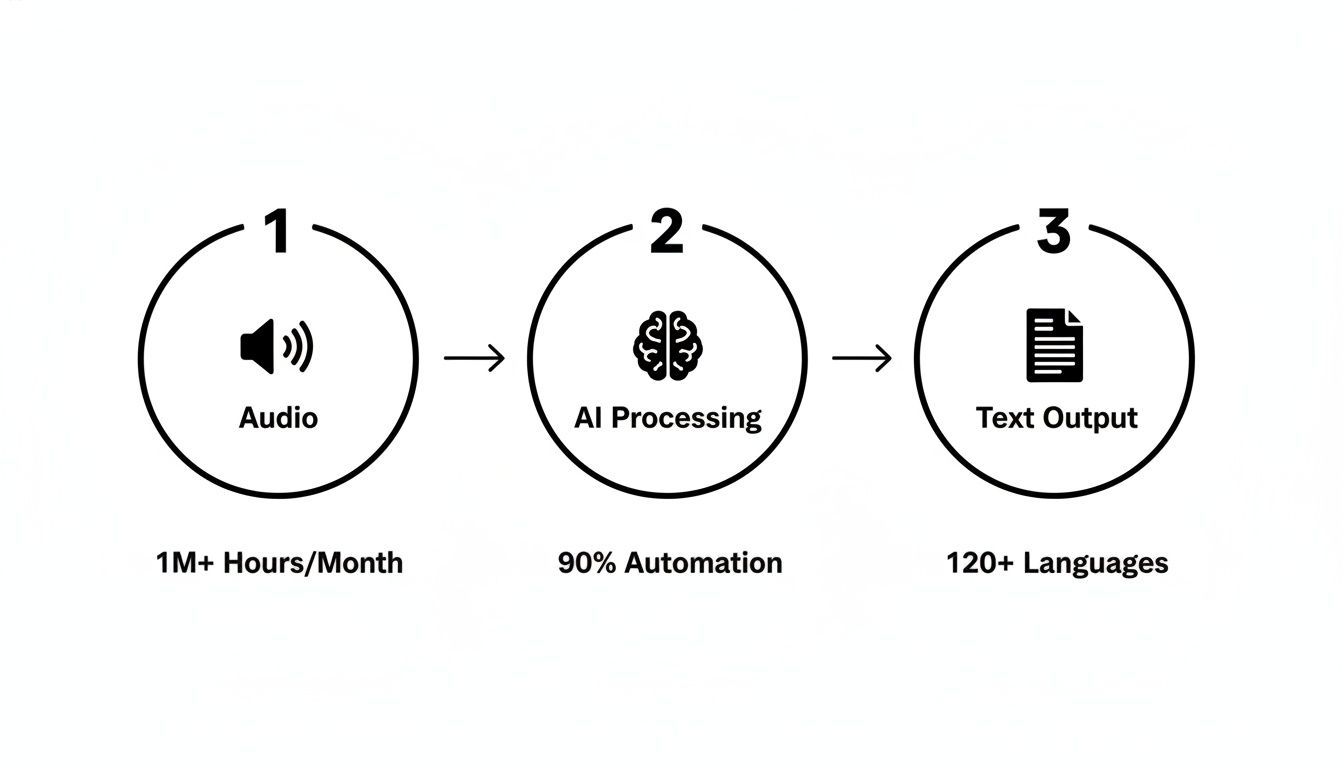
It’s a simple visual, but it captures how a raw sound wave is transformed into a structured, readable document, with the AI serving as that critical bridge.
First, Figuring Out What Language Is Being Spoken
Before an AI can transcribe a single word, it has to answer a fundamental question: what language am I even listening to? This is where a crucial feature called language identification (LID) comes into play.
LID is the AI’s ability to automatically detect the language being spoken within the first few seconds of an audio clip. It works by analyzing the phonetic characteristics—the unique sounds and intonations—of the speech and comparing them against its vast internal library of languages.
This is a lifesaver when you're working with a collection of unlabeled files or a recording that switches between languages. Instead of making you play a guessing game, the AI figures it out on its own, setting the stage for an accurate transcription.
Second, Figuring Out Who Is Speaking
Once the language is identified, the next puzzle is figuring out who is talking and when. For any conversation with more than one person, like a business meeting or a panel discussion, this is absolutely essential for creating a transcript that makes sense.
This process is known as speaker diarization. The AI listens for the distinct vocal characteristics of each person—their pitch, tone, and cadence—and creates a unique "voice print" for every individual in the conversation.
Speaker diarization is like having a digital stenographer who not only writes down what's said but also meticulously notes who said it. It turns a chaotic mess of overlapping voices into a clear, organized dialogue.
Thanks to this technology, the final transcript is neatly organized with speaker labels (like Speaker 1, Speaker 2), making it incredibly easy to follow the back-and-forth of the conversation.
Putting It All Together for a Perfect Transcript
When you combine all these pieces, you start to see why modern AI is so effective at providing a transcription in any language. The whole workflow is designed to be seamless:
- Audio Input: You start by uploading your audio or video file.
- Language Identification: The AI instantly detects the main language being spoken.
- Speaker Diarization: It then separates and identifies the different speakers.
- Speech-to-Text Conversion: The model transcribes the spoken words into text, making sure to assign the right lines to the right speaker.
- Timestamping and Formatting: Finally, it adds timestamps to sync the text with the audio and polishes the output into a clean, easy-to-read document.
This entire sequence happens in just a few minutes, turning a raw audio file into a structured, searchable, and genuinely useful asset. Understanding this foundation helps demystify how these tools operate, revealing both their incredible power and their logical limits—which we'll get into next.
Navigating the Real-World Challenges of Global Audio

While today's AI has made incredible leaps in understanding speech from around the world, getting a flawless transcription in any language isn't always as simple as clicking a button. Even the most sophisticated algorithms can get tripped up by the messy, unpredictable nature of real-world audio. By understanding these hurdles, you can set realistic expectations and take steps to get the best results possible.
The simple truth is that audio quality is everything. Think about it: if you can barely understand what someone is saying in a loud room, how can you expect an AI to do any better? The old saying "garbage in, garbage out" has never been more relevant. Clean audio gives the AI a fighting chance, while a poor recording will almost always lead to a transcript riddled with errors.
The Problem of Heavy Accents and Regional Dialects
One of the toughest challenges for any transcription AI is handling the vast diversity of human speech. A model trained primarily on "standard" Spanish might stumble when faced with a speaker who has a heavy Andalusian accent. Both are Spanish, but the cadence, dropped consonants, and local slang are worlds apart.
This isn't unique to any single language; it's a universal challenge.
- English: A speaker from rural Texas sounds nothing like someone from Liverpool.
- Arabic: The formal, written version of the language is a world away from the everyday spoken dialects you'd hear in Cairo or Beirut.
- Mandarin Chinese: Tones and vocabulary can shift dramatically from one province to the next.
A good AI can usually navigate these differences, but very thick or uncommon dialects can still cause accuracy to dip. The system is always making an educated guess based on the patterns it has learned, and an unfamiliar pronunciation can lead it down the wrong path.
The Disruptive Effect of Background Noise
Picture this: you're trying to transcribe a recorded interview that took place in a busy cafe. You're not just hearing voices; you're hearing the espresso machine hissing, dishes clanking, and other people's conversations bleeding into the mic. That's exactly what the AI has to deal with.
The AI's primary task is to isolate the human voice from everything else. Too much competing sound is like trying to hear a single flute in a hundred-piece orchestra—it's incredibly difficult.
Common culprits that can tank your audio quality include:
- Wind battering the microphone during an outdoor recording
- The constant drone of traffic on a city street
- Keyboard clicks and the hum of an air conditioner in an office
- Music playing, even faintly, in the background
While top-tier transcription models are surprisingly good at noise cancellation, a loud or sudden sound can easily swallow a word or even a whole phrase, leaving you with gaps in your transcript.
The Confusion of Overlapping Speakers
Another classic problem is crosstalk—when two or more people talk over each other. This is a common feature of passionate panel discussions, chaotic team meetings, and even family dinners.
When voices overlap, the sound waves literally mix together into a jumble, making it nearly impossible for an AI to figure out who said what. Even with advanced speaker identification (diarization), the system can easily misattribute a sentence or mash two people's words into one nonsensical line of text.
For any recording where accuracy is paramount, like a legal deposition or a research interview, simply reminding participants to speak one at a time can make all the difference.
In the end, while we're getting closer to a perfect, hands-off transcription in any language, these real-world issues mean a quick human review is still the secret to getting a truly professional-grade transcript. By understanding these challenges, you can prepare your audio better and know exactly what to look for when you're polishing the final text.
Choosing Your Multilingual Transcription Tool
Okay, you get the tech and its limitations. Now for the practical part: finding the right tool to get a transcription in any language that actually fits your needs. The market is filled with options, each designed for a different user—from a hobbyist podcaster to a global enterprise.
Making the right choice means balancing four key factors: accuracy, speed, cost, and ease of use. Some solutions are built for professional-grade precision, while others are all about convenience.
Let's break down the main categories you'll encounter.
Dedicated Transcription Platforms
These are the specialists—companies that live and breathe transcription. They've invested all their resources into building powerful, feature-rich platforms designed for heavy, consistent use. For professionals in media, research, and legal fields who can't afford mistakes, these are the go-to solutions.
These services typically boast the highest accuracy rates because they're powered by the most sophisticated AI models. They also come loaded with workflow tools that save a ton of time, like:
- An in-browser editor for quick clean-ups.
- Automatic speaker labeling and timestamping.
- Plenty of export options, from SRT files for subtitles to DOCX for reports.
While they often require a subscription, the investment usually pays for itself in time saved and superior results. This makes them a no-brainer for anyone with ongoing transcription needs. For a detailed look at the top players, check out our guide to the best AI transcription apps.
Integrated Transcription Features
Here's a fun fact: you probably already have access to multilingual transcription. Many of the collaboration tools we use daily, like Zoom and Webex, have live transcription and translation features built right in.
These integrated tools are the champions of convenience. With just one click, you can get live captions during a meeting, making it instantly more accessible for everyone. For instance, Webex can transcribe 15 spoken languages and translate them into over 100 caption languages on the fly.
The trade-off? You'll likely see a small dip in accuracy compared to dedicated platforms. They're perfect for getting the gist of a conversation or for internal meetings where a flawless transcript isn't critical. But for important recordings, you’ll want to reach for a more specialized tool.
Open-Source Models
For developers and tech-savvy users, open-source models like OpenAI's Whisper offer the ultimate freedom and control. These are the powerful engines that many commercial platforms are built on, but you can run them yourself on your own machine. This is a fantastic option if you have strict privacy requirements and need to keep all your data in-house.
The biggest advantage is the cost—the model itself is free. The catch is that it requires technical know-how to set up and maintain. You won't get a polished user interface or customer support, but you gain unparalleled power to build a custom transcription workflow that does exactly what you need it to.
Comparison of Multilingual Transcription Solutions
To help you see how these options stack up at a glance, we've put together a quick comparison. Think of this as your cheat sheet for figuring out which path is right for you.
| Solution Type | Best For | Key Features | Typical Pricing |
|---|---|---|---|
| Dedicated Platforms | Professionals, Researchers, Media Creators | Highest Accuracy, Editor, Speaker Labels, Support | Subscription (Monthly/Annual) |
| Integrated Tools | Teams, Casual Business Use, Live Meetings | Convenience, Real-Time Captions, Accessibility | Included in Software Suite |
| Open-Source Models | Developers, Tech-Savvy Users, Custom Workflows | Full Control, High Accuracy, Privacy, No Software Cost | Free (Requires Hardware) |
Ultimately, choosing the right tool starts with an honest assessment of your needs. Are you just transcribing a one-off interview, or are you processing hundreds of hours of audio every month? Your answer will point you straight to the best solution for the job.
Practical Tips for Nailing Your Transcripts
AI is incredibly powerful at turning audio into a transcription in any language, but the old saying holds true: garbage in, garbage out. The secret to a perfect transcript isn't just about the software you use; it starts long before you ever hit the "transcribe" button.
Think of the AI as your most diligent but literal-minded assistant. Give it clean audio with distinct voices, and it will return a near-perfect transcript. But if it has to fight through background noise, echoes, or muffled speech, you'll see the struggle in the final text. The good news is, you're in complete control of the input.
Set Your Audio Up for Success
A little prep work before you record can make a world of difference in your final transcript. It’s all about giving the AI the cleanest, clearest source material to work with. Just a few simple tweaks can easily be the difference between a transcript that's 90% accurate and one that's practically perfect.
Here’s a simple checklist to get you started:
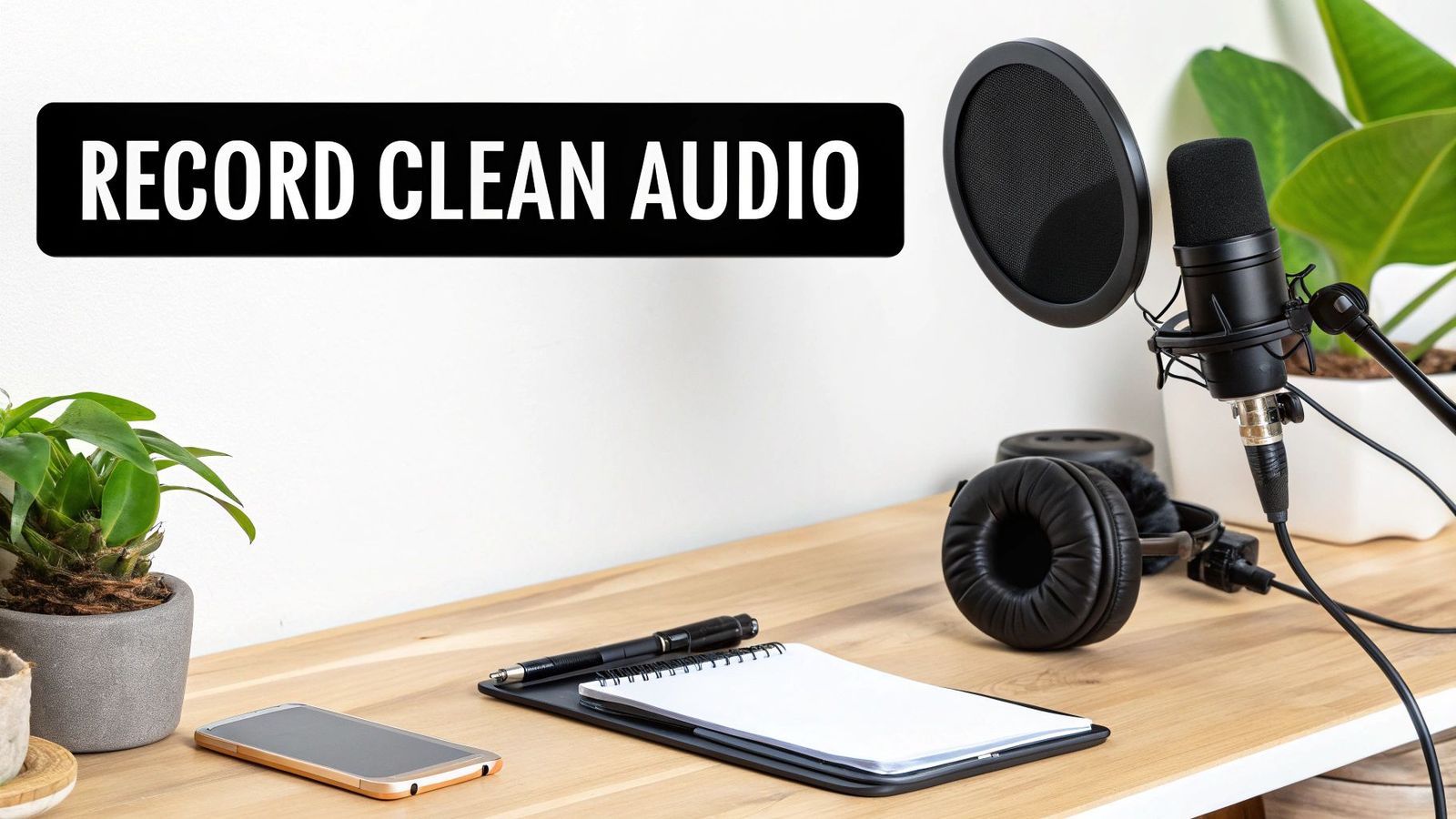
- Use a Decent Mic: Your phone’s microphone is fine in a pinch, but an external mic will always deliver cleaner, richer sound. You don't need a professional studio setup; even an affordable lapel or USB mic is a huge improvement.
- Find a Quiet Spot: Background noise is the enemy of accurate transcription. Try to record in a room away from humming refrigerators, street noise, or office chatter. Rooms with soft furnishings, like carpets and curtains, are great because they reduce echo.
- Mind Your Distance: The closer you are to the microphone, the better. This ensures your voice is loud and clear, overpowering any ambient sound. A good rule of thumb is to stay about 6-12 inches from the mic.
- Always Do a Sound Check: Record a few test sentences and play it back. Is the volume good? Is your voice clear and free of distortion? This five-second check can save you from discovering an hour of unusable audio later.
Following these steps puts you in the driver's seat, ensuring the AI has pristine audio to work with from the start.
The Final Polish: Your Human Touch
Once the AI has done its job, a quick human review is what transforms a good transcript into a great one. The AI does the heavy lifting, but a human eye is still the best tool for catching subtle mistakes, like a misspelled name or a piece of niche jargon. Your goal here isn't to re-do the work, but to add that final, professional polish.
I usually start with a quick scan of the text without the audio, just to catch any glaring typos or grammatical oddities. After that, I’ll play the audio back—most tools let you do this at 1.5x speed to save time—and follow along, making corrections as I go.
When you're reviewing, zero in on accuracy. Pay special attention to proper nouns, company names, and any technical terms. It's also a good idea to double-check that the speaker labels are correct.
Fixing these small but crucial details is what transforms a rough AI draft into a polished, reliable document you can actually use. Properly formatted speaker names and timestamps also make the text far easier to navigate and reference later on.
How Multilingual Transcription Is Changing Industries
The ability to get a reliable transcription in any language has officially moved from a niche technology to a mainstream business tool. This isn't just about convenience anymore. The technology is fundamentally reshaping how entire industries operate by knocking down the communication barriers that once slowed everything down.
From buzzing newsrooms to quiet research labs, the impact is undeniable. Professionals are using these tools to connect with people across the globe, gather information from diverse sources, and deliver services in ways that simply weren't possible before.
Media and Journalism Unlocking Global Stories
In journalism, speed and accuracy are everything. When a major international event unfolds, reporters often need to interview sources who speak a dozen different languages. In the past, this meant a frustrating delay while waiting for human translators to process every recording.
Now, an AI transcription service can turn that audio into text in minutes. This allows journalists to quickly pull key quotes, verify details, and publish their stories while the news is still relevant. Media companies also rely on this technology to generate subtitles and captions, making their video content accessible to viewers worldwide.
Academia and Research Connecting Global Data
Consider academic researchers collaborating with colleagues across borders or analyzing interview data from multiple languages. Multilingual transcription allows them to efficiently process hours of audio from global studies, focus groups, and field recordings.
This makes it much easier to identify patterns and draw conclusions from a richer, more diverse pool of information. Instead of getting bogged down by language barriers, researchers can focus on the substance of their work, accelerating discovery and fostering a more connected global academic community.
Healthcare and Legal Ensuring Accuracy Across Languages
In high-stakes fields like healthcare and law, there is no room for misunderstanding. The consequences are simply too severe. Multilingual transcription creates a verifiable written record of patient consultations, legal depositions, and witness interviews involving non-native speakers.
This technology is especially vital in clinical settings, where getting a patient's history and instructions perfectly right is non-negotiable for good care. The medical transcription market is already a massive global industry, with some estimates valuing it at around $6.58 billion simply because of the sheer volume of clinical documentation needed. You can read more about the medical transcription market growth on marketreportanalytics.com.
By producing an accurate text record, doctors and nurses reduce the risk of misdiagnosis. In the legal world, it ensures every word of a testimony is captured correctly, which helps uphold fairness and due process for everyone, regardless of their native language. To see how this works in practice, check out Bright Horizons' Multilingual Support Case Study, which details how they used these tools to enhance their services.
These real-world examples make it clear that getting a transcription in any language is more than just a technical marvel. It’s a practical tool that empowers professionals to do their jobs better on a global scale, breaking down old barriers and creating new opportunities.
Got Questions? We've Got Answers
As you dive into transcribing audio from around the world, you’re bound to have a few questions. Let's tackle some of the most common ones we hear so you can get started with total confidence.
Just How Accurate Is This Stuff?
This is the number one question, and for good reason. With a clear audio file—think minimal background noise and one person speaking at a time—the top AI models can hit an amazing 99% accuracy.
But that "clear audio" part is crucial. Throw in a noisy café, people talking over each other, or really heavy accents, and you'll see that accuracy number start to drop. For any important business or professional work, it's smart to plan for a quick human review. Let the AI do the hard work, then have a person give it a final polish to catch any small errors.
What if People Switch Languages in the Same Recording?
Yep, modern AI can handle that. This is often called language switching or mixed-language transcription. The system is smart enough to detect when a speaker flips from English to Spanish and back again, transcribing each part in the correct language.
This is a game-changer for interviews in bilingual communities or international team meetings where jumping between languages is normal. It's not always perfect, so we recommend testing it with a short clip first to see how well it works for your specific languages.
What’s the Difference Between Transcription and Translation?
It's easy to get these two mixed up, but they're fundamentally different tasks.
- Transcription turns spoken words into written text in the original language. If the audio is in Japanese, the transcript will be in Japanese.
- Translation takes that written text and converts it into a different language. For example, taking that Japanese transcript and turning it into English.
Many modern tools, including ours, can do both. You can get a transcription in any language first, then translate that text to share it with people all over the world.
How Do I Know My Files Are Secure?
A very important question. Handing over audio files online can feel risky, so you should only work with services that take security seriously. Here's what to look for:
- End-to-end encryption, which keeps your files protected while they're being uploaded and stored.
- Compliance with privacy laws like GDPR.
- A clear privacy policy that promises your data won't be used for anything without your permission.
Always go with a provider that is upfront about its security measures. You need to know your sensitive conversations will stay private.
Ready to turn your global audio into accurate, searchable text? WhisperAI offers professional-grade transcription and translation in over 100 languages with the speed and security your work demands. Get started for free today and see how easy it can be.