Translate and Transcribe Audio: A Step-by-Step Guide
Learn how to efficiently translate and transcribe audio with our step-by-step workflow. From audio prep to exporting, master the process for any use case.
Teams often face the same issue: a folder packed with interviews, meeting recordings, and more, but none of it is usable yet. Audio alone isn't easy to search, quote, or translate without turning it into text first.
The smart move is to translate and transcribe as one connected workflow, not two separate tasks. The transcript is your source of truth. Translation comes next. When the process is smooth, one recording can become captions, meeting notes, legal texts, research material, and multilingual content without redoing everything.
Table of Contents
- From Hours of Audio to Perfect Text in Minutes
- Preparing Your Audio for Flawless AI Processing
- Your Core Transcription and Speaker Labeling Workflow
- Enabling Instant Translation and Refining Your Transcript
- Exporting Your Transcript for Any Use Case
- Optimizing for Accuracy and Speed Across Industries
- Frequently Asked Questions
From Hours of Audio to Perfect Text in Minutes
tl;dr: Manual transcription is a slog. Add translation, and it gets even tougher. The best workflow? Create an accurate transcript in the source language first, then translate and edit within the same system. For teams juggling audio regularly, this saves time and cuts down on errors.
The problem is all too common. You record a panel, interview, or review call, thinking the hard part's over. But according to Statistics Solutions on qualitative data transcription, each hour of audio typically takes 3 to 4 hours to transcribe, plus extra for translation.
This workload is why automation's now a staple. The AI translation market grew from $1.88 billion in 2023 to $2.34 billion in 2024. Audio piles up faster than manual processing can keep up.
Today's workflow keeps everything connected. Upload your audio once, generate the transcript, identify speakers, review errors, and then translate. No more shuffling between tools.
Practical rule: The transcript is the master file. Translation should come after the wording is settled.
If you're tied to document-first workflows, Voicy's solution for Word users is worth a look. For audio-first workflows, WhisperAI transcription tools are a solid choice.
Preparing Your Audio for Flawless AI Processing
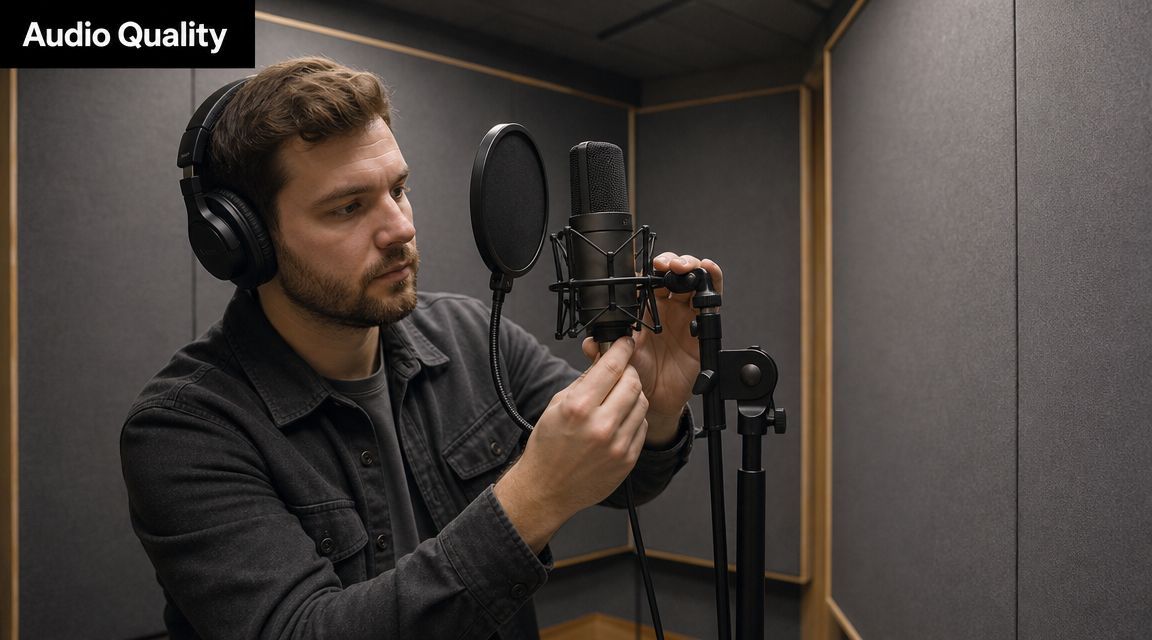
Most transcript issues start before you even upload the audio. AI can do a lot, but it can't fix muffled voices, overlapping speakers, or background noise like a loud fan.
A few simple recording habits make a big difference:
- Control the room first: Soft rooms beat echoey ones. Curtains, rugs, and closed doors do more than fancy gear in noisy spaces.
- Keep mic distance consistent: If a speaker leans in and out, the transcript suffers, especially with quiet phrases.
- Record long sessions in manageable chunks: Separate files are easier to handle and assign.
- Manage turn-taking for multiple speakers: AI speaker labeling works best when people don’t constantly talk over each other.
- Name files clearly before upload: A simple naming pattern saves time later when exporting, versioning, and sharing.
Small prep that cuts editing time
Pre-processing doesn't have to be complex. Turn off notification sounds. Close windows if there's traffic noise. Ask speakers to clearly say names and technical terms early on.
Clear audio improves the transcript and every step that follows, including translation, search, quoting, and subtitle timing.
For multilingual sessions, knowing the dominant language before uploading helps. Automatic detection is handy, but clean input and the right language setting mean less cleanup later.
Your Core Transcription and Speaker Labeling Workflow
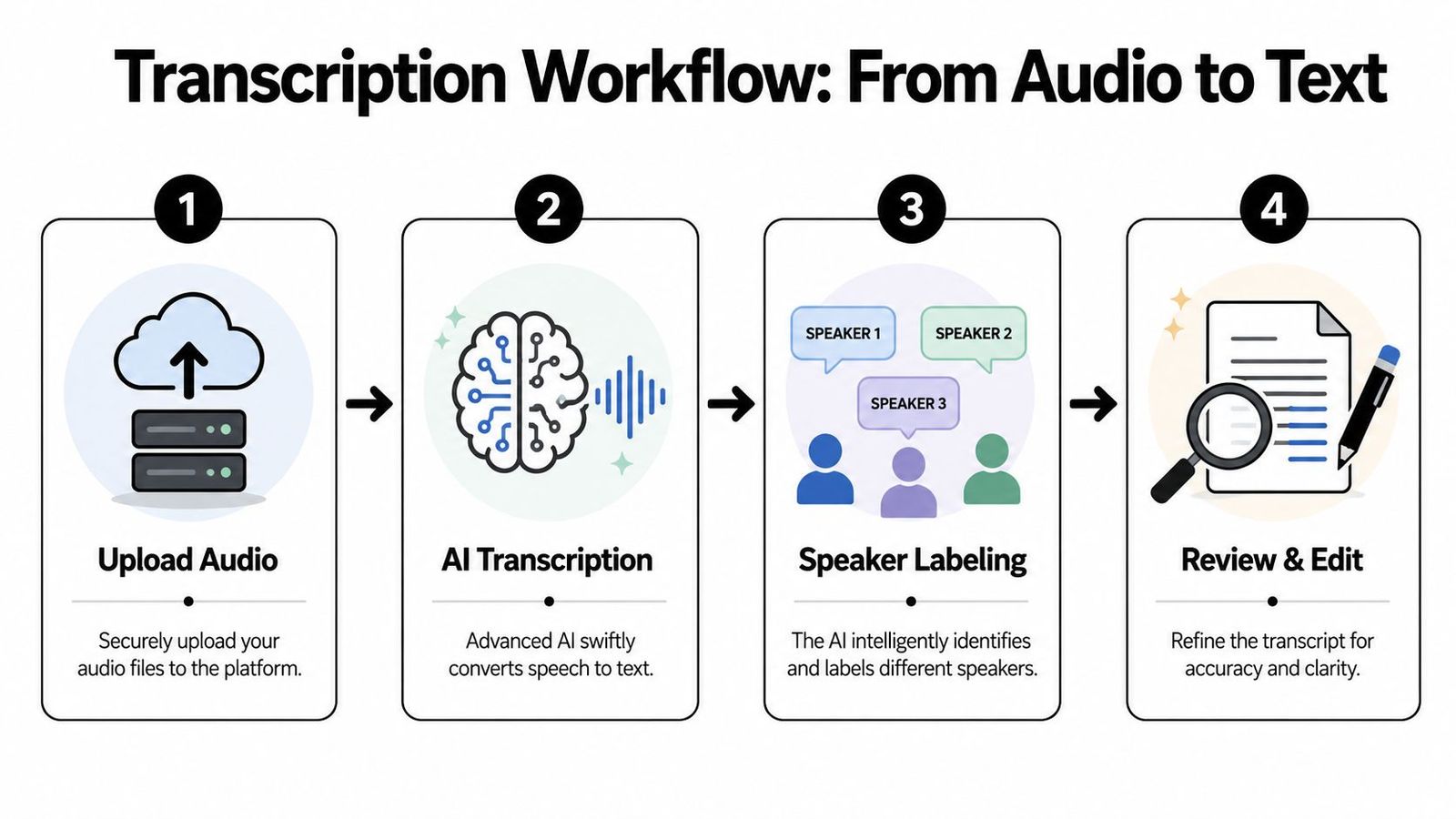
Your core workflow should be predictable. If you have to improvise every time, quality slips and turnaround slows.
Start with the source language
For serious transcription and translation, finish the transcript in the original language before translating. The Evaluation Community's guidance suggests this sequence, noting AI-assisted methods can cut processing time by 60 to 80 percent, though human verification is still needed.
Here's a practical run-through:
- Upload the original file in the cleanest format you have.
- Set the spoken language if known, or use auto-detection if it varies.
- Turn on speaker labeling if more than one person is speaking.
- Generate the transcript before starting translation.
- Review against the audio and fix names, jargon, and segmentation errors.
- Lock the source transcript as the approved version for translation.
That order is crucial. Starting translation from a messy transcript means double the corrections later.
Speaker labeling changes the value of the file
A plain text block is fine for dictation but not for meetings, interviews, or user research. Those need attribution. You must know who asked what, who interrupted, and who committed to next steps.
Speaker labeling makes the transcript structurally useful for:
| Use case | Why labeling matters |
|---|---|
| Meetings | It ties decisions and follow-ups to the right person |
| Interviews | It separates interviewer prompts from respondent statements |
| Podcasts | It speeds editing, quoting, and show note prep |
| Legal and compliance review | It helps preserve accountability and sequence |
One browser-based option is WhisperAI, which handles source-language transcription, speaker ID, and editing in one workflow. It’s especially useful when the transcript needs to become a multilingual asset, not just a one-off text dump.
Enabling Instant Translation and Refining Your Transcript
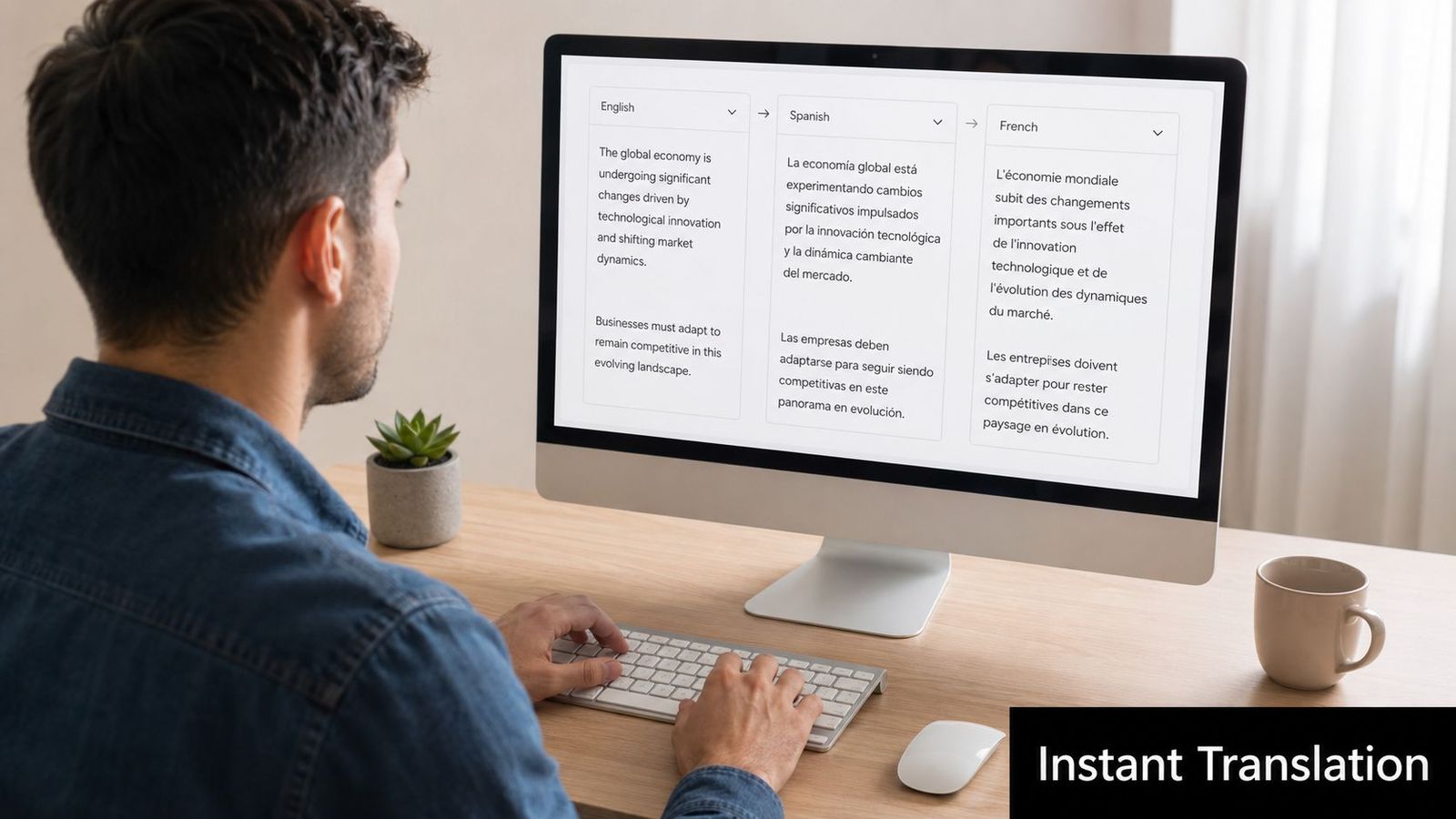
Once the source transcript is stable, translation speeds up. In a strong workflow, the translated version pops up in the same editor as the approved text, with playback so reviewers can check meaning against the original speech.
Translate after the transcript is stable
Integrated tools shine here. A separate translation app can convert text but often loses the audio context needed for ambiguous phrases and proper names.
That’s key because a common translation mistake is being too literal. Field guidance advises aiming for accurate rather than direct translation, since word-for-word often misses the mark.
The right translation doesn’t mirror the original wording. It keeps the speaker’s intent intact.
What to fix during review
The review should be focused. Not everything needs heavy editing, but some areas always need attention:
- Names and organizations: AI gets close, but "close" isn't good enough for quotes or records.
- Technical terms: Product names, legal language, medical terms, and acronyms need careful checking.
- Idioms and slang: These break down with literal translation.
- False punctuation cues: Spoken pauses can create awkward breaks that change meaning.
- Mixed-language moments: Language switches can confuse transcript flow and translation tone.
A side-by-side editor helps. Reviewers can listen to the original line, compare the source transcript to the translation, and fix segments without jumping between tools. For those into voice interfaces, check out the future of multilingual voice control, which explains why desktop speech workflows need strong multilingual recognition. For direct audio-to-text workflows, WhisperAI’s guide is a practical resource.
Exporting Your Transcript for Any Use Case
The export format decides if the transcript is usable right away or needs more work. Choose based on where it’s headed next.
Choosing the right format
A quick comparison:
| Format | Best fit | Why teams choose it |
|---|---|---|
| SRT | Video captions and subtitles | It keeps timing attached to text |
| DOCX | Collaborative editing and formal review | Comments, markup, and tracked changes are easy |
| Finalized records and sharing | Layout stays fixed across devices | |
| TXT | Analysis, ingestion, and quick search | Clean, lightweight, and easy to move between systems |
Content teams usually need SRT for YouTube captions, social clips, or course videos. Legal and operations teams prefer DOCX for review and PDF for archives. Researchers often want TXT because it's easy to import into text analysis workflows.
Export tip: Choose the format based on the next task, not the current one.
For subtitle work, WhisperAI's guide on creating an SRT file is helpful because timing accuracy is as important as word accuracy.
Optimizing for Accuracy and Speed Across Industries
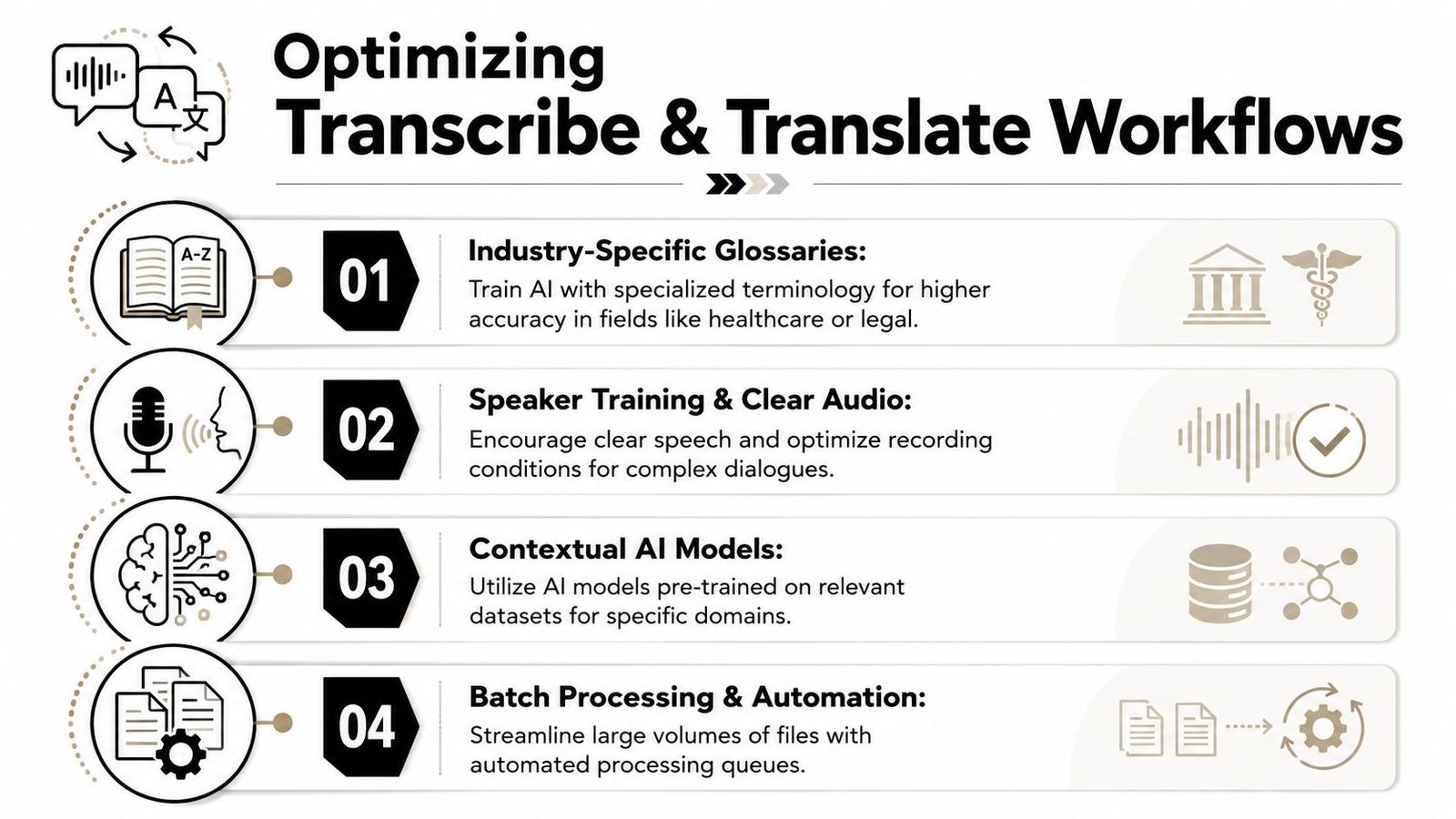
Media producers, researchers, and legal teams can all use the same transcription engine but need different review standards. The workflow is similar, but the tolerance for errors isn't.
Different industries need different review standards
In research, transcript fidelity matters at the wording level. A protocol archived at PubMed Central advises against "cleaning up" transcripts, emphasizing the importance of preserving slang and errors. Editing for readability can clash with evidence integrity.
Healthcare and legal teams need accuracy and defensible handling of terminology, speaker identity, and sensitive content. This means tighter glossaries, stricter access controls, and a human check before the text enters official workflows.
Media teams focus on speed first, polish later. Fast first-pass text is fine for rough cuts, logs, and notes, but quoted material and subtitles need a polished finish.
A solid optimization checklist includes:
- Domain terminology: Maintain a list of names, acronyms, and specialist vocabulary.
- Review by the right person: A bilingual reviewer adds more value than a generic pass when nuance matters.
- Clear recording habits: Better source audio beats aggressive cleanup later.
- Workflow routing: Decide early which files are drafts, publishable transcripts, or records.
Live mode or edited output
Real-time capture is growing in operations-heavy environments. Google Translate's transcribe mode shows this in action, and emergency services now use AI for live transcription and translation in over 190 languages. Live mode offers speed; post-processing offers accuracy.
For internal meetings, live text might suffice. For emergency workflows, legal records, or multilingual content, edited output with human review is safer. Teams doing analysis after transcription might find Claude for feedback analysis relevant, especially when cleaned transcripts become part of larger synthesis work.
Frequently Asked Questions
Is uploaded audio secure enough for business use
It depends on the platform and account controls. Check where files are stored, who can access them, and whether deletion controls exist. If the audio includes sensitive data, don't overlook security.
How well does AI handle accents and mixed-language audio
Modern systems are better than older tools, but tough audio is still tough. Strong accents, crosstalk, and background noise can lower quality. Mixed-language files are workable but often need closer editing due to language switches.
When is human review required
Human review is needed when wording has legal, clinical, research, reputational, or publication consequences. It's crucial when the material is nuanced. High-stakes work should be checked by someone who understands both the language and the context.
Should teams use live translation or post-edited translation
Live translation is great for speed. Post-edited is better for quoting, archiving, or decision-making. Many teams use both: live for immediate understanding, edited for the final record.
What's the most common workflow mistake
Translating too early. Skipping transcript cleanup before translation multiplies errors. A stable source transcript keeps everything else in line.
WhisperAI helps teams turn recordings into usable text with tools for transcription, translation, speaker labeling, editing, and export. For organizations needing a practical way to process meetings, interviews, and multilingual audio, WhisperAI - #1 AI Transcription is worth checking out.