Translate Audio to Text a Practical Guide
Learn how to translate audio to text with this practical guide. Explore the best tools, pro techniques, and workflows to get accurate results quickly.
tl;dr: Turning speech into searchable, editable transcripts is essential to translate audio to text efficiently. This guide walks you through prepping audio quality, choosing between AI, human, or hybrid transcription methods, and polishing transcripts with speaker labels, timestamps, and custom dictionaries. Learn pro tips on automating workflows, boosting accuracy with LLM-driven AI tools, and securing your data for reliable, high-quality transcripts.
Turning spoken audio into text isn’t just a neat trick anymore; it’s become an essential capability for businesses, researchers, and creators alike. Whether you’re extracting meeting minutes, analyzing interview data, or making your podcast accessible to global audiences, knowing how to translate audio to text is a must.
This guide will walk you through exactly how it works, starting with the basics.
Your Starting Point for Audio Translation
First things first, let’s clear up some common confusion. People often throw around “transcription” and “translation” as if they’re the same—but they’re two very different steps, and mixing them up can lead you to pick the wrong tool.
- Transcription (Speech-to-Text): This is the foundational step. It’s the process of converting spoken words into written text in the same language. Think of turning an English podcast into a written English document.
- Translation (Text-to-Text): This comes next. It’s the art of taking that written text and converting it into another language—for example, translating that English document into Spanish.
When you want to translate audio to text, you’re really talking about a workflow that combines both. Thankfully, modern AI platforms—often powered by large language models (LLMs) that blend ASR with contextual understanding—can now handle these two steps seamlessly, taking your original audio file and delivering a finished transcript in your target language.
A Quick Look at the Technology
The tech behind this has come a long way. What used to be a painstakingly manual job is now managed by incredibly efficient AI-driven platforms. Sure, simple apps on your phone can take down basic dictation, but heavy-duty solutions like WhisperAI are built for the messy reality of real-world audio—multiple speakers, background chatter, and industry-specific jargon.
These tools rely on powerful automatic speech recognition (ASR) models and advanced LLM-based NLP to analyze sound waves and predict the corresponding text with stunning accuracy.
This leap in technology is fueling massive demand. The Speech-to-Speech Translation Market was valued at around USD 0.56 billion and is expected to hit USD 1.01 billion by 2030. That kind of growth shows just how vital these tools have become across nearly every industry.
The core idea is simple: make spoken content searchable, editable, and accessible. A raw audio file is a locked box of information; a transcript is the key that unlocks it.
This foundation is crucial for getting the most out of any transcription project. Once you know exactly what you need—a simple transcription or a full-blown translation—you can pick the right tools and methods to get it done right.
Transcription vs Translation At a Glance
Still not sure which process you actually need? This table breaks it down.
| Aspect | Audio Transcription (Speech-to-Text) | Audio Translation (Speech-to-Text-to-Translation) |
|---|---|---|
| Primary Goal | Convert spoken words into written text in the same language. | Convert spoken words into written text in a different language. |
| Output | A text document in the original language of the audio. | A text document in a new, target language. |
| Example | Turning an English lecture recording into an English Word document. | Turning an English lecture recording into a written Spanish document. |
| Complexity | A single-step process focused on accurate speech recognition. | A multi-step process involving speech recognition and language translation. |
| When to Use | For meeting notes, interviews, content accessibility (captions), and creating searchable archives. | For reaching international audiences, localizing content, and multilingual collaboration. |
Ultimately, choosing between transcription and translation depends entirely on your end goal. Do you need a record of what was said, or do you need to share that message with people who speak another language?
With that cleared up, you’re ready to dive into the practical steps. To get a head start, check out our other comprehensive guides on transcription best practices to prepare your files for the best possible results.
How to Prepare Your Audio for Flawless Results
The short version: To get the best results when you translate audio to text, focus on audio quality. Clean up background noise, use a decent microphone, choose a lossless file format like WAV or FLAC, and make sure people don’t talk over each other. A little prep work here will save you hours of editing later.
The final accuracy of your transcript is a direct reflection of your source audio’s quality. It’s the classic “garbage in, garbage out” scenario. Even the most powerful AI will stumble trying to make sense of muffled, noisy, or chaotic recordings. But the good news is, you don’t need a professional recording studio to get clean, crisp audio.
Just a few strategic tweaks before you even press record can make a world of difference. Honestly, this is the single most impactful thing you can do to give the AI the best possible material to work with.
Minimize Background Noise
The number one enemy of an accurate transcript? Background noise. AI models are trained on human speech, so they get easily thrown off by competing sounds. That humming air conditioner, the faint sound of traffic, even a notification ping can introduce errors into your text.
Here are a few practical, no-cost ways to create a cleaner recording space:
- Pick your spot wisely: A quiet room is a great start. Better yet, find one with soft furnishings like carpets, curtains, or a couch. These absorb sound and cut down on that distracting echo.
- Silence your surroundings: This one’s simple. Turn off fans, TVs, and phone notifications. Close the windows to block out street noise.
- Get close to the mic: A microphone placed too far away from the speaker will pick up more of the room’s ambient noise than their voice. Keep it relatively close to the speaker’s mouth for a clear, direct signal.
The Power of a Good Microphone
Your laptop’s built-in mic might be convenient, but it’s not doing you any favors for quality audio. These mics are usually omnidirectional, meaning they pick up sound from all directions—including the keyboard clicks, paper shuffling, and other sounds you definitely don’t want in your recording.
Investing in even a basic external USB microphone can provide a massive return in transcription accuracy. You don’t need to break the bank; an entry-level model will deliver a much clearer, more focused audio signal for the AI to analyze.
Pro Tip: Recording multiple people for something like a podcast? The gold standard is giving each person their own microphone. This creates separate audio channels, which is the absolute best way to ensure speaker clarity and stop the AI from getting confused. To dive deeper, check out our detailed guide on optimizing audio for podcast transcription.
Choose the Right Audio File Format
Not all audio files are created equal. The format you save your recording in directly impacts the amount of data the AI has to work with. It all comes down to compression.
- Compressed Formats (like MP3): These files are small and easy to share. But to get that small size, they literally throw away bits of the original audio data. That data loss can make it harder for an AI to tell the difference between similar-sounding words or understand speakers with thick accents.
- Lossless Formats (like WAV or FLAC): These files are much bigger because they keep 100% of the original audio information. They give the AI the richest, most detailed data possible, which translates directly to higher accuracy.
Whenever you have the choice, always record and export in a lossless format. The extra file size is a tiny price to pay for a much cleaner transcript.
Speaker Separation and Pacing
Finally, how people speak is just as important as the recording setup. When you translate audio to text, AI systems perform best when they can clearly distinguish one voice from another.
Overlapping speech—where multiple people talk at the same time—is one of the toughest challenges for any transcription service. If you’re running a meeting or interview, encourage participants to speak one at a time. A small, natural pause between speakers gives the AI a clean break, leading to far better speaker labels and a more readable transcript. Clear, well-paced speech is always easier for an AI to process than rapid-fire delivery.
Here’s a breakdown of your options: fast-and-cheap AI, slow-and-costly (but highly accurate) human services, or a hybrid approach that gives you a bit of both. For quick internal notes, AI is a no-brainer. For legal testimony or a published interview, you need a human. For most everything else, the hybrid model hits the sweet spot.
Choosing the Right Audio Translation Method
Once your audio is prepped and ready, you’ve hit a fork in the road. How you choose to translate that audio into text will determine your project’s speed, cost, and final accuracy. There’s no single “best” way—the right choice hinges entirely on what you need the transcript for.
You’re essentially looking at three paths. Each has its own clear advantages and trade-offs, making them better suited for different jobs. Let’s walk through them so you can pick the one that makes sense for you.
The Automated AI Approach
If you need it fast and you need a lot of it, automated AI services are your go-to. Platforms like WhisperAI can process hours of audio in minutes, making them perfect when speed is the top priority.
This is the ideal choice for internal meetings, rough drafts of interviews, or just getting your own thoughts down. In these cases, a transcript that’s 85-95% accurate is usually more than good enough to capture key points and make the content searchable.
The technology here is moving at a breakneck pace. AI and Natural Language Processing (NLP) have completely changed the game. The market for real-time speech translation is expected to hit USD 1.8 billion by 2025, with projections showing that over 75% of businesses will be using AI translation tools within the next year.
This visual guide can help you think through the first crucial steps before you even get to this point.
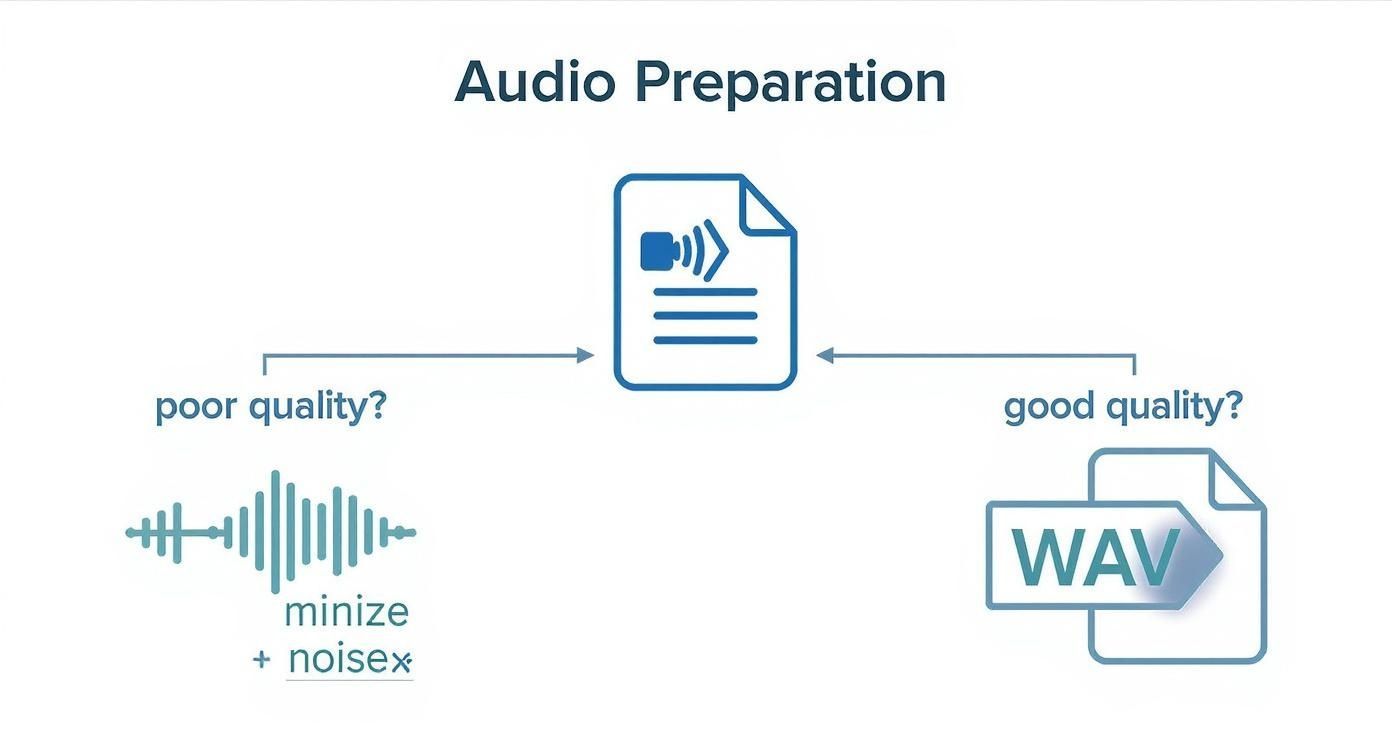
As the chart makes clear, it all starts with good audio. That’s the one non-negotiable, no matter which path you take from here.
Comparing Audio Translation Methods
To make the choice clearer, this table breaks down the key differences between each method. Use it to quickly compare how each option stacks up against your project’s needs for speed, accuracy, and budget.
| Method | Best For | Typical Accuracy | Cost | Turnaround Time |
|---|---|---|---|---|
| Automated AI | Internal meetings, first drafts, quick notes, high-volume content | 85-95% | Low | Minutes to hours |
| Professional Human | Legal depositions, medical records, published interviews, market research | 99%+ | High | 24-48 hours+ |
| Hybrid (AI + Human) | Podcasts, video subtitles, academic research, polished content on a budget | 98-99% | Medium | 4-24 hours |
Ultimately, this table highlights the core trade-off: you’re always balancing speed, accuracy, and cost. Knowing which of those three is your top priority will point you directly to the right solution.
The Professional Human Touch
When every single word has to be perfect, nothing beats a professional human transcriber. For legal proceedings, medical dictation, or academic research that will be published, even a tiny mistake is a big problem. Human-powered services deliver transcripts with 99% or greater accuracy.
A person can pick up on nuance AI misses—like sarcasm, industry jargon, thick accents, or people talking over each other. That level of contextual understanding is essential for any high-stakes content.
The trade-off is simple: you exchange speed and low cost for near-perfect accuracy and contextual understanding. It’s a necessary investment for critical projects.
The catch, of course, is the time and money involved. Human transcription takes a lot longer, often 24 hours or more, and costs significantly more per audio minute.
The Hybrid Model: A Smart Compromise
The hybrid approach is often the best of both worlds, blending AI’s speed with a human’s attention to detail. The process is simple: an AI generates the first draft of the transcript quickly and cheaply. Then, a human editor polishes it up, fixing errors, clarifying speakers, and adding that final layer of nuance.
This method is perfect for projects that need to be accurate but don’t have the budget or timeline for a fully manual job.
- For Content Creators: Transcribing a podcast or YouTube video this way gives you polished captions and show notes without the high price tag of a human-only service.
- For Academic Researchers: You can churn through dozens of interview recordings with AI, then have an editor focus only on cleaning up the key quotes you plan to use.
This balanced workflow is a cost-effective way to get high-quality results. If you’re leaning toward an AI-driven tool to start this process, check out this guide on the best AI transcription apps to find one that fits a hybrid model well. The better the initial AI pass, the less work there is for the human editor.
Your Post-Transcription Editing Workflow
Think of an AI-generated transcript as a fantastic first draft. It’s not the final product. You still need to review and edit it to catch common errors like homophones (their/there), misheard jargon, and wonky punctuation. Speaker labels and timestamps make it navigable, especially for interviews or subtitles. From there, you just need to format it for readability and export it in the right format—like .docx, .txt, or .srt.
Getting that raw text file after you translate audio to text is a great feeling, but the job isn't quite done. The AI did all the heavy lifting, but now it’s time for a human touch to take it from a rough cut to a polished, professional document.
This editing workflow is where you elevate the transcript from "good enough" to genuinely useful. It’s a non-negotiable step if that text will be seen by clients, published online, or used for important research.
Spotting Common AI Transcription Errors
Even the most advanced models get tripped up by the nuances of human speech. Your first editing pass is all about playing detective and hunting down the typical mistakes algorithms make. The best way to do this? Listen to the audio while you read along.
Keep an eye out for these classic AI slip-ups:
- Homophones: These are words that sound the same but mean different things. AI often botches pairs like "their," "there," and "they're," or "to," "too," and "two."
- Industry Jargon and Acronyms: If your audio is full of niche topics, the AI might get creative. It could hear "CRM" but spit out "see are em."
- Proper Nouns: Names of people, companies, and specific products are frequent stumbling blocks. An AI might transcribe "Jane Doe" as "Jayne Dough."
- Punctuation and Grammar: AI does a decent job here, but it often misses the natural pauses and flow of conversation. You’ll probably need to add commas, break up run-on sentences, and start new paragraphs to make it readable.
The goal of this first pass is correction. You’re fixing the objective errors to make sure the text perfectly matches the spoken words. This isn't about style yet—it’s all about accuracy.
Using Speaker Labels and Timestamps Effectively
Once the text is accurate, the next job is making it easy to navigate. This is where speaker labels and timestamps are indispensable. Without them, a transcript from a multi-person chat is just a confusing wall of text.
Most platforms will automatically assign generic labels like "Speaker 1" and "Speaker 2." Your task is to go in and swap these with the actual names of the speakers. This one small change adds immediate context and makes the entire conversation simple to follow.
Timestamps are just as crucial, especially for certain jobs:
- Podcasts and Interviews: Timestamps let you find and pull specific quotes for show notes or social media clips in seconds.
- Video Subtitles: For video, timestamps are the backbone of your caption file. They ensure the right words pop up on screen at exactly the right moment.
- Academic Research: Researchers use timestamps to reference specific moments in an interview without having to scrub through hours of audio.
This organizational step transforms a simple text document into a functional, searchable record of the conversation.
Formatting for Readability and Exporting
The final stage is all about presentation. How you format and export your transcript depends entirely on where it's going. You wouldn't format a legal document the same way you’d prep subtitles for a YouTube video.
Think about your end goal and choose the right export format:
| File Format | Best For | Key Characteristics |
|---|---|---|
| .TXT (Plain Text) | Raw data, coding, simple archives | No formatting, just the raw text. Highly compatible with almost any application. |
| .DOCX (Word Doc) | Reports, articles, meeting notes | Allows for rich formatting like bold text, headings, and bullet points for maximum readability. |
| .SRT (SubRip Subtitle) | Video captions and subtitles | Includes text, timestamps, and sequence numbers. This is the standard format for video platforms. |
When you're preparing a document for someone to read—like meeting minutes or a blog post draft—use formatting to guide their eyes. Break up long monologues into shorter paragraphs. Use bold text for key takeaways and bullet points to list action items. These small tweaks make the content so much easier to digest.
For anyone working with video, understanding how to generate and refine an SRT file is a core skill. For a deeper dive, you can explore our complete SRT export guide, which compares the outputs from different platforms.
This focus on the end-user experience is closely tied to the broader world of voice tech. For example, Text-to-Speech (TTS) often complements audio-to-text workflows by letting you listen to documents. The TTS market is projected to hit USD 3.42 million by 2025, a clear sign of the growing demand for accessible and versatile content.
tl;dr: Want professional-grade results? Use custom dictionaries for tricky jargon, connect your tools (like Dropbox) to automate your workflow, and always pick a service with rock-solid data privacy. These aren't just minor tweaks; they're the steps that take you beyond basic transcription and save you a ton of time.
Pro Tips for Better Accuracy and Efficiency
Once you’ve got the basics down, a few smart strategies can seriously elevate your results and make the whole process feel effortless. This is how you move from a clunky, manual workflow to a professional, automated system that saves hours and delivers consistently clean transcripts when you translate audio to text.
These aren't super technical changes. They're practical adjustments that make a real difference, whether you're capturing team meetings or producing a podcast.
Build a Custom Dictionary for Jargon
One of the biggest headaches with any AI is getting it to recognize industry-specific terms, unique brand names, or company acronyms. An AI might hear "WhisperAI" and spit out "whisper A.I.," or it might hear a complex medical term and just guess something phonetically similar but totally wrong.
This is where a custom dictionary—sometimes called a glossary or custom vocabulary—is a game-changer. Most professional-grade services let you build a list of specific words the AI should listen for.
- Brand and Product Names: Make sure your own company’s branding is always perfect.
- Technical Jargon: Add terms from your field, whether it's legal, medical, or engineering.
- People's Names: Input the correct spelling for everyone on your team or guests you interview to avoid constant fixes.
Setting this up takes a few minutes upfront, but it pays off big time by slashing the number of manual edits you’ll have to make later. You’re essentially teaching the AI to speak your language.
Automate Your Workflow with Integrations
Manually uploading files one by one is a huge time-sink, especially if you’re dealing with a steady stream of audio. The fix? Let your tools talk to each other.
Many transcription services offer integrations with tools like Zapier or have direct connections to cloud storage. This lets you create simple "if this, then that" workflows that run on their own.
Real-World Example: You could create an automation where any new audio file you drop into a specific Dropbox or Google Drive folder automatically kicks off a transcription job. The finished text can then be saved back to another folder or even zapped over to a colleague in Slack.
This hands-off approach gets your files processed instantly without you having to do anything. It turns a multi-step chore into a seamless background process.
Prioritize Data Security and Privacy
When you upload an audio file—especially a confidential business meeting or a sensitive interview—you're handing your data over to a third-party service. It's absolutely critical to know how that company is handling it.
Before you commit to any platform, take a minute to read their privacy policy and check out their security features.
Here’s what to look for:
- Encryption: Does the service use strong encryption (like 256-bit AES) for your data both while it’s being uploaded and when it’s stored?
- Data Usage Policy: Do they clearly state they won’t use your data to train their AI models without your explicit permission?
- Compliance Certifications: Look for standards like GDPR or SOC 2 compliance. These are signs of rigorous, third-party-audited security practices.
Choosing a service that takes privacy seriously isn't just a "nice-to-have." It’s essential for protecting your intellectual property and maintaining confidentiality. You can learn more about the factors that influence AI transcription accuracy and security in our full breakdown. After all, protecting your data is just as important as getting the words right.
tl;dr: For a quick turnaround, AI services can transcribe your audio in minutes. For 99%+ accuracy, human services are the gold standard but take longer. Yes, you can transcribe video files directly without any extra steps. Costs range from a few cents per minute for AI to a few dollars for human-powered services, depending on your needs.
Common Questions About Transcribing Audio to Text
Even when you have the right tools, some questions always seem to pop up as you get started with transcribing audio to text. This last section is all about answering the most common things we hear from users, giving you quick, straightforward answers to keep your projects moving.
Think of it as your go-to cheat sheet for solving those little roadblocks.
How Long Does It Take to Transcribe Audio?
This one really comes down to the method you pick. The time it takes for an automated system versus a human service is night and day.
- AI Services: Automated platforms are incredibly fast. Seriously. They can chew through a one-hour audio file and give you a full transcript in just a few minutes. This is your best bet when speed is what matters most.
- Human Services: Getting a professional human to transcribe your audio is a much more careful, deliberate process. A standard turnaround can be anywhere from a few hours to a full day, depending on the audio's length and quality. It’s slower, sure, but the accuracy is unmatched.
It’s the classic trade-off: do you need it fast, or do you need it perfect? For most everyday business tasks like meeting notes, the speed of an AI is more than enough.
What's the Most Accurate Way to Transcribe Audio?
When you absolutely cannot afford any mistakes, a professional human transcriber is still the gold standard. They can hit 99% accuracy or higher, easily navigating tricky accents, people talking over each other, and niche jargon that would trip up an AI.
That said, a hybrid approach is becoming a powerful and much more budget-friendly alternative.
You can use an AI to get the first draft done in minutes, then have a human editor polish it to perfection. This way, you get a transcript that’s nearly as accurate as a fully manual one, but much faster and cheaper. It’s the best of both worlds.
For things like legal proceedings, medical records, or academic papers ready for publishing, investing in human-verified accuracy is a no-brainer. But for polished content like podcast show notes or video subtitles, that hybrid model usually hits the sweet spot.
Can I Get a Transcript from a Video File?
Yep, absolutely. This is something people ask all the time, and any modern transcription tool is built to handle it without a problem.
You don't have to bother with the extra step of ripping the audio out of your video yourself. Most quality services let you upload video files like MP4, MOV, or AVI directly. The platform automatically pulls the audio track and gets to work on the transcription. This is a must-have for anyone creating captions or subtitles for their videos.
How Much Is This Going to Cost Me?
The cost of transcribing audio can vary quite a bit depending on the service you choose. There’s no single price tag.
Here’s a rough idea of what you can expect to pay:
| Service Type | Typical Cost (per audio minute) | Best For |
|---|---|---|
| Automated AI | A few cents to ~$0.25 | Quick drafts, internal meetings, high-volume content |
| Hybrid (AI + Human) | ~$0.75 - $1.50 | Polished content, podcasts, academic research |
| Professional Human | $1.50 - $5.00+ | Legal depositions, medical records, market research |
Keep in mind that things like bad audio quality, lots of speakers, heavy accents, or a rush job request can push the price up. It always comes down to balancing your need for accuracy with your budget to find the right fit.
Ready to turn your audio into accurate, searchable text with business-grade security and speed? WhisperAI uses advanced AI to deliver near-human transcription and translation in over 100 languages. Upload files or record live, and get a polished transcript in minutes. Start your project with WhisperAI today.
Article created using Outrank