Best AI Note Takers and Meeting Assistants in 2026, Tested
We tested AI note takers and checked recording consent, bot-free capture, Teams and Zoom, and what happens to your meeting audio.
If half your week happens in Zoom, Teams, or Google Meet, taking notes becomes a second job running inside the first one. You listen, type, miss a number, promise to follow up, then open the transcript two days later because nobody remembers who actually owned the next step.
AI note takers are good enough now that getting a usable summary isn't the difficult part.
The awkward part is how they get it. One sends a bot into the call. Another records your computer without appearing anywhere. One keeps the audio; another deletes it after transcription.
Move the same conversation from Zoom to a conference room and the setup changes again. That's where the tools on this list actually separate.
TL;DR
- Pick by constraint, not summary quality: bot visibility, consent, audio storage, and plan limits decide the fit.
- Use native Zoom, Teams, or Google Meet transcription if all your meetings stay in one platform.
- Use Fathom for the strongest free plan.
- Use Granola, Jamie or Bluedot when bot-free capture matters.
- Use Fireflies or MeetGeek for CRM, tl;dv for archives, Krisp for noisy calls, and Otter for live transcript collaboration.
- Use WhisperAI when meetings are only part of it and you also have lectures, interviews or a folder of older recordings to get through.
Every tool on this page will give you a decent summary of your meeting. That stopped being the differentiator about two years ago.
- What actually decides which one you buy is three things most of the other roundups skip.
- Whether a bot shows up in your call where everyone can see it. Whether you're allowed to record the people in it.
- And what happens to the audio afterwards.
This guide answers those three.
What is an AI note taker, and how is it different from an AI meeting assistant?
An AI note taker listens to a meeting and turns the conversation into usable notes, usually a transcript, summary, decisions, and action items.
“AI meeting assistant” sounds broader, but in practice the distinction is mostly naming. Vendors use AI meeting note taker, AI meeting notes, and AI meeting assistant for products doing much of the same work, so there isn't a useful line to draw between them.
The more important boundary is with live meeting transcription software.
A note taker is built around a meeting happening now and what you need after it. If you already have recordings and need every word back, you're looking for AI transcription software, not a meeting assistant.
Are AI note takers legal? Consent, and recording without a bot
Usually, yes. But legality depends on where the meeting happens, who is on the call, what is captured, and what the tool stores afterward.
In the US, the main split is one-party vs. all-party consent. Federal law generally allows recording when one participant consents, but eleven states require everyone to agree: California, Delaware, Florida, Illinois, Maryland, Massachusetts, Montana, Nevada, New Hampshire, Pennsylvania and Washington.
Four more are unsettled or applied inconsistently: Connecticut, Michigan, Oregon and Vermont. Sources disagree on the count for exactly that reason, some listing eleven and some twelve. Careful teams treat all fifteen as all-party.
One more thing that catches people out. A call across state lines can touch both standards at once, and the safe assumption is the stricter one.
The Reporters Committee's state recording guide is a useful starting point. Not any vendor's blog post, this one included. None of this is legal advice.
The EU handles this differently. Under GDPR, consent is one possible legal basis for processing meeting data, but not the only one. What matters is that you've a valid basis, tell people what is happening, and avoid keeping more data than you need.
That's where AI note takers for Teams and other live AI meeting assistants get tricky. “Teams meeting transcription without recording” can mean two different things: a transcript without saving a meeting recording, or notes captured without Teams showing a recording indicator. Those aren't the same.
A third-party tool may still capture device audio even when Teams itself isn't recording.
Bot or no bot: what appears in the participant list?
Bot-based capture sends a visible meeting agent into the call. Bot-free capture records through your device, browser, or desktop app instead.
The line is getting blurrier: Otter, Fireflies, tl;dv, MeetGeek, Krisp, and Bluedot now support some mix of both modes.
So which should you pick? Neither approach is automatically better. A bot is more visible, can preserve cleaner meeting context, and doesn't depend as much on your laptop staying awake. Bot-free capture keeps the participant list cleaner, but the disclosure burden sits more heavily with you.
| Category/attribute | Bot-based capture | Bot-free capture |
|---|---|---|
| How it works | Joins as a meeting agent | Captures from device, browser, or app |
| Best fit | Formal calls where visible capture helps | Lower-friction notes without another attendee |
| Main trade-off | More visible, more intrusive | Less visible, easier to miss |
The practical rule is simple: a missing bot doesn't mean nothing is being recorded or transcribed. Tell people you’re using an AI note taker, check what the tool stores, and follow your company policy and local law.
The best AI note takers and meeting assistants (quick comparison)
Prices below use annual billing where the vendor publishes a cheaper annual rate and were checked on September 7, 2026.
| Best for | Top pick | Why it wins that job | Language support | Free plan | Starting paid price |
|---|---|---|---|---|---|
| Ongoing free meeting notes | Fathom | Unlimited recordings, storage, and transcription; advanced AI summaries capped at 5 calls/month on free | 38 languages | Yes | Premium $16/user/mo annual |
| Privacy-first bot-free notes | Jamie | EU-hosted; original audio deleted after transcription; no model training on meeting data | 100+ languages | 10 meetings/mo, 30 min each | Plus €21/mo annual |
| Bot-free notes without changing the call | Granola | Records your computer's audio, so nothing joins and no admin approval is needed; you type rough notes and it fills in around them | 100+ languages | Unlimited notes, limited history | Business $14/user/mo |
| Flexible bot-free and in-person capture | Bluedot | Browser, desktop, mobile, and Apple Watch capture; bot-free by default, with bot recording available when needed | 100+ languages | Limited free plan | Basic $14/user/mo annual |
| Sales and CRM workflows | Fireflies | Strong HubSpot/Salesforce workflows, CRM autofill, Deal Intelligence, and Sales Assist on higher tiers | 100+ languages | Yes, unlimited transcription with Auto-join enabled; 400-min storage cap | Pro $10/seat/mo annual; sales features start at Business $19/seat/mo annual |
| CRM automation across many apps | MeetGeek | Native CRM connections plus workflows into 7,000+ apps | 100+ languages | 3h transcription/mo | Pro $9.99/user/mo annual |
| Searchable long-term meeting archive | tl;dv | Global transcript search, multi-meeting analysis, and recurring reports | 30+ languages | Yes, with paid features gated | Pro $18/seat/mo annual |
| Noisy calls | Krisp | Noise cancellation runs alongside bot-free meeting notes, so bad audio is handled before notes are generated | 17+ languages | 7-day trial | Core $8/user/mo annual |
| Live transcript collaboration | Otter | Live transcription, speaker identification, AI chat, highlights, search, export, and teamwork inside the transcript | 6 languages | 300 min/mo | Pro about $8–$9/user/mo annual |
| Lectures, interviews and a back catalogue of recordings | WhisperAI | Unlimited minutes on Business Pro, no caps on stored meetings, and uploaded files sit alongside live recordings in one searchable workspace | 100+ languages | 5 min/mo | Premium $8.25/mo annual ($99/yr); Unlimited needs Business Pro $16.58/mo annual ($199/yr) |
The table is useful, but the job in the first column matters more than the winner in the second.
How we evaluated these AI note takers
We evaluated them against the same working scenario: an external meeting with multiple speakers, decisions, follow-up tasks, names, numbers, and enough length to expose free-plan limits.
Most AI note takers can produce a decent summary now, so we focused on what actually changes the purchase: whether a bot joins, whether device-audio capture exists, how well the tool works across Zoom, Teams, Google Meet, and in-person meetings, what happens to speaker labels, and what gets saved after the call.
We also checked the bill and the data. Every price and material plan limit was read from the vendor’s own pricing or support documentation on September 7, 2026, then translated into usable minutes, storage caps, import limits, and annual cost. For privacy, we read security pages, retention policies, consent controls, and data-training language.
Finally, we treated customer complaints as smoke, not proof. We looked at Reddit, G2, Trustpilot, support docs, and public user discussions to find the places where tools tend to break after the trial: storage ceilings, surprise limits, weak speaker labels, bot awkwardness, CRM sync problems, and cancellation friction.
A complaint could send us digging. It did not become a claim unless the product documentation, pricing page, or a repeated pattern supported it.
What I found in the complaints
The pattern in user complaints matched that framework: the friction was usually around control.
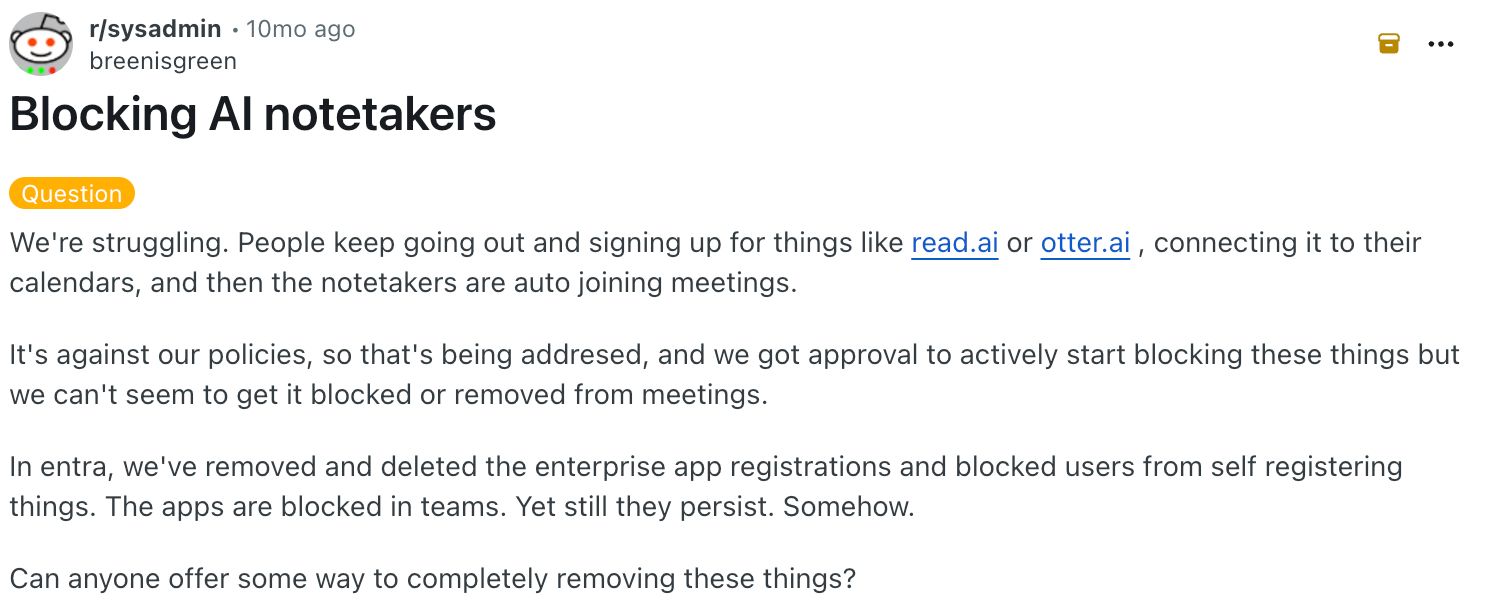
That showed up most clearly in admin and user complaints about AI notetakers joining meetings through calendar access. The issue isn't that one tool is “bad.” It's that live AI meeting assistants often sit between your calendar, your conferencing app, and your transcript archive.
Once that connection exists, teams care about who can join, who can see the capture, who receives the notes, and how easily the behavior can be blocked.
(Source)
A thread like this doesn't prove every tool behaves the same way. It shows the failure mode worth checking: auto-join settings, calendar permissions, sharing defaults, and recording mode.
Do you need a third-party AI note taker?
If your conferencing platform already transcribes, why pay for another tool?
Before adding a third-party tool, it's worth knowing what Zoom meeting transcription, Teams meeting transcription, and Google Meet transcription already give you natively. In 2026, the honest answer is "less than it looks like.
Third-party tools become more valuable when you need one workflow across platforms.
tl;dv, Fireflies, MeetGeek, Otter, Jamie, Bluedot, and Krisp can extend meeting capture beyond native platforms, offering capabilities such as searchable meeting histories, integrations, automation, cross-platform recording, and, in some cases, device-based capture of conversations.
Here’s how the major platforms compare:
- Zoom: Zoom AI Companion and My Notes can generate notes, summaries, and transcriptions for Zoom meetings, while My Notes also supports third-party meetings and in-person conversations.
- Microsoft Teams: Copilot can assist during a meeting without recording or transcription, but post-meeting Copilot in Recap requires transcription or recording. Teams also offers Facilitator for AI-generated notes and supports mobile capture and transcription of in-person conversations.
- Google Meet: “Take notes for me” can create meeting notes, action items, and a recap in Google Docs. Ask Gemini can summarize the active conversation without creating a recording, and Google also supports in-person note-taking on mobile, subject to feature availability.
What about in-person meetings?
What happens when there's no call to join?
In-person meetings are harder because one room microphone has to capture and distinguish several voices from the same audio stream.
MeetGeek handles this with one-tap recording from its mobile app, while Krisp offers both mobile recording and a dedicated “Record In-person” mode in its desktop app. Neither vendor publishes a quantitative accuracy rate for speaker separation. If speaker attribution matters most, multiple audio sources are the safer approach than relying on one room mic.
What are the best free AI note takers?
Which free plans are actually usable, and which are trials wearing a different name?
Fathom
Fathom has one of the more generous free plans in this group. Individual users get unlimited recordings, unlimited storage, and unlimited transcription in 38 languages.
The main restrictions are on AI features: Free users get advanced summaries for their first five calls each month, after which meetings use the General/Enhanced summary template.
The Free plan limits Account-Wide Ask Fathom to the last two weeks of calls.
Fireflies
Fireflies’ free plan offers unlimited transcription when Auto-join is enabled, but limits stored meetings to 400 minutes. That’s 6 hours and 40 minutes in the library at a time, and the storage allowance doesn't reset monthly. Delete old meetings or upgrade for more storage.
Jamie
Jamie’s free plan provides 10 meetings per month, with a 30-minute limit per meeting. On paper, that’s up to 300 minutes, or five hours, of meetings per month.
In practice, the per-meeting ceiling matters more: a normal 45-minute customer call exceeds the free plan’s 30-minute limit, even if you still have nine meeting credits available.
Otter
Otter also gives you 300 minutes a month, but Basic caps you at 30 minutes per conversation.
tl;dv
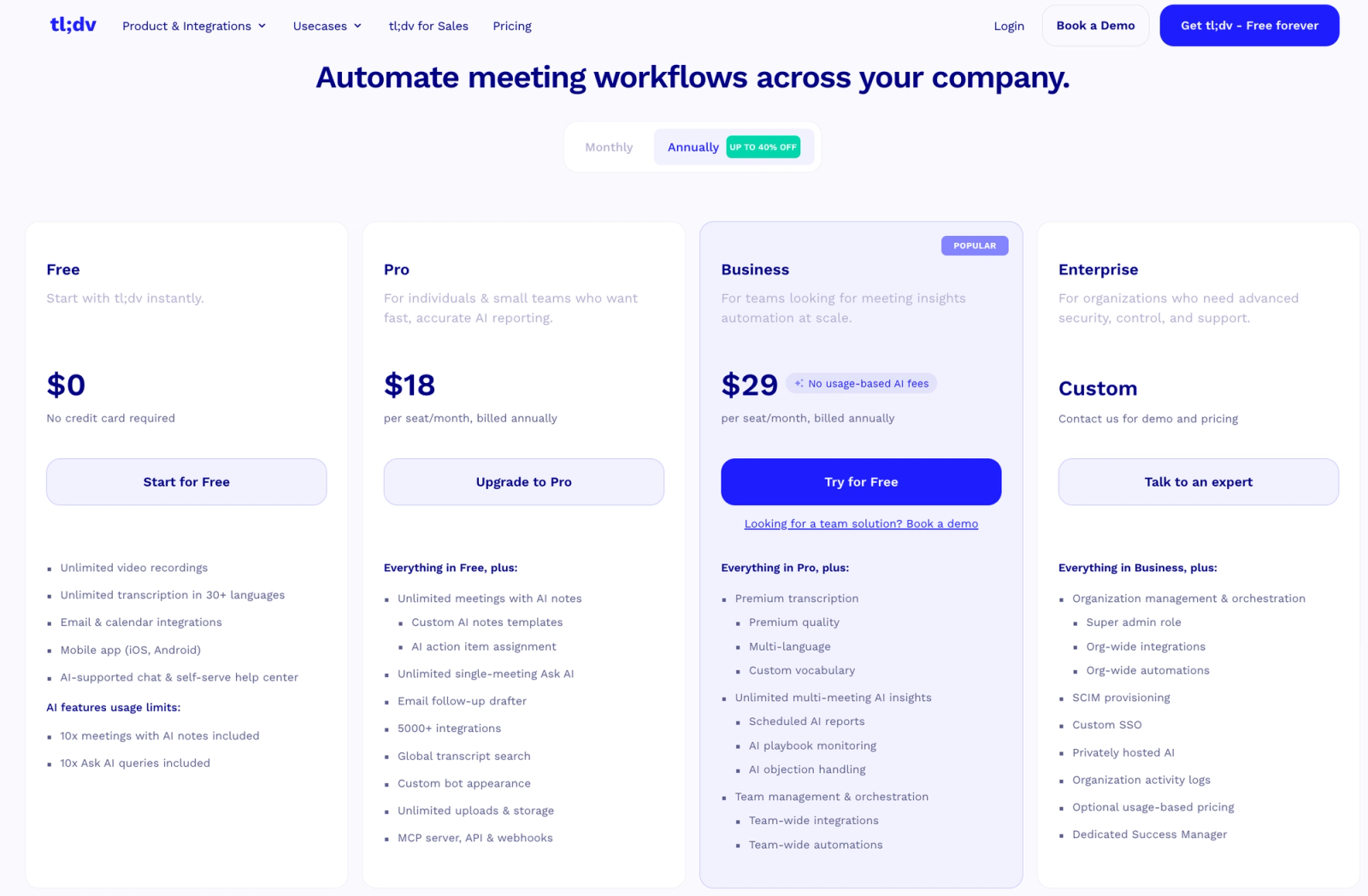
It gives you unlimited recordings and transcription, but its Free plan caps AI usage. You get AI notes for 10 meetings and 10 Ask AI queries, while some other features are reserved for paid plans.
That makes the free tier useful for proving the core recording and transcription workflow, but less compelling if the main reason you're choosing tl;dv is its AI-powered meeting intelligence.
MeetGeek
MeetGeek is simpler: three hours of transcription each month, three months of transcript storage, and one month of audio storage.
Bluedot
Its five free meetings are lifetime, so we'd call that a trial wearing a free-plan label. Krisp is clearer about it and simply gives you a seven-day premium trial.
That leaves Fathom as the free pick, with one qualification: its newer bot-free experience is still limited by device and language rollout. The underlying free recording/transcription product is much broader than that new mode.
The open-source answer is less satisfying. There are open-source transcription engines and projects you can assemble into a meeting workflow, but that's not the same product as a hosted assistant that handles calendars, capture, summaries, sharing, retention, and integrations. If “open source” is the hard requirement, expect to build part of the system yourself.
What are the best bot-free AI note takers?
By 2026, plenty of products can avoid sending a bot, so why do only a few feel built for it? Granola, Jamie and Bluedot stand out because bot-free capture shapes the product instead of feeling like an alternate recording button.
Who actually needs one? Anyone whose calls include people outside their company, and anyone in a room where a visible bot changes how people talk.
Granola: best when nothing should join the call
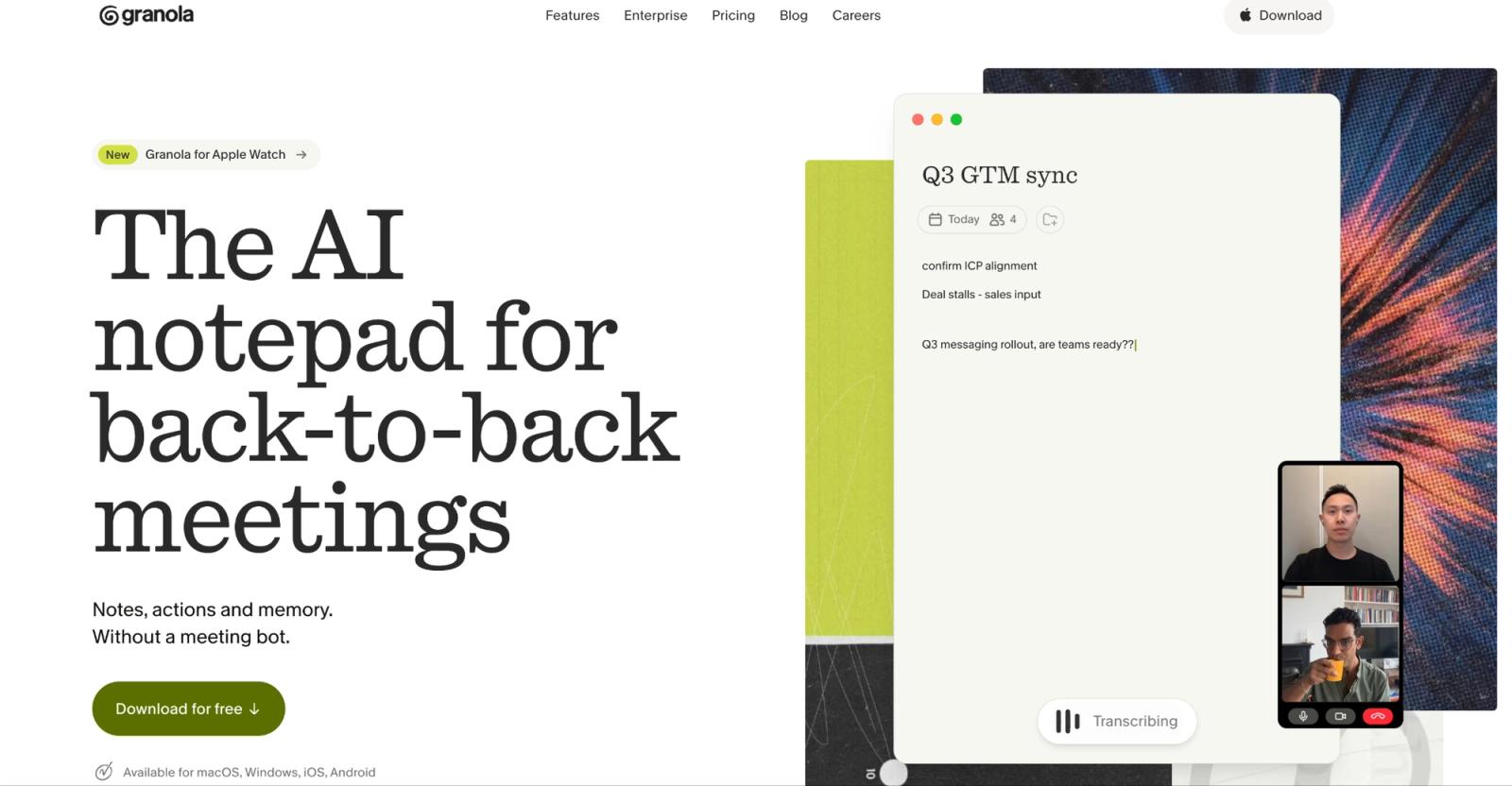
Granola records your computer's audio, so it works with any conferencing platform, needs no admin approval, and leaves the participant list untouched. Its own site puts it plainly: it uses your computer audio, so it doesn't invite a bot.
The notes model is the unusual part. You type your own rough notes during the call and Granola fills in around them, which produces something closer to your thinking than a generic summary. For anyone who already takes notes by hand, that's a different product from a summariser.
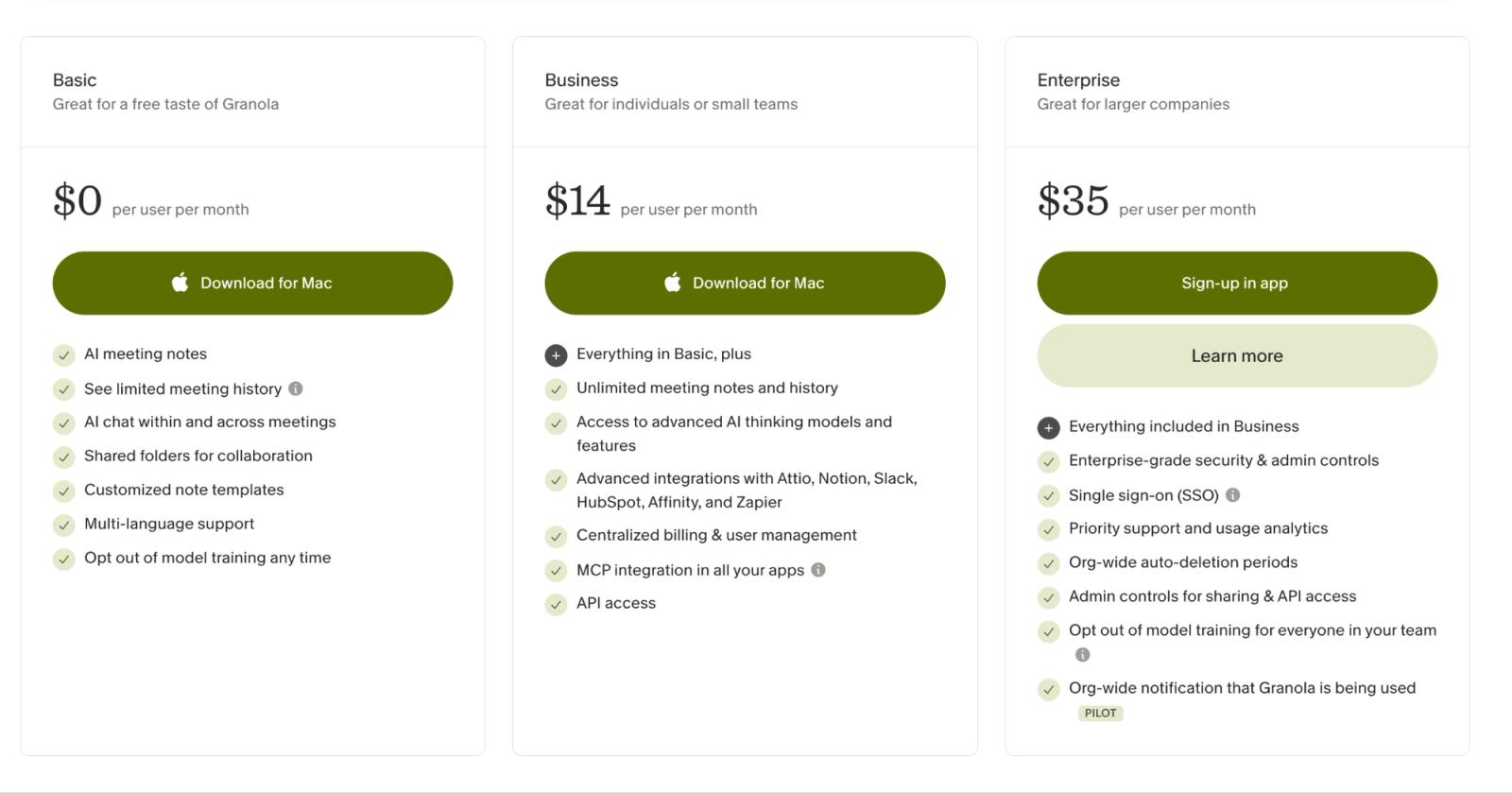
Where it slips: the free plan gives unlimited notes but limited history, so older notes lock behind Business at $14 a user a month, with Enterprise at $35. And because it captures your device, it records nothing if you're not in the meeting. There's no bot to send in your place.
When to pick: you want notes without changing how anyone else experiences the call, and you're the one who attends.
Jamie: best when the audio itself is the liability
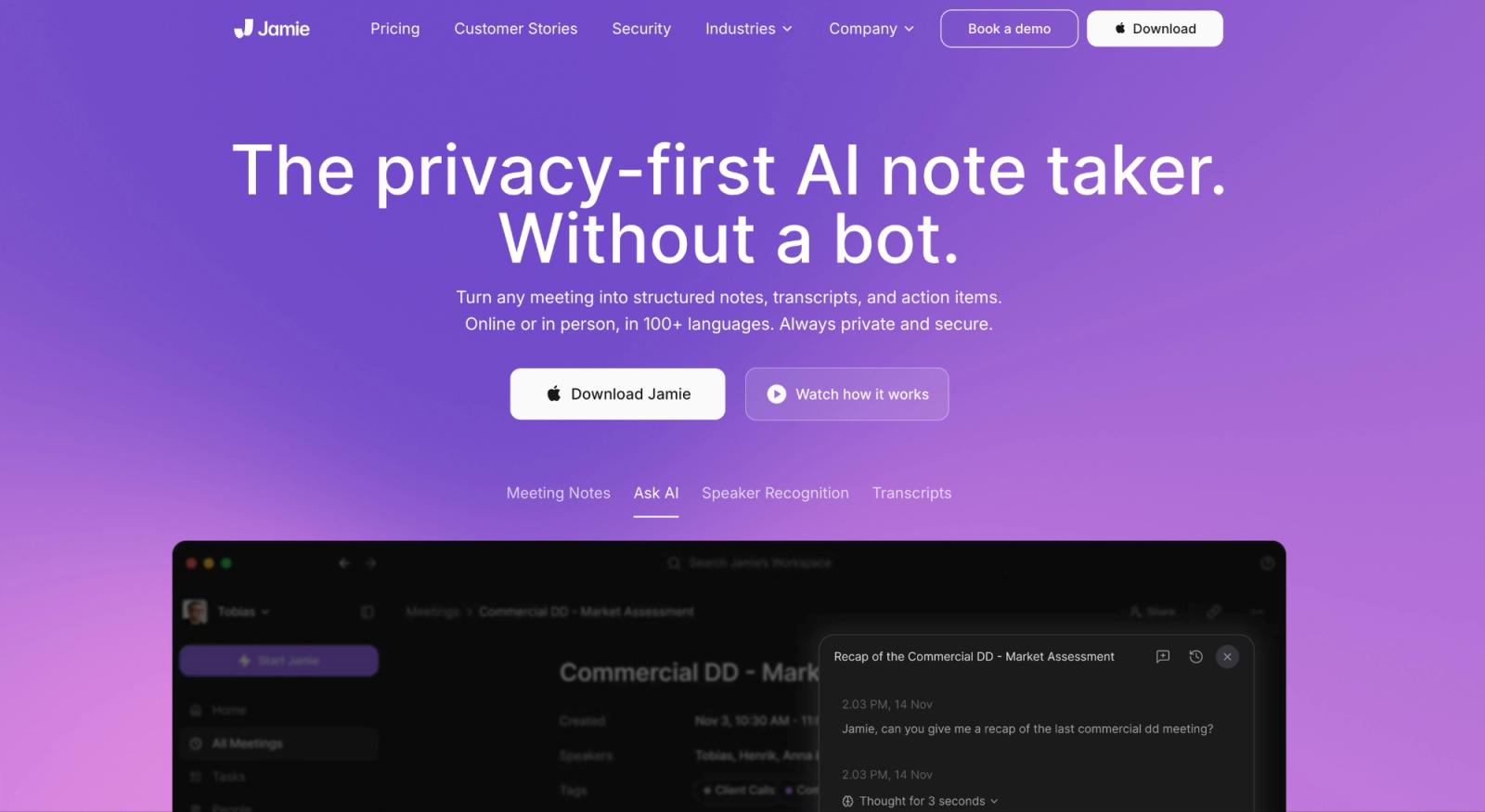
Jamie records system audio instead of sending another participant into Zoom, Teams, or Meet. It supports online platforms and in-person meetings, stores and processes meeting data in the EU, says customer data isn't used to train models, and deletes the original audio after transcription.
The transcript and summary remain stored afterward. That last part is the reason to buy it.
Plenty of products are bot-free now. Far fewer can give the security person on the other side of the table a clean answer to: “Where is the actual recording tomorrow?”
With Jamie, the original audio is deleted after transcription.
The privacy model has a wrinkle worth knowing. Its optional Speaker Memory feature creates voiceprints for speaker recognition, which its DPA identifies as biometric data under GDPR. If that feature is switched on, you're making a different privacy decision from plain transcription.
The bill is less friendly.
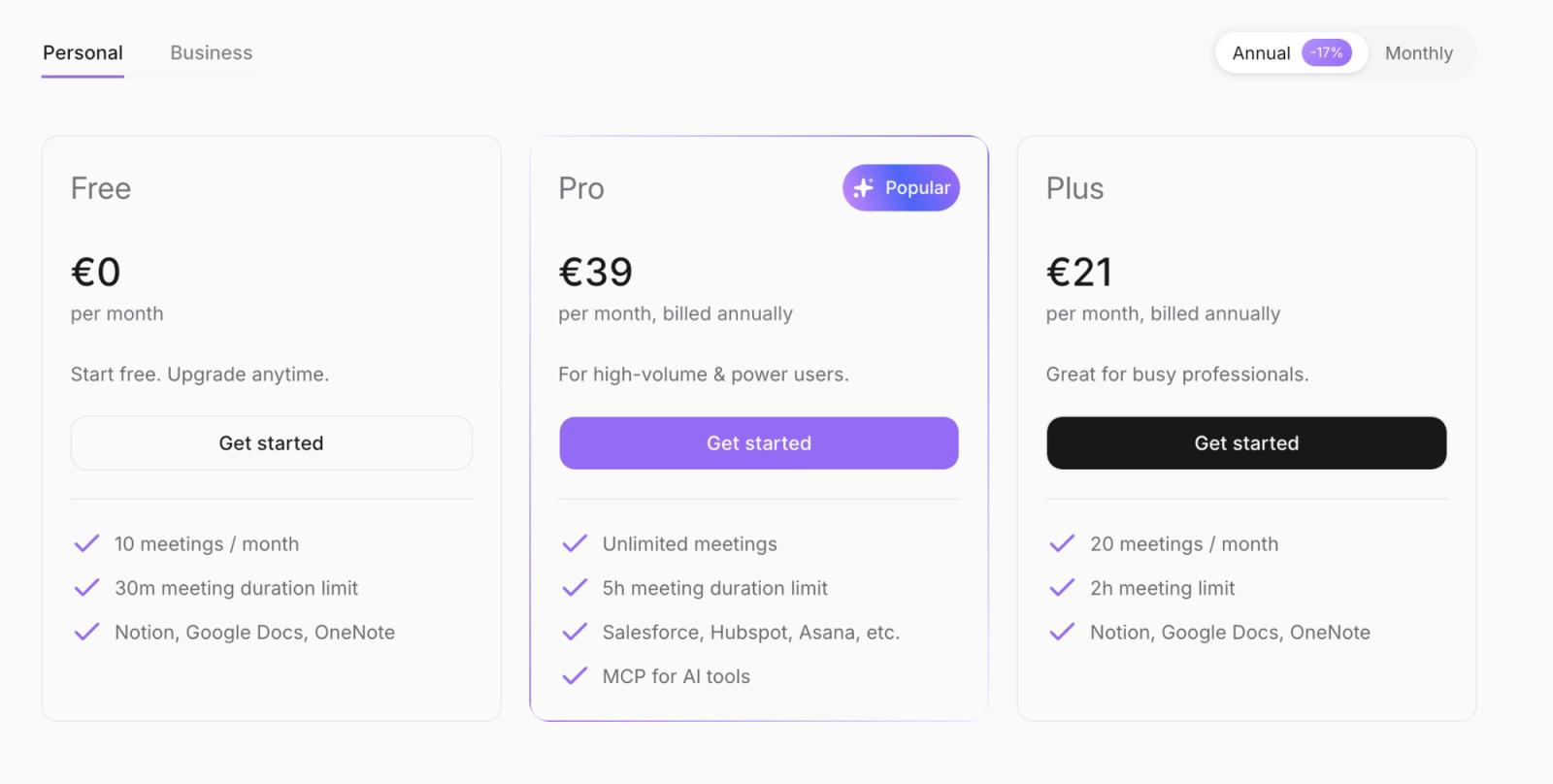
Where the money goes: free gives you ten 30-minute meetings each month. Plus is €21 a month (billed annually), or €252 a year, for 20 meetings and a two-hour meeting ceiling. Pro jumps to €39 a month (billed annually), €468 a year, for unlimited meetings and a five-hour limit.
At that point you're paying for the privacy architecture as much as the notes.
Pick Jamie when deleting the source audio after transcription is a feature, not an inconvenience. If you actually need recordings to replay, clip, coach from, or verify later, its strongest privacy choice becomes the wrong workflow.
Bluedot: best bot-free AI note taker for Startups
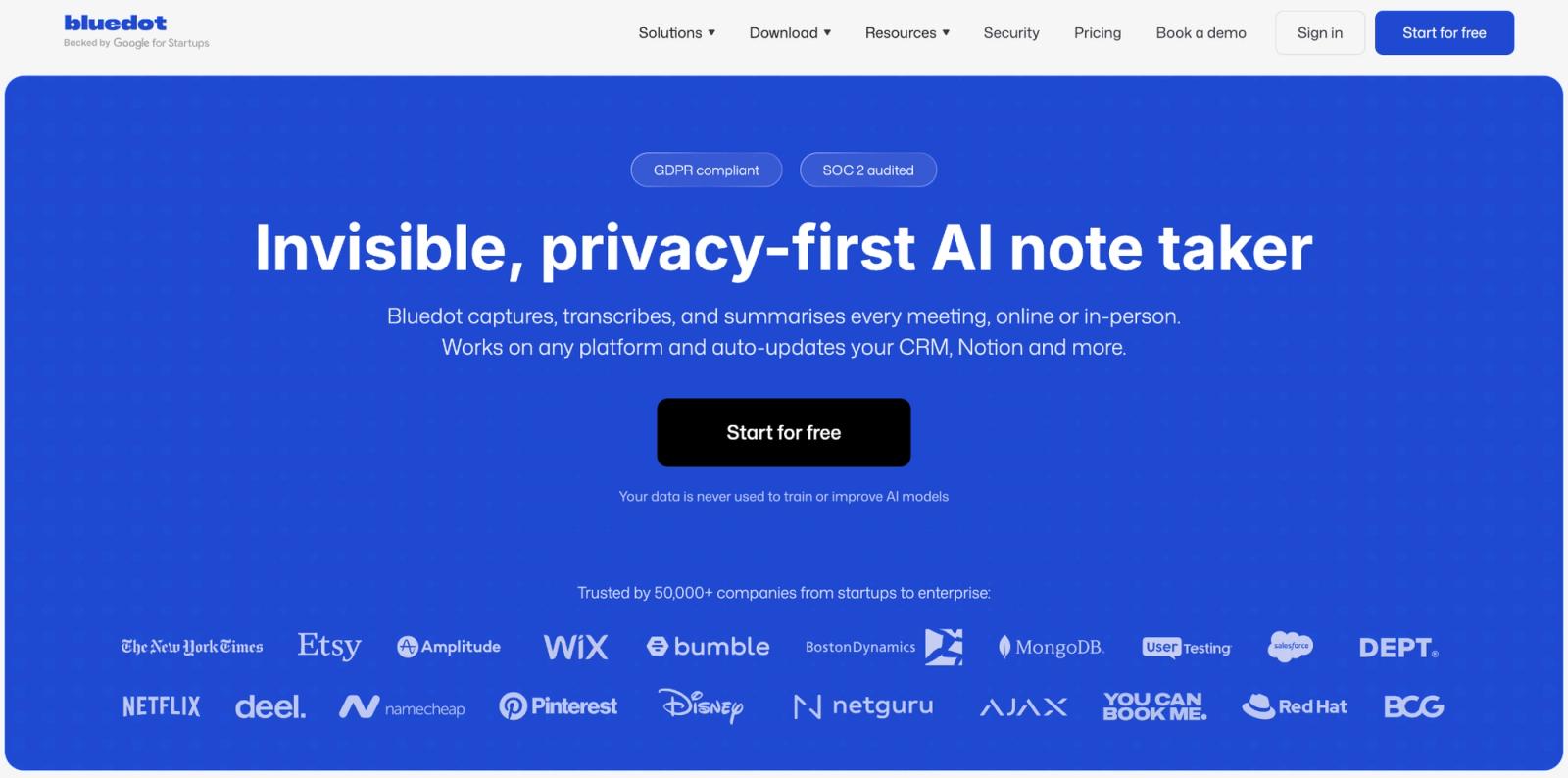
Bluedot solves a different version of bot-free. A customer call might be in Google Meet. The next one is Teams. The interview after lunch is sitting across a table. The founder call happens while you're away from the laptop.
Bluedot covers browser meetings, Mac/Windows desktop capture, mobile devices, in-person meetings, and Apple Watch. It records without a bot, while also supporting bot-based capture when needed.
Security is respectable too: GDPR compliant, SOC 2 audited, and a stated policy of not using customer data to train or improve AI models. Bluedot also provides encryption and data-deletion controls.
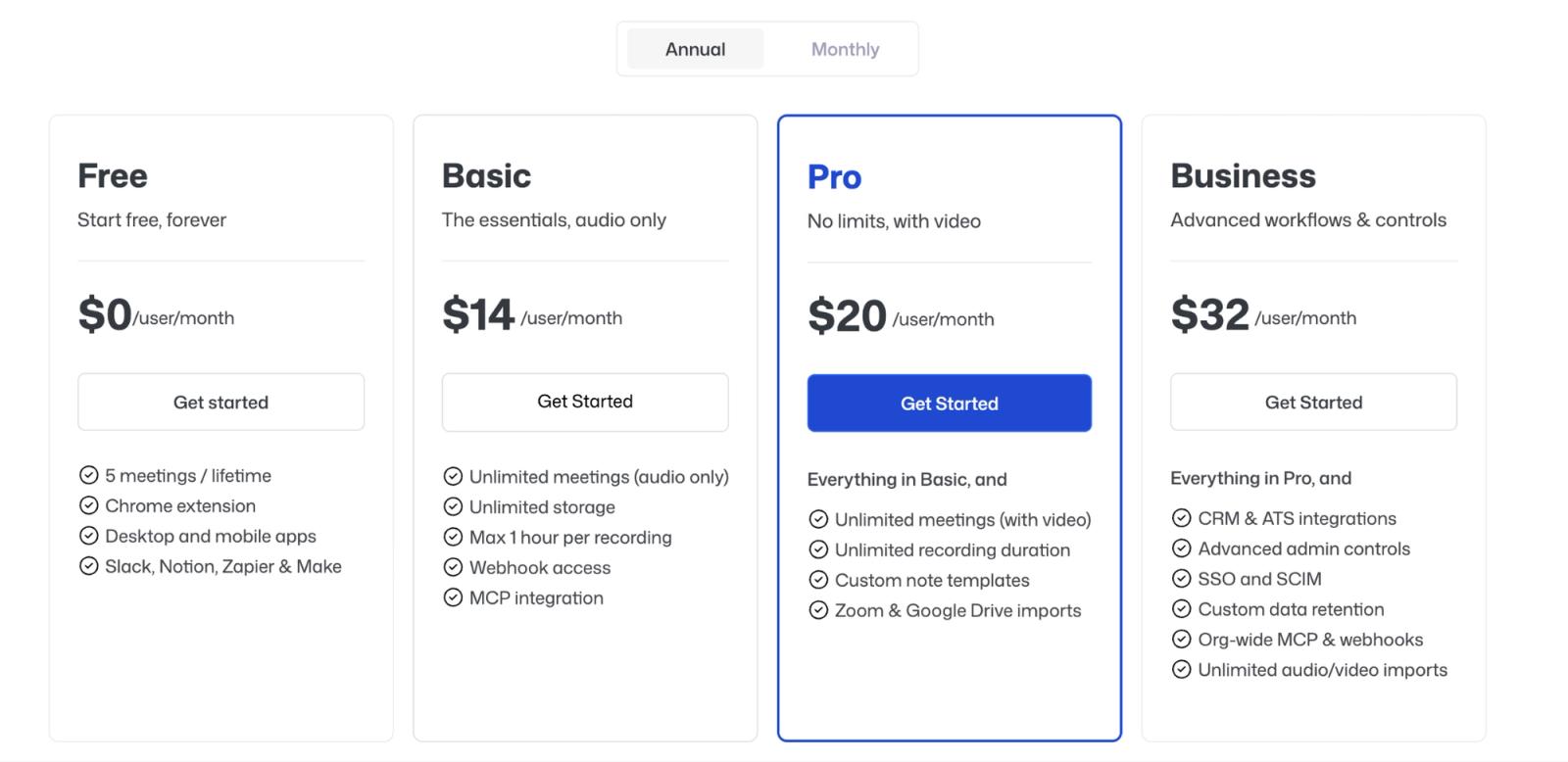
The free-plan catch. The free plan is where the generosity ends. Five meetings for the lifetime of the account is enough to decide whether the product works for you and not much else.
Basic costs $14 per user per month on annual billing, or $168 a year, and is audio-only.
The other thing to understand is cultural rather than technical. Bluedot is deliberately discreet. No participant needs to see a recording bot appear in the meeting. That makes consent your problem, not the platform's. Bluedot's own guidance says to inform participants and follow the applicable laws.
When to pick. Pick Bluedot when capture flexibility matters more than having the meeting platform itself police the recording flow.
What are the best AI note takers for sales teams and CRM workflows?
Sales is where “good summary” stops being enough.
If somebody has to copy the summary into Salesforce, create the follow-up task, attach the call to an opportunity, and update the deal manually, the note taker saved ten minutes and then handed five of them back.
Fireflies and MeetGeek are the two I'd shortlist because the meeting output is designed to leave the meeting app.
Fireflies: best AI assistant for deep CRM plumbing
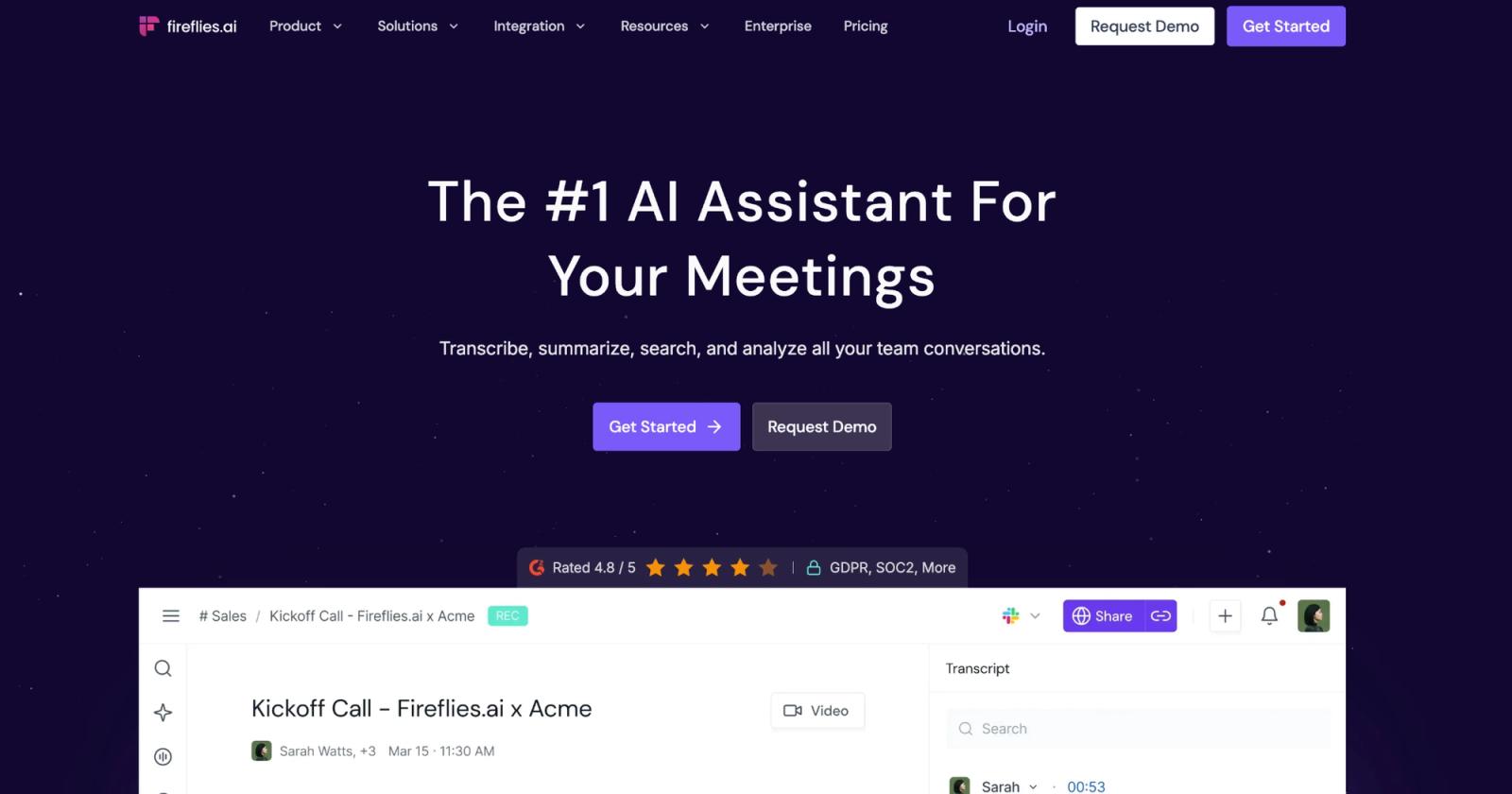
Fireflies can automatically push meeting summaries, action items, and transcript links to the relevant HubSpot contacts, companies, deals, and tasks. In Salesforce, it can log against contacts, leads, accounts, and opportunities, create tasks from action items, create events, and push past meetings back into the CRM.
That's more meaningful than saying it “integrates with Salesforce.”
The job here is keeping the pipeline's memory synchronized with the actual conversation.
Fireflies has also built Deal Intelligence on top of HubSpot and Salesforce for Business and Enterprise users, combining CRM records with meeting conversations to surface follow-ups, pipeline risks, and other deal-level signals.
And now you choose how it captures.
- Use the bot when you want saved audio/video, named speakers, and Sales Assist.
- Use the desktop system-audio mode when you want nothing in the participant list.
- The no-bot version still produces transcripts and notes, but gives up saved media, named speakers, and Sales Assist.
That trade is particularly important for sales teams. The discreet mode removes some of the exact intelligence features that made Fireflies attractive to sales in the first place.
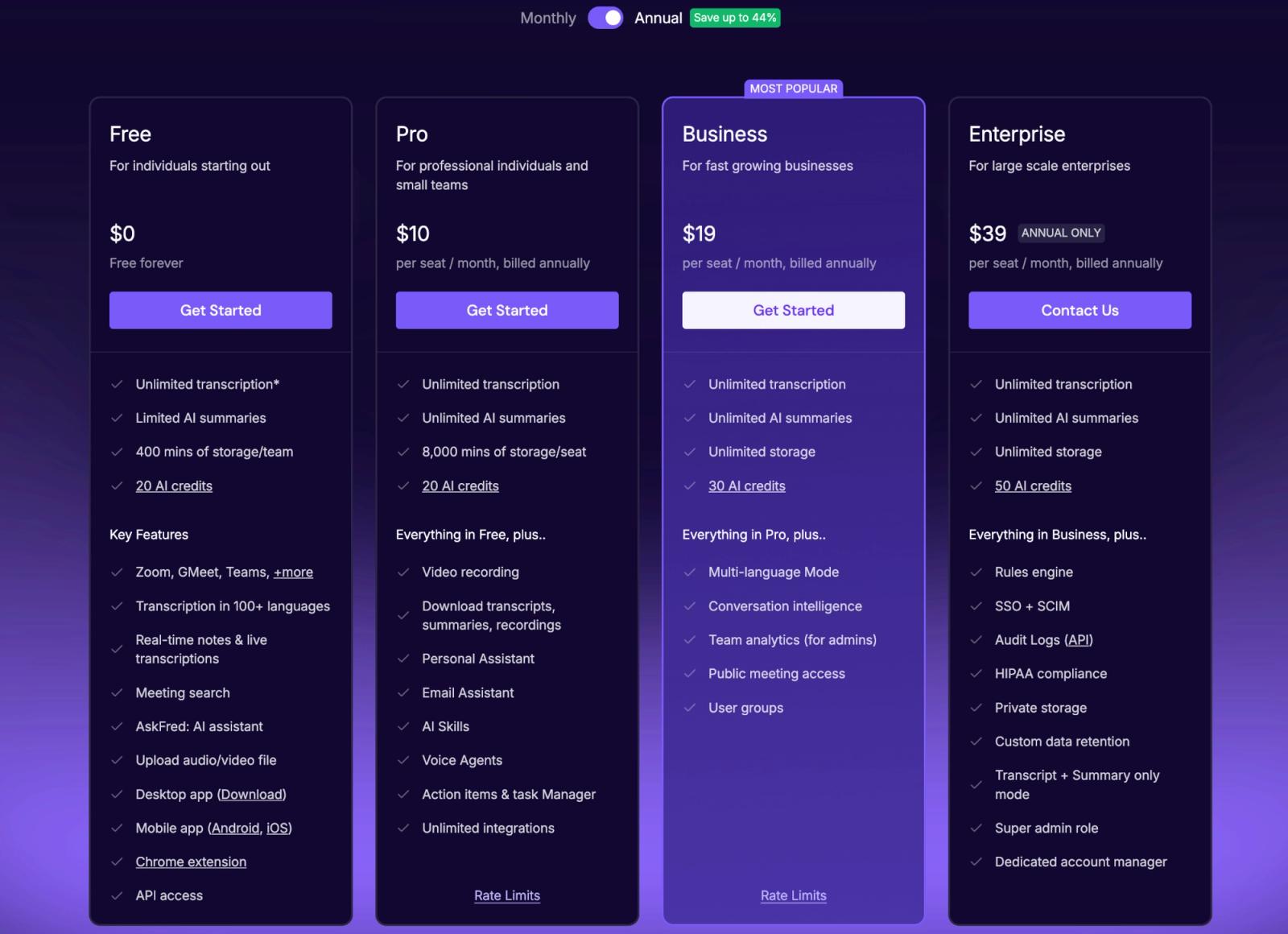
Where the money goes. Pricing starts at $10 per seat per month (billed annually) for Pro, or $120 a year. Business is $19 per seat per month annually, while the Enterprise plan costs $39 per seat/month (billed annually).
What to watch for. Fireflies makes the most sense when meetings need to feed directly into your CRM. If your needs stop at a clean summary and a few action items, its broader sales and workflow machinery may be more than you need.
MeetGeek: best when the meeting should trigger a workflow
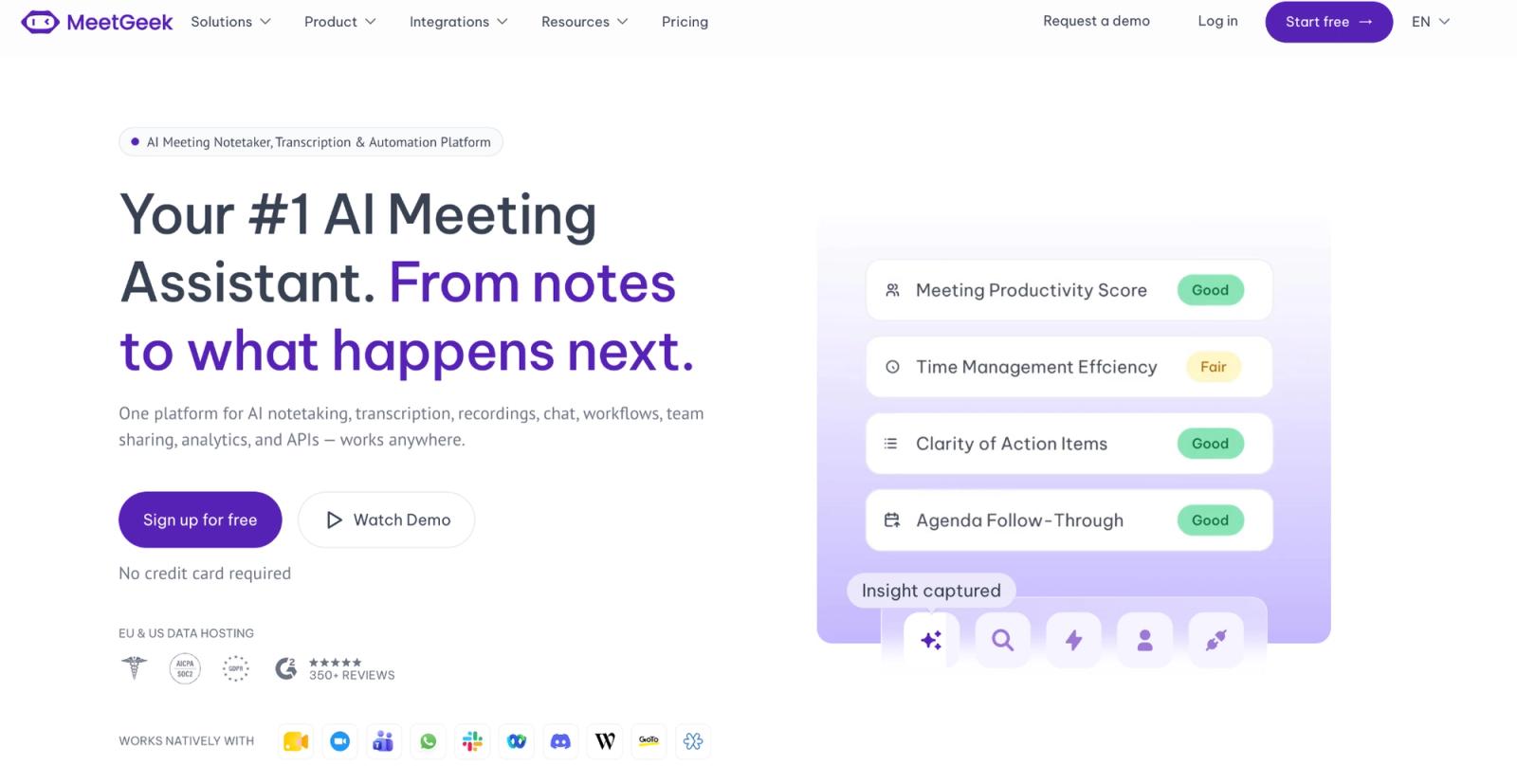
MeetGeek overlaps heavily with Fireflies, but its strongest story is what happens next.
Native CRM connections cover products including Salesforce, HubSpot, Pipedrive, Close and others. Its automated workflows can push meeting summaries, highlights, and other meeting insights into CRMs and other tools, with Zapier, Make, and n8n extending those workflows across thousands of apps.
The newer Close integration shows its capabilities well. MeetGeek can attach meeting insights to leads, contacts, and opportunities, and create CRM tasks from detected Next Steps.
It also supports multiple ways to capture meetings. The desktop app can record Zoom, Google Meet, Microsoft Teams, Webex, and in-person conversations directly from the computer without a bot. MeetGeek also supports bot-based recording and other capture methods.
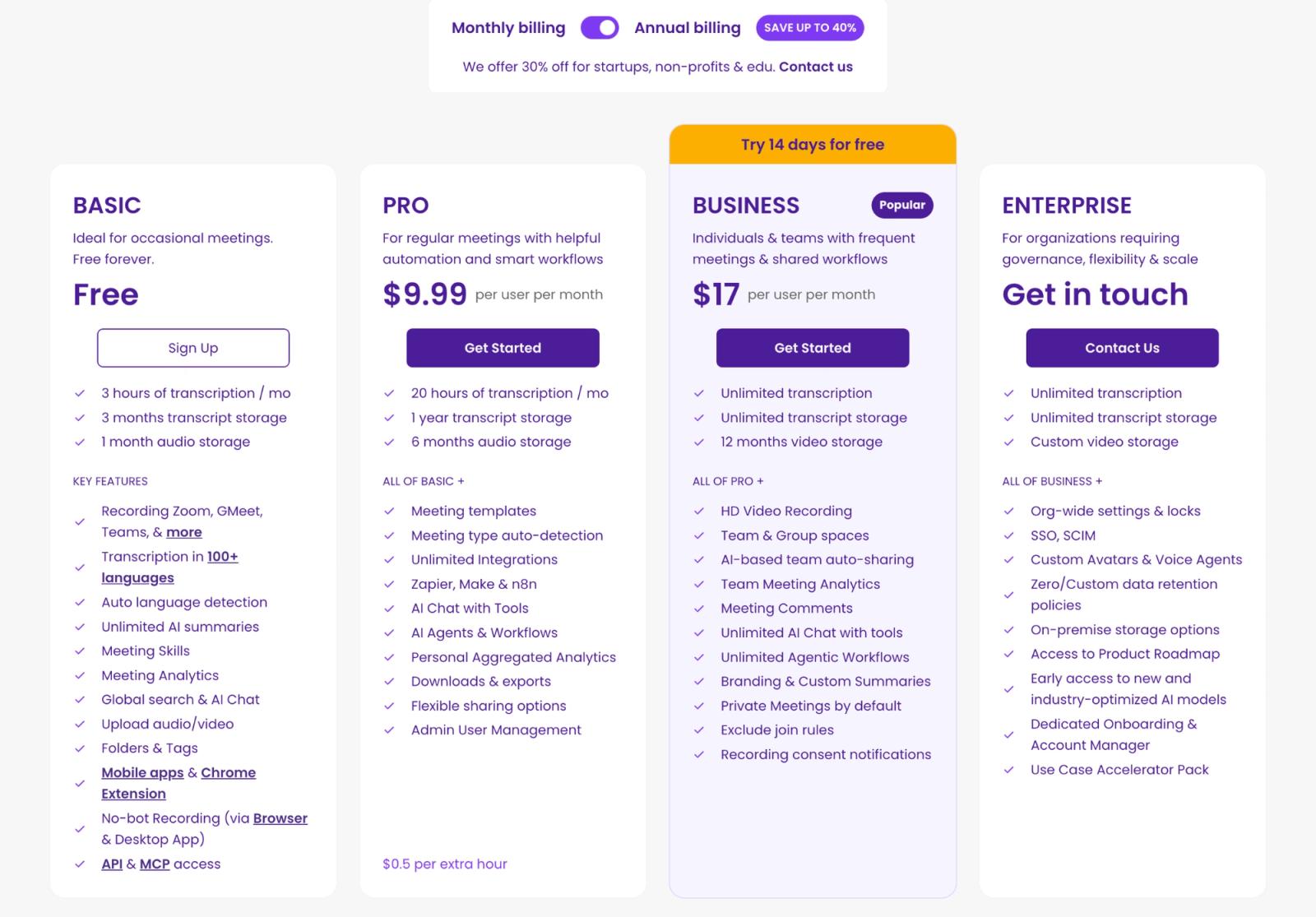
Where the money goes. The pricing model is straightforward. Free gives you three hours of transcription a month. Pro is $9.99 per user per month on annual billing, or about $120 a year, for 20 hours of transcription a month. Additional Pro usage costs $0.50 an hour.
Business is $17 per user per month on annual billing and includes unlimited transcription.
What to watch. MeetGeek makes more sense when a meeting summary is meant to kick off the next step and not simply document what was discussed. Fireflies has a stronger sales and CRM orientation, while MeetGeek fits particularly well when meeting data needs to flow into the broader workflow beyond the CRM.
What is the best AI notetaker for a searchable archive of every call?
tl;dv
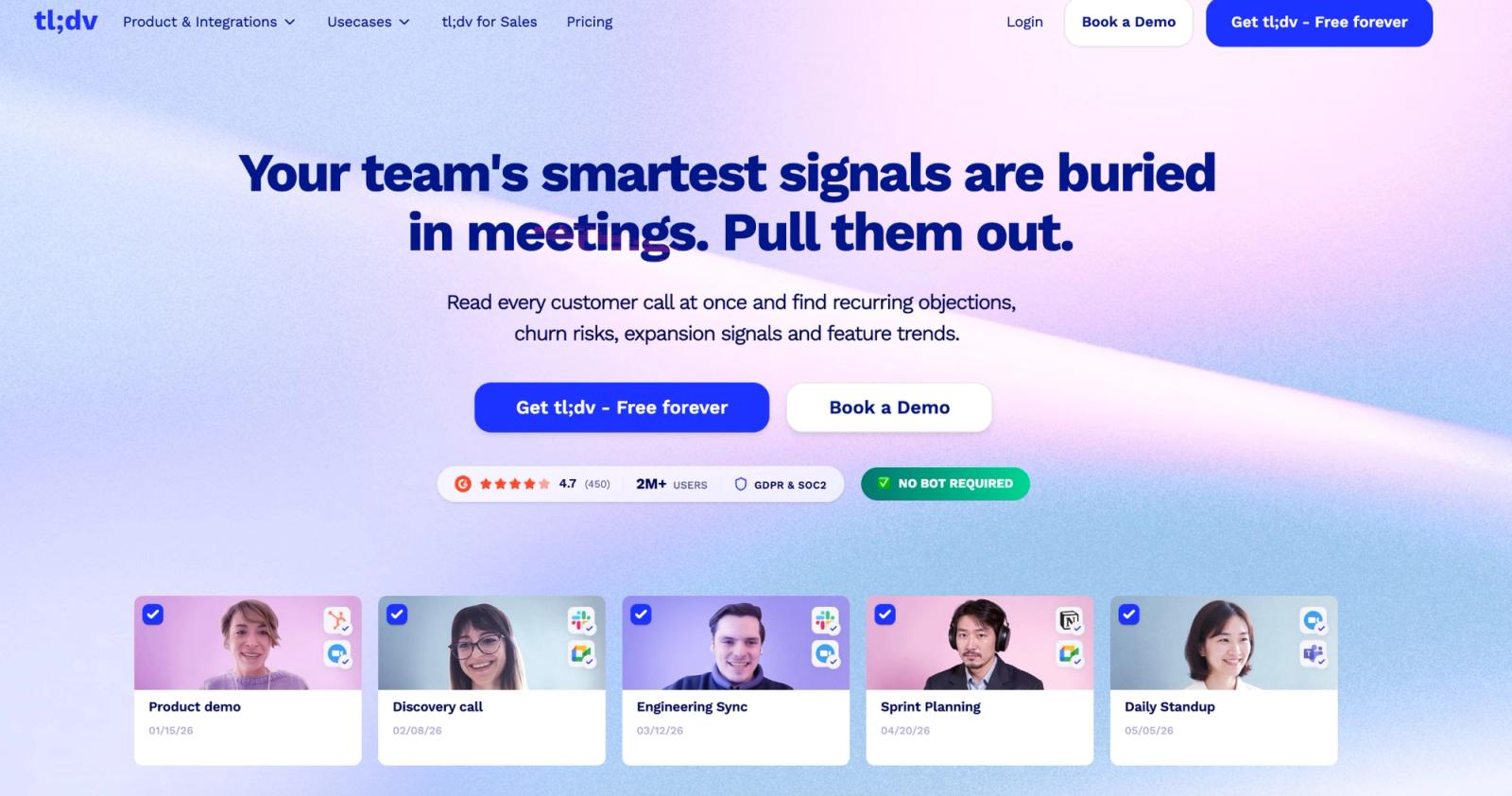
tl;dv is the pick when the meeting library becomes more valuable than the latest summary. There's a point where meeting notes stop being documents and become organizational memory.
Someone remembers a customer raised a pricing objection “a few months ago.” Nobody remembers whether it was March or April, Zoom or Meet, onboarding or renewal. A folder of 150 nicely formatted summaries doesn't solve that problem.
tl;dv’s Pro plan adds global transcript search, unlimited storage and uploads. Higher tiers add multi-meeting AI analysis and scheduled AI reports, letting managers analyze patterns across recurring calls instead of opening them individually.
That's the actual differentiation.
Search answers: Where was “annual contract” mentioned?
Cross-meeting intelligence answers: What objections about annual contracts keep appearing across sales calls?
Those are different jobs.
tl;dv also supports bot-free system-audio recording through its Mac and Windows desktop app for platforms including Zoom, Teams, and Google Meet, so its archive doesn't have to depend on inviting a recorder into every call.
Where the money goes: the free plan sounds almost too good: unlimited meeting recordings and transcription.
Now read the next line.
AI is capped, uploads are capped, and tl;dv currently says free-plan data retention is up to three months. If the reason you're buying tl;dv is “find what somebody said nine months later,” free defeats the point.
Pro is $18 per seat per month billed annually, $216 per user per year. That's where the archive story really starts: the history becomes searchable, with unlimited storage and uploads.
When to pick. Pick tl;dv when you want to interrogate your whole meeting history instead of summarising one call at a time.
What is the best AI note taker for noisy calls?
What improves a transcript most when the audio is bad? Not the summariser. Removing the noise before transcription happens.
Krisp (Voice AI for meetings)
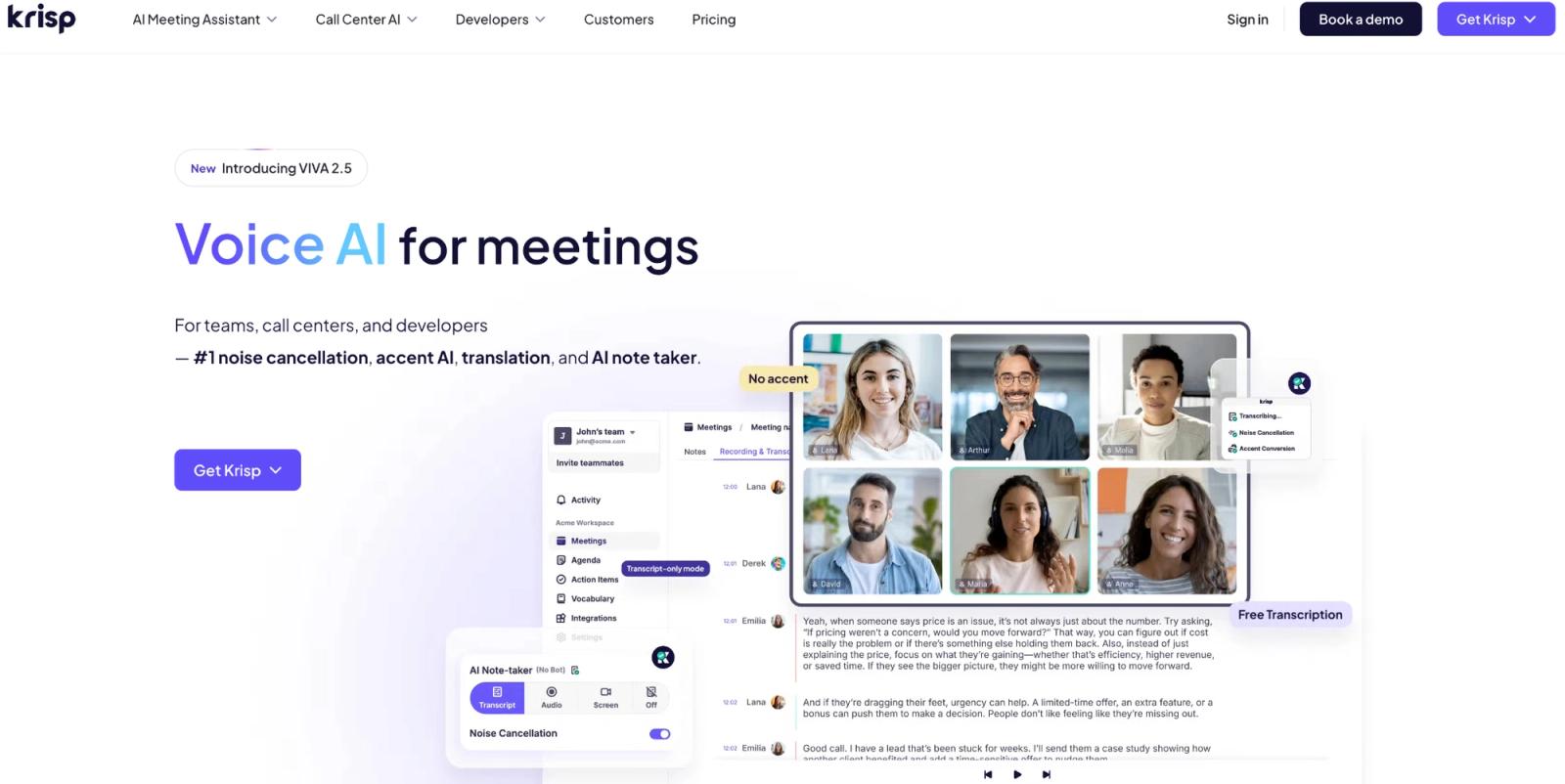
Krisp attacks the problem before transcription.
Most AI note takers start with whatever audio the meeting produces and make sense of it afterwards. Krisp’s noise cancellation runs locally on your device during the call. The cleaner signal helps the people speaking first, and the transcription system second.
That matters when the meeting is beside traffic, in a shared office, with a mechanical keyboard under the microphone, or with people joining from spaces neither controls.
What changes when you record. Krisp’s privacy story depends on the feature. Noise cancellation happens on-device, so Zoom audio transcription, for example, gets a cleaner signal without sending audio to Krisp for the noise-cancellation step itself.
Transcription may happen on-device or on Krisp’s servers and be immediately deleted, depending on language and settings. Turn on meeting recording, and recordings are stored in the cloud.
So “Krisp processes audio locally” is true for noise cancellation, but incomplete for the whole meeting assistant.
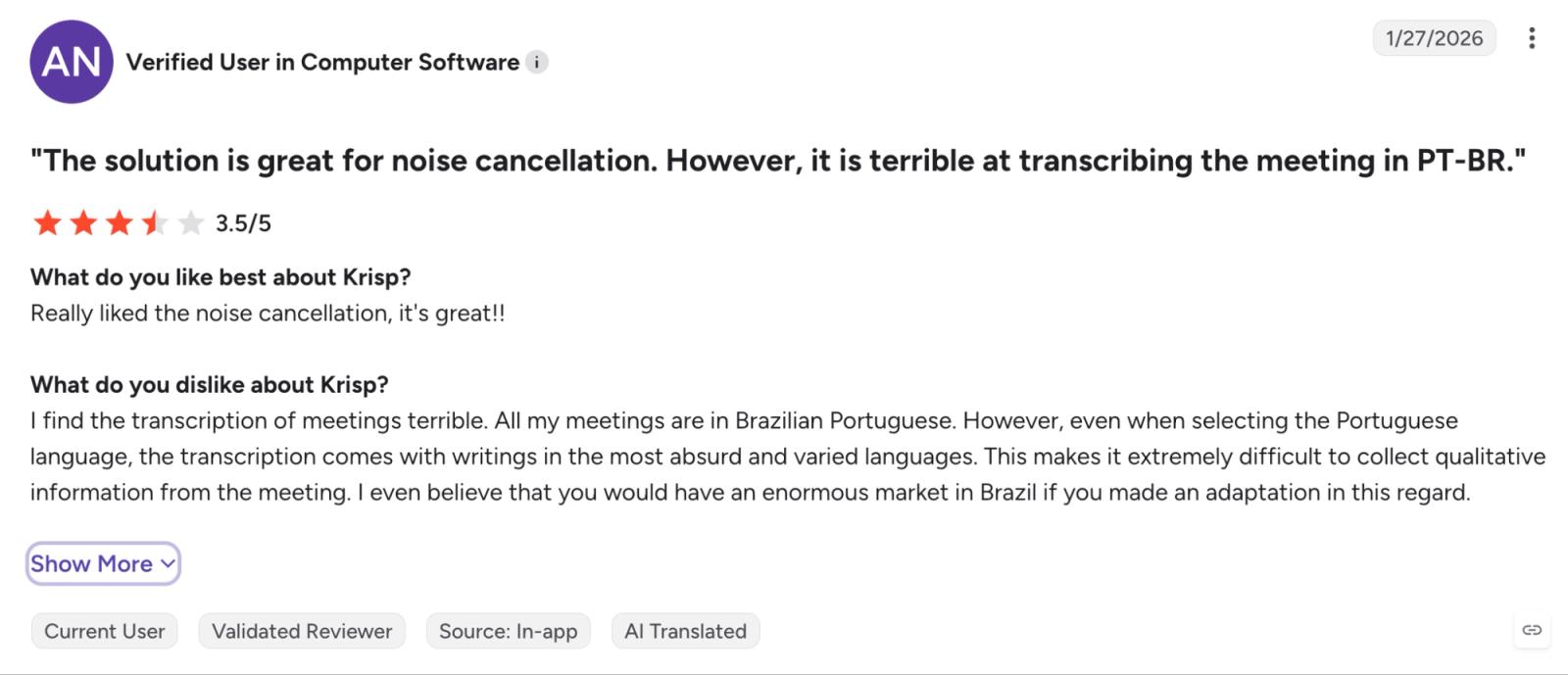
On multilingual audio. Krisp lists multilingual transcription, but test it on your own non-English calls before making it the default note taker for your team.
(Source)
One verified G2 reviewer liked the noise cancellation but said Brazilian Portuguese meeting transcripts came back unusable even after selecting Portuguese. That doesn't cancel out Krisp’s core strength; it just means the noise-removal product and the note-taking product should be judged separately.
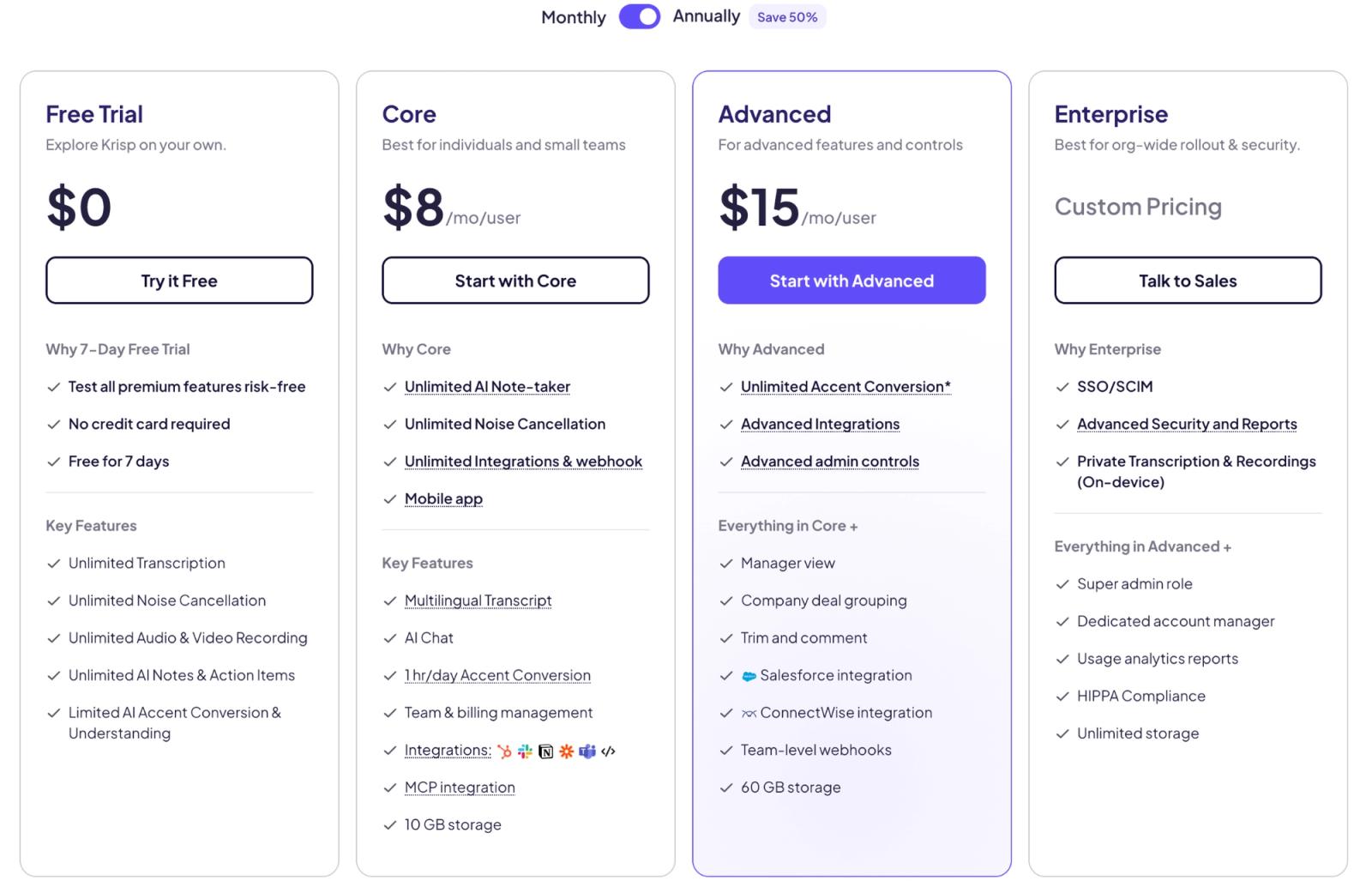
Where the money goes. Krisp’s Core plan starts at $8 per user per month on annual billing, or $96 a year. It includes unlimited transcription, AI notes and action items, noise cancellation, audio/video recording, in-person notes, multilingual transcripts, and 10 GB of recording storage.
There's no permanent free plan; you get a seven-day trial.
When to pick. You can choose Krisp when bad audio is damaging the meeting itself. If your calls already sound like a studio recording, its biggest advantage matters less, and a stronger archive or workflow tool may make more sense.
What is the best AI notetaker for team collaboration?
What changes when more than one person needs the transcript?
Otter
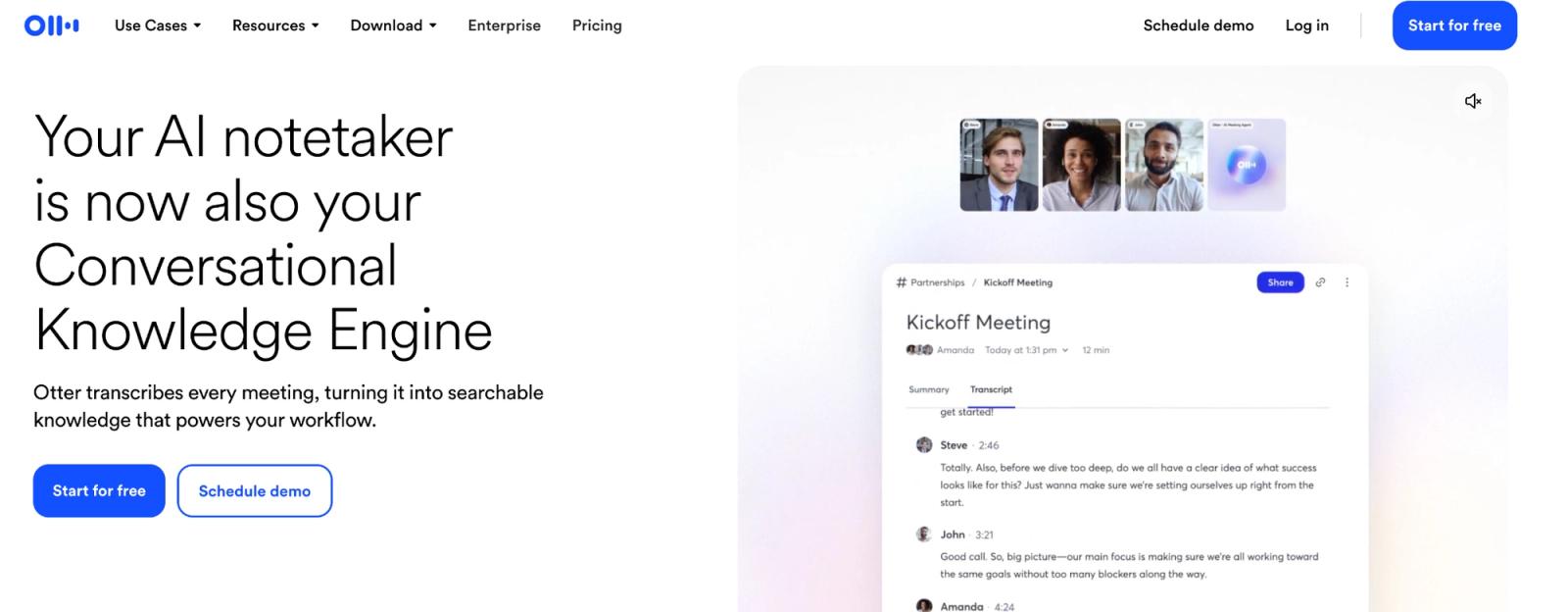
Otter still makes the most sense when the transcript itself is a shared workspace.
Long before every meeting product started promising an AI summary, Otter was built around people following a live transcript, highlighting passages, adding comments, assigning action items, and revisiting conversations together. Its current product still centers that collaborative transcript experience.
Otter has also caught up with the capture shift. Its Mac and Windows desktop app now supports botless recording, while its calendar-connected Notetaker can still join Zoom, Teams, and Google Meet automatically.
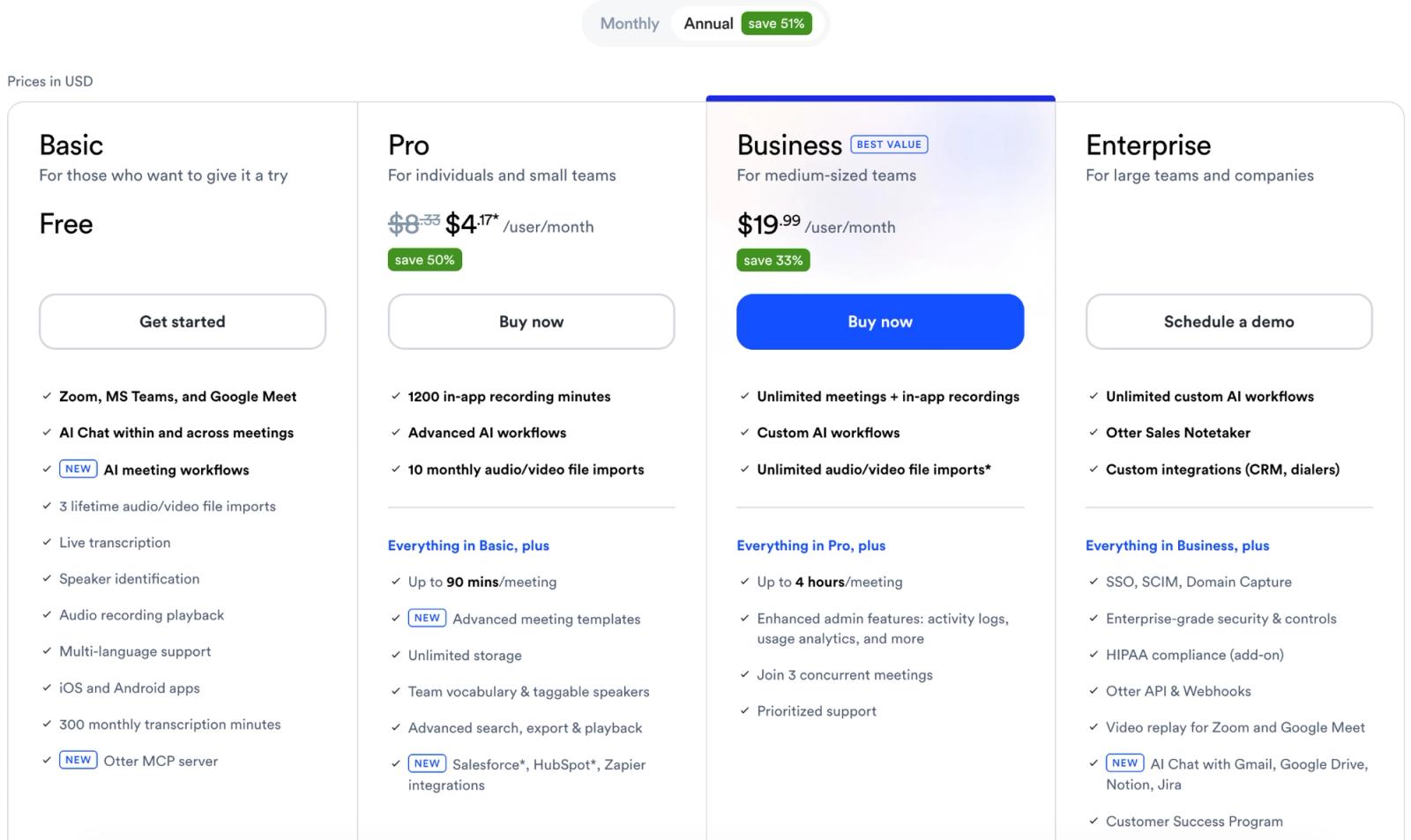
Where the money goes, and the import limit. The free plan is where the compromises start to stack up.
You get 300 transcription minutes a month, which is five hours, but only 30 minutes per conversation. You can keep 25 recent conversations. And if the meeting already exists as a file, you get three imports for the lifetime of the account.
Pro raises that to 1,200 minutes a month, 90 minutes per meeting, ten file imports per month, unlimited meeting history, and stronger search.
The standard annual price is around $8.33 per user per month (roughly $100 a year), though the annual plan is currently being offered at $4.17 per user per month as part of a promotional discount.
The three-lifetime-import rule is the cleanest illustration of where this category stops. If you record meetings live, Otter makes sense. If you've 80 interviews sitting on a drive, it doesn't.
What is the best AI transcription for lectures and long recordings?
Everything above assumes a calendar. A meeting starts, something captures it, notes arrive afterwards. That covers most of a working week.
It stops covering it when the recording turns up some other way. A two-hour lecture. A conference session someone else recorded. Twenty voice memos from the field. Six months of client interviews sitting on a drive.
Most meeting assistants let you upload a file. Few are built around it. Otter's three lifetime imports on Free and ten a month on Pro are the clearest examples. Meeting-length ceilings, upload counts and summary-first interfaces draw the same line elsewhere.
WhisperAI: best when meetings are one recording among many
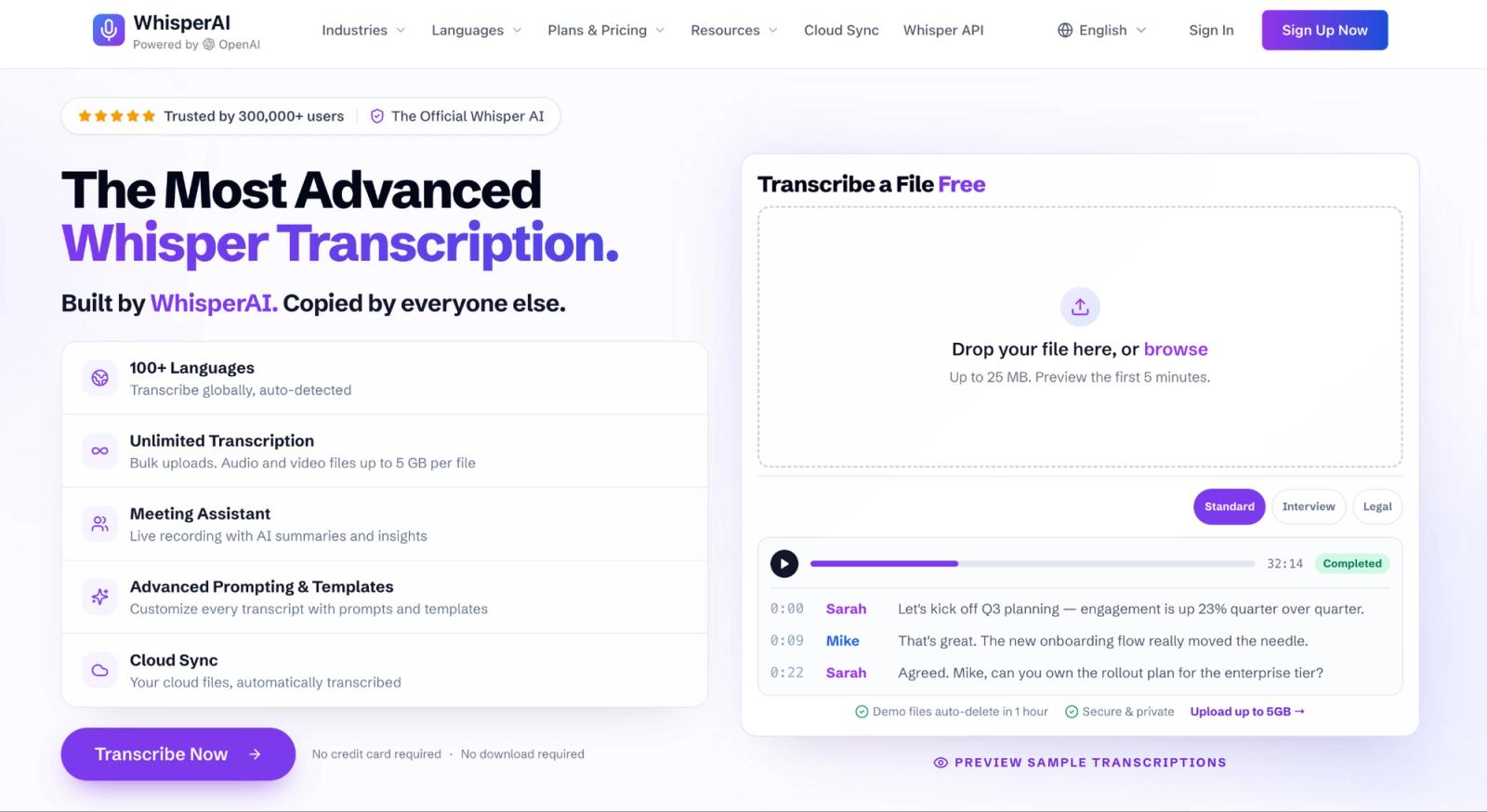
WhisperAI is the better choice when you want to capture meetings, lectures, or long conversations without adding a meeting bot. It records from the web or iPhone, supports live transcription and translation, works across 100+ languages, and keeps your full meeting history.
The difference is endurance. On the Business Pro plan ($24.99/mo), there are no caps on the number of meetings or total minutes, which makes it stronger for long meetings, lectures, interviews, research calls, conference sessions, and other extended recordings.
After the meeting, you can prompt the AI with names or extra context, generate summaries and action items, review analytics such as tone and talk time, and export the transcript to ChatGPT, Claude, or another LLM workflow.
Use WhisperAI when you care more about bot-free capture, long recordings, multilingual transcription, full history, and post-meeting analysis than CRM automation.
Have one of those recordings already? Try WhisperAI on it.
Frequently asked questions about AI meeting assistants & note takers
What is an AI meeting assistant?
An AI meeting assistant is software that records or processes meetings, transcribes conversations, and generates summaries, decisions, and action items. It can join virtual meetings as a bot, capture audio from a device, or process uploaded recordings. “AI meeting assistant” and “AI note taker” are commonly used interchangeably.
What is the best AI assistant for meetings?
The best AI meeting assistant depends on the workflow. Fathom stands out for free use, Jamie for privacy-focused recording, Fireflies for CRM-heavy sales workflows, tl;dv for meeting archives, and Krisp for noisy calls.
Which is the best AI note taker?
There is no single highest-rated AI assistant for every meeting workflow. Fathom is strong for free use, Jamie and Bluedot for bot-free capture, Fireflies and MeetGeek for CRM and workflow integrations, and tl;dv, Fireflies, Fathom, and MeetGeek for searching past meetings.
The right choice depends on whether you prioritize cost, bot-free recording, workflow integrations, or meeting-history search.
Are AI notetakers illegal?
AI note takers are not inherently illegal, but recording and processing meetings can be subject to consent, privacy, and data-protection laws. In the U.S., federal law generally permits recording with one-party consent, while some states require all-party consent.
In the EU, GDPR requires a lawful basis for processing personal data and imposes requirements such as transparency, data minimization, and appropriate retention. The applicable rules depend on the location, participants, and meeting context.
Is AI note taker free?
Some AI note takers offer free plans, but “free” can mean very different things. One tool may limit AI summaries, another may limit storage, meeting length, imports, or how much history you can search. Check the actual minutes, storage, retention, and upload rules before treating a free plan as a working plan.
What is a free AI assistant for meetings?
A free AI meeting assistant offers ongoing use without a subscription fee, subject to the limits of its free plan. Fathom's free plan includes unlimited recording, transcription, storage, and AI summaries, and supports bot and bot-free meeting capture; bot-free capture is currently in beta on Mac. Other AI meeting assistants offer free plans with limits on meeting time, storage, AI features, or meeting-history retention.
WhisperAI Team
Product