Best AI Transcription Software in 2026, Tested by Use Case
We tested most of the AI transcription tools and read 728 user reviews. Compare them for bulk files, subtitles, newsrooms, legal, and medical transcripts.
If you work with recorded audio and video files, you already know the shape of the problem. A two-hour interview takes you the best part of a day to type up, because the working ratio for human transcription is roughly four hours of typing for every hour of audio.
A week of client calls becomes a folder you never get around to opening. You upload a conference recording, and the site tells you the file is too big, so now you need a second tool just to split it up. The list goes on.
And you're doing this alongside your actual job. The research, the project, the reporting, all of it is happening on top of everything else. It adds up fast.
The good news is that AI transcription software got good enough to change the workflow this year. Pick the right AI transcriber and the two-hour interview is a ten-minute job. The catch is that the tools got good at different jobs. The AI for audio transcription somebody on Reddit swears by might be a complete waste of money for your needs, so it's worth being precise about what you're paying for.
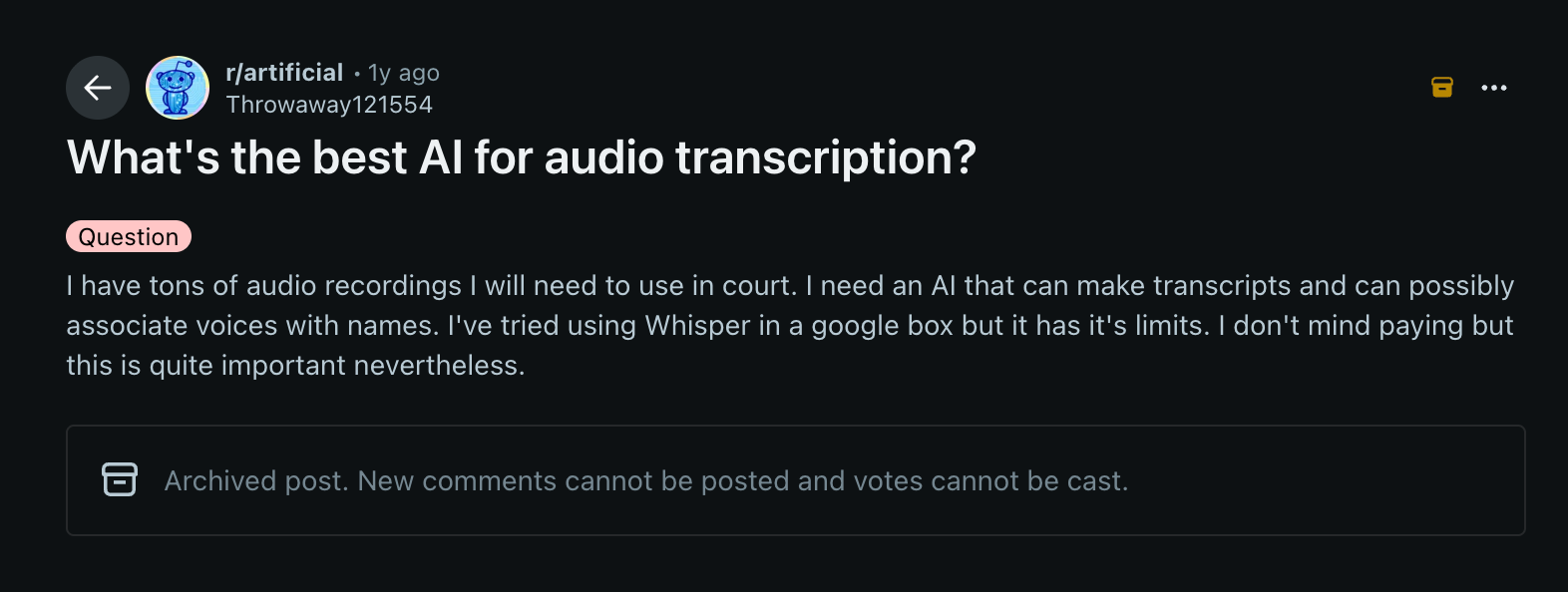
What's the best AI for audio transcription?
For most jobs, the answer is WhisperAI. You brief it before it runs, the way you'd brief a human transcriber, and get completed transcripts back with timestamps and speaker labeling. It handles multiple speakers and multiple languages.
That briefing layer is exactly why it works so well across industries instead of inside one, and it makes WhisperAI the best all-round generalist when it comes to processing bulk media files and long recordings. Most of the other tools here are specialists: fewer use cases, built deep, priced for the people who need exactly that workflow or certificate.
That distinction is the whole decision. Take the generalist, unless you're in one of the cases where a specialist earns its premium. Upload your audio recordings and test WhisperAI for 5 minutes yourself. It’s free.
The other roundups of the best transcription services I read rank them against each other as if they all do the same work. They don't. So if you have a specific need, before moving forward decide which of the four fits your workflow?
The market is split into four categories, each built for an entirely different way of transcribing:
1. AI transcription workspaces
Built for media files you already have. You upload a recording and get the words back in full: MP3 transcription, MP4, WAV and most video formats all work the same way.
The AI transcription software converts spoken audio into written text using machine learning models, adding punctuation, paragraph breaks, timestamps and speaker labels automatically. Depending on the tool you also get timeline-aligned subtitles, a browser editor, or analysis on top.
The tool doesn't care where the recording came from: a phone on a café table, a field recorder, a Zoom export, an archive from 2019. If you can upload it, it can transcribe it. This is the category the rest of this guide is about.
2. AI meeting assistants and note takers
Built for live meetings. An AI meeting assistant connects to your calendar, joins the call or listens to your machine, and hands back AI meeting notes with decisions and action items. What you're buying is the summary. The transcript comes along with it.
The line that matters most is whether a bot joins the call. Most AI meeting transcription tools send one, Otter and Fireflies included, and it sits in the participant list where everyone can see it. Fathom now offers it both ways. Jamie and Granola record your computer's audio instead, so nothing shows up.
They’re not the ideal choice for a folder of files you already have.
3. AI dictation and voice typing software
Built for system-wide voice input, not output. AI dictation software runs at the operating system level. You hold a hotkey, speak, release, and punctuated text lands wherever your cursor already is: Slack, an email, a document, a CRM field. There's no file uploading.
Wispr Flow is the mainstream pick and tidies messy speech as you talk. Superwhisper processes on-device, so nothing leaves the machine, and runs on macOS, Windows and iOS.
4. Speech-to-text APIs
Infrastructure for developers. You get an endpoint and a per-minute rate, and everything around the transcript is yours to build. Our own Developer API runs $99 a month for 10,000 minutes, and what you get for it is the same editor, exports and briefing layer the workspace uses.
Read more: WhisperAI Developer API.
All four categories are in the table below for a quick overview.
Best AI transcription software in 2026, compared by use case
One row per job. This is the shortlist behind any best transcription software roundup we'd stand behind, and every price was read from the vendor's own pricing page, on annual billing where that's cheaper.
| Best for | Top pick | Primary differentiator & capabilities | Pricing | Runner-up |
|---|---|---|---|---|
| Bulk audio and video files, specialist vocabulary | WhisperAI | 5 GB files ten at a time, and you brief the model before it runs | $14.99/mo | Sonix |
| Editing video by editing the text | Descript | The transcript is the timeline. Cut a word, cut the footage. | $16/mo annual | Sonix, audio only |
| Subtitles, captions and localisation | HappyScribe | Timeline-aligned captioning, clean SRT and VTT export | $8.50/mo annual | Verbit |
| Newsrooms | Trint | Story Builder and Verification Mode, built around the article | $52/mo (7 files) | Good Tape |
| EU data residency and source protection | Good Tape | ISO 27001, EU storage, recordings deleted by default, DPA | €16/mo annual | Klang, EU servers and BYOK |
| Medical and clinical work | Sonix | Published SOC 2 Type 2 and HIPAA, with audit logs | $25/mo | Rev |
| Legal work, and a transcript that gets certified | Rev | A human reads the machine pass back | $1.99/min human | Good Tape |
| Free open-source engine, run locally | OpenAI's Whisper | No account, no cap, no upload | $0 free, if you're technical | WhisperAI, or Superwhisper (on-device) |
| Botless AI note takers / meeting assistants | Jamie and Granola | Record device audio. No bot on the call | €21/mo annual | Fathom, bot-free capture |
| Free AI meeting assistant | Fathom | Free plan is genuinely unlimited recordings and summaries | Free, $16/mo annual | Fireflies |
| AI dictation software | Wispr Flow | System hotkey, and it tidies messy speech as you talk | $12/user/mo annual | VoiceDash |
| Speech-to-text API for your own product | WhisperAI Developer API | Real-time and pre-recorded endpoints, with the same editor and exports behind them | $99/mo for 10,000 min | Gladia |
Looking for free AI transcription software? Most free tiers here are samples, not working plans. WhisperAI gives you 5 minutes a month, HappyScribe a 10-minute trial, Good Tape an hour. The exception is OpenAI's Whisper run locally. It’s genuinely free and uncapped if you're comfortable with the technical setup.
What does AI transcription cost per minute? Work it out from the plans above, and the answer runs from $0.004 to $0.14 a minute, which is a wide enough spread to be worth a minute of arithmetic. The counterintuitive part is that entry tiers are the most expensive per minute, because you're paying a subscription for a small allowance.
Human transcription is a different market again, at around $1.99 a minute.
What the rest of this blog post covers
Cramming all four categories into one article makes it impossibly long, so this guide is an in-depth evaluation of the first category: AI transcription workspaces. Eight tools in full, every price read off the vendor's own pricing page, sorted by the job you're hiring the tool to do.
If you want an AI note taker or a real-time dictation tool, we already covered the quick previews above, with links to their own deep-dive reviews. But if you have growing folders of pre-recorded audio and video, interviews, qualitative research, clinical logs, or audio archives that need converting to accurate verbatim text, read on.
How we evaluated these tools
WhisperAI publishes this article and is one of the tools on the list, but where a competitor is the better choice, I say so, including cases where I'd tell you not to buy ours.
Real-world evaluation methodology
Benchmarks do not tell you what happens when software meets your actual recordings, your unique accents, or your industry-specific jargon. So I held every tool here against three criteria: what their marketing page claims, what the free version gives you, and what paying customers say once the trial has ended.
I independently review every tool here, starting with the free/trial version, which I tested myself, then read 728 raw user experiences to find out what the paid plans are like once the trial ends. I looked in the places where customers tend to be more candid.
That included dissecting customer reviews on SaaS directories: G2, Capterra, Trustpilot, TrustRadius, GetApp, Software Advice, and the BBB. Then I scouted Reddit, Quora, Hacker News, LinkedIn and Slack communities, GitHub, where users can't hide negative feedback.
The discovery sites where people explain what they switched: Product Hunt, AlternativeTo, SaaSHub, Slant, and finally, the Apple App Store, Google Play, and Chrome Web Store for the tools with an app or an extension.
I also checked two things on every tool that decides purchases and rarely shows up in reviews: whether your audio trains public models and whether pricing is a flat rate or a minute ceiling with a penalty attached.
And me? I'm Ivana Drakulevska, senior SEO and content writer with eight years in SaaS. Most of that decade has gone on taking feature and pricing pages apart, working out what a plan includes and what the footnotes take back. Testing software and sharing insights is part of my work, so the writing reflects that.
Best AI transcription workspaces
This is the group most people mean when they search for ‘the best AI transcription software’, or ‘the best audio transcription software’: an AI audio transcription tool you feed a finished file once the recording is done.
The community verdict
The bigger headache isn't accuracy. It's the billing.
Otter was a transcription tool first, but recently they repositioned to an AI notetaker, and the billing moved with it. Otter cut its free tier from 600 minutes to 300 in a single announcement. Pro users went from 6,000 minutes a month to 1,200. Per-meeting limits dropped from four hours to 90 minutes (TechCrunch).
It still imports pre-recorded files, but the caps are strict. Three files ever on the free plan. Ten a month on Pro, at $8.33 per user a month billed annually.
There's a second difference that decides it for plenty of teams. AI meeting assistants usually work by sending a bot into your call, which shows up in the participant list and has to be explained to whoever else is on the line. That’s another reason people prefer the botless options.
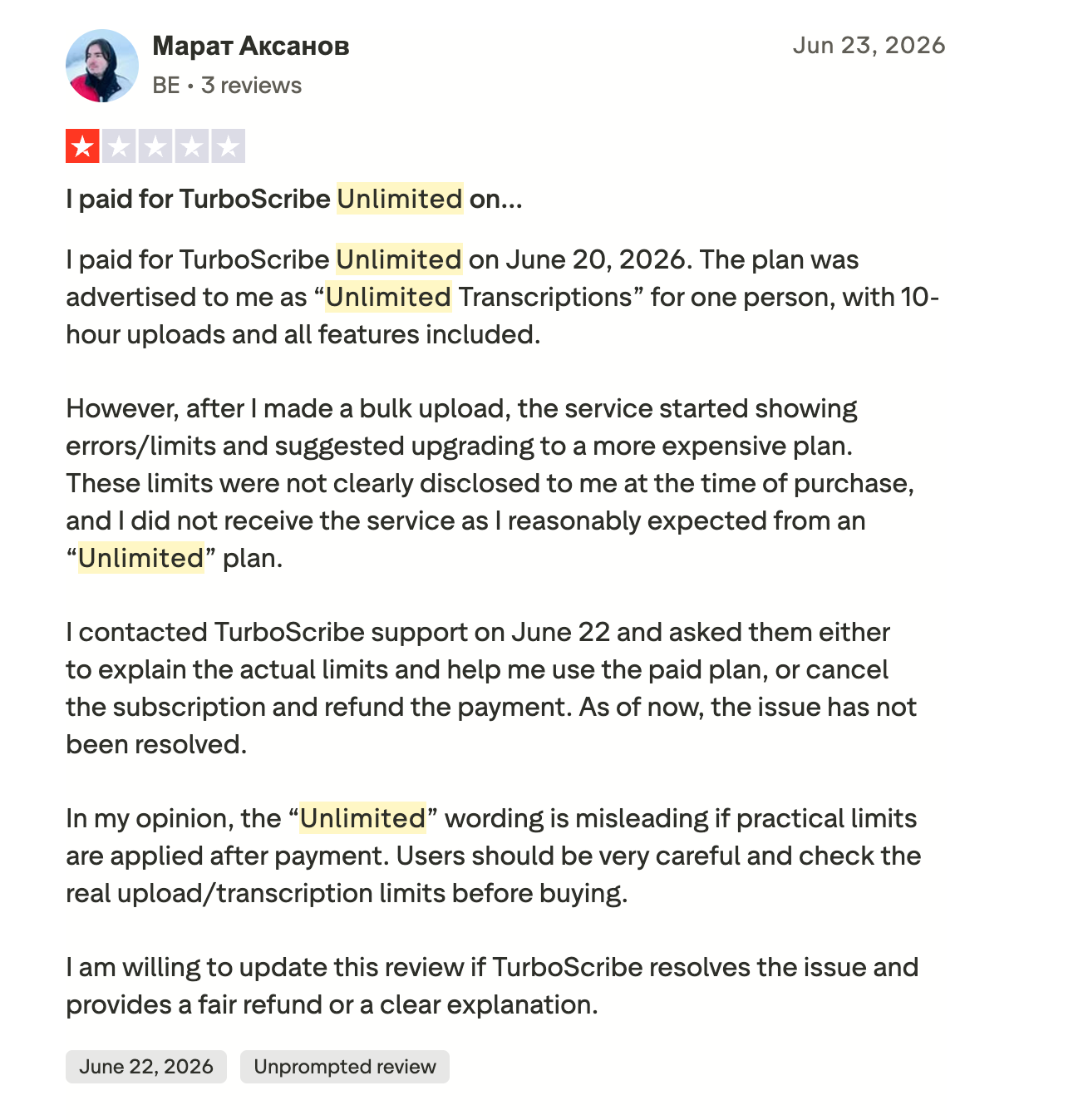
And "Unlimited" doesn't always mean unlimited in practice. A TurboScribe customer bought the software expecting unlimited transcriptions, 10-hour uploads, and access to all the advertised features.
After making a bulk upload, the service started returning errors and applying limits, then suggested upgrading to a more expensive plan. The customer asked support to explain the actual limits or cancel and refund the purchase. Two days later (writing the review below), he had neither.
(Source)
Is TurboScribe really unlimited, even after you paid for that plan?
So the thing to check before you buy is not the headline number. It is what the vendor does when you push the plan to its limits.
Otter isn't on this list because it isn't in this category anymore. You'll find Otter in our AI notetakers and meeting assistants. As for TurboScribe, I'll skip the guilty conscience for recommending it for something that it's not.
This list is the one I'd give a researcher, a producer, a journalist, a marketer, or a sales professional, and each of them would end up somewhere different. The tools worth shortlisting:
WhisperAI (best all-round AI for audio transcription)
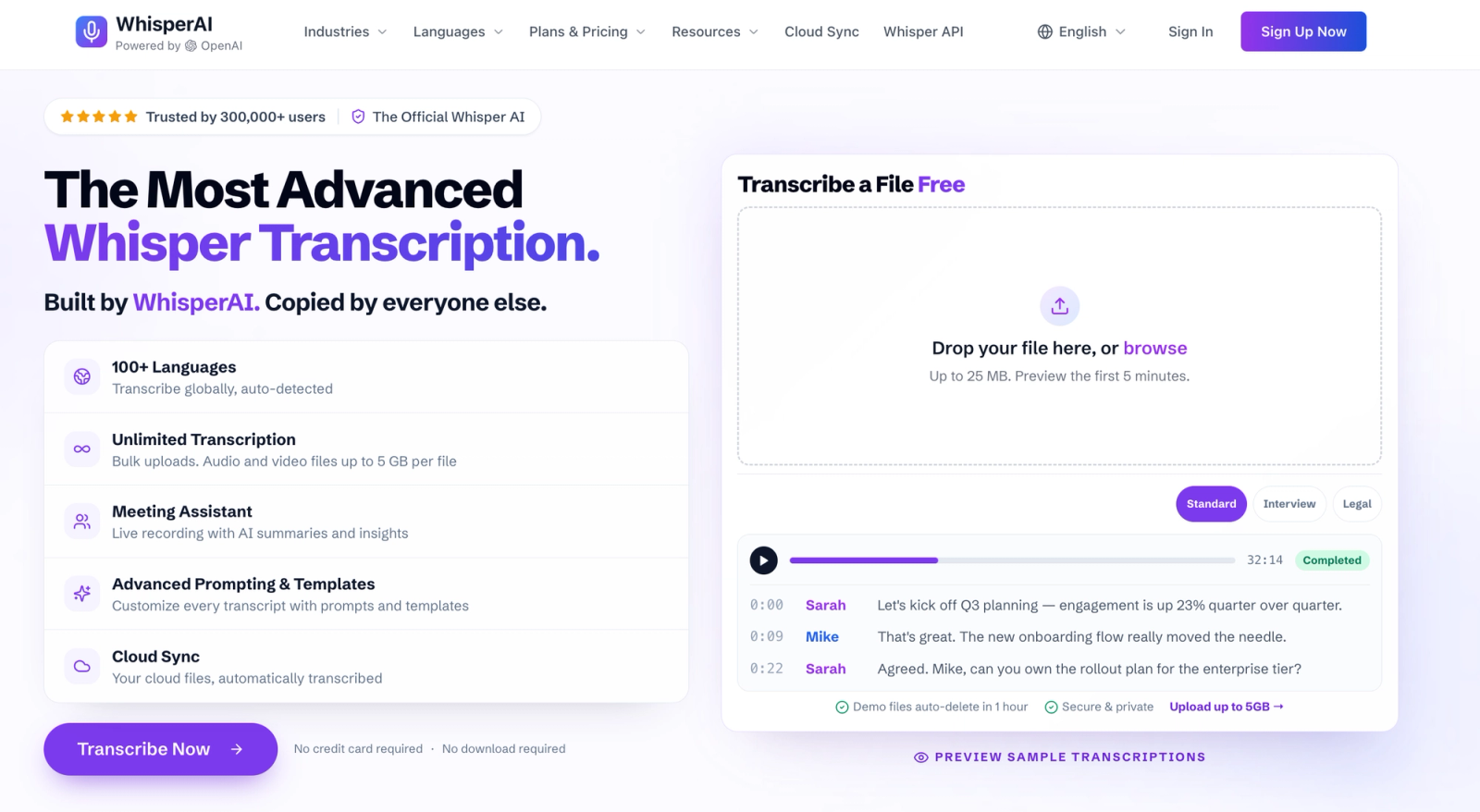
It's built for the volume case. You transcribe audio files in bulk: raw audio recordings and video files, multi-hour conference recordings, high-volume interview folders. Most transcription services meter that work with file size limits and monthly minute quotas.
WhisperAI takes a different approach. It addresses this by pairing a professional, consumer-facing workflow layer directly with the raw processing power of OpenAI's state-of-the-art Whisper recognition engine. This gives you a practical way to transcribe audio at volume, without configuring and managing the underlying engine yourself.
Where it stands out
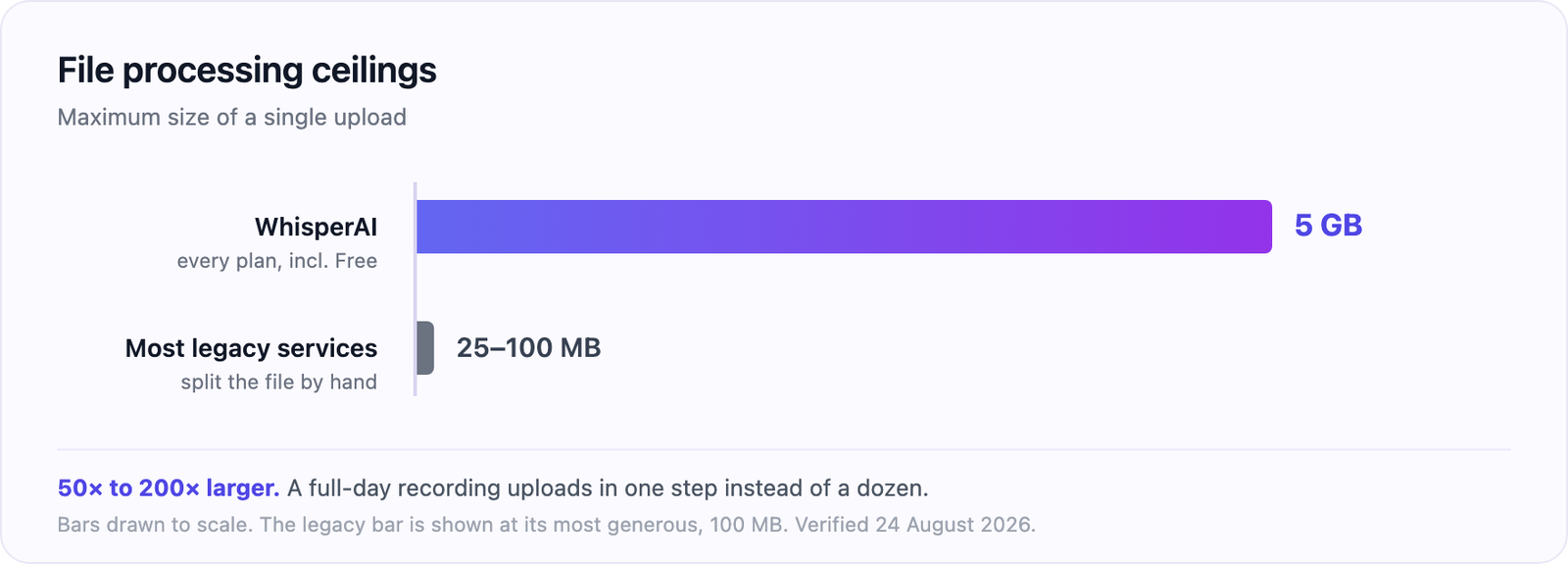
10 files at a time, 5 GB each: many services still cap your uploads between 25 MB and 100 MB, which means splitting your long audio recordings or videos by hand. Here that ceiling holds on every plan (free included, but capped at 5 mins.), so a full-day event track uploads in one step.
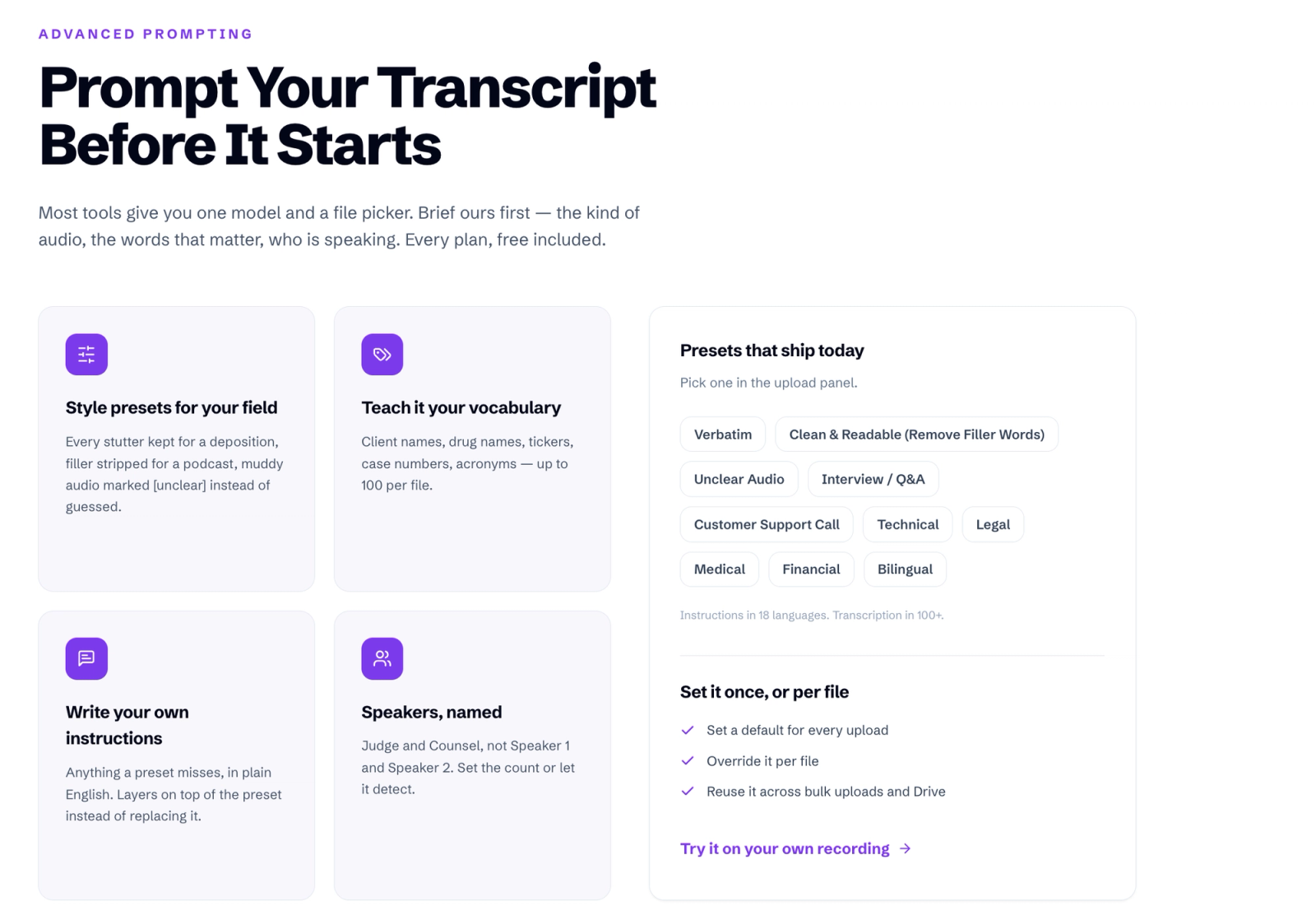
Advanced dynamic prompting: the presets are the start. On top of one, you add up to 100 custom terms per file for jargon, acronyms or client names, then free-text instructions in plain English in 18 languages.
A clear audio track from a studio and a four-person roundtable with background noise are different problems, and the preset is where you say which one you brought. Defaults are set once and overridden per file.
This is where AI transcription still struggles. Heavy background noise, thick accents, overlapping speakers and specialist jargon are the four things that push accuracy down, and they're the four things a preset and a custom term list exist to counter.
Most tools gate custom vocabulary behind an upgrade. Here it's on every plan.
Speaker labeling, or speaker diarization, is the model working out who said what and tagging each turn. It's tiered here: basic on free and Premium, full labeling from Business Pro up. That's the difference between a wall of text and a transcript you can follow when multiple speakers talk over each other.
Cloud Sync: connect your Google Drive folder, and new audio or video you drop into it is automatically transcribed with your default settings, then returned as PDF, DOCX, or SRT. It's the closest thing on this list to automated transcriptions with nothing left to click.
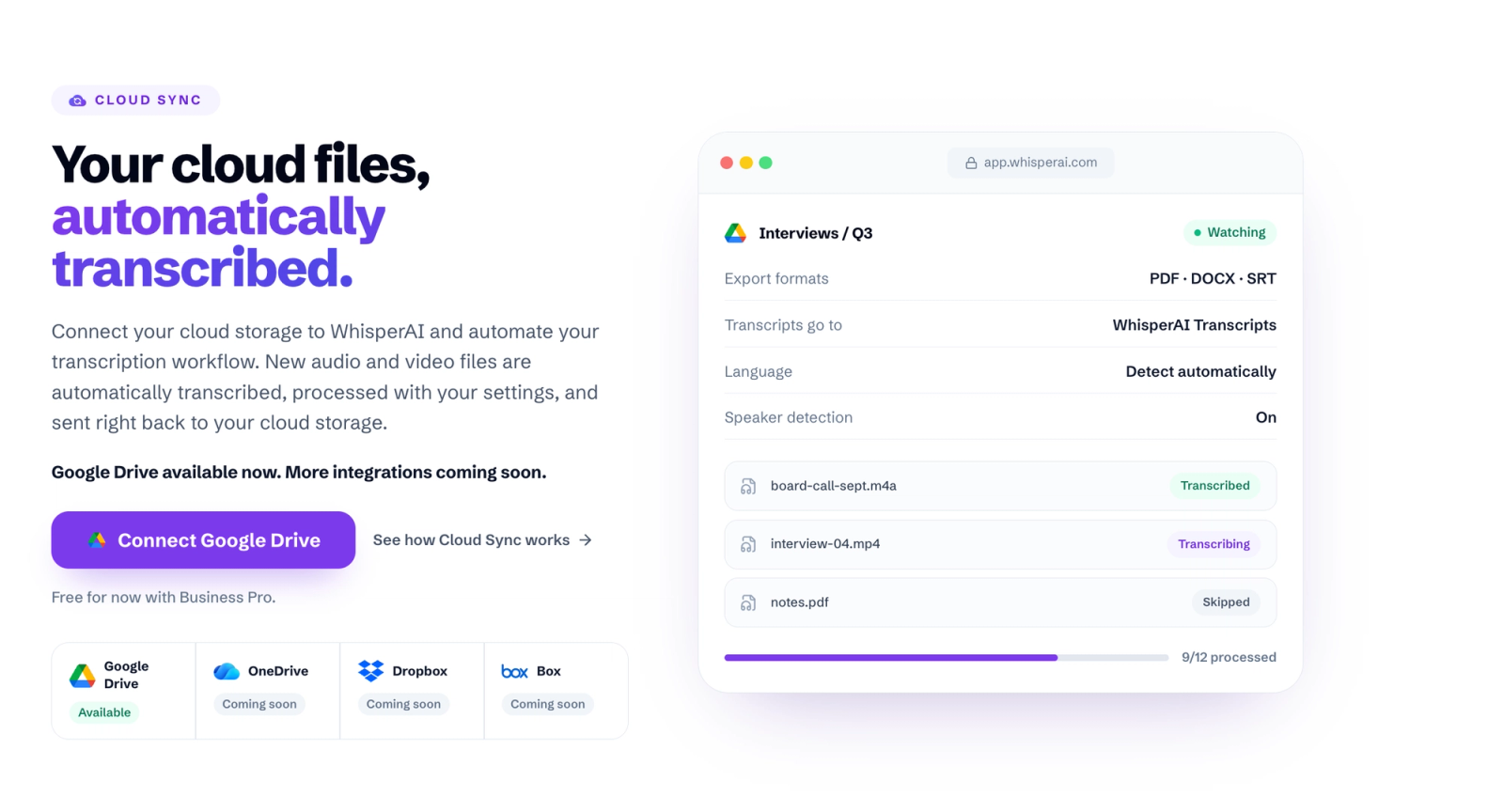
It's in beta, and it's a pro-tier feature. You can still import from Drive by hand on any plan.
No minute cap on Business Pro. Across review forums, the complaint you will see most is minute-cap anxiety. WhisperAI's Business Pro tier at $24.99/mo, or $199/y, removes the usage ceiling completely and becomes genuinely unlimited, with no caps or restrictions.
What sits around the transcript? The core features are on every plan: an editor with searchable transcripts, and export to PDF, DOCX, plain text, SRT, and CSV. DOCX opens in Word or Google Docs without a conversion step. A chat interface over your completed transcripts, AI summaries that highlight key points, and post-call analytics start at Business Pro. Premium's 120 monthly minutes now roll over, up to a 360-minute ceiling.
For anyone shortlisting the best AI transcription software for businesses, Enterprise runs $75 a month for five seats, then $15 a month per extra seat, and adds a shared team workspace with collaboration features. The Developer API tier adds API access with 10,000 pre-recorded minutes, plus both pre-recorded and real-time speech-to-text endpoints.
Runner-up:
Sonix is the closest head-to-head to WhisperAI. It calls itself the world's most accurate transcription software and sells the same job: self-serve upload, 99% claimed accuracy, translation into 55+ languages, a browser editor and multi-user permissions.
The catch is the meter. Sonix starts at $25 a month for 5 hours, then $10 for every hour past your cap and $25 a month per extra seat. Predictable for a steady archive, painful for the month three conferences land at once. It gets a full write-up under regulated industries below.
From here the guide works through the jobs where a specialist earns its premium. If none of them is yours, you already have your answer.
Best AI transcription for podcasters and video producers
If your output is a published episode or a finished video, you edit through the transcript to get to the cut. That changes which tool wins.
Descript (best for editing video by editing the text)
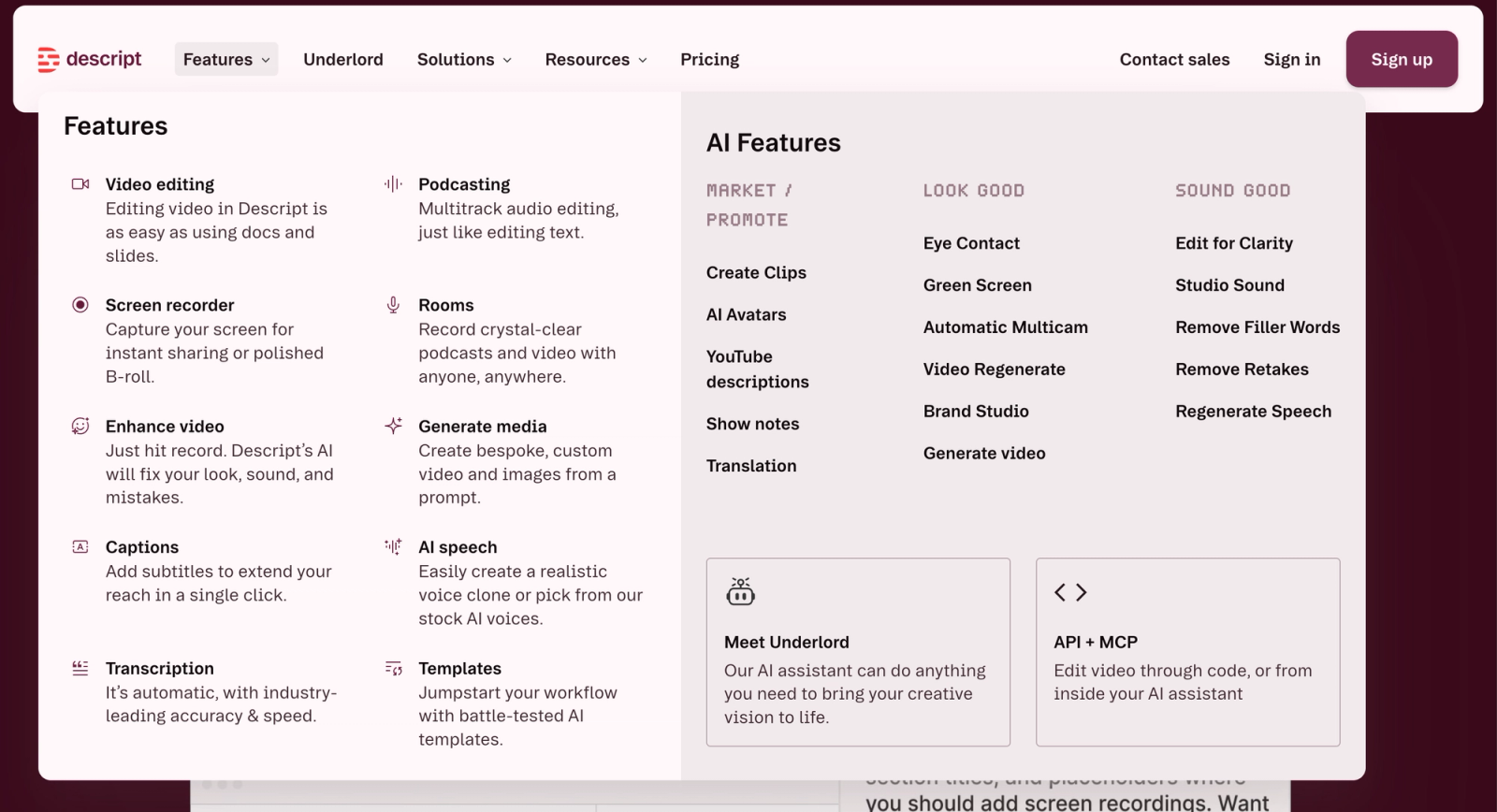
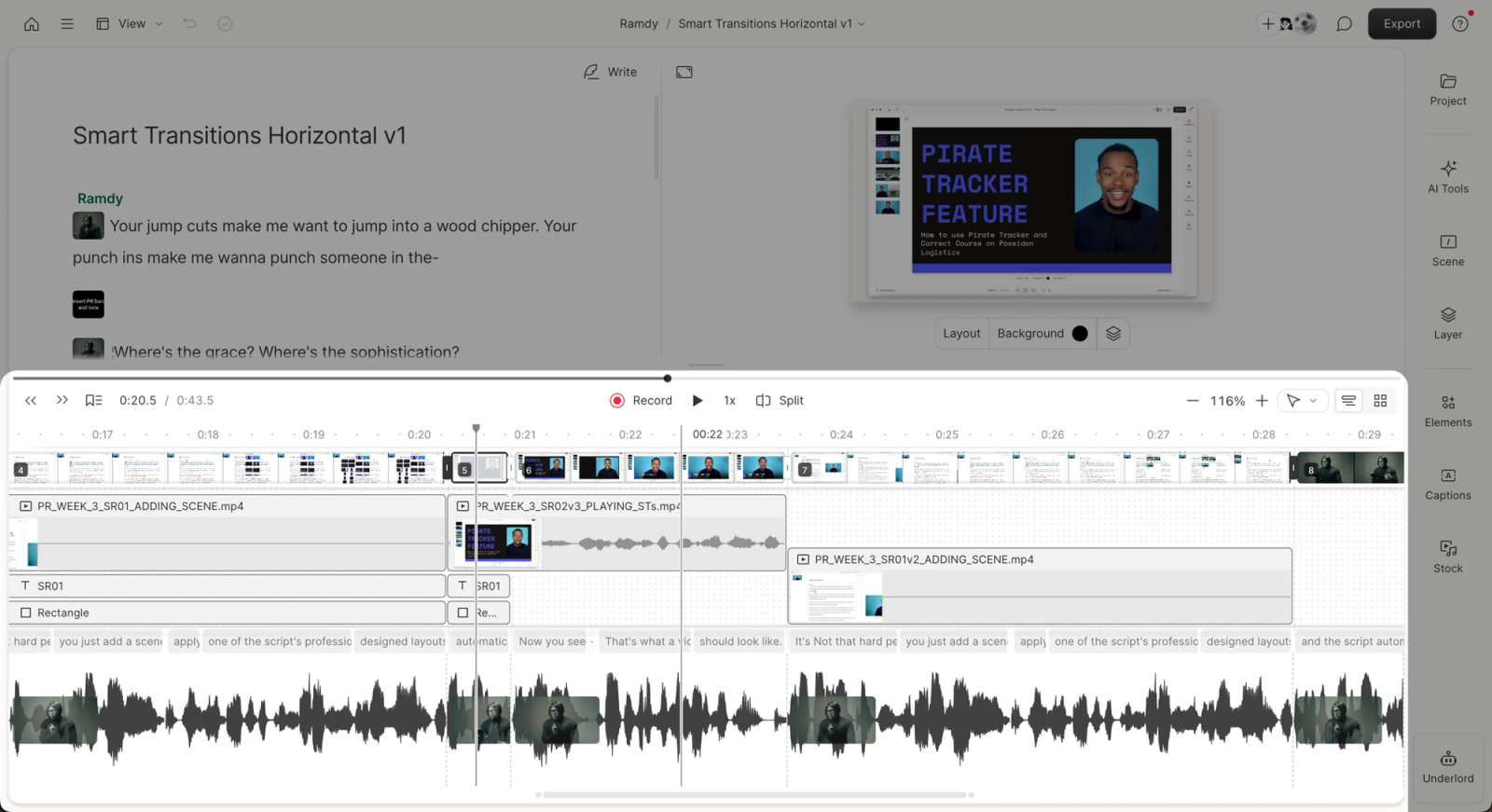
If your day-to-day work is podcast editing or video production, Descript is your pick for AI video transcription on this list. The transcript is the timeline. Delete a single word or a whole sentence in the text, and the footage goes with it. Filler word removal is one toggle.
The friction shows up when you try to use it for heavy professional work. While the software is a dream for beginners with little editing experience, full-time video editors find that the application regularly gets in the way of a professional workflow.
Paid customers report it stumbling on proper names, domain-specific vocabulary, and multi-speaker audio, which is most of what a professional team records. Manual correction eats back the time the editing saved.
(Source)
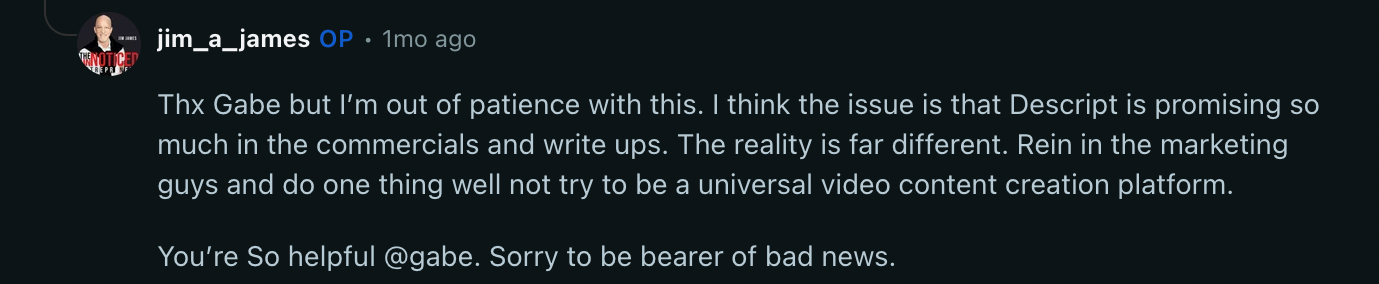
Reddit complaints in r/Descript (and outside) focus on stability and the credit system, and light users rate it noticeably higher than long-term power users do.
The deepest pain point highlighted by power users is the punishing "credit penalty" in their business model, because features like timeline rollbacks, AI-driven b-roll, or background music ducking rely entirely on your monthly allocation of AI credits. Every so often, a single prompt can burn through your entire allowance.
Then the AI makes an error. It picks a blurry 480p clip for b-roll, crashes an export, or renders your 9×16 vertical short as 16×9 horizontal. You are still charged credits to have it re-run and fix its own mistake.
Descript’s own support team has acknowledged the problem. Burning credits for the AI’s mistakes is, in their words, a jarring experience. They say they’re working on it.
(Source)
Where the money goes: pricing is per person and metered in media hours: $24/person/mo, or $16 annually, for 10 hours, up to 40 on business, with coverage beyond that. Bad shape for a bulk archive, fine for a weekly show.
If you're weighing it against WhisperAI, the split is clean. Descript wins if the transcript exists so you can cut the video. WhisperAI wins if the transcript is the deliverable: 5 GB files against Descript's metered media hours, and full speaker diarization from Business Pro.
The gap widens on subtitles. WhisperAI gives you control of the SRT itself, including characters per row, which is the setting that decides whether a caption reads cleanly or runs off the edge of a phone screen. It exports SRT for translations too, so a subtitled version in another language comes out of the same file.
Descript publishes up to 95% accuracy. On hard audio, the tool you can brief beforehand tends to beat the one you can't.
Runner-up: HappyScribe if you're making captions rather than cutting video, covered next.
HappyScribe (best for subtitles and localization)
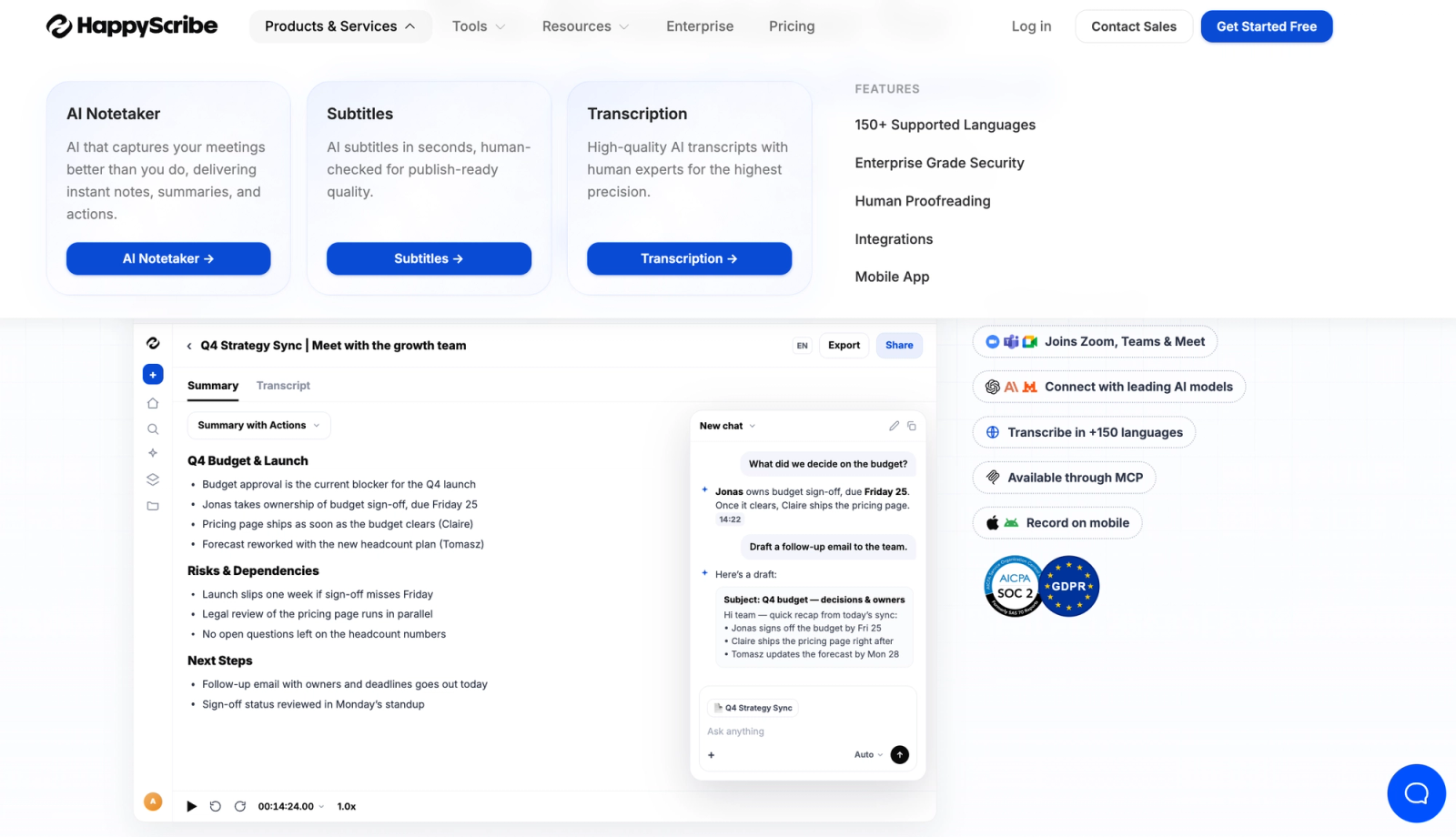
Buy HappyScribe when your goal is video transcription you can publish as subtitles. While other platforms treat subtitles as an afterthought (slapping a basic timeline at the bottom of a text editor), HappyScribe is built from the ground up around a timeline-aligned waveform editor.
Hardcoded open captions and timed .SRT and .VTT files for a web player come out clean.
One thing to know before you commit. HappyScribe now leads with an AI notetaker, and transcription is the third product in its own navigation. The subtitle editor is still there and still good. But for transcription, you're buying the third item on the company's list.
It's a fuller media toolkit than the subtitle framing suggests. There's a converter, compressor, trimmer, and joiner handling 50+ formats, so you're not bouncing files through a separate tool before upload.
There's an API, a mobile app on iOS and Android, and an AI notetaker that captures meetings with summaries and action items. On the plans that carry it, you can add human proofreading on top of the AI pass.
The downside: for high-volume archives, the subscription caps hold you back. The Basic tier ($17/mo) gives you 120 minutes of transcription a month, barely two hour-long podcasts. Pro ($29/mo) is 600 minutes, Business ($89/mo) caps at 6000.
Exceed those and you can't pay as you go. You buy additional credit packs or wait for the billing cycle to reset.
The death of pay-as-you-go
HappyScribe has phased out its popular pay-as-you-go starter tier for AI transcription. Now, you are steered into a recurring monthly or annual subscription.
If you only have a one-off project, you have to subscribe, run your files, and then remember to cancel your plan immediately so you aren't billed the next month.
Best AI transcription for journalists and newsrooms
Newsrooms buy into two things at once: getting quotes out fast enough to publish and being able to promise a source that the recording isn't sitting on somebody else's server. Most tools solve one and ignore the other.
Trint (best for newsroom workflows)
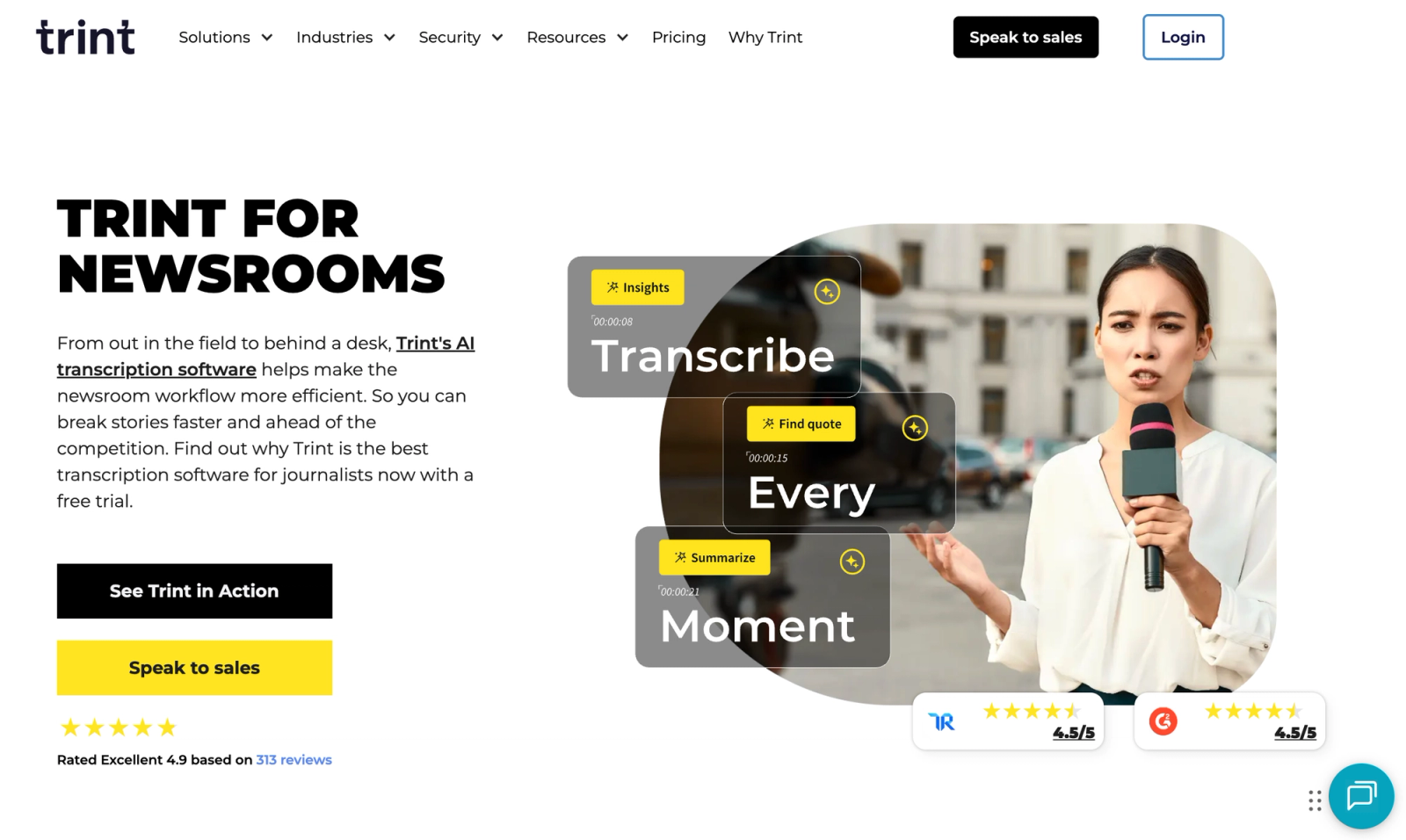
Let's address the elephant in the room first: Trint's pricing is going to hurt if you're paying out of your pocket. Starter runs between $52 and $80 a month, and that only covers a measly seven files.
What makes Trint worth paying for is the workflow. Trint is built around what you do after the interview. Story Builder lets you drag quotes from several transcripts into one coherent narrative. Verification Mode gives you audio playback from the exact point behind a quote, so you can check it against the recording before publication.
The company was founded by an Emmy-winning journalist, and independent testing puts real-world accuracy around 85–90% on clean English audio.
Two things to watch on the bill. One G2 reviewer says they were charged again after duplicating a transcript using Trint's own tools, a charge they say isn't mentioned in the terms. Heavy accounts can also be subject to a usage review, with no published threshold.
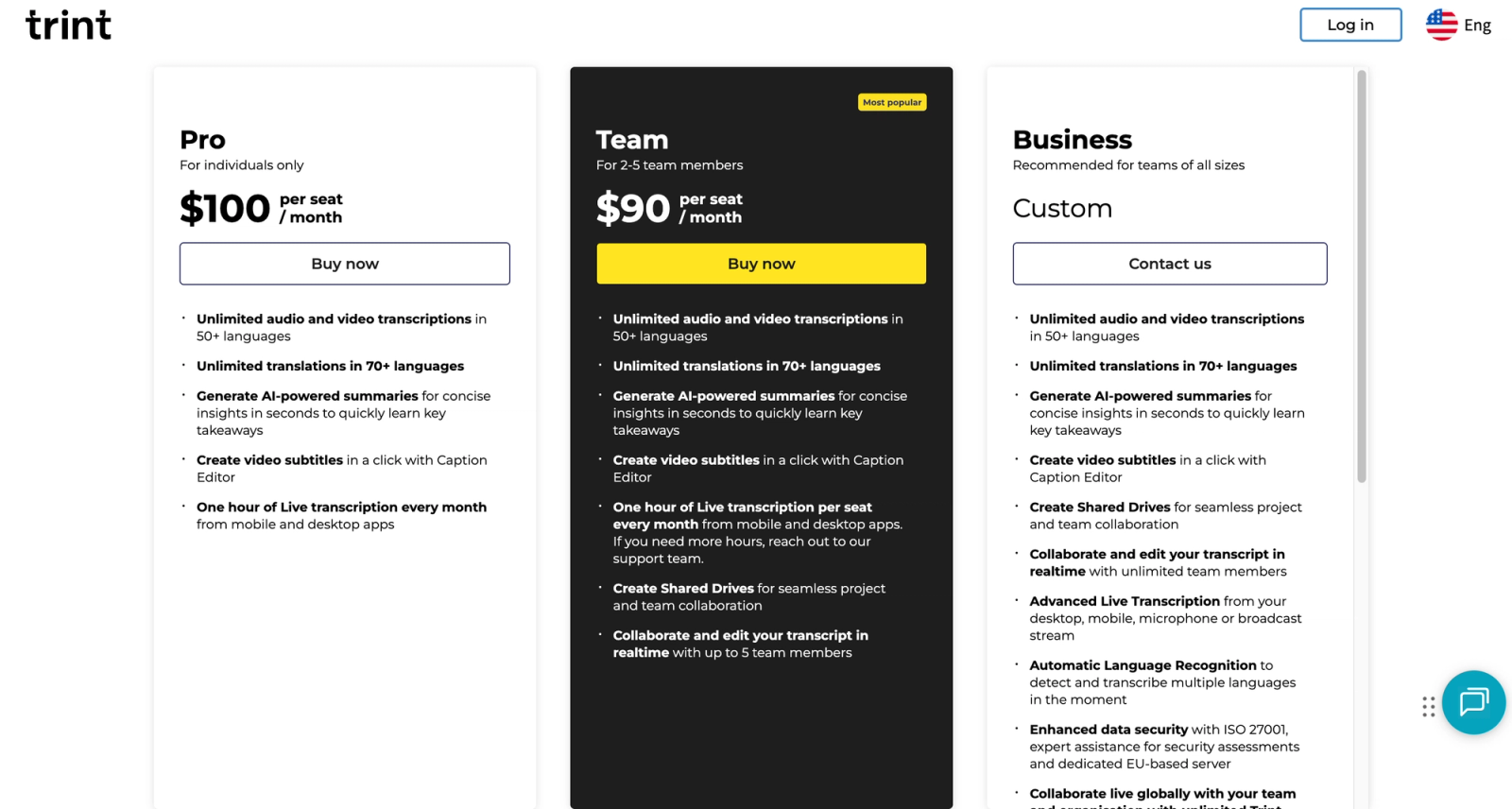
So if you work in a fast-paced newsroom and your employer is footing the bill, Trint is an absolute lifesaver. But if you're paying for it yourself, read the pricing page twice:)
That covers the publishing half of the job. The other half is what you promised the person you interviewed. Which leads us to…
Good Tape (best for interviews you promised to protect)
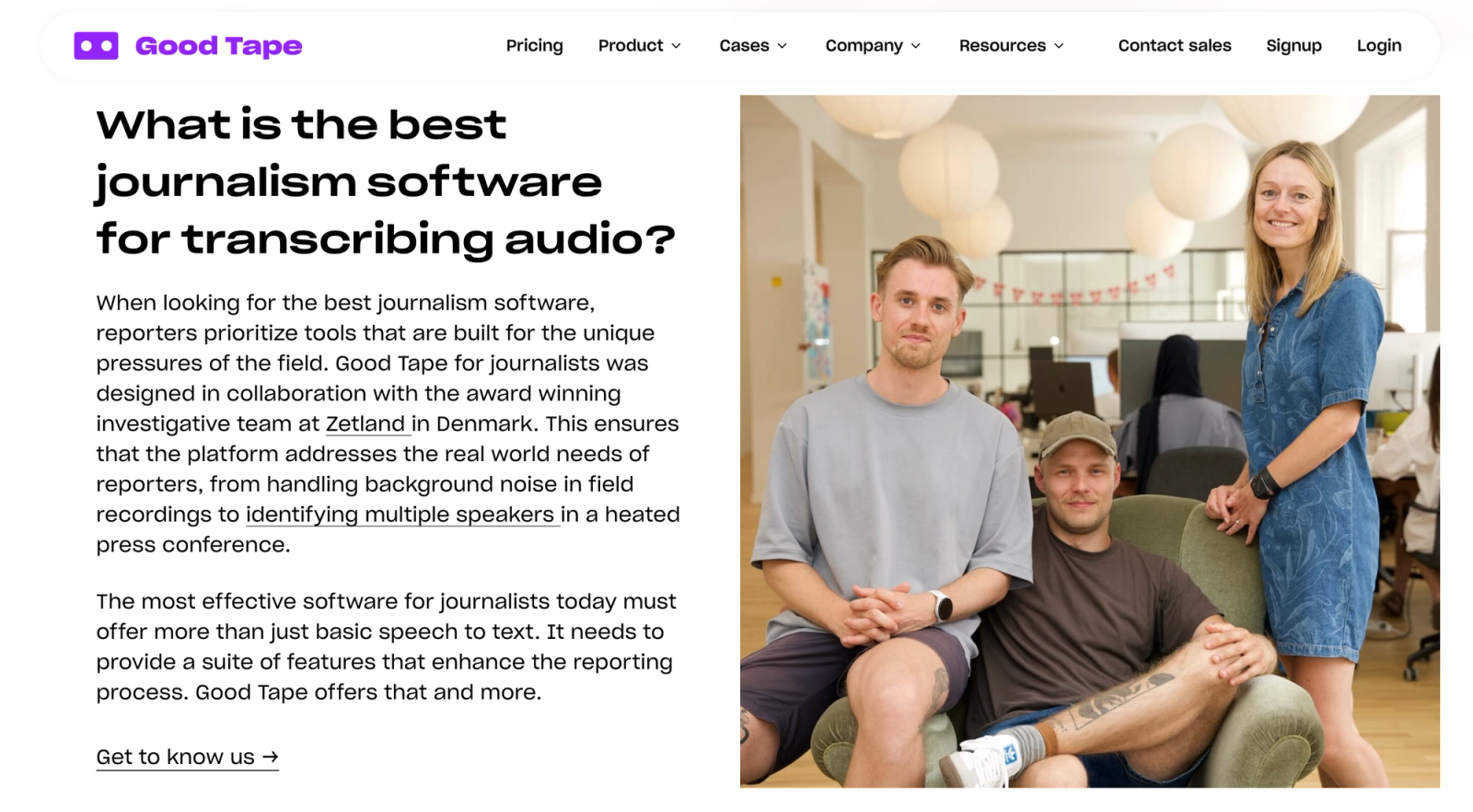
The evidence here is specific. Files are stored in the EU. Digging into their security documentation, the claims are backed by ISO 27001 certification and GDPR compliance, encrypted with AES-256 at rest and TLS 1.2 or 1.3 in transit.
It never trains models on your data, and recordings are deleted by default after transcription, so you have to opt in to keep them. Newsrooms can sign a DPA. That matters more than it sounds. If you've promised a source anonymity, "where is the file now?” is a question you need a real answer to.
The journalist workflow gets you speaker labels for a heated press conference, AI summaries, 100+ languages with accent flexibility for international correspondents, SRT export for broadcast, projects, and collections to organize a running story. You also get a recorder app for uploading straight from your phone in the field and an MCP connector.
Pro is €16/mo billed annually for 20 hours of transcription a month.
For teams, Good Tape for newsrooms adds shared workspaces for organizing transcripts across a desk. Their named case study is Zetland, a Danish digital newspaper running 30 to 35 journalists, which reports saving thousands of hours a year compared to manual transcription.
What I'd want to know first: newsroom pricing isn't published. Anything above ten people means talking to sales. They don't document SSO, SLAs, or admin permissions. That will matter if your IT department works from a checklist. And there's far less independent accuracy data than the bigger names have, so you're partly taking the accuracy claim on trust.
Best AI transcription for highly regulated industries
Medicine, legal, government, public sector, academia. Here a transcript is a record, not a convenience, and audio transcription AI tools get bought on different criteria entirely. This is the secure transcription software end of the market. And this is where the specialists earn their premium.
The questions that decide the purchase are all about custody. Where is the audio stored? Who can reach it? Does it train anybody's model? And what will the brand put in writing?
Legacy models hallucinate specialist vocabulary, so researchers historically spent hours scrubbing drug names, case citations, and scientific terms from a finished transcript. A tool that lets you load that vocabulary before the first pass saves more time here than raw accuracy does.
Where researchers get stuck
Institutional review boards and corporate legal teams now block any software that routes data into public models for training. Across r/professors and r/qualitativeresearch, that's the complaint that comes up again and again: tools sold on a subscription that doubles as a data-scraping arrangement.
An IRB will ask three questions. Where is the recording stored, how long is it kept, and how is it destroyed? The New York University library guide (evaluating AI tools for transcription in academic research) adds a fourth: a confidentiality agreement with any third-party processor. Newsrooms protecting sources ask exactly the same things.
Sonix (best for medical transcription)
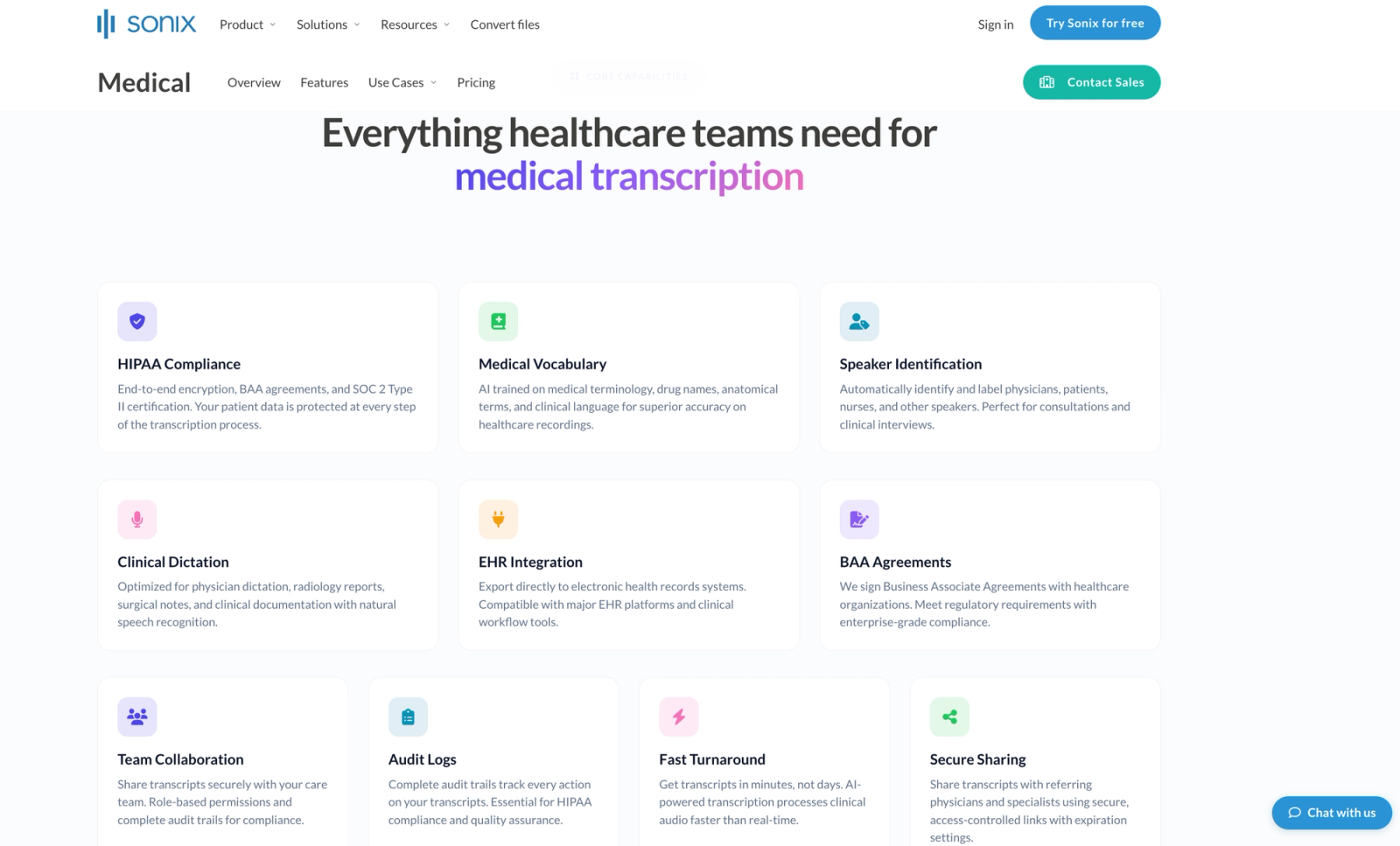
If you're transcribing clinical trials, patient interviews, or sensitive medical research, your hurdle isn't just getting the words right. It is keeping Protected Health Information secure enough that an ethics committee signs off.
Sonix.ai/medical is built to appease strict institutional review boards (IRBs). They back up their security with published SOC 2 Type II and HIPAA compliance, complete with two-factor authentication and detailed audit logs. Their granular permission matrix lets you safely share transcripts with named research assistants or external auditors without exposing your entire database, keeping your audio logs completely isolated.
The trade-off for this clinical-grade security is a strict pay-as-you-go metered billing model that will hurt if you have high-volume, non-sensitive audio to run.
Starts with a base subscription of $25/mo for 5 hours, scaling to $50/mo for 20 hours or $80/mo for 40 hours. Every single hour you transcribe beyond your plan's cap costs an additional $10/hour. Adding collaborators to your workspace will cost you an extra $25/month per seat.
If compliance is a requirement, the higher price can be easier to justify. If your audio isn't sensitive and you're just moving volume, the generalist is the cheaper answer and Sonix is the wrong bill.
Rev (best for investigative intelligence and legal transcription)
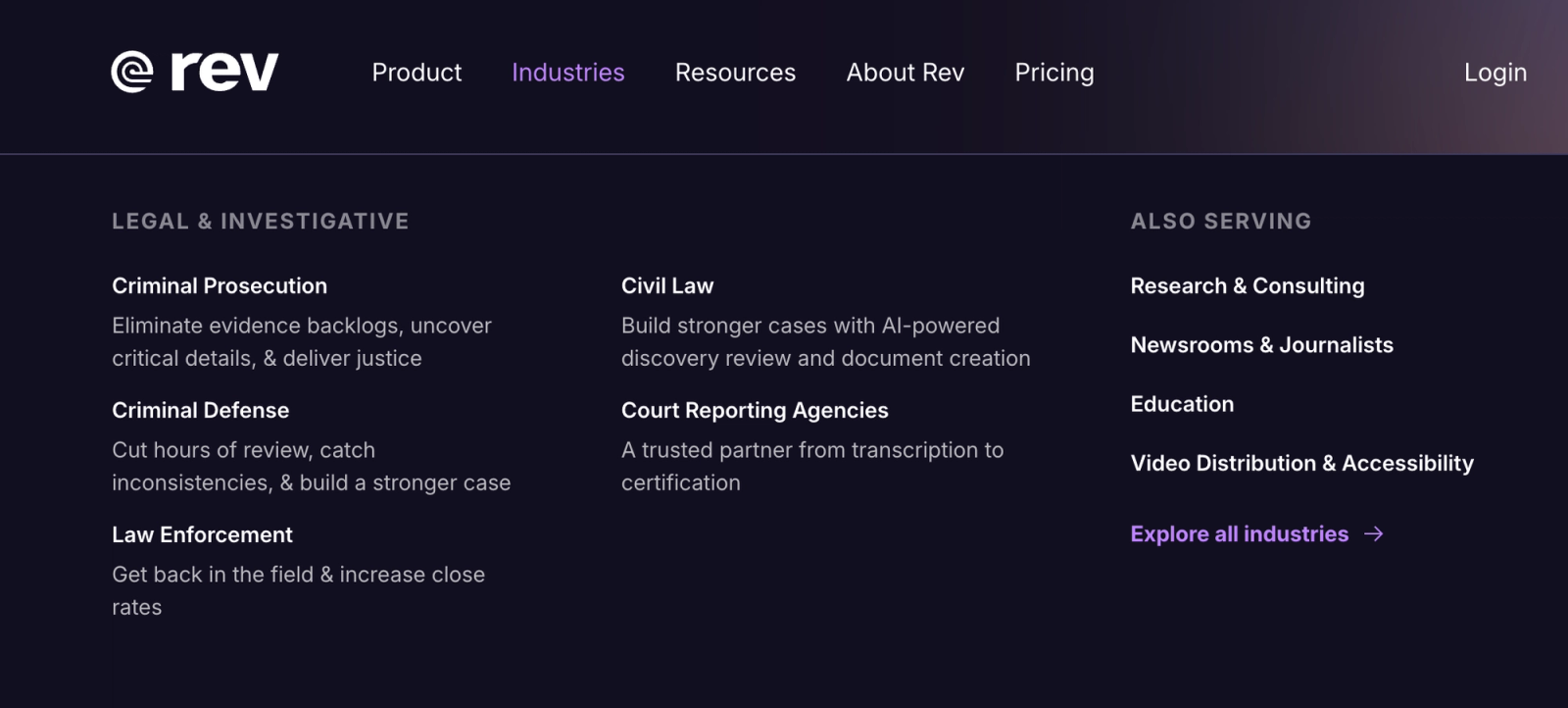
Rev has repositioned. Its homepage now leads with an investigative platform for evidence analysis, and human powered transcription sits behind that.
The human layer is still the reason to buy. Someone reads the machine passback. Human transcription starts at $1.99 a minute, quoted at 99%+ and highly accurate on dense audio, with a 12-hour turnaround, and a March 2026 reviewer singled out how it handled dense medical terminology.
For a deposition or a published quote, that's a different product from any AI-only tool here.
The compliance stack backs it up: SOC 2 Type II, SOC 3, CJIS for criminal justice data, PCI and GDPR. CJIS is the one that matters if you handle law enforcement material, and Rev is the only tool here carrying it.
Subscriptions start at $29.99/seat/mo, or $25.49 annually, with AI minutes bundled.
The complaint isn't the transcripts you get. It's getting out of the subscription. Billing and cancellation problems run through 2025 and 2026; one April 2026 reviewer couldn't cancel or reach anyone by phone, and Rev holds a D- rating with the Better Business Bureau (BBB) on unresolved complaints.
Some users also wonder whether the fastest human jobs were read by a human at all.
Runners-up
Verbit, covered next, also sells Legal Capture and Legal Visor straight to courtrooms and law firms. And where Rev buys you a human reading it back, Good Tape buys you custody, covered under newsrooms above.
For a lawyer who's the other half of the same concern. Privileged material sitting on a vendor's server is its own risk. Take Rev when the transcript has to stand up in court, and Good Tape when the recording itself must not leak before it gets there.
Verbit (best for universities and accessibility compliance)
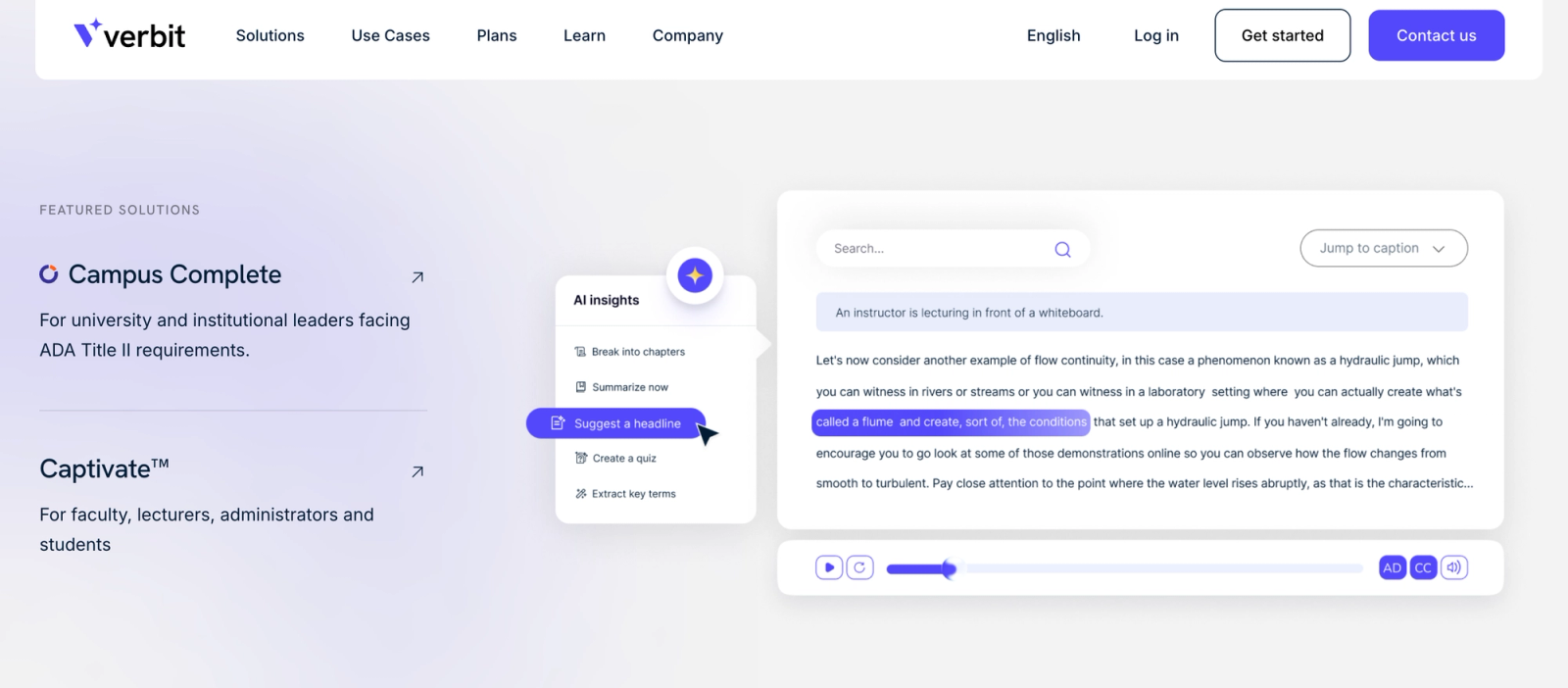
Most tools here treat a transcript as something you read, Verbit treats it as something a regulator checks.
The underlying job is access. A text transcript is how a deaf or hard-of-hearing student follows a lecture, and the accreditations below are the rules that make it mandatory instead of optional.
It holds ADA Title II, WCAG 2.1 AA and Section 508 alignment, plus CVAA, FCC and Ofcom accreditation, GDPR, AICPA and ISO 27001. Nothing else on this page publishes that set.
For universities the practical detail is the integrations. It plugs into Canvas, Blackboard, Anthology, Kaltura, Panopto, Brightspace, Moodle, D2L, Zoom and Microsoft Teams, so captioning attaches to the LMS you already run rather than becoming a parallel process. Named customers include San Francisco State University, Chatham University, and the University of Akron.
The service covers live captioning for lectures and hybrid classes, post-production captioning for recorded content, audio description, multi-language subtitling, dubbing, and note-taking. Its ASR is trained on educational material specifically, including STEM and graduate-level subjects, which is where general-purpose models tend to fall over.
Pricing starts at $24/month for 100 hours, split between live and post-production.
The catch: There's no free tier, so you can't test on your files before talking to sales. Turnaround times aren't published. The packages institutions actually buy, Campus Complete and the legal products, are quote-only. It's sold to organizations, not individuals.
Where WhisperAI fits for researchers, journalists, legal and medical teams
Most of the work in these fields doesn't need a certificate. It needs the controls the certificate stands for.
A journalist transcribing a source interview. A researcher coding twenty qualitative interviews. A lawyer reading through discovery, a clinician writing up case notes. The questions are the same four every time: where does the audio sit, who can reach it, does it train anybody's model, and what gets deleted when.
WhisperAI answers them directly. Audio is encrypted with TLS 1.3 in transit and AES-256 at rest, never used for training, and deletable from account settings at any time. The security page also carries an independent CASA AL1 validation, with the report published in full.
That covers all four an ethics committee asks. The fourth, a signed agreement with the processor, is answered by the DPA published on the same page. It carries the Standard Contractual Clauses and the UK Addendum for international transfers, CCPA service-provider terms, and a named sub-processor list.
The briefing layer does the rest. You load drug names, case citations, participant pseudonyms or scientific terminology before the first pass, rather than scrubbing them out afterwards. The legal preset and the medical preset are the same product, told different things.
Long recordings go up whole, so a day of fieldwork or a full deposition never gets split by hand. The same holds for lecturers and teachers: a two-hour seminar uploads in one piece and students get a readable transcript the same day. If it has to satisfy an accessibility requirement, you might take a look at Verbit.
Where you should still buy the specialist
WhisperAI holds no SOC 2, HIPAA or ISO certificate, and deletion on demand is not the same as zero retention by default. If your review board names a certificate, buy the specialist: Sonix for SOC 2 Type 2 and HIPAA, Verbit for ADA and Section 508 accreditation, Rev for CJIS and a human-verified transcript, or Good Tape for EU residency and a DPA.
That is the whole decision on this page. The generalist does the work. The specialists carry the paperwork, and the paperwork is worth paying for exactly when somebody is going to ask to see it.
Frequently asked questions on AI transcription software
Which AI is best for audio transcription?
For most jobs, WhisperAI. It's the best transcription AI for general use if you have bulk files and long recordings. You brief it on your vocabulary before it runs, so the same product handles a deposition, a clinical interview and a bilingual support call. The exceptions are the specialist cases in this guide. Any answer that doesn't ask what you're transcribing is guessing.
What is audio transcription?
Audio transcription is converting the spoken words in a recording into written text, with punctuation, paragraph breaks, and usually labels showing who said what. It used to be done by hand, at roughly four hours of typing per hour of audio. Software now does the first pass in minutes and leaves you the corrections.
How do you do audio transcription?
Upload your file to a transcription workspace and let it run. The best software for transcribing audio asks you something first, so tell it anything it can't guess: names, acronyms, technical terms. Then read the transcript against the audio and fix what it got wrong. On clean audio that's a few minutes. On a noisy four-person recording it isn't.
Can I use AI to transcribe audio?
Yes, and for most recordings it's now the default. Any voice to text transcription software works the same way. You upload a file, wait a few minutes, and export the result as a document, a plain text file or subtitles. Most tools handle MP3, MP4 and WAV, and the good ones let you correct the transcript against the audio afterwards.
Can ChatGPT auto transcribe?
It handles audio with real limits: file size and length caps, no speaker labels, no batch processing, no subtitle or document export. Fine for one short clip. Not the tool for an hour-long four-person meeting you need as an SRT file.
Is there a free AI audio transcriber available?
Yes, with a catch. Searches for “AI transcription free” and the best apps to transcribe audio mostly land on tiers that won't survive a real week of work. Most free tiers on this page are samples, ours included at 5 minutes a month.
The genuinely free and uncapped option is OpenAI's Whisper run on your own machine, which costs nothing and asks for a technical setup and a decent GPU in return.
What is the most accurate transcription software?
There's no useful answer without knowing what the audio sounds like. Accuracy depends more on your recording, the microphone, the accents, the crosstalk and the jargon, than on which leading tool you pick, and most now run comparable engines. Run your hardest file through two or three free tiers and trust that over any published percentage, including one of ours.
What is the best AI transcription software for low-latency audio?
None of them. Workspaces are built around finished files. If you need low latency, you're looking at a streaming API instead: our Developer API tier carries a real-time endpoint, and Gladia sells real-time at $0.75 an hour.
If you're building a conversational AI agent, that's the shelf to shop from.
Is WhisperAI HIPAA compliant?
WhisperAI does not publish HIPAA compliance, SOC 2 or ISO 27001. It encrypts at rest and in transit, never trains on your data, and deletes on demand, which is deletion when you ask, not zero retention by default. For healthcare audio that has to satisfy an auditor, Sonix publishes SOC 2 Type II and a HIPAA-compliant architecture, and that is the right buy.
Is it cheaper to self-host Whisper or use a managed service?
At small volumes, self-hosting wins. It's free. At scale the comparison stops being about the per-minute rate. A hundred thousand audio hours is six million minutes, which is roughly $20,000 on a committed managed rate, and self-hosting has no list price because the bill is GPU hours, engineer time, storage, and redundancy. Gladia, which sells hosted Whisper, calls the models "power-hungry giants" in its own docs.
Can I replace a meeting bot with file uploads?
Yes. For some teams that's the whole reason to. Meeting assistants work by sending a bot into the call, which appears in the participant list.
A workspace never joins anything: you record the call the way you already do, upload the file, and no third party shows up on screen. You give up the live summary and get the recording back as a document you control.
Will transcriptionists be replaced by AI?
For the easy work, largely already. Clean audio with two clear speakers is solved, and paying per minute for it is hard to justify.
What hasn't been replaced is judgement: legal records where a wrong word has consequences, medical terminology, heavy accents over crosstalk, and any transcript someone has to certify, which is why Rev still charges $1.99 a minute for human work and still has customers. The market split into cheap-and-instant and expensive-and-verified, and the middle mostly went.
What is the best AI transcription API?
For hosted Whisper with a workspace behind it, ours: 10,000 pre-recorded minutes for $99 a month, which works out at $0.0099 a minute, with speaker labels, word-level timestamps and both real-time and pre-recorded endpoints.
For a pure endpoint with enrichment built in, Gladia runs $0.61 an hour pay-as-you-go and as low as $0.20 committed. Deepgram is the other name you'll see in this comparison and sells a cheaper raw endpoint. Pick on what you need around the transcript, and treat the per-minute rate as a tiebreak.
WhisperAI Team
Product