What Is Wispr Flow? How It Works, Pricing, Safety and Limits
Wispr Flow is an AI voice dictation app that turns speech into polished text. Explore how it works, its 2026 pricing, privacy and security, key limitations, and how it compares with WhisperAI to find the right tool for your needs.
Wispr Flow is an AI voice dictation app that turns what you say into cleaned-up text wherever you write. You might have searched for it as "Whisper Flow" or "Wisper Flow". It's the same app, and it isn't WhisperAI.
The names are close enough that people mix up the two products all the time, and our founder has talked about it publicly. Picking the wrong one means paying for a tool that does a different job. This guide covers how Flow works, what it costs, how safe it is, where its limits show up, and when WhisperAI is the tool you actually need.
The short version: if you want to talk and have text appear in your desktop apps, you want Wispr Flow. If you have a recording, a lecture, an interview or a meeting you need as text, that's what WhisperAI does. You can use either one for the two jobs they share: dictating into web pages (WhisperAI's Chrome extension) and recording a live meeting without a bot (Flow's Notetaker, or WhisperAI's Meeting Assistant in the browser).
What is Wispr Flow?
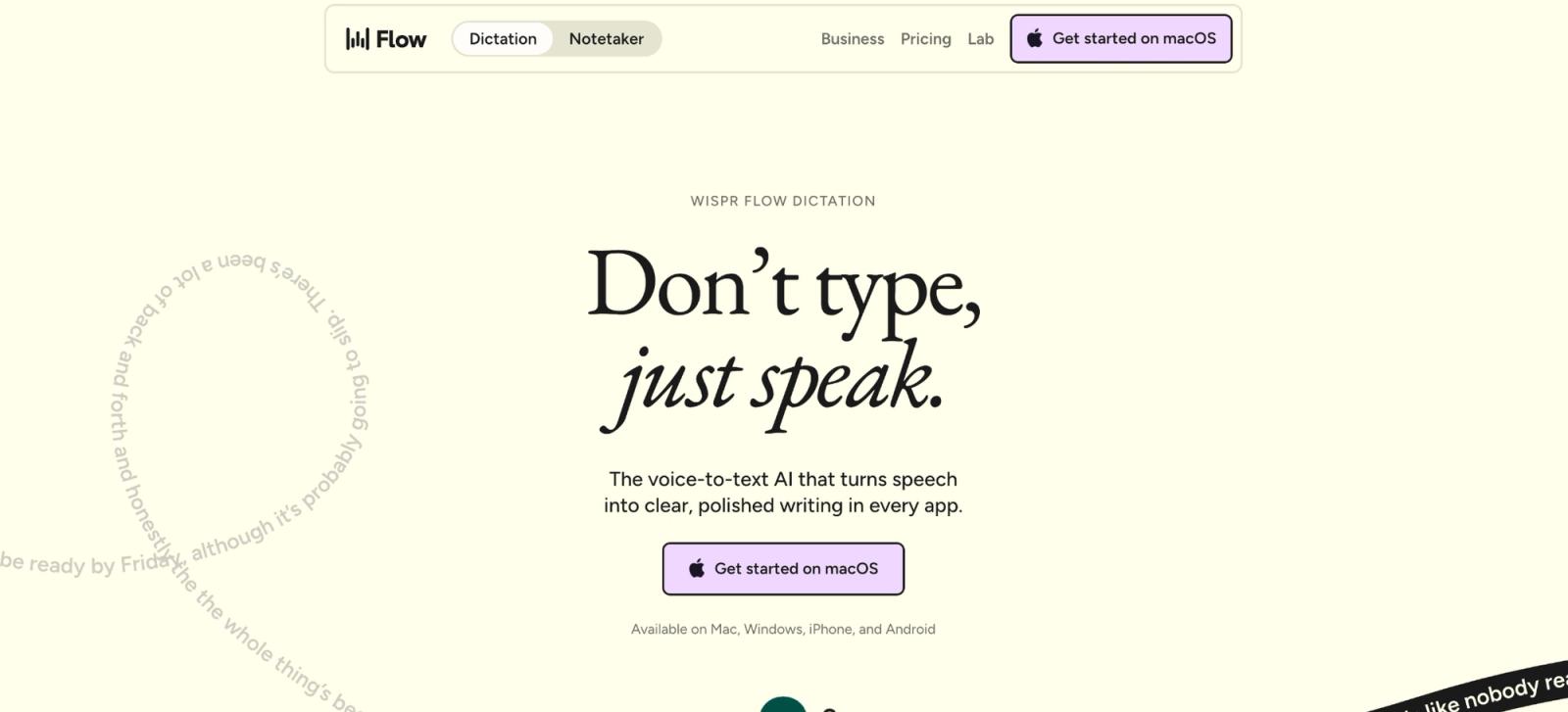
Wispr Flow started as system-wide dictation. Put your cursor in a text field, speak naturally, and Flow sends the audio to the cloud, transcribes it, cleans up the wording, and inserts the finished text.
Speech-to-text itself isn't hard to find. Apple, Windows, Google Docs, and most phones already have it. Flow's pitch is less editing after you speak, with the same voice tool on Mac, Windows, iPhone, and Android.
In August 2026, Wispr added Flow Notetaker, its first product beyond dictation. Notetaker arrived on Windows on September 15.
There are three names worth separating before going further:
- Wispr Flow is Wispr AI's dictation and meeting-notes product.
- WhisperAI is our transcription workspace for recordings, browser dictation, and live meeting capture.
- OpenAI Whisper is OpenAI's open-source speech-recognition model.
Is Wispr Flow made by OpenAI?
No. Wispr Flow is made by Wispr AI, a separate company. The confusion comes from OpenAI's speech-recognition model, which is called Whisper. Wispr Flow runs dictation on Canto, a speech model Wispr built itself and rolled out in September 2026.
Is Wispr Flow the same as WhisperAI?
No. WhisperAI is a separate company, not affiliated with Wispr AI or OpenAI, and the two products do different jobs.
| Name | What you'd use it for | Company |
|---|---|---|
| Wispr Flow | An AI dictation app that turns what you say into text across Mac, Windows, iPhone, and Android, plus a meeting Notetaker on Mac and Windows | Wispr AI |
| WhisperAI | An AI transcription app for pre-recorded audio and video files you already have and live recordings, with an iPhone and iPad app, a browser-based Meeting Assistant, and a Chrome extension for dictating into web pages | WhisperAI Technology Inc. |
| OpenAI Whisper | An open-source speech-recognition model developers can run or build into other software | OpenAI |
The two products (Wispr Flow & WhisperAI) overlap in two places.
The first is browser dictation. The WhisperAI Chrome extension types into Gmail, Docs, Slack, Notion, CRMs, and other text fields in Chrome. It comes with paid WhisperAI plans, and dictation doesn't use your transcription minutes. It works inside the browser only, so if you're comparing the best AI dictation software, the key difference is where you can use it.
The second is meetings, and here the two products work differently.
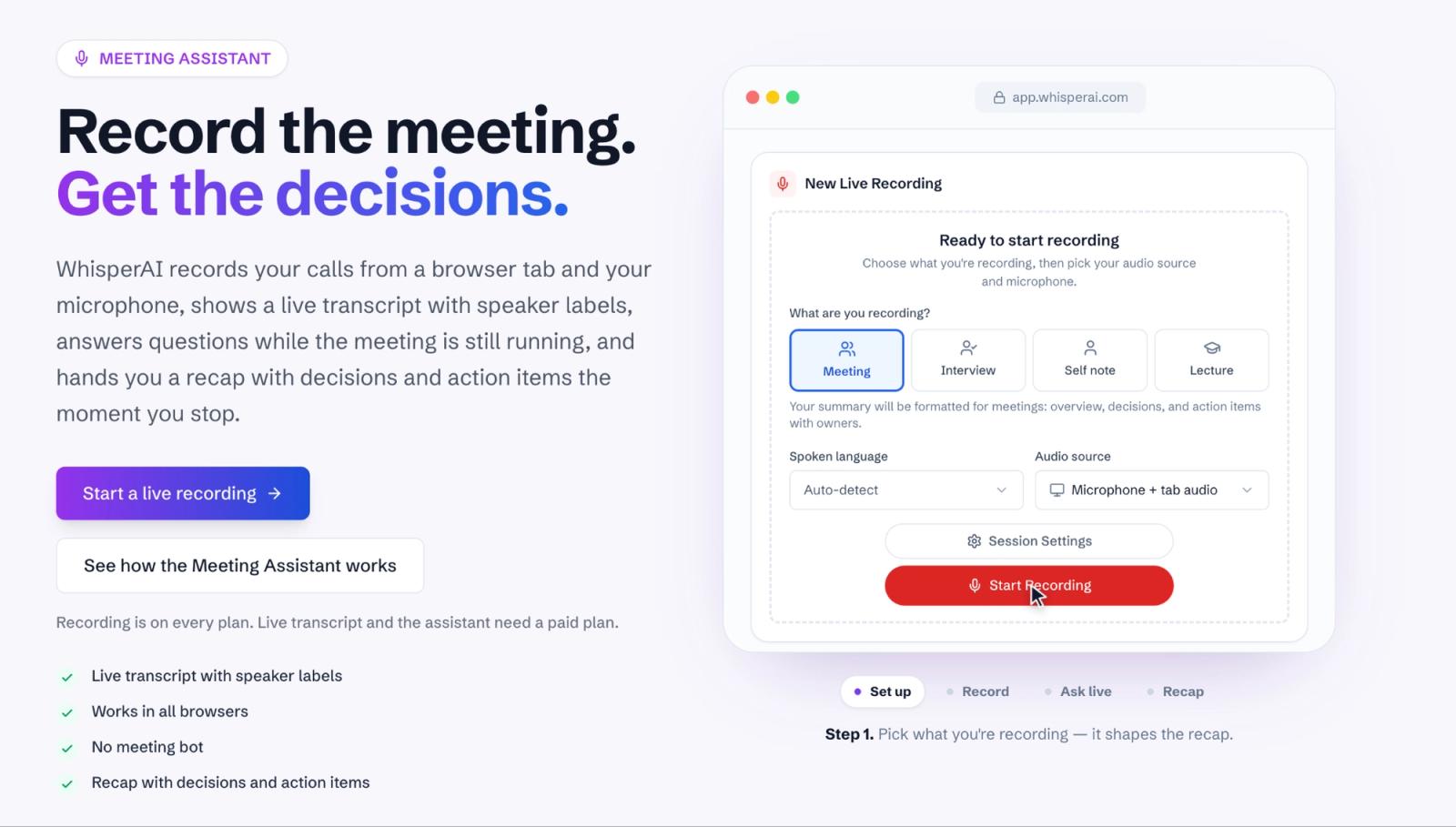
WhisperAI’s Meeting Assistant records in your browser. Share the tab your meeting is in, and it captures the call audio and your microphone. No bot joins the call, so nobody sees an extra participant.
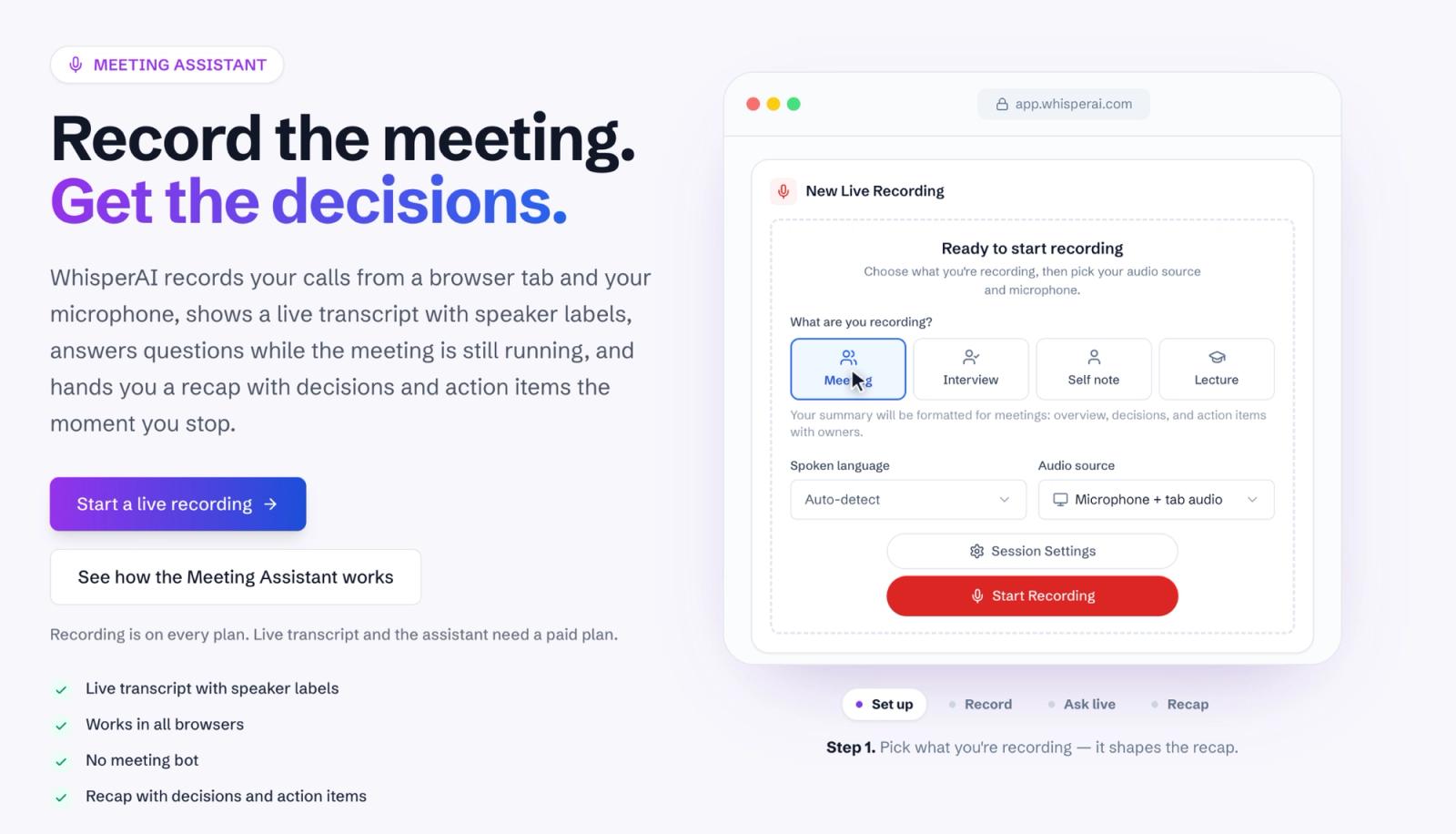
Before you start, you choose what you’re recording: a meeting, an interview, a self note or a lecture. That choice shapes the recap you get at the end. You can add names and jargon so they’re spelled right, and one session can run for up to 12 hours.
The GIF below shows the full flow from setup to recap.
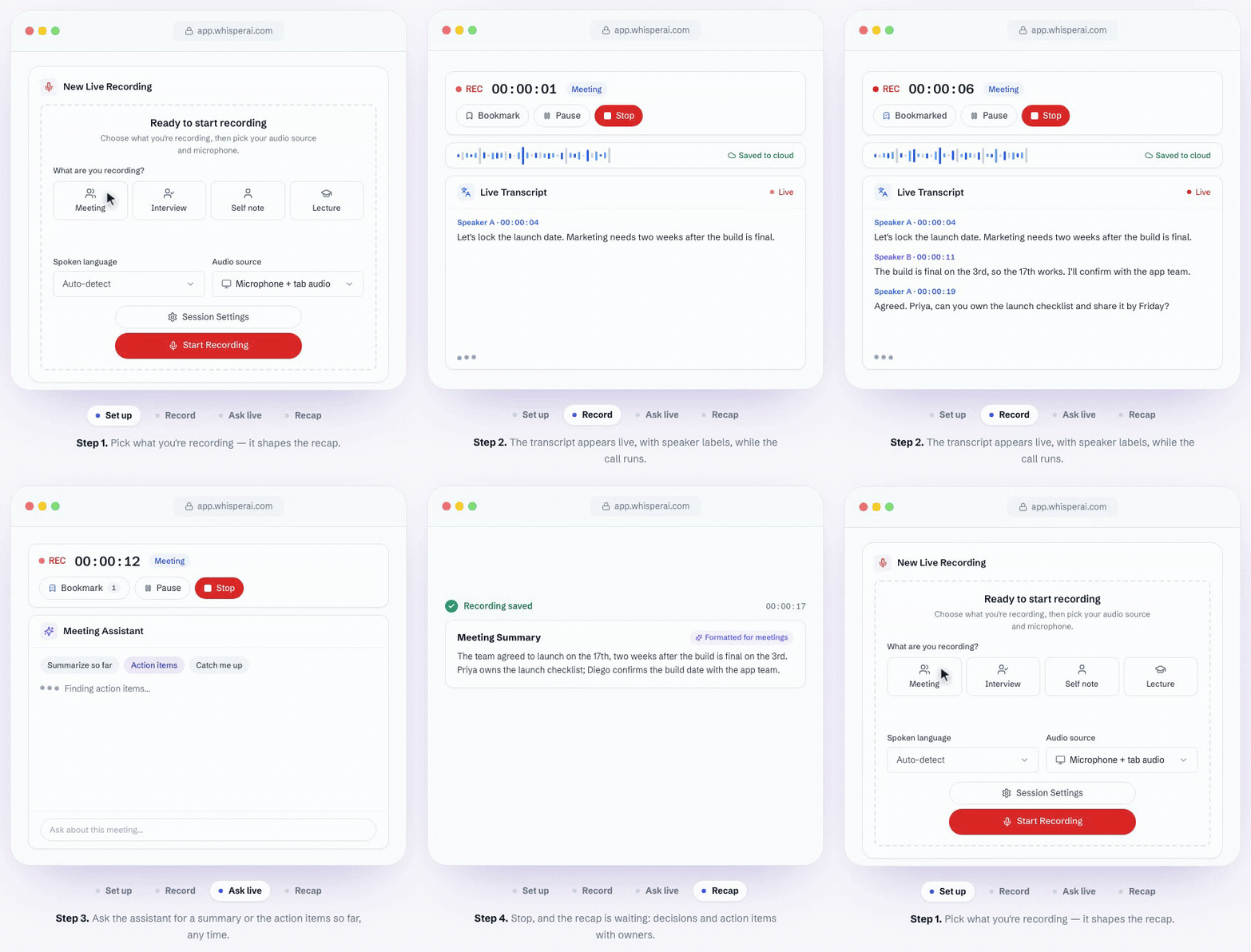
What you get depends on your plan:
- Free plan (5 min): record the session and get the full transcript when you stop
- Premium and above: a live transcript with speaker labels, live translation, and an assistant you can ask to summarize the meeting so far, list the action items, or catch you up if you stepped away
- Business Pro and above: a written recap when you stop, with the key decisions and action items with owners
One more distinction worth knowing: on a Mac, WhisperAI can record meetings that run in the browser, such as Google Meet or the Zoom and Teams web apps. It can’t capture the Zoom or Teams desktop apps. Wispr’s Notetaker records desktop apps on Mac and Windows.
And if the conversation already happened and is sitting in a recording, the answer changes. That's where AI transcription software becomes more relevant than a dictation tool.
How do I use Wispr Flow?
Flow's basic workflow takes five steps:
- Install Wispr Flow on Mac, Windows, iPhone, or Android and give it the permissions it needs.
- Click into the place where you want text: an email, document, message, prompt, or other text field.
- Start dictation. The default is Fn on Mac and Ctrl + Win on Windows. On iPhone, switch to the Flow keyboard and tap its microphone. On Android, keep your own keyboard and use the floating Flow Bubble.
- Speak naturally, including pauses and corrections.
- Stop dictation and wait for Flow to insert the cleaned-up text.
On iPhone, you switch to the Flow keyboard and tap its microphone to dictate. On Android, you keep your existing keyboard and use the floating Flow Bubble over supported text fields. Android also requires Overlay and Accessibility permissions so Flow can place text into other apps.
That's the mechanical explanation. The more useful one is this:
Your first few dictations tell you whether the technology impresses you. Your next fifty tell you whether voice actually fits your life.
Typing has one advantage voice software can never remove: it's silent.
You can type on a train, beside a sleeping partner, in a quiet office, during a lecture, or with coworkers sitting three feet away. Dictation asks whether you're comfortable speaking there.
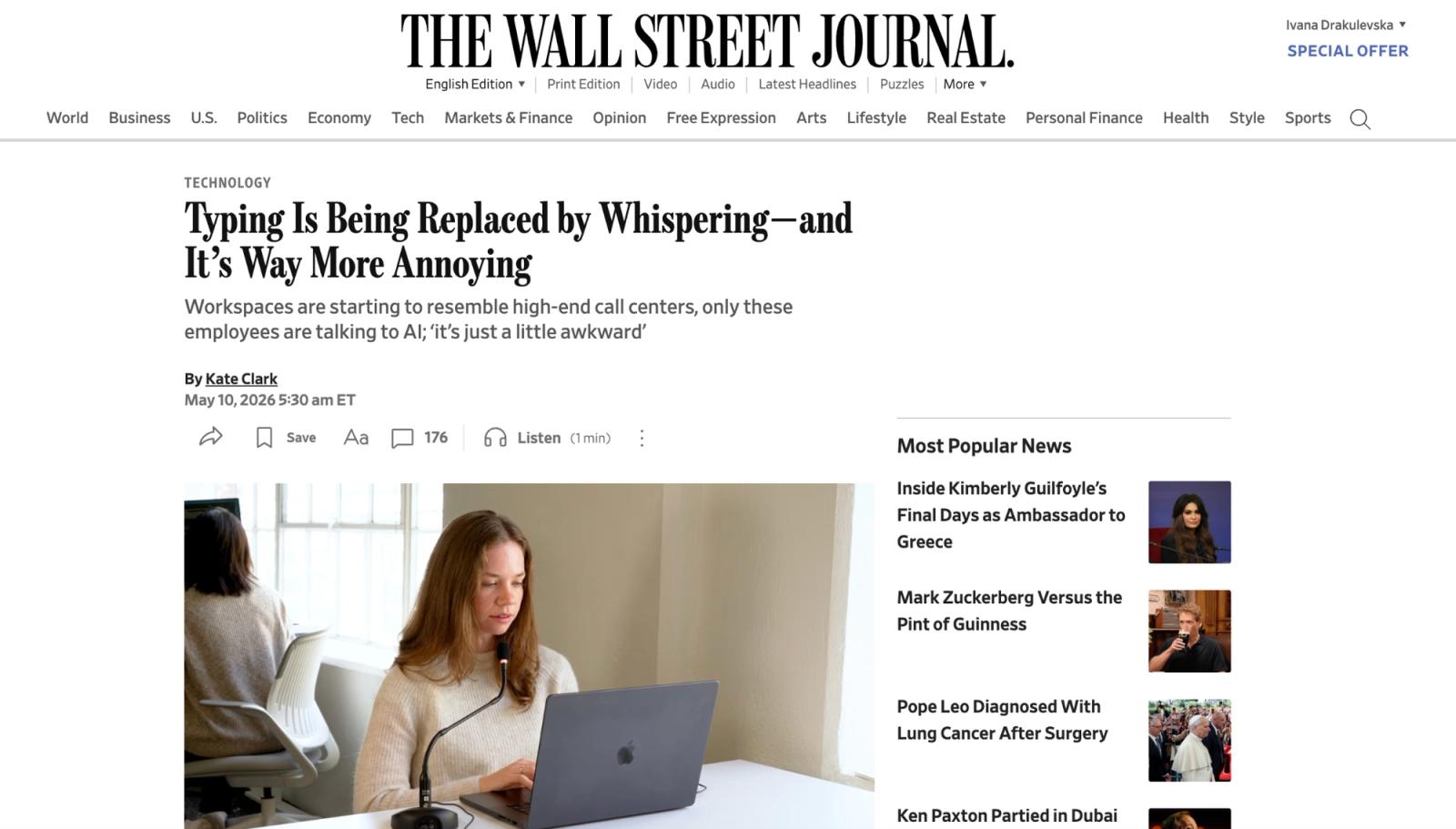
The Wall Street Journal documented exactly this tension as Wispr adoption grew. People loved the productivity gain but found themselves whispering around coworkers and family, sometimes moving rooms to keep using it. Wispr itself publishes advice for whispering in open offices.
So don't estimate how much typing Flow could replace.
Look at your normal week and ask how much of your writing happens somewhere you're happy to talk.
How long can Wispr Flow record?
Current Wispr documentation gives desktop dictation a 20-minute limit on Mac and Windows. You get a warning near 19 minutes, then Flow stops and processes what you've said. Android and iPhone dictations top out at about five minutes per session.
Notetaker has separate limits. Its default maximum meeting length is two hours, with 30-minute, one-hour, two-hour, and three-hour settings available.
A two-hour interview you recorded yesterday needs a file-transcription tool instead. WhisperAI accepts audio and video files up to 5 GB, and its Meeting Assistant can record for up to 12 hours in one session.
What is Wispr Flow actually good for?
The people most likely to get value from Flow write often, think well out loud, and spend enough time in environments where speaking is practical.
The feature list matters less once you translate each feature into the editing it removes:
| Feature | What it changes | Worth knowing |
|---|---|---|
| System-wide dictation | Puts spoken text into almost any text field | Mac, Windows, iPhone, Android |
| Context Awareness | Uses nearby text and app context to improve formatting and proper nouns | On by default; privacy controls vary by platform |
| Dictionary | Remembers names, products, acronyms, and jargon | Useful when ordinary dictation repeatedly misspells the same terms |
| Snippets | Inserts saved text from a spoken cue | Included on Free |
| Styles | Changes writing style by context | Style behavior has language/platform limits |
| 100+ languages | Detects one language per dictation | Switching languages inside one sentence is less predictable |
| Command Mode | Edits or rewrites text from a spoken instruction | Desktop, paid/trial access |
| Notetaker | Records live meetings and produces transcripts and summaries | Mac and Windows |
Wispr says Flow is 4x faster than typing, comparing 220 words per minute with 45. That's Wispr's own benchmark, not what everyone will get.
Speed tests also miss something. Flow doesn't always return a literal transcript of what you said, because its cleanup rewrites as it goes.

That matters in practice. In a post on the r/WisprFlow subreddit, one user reported that the app had started adding words they hadn't said, turning a feature meant to clean up dictation into something that needed more proofreading.
For casual messages, that may be a minor nuisance. For names, numbers, legal wording, quotations, technical terms, URLs, code, or mixed-language speech, it deserves more scrutiny.
Flow also doesn't run everywhere. Wispr supports Mac, x64 Windows 10/11, iPhone, and Android, but not iPad, Linux, Chromebook, or Windows on ARM. If one of those is your main device, WhisperAI works in any browser for transcription and meeting recording, and its iOS app runs on iPad.
Can Wispr Flow transcribe audio files?

No.
Wispr's current help documentation says you can't upload, attach, or import an existing audio or video file for transcription.
That means an MP3 from an interview, yesterday's Voice Memo, a recorded lecture, a podcast episode, or a video file cannot be dropped into Flow and transcribed after the fact.
There is a small wrinkle worth knowing. Notetaker can import text transcript exports from products such as Otter and Granola. It still isn't ingesting the original recording and transcribing it.
An older Wispr blog post said students could upload audio files for transcription. The current help center was written specifically to answer the upload question and gives the opposite answer, so that's the source I'd trust for the product as it works now.
This boundary is where WhisperAI becomes relevant.
WhisperAI accepts existing audio and video files up to 5 GB, supports 100+ prerecorded languages, adds speaker labels, and exports formats including PDF, DOCX, TXT, SRT, and VTT. You can also tell it how to transcribe. Pick a style such as Verbatim, Interview, or Technical, and add up to 100 names or terms per file, so client names and jargon come out spelled right. That works on every plan, free included.
If you already have the recording, you're solving a transcription problem.
Got a recording Wispr Flow won't open? Transcribe audio to text with WhisperAI, your first five minutes are free.
Can Wispr Flow record meetings?
Yes. Wispr Flow’s Notetaker records meetings on Mac and Windows without a bot, capturing your microphone and system audio. That puts it in the same category as AI note takers and meeting assistants, although Flow takes a different approach to recording and transcription.
Notetaker supports 22 languages, while regular Flow dictation supports 100+.
If your internet drops, Notetaker keeps recording locally and uploads the recording when you reconnect. Because there's no bot, Notetaker doesn't notify participants or ask for consent. That's up to you.
Mobile is the larger gap. Wispr lists Notetaker recording as Mac and Windows only. On iPhone, you can view meetings recorded on desktop and see upcoming calendar meetings.
WhisperAI covers that job differently
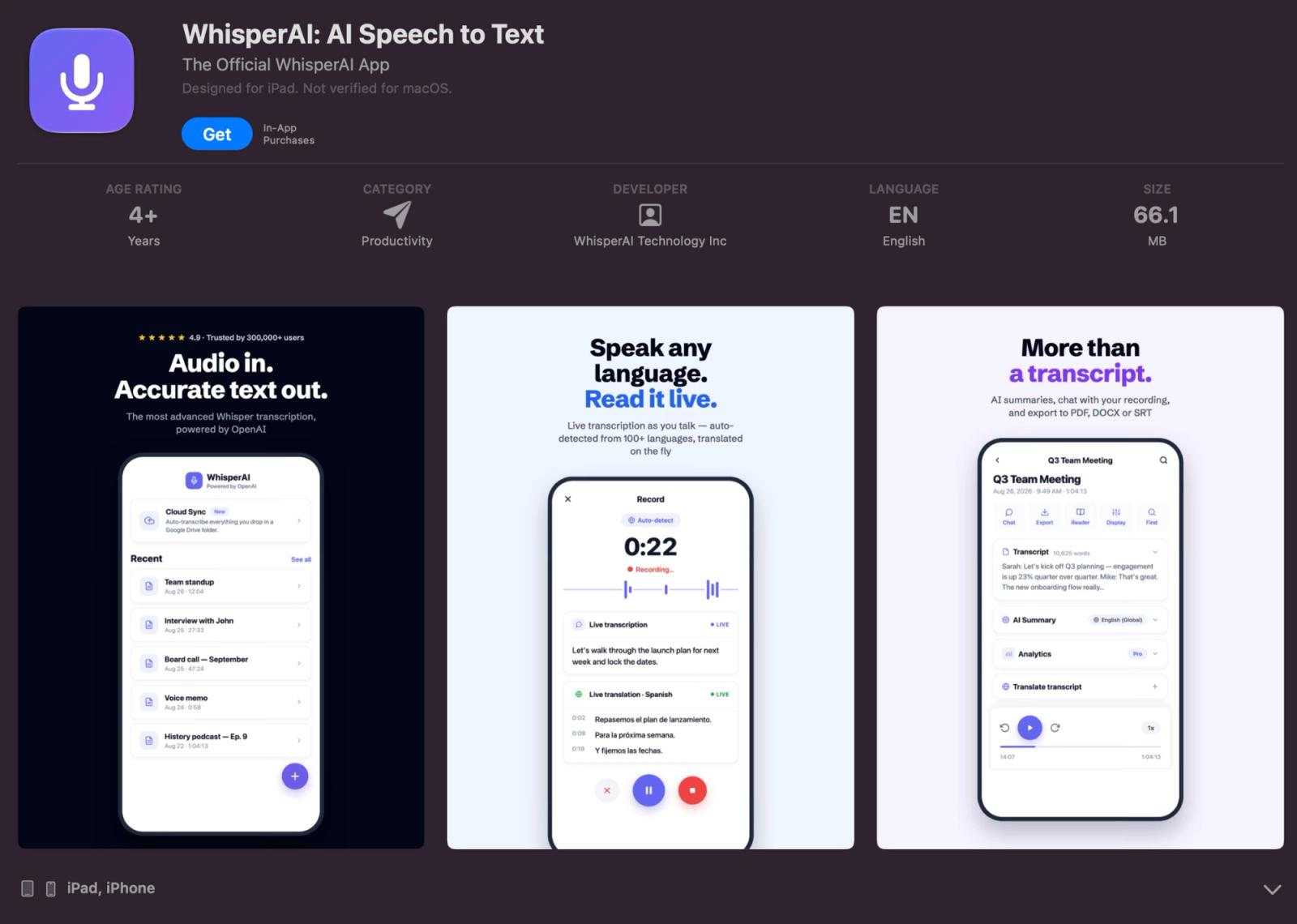
WhisperAI's iPhone and iPad app records meetings, lectures, and conversations in person, and its Meeting Assistant covers calls in the browser.
How much does Wispr Flow cost?
Wispr Flow has a Free plan, a $15/month Pro plan, team plans, and Enterprise pricing.
| Plan | Monthly | Annual equivalent | Main reason to upgrade |
|---|---|---|---|
| Free | $0 | $0 | Try normal Flow dictation and limited Notetaker |
| Pro | $15/user | $12/user/month | Remove weekly dictation limits and get higher Notetaker limits |
| Growth, dictation | $23/user | $18/user/month | Team admin and organization controls |
| Growth + Notetaker | $33/user | $26/user/month | Growth with higher Notetaker access |
| Enterprise | Custom | Custom | Advanced administration, deployment, security, and contracts |
US prices checked October, 2026
Wispr advertises 2,000 desktop words per week and 1,000 mobile words on Free. Its troubleshooting documentation describes those as soft thresholds: desktop dictation can continue until a 5,000-word hard cap, and iPhone and Android share a 1,000-word soft cap that stops at 1,500.
WhisperAI is priced differently because it's a different product. It charges by minutes of transcription, not words of dictation. Free gives you 5 minutes a month, Premium is $14.99/month for 120 minutes, and Business Pro is $24.99/month for unlimited transcription.
Is the Wispr Flow app safe?
For a voice app built into your work, "safe" covers more than whether the company encrypts its servers.
Wispr has a SOC 2 Type II report and ISO/IEC 27001:2022 certification. Those assessments cover Flow dictation only. Notetaker launched after the audit periods and wasn't assessed.
Its privacy controls separate three questions that are often collapsed into one:
Does Wispr Flow send data to the cloud? Yes. Flow dictation is processed in the cloud and needs a connection to work.
Can Wispr use my content to improve its models? Free and Pro accounts have "Improve the model for everyone" on by default, with a choice during onboarding, and you can turn it off. It's off for Enterprise, and Growth admins control it for their organization. Wispr says its third-party AI providers can't train on your data either way. For comparison, WhisperAI doesn't use your recordings or transcripts to train AI models.
Does Wispr store my dictations? That's a separate setting, Dictation Cloud Storage. Turning model improvement off doesn't turn cloud storage off. Notetaker works differently again: meeting transcripts and summaries stay in Wispr's cloud, while uploaded meeting audio is deleted after seven days.
Android users should also check that they've downloaded the real app. Wispr has warned about fake Google Play listings impersonating Flow, including apps that tried to collect payments. The genuine app is called Wispr Flow and uses the package ID com.wispr.flowapp.
The similar names make this worth spelling out: WhisperAI has no Android app at all, so an Android app using the WhisperAI name isn't ours. If you're on Google Play looking for Wispr Flow, check the listing carefully and avoid third-party APK downloads.
Can Wispr Flow see your screen?
Not exactly. Wispr Flow doesn't take screenshots. Instead, Context Awareness reads relevant text around your cursor, along with things like the app, website, names, and some coding context, to improve your dictation.
It skips banking and financial apps, browser URL bars, and standard password fields, though Wispr says custom or web-based password fields may still be read like normal text fields. Even with Context Awareness turned off, Flow may still send the app name and website domain. On iPhone, there's no Context Awareness switch at all.
If you're working with sensitive information, check Flow's privacy settings rather than assuming one toggle controls everything.
The failure mode worth watching
A spelling mistake is annoying. Accidentally dictating the wrong thing into the wrong app is a stranger problem.
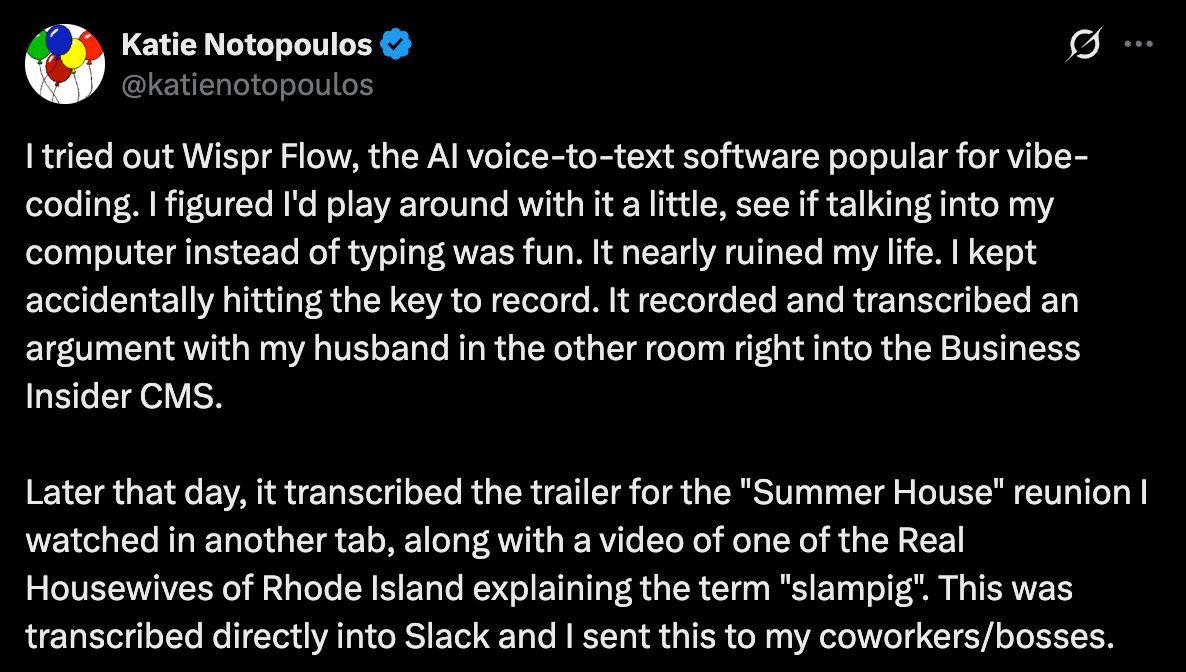
Business Insider writer Katie Notopoulos ran into exactly that. She reported accidentally activating Flow and having a private conversation inserted into her company's CMS, then later sending transcribed TV dialogue into a work Slack.
Wispr CEO Tanay Kothari told her he'd found only three other support cases like it, all related to changing the default recording key. So it's a possible failure, not a common one. If you use Flow, choose a shortcut you're unlikely to trigger by accident, and watch the recording indicator around sensitive conversations.
Do you need Wispr Flow or WhisperAI?
Start with the thing you're trying to produce.
| Your job | Better fit | Why |
|---|---|---|
| Dictate into Word, Slack desktop, or a code editor | Wispr Flow | System-wide desktop dictation |
| Dictate into phone apps | Wispr Flow | iPhone keyboard and Android bubble |
| Dictate into Gmail, Docs, or another browser text field | Either | Flow works system-wide; WhisperAI has a Chrome extension on paid plans |
| Transcribe an audio/video file you already have | WhisperAI | Flow can't import audio or video files |
| Process a backlog of recordings | WhisperAI | File uploads up to 5 GB, batches, and a transcription API |
| Create SRT or VTT subtitles | WhisperAI | Subtitle export is built into transcription |
| Record a meeting without a bot | Either | Flow Notetaker on Mac/Windows; WhisperAI in the browser |
| Record and transcribe on iPhone/iPad | WhisperAI | WhisperAI's iOS app records and uploads; Flow Notetaker doesn't record on mobile |
| Work mainly on Linux, Chromebook, or iPad | WhisperAI for recordings | Flow doesn't support those systems; WhisperAI runs in the browser and on iPad |
Some people have both problems. You might use Wispr Flow to turn your own thoughts into text, then need WhisperAI when a client sends you an hour-long interview recording. Buying one doesn't make the other job disappear.
If the audio already exists, you need a transcription tool. Upload your first recording to WhisperAI and get a transcript with speaker labels, ready to export.
Wispr Flow FAQ
Is Wispr Flow worth the money?
Wispr Flow Pro is easiest to justify when Free's weekly word limits interrupt work you were already doing by voice. If you dictate only occasionally, built-in dictation or the Free plan may cover the job.
Is Wispr Flow better than iPhone dictation?
Wispr Flow adds AI cleanup, personal vocabulary, snippets, and cross-platform continuity. Apple's built-in dictation costs nothing and can work offline in supported situations, while Flow sends dictation to the cloud. The better choice depends on whether less editing is worth another subscription to you.
How accurate is Whisper Flow?
There's no independent accuracy figure for Wispr Flow. Wispr's Canto benchmark reported the lowest word error rate among the models it tested, but that's the company's own test, not an independent score. Test it with your own accent, names, numbers, and jargon.
Why is Wispr Flow so popular?
Wispr combines a familiar action, talking, with text that usually needs less editing than literal dictation. It works on four major platforms, has a Free plan, and Wispr says millions of people use it.
Who are Wispr Flow's competitors?
For dictation, alternatives include Apple's built-in dictation, Google voice typing, Superwhisper, MacWhisper, Dragon, and newer AI voice-input apps. Meeting products such as Granola, Otter, and Fireflies overlap with Wispr Notetaker. WhisperAI is the relevant alternative when your input is an existing audio or video file: upload it to WhisperAI and get a transcript with speaker labels.
How do I use Wispr Flow on WhatsApp?
On iPhone, open WhatsApp, switch to the Flow keyboard, and tap its microphone. On Android, focus the message box so your keyboard appears, then use the Flow Bubble. On Mac or Windows, put the cursor in WhatsApp or WhatsApp Web and use your normal Flow shortcut.
WhisperAI Team
Product