How to Record Conversation: A Practical Guide for 2026
Learn how to record conversation legally and clearly on any device. Our guide covers phone calls, meetings, and in-person talks, plus tips for AI transcription.
Recording conversations in the U.S. boils down to consent laws. Federal law requires one-party consent, but 12 states demand all parties agree before hitting record. To get clear audio, keep the mic close, pick the right tool, and convert the recording into searchable text.
Whether you're capturing a client call, an interview, a team meeting, or something else, your first question shouldn't be which app to use. Start by asking if you're allowed to record, if the other party knows, and if the audio will be useful later.
TL;DR
- Check consent laws in your location.
- Choose the right tool for your scenario such as in-person, phone, or VoIP.
- Focus on clear audio.
- Use an AI tool like WhisperAI to transcribe for easy access.
Why You Need to Record Conversations and How to Start
A good recording solves a basic problem: memory fades, notes miss details, and key phrases vanish after a chat ends. This matters in journalism, sales, research, hiring, customer support, or documentation.
But recording changes dynamics. A 2023 behavioral study found recording can stifle participation, with people speaking less freely and using chat to avoid being recorded. The same research highlighted that recordings are rarely revisited, making careless recording a poor trade-off: stifled discussion and minimal future use. For more details, check this write-up on the recorded effect in meetings.
So, responsible recording starts before you press record.
Start with purpose
If you can't explain why you're recording, don't bother. Legitimate reasons include:
- Accuracy: You need an exact account of what's said.
- Documentation: The conversation impacts a decision, agreement, or workflow.
- Reference: You need to revisit details without relying on memory alone.
- Transcription: You want searchable text, not just an audio file sitting in a folder.
Recordings should justify their existence. If the file won't be reviewed, transcribed, or archived for a real reason, skip it.
The Most Important Step: Legal and Consent Rules
Before thinking about gear, apps, or file formats, focus on consent. People often overlook this, and it's where most problems start.
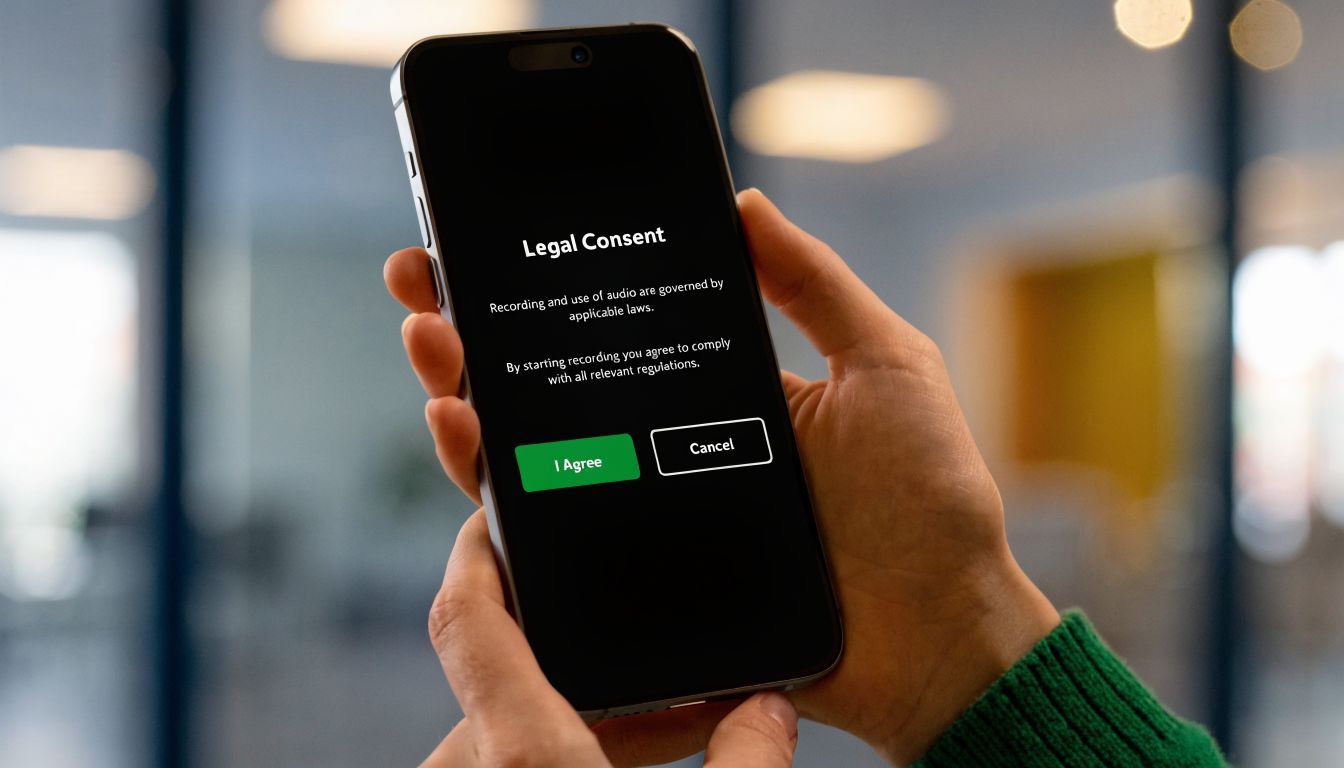
Under U.S. federal law, one-party consent is the norm. If you're part of the conversation, you can usually record it without telling the other person. But 12 states require all parties to consent, and calls that cross state lines can complicate things. The safest bet is to check this telephone recording legal overview.
What one-party and all-party consent mean
Here's the simple version:
| Rule | What it means in practice |
|---|---|
| One-party consent | If you're in the conversation, your own consent may be enough. |
| All-party consent | Everyone on the call or in the conversation must know about and agree to the recording. |
The stricter states, according to verified data, include Illinois, Maryland, Massachusetts, Montana, New Hampshire, Pennsylvania, North Dakota, Ohio, Oklahoma, Rhode Island, South Carolina, and South Dakota. Since interstate calls can trigger overlapping rules, explicitly disclosing you're recording is the safest route.
For a deeper dive into these issues, check WhisperAI's guide on telephone recording legal rules.
The best habit is simple
Ask clearly. Get an audible yes. Do it at the start, on the recording itself.
Use language like:
- Direct consent: “I'd like to record this so I can focus on the conversation and keep an accurate record. Is that okay with you?”
- Group consent: “Before we start, I want to let everyone know this meeting is being recorded. Is everyone comfortable proceeding?”
- Call consent: “This call is being recorded for notes and follow-up. Do I have your permission to continue?”
Hidden recording is where legal risk and trust problems meet.
Ethics matter even when the law is permissive
Sometimes recording is legal but still a bad idea. Performance reviews, sensitive health discussions, tense meetings, and vulnerable interviews often work better when everyone knows what's happening and why.
If someone hesitates, stop. Offer to take notes instead. A recording made in discomfort usually leads to worse audio, worse answers, and bad judgment.
Choosing Your Recording Method and Tools
The best setup depends on where the conversation happens. In-person, phone calls, and online meetings each have different needs.
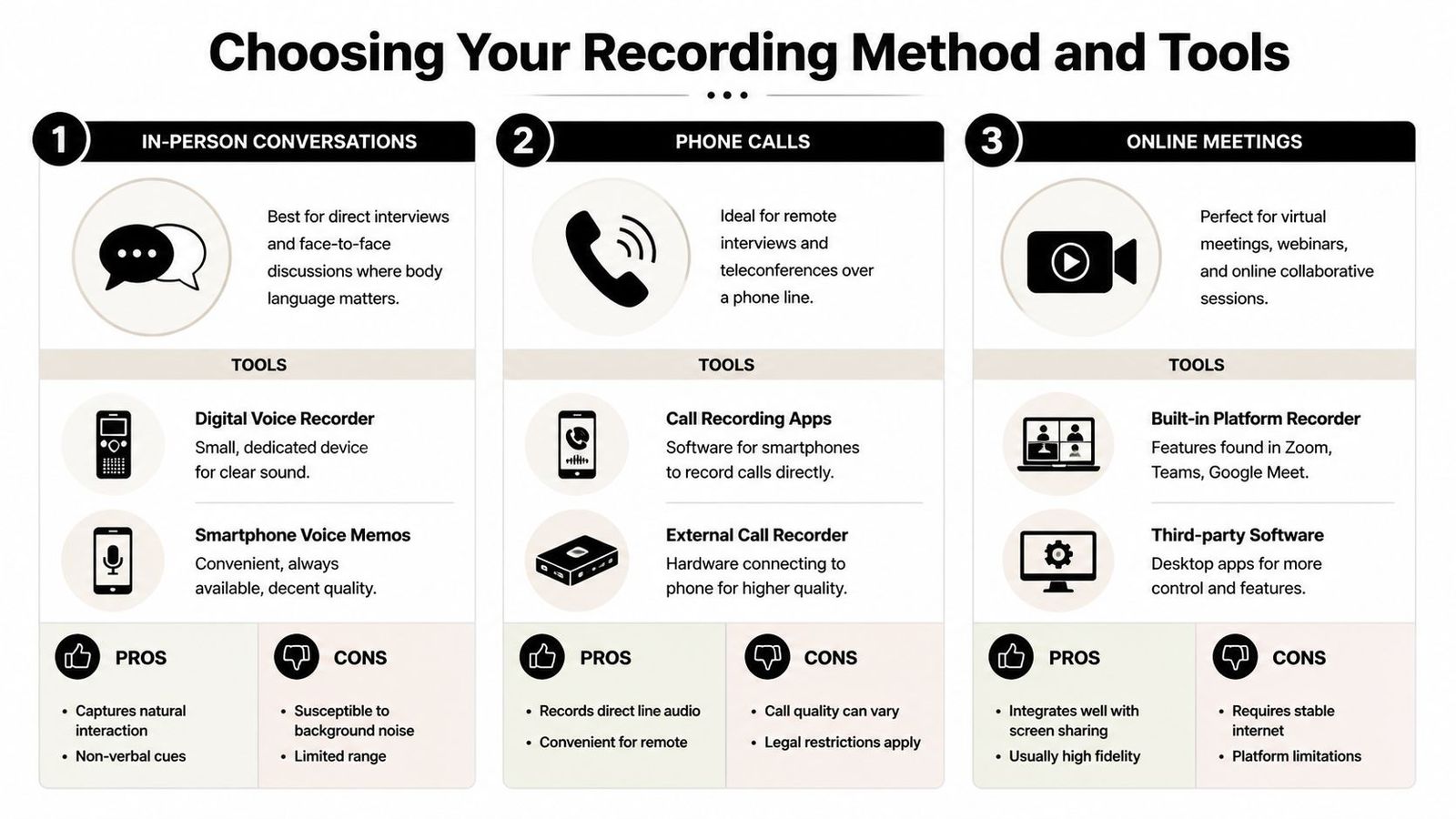
In-person conversations
For face-to-face interviews and meetings, you've got two main options: a smartphone voice memo app or a dedicated digital recorder.
A smartphone is convenient and often good enough if the room is quiet and the phone can sit close to the speakers. You already have it, you know how to use it, and it's easy to back up the file.
A dedicated recorder is better when the conversation matters, the room is unpredictable, or more than two people are talking. It tends to offer cleaner sound, more reliable battery life, and fewer interruptions from notifications or calls.
Experts in research and enterprise recording recommend omnidirectional microphones and 48kHz/24-bit capture in uncompressed WAV to avoid quality loss in MP3. This advice comes from this recording and transcription quality reference.
If you're comparing hardware, check out this guide on choosing professional microphones with Lazybird.
Phone calls
Recording phone calls can be tricky due to platform restrictions. iPhone and Android don't make it easy, partly because consent laws vary widely.
Your options usually include:
- Call recording apps: Convenient, but reliability varies by carrier, operating system, and region.
- Conference-call recording services: Typically more dependable for business use as they handle recording through the call flow.
- External recorders: Awkward, but sometimes the most reliable choice if software solutions fail.
- Speakerphone plus recorder: Acceptable in a pinch, though quality heavily depends on the room.
For a practical overview of these options, WhisperAI has a straightforward guide on how to record a phone call.
Online meetings
Zoom, Microsoft Teams, and Google Meet are usually the easiest to manage because they have built-in recording tools. They also provide on-screen notices that help with disclosure.
For virtual meetings, built-in recording is usually the go-to because it handles:
- Integrated audio capture
- Simple host controls
- Automatic participant notice
- Cleaner export workflows
Third-party desktop apps are useful if you need more control, but they also add potential points of failure. If the platform can handle the job, use it.
How to Get Crystal Clear Audio Quality
Bad audio ruins everything that follows. It makes reviewing notes a chore, transcription a mess, and quoting risky. Fixing it isn't usually expensive; it's mainly about distance and environment.
Here's a reality check: Even though Whisper handles noise well, a Q1 2026 G2 review analysis found that 68% of professionals reported transcription accuracy below 85% in noisy multi-speaker office environments. Simple mic placement, like keeping it 5 to 6 inches from the speaker, can make a big difference. This finding is discussed in this audio environment guide.
The highest-impact fixes
- Move the mic closer: Distance is a bigger issue than people think. A cheap mic close to the mouth often beats an expensive one across the table.
- Choose a softer room: Rugs, curtains, bookshelves, and upholstery help. Glass rooms and bare conference rooms make voices bounce.
- Kill steady noise: Fans, HVAC, traffic-facing windows, and laptop hum all add up.
- Do a test clip: Record a short sample and play it back before the actual conversation starts.
- Keep devices stable: Don't hold a phone in your hand if you can avoid it. Handling noise travels straight into the file.
Put the microphone where the voice is, not where it's convenient.
For group conversations
Roundtable recordings fail when one person dominates the mic and everyone else sounds distant. Use a central recorder with a suitable mic, or place the device where the quietest speaker can still be heard. If someone is much farther away than the rest, the transcript will show it.
Interruptions are another issue. Ask people not to talk over each other if the conversation needs to be quoted or transcribed later.
Turn Your Recording into a Transcript with WhisperAI
Capturing the conversation is just the first step. Raw audio is difficult to search, skim, or revisit under pressure. A transcript makes the file useful.
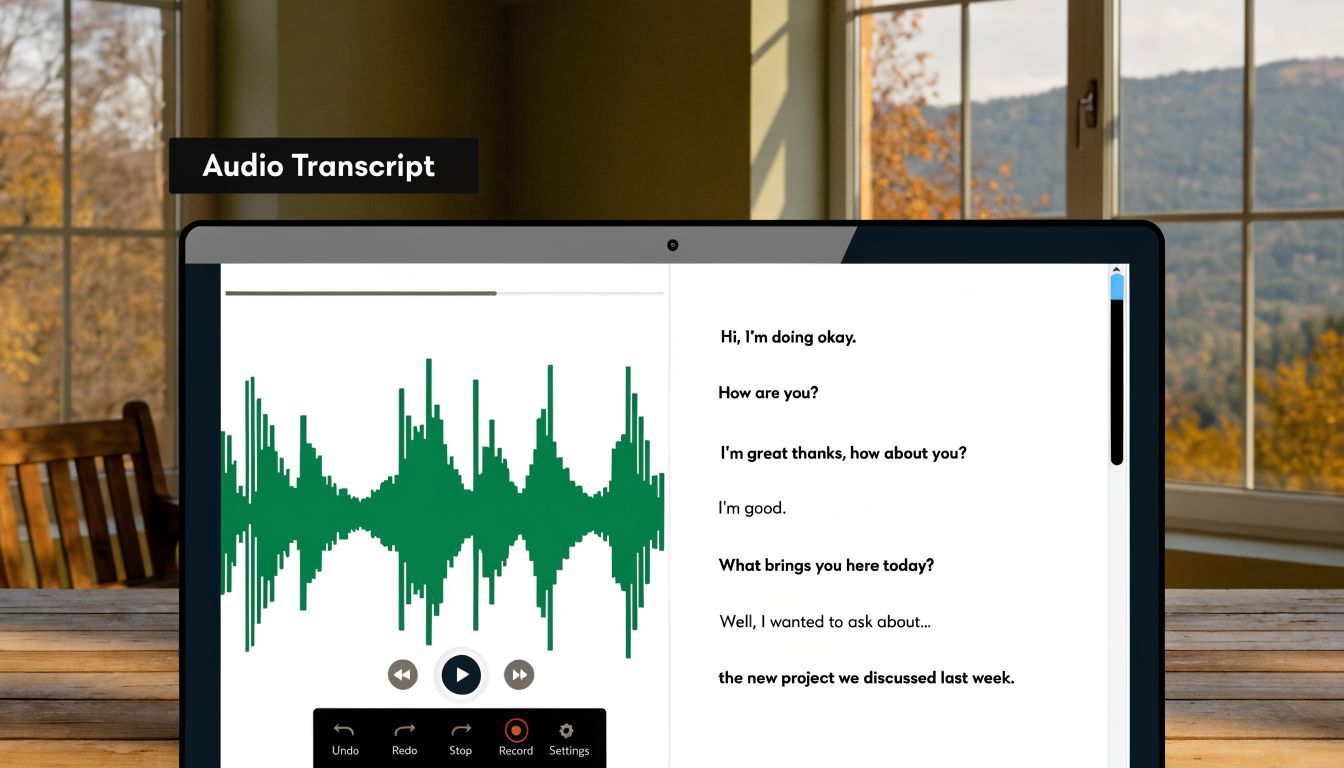
For professional teams, AI transcription speeds up the whole review process. Verified data shows that with WhisperAI, users can upload recordings up to 500MB, achieve over 95% accuracy, get speaker labeling, and review conversations 90% faster than manual methods. This is based on the source summarized in Salesforce's sales call recording strategies article.
A practical workflow
The post-recording process is straightforward:
- Save the original audio file Keep the untouched source file before editing or compressing anything.
- Upload the file for transcription WAV, MP3, M4A, and similar formats are common. If the recording is important, upload the clearest version you have.
- Review speaker labels Multi-speaker conversations are much easier to work with when the transcript separates who said what.
- Clean obvious errors Names, jargon, and acronyms often need a quick pass.
- Export the transcript Use a document format for notes and review, or subtitle formats if the recording is tied to video.
Whisper users who want a more detailed setup guide can review how to use Whisper to transcribe audio.
Why this step matters
A transcript transforms how you use a recording. Instead of scrubbing through audio, you can scan text, pull quotes, check wording, and share excerpts with a team. That's the difference between “we recorded it” and “we can work with it.”
If your workflow includes video as well as audio, this guide to automating video transcription is also worth reading.
Conclusion: Recording Responsibly and Effectively
If you want to record conversations well, follow this order: permission, method, sound, then transcript.
Permission is first because a legally shaky recording can cause bigger problems than it solves. It also sets the tone. People respond better when they know why you're recording and how the file will be used.
Method follows because different settings require different tools. A phone call, a live interview, and a Zoom meeting may all be conversations, but they don't behave the same. Choose the setup that fits the environment, not just the app you like.
Then focus on sound. Clear audio isn't a luxury. It's crucial. If voices are distant, buried under noise, or swallowed by a big echoey room, every later step suffers.
The final piece is utility. A recording that never becomes searchable, reviewable, or shareable is just digital clutter. The point isn't to collect files. It's to preserve what was said in a form you can trust and use.
Frequently Asked Questions
Can I legally record a conversation in a public place
Sometimes, but don't assume public means permission-free. What matters is often whether the people involved have a reasonable expectation of privacy. A loud conversation in an open setting is different from a quiet conversation pulled off to the side. If there's any doubt, ask for consent.
What is the best audio file format
For the highest quality, WAV at 48kHz/24-bit is the strongest option covered in the verified data because it preserves more detail for later transcription and review. MP3 is smaller and easier to move around, but compressed formats can throw away detail. For important interviews, meetings, or research material, keep a high-quality original whenever possible.
How can I record a phone call on my iPhone
iPhone users often discover there is no simple built-in record button for normal calls. The usual workarounds are third-party call services, conference-style recording tools, or an external recorder used with speakerphone. Whatever route you take, handle consent first and test the setup before the actual call.
Should I tell people why I'm recording
Yes. Even when the law may allow recording with less disclosure, telling people why helps. It lowers suspicion and usually gets better cooperation. A short explanation such as accuracy, note-taking, or documentation is enough.
Is a transcript better than handwritten notes
For many workflows, yes. Notes are selective. A transcript gives you a fuller record, makes searching easier, and lets you confirm exact wording later. Notes still matter, but they work best as a layer on top of a solid recording and transcript.
If you want to turn interviews, meetings, calls, or lectures into accurate, searchable text, try WhisperAI - #1 AI Transcription. It helps teams upload audio, generate transcripts with speaker labeling, and export files in formats that are useful for review, collaboration, and documentation.