8 Best TurboScribe Alternatives for Transcription in 2027
See which of 8 TurboScribe alternatives fits your workflow, from files and live meetings to local processing, with free plans, prices and limits.
TL;DR
- WhisperAI keeps TurboScribe's upload-and-transcribe job, then adds bot-free meetings, an API, an iPhone app, and transcription from ChatGPT or Claude.
- TranscribeBee removes the subscription and charges $2 per hour of audio.
- FastTranscriber removes the account from the first test, with two free files a day.
- MacWhisper keeps files on your Mac by default and charges once for Pro.
- Otter.ai produces live notes from Zoom, Google Meet, and Microsoft Teams calls.
TurboScribe works because the deal is clear. Upload a file and get a transcript. If that is the entire job, its $120 annual plan is difficult to beat. People start looking elsewhere when the terms around the transcript no longer fit their work.
A journalist may want to supply names before processing. A research team may want new Drive recordings transcribed automatically. A lawyer may need files to stay on a Mac. Someone with two recordings this quarter may prefer to pay only for those two.
Each need points to a different tool. WhisperAI publishes this guide, so our interest is clear. We rank it first for readers who want TurboScribe's upload workflow with meetings, automation, and post-transcription work in one account. If the lowest annual price, local processing, or no account matters more, another tool may fit better. When it does, we say so.
Why do people look for a TurboScribe alternative?
First, give TurboScribe credit. The TurboScribe free version processes three files a day, up to 30 minutes each. Its Unlimited plan accepts 10-hour or 5 GB files, processes batches of 50, and transcribes 98+ languages. Files are encrypted at rest, and its security FAQ says they are not used to train AI models.
A subscription can outlast the project
TurboScribe's annual price rewards steady use. If your recordings arrive during one semester, court case or research project, you keep paying after the work stops unless you cancel.
Cancellation is where some customers report trouble
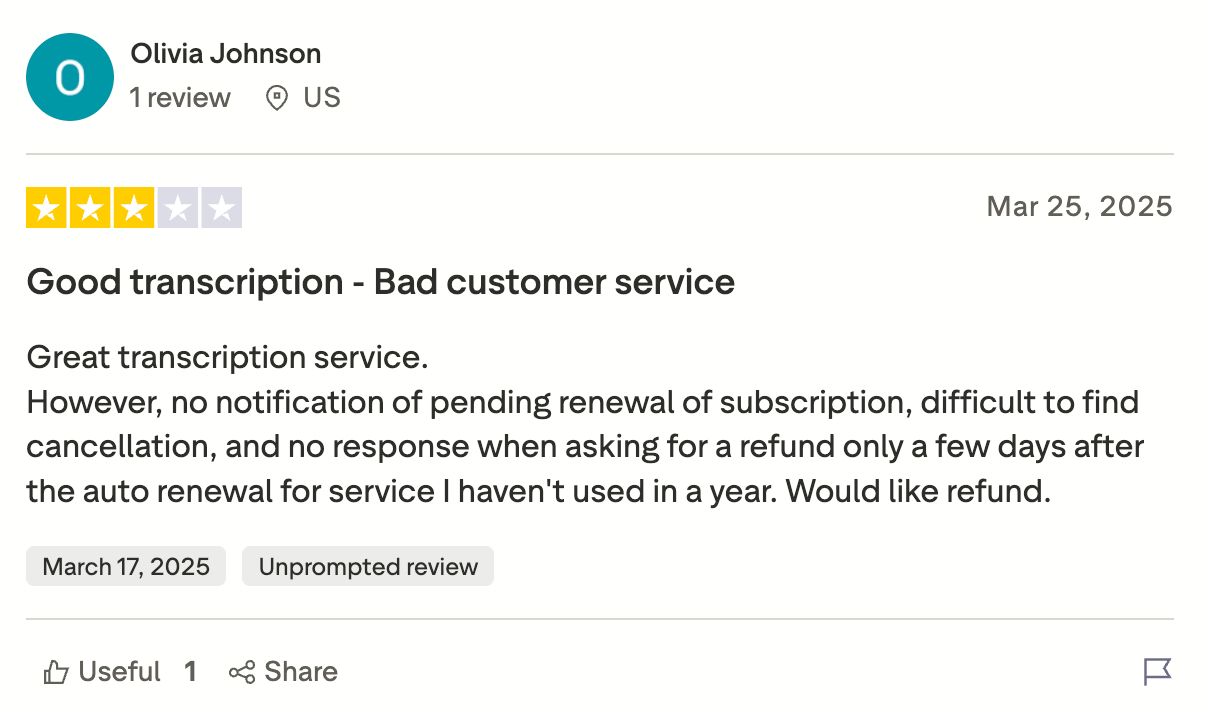
Billing can become the reason to leave even when the transcription works well. The most common one-star complaints documented in our TurboScribe review are charges after cancellation and refused refunds. One Trustpilot reviewer captures that split. They praised the transcription but said cancellation was difficult to find and that a refund request after renewal received no response.
Source: Trustpilot
Everything goes to the cloud
TurboScribe has no desktop app or on-device mode. That may be immaterial for a published podcast and decisive for a confidential interview, legal recording or unreleased research.
The workflow still starts with a recording
TurboScribe can process files, links and microphone recordings, then use TurboScribe GPT for summaries and follow-up questions. However, it cannot capture online meetings, monitor a cloud folder or receive files automatically through a TurboScribe API. Its support page confirms that “TurboScribe does not offer API or automated access to our service.”
“Unlimited” slows down at exceptional volume
Above about 24 hours of audio a day, High Volume Mode may reduce processing to one file at a time and pause uploads. The $200-a-month Unlimited Max plan removes those soft limits with dedicated capacity. Most users will never reach that threshold, but anyone clearing an archive against a deadline should read the full review before pricing the job.
TurboScribe alternatives at a glance
| Tool | What it changes | Free option | Paid from | Runs where |
|---|---|---|---|---|
| WhisperAI | Files, bot-free meetings, automation and API | 5 min/month, plus no-account demo | $14.99/month | Web, iPhone/iPad, ChatGPT and Claude |
| AudioScribe | Search, summaries and chat around transcripts | 3 files/day, 25 min each | $19.99/month | Web, iOS and Android |
| TranscribeBee | No recurring subscription | None, pay per job | $2/hour, $2 minimum/order | Web |
| FastTranscriber | No-account preview and larger files | 2 files/day, 20-min preview | $20/month | Web |
| MacWhisper | Local processing on a Mac | Yes | One-time Pro purchase | macOS |
| Voibe | Dictation, bot-free meetings and a separate API | Limited dictation, plus 15 API min | $9.90/month | Mac, Windows and API |
| Otter.ai | Calendar-connected meeting notes | 300 min/month | $16.99/month | Web, desktop and mobile |
| Descript | Transcript-based audio and video editing | 1 media hour/month | $24/month | Web, Mac and Windows |
Prices checked November 3, 2026. “Paid from” uses standard monthly pricing. Annual rates may be lower. MacWhisper localizes its one-time price.
Best TurboScribe alternatives for more than a transcript
These two preserve TurboScribe's familiar web workflow, where you upload a file and receive a transcript, then keep the surrounding work in the same place.
1. WhisperAI: best for files and bot-free meetings together
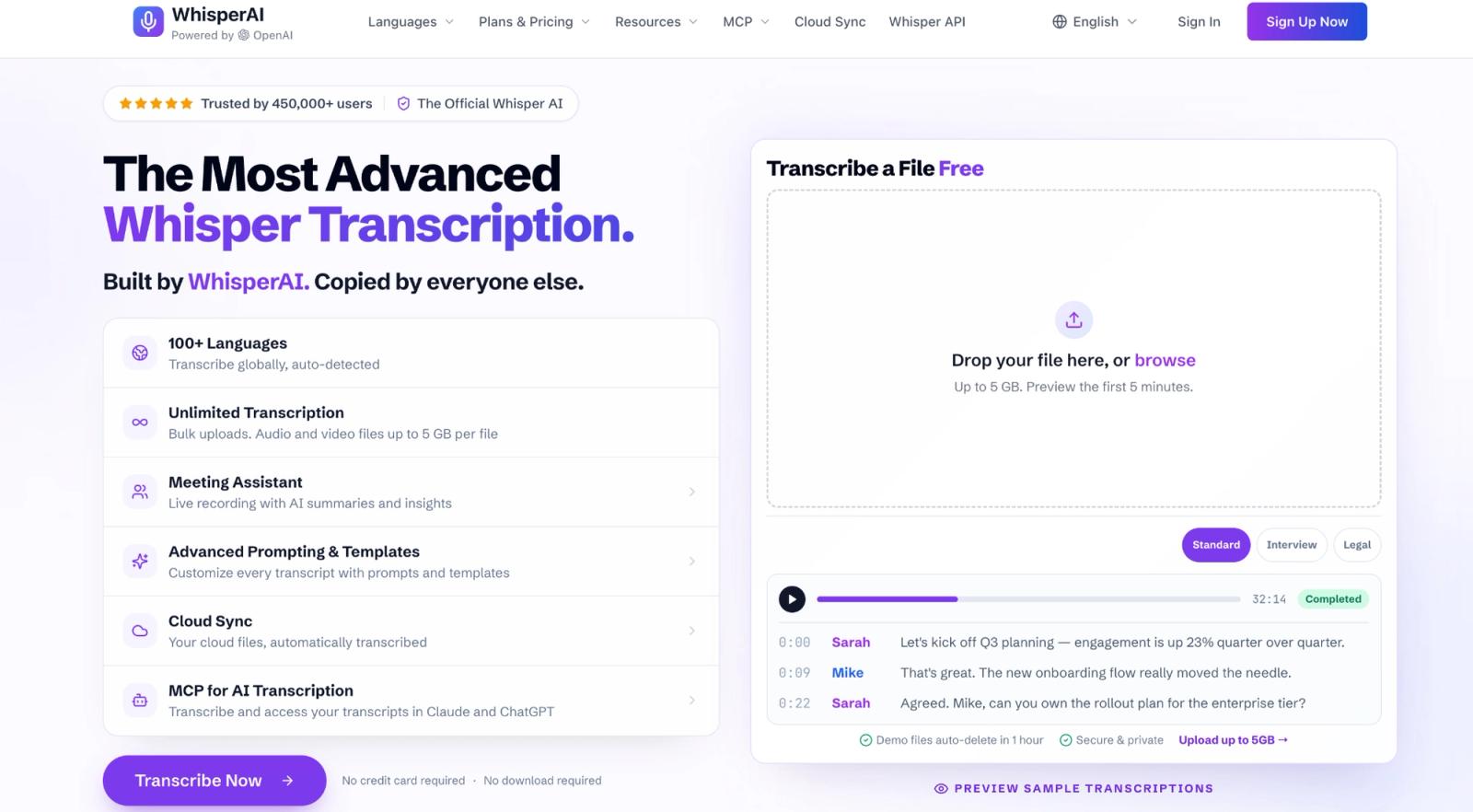
If TurboScribe's upload flow is the part you like, WhisperAI keeps it. The difference is what happens around the transcript. You can upload an interview, brief the system on names and jargon, check a quotation against the audio, then record the follow-up call without a bot in the same account.
Why choose it over TurboScribe?
Give the transcription context first. Every plan includes ten presets such as Interview / Q&A, Technical, Legal, Medical and Bilingual. You can add up to 100 names or specialist terms and provide instructions in any of 18 languages. If you already know the source's surname, a drug name or a case number, supplying it before processing moves work away from correction afterward.

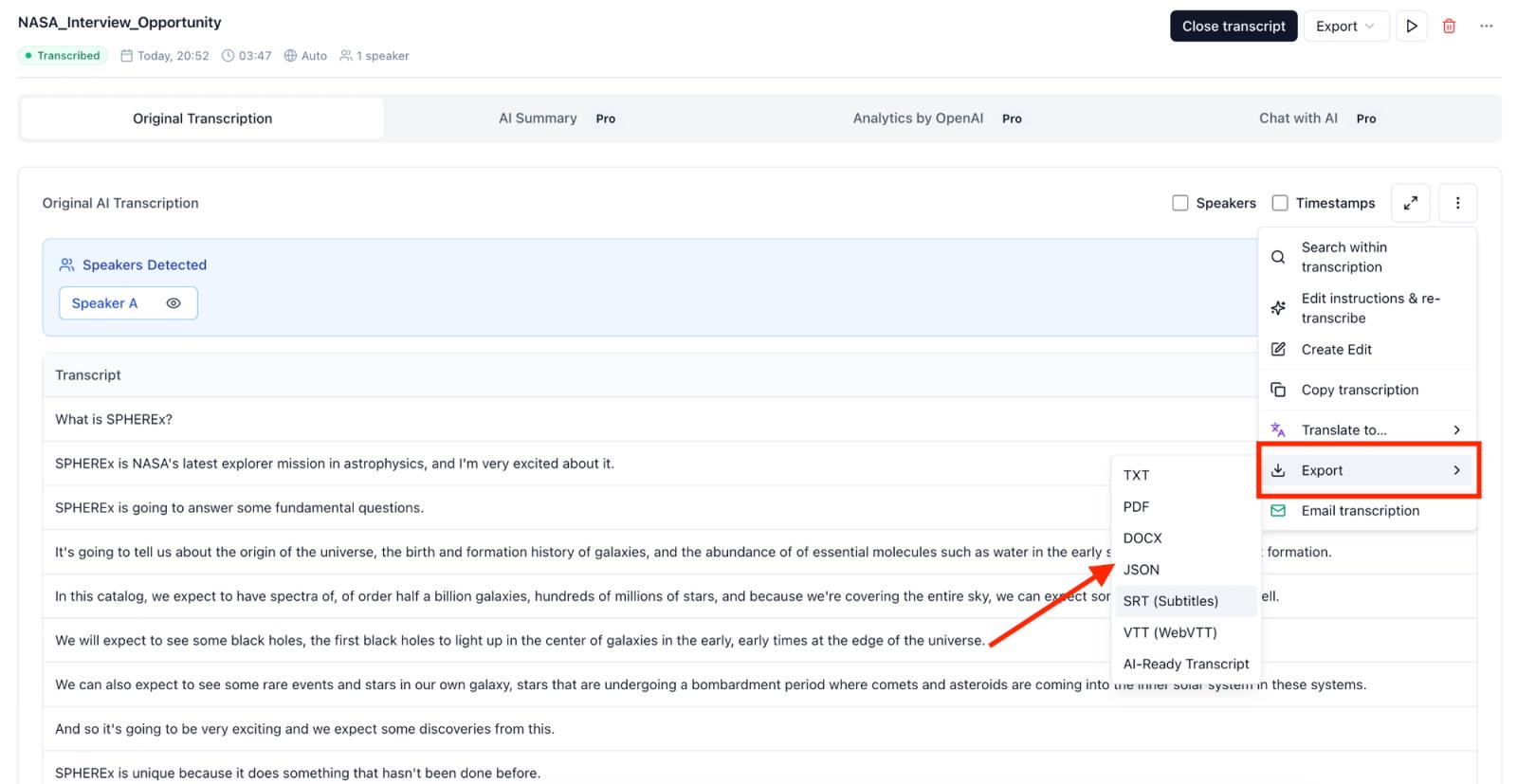
Keep the transcript attached to the recording. Every plan accepts files up to 5 GB. The editor places text beside the audio with timestamps and speaker labels you can rename. You can search recordings and export PDF, DOCX, TXT, SRT, VTT or JSON. Business Pro adds summaries and source-linked transcript chat.
Clear a backlog without clicking through it. Business Pro can watch a Google Drive folder, reuse its settings, transcribe every new recording and return the selected exports to Drive. The API costs $0.01 per minute as you go. Its $99 Developer plan includes Business Pro, 10,000 prerecorded minutes, webhooks, and 250 concurrent requests. Extra minutes cost $0.006 each.
Record meetings without sending in a bot. The meeting assistant captures your microphone and a Meet, Zoom, Teams or Webex browser tab for up to 12 hours. Every plan includes the recording and completed transcript. Premium adds live transcription, translation and in-meeting questions. Business Pro adds decisions and action items. On Mac and Linux, Zoom or Teams must run in Chrome or Edge.
Use it inside the tools where the work continues. The MCP connector works inside ChatGPT and Claude on every plan. The iPhone and iPad app records to the same account, including in the background.
Use the language mode the recording requires. WhisperAI supports 98 languages for uploaded files, 18 for live transcription and 87 translation targets. Those figures remain separate because translating a completed transcript differs from seeing live captions during a call.
Pricing
The homepage demo accepts a 5 GB file without an account, previews five minutes and deletes it after an hour.
- Free gives five minutes monthly.
- Premium costs $14.99 monthly or $99 annually for 120 monthly minutes, rolling up to 360.
- Business Pro costs $24.99 monthly or $199 annually for unlimited transcription and uploads.
The monthly choice is $20 for TurboScribe Unlimited or $24.99 for WhisperAI Business Pro. If your work begins with a file and ends with an export, TurboScribe saves $4.99 and has the lower annual price. The extra $4.99 for WhisperAI matters when the recording is part of a longer workflow. You can brief the transcription before it starts, record the follow-up meeting, generate a summary, capture audio from your phone or automate the next upload.
The WhisperAI vs TurboScribe comparison changes at exceptional volume. TurboScribe Unlimited Max costs $200 a month and promises dedicated 10x capacity. WhisperAI Business Pro costs about one-eighth as much, although it does not promise the same dedicated capacity. Stay with TurboScribe when file transcription is the whole job and the lowest annual price matters most.
WhisperAI encrypts recordings in transit and at rest, never uses them for training, and lets you delete them on demand. The source audio remains in cloud storage for playback until you delete it.
Keep the unlimited transcripts and add meetings, an API and summaries. Try WhisperAI.
2. AudioScribe
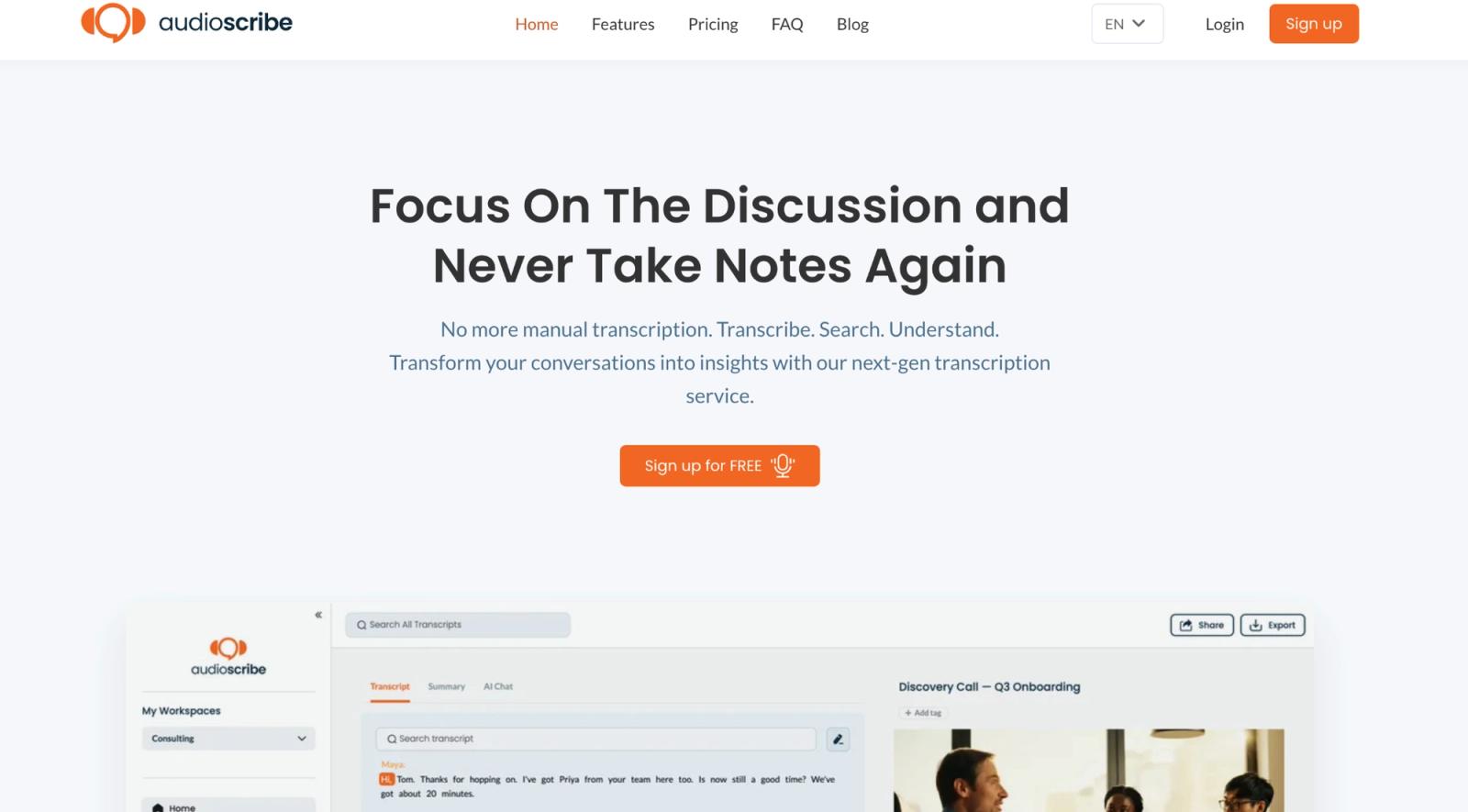
AudioScribe keeps the familiar upload-first shape. Its free plan accepts three files a day, up to 25 minutes each. Standard costs $19.99 a month or $120 a year for unlimited transcripts up to ten hours per file.
The reason to choose it appears after processing. AudioScribe combines synchronized playback, editable speaker names, summaries, AI chat and full-library search, with iOS and Android apps for recording or uploading away from a desk. Its ChatGPT assistant can search those transcripts. AudioScribe supports 18 languages and exports TXT, SRT and VTT.
AudioScribe is a sensible move when TurboScribe's file workflow feels right but you want a searchable research library around the output. WhisperAI covers far more languages and adds file-specific instructions, bot-free meetings, Drive automation and API access. AudioScribe asks for fewer decisions and costs the same $120 a year as TurboScribe.
Free and pay-as-you-go TurboScribe alternatives
Free online transcription sites exist, but each caps the number of files, their length or both. Free transcription without usage caps usually means running the model on your own computer, as MacWhisper does below. Our free transcription software guide covers the full list.
The next two alternatives change how you pay, or whether you need to sign up before seeing a transcript.
3. TranscribeBee
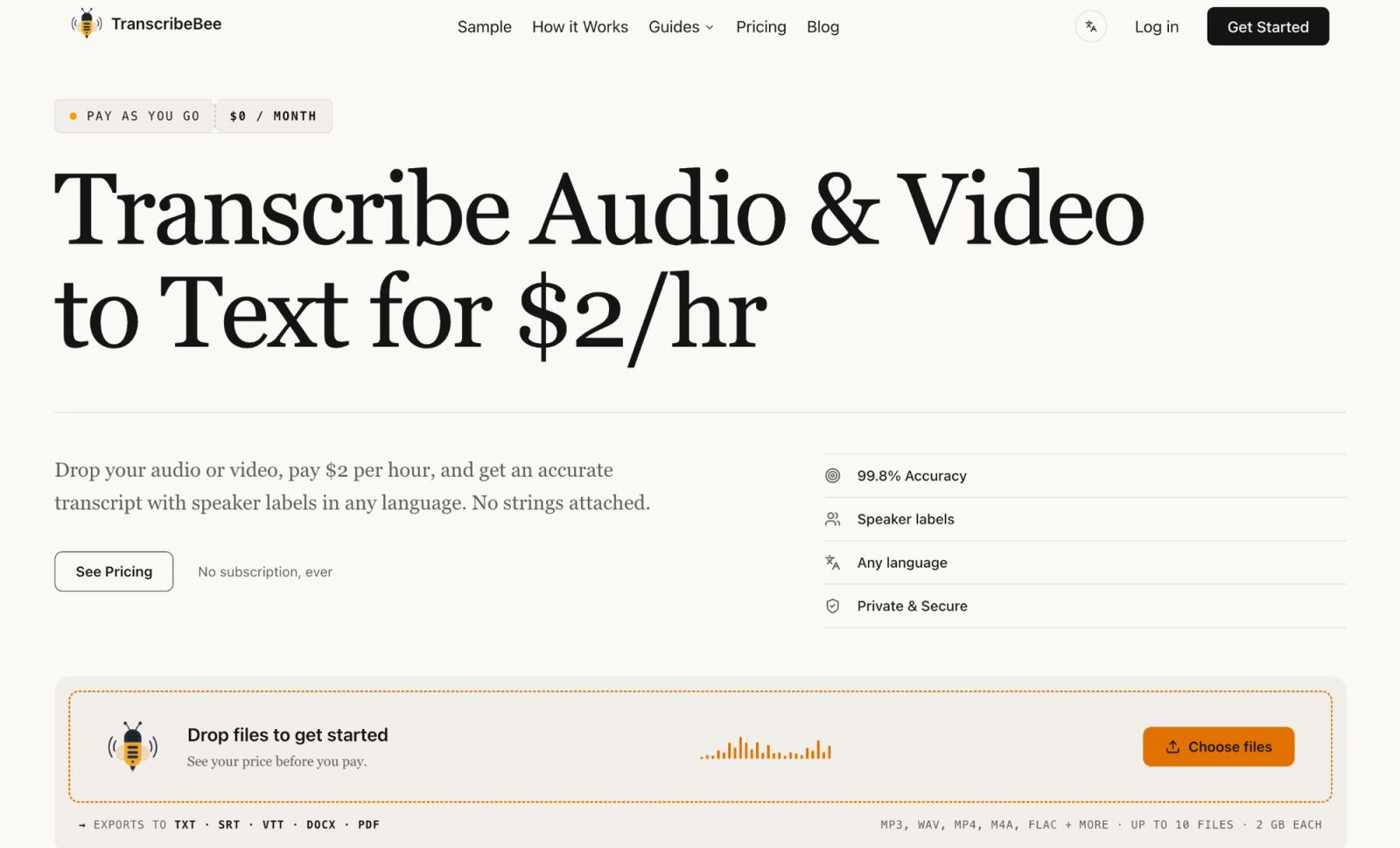
An idle month costs nothing with TranscribeBee. It charges $2 per audio hour by exact duration, with a $2 minimum per order. A 40-minute interview therefore costs $2. A 90-minute interview costs $3. Each order can contain ten files, up to 2 GB apiece.
TranscribeBee's comparison concedes that subscriptions win for heavy use, though it places the crossover at 50+ hours a month. Its direction is honest, but its arithmetic appears off by a zero. At $2 an hour, TranscribeBee crosses TurboScribe's $10 monthly equivalent at five hours and WhisperAI Business Pro at roughly 12.5. Pay-as-you-go wins when work is irregular, not when a backlog arrives every week.
TranscribeBee automatically labels speakers, detects the language, exports TXT, SRT, VTT, DOCX and PDF, and deletes the source audio or video after the transcript is created. Choose it when the job is finite and you want to see its whole cost before paying.
4. FastTranscriber
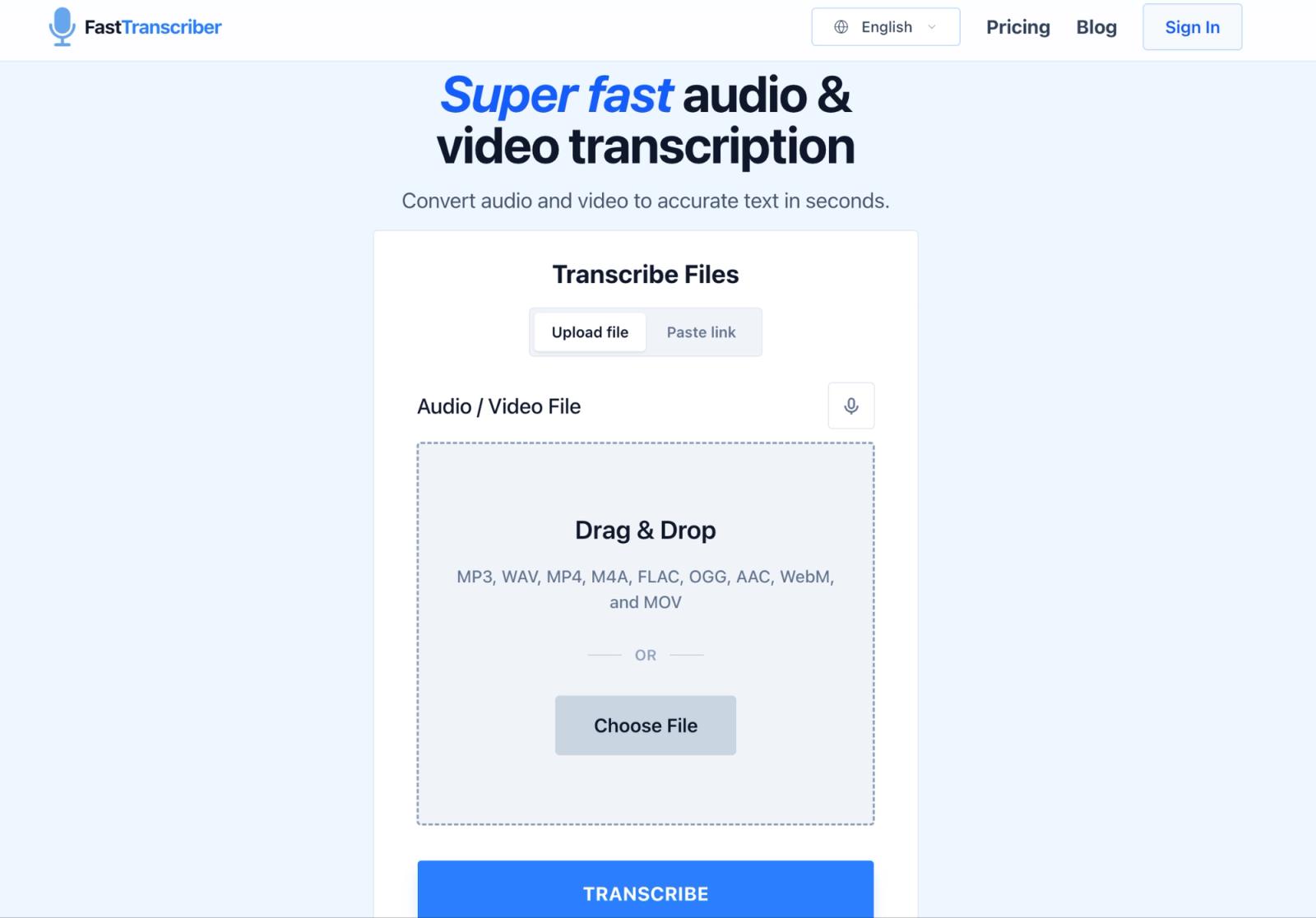
FastTranscriber removes the registration step from a first test. Guest users can upload two files a day and preview the first 20 minutes of each transcript. An account is needed if you want saved history.
Pro matches TurboScribe at $20 monthly or $120 annually. It supports 98+ languages and files up to 15 GB with no stated duration limit, against TurboScribe's 5 GB and ten hours. It wins on oversized files, not price. FastTranscriber exports TXT and SRT. WhisperAI's account-free demo leads into six export formats. Use the guest preview to judge names, accents and speaker changes before subscribing.
TurboScribe alternatives that run on your computer
These alternatives suit confidential interviews, legal recordings, medical audio and anything else you would rather process on your own machine.
5. MacWhisper
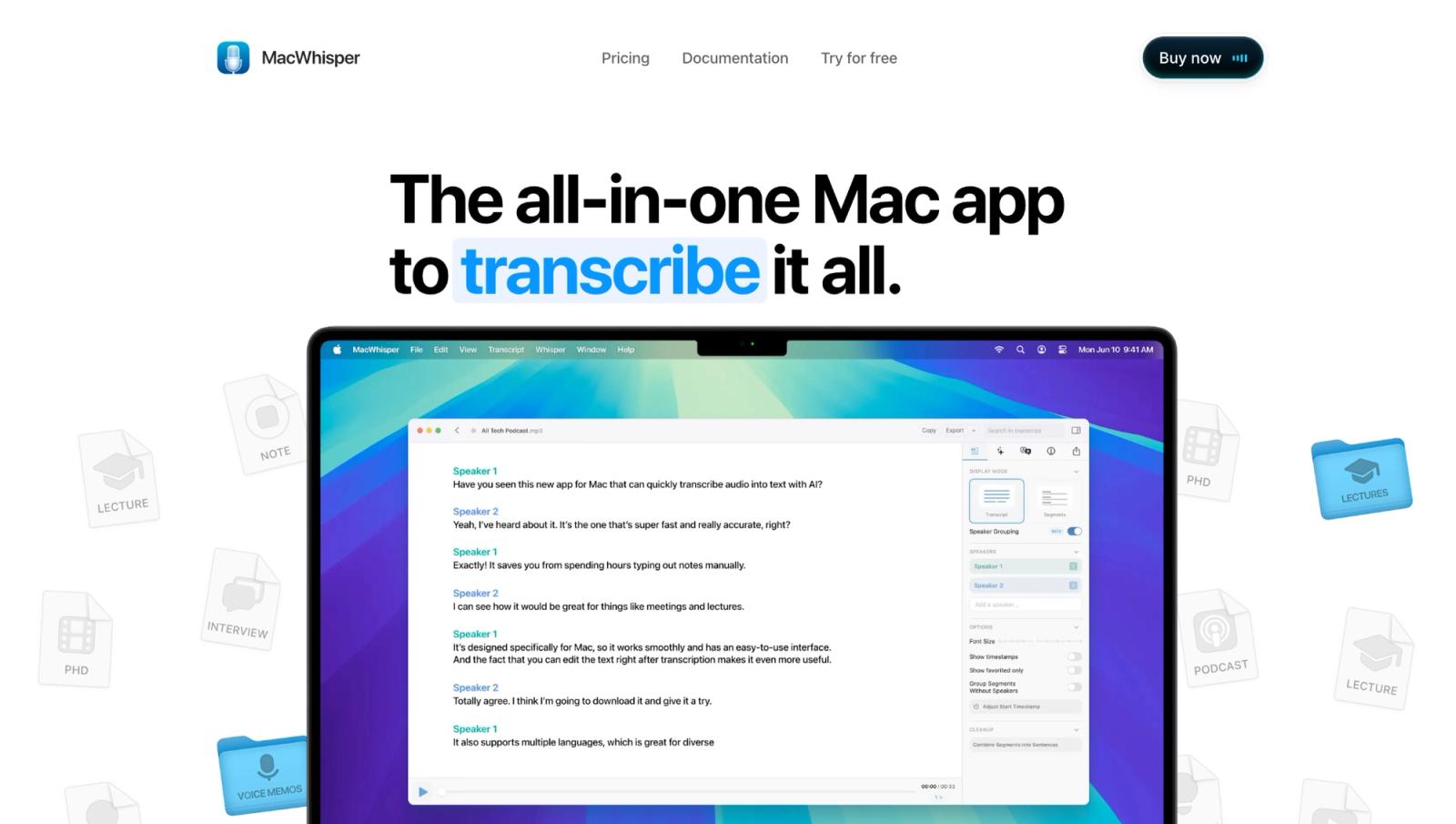
With MacWhisper, the important change happens before a word is produced. Local models process the recording on your Mac. The audio stays on the machine by default, and the free edition is enough to establish how well the hardware and model handle your material.
Pro is a one-time purchase, priced by region. It adds larger models, batch transcription, watch folders, speaker recognition, system-audio recording and broader exports. MacWhisper supports 100+ languages, but speed depends on the computer. It recommends Apple silicon and more than 8 GB of memory for medium and large models. Intel Macs are slower. Current releases require macOS 14.
Local processing is a setting worth checking. Optional cloud services send audio to the selected provider. Choose the local model when custody drives the switch. Choose WhisperAI for a browser workspace, shared access, mobile capture, live web meetings or an API.
6. Voibe

Voibe has no TurboScribe-style upload page. Its desktop product centers on dictation and bot-free meeting notes on Mac and Windows. Work costs $19 monthly, $149 annually or $399 for a lifetime license with meetings up to four hours.
Dictation can run on Apple-silicon Macs. Windows and Intel Mac transcription uses Voibe's zero-retention cloud. This fits someone who spends the day speaking into applications and joining calls rather than clearing long recordings.
File processing sits in a separate speech-to-text API. It includes 15 free minutes, then costs $10 for 2,000 non-expiring minutes. It accepts 200 MB files, deletes audio after processing and transcript data after 24 hours. There is no upload workspace or editor. Pick Voibe for desktop voice or low-cost API transcription. Pick WhisperAI for 5 GB files, a persistent library, an editor and meeting capture.
TurboScribe alternatives for live meetings and editing
Some need transcription during the conversation. Others need it for the edit afterward. These tools cover both sides of TurboScribe’s file-based workflow.
7. Otter.ai
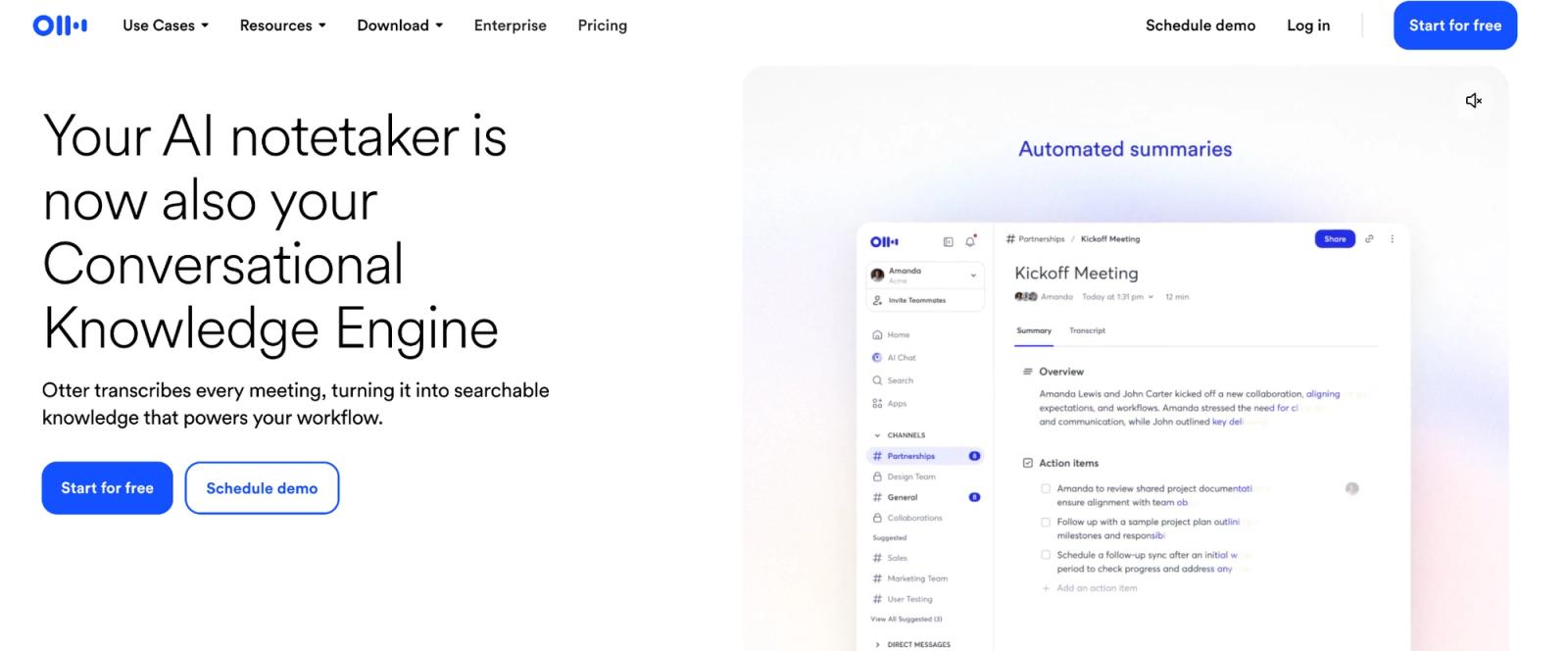
Otter.ai connects to a calendar, joins Zoom, Meet and Teams, then creates collaborative notes and a summary.
Its basic plan includes 300 minutes monthly, a 30-minute conversation limit, and three lifetime file imports. Pro costs $16.99 monthly or $8.33 a month billed annually.
For TurboScribe vs Otter, the audio source decides it. Choose Otter for recurring calls and TurboScribe for long files. Otter's desktop app can also record without a bot. WhisperAI combines bot-free browser capture with its file workflow.
8. Descript

Descript makes sense when the transcript is where the edit begins. Delete a sentence from the text and Descript removes it from the audio or video as well. For a podcast or video producer, that can replace a separate editor.
Free includes one media hour a month. Hobbyist includes ten hours for $24 monthly or $16 a month billed annually. Uploads and recordings draw from the same allowance.
Those caps are easier to accept when Descript replaces your editor. If the editing already happens somewhere else, its production features become an extra cost while every uploaded hour still counts against the plan. In that workflow, WhisperAI Business Pro handles the transcription without a monthly minute cap, then sends an SRT or VTT file to the editor you already use.
How to choose a TurboScribe alternative
Start with the condition you need to change.
- The recording is one step in a larger workflow. Choose WhisperAI for files, bot-free meetings, automation and API access, or AudioScribe for a lighter upload-and-research library.
- The subscription is the problem. Choose TranscribeBee for occasional jobs after checking the five-hour monthly break-even point.
- You do not want an account. Choose FastTranscriber, or use WhisperAI's homepage demo for the first five minutes.
- The cloud is the problem. Choose MacWhisper and keep its local model selected.
- The source is live audio. Choose Voibe for dictation, Otter for calendar meetings, WhisperAI for bot-free browser meetings, or Descript when the recording will become edited media.
- A human must stand behind every word. Choose a human service such as Rev or HappyScribe. Both are covered in the AI transcription software guide.
Once you have two finalists, run the same difficult five minutes through both. Include a name, overlapping speech, background noise and the export format you need. Then count the corrections, speaker cleanup, file movement and summary work that remain. A cheaper plan stops being cheaper when one recording creates more cleanup than it saves.
The decision
TurboScribe still deserves its place. At $120 a year, it is one of the clearest deals for someone who regularly uploads long files and wants transcripts, translations and exports without building a larger system around them.
Switch when the missing condition is worth naming. TranscribeBee removes the renewal. FastTranscriber removes the account from the first test. MacWhisper removes the cloud from local processing. Otter adds the calendar. Descript adds the edit.
WhisperAI is the broader replacement if your recordings move between uploaded files, live conversations and other applications. Business Pro costs more than TurboScribe's annual plan, but the extra money keeps those steps in one account instead of making you move recordings between separate tools.
Need more than a transcript? Start with WhisperAI Business Pro.
Frequently asked questions
Can I try TurboScribe for free?
Yes. Free processes three files a day, up to 30 minutes each, one at a time at lower priority. That is enough to test a representative recording without a card.
Is Otter.ai better than TurboScribe?
Otter is better for calendar meetings and collaborative notes. TurboScribe is better for long files. Free accepts three daily, while Otter Basic permits three lifetime imports.
Does TurboScribe have an API?
No. TurboScribe confirms it has no public API or automated access. WhisperAI offers a pay-as-you-go and subscription API. Voibe sells prepaid minutes.
Is TurboScribe truly unlimited?
There is no overall hour cap. Above roughly 24 hours daily or 720 monthly, High Volume Mode may reduce processing to one file at a time and pause uploads. Our TurboScribe review explains the threshold.
Can ChatGPT transcribe audio?
Supported paid ChatGPT plans can transcribe audio uploads, but a chat attachment is a poor file library or batch workflow. WhisperAI's ChatGPT connector brings speaker-labelled transcripts and exports into the chat.
What are the top five transcription tools?
For distinct jobs, choose WhisperAI for the broadest workflow, TurboScribe for file volume, MacWhisper for local processing, Otter for meetings, and Descript for media editing.
Which transcription software is best for beginners?
TurboScribe and WhisperAI are beginner-friendly because both start with a file upload. WhisperAI's presets, such as Interview / Q&A, set the transcript's shape without requiring you to write a prompt.
Does Google have a free transcription tool?
Yes, although no single Google tool mirrors TurboScribe. Live Transcribe captions nearby speech on Android, Pixel Recorder transcribes recordings on supported Pixel phones, and Google Docs offers voice typing.
Will AI replace transcriptionists?
AI now handles much of the first draft. People still check published quotations, legal evidence, medical records and difficult multi-speaker audio, which is why human transcription services remain available.
WhisperAI Team
Product