12 Best Free Transcription Software in 2026 (and the Catch in Each One)
The best free transcription software and free AI transcription tools for audio and video, online or offline, and the limit where each free plan stops.
TL;DR
- OpenAI Whisper or Vibe: The best unmetered local options. Use Whisper for control or Vibe for a desktop interface.
- WhisperAI: The best managed workflow for prompting, correction, search, and exports. The free plan covers a five-minute test.
- TurboScribe: The strongest recurring browser allowance for short files: three 30-minute transcriptions per day.
- Otter.ai: Best for live meetings under 30 minutes, with 300 free minutes per month.
- Riverside: Best for one-off transcription without an account. Its standalone tool is advertised as unlimited.
A two-hour recording exposes the problem with most free transcription software pretty quickly. The headline says free; the footnote says 10 minutes, 30 minutes, three imports, one speaker, or "install Python first."
If you want free AI transcription with no usage ceiling, OpenAI Whisper is still the best free transcription engine. You run it locally, and there is no subscription meter. If the terminal, model downloads, and local processing are the part you don't want, WhisperAI takes that engine-and-workflow idea and gives you the car around it: uploads, speaker labels, an editor, exports, live recording, and prompting before transcription.
WhisperAI publishes this guide, so our incentive is obvious. The useful way to handle that is to make the comparison falsifiable. We checked current free allowances, file limits, setup requirements, and pricing against the companies' own documentation on October 23, 2026. Where our product isn't the right answer, you'll see that too.
Free transcription software: online or offline?
The first choice with free audio transcription software is whether to process the recording on your computer or use free audio transcription online.
| Type | What you get | Main catch | Options in this guide |
|---|---|---|---|
| Online | File upload or live capture in a browser | Minute, file, or feature limits | WhisperAI, TurboScribe, Otter, Riverside, HappyScribe, Gemini Notebook |
| Offline | Local processing with no subscription meter | Installation, model downloads, and hardware time | OpenAI Whisper, Vibe, Buzz, Audacity + OpenVINO |
| Built-in or manual | Speech-to-text already on a device, or a transcription editor | Device restrictions, live-only input, or manual typing | Google tools, oTranscribe |
If the recording is confidential and you don't need cloud features, local software deserves extra weight. If you have one interview due in an hour and no interest in package managers, the browser route usually wins.
Where each free transcription plan stops
Every free transcription tool has a stopping point, and audio transcription free of charge always ends at one of these. For free audio transcription, check the per-file limit as closely as possible before signing up.
| Tool | Free allowance | Longest file or session | Account needed? | The catch |
|---|---|---|---|---|
| OpenAI Whisper | Unlimited | No software-imposed minute cap | No | Requires Python, FFmpeg, and setup; hardware affects speed |
| WhisperAI | 5 min/month + demo | Demo previews 5 min; accepts files up to 5 GB | Demo: no; plan: yes | Regular work needs a paid plan |
| TurboScribe | 3 files/day | 30 min/file | No | One file at a time |
| Otter | 300 min/month | 30 min/conversation | Yes | Only 3 lifetime file imports |
| Riverside | Unlimited standalone transcription | No published duration cap | No | Multi-speaker files get one speaker label |
| HappyScribe | 10-min AI trial | Inside the 10 minutes | Yes | One-time trial |
| Vibe | Unlimited | Hardware-dependent | No | Local installation and processing |
| Buzz | Unlimited | Hardware-dependent | No | Current Mac version needs Apple Silicon |
| Audacity + OpenVINO | Unlimited | Hardware-dependent | No | Compatibility depends on plugin and Audacity versions |
| Gemini Notebook | 50 sources/notebook | 200 MB/source | Google account | Built around research, not transcript delivery |
| oTranscribe | Unlimited | Browser-dependent | No | Manual typing |
| Google Recorder | Free | 18-hour recording | No for local use | Pixel devices only |
Note: Pricing and plan information checked against published documentation on October 23, 2026.
1. OpenAI Whisper
Best for: Developers, researchers, and privacy-conscious users who are comfortable managing local software

OpenAI Whisper is MIT-licensed speech-recognition software. Your computer processes the audio, so there is no subscription meter. If you are comfortable in a terminal, this is the honest $0 answer: free Whisper transcription with no minute cap.
Key features and user experience
Whisper supports multilingual transcription, English translation, timestamps, and several model sizes. The current package requires Python and ffmpeg, and you choose among models that trade speed against resource use.
For laptops, whisper.cpp is worth knowing about. It's a C/C++ implementation with CPU-only support, quantized models, and specific acceleration for Apple silicon.
Setup and requirements
The basic setup means installing Python, ffmpeg, the Whisper package, and a model. You then run a command against your recording.
For example, the official installation uses:
pip install -U openai-whisper
You still need ffmpeg installed separately.
Raw Whisper doesn't provide a finished browser workspace, speaker diarization out of the box, or a managed library for editing and searching transcripts. You handle those parts yourself or add other software.
If that sounds fine, stop here. Paying for a hosted transcription app would solve a problem you don't have. If that list made you wince, the next entry is the same basic idea with the setup handled for you.
2. WhisperAI
Best for: People who want useful transcripts without maintaining transcription software
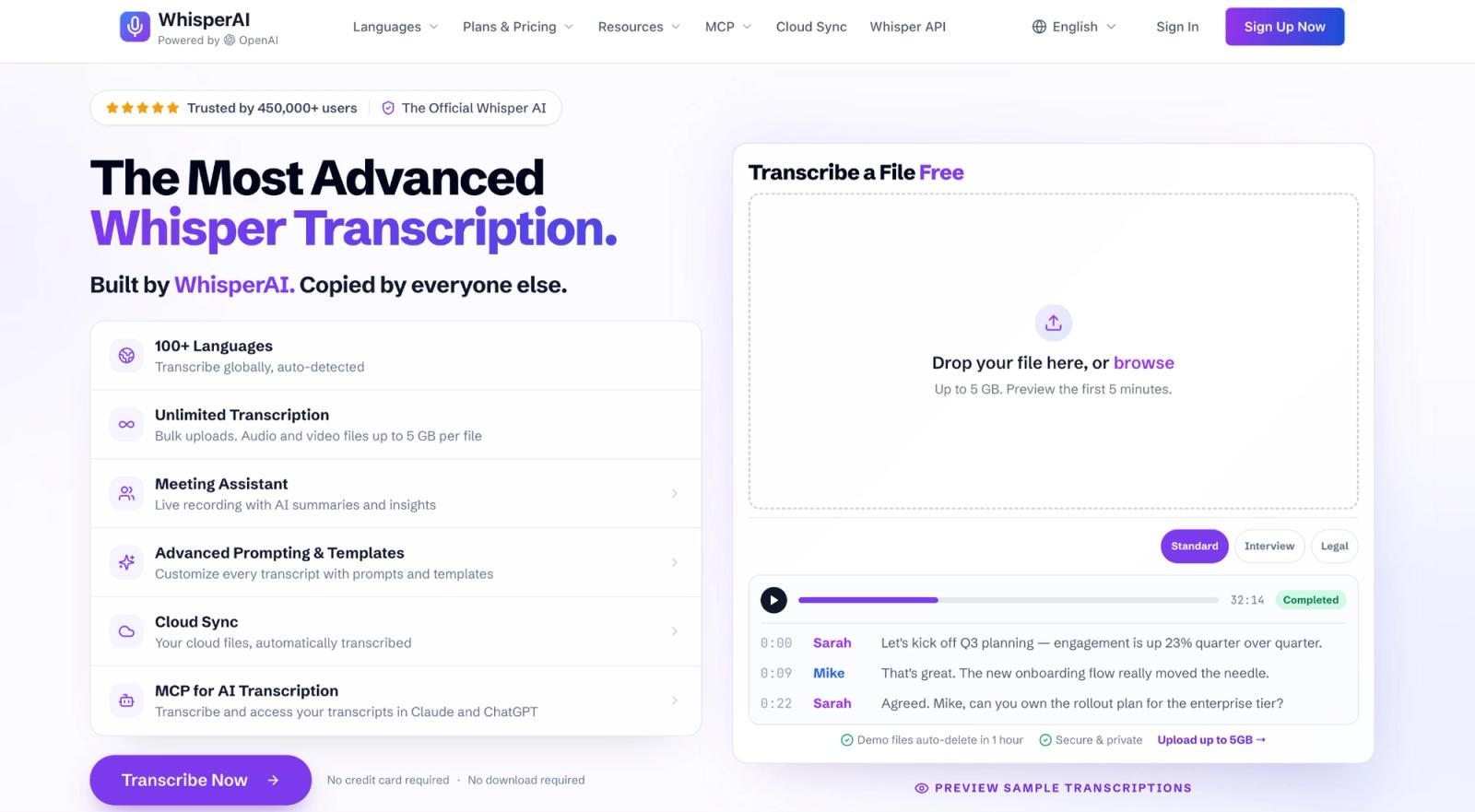
Not a developer? Then the engine isn't the useful part by itself. You need somewhere to put the recording, a way to tell the model what it's about, speaker labels, somewhere to correct mistakes, and a file you can hand to someone afterwards.
Key features and user experience
Raw transcription gives you words. WhisperAI turns them into something you can use. You can try free AI transcription of audio to text on the homepage before you sign up
- No setup: It runs in your browser, with a free iPhone and iPad app connected to the same account. You can also use OpenAI Whisper online without configuring it yourself.
- Speaker labels: Speaker detection separates the voices that raw Whisper leaves together.
- Context before transcription: Before the transcript runs, you can choose a style preset and add up to 100 names, acronyms, or specialist terms per file.
- Large files: Upload audio or video up to 5 GB, or record sessions lasting up to 12 hours.
- Audio-synced editing: Click any line to hear that moment, correct the text, rename speakers, and search one transcript or your full library.
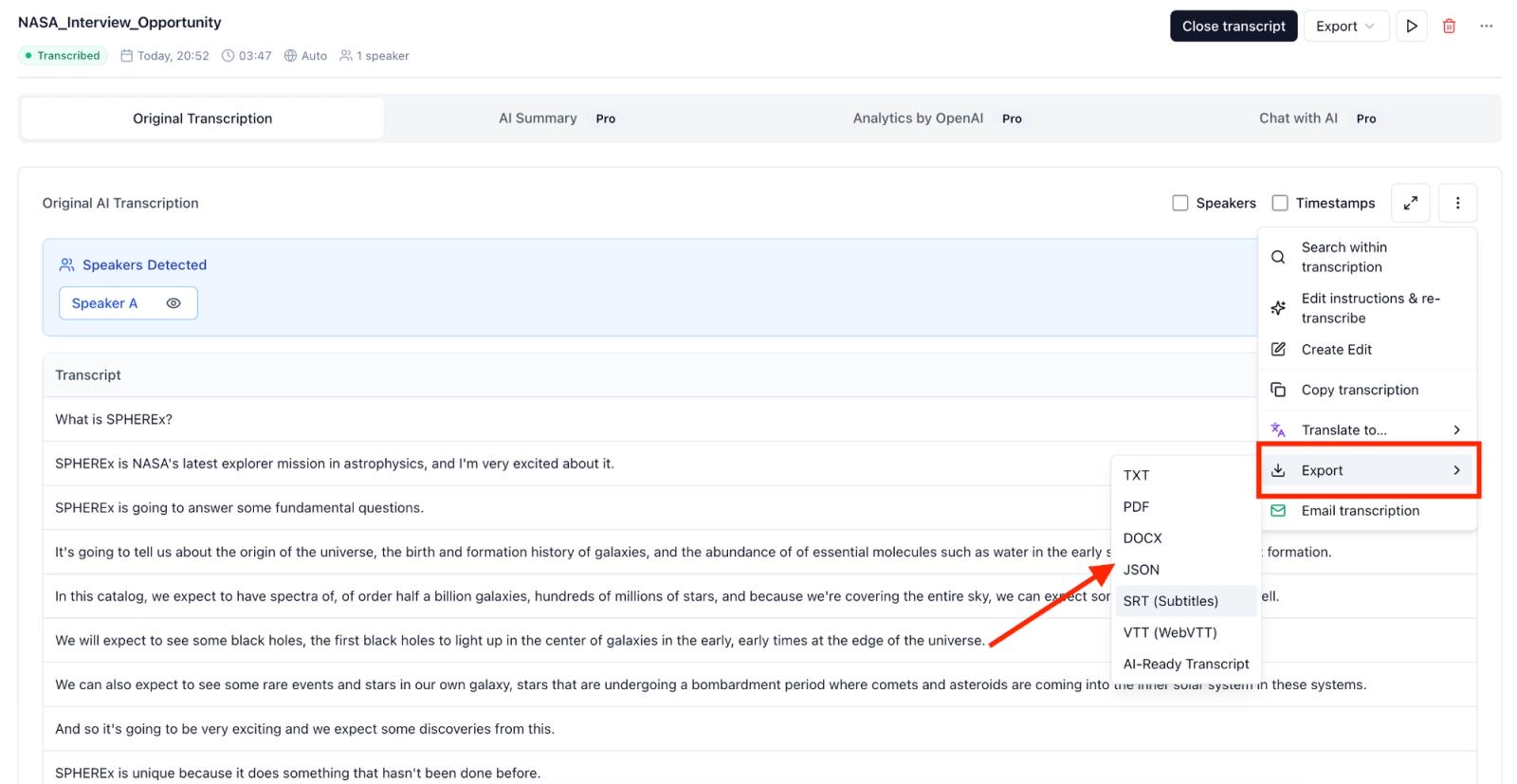
- Exports and translation: Download PDF, DOCX, TXT, JSON, SRT, or VTT, or translate the finished transcript inside the editor.
- Languages: WhisperAI automatically detects the language and supports 98 languages for uploaded files. Real-time transcription and translation have separate language lists.
- Bot-free recording: The meeting assistant captures your microphone and a Meet, Zoom, or Teams browser tab without adding a participant.
- Private by policy: WhisperAI does not use recordings or transcripts to train AI. Files are encrypted, can be deleted, and the security page names the services used for processing and storage.
- Paid workflow tools: Premium includes the Chrome extension for dictation and meeting recording. Business Pro adds Google Drive Cloud Sync, AI summaries, analytics, and transcript chat.
- ChatGPT and Claude: The MCP connector lets you transcribe, search, translate, and export from either assistant. It is available on every plan, including Free, within that plan’s limits.
One detail is worth making explicit. WhisperAI is an independent service, not the open-source Whisper model wrapped in a logo.
Setup and requirements
You need a browser and an email address. There is nothing to install and no credit card is required for the free plan.
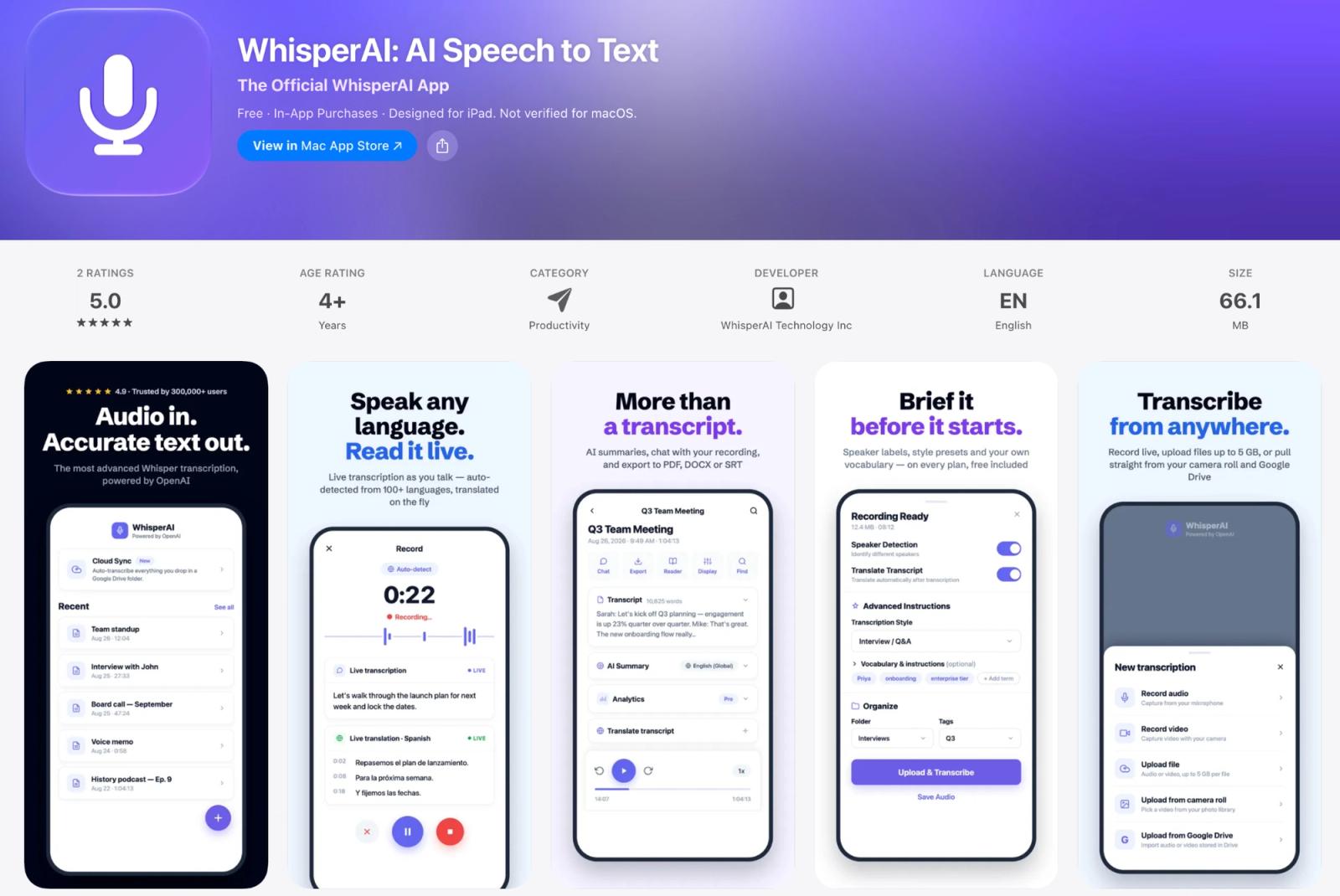
The iPhone and iPad app is available through the App Store. There is currently no native Android app.
Pricing
The no-account demo previews five minutes of a file up to 5 GB and deletes it after one hour. A free account adds five monthly minutes. Premium is $14.99/month or $99/year for 120 minutes, with rollover up to 360. Business Pro is $24.99/month or $199/year for unlimited transcription and sessions up to 12 hours.
TurboScribe costs $120 a year and has no monthly hour cap, but its “Unlimited” plan can slow heavy users to one file at a time after roughly 24 hours of audio in a day. WhisperAI earns its $199 price through vocabulary, recording, correction, search, Drive sync, ChatGPT and Claude access, and 12-hour sessions against Otter Business’s four-hour and Notta Business’s five-hour limits.
If free forever matters most, choose OpenAI Whisper, Vibe, or Buzz. If your time matters more than the setup, test WhisperAI on five minutes of your own audio.
3. TurboScribe
Best for: Students, researchers, and creators with short recordings
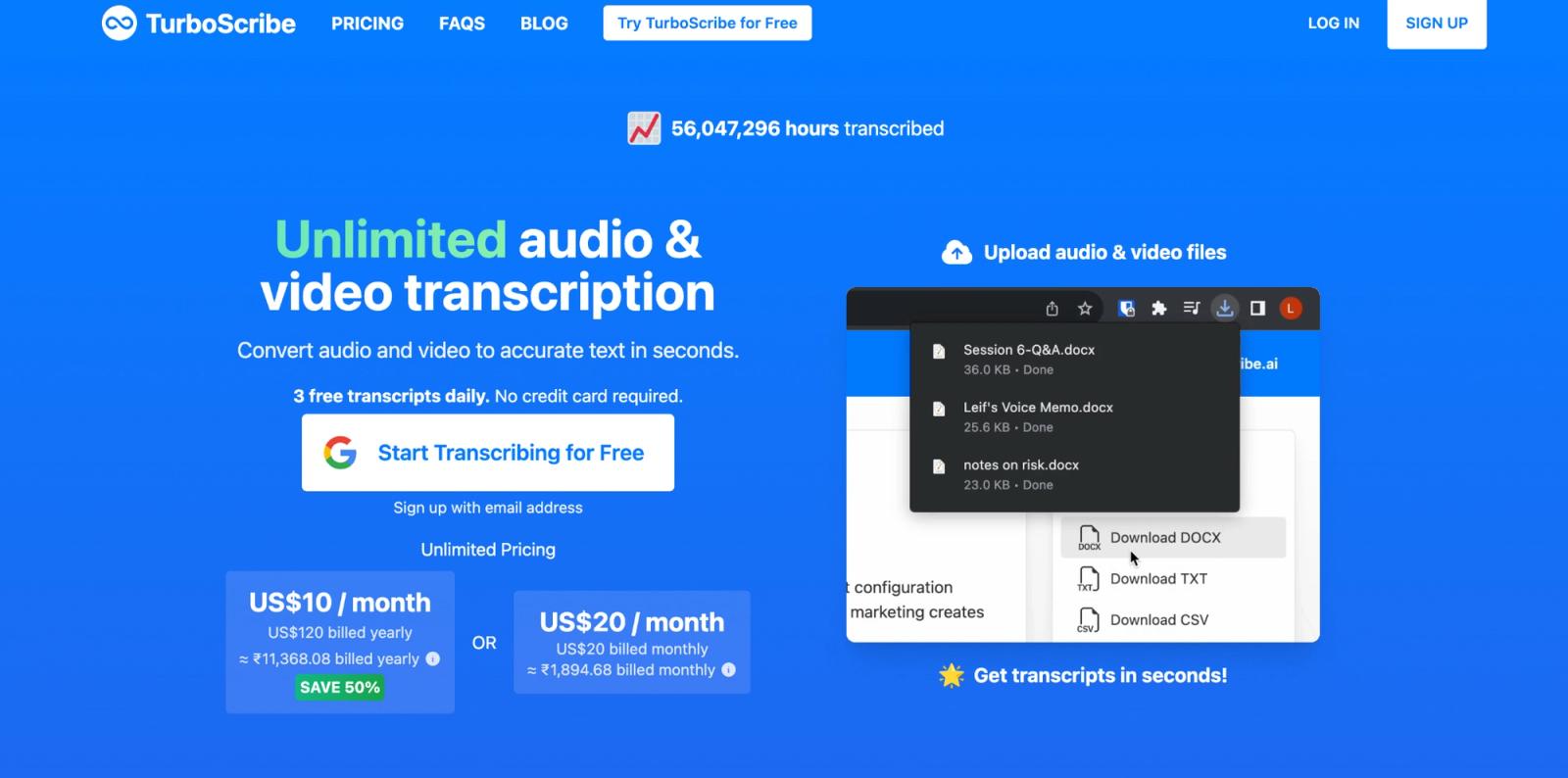
A 30-minute interview fits TurboScribe's free plan. A two-hour interview doesn't, unless you split it first. That's the practical distinction that makes TurboScribe attractive to some users and inconvenient for others.
Key features and user experience
TurboScribe supports audio and video uploads, speaker recognition, translation, audio restoration, and transcript or subtitle exports. It offers three processing modes and works entirely through the browser. It is designed for uploaded files, not live meetings or automated workflows.
Setup and requirements
The free plan processes one file at a time and gives free users lower priority. You sign up with Google or an email address. No credit card is needed.
TurboScribe Unlimited costs $20 per month or $120 per year. It accepts files up to 10 hours or 5 GB and lets users upload up to 50 files at a time.
There is no overall usage cap, but extremely heavy accounts are handled differently. If you regularly exceed 24 hours of audio per day or 720 hours per month, TurboScribe may switch the account to High Volume Mode. Files are then typically processed one at a time, and further uploads may occasionally be paused. TurboScribe says this affects only the top 0.1% of paid users.
That will not matter to most people. It matters if you are buying the plan to clear a large archive quickly. TurboScribe also has no API, so every upload must go through its browser interface. Read our full TurboScribe review if bulk throughput is part of the buying decision.
Got a two-hour recording? Upload it to WhisperAI as one file, up to 5 GB, with no splitting.
4. Otter.ai
Best for: Short meetings you want to revisit, search, and summarize
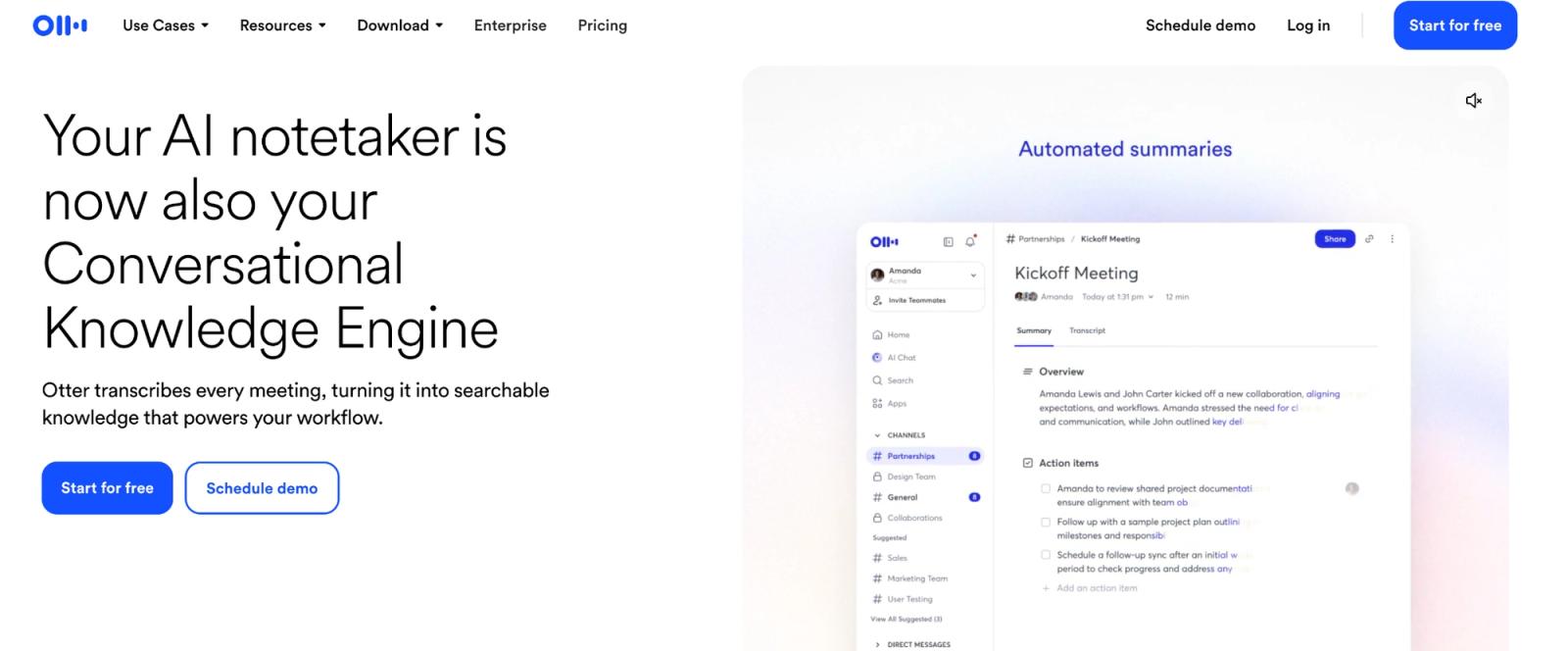
Otter is useful when the recording starts with a meeting. It can capture speech as people talk and keep the transcript connected to meeting notes, rather than treating the recording as an isolated file.
Key features and user experience
Otter provides live transcription on web and mobile, speaker identification, highlighting, searchable conversations, and Otter AI Chat for asking questions about recorded discussions.
Its meeting integrations also make it useful for scheduled online calls. Otter currently supports six transcription languages: English, Spanish, French, German, Japanese, and Simplified Chinese.
Setup and requirements
Otter Basic includes 300 monthly minutes, a 30-minute conversation ceiling, and three lifetime audio or video imports. Use it for short live sessions. For a folder of hour-long interviews, the three-import lifetime cap ends the comparison. WhisperAI Business Pro has no import limit and keeps speaker labels on every file.
5. Riverside
Best for: One-off audio or video transcription without signing up
Riverside deserves a closer look because its standalone web transcriber has an unusually strong offer: unlimited free transcription.
Key features and user experience
The Riverside transcription tool accepts audio and video, supports 100+ languages, and produces text or SRT subtitle files. The important limitation is speaker attribution. Riverside states that its free transcriber assigns words from a multi-speaker file to one speaker. If the recording has more than one voice, WhisperAI labels each speaker on every plan, including free.
Setup and requirements
The standalone tool requires a browser and an upload. Download your completed transcript when it's ready.
Riverside's paid recording and editing platform is a separate proposition, starting at $24/month on annual billing.
6. HappyScribe
Best for: People evaluating a subtitle workflow before buying
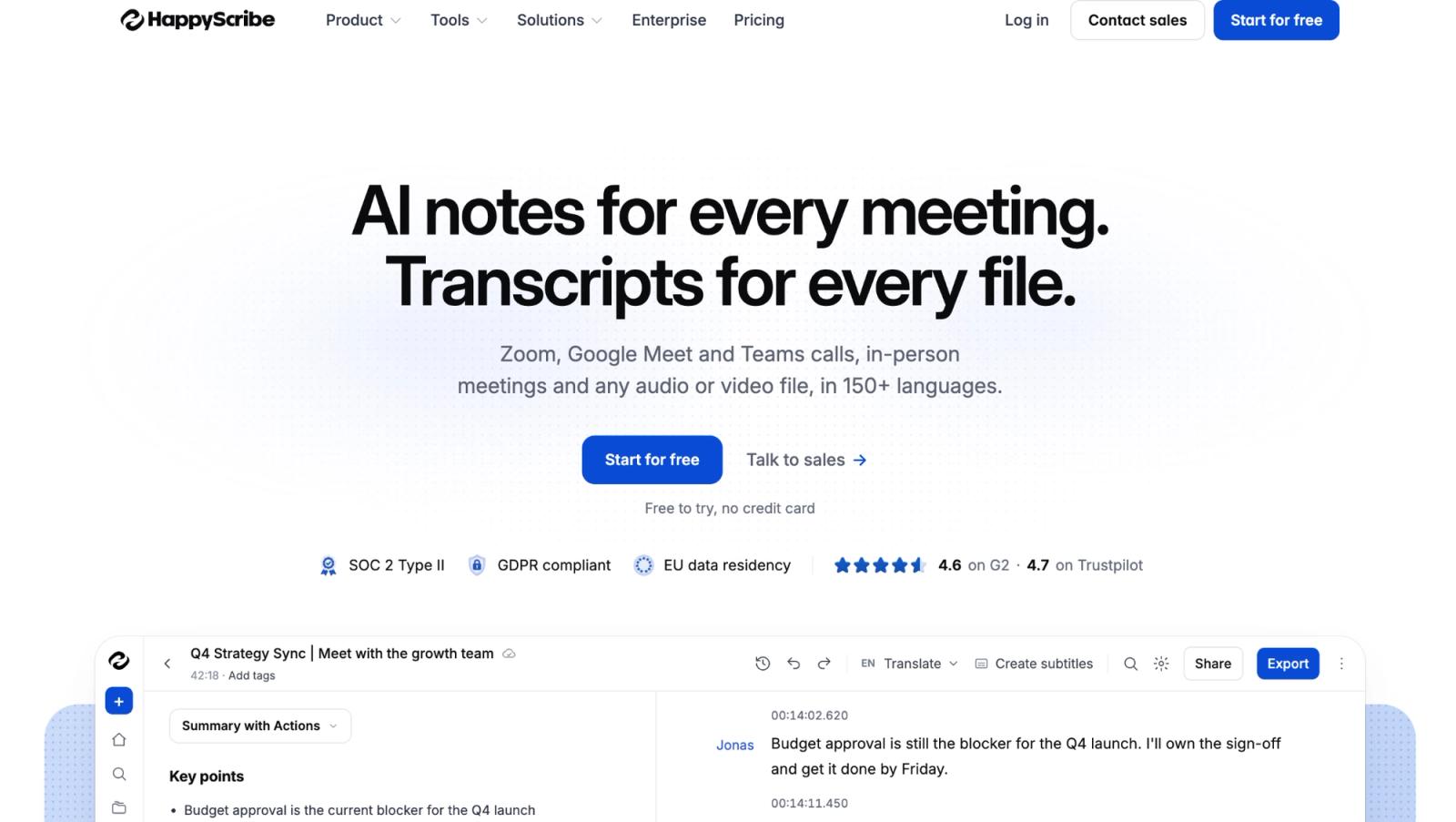
HappyScribe makes more sense when the next step after transcription is preparing subtitles, translations, or a corrected video transcript.
Key features and user experience
The platform has a transcript editor, speaker detection, 150+ language support, subtitle timing, and optional human proofreading. That combination matters for a creator who needs SRT files for a video rather than a plain document of everything said.
HappyScribe also has a free manual transcription editor, with playback and editing controls, if you're willing to produce the words yourself.
Setup and requirements
The free plan gives you ten minutes of AI transcription, subtitling, and translation as a trial. It also supports unlimited meeting recordings of up to 45 minutes each, but that's a different allowance from uploaded-file AI transcription.
Don't mistake the recording feature for ten new AI transcription minutes every month.
For a single short clip, you can evaluate whether the subtitle workflow suits your needs. For regular production, you'll need paid transcription credits.
7. Vibe
Best for: People who want local transcription with a graphical interface
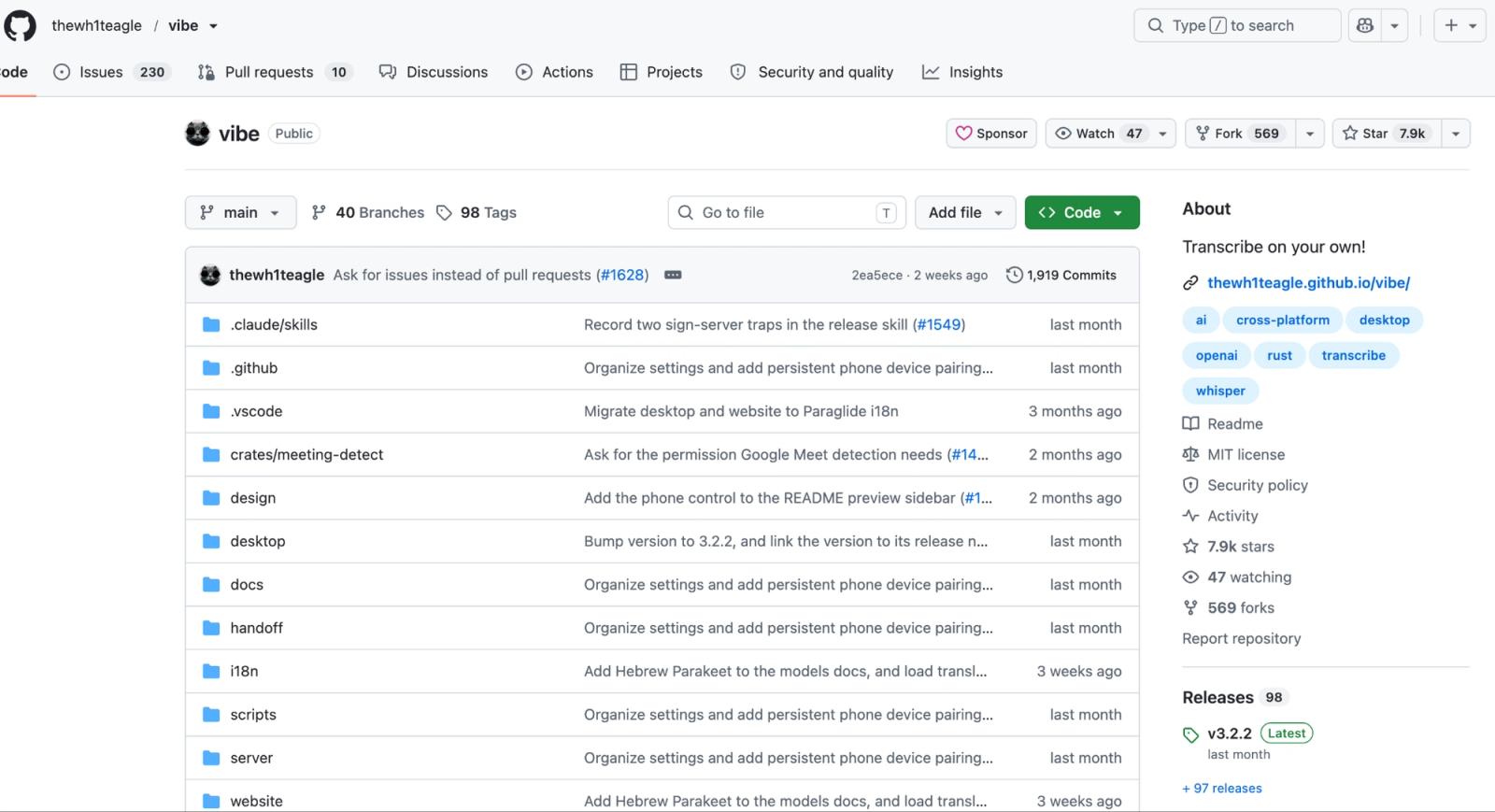
Vibe is the option I'd examine before setting up raw Whisper if I wanted unlimited local transcription but had no reason to work in a terminal.
Key features and user experience
Vibe runs on Windows, macOS, and Linux. It supports Whisper and other speech models, speaker diarization, batch transcription, and exports including TXT, DOCX, PDF, SRT, and VTT. The useful difference from a bare model is that those tasks live inside an app. You can process several files, review the result, and export directly.
Setup and requirements
The app is free and open source, but you'll download a model and use your computer's processing resources. There's no monthly subscription cap. How long a recording takes depends on the model and hardware.
8. Buzz
Best for: Repeated desktop workflows where recordings arrive in the same folder
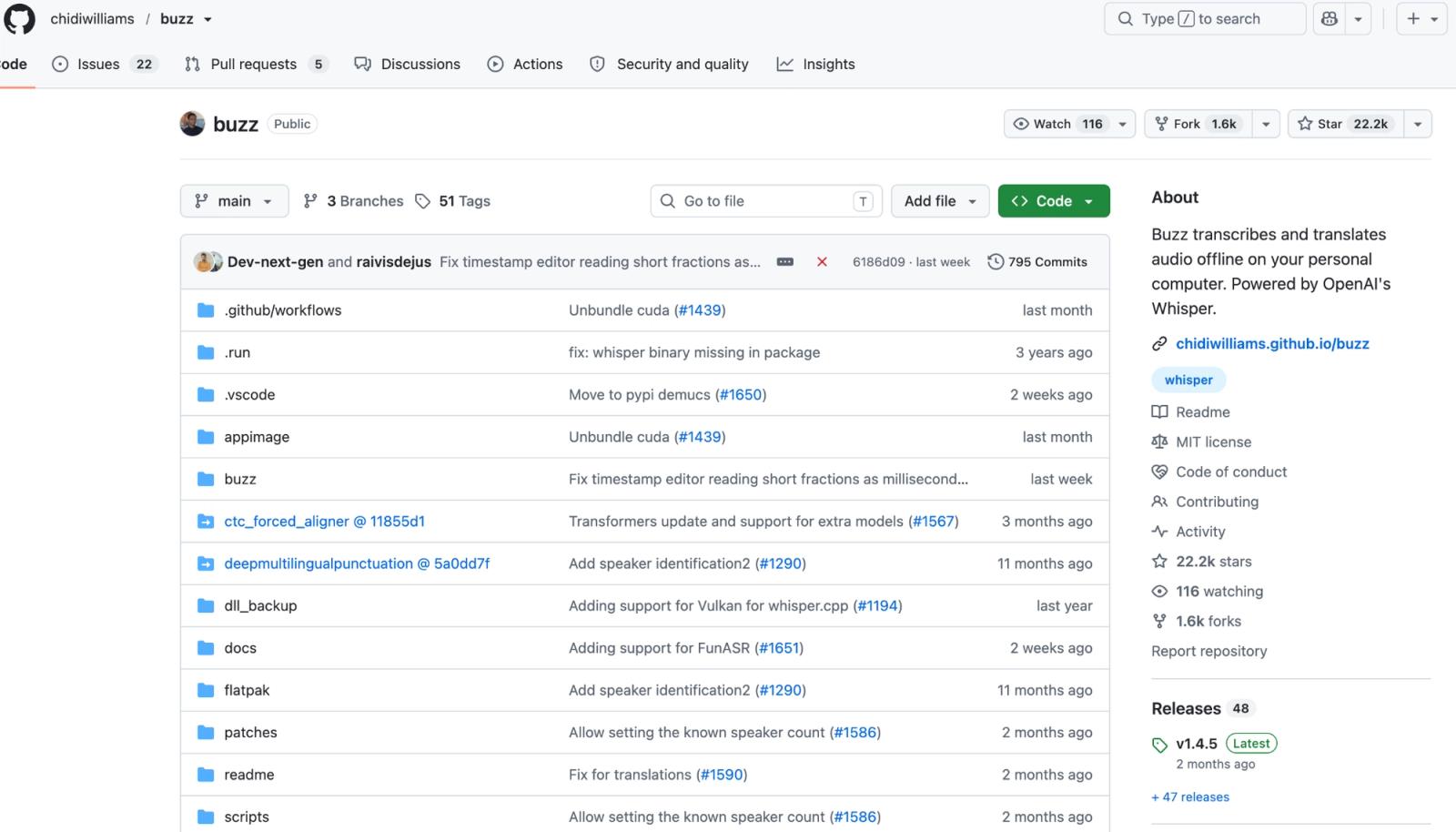
Buzz overlaps with Vibe on the basics, but its watch-folder feature gives it a distinct advantage for recurring transcription workflows.
Key features and user experience
Buzz transcribes and translates audio locally using Whisper and compatible speech-model backends. It offers a desktop interface, transcript exports, and a command-line option for scripting and automation.
You can also configure a watch folder so new files placed there are picked up for transcription.
Setup and requirements
Buzz is free and open source for Windows, macOS, and Linux.
Current Mac releases require Apple Silicon; version 1.4.5 is the last release documented to support Intel Macs. Windows users may encounter a security warning because the installer is unsigned. These are installation considerations rather than subscription charges.
Pick Buzz when you want a dedicated desktop transcription app with watch-folder automation and your hardware is supported. Pick raw Whisper when you want more direct control over the model and transcription pipeline.
9. Audacity + OpenVINO
Best for: Audio editors using a compatible Audacity installation
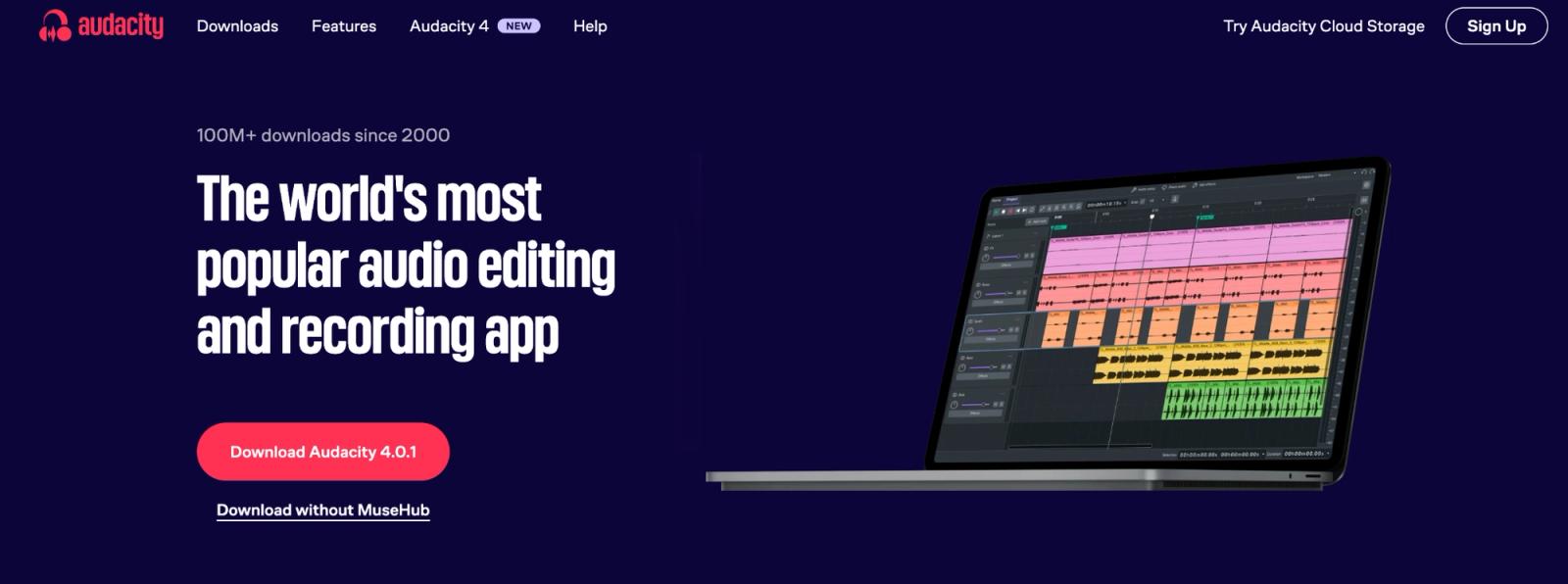
If you spend your time cutting and cleaning recordings in Audacity, its OpenVINO transcription feature can save you from exporting audio and uploading it to a separate transcription service.
Key features and user experience
Intel's OpenVINO AI plugins bring local, Whisper-based speech transcription into Audacity using whisper.cpp.
The transcript appears as a label track aligned with the audio timeline, making it useful for locating spoken sections while editing. The plugin collection also includes other AI-powered audio tools, including noise suppression.
Setup and requirements
Audacity and the OpenVINO plugins are free, but their versions must match: the latest packaged Windows plugin supports 64-bit Audacity 3.7.1-3.7.3, the Mac version is a beta build for 3.7.1, and Linux requires building the plugin from source. The current Audacity 4.0.1 release is not supported.
Transcription runs locally through Analyze → OpenVINO Whisper Transcription, with speed determined by your CPU and any supported GPU or NPU acceleration.
If you already use a compatible installation, this is a useful way to transcribe without leaving your editor. If you’re starting from scratch solely to transcribe files, Vibe or Buzz may offer a simpler setup.
10. Gemini Notebook
Best for: Students and researchers working with recordings, readings, and notes together
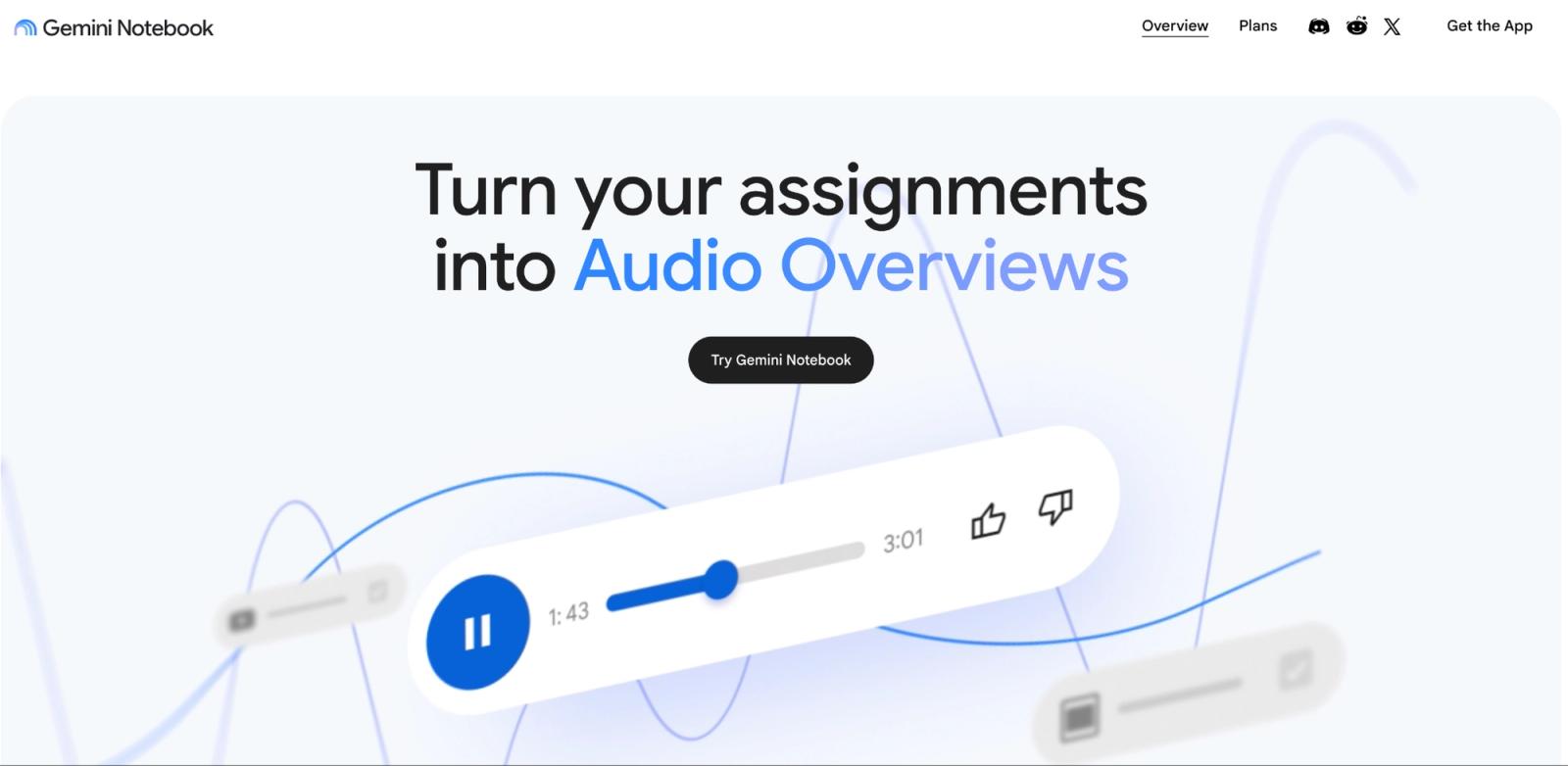
Upload a lecture, interview, PDF, and class notes, and Gemini Notebook lets you question them as one body of research. That is the reason to use it. The transcript is an input, not the final product.
Google renamed NotebookLM to Gemini Notebook in July 2026, so older guides may use the former name.
Key features and user experience
Audio is transcribed when imported and saved as a source. You can then summarize it, compare it with other material, and ask questions with citations linking back to your sources.
Setup and requirements
The free plan supports 50 sources per notebook, with local uploads up to 200 MB per source. You just need to sign in with a Google account, create a notebook, select Add source, and upload the recording
Use Gemini Notebook to study and question a recording alongside other sources. For a transcript you need to correct and deliver, use a dedicated editor such as WhisperAI, which keeps the audio beside the text and exports finished transcripts or subtitles in formats including DOCX, PDF, SRT, and VTT.
11. oTranscribe
Best for: Careful hand transcription, proofreading, and audio you do not want to upload
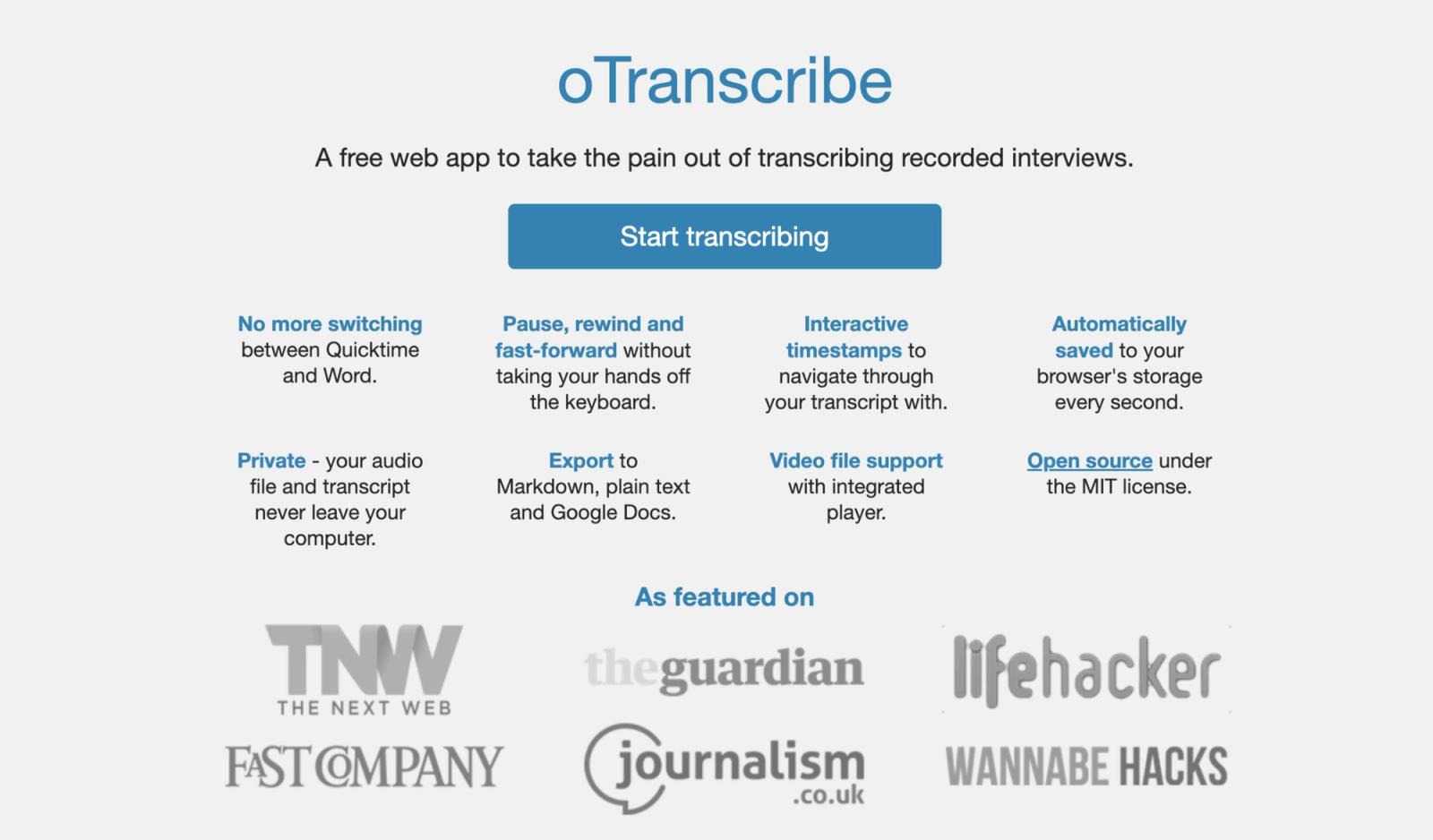
oTranscribe does not automatically convert speech into text. Instead, it makes manual transcription easier by combining audio playback and text editing in one interface.
Key features and user experience
oTranscribe puts the recording and text editor in one browser window. Keyboard shortcuts let you pause, rewind, adjust playback speed, and insert timestamps without constantly switching between applications.
Its local-first design is intended to keep audio and transcripts on your computer. Exports include TXT, Markdown, and OTR formats, with Google Docs export also available.
Setup and requirements
There is no account and no AI transcription meter because you type the words yourself.
That sounds old-fashioned until the recording is sensitive, the audio is difficult, or you're learning transcription. Just export regularly: oTranscribe warns that browser storage shouldn't be treated as permanent storage.
For interviews requiring careful manual review, oTranscribe is a practical option. For quickly processing dozens of recordings, an automated speech-to-text tool will generally be more efficient.
12. Google's free transcription tools: Recorder, Live Transcribe, and Docs Voice Typing
Best for: Live capture on a device you already own
Google offers three free tools, but each solves a different job.
Key features and user experience
Google Recorder records and transcribes on supported Pixel devices, with searchable text, playback, and editing. A single recording can last up to 18 hours.
Live Transcribe is designed for live conversations and accessibility on Android. It displays spoken words as people talk, rather than processing a folder of existing recordings.
Google Docs Voice Typing puts speech directly into a document. It's useful when you're dictating notes or writing, with editing taking place in Docs itself.
Setup and requirements
Recorder requires a Pixel 3 or later (or a supported Pixel Tablet). Live Transcribe requires a compatible Android device. Docs Voice Typing works in supported browsers including Chrome, Edge, and Safari.
All three can save you paying for a separate tool when live capture is the job. None is a general replacement for uploading and transcribing arbitrary recorded files.
Top 12 free transcription tools comparison
Quality ★ rates the usefulness of each tool for its intended job, including setup, features, editing, and exports. It is not an accuracy benchmark or a measure of how many free minutes you receive.
| Solution | Core features | Quality ★ | Price/Value 💰 | Target audience 👥 | Unique strengths ✨ |
|---|---|---|---|---|---|
| OpenAI Whisper | Local transcription, translation, timestamps | ★★★★☆ | Free; local compute required | Developers and technical users | Full local control with no minute cap |
| WhisperAI | Prompting, speakers, editor, search, exports | ★★★★☆ | 5 min/month | Professionals wanting a managed workflow | Context before transcription and 5 GB uploads |
| TurboScribe | File transcription, speakers, translation | ★★★★☆ | 3 files/day; 30 min/file | Students, researchers, and creators | Strong recurring browser allowance |
| Otter.ai | Live transcription, speakers, meeting notes | ★★★★☆ | 300 min/month; 30 min/session | Meeting-heavy users | Searchable live-meeting workflow |
| Riverside | Browser transcription with TXT and SRT exports | ★★★★☆ | Advertised as unlimited | Occasional users | No account required |
| HappyScribe | Transcription, subtitles, translation | ★★★☆☆ | 10-min AI trial | Video and subtitle creators | Transcript and subtitle editing together |
| Vibe | Offline transcription, diarization, batch exports | ★★★★☆ | Free; local compute required | Privacy-conscious desktop users | Local processing in a graphical app |
| Buzz | Offline transcription, speakers, CLI, watch folders | ★★★★☆ | Free; local compute required | Users with recurring local workflows | Automatic watch-folder processing |
| Audacity + OpenVINO | Local Whisper transcription in Audacity | ★★★☆☆ | Free; compatible setup required | Existing Audacity users | Transcript aligned with the audio timeline |
| Gemini Notebook | Audio transcription, research chat, citations | ★★★★☆ | 50 sources/notebook; 200 MB/source | Students and researchers | Combines recordings with research sources |
| oTranscribe | Manual editor, playback controls, timestamps | ★★★☆☆ | Free; manual transcription | Manual transcribers and proofreaders | Private manual workflow with no uploads |
| Google tools | Pixel recording, Android captions, browser dictation | ★★★★☆ | Free on supported devices | Pixel, Android, and Google Docs users | Already built into common devices and browsers |
Free video transcription: video to text for free
Free video transcription works like audio: you upload the file, and the same limits apply.
For video-to-text transcription, WhisperAI accepts common video formats and can export SRT and VTT subtitles; see the video-to-text workflow. TurboScribe, Riverside, and HappyScribe also accept video files.
For a public YouTube video, check whether Show transcript already gives you what you need before uploading the same content somewhere else. Our guide to transcribing a YouTube video covers the other routes.
Free transcription apps for iPhone and Android
On iPhone, Voice Memos can transcribe recordings on iPhone 12 and later in a defined set of supported languages. If you already own the phone, that costs nothing extra. Our guide to transcribing voice memos covers the workflow.
WhisperAI has an iPhone app but no native Android app. On Android, Recorder is the best built-in option on supported Pixel devices. Live Transcribe handles in-person speech, and Otter handles meeting capture.
How to transcribe audio to text for free
There are two sensible routes.
No installation:
- Open WhisperAI and drop your file into "Transcribe a File Free". You don't need an account, and files can be up to 5 GB.
- Pick a style, such as Standard, Interview or Legal.
- Read the first five minutes of the transcript.
- Check names, speakers, accents and jargon against the audio.
- If it works for your recording, sign up free for 5 minutes a month, or choose a plan for longer files.
Free forever: install Vibe, Buzz, or OpenAI Whisper, choose a model, drop in the recording, and let your own computer process it.
Whichever route you use, for better results, keep the microphone near the speaker, use the cleanest original recording available, and check proper nouns against the audio. If the original WAV or FLAC exists, prefer it over a heavily compressed copy.
For an MP3 workflow, see how to transcribe MP3 to text. For a separate guide to browser conversion, see convert audio to text online free.
Can ChatGPT or Claude transcribe audio?
ChatGPT accepts audio uploads on paid subscriptions and workspaces, with a 512 MB maximum per audio file. ChatGPT Free does not currently include audio-file uploads.
Claude’s normal upload flow is built around documents and images, but it supports remote connectors.
WhisperAI offers an MCP connector for Claude and ChatGPT. With it, you can upload audio through a connected assistant, search an existing transcript library, ask questions about recordings, or export transcript files.
For example, you could ask Claude to find the interview where a particular topic was discussed, then request the relevant passage with timestamps.
The connector works with every WhisperAI plan, including Free, but normal transcription allowances still apply.
Claude allows one custom remote connector on its Free plan. WhisperAI is also listed in Claude's Connectors Directory, so you can connect your account without setting up an API key.
For ChatGPT, custom MCP availability depends on your plan and workspace permissions. See the WhisperAI ChatGPT connector for the current setup requirements.
Connect WhisperAI to Claude and transcribe your next recording without leaving the chat.
Beyond free: When to upgrade to a professional tool like WhisperAI
The tipping point: Recognizing the limits of free
You can keep using free transcription software for as long as it does the job.
The point to reconsider is when one of four restrictions starts costing you more time than it saves: a minute allowance, a per-file ceiling, processing on your own computer, or missing tools around the transcript.
Making the strategic upgrade
Pay when the free wall keeps interrupting actual work.
WhisperAI's case is strongest when you like what Whisper does but don't want to run Whisper yourself, or when a growing backlog makes minute-counting the expensive part of the workflow.
The free plan lets you test that argument on your own audio. Business Pro removes the minute ceiling for $199 a year. The value isn't "AI is better because it costs money." The value is that your recording goes in, the names and instructions go with it, and a searchable, speaker-labelled transcript comes back without you maintaining the machinery underneath.
Got hours of recordings? Upload them all to WhisperAI Business Pro and stop counting minutes
Frequently asked questions about free transcription software
Can ChatGPT transcribe audio for free?
No. OpenAI currently makes audio-file uploads available on paid ChatGPT subscriptions and workspaces, not the Free plan. Supported audio uploads can be up to 512 MB.
Is Google Transcribe free?
Yes. Google Recorder transcribes recordings on Pixel devices, Live Transcribe captions live speech on Android, and Google Docs Voice Typing handles live dictation in supported browsers.
Is Otter AI completely free?
Otter has an ongoing free Basic plan, but it is limited. You receive 300 transcription minutes per month, with a maximum of 30 minutes per conversation or import. The free account also allows only three audio or video imports in total, not three each month.
Is TurboScribe free to use?
Yes. TurboScribe Free gives you three transcripts per day. Each file can be up to 30 minutes long, and free users can upload one file at a time. Their jobs also receive lower processing priority than paid accounts.
Does Microsoft Word have a transcription tool?
Yes, but it is a Microsoft 365 feature rather than a standalone free transcription plan. Eligible Microsoft 365 subscribers can use Word’s Transcribe feature to upload up to 300 minutes of audio per month. Platform and organization availability can vary.
Which is the cheapest transcription service?
For zero software cost and no minute cap, run OpenAI Whisper, Vibe, or Buzz locally. If you want a browser tool without installation, Riverside currently advertises unlimited standalone transcription for free, while TurboScribe gives three 30-minute jobs a day. For unlimited paid transcription, compare session length as well as price: WhisperAI Business Pro is $199 a year with recording sessions up to 12 hours.
Can VLC convert audio to text?
Not yet. VideoLAN has demoed AI-generated subtitles, but they aren't in a released version. The latest release, VLC 3.0.24, doesn't include speech-to-text.
How can I practice transcribing for free?
Use oTranscribe. It keeps the audio player and text editor in one window and provides shortcuts for playback, rewinding, speed, and timestamps. It does not generate the transcript, so you still do the manual listening and typing.
What is the best software for transcription?
The best AI transcription software depends on the job. For genuinely free, unlimited automatic transcription, OpenAI Whisper is the strongest answer if you’re comfortable running it locally. For a finished browser workflow without setup, with editing, speaker labels, exports, and high-volume paid use, WhisperAI is the better fit.
Which AI can convert speech to text?
OpenAI Whisper, run on your own computer, or apps built on it such as Vibe and Buzz. In the browser, WhisperAI uses OpenAI Whisper as the underlying technology and adds speaker labels, presets and exports.
Will transcriptionists be replaced by AI?
AI now does the first draft of most transcripts. People still check quotes, legal records and difficult audio, which is why services like Rev and HappyScribe still sell human transcription.
WhisperAI Team
Product