How to Get a Spotify Podcast Transcript
Need a Spotify podcast transcript? Learn how to find native transcripts or easily create your own with AI for better accessibility, SEO, and engagement.
tl;dr: To get a Spotify podcast transcript, first check the episode page in the Spotify app for a native transcript. If it's not there, your next best bet is the podcast's official website. If you still can't find one, you'll need to grab the episode's audio file and use an AI transcription service like Whisper AI's AI transcription service to create a highly accurate transcript yourself in just a few minutes.
Ever tried to pinpoint a specific quote or a fascinating stat buried an hour deep into a podcast episode? It's a frustrating scavenger hunt we've all been on. That’s why having a Spotify podcast transcript isn't just a nice perk anymore—it's become essential for listeners, researchers, and creators alike. It turns a passive listening experience into an active, searchable one.
So, how do you actually get one? First, always check the episode page in the Spotify app for a built-in transcript. If it’s not there, don’t worry. Your next step is to get the audio and use a separate transcription tool to create your own. This guide will walk you through exactly how to do both, step-by-step.
Why Podcast Transcripts Are a Game Changer
Think of a transcript as the searchable, readable, and shareable version of your audio. It completely changes how people can engage with an episode, shifting them from passive listening to active interaction. Suddenly, every spoken word becomes discoverable—not just by your audience, but by search engines, too.
This isn't just a passing trend; it's a strategic shift driven by huge market demand. The AI transcription industry is set to grow at a 15.6% annual rate through 2034, rocketing from a $4.5 billion market in 2024 to an estimated $19.2 billion. This explosion is tied directly to the need for accessible content. In fact, some podcasters have seen their organic search traffic jump by as much as 50% just by adding transcripts. You can dig into more stats about the impressive growth of the podcast transcription market.
Unlocking Accessibility and Engagement
The most immediate benefit of a transcript is making your podcast accessible to a much wider audience. For listeners who are deaf or hard of hearing, it’s not just a convenience—it’s the only way they can consume your content. Transcripts also help people in noisy environments without headphones or non-native speakers who find it easier to read along as they listen.
Transcripts transform a podcast from a one-dimensional audio file into a multi-faceted piece of content. It’s like giving your episode a text-based superpower, making it easier to find, reference, and share.
Beyond pure accessibility, transcripts seriously boost engagement. Have you ever wanted to check if an episode is worth your time? With a transcript, listeners can quickly skim it, find a specific part they want to hear again, or copy-paste a powerful quote to share on social media. This level of interaction turns a passive listener into an active, engaged fan.
SEO Benefits of a Spotify Podcast Transcript
From a creator’s point of view, the SEO advantages are enormous. Search engines like Google can’t “listen” to audio, but they are experts at crawling and indexing text. When you publish a transcript, you're essentially handing Google a keyword-rich document that lays out your entire episode.
Here’s what that really means for your show:
- Increased Discoverability: Your episode can suddenly rank for all the long-tail keywords and niche topics discussed in the conversation, not just its title.
- More Organic Traffic: People searching for specific answers or quotes you’ve mentioned can land directly on your episode page from a search engine.
- Effortless Content Repurposing: A full transcript is the perfect raw material for creating blog posts, social media updates, and infographics. You can easily expand these ideas with a solid set of show notes—our guide on a podcast show notes template is a great place to start.
Whether you're a listener trying to track down a key moment or a creator working to grow your audience, knowing how to get a Spotify podcast transcript is an invaluable skill.
Finding Spotify's Native Podcast Transcripts
Spotify is finally starting to roll out its own transcript feature, which is a game-changer for anyone who wants to read along or jump to a specific part of an episode. The good news is that when it’s available, it works beautifully.
But here’s the catch: it’s still very much a work in progress. You might find a transcript for one episode but not the next, even from the same podcast. It makes the experience a bit hit-or-miss right now, which is why knowing how to create your own transcript is still a crucial skill.
How to Check for a Transcript in the Spotify App
Luckily, checking for a transcript is simple. Whether you're on your phone or computer, just open the podcast episode you want to check.
Start scrolling down the episode page, past the description and show notes. If a transcript is available, you’ll see a card containing the full text of the episode. If you don't see it, it's not there.
Here's what it looks like on the mobile app when you find one.
Once you tap the card, the full transcript opens up and highlights the words in real-time as they’re spoken. My favorite part is that you can tap any sentence to skip directly to that point in the audio—a fantastic tool for navigating long conversations.
The feature itself is great, but its limited availability is the main hurdle. Spotify has over 4.5 million podcasts and more than 106 million episodes in its library. You can get a sense of the massive scale of Spotify's podcast ecosystem here. It's going to take a long, long time for this to be everywhere.
Because you can't count on Spotify having a transcript ready for you, it's smart to have a backup plan. If you scroll down and come up empty-handed, you'll need to make one yourself—and that's exactly what we'll cover next.
So, you’ve hit a dead end on Spotify. You scrolled through an entire episode page, hoping to find that transcript, but came up with nothing. It happens more often than you'd think, as Spotify's built-in feature is still rolling out and isn't available for every show.
Don't worry, though. This just means it's time for a little detective work.
Your first port of call should always be the podcast's own website. Most creators who care about making their content accessible or boosting their SEO will post transcripts there. Look for a blog post or a dedicated page for the episode you're interested in.
They usually hide in plain sight under a few common labels:
- Transcript: The most obvious one. This should link directly to the full text.
- Show Notes: A popular spot for creators to embed a transcript, sometimes tucked inside a collapsible dropdown menu.
- Resources: You might also find transcripts bundled with other episode-related links and materials here.
This infographic breaks down the hunt for a pre-existing transcript into a simple flowchart.
The bottom line is to always check the creator's home base before you assume a transcript simply doesn't exist.
Creating Your Own Spotify Podcast Transcript
Okay, so you've checked Spotify and the official podcast website, and you're still empty-handed. Now it's time to roll up your sleeves and make one yourself. Thanks to some incredible tools, this is much easier than it sounds and is the surest way to get the text you need.
The only thing you'll need is the episode's audio file, which is usually an MP3 or M4A. Getting this file is the trickiest part of the whole process. You can often use browser extensions or standalone desktop apps designed to save audio playing on a webpage. A quick search for "download Spotify podcast audio" will show you plenty of current options.
A Quick Word on Copyright: Just remember, podcast audio is copyrighted material. When you download an audio file to create a personal Spotify podcast transcript, it’s meant for your eyes only—for things like research, studying, or just having a handy reference. If you ever want to publish that transcript on a blog or website, you absolutely need to get permission from the podcast's creator first.
With the audio file saved on your computer, you're ready for the final step: turning that sound into words. This is where AI transcription services shine, generating an accurate document in just minutes. We’ll cover exactly how to do this using a tool like the AI transcription tool from WhisperAI in the next section.
How to Create Your Own Transcript with AI
So, you’ve hit a dead end. You’ve scoured the Spotify episode page and even checked the podcast’s official website, but there’s no transcript to be found. Don't worry, this is a common problem. It’s time to roll up your sleeves and create one yourself using the power of AI.
Using an AI transcription service is hands-down the fastest and most reliable way to get a Spotify podcast transcript. What used to take hours of tedious typing can now be done in just a few minutes.
Choosing Your AI Transcription Tool
The market is flooded with transcription tools, but they definitely aren’t all created equal. You’ll want something that’s not only fast and accurate but can also handle the messy reality of podcast audio—think multiple speakers talking over each other, thick accents, and background noise.
For this guide, we'll use a powerful platform like Whisper AI as our go-to example. It’s built on a model that’s exceptionally good at understanding natural human conversation, which is perfect for podcasts.
Once you have the audio file (MP3, WAV, etc.) on your computer, you’re just a few clicks away from a full, clean transcript.
Getting Your AI Transcript Step-by-Step
First, head over to the transcription service's website. Most have a clean, simple interface where you can just drag and drop your audio file. Services like Whisper AI can handle big files, so don't sweat it if you have a two-hour episode.
After your file is uploaded, you’ll see a few settings that can make a huge difference in the final output. Here’s what to look for:
- Language Selection: Double-check that you've selected the main language spoken in the podcast. The best tools can handle dozens of languages and even auto-detect them for you.
- Speaker Labeling (Diarization): This is a game-changer. Turning this on tells the AI to identify and tag who is speaking (e.g., "Speaker 1," "Speaker 2"). It’s essential for interviews or shows with multiple hosts.
- Punctuation and Formatting: A good service will automatically add punctuation, capitalization, and paragraph breaks. This saves a massive amount of editing time later on.
Once your settings are dialed in, just hit the "transcribe" button. The AI will start processing the audio and converting it to text. In a matter of minutes, you'll have a complete transcript ready to review. If you're curious about how it all works so fast, you can learn more about the foundations of speech-to-text technology.
With AI, the heavy lifting is done for you. The system sifts through accents, filters out background music, and even correctly spells complex or technical terms that might trip up a human transcriber.
Manual vs. AI Transcription at a Glance
To really see why AI is the modern choice for podcasters and content creators, it helps to put it head-to-head with the old-school manual method.
| Feature | Manual Transcription | AI Transcription (Whisper AI) |
|---|---|---|
| Speed | 4-6 hours per audio hour | 5-10 minutes per audio hour |
| Accuracy | Up to 99% (with expertise) | Up to 98.8% (without fatigue) |
| Cost | High (per minute/hour rates) | Low (flat-rate or subscription) |
| Features | Limited to human skill | Speaker labeling, timestamps, auto-punctuation |
The choice is pretty clear. For anyone who needs a fast, accurate, and affordable Spotify podcast transcript, AI is the way to go. You're not just saving a ton of time; you're getting a much more functional document that's ready for editing and publishing right away.
Editing and Publishing Your New Transcript
Getting that raw transcript from an AI is a huge first step, but don't hit publish just yet. A machine-generated transcript is an amazing starting point, but it's the final human polish that turns it from a rough draft into a valuable asset for your audience and your brand.
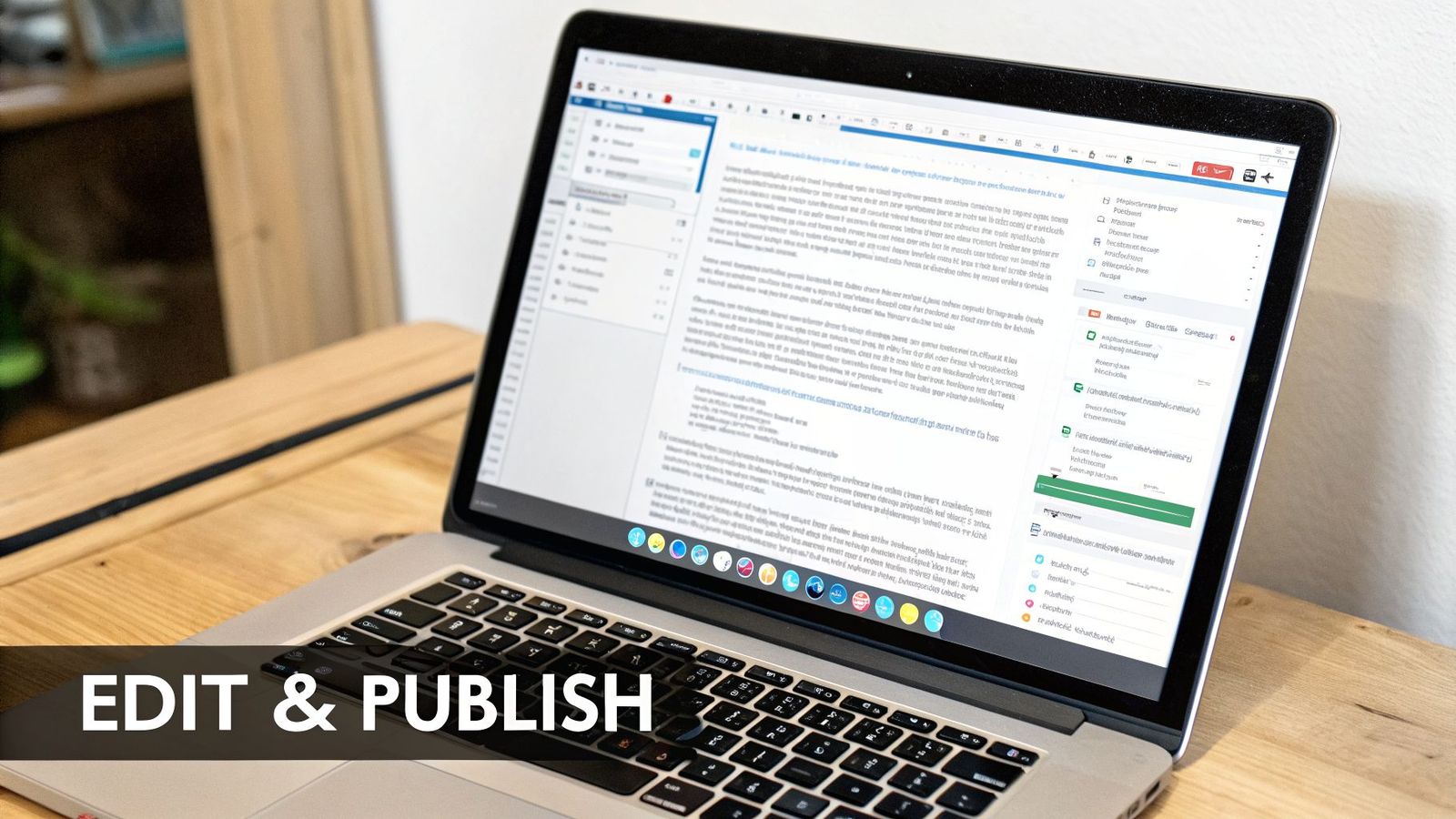
This is where you roll up your sleeves for a few minutes. Thankfully, most modern transcription tools like WhisperAI have a built-in editor right in your browser, making this process pretty straightforward.
Your first pass should just be a quick read-through. Even with AI hitting 99% accuracy, there will always be little trip-ups on things like industry jargon, unique names, or when people talk over each other. Just scan for obvious typos and punctuation mistakes and clean them up as you go.
From Raw Text to Readable Content
Once the basic errors are fixed, it’s time to make the transcript truly easy to follow.
If you used a speaker detection feature, you’ll probably see generic labels like "Speaker 1" and "Speaker 2." Take a moment to replace these with the actual speakers' names. This is a small touch that makes a world of difference for your readers, instantly clarifying who said what in a conversation.
Next, let's tackle formatting. AI often spits out massive, intimidating blocks of text. Your job is to break these up into short, digestible paragraphs, usually just one to three sentences each. Good spacing invites the eye to keep reading, while a wall of text just encourages people to leave the page. For a deeper dive into this, our guide on proofreading in transcription has some great, practical tips.
A well-edited transcript isn't just about fixing mistakes. It's about crafting a better reading experience that respects your audience's time and attention. Think of it as preparing your content for its second life as a written piece.
Now that your transcript is clean, polished, and easy to read, you can think about how to share it with the world.
Choosing the Right Format and Publishing Smart
How you plan to use the transcript will determine the file format you need. Are you writing a blog post or creating video captions? The end goal dictates the export.
Here are the most common formats you'll encounter:
- DOCX (Word Document): This is your go-to for any text-based content. It’s perfect for turning the transcript into show notes or a full article, as you can easily copy the content into your website’s editor.
- SRT (SubRip Subtitle): Have a video version of your podcast? An SRT file is exactly what you need. It includes timestamps alongside the text, which allows platforms like YouTube to create perfectly synced captions.
- TXT (Plain Text): This is a simple, no-frills option. It’s great for archiving or when you just need the raw text without any special formatting.
When you're ready to publish a Spotify podcast transcript on your website, I highly recommend using a collapsible "accordion" element. This keeps your page looking clean and professional. Visitors can see the transcript is available, but they don't have to scroll past the entire thing to get to the rest of your content. Search engines can still crawl and index the text, so you get all the SEO benefits without the clutter.
As this technology becomes standard, understanding the new AI job skills in podcasting is a smart move for anyone in the industry.
Finally, and this is crucial, always operate with integrity. If you’re transcribing someone else’s show, give credit. Always link back to the original podcast episode and clearly state who the creators are. Even better, get their permission before you publish anything. A quick, polite email shows respect and helps you avoid any potential copyright headaches down the road.
Frequently Asked Questions About Podcast Transcripts
As you get into transcribing podcasts, a few questions tend to pop up again and again. Getting the right answers on everything from legal stuff to AI performance helps you move forward without second-guessing yourself.
Let's tackle some of the most common uncertainties I hear. Think of this as your final gut-check before you dive in.
Is It Legal to Transcribe a Spotify Podcast?
This is probably the most critical question, and the answer comes down to one thing: what you plan to do with the transcript.
If you're just transcribing an episode for your own personal use, you're generally in the clear. Maybe you want to study the content, pull quotes for a research paper, or just have a searchable version for yourself. As long as it stays on your computer and you're not sharing it, it's typically considered fair use.
The line gets drawn the second you decide to publish it. Posting a transcript on your blog, using it for social media content, or distributing it in any public way requires you to get permission from the podcast creator. That content is their intellectual property. A good rule of thumb: if you didn't create it, you need to ask before you share it.
How Accurate Is AI with Multiple Speakers or Accents?
AI transcription has gotten shockingly good, but it’s not infallible—especially with the chaotic nature of human conversation. For shows with several hosts, a good AI service uses speaker labeling (or diarization) to tell who's talking, assigning tags like "Speaker 1" and "Speaker 2." It works surprisingly well, but it can get tripped up when people talk over each other or laugh at the same time.
AI models have made huge leaps with accents and fast talkers, often hitting over 98% accuracy. Still, you should always budget time for a quick human review. The AI won't know how to spell your guest's unique name, might bungle industry jargon, or misinterpret a sarcastic comment. A quick proofread is non-negotiable.
Can I Get a Transcript for a Live Spotify Podcast?
No, you can't get a transcript of a podcast while it's happening live. Transcription tools, whether they're built into Spotify or a separate service like WhisperAI, need a finished audio file to do their magic.
Think of it like this: the tool needs to "listen" to the entire recording from start to finish to process it accurately. Once the live show ends and the creator posts the final audio, you can use any of the methods we’ve discussed to get your transcript. The transcript is always a post-production asset, not a live one.
Ready to turn any podcast into accurate, searchable text in minutes? WhisperAI offers professional, AI-powered transcription with advanced speaker labeling and near-human accuracy across 100+ languages. Stop wasting time on manual transcription and start creating valuable content today by visiting https://whisperai.com.