How to Transcribe from MP3 to Text Accurately in 2026
Need to transcribe from MP3 to text? Learn the step-by-step process using AI, from uploading your file to exporting an accurate, ready-to-use transcript.
An MP3 file always seems to show up when you're swamped. You need meeting notes before the next call. A lecture needs to be searchable. A podcast interview requires quotes, captions, and a draft for editing. Typing it all out by hand is slow and exhausting. Thankfully, AI transcription can do the heavy lifting now.
tl;dr: Uploading is just the start when transcribing MP3 to text. Clean audio is key. Thanks to the Transformer breakthrough in 2017, modern systems can quickly turn recordings into drafts. But the best workflow still involves setup, review, and exporting the final format. If you're ready to dive in, an AI tool like WhisperAI can help. And remember, file quality matters—compare formats like MP3 vs WAV before uploading.
This leap in transcription quality is thanks to tech, not gimmicks. The game-changer was in 2017 when Google introduced the Transformer architecture in Attention Is All You Need. This became the backbone of modern speech-to-text systems like Whisper, as explained by AssemblyAI. It made transcription accessible for everyday teams.
Table of Contents
- From Audio File to Actionable Text
- The Core Transcription Process Explained
- Refining and Editing Your AI-Generated Transcript
- Best Practices for Maximum Transcription Accuracy
- Advanced Considerations Security Privacy and Workflows
- Troubleshooting and Exporting Your Final Transcript
From Audio File to Actionable Text
People don't need "a transcript." They need something usable. Meeting notes that are searchable, a trustworthy quote, synchronized captions, or a research archive that's more than just audio files.
That's the shift in transcription today. The MP3 isn't the final asset anymore. It's just the raw material.
A useful transcript starts with a realistic mindset. AI handles a lot, especially clean speech, but it works best when the file is prepped right and a knowledgeable person reviews the output. This is crucial for names, technical terms, legal language, and overlapping dialogue.
Working rule: Treat AI transcription as a strong first draft, not a final document.
For teams regularly transcribing MP3 to text, the real advantage isn't just speed. It's consistency. You can use the same workflow for interviews, calls, lectures, oral histories, and meetings without reinventing the wheel each time.
Three habits separate good transcription workflows from messy ones:
- Keep the original file: Don’t overwrite the source MP3 after making edits.
- Know the final use case: Captions, notes, and legal reviews each need different levels of detail.
- Review the weak spots first: Names, timestamps, speaker labels, and jargon typically fail before regular speech.
That's where the workflow lives. It's not about "instant transcription," but the small decisions that make the text reliable enough to publish, share, or use.
The Core Transcription Process Explained
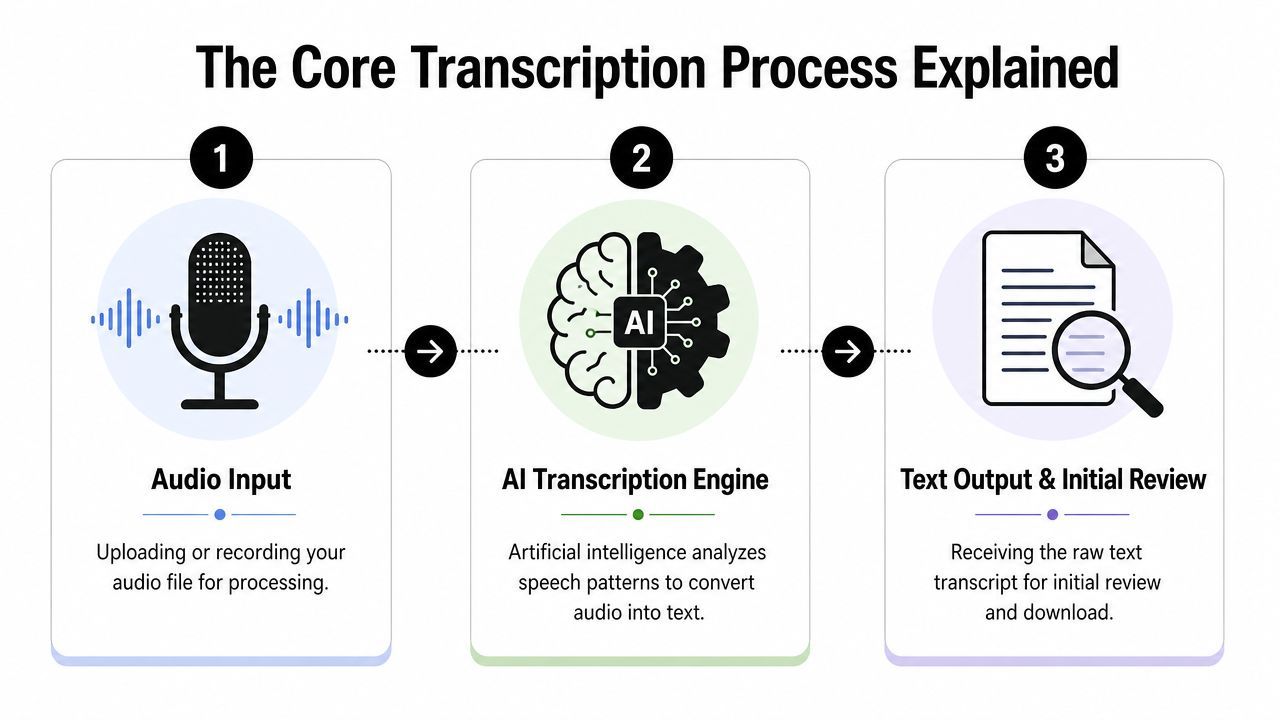
Modern transcription systems seem simple because they hide the complexity well. But the workflow still follows a pattern: upload, configure, and process.
As Happy Scribe explains, most cloud transcription APIs need only three API calls to upload the MP3, submit the request, and get the result. This model works for non-tech users too. The same three stages are in browser tools and desktop apps.
Upload first, but upload the right file
Uploading isn't just dragging a file. It's when bad source decisions become permanent.
If the MP3 is all you have, use it. But if there's a cleaner version from the recorder or editing session, submit that instead. For regular work, know how hosted services work with models and endpoints, especially if you're comparing browser tools with the OpenAI Whisper API.
A smart upload check includes:
- Listen to the first section: A quick check catches clipping, silence, and channel issues early.
- Confirm the language setting: Auto-detection is handy, but manual selection often cuts down on later cleanup.
- Check if the audio is one conversation or several environments: A boardroom segment and hallway interview shouldn't be one file.
Configuration changes the output
Many quick guides stop too soon. Settings matter.
Speaker detection is useful when the transcript needs to identify speakers. Custom vocabulary helps when product names, surnames, acronyms, or technical terms could be misheard. Language selection matters even when obvious, especially with regional accents or bilingual sections.
Some teams test tools before setting a workflow. This top ASR tools review can help compare platforms, especially for editing, exports, and automation.
A transcript generated with the wrong assumptions can look polished but be full of errors where it matters most.
Once processing finishes, the text is ready. It's rarely finished.
Refining and Editing Your AI-Generated Transcript

The first AI draft is usually readable. That's not the same as trustworthy. Transcripts become useful during editing, not generation.
What usually needs correction
Most errors aren't random words. They're usually in predictable places.
Names are a big one. So are brand terms, specialist jargon, and references that sound ordinary but need exact spelling. Speaker attribution drifts when people interrupt each other or speak briefly. Punctuation is readable but uneven, especially in fast interviews and live discussions.
Common correction zones include:
- Proper nouns: People, companies, products, and place names
- Speaker labels: Especially in interviews, meetings, panels, and podcasts
- Dense terminology: Legal language, medical terms, research vocabulary, and technical acronyms
- Timing: Important for captions, clip editing, and quote verification
For podcasts and interviews, cleanup often starts before transcription with better source audio and post-production. This podcast audio editing guide can help reduce transcript correction later.
How to edit efficiently
Fast editors don't re-read every line. They use the audio and transcript together.
Click-to-play editing is key. If a platform lets you jump from a word to the exact audio moment, corrections are much quicker. This is where proofreading standards matter. A focused review process like the one in transcription proofreading practices helps separate minor edits from essential fixes.
A practical editing pass usually works like this:
| Editing pass | Focus |
|---|---|
| First pass | Fix names, jargon, and obvious word errors |
| Second pass | Correct speaker labels and paragraph breaks |
| Final pass | Clean punctuation, timestamps, and unclear sections |
Leave unclear sections marked as unclear. Guessing makes the transcript look better but less reliable.
That last point really matters. If a section is buried in noise or cross-talk, the professional move is to flag it, not smooth it over.
Best Practices for Maximum Transcription Accuracy
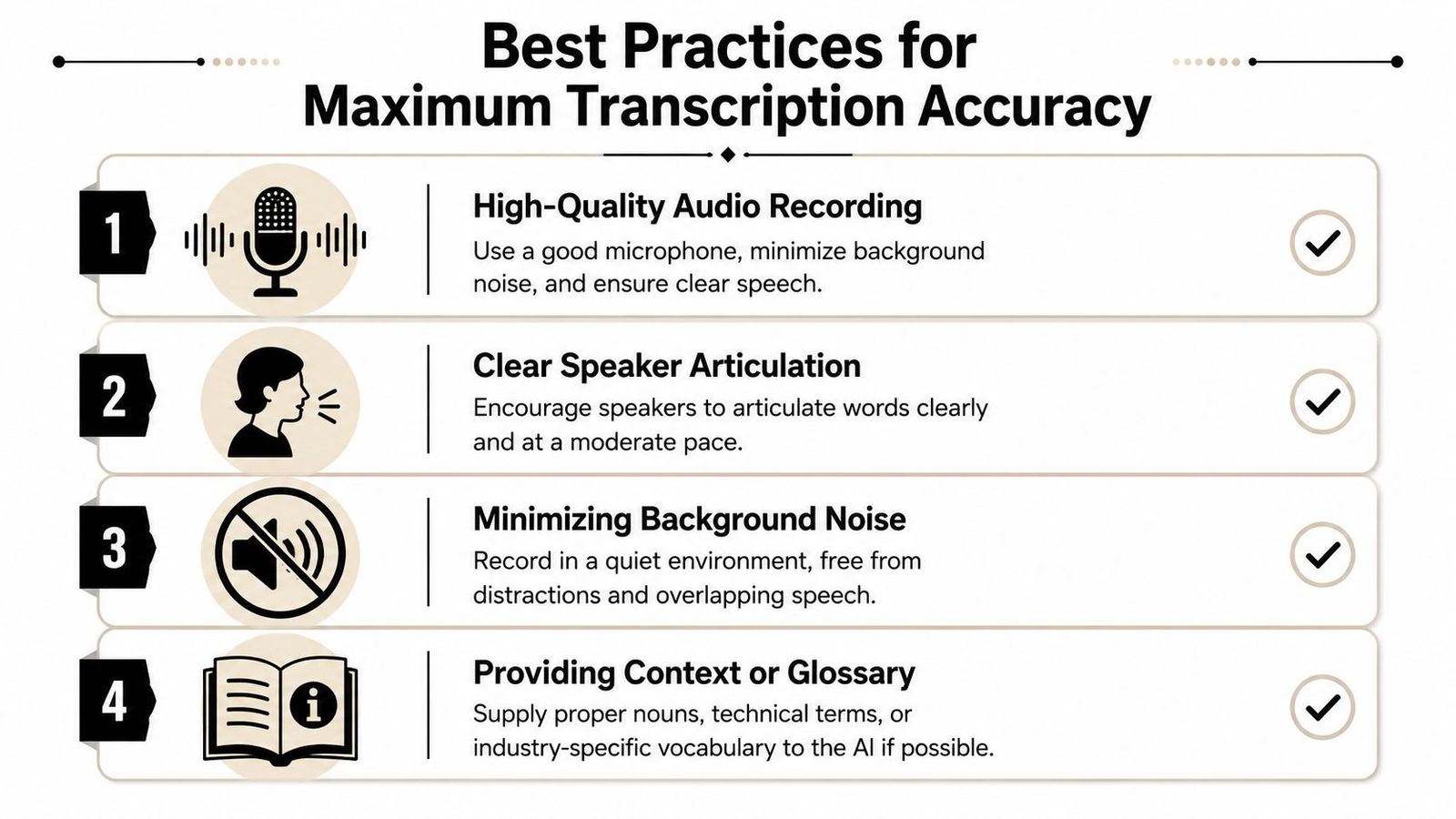
Accuracy issues often start before the file is uploaded. The model gets blamed, but usually, it's the recording quality.
As noted by this professional guide, aiming for 95% accuracy is crucial because a 1% error rate in a 10,000-word transcript means around 100 wrong words. In meeting notes, technical documents, and legal records, that's not trivial. It changes meaning.
The recording decides the result
A clean file lets the software do its job. A bad file forces it to guess.
Practical advice starts with handling the source. Vatis recommends keeping the cleanest file, avoiding heavy compression, testing short samples first, and segmenting files when conditions change. This lines up with how audio fails in real projects. One weak channel or a sudden room change can ruin the whole transcript if treated as a single asset.
Better transcription starts with mic placement, room control, and file discipline. Editing can fix a lot, but it can't restore audio that wasn't captured cleanly.
A short prep checklist
Before transcribing from MP3 to text, this checklist helps avoid major mistakes:
- Use the cleanest source available: If a less compressed version exists, start there.
- Test a short sample: Bad levels, clipping, or a dead channel often show up quickly.
- Separate changing conditions: Split files when speakers move rooms, switch devices, or change languages.
- Prepare a glossary: Names and jargon should be supplied if the platform allows it.
- Mark impossible audio: If a section is unintelligible, label it instead of inventing a clean sentence.
For those working with audio and scanned materials, OkraPDF's guide to HTR is a reminder that text extraction quality depends on source quality, whether spoken or handwritten.
Advanced Considerations Security Privacy and Workflows

A transcript can save time in editing, reporting, or research. But it can also be a liability if it includes client calls, patient info, legal interviews, or unreleased material.
This is where much MP3-to-text advice falls short. It focuses on speed and accuracy but skips over the real organizational questions. As Go Transcribe points out, many services are vague about file retention, access, and data handling. For sensitive recordings, these details are critical.
Questions worth asking before upload
Before uploading a meeting, interview, or call, check the rules behind the interface:
- How long are audio files and transcripts stored?
- Can users delete source files and generated text on demand?
- Who inside the provider can access uploaded material?
- Are privacy and retention terms written in plain language?
- Does the service fit the compliance standard your team follows?
These checks affect more than procurement. They decide if legal teams can review witness audio, if researchers can store interviews, and if a production team can share raw recordings with freelancers without unnecessary exposure.
One option is WhisperAI's service for audio-to-text conversion. The key question with any vendor is the same: what happens to the file after upload, who can access it, and how does deletion work?
Build the workflow after the transcript arrives
Uploading is just a small part of the job. The real transcription workflow starts after you get the first draft.
In media production, raw transcripts usually go through at least one cleanup pass before they're publishable. Speaker labels need checking, names get standardized, and filler speech might stay in research transcripts but come out in article drafts. Timecodes matter for captions and rough cuts but are often irrelevant for executive summaries. The right output depends on the next use.
This is why strong teams separate transcript types instead of forcing one version to do everything:
- Verbatim working transcript: Best for legal review, qualitative research, and fact-checking.
- Cleaned reading copy: Best for reports, drafting articles, and client-facing notes.
- Time-coded production transcript: Best for subtitles, edit prep, and pulling clips.
- Searchable archive copy: Best for long-term storage, indexing, and retrieval.
AI has changed this workflow for the better. Transcription used to be just conversion. Now the first pass is fast, so the real value is in post-processing. Editors can search interviews instantly, researchers can tag themes earlier, and teams can turn meetings into summaries and action lists quickly. But speed only helps if you define what "finished" means for your team.
A transcript is useful when it fits the task, follows privacy rules, and can be reused without more cleanup.
Troubleshooting and Exporting Your Final Transcript
Problems usually show up at the end, not during upload. The MP3 is processed, the transcript exists, and then weak spots become clear: overlapping speakers, a clipped sentence in a key quote, or a proper name that's wrong. As PrismaScribe notes, accuracy in real recordings still varies with accents, cross-talk, and noise. The fix is usually a production fix: isolate the problem audio, rerun the bad section, and flag uncertainty before it spreads into notes or captions.
A few habits save time here:
- Split the recording into segments: Process the clean and messy sections separately so one bad stretch doesn’t ruin the whole file.
- Retry only the tough passages: Adjust language settings or add vocabulary hints for names, jargon, and places.
- Mark inaudible sections clearly: A visible flag is safer than a confident but wrong sentence.
- Stop chasing impossible cleanup: Heavy overlap, distortion, or missing audio sometimes stays unusable, even after another pass.
Export matters as much as transcription. A clean transcript in the wrong format creates more work for the next person.
Choosing Your Transcript Export Format
| Format | Best For |
|---|---|
| TXT | Plain text archives, quick copy-paste, basic notes |
| DOCX | Edited meeting notes, reports, article drafts |
| Sharing a fixed version that shouldn't shift formatting | |
| SRT | Video subtitles and time-coded captions |
I treat export as a handoff decision. If an editor needs to rewrite, send DOCX. If a producer needs captions, export SRT with timecodes. If the transcript is for storage or search, TXT is often enough.
A transcript is done when the next person can use it without reformatting, re-labeling, or second-guessing its purpose.
If you're aiming to turn recordings into reliable working documents instead of rough text dumps, WhisperAI is worth a look. It supports MP3 transcription, editing, and export workflows for meetings, lectures, interviews, and captioning work.