A Complete Guide to Whisper OpenAI
Explore our complete guide to Whisper OpenAI. Discover how this AI model transforms speech into text and learn about its real-world business applications.

tl;dr: Whisper, developed by OpenAI, is a powerful AI system that converts spoken words into written text with remarkable accuracy. It's a game-changer because it excels at understanding various languages, accents, and even noisy environments. Since it's open-source, developers have built user-friendly platforms on top of it, making top-tier transcription accessible to everyone.
What Is Whisper OpenAI and Why Does It Matter?
Imagine having a personal assistant who can listen to any audio you throw at it—a rambling team meeting, a fast-paced podcast interview, or a dense college lecture—and transcribe every single word almost perfectly. That’s exactly what Whisper OpenAI does. But don't mistake it for just another transcription app; it's a deeply intelligent system built from the ground up to understand the messy, complicated nuances of human speech.
Think of it less like a machine and more like a highly trained linguist who has spent years studying languages from all over the world. Whisper learned its skills by analyzing a massive and incredibly diverse dataset of audio from across the web. This extensive training is what gives it the unique ability to handle the reality of audio in the wild.
It’s built to decipher:
- Multiple Languages: It can correctly identify and write out audio in nearly 100 languages, from common ones like Spanish and Mandarin to those with far fewer online resources.
- A Wide Range of Accents: Whether you're listening to a speaker with a thick Scottish brogue or a fast talker from New York, Whisper can keep up.
- Noisy Environments: The model is smart enough to filter out background distractions—like the clatter of a coffee shop or the hum of an office—and focus on what’s actually being said.
The Power of Being Open-Source
One of the most important things to know about Whisper is that it's open-source. When OpenAI released the model's code to the public, it set off a chain reaction in the tech community. Suddenly, developers, researchers, and companies everywhere could take this powerful technology and build new, innovative tools on top of it.
This open-source approach is why Whisper has become such a foundational piece of technology today. While the core model is incredibly capable on its own, its true power for most people is unlocked by platforms that make it easy to use and add features businesses actually need. You don't have to be a programmer to use it; you can access its power through simple, intuitive interfaces. You can learn more about how this works in our guide on AI-powered speech to text services.
At its core, Whisper turns unstructured audio data—the messy, real-world sounds of human conversation—into structured, searchable, and usable text. This seemingly simple function has profound implications for how we access and work with information.
In the next few sections, we'll get into the nuts and bolts of how Whisper works, look at where it's being used today, and walk you through how to get started. By the end, you'll see why it’s not just another tech trend, but a fundamental shift in how we interact with spoken content.
How OpenAI's Whisper Actually Works
tl;dr: Whisper works by using a "transformer" architecture, similar to language models like GPT, but it's specifically trained on over 5 million hours of diverse audio. It listens to audio, recognizes patterns, and then translates those patterns into highly accurate text across nearly 100 languages. Its performance is measured by Word Error Rate (WER), where a lower number is better.
So, what's the magic behind Whisper? You don't need a PhD in machine learning to get the gist of it. At its core, Whisper learns a lot like we do: by observing a massive number of examples until it can spot the patterns on its own. If you want a bit of background first, this is a great primer on how AI transcription works in general.
Whisper is built on something called a transformer architecture. That term might ring a bell because it’s the same basic engine that powers text-based AIs like GPT. Think of it as a super-efficient system for processing information and understanding context.
But here’s the key difference: instead of reading text from the internet, Whisper was trained on an enormous and incredibly diverse library of audio. And we’re not just talking about pristine, studio-quality recordings. It learned from real-world audio, complete with all its messiness—background noise, thick accents, and people talking over each other.
This concept map breaks down the fundamental flow of how Whisper takes in sound, makes sense of it, and spits out text.
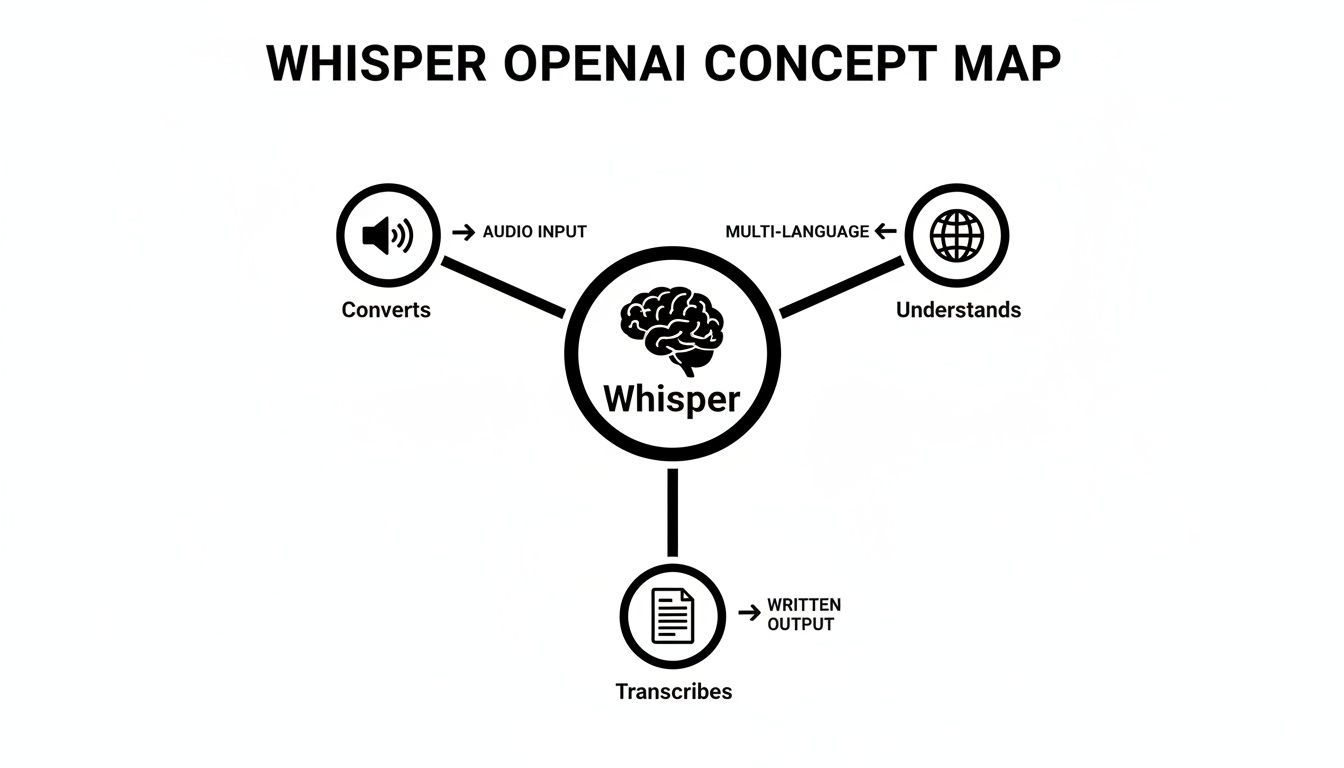
As you can see, it's not just a simple dictation tool. It’s a full-blown system designed to interpret global languages and turn raw sound into useful, structured text.
The Secret Sauce: A Massive, Multilingual Dataset
Whisper's real strength comes from the data it was trained on. The model was fed over 5 million hours of labeled audio—a massive jump from its initial training set. Critically, this wasn't just English; the data spanned nearly 100 different languages.
This diverse "education" gives Whisper two remarkable abilities:
- It can often figure out the language on its own. You don't always have to tell it what language is being spoken.
- It transcribes with context. By learning the unique rhythms, sounds, and sentence structures of so many languages, it becomes incredibly resilient to accents and regional dialects.
Whisper’s ability to handle multiple languages isn't a tacked-on feature; it’s a core part of its design. By learning from such a diverse dataset, it gained a deep, generalized understanding of human speech itself, not just one language.
Measuring Accuracy With Word Error Rate
How do we actually know if a transcription model is any good? The industry standard is a metric called Word Error Rate (WER). Simply put, WER counts the percentage of words the AI gets wrong when compared to a perfect, human-checked transcript. The lower the WER, the better the accuracy.
For instance, if you have a 100-word audio clip and the AI makes 5 mistakes, its WER is 5%.
Whisper's performance is impressive, but it’s not always the same.
- Clean Audio: With a clear speaker in a quiet room, its WER can be incredibly low, approaching human accuracy.
- Noisy Audio: In a loud environment like a coffee shop or a busy street, the WER will naturally go up as the model has to work much harder to separate speech from the noise.
Since its release, Whisper's popularity has exploded. The Large-v3 model, its most powerful version, now sees over 4 million monthly downloads. Its training dataset grew by a staggering 635% to over 5 million hours, which is why it can support 99 languages with a remarkable 2.7% Word Error Rate (WER) on clean audio.
At the end of the day, the whole process is about pattern matching on a colossal scale. Whisper chops audio into tiny segments, converts those sound waves into a digital format, and then uses its vast training to predict the most likely sequence of words that matches what it "heard." You can explore more of what modern AI transcription is capable of on our platform.
Key Use Cases for Whisper in Business and Research
tl;dr: Whisper OpenAI is incredibly useful across many fields. For businesses, it transcribes meetings to create searchable records and action items. For researchers, it turns hours of interviews and lectures into text, speeding up data analysis. For content creators, it generates accurate subtitles and podcast transcripts, improving accessibility and SEO.
Knowing how a tool works is one thing, but seeing its real-world impact is where the lightbulb really goes on. Whisper OpenAI is more than just a cool piece of tech; it’s a practical problem-solver that saves time, money, and headaches across dozens of industries.
By turning spoken words into clean text, it unlocks a massive amount of information that was previously stuck inside audio and video files. Let's dig into some of the most common ways people are putting this technology to work.

Ending Manual Note-Taking in Business Meetings
We’ve all been there—the post-meeting fog. Who was supposed to follow up on that action item? What was the final decision on the new budget? Manual note-taking is spotty at best and a recipe for missed details and endless follow-up emails.
This is where Whisper changes the game. By recording and transcribing meetings, teams get a perfect, searchable record of the entire conversation.
- Action Item Tracking: No more guessing. Just search the transcript for "next steps," "follow up," or a teammate's name to see exactly who owns what.
- A Single Source of Truth: Settle debates about what was said by pulling up the exact words from the conversation.
- Inclusivity for Absentees: Team members who missed the call can scan the transcript in minutes instead of sitting through an hour-long recording.
Whisper is just one piece of a bigger puzzle. Looking at articles on how AI tools can revolutionize productivity for businesses helps show how deeply this kind of technology is changing the way we work.
Accelerating Academic and Market Research
For any researcher, transcribing audio is a necessary evil. It's the tedious, time-consuming part of the job that stands between you and the actual analysis. Whether you’re a sociologist conducting interviews, a grad student recording lectures, or a market researcher running focus groups, turning hours of audio into text can take days, if not weeks.
Whisper completely automates this step, giving researchers their time back.
Instead of spending 80% of their time on manual transcription, researchers can now dedicate that energy to what truly matters: analyzing the data and uncovering insights. This shift allows for faster project completion and more profound discoveries.
Here’s how they’re using it:
- Transcribe Interviews: Instantly convert one-on-one discussions into text, ready for coding and thematic analysis.
- Document Lectures: Create perfectly accurate notes from seminars, making complex topics much easier to study and reference.
- Analyze Focus Groups: Capture every single comment from group sessions, ensuring no valuable piece of feedback gets missed.
Boosting Accessibility for Content Creators
If you're a podcaster, YouTuber, or course creator, you know that accessibility isn't just a nice-to-have—it's how you reach a bigger audience. Accurate captions and transcripts are crucial for viewers who are deaf or hard of hearing, not to mention non-native speakers or people watching with the sound off.
Before Whisper, you had two options for subtitles: pay a lot for a human service or spend forever doing it yourself. Now, you can generate a highly accurate transcript in minutes.
Example Use Case for a Podcaster A podcast host uploads their latest episode. Within minutes, they have a full transcript. From there, they can:
- Post the transcript on their website as a blog, which helps search engines find their content and drives new traffic (improving SEO).
- Use the text to generate an SRT file for YouTube videos, giving them perfect closed captions.
- Easily pull out compelling quotes to use in social media posts and marketing materials.
From corporate boardrooms to university labs, the applications are practically endless. A tool that provides easy access to ai transcription solves a universal problem by turning spoken dialogue into a valuable, easy-to-use asset.
From Core Model to Business-Ready Solution
tl;dr: Think of the open-source Whisper OpenAI model as a powerful car engine. It's an incredible piece of engineering, but you can't drive it on its own. A platform like WhisperAI builds the entire car around it, adding essential features businesses need: large file uploads, real-time transcription, speaker labeling, multiple export formats (PDF, DOCX, SRT), and enterprise-grade security. It turns Whisper's raw potential into a complete, easy-to-use tool for professional work.
The open-source Whisper OpenAI model is a truly remarkable piece of technology. It’s like being handed a high-performance engine straight from a world-class engineering lab—it's powerful, efficient, and can do incredible things.
But an engine alone won't get you anywhere. You still need the chassis, wheels, steering, and all the safety features to make it a functional car.
That's the best way to understand the difference between the core Whisper model and a complete, professional solution. OpenAI provides the powerful transcription "engine," but a platform like WhisperAI builds the entire "car" around it, making it ready for the real-world demands of business and research. The raw model is great at turning audio into text, but a business needs a lot more to make that useful in its day-to-day operations.

Getting Past the Base Model's Limits
If you're not a developer, trying to use the open-source model directly can be a real headache. It involves technical setup, running things from a command line, and there's no friendly interface to speak of. More importantly, it’s missing all the surrounding features that make transcription actually useful in a professional setting.
A business-ready platform adds the critical functionalities that bridge this gap.
Whisper OpenAI Model vs WhisperAI Platform Features
The difference becomes clear when you see the features side-by-side. The base model is a starting point, while a platform solution is a finished product designed for practical use.
| Feature | OpenAI Whisper (Base Model) | WhisperAI Platform (Enhanced Solution) |
|---|---|---|
| User Interface | None (requires command-line or API use) | Simple, intuitive web interface |
| File Size Limit | Limited by API/local setup (~25MB) | Handles large files (up to 500MB) |
| Real-Time Recording | Not available | Built-in live transcription feature |
| Speaker Labeling | No (outputs a single block of text) | Automatic speaker identification (diarization) |
| Export Formats | Basic text formats (TXT, JSON) | Multiple formats (PDF, DOCX, SRT, TXT) |
| Security & Compliance | User's responsibility | Enterprise-grade encryption, GDPR compliant |
| Workflow Integration | Requires custom development | Ready-to-use for professional workflows |
Ultimately, a dedicated platform handles the heavy lifting, so you can focus on the content, not the technical hurdles.
Adding the Must-Have Enterprise Features
Beyond just getting a transcript, businesses need tools that fit into their workflows and meet strict security standards. This is where a dedicated service really proves its worth by offering a full suite of professional features.
- Handling Large Files: The base model struggles with big files. A professional platform is built to handle large uploads—often up to 500MB or more—so you can easily transcribe long keynote speeches, deep-dive interviews, or multi-hour podcasts.
- Real-Time Transcription: For live meetings, webinars, or events, you need transcription that happens on the spot. A dedicated platform provides a live recording feature that turns speech into text as it happens.
- Speaker Labeling (Diarization): The core Whisper model just gives you a big block of text. It has no idea who said what. A crucial feature for any conversation with more than one person is speaker diarization, which automatically identifies and labels each speaker. This makes transcripts of meetings and interviews infinitely easier to read.
As AI reshapes how businesses operate, tools like these are becoming essential. With 92% of firms increasing their AI investments, platforms that offer a clear return on investment through secure, encrypted, and cost-effective workflows are leading the way. You can dig deeper into these trends by exploring recent data on the state of generative AI in the enterprise.
A professional platform doesn't just give you a transcript; it provides a secure, end-to-end workflow. It manages the upload, processing, editing, and exporting, all within a compliant and user-friendly environment.
From Raw Text to Actionable Documents
Finally, the output itself needs to be usable. A raw text file is a good start, but it's rarely the end goal. A platform like WhisperAI understands that different tasks demand different formats.
Think about these common needs:
- For reports: You’ll probably want a DOCX file to easily copy and paste into a business document.
- For sharing: A PDF is perfect for a clean, non-editable version to distribute.
- For subtitles: You need a time-coded SRT file to add captions to videos.
- For data analysis: A simple TXT file is often the easiest format to import into other software.
By offering multiple export options, a platform makes sure the final transcript is immediately ready for whatever comes next. This is how the raw power of the Whisper OpenAI model is transformed into a practical, secure, and truly business-ready solution. To see these features for yourself, you can explore a professional-grade AI transcription service.
A Quick Guide to Getting Started
tl;dr: Getting started with a platform powered by OpenAI's Whisper model is surprisingly simple. This guide breaks it down into five easy steps: sign up, upload or record your audio, watch the live transcription, clean up the text in an editor, and export the final file in formats like DOCX, PDF, or SRT.
Ready to see what the Whisper OpenAI model can do? The best way to really get it is to try it yourself. Forget the command line or wrestling with code—the right platform makes the whole experience feel almost effortless.
Here’s a simple, step-by-step walkthrough to get you from an audio file to a polished transcript in just a few minutes. We'll cover the entire process, showing just how easy it is to get going, even with zero technical background.
Step 1: Create Your Account
First things first, you’ll need an account. This is usually the quickest part. Just head to a platform like WhisperAI, sign up with an email, and you're in. This gets you to your dashboard, which is your home base for all things transcription.
Step 2: Upload or Record Your Audio
Once you’re logged in, you’ve got a couple of ways to get your audio into the system. This flexibility is what makes it so useful for different situations.
- Upload a File: If you have an audio or video file already saved—maybe a Zoom recording, a podcast interview, or a lecture—you can just drag it right into the uploader.
- Record Live: For conversations happening right now, you can use the real-time recording feature. Just hit "Record," give your browser permission to use your mic, and the platform will start transcribing as you talk.
Step 3: Watch the Transcription Happen
This is where you see the tech in action. As soon as you upload a file or start recording, the system starts working its magic. You’ll see the words pop up on your screen almost instantly as they’re spoken. It’s pretty cool to watch.
The sign of a great tool is that it makes something incredibly complex feel simple. Behind the scenes, the Whisper model is doing some heavy lifting, but for you, it just looks like your audio is turning into text.
Step 4: Review and Edit the Text
AI is good, but it’s not perfect. The best platforms know this and give you an easy way to get your transcript to 100% accuracy. After the first pass is done, you’re taken to an interactive editor where the audio is synced with the text.
If you see a name that’s spelled wrong or a bit of jargon the AI missed, just click and correct it. Things like speaker labels and timestamps are laid out clearly, so polishing up the final text doesn’t feel like a chore.
Step 5: Export Your Finished Transcript
Once you're happy with the transcript, it’s time to actually use it. The final step is exporting the file in a format that works for you. A good tool will give you plenty of options.
- DOCX: For reports, articles, or meeting notes.
- PDF: Great for sharing a clean, final version that can't be easily edited.
- SRT: The go-to format for video captions.
- TXT: A plain text file that’s easy to import anywhere.
And that’s it. In just a few clicks, you’ve turned a raw audio file into a useful, ready-to-go document. To give it a try yourself, check out a fully-featured AI transcription platform.
Why Choose Whisper Over Other Transcription Tools
tl;dr: Whisper OpenAI beats other tools because its accuracy is nearly human, even with thick accents and technical jargon. It handles almost 100 languages with ease and is incredibly affordable. While older services often fail with background noise and cost a fortune, Whisper’s open-source model makes world-class transcription available to everyone and has reset the standard for the entire industry.
In a crowded market full of transcription services, it’s fair to ask: what makes Whisper OpenAI so special? The answer isn't just one thing, but a few core advantages that put it in a league of its own compared to older, more traditional tools. It’s not just another option; it’s a genuine leap forward.
First and foremost is its mind-blowing accuracy. Plenty of services can transcribe a clean, studio-quality recording. Where they fall apart is in the real world. Whisper is different because it was trained on a massive, messy dataset of audio from all over the internet, which taught it to understand speech the way it actually happens.
This means it's incredibly good at handling:
- Diverse Accents and Dialects: It doesn't get easily tripped up by regional accents or non-native English speakers.
- Technical Jargon: It can correctly identify and spell out industry-specific terms from medicine, law, or engineering that leave other models confused.
- Background Noise: It’s much better at zeroing in on a person's voice and filtering out distractions, giving you a cleaner transcript from a noisy coffee shop or a busy office.
Unmatched Multilingual Capabilities
Another huge advantage is Whisper’s incredible language support. Many transcription tools are built for English first, with other languages tacked on as an afterthought. Whisper was designed from the ground up to be multilingual.
It supports nearly 100 languages, and can often figure out which one is being spoken all by itself. This global reach makes it an indispensable tool for international teams, researchers, and content creators working with a worldwide audience.
Whisper isn't just an English tool with a few other languages bolted on. Its real power comes from learning the fundamental patterns of speech across a huge linguistic spectrum, which is what makes it so tough and flexible.
The Open-Source and Cost-Effective Edge
Finally, the fact that it’s open-source has completely changed the game. Before Whisper, getting this level of accuracy was incredibly expensive, usually locked behind pricey enterprise contracts. Because the core Whisper OpenAI model is free for anyone to use, it has smashed the barrier to entry.
This has forced the whole industry to get more competitive, leading to better and more flexible pricing for you. It has effectively democratized high-quality transcription. For a more detailed breakdown, you can explore our guide on Whisper AI alternatives to see how it stacks up against specific competitors.
This powerful combination of accuracy, global language support, and affordability is why Whisper has so quickly become the new gold standard.
Frequently Asked Questions About Whisper OpenAI
tl;dr: This FAQ section tackles the big questions about OpenAI's Whisper. We'll look at how its accuracy stacks up against human transcribers, what it does (and doesn't do) with multiple speakers, and the real differences between using the raw API versus a full-service platform like WhisperAI.
Even with a tool as powerful as Whisper OpenAI, it’s smart to have a few questions before you jump in. Let’s clear up some of the most common things people ask, so you can start with total confidence.
How Accurate Is OpenAI's Whisper Compared To Human Transcription?
Whisper's accuracy is seriously impressive, often coming very close to what a human can do. For clear, high-quality recordings, its Word Error Rate (WER) can be as low as 2.7%. To put that in perspective, professional human transcribers usually land in the 4-7% WER range.
Of course, a few things can affect the final result:
- Audio Quality: A clean recording from a decent microphone always produces the best transcripts.
- Background Noise: While Whisper is great at filtering out background chatter, a quiet room is ideal.
- Accents & Jargon: It handles a massive range of accents and industry-specific terms, but very heavy accents or highly technical jargon can occasionally trip it up.
For most day-to-day business needs—like transcribing team meetings or customer interviews—Whisper is more than accurate enough to create a reliable, searchable record.
Can Whisper Handle Multiple Speakers in One Audio File?
This is a really important distinction. The base Whisper OpenAI model, on its own, doesn't do speaker diarization. That's the technical term for figuring out who is speaking and when. If you send a recording with multiple people to the base model, you'll get back one long, continuous block of text with no speaker labels.
That’s one of the biggest reasons to use a platform like WhisperAI. We’ve built advanced speaker labeling on top of the core model. Our system automatically detects each unique speaker and timestamps what they say, giving you a clean, easy-to-follow transcript. This is a must-have for meetings, interviews, or legal depositions where knowing who said what is critical.
What Is The Difference Between Using The Whisper API and a Service?
Think of the Whisper API as a powerful engine. If you're a developer, you can take that engine and build your own car. It requires technical know-how to handle file processing, build a user interface, and manage the entire workflow. You get the raw transcription power, but you have to do the rest.
A service like WhisperAI is the fully-built, ready-to-drive car. We’ve already handled all the engineering for you: an intuitive interface, large file uploads, real-time recording, speaker labeling, an online editor, and a variety of export options.
In a nutshell, we’ve taken the incredible but raw Whisper OpenAI technology and turned it into a polished, secure, and practical tool that anyone on your team can use right away.
Ready to see how fast and accurate your transcriptions can be? WhisperAI takes the world-class power of OpenAI's Whisper model and wraps it in a simple, secure, and business-ready platform. Stop wasting time on manual notes and start turning your audio into valuable, searchable text in minutes. Explore our AI transcription service and get your first transcript today.