Most people who give Otter.ai one star aren't complaining about the transcripts. Of its 60 newest one-star reviews on Trustpilot, 25 are about money and 11 about the notetaker joining calls or emailing notes nobody asked for. Both trace to rules and settings Otter publishes, so you can check for them before you pay.
What do Otter.ai's one-star reviews complain about?
These 60 reviews were posted between August 2025 and November 2026, by 58 different people. Here's what each one is mainly about:
| Main complaint | Reviews |
|---|---|
| Charged after cancelling, or billed at renewal or after a trial without warning | 12 |
| The notetaker joined meetings or emailed notes and invites to other people | 11 |
| Charged for seats or amounts they didn't approve | 7 |
| Paid, but didn't get the plan | 6 |
| Transcript accuracy or speaker labels | 4 |
| Support didn't answer | 4 |
| Plan limits (minute caps, file imports) | 3 |
| Account, login or deleting the account | 3 |
| Other (bugs, removed features, apps) | 10 |
Money comes up in 28 of them. And 31, more than half, say support didn't answer or didn't help. Only 4 are mainly about the transcript itself.
Otter's 60 newest one-star reviews, one square each
60 squares, one per review. 25 are about money: 12 billed after cancelling or at renewal, 7 charged for seats or amounts they didn't approve, 6 paid but didn't get the plan. 11 are about the notetaker. 24 are about everything else.
- Billed after cancelling or at renewal 12
- Seats or amounts not approved 7
- Paid, didn't get the plan 6
- The notetaker 11
- Everything else 24
Does Otter join meetings on its own?
It can. Otter's Notetaker joins Zoom, Google Meet and Microsoft Teams meetings straight from your synced calendar, and a second setting decides who gets the meeting notes automatically. Here's what that looked like to three of the 11 notetaker reviewers:
- "When I left the call, the Notetaker stayed in the meeting and kept recording." Alex Guillen, June 2026
- "Default setting sent out meeting notes to every attendee of meeting that I didn't consent to." Luke R, March 2026
- "it started emailing transcripts directly to our clients, again without my consent." Peter Booth, August 2025
One synced calendar with auto-join and auto-share on
A day with three meetings on a synced calendar: a team stand-up, a call with a client and a job interview. The Otter Notetaker joins each one, and the notes are shared with the attendees. Below, the two Otter settings that stop it: Default auto-join settings set to Meetings I manually select, and automatic sharing set to Don't share - keep meeting notes private.
- 9:00Team stand-up6 attendeesNotetaker joinsNotes shared with attendees
- 11:30Call with a client3 attendeesNotetaker joinsNotes shared with attendees
- 15:00Job interview2 attendeesNotetaker joinsNotes shared with attendees
The two settings that stop it
Default auto-join settings: Meetings I manually select
Automatic sharing: Don't share - keep meeting notes private
You can turn both off. In Otter, open Integrations, then the Meetings tab, and set Default auto-join settings to Meetings I manually select. Then set automatic sharing to "Don't share - keep meeting notes private". Any meeting you already switched on or off by hand keeps its own setting, so check those too.
Why do Otter users get charged after cancelling?
Otter's terms make cancelling your job, on time and in the right place. A subscription renews unless you cancel before the renewal date, and you cancel where you signed up: in your account settings if you paid on otter.ai, or in the App Store or Google Play if you paid through one of them. That's where 12 of the 60 got caught:
- "I cancelled immediately, yet charges continued." Matt, February 2026
- "There is no reminder at the end of the free trial period, and you will be billed unexpectedly." A reviewer in Sri Lanka, September 2026
Seats are the other surprise. When you add users to a Teams account, Otter's terms charge a pro-rata fee for the time left before renewal. Of the 7 reviewers charged for things they didn't approve, 5 point to seats added to their workspace. One bought a single seat: "they started adding more of them, billing me $100 a month for three months when I only was supposed to pay $99 for a year" (Elizabeth Larson, October 2025).
If you do pay, keep the email that confirms your cancellation, and check who's in your workspace before each renewal.
Is Otter.ai free, and what do its time limits cut off?
Basic is free and gives you 300 minutes a month, but no single conversation can run past 30 minutes. Pro, at $16.99 a month, caps it at 90 minutes, and Business, at $30 a user a month, at 4 hours. A two-hour workshop runs past Pro's cap, and an hour-long interview runs past Basic's. Basic also lets you import just 3 recorded files, ever. Pro allows 10 a month.
One reviewer found the cap after paying: "Immediately after paying for a full year plan, I was notified that only 90 minutes of the transcript would be available to me" (Cameron Jones, October 2026). Annual prices and what each plan includes are in our guide to Otter.ai pricing.
Is Otter.ai safe, and why is it being sued?
Otter is being sued. The case is In re Otter.ai Privacy Litigation (No. 25-cv-06911-EKL), in the US District Court for the Northern District of California. The people suing allege that Otter's Notetaker joins meetings as a "silent participant", records and transcribes people who never agreed to it, and keeps their conversations to train its speech recognition.
Nothing has been decided on whether that's true. On August 13, 2026, Judge Eumi K. Lee ruled on Otter's motion to dismiss: she dismissed some claims with permission to amend them and denied the motion "in all other respects".
Training on recordings isn't only an allegation, though. Otter's privacy policy says it trains its AI "on de-identified audio recordings and on transcriptions (which may contain Personal Information)". The same policy asks you to make sure you have permission from the co-workers, friends and others you record.
Is there an Otter alternative that doesn't join the call?
WhisperAI doesn't send a bot. It records your microphone and the meeting's browser tab in Chrome or Edge, so nothing joins the call, nobody gets an invite and there's no calendar to sync. On a Mac, open Zoom or Teams in the browser instead of the desktop app.
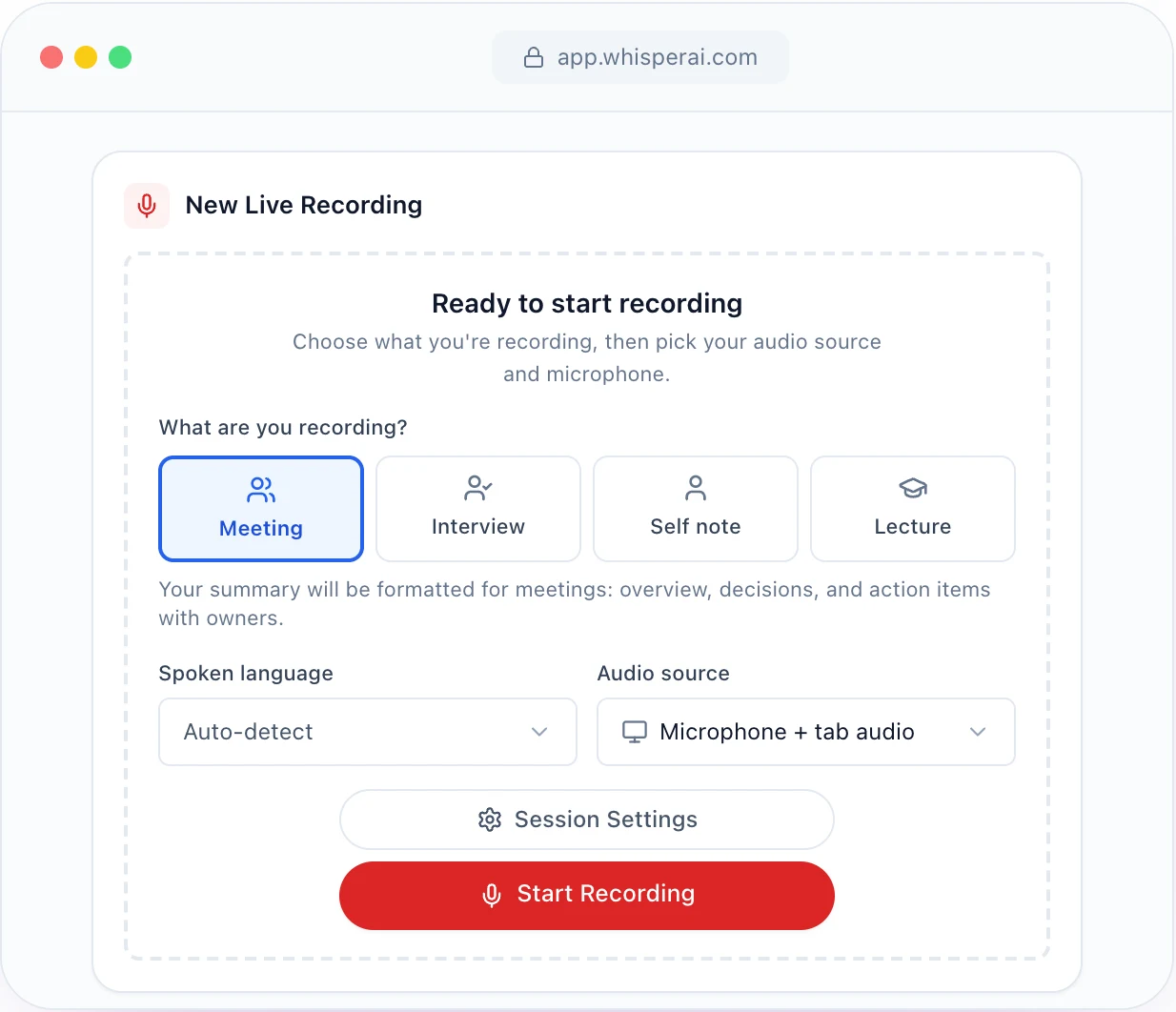
Neither WhisperAI nor its providers use your recordings or transcripts to train AI models, on any plan. More than 500,000 people in over 125 countries use it, for meetings and for uploads of up to 5 GB.
| What you get | WhisperAI Business Pro | Otter Pro | Otter Business |
|---|---|---|---|
| Joins your calls | No bot: records your mic and the meeting's browser tab | Notetaker can join from your calendar | Notetaker can join from your calendar |
| Trains AI on your recordings | No, on any plan | On de-identified audio and transcripts | On de-identified audio and transcripts |
| Transcription languages | 100+ | 6 | 6 |
| Longest recording | 10 hours a file | 90 minutes a conversation | 4 hours a conversation |
| Minutes a month | Unlimited | 1,200 | Unlimited meetings, 6,000 imported |
| Price, billed monthly | $24.99 | $16.99 | $30 a user |
The live transcript works on every WhisperAI plan, and recaps with decisions and action items start on Business Pro, which has unlimited minutes for $24.99 a month. The free plan gives you 5 minutes a month and never asks for a card, so there's nothing to bill when you're done trying it.
See how WhisperAI records meetings without a bot, compare the features in WhisperAI vs Otter, or check every plan on the pricing page.