Podcast Transcript Format Your Audience Will Love
Master the perfect podcast transcript format. Our guide covers verbatim vs. clean, standards, SEO tips, and file formats (SRT, VTT) to boost accessibility.
You've published the episode. The audio is polished, the guest was sharp, and the conversation hit all the right notes. Now you're facing the usual question: what should the transcript look like, and where should it live so people can actually use it?
TL;DR: A solid podcast transcript format prioritizes readability. Think clear speaker labels, logical paragraph breaks, accurate punctuation, and bracketed notes for important sounds or interruptions. The right format depends on its purpose: clean transcripts suit blog readers and repurposing, while verbatim versions fit legal, research, or archival needs. Choose your file type wisely. TXT is best for reading and search, while SRT is better for captions and editing. Most importantly, make sure your transcript is easy to find for both people and search engines.
Why Your Podcast Transcript Format Matters
A podcast transcript isn't just a word dump from an episode. It's usually a verbatim written version of the audio, formatted as readable text with each speaker on a new line, and the speaker's name followed by a colon. Accessibility guidelines suggest transcripts should identify speakers and include non-speech audio context, so the text makes sense without listening. This guide to podcast transcription for SEO and accessibility explains more.
That's the part many creators overlook. A transcript should work even for someone who never presses play.
What bad formatting does
Poor transcript formatting usually fails in predictable ways:
- It hides the conversation flow when every speaker is crammed into one giant block.
- It removes context when laughter, music, or interruptions vanish.
- It hurts reuse when editors have to overhaul the text to turn it into quotes, articles, or captions.
- It makes accessibility worse when readers can't tell who said what.
What useful formatting does
A good transcript becomes a valuable asset:
A transcript should read like a faithful text version of the episode, not like raw machine output pasted into a page.
If you're also enhancing the listening experience, check out this overview of accessibility features for audio content as a useful companion to transcript formatting.
Verbatim or Clean: Which Style Is Right for You
The first decision isn't about punctuation. It's about intent.
Some transcripts capture every filler word, pause, and restart. Others smooth out the language to make it easier to read. Neither approach is universally right.
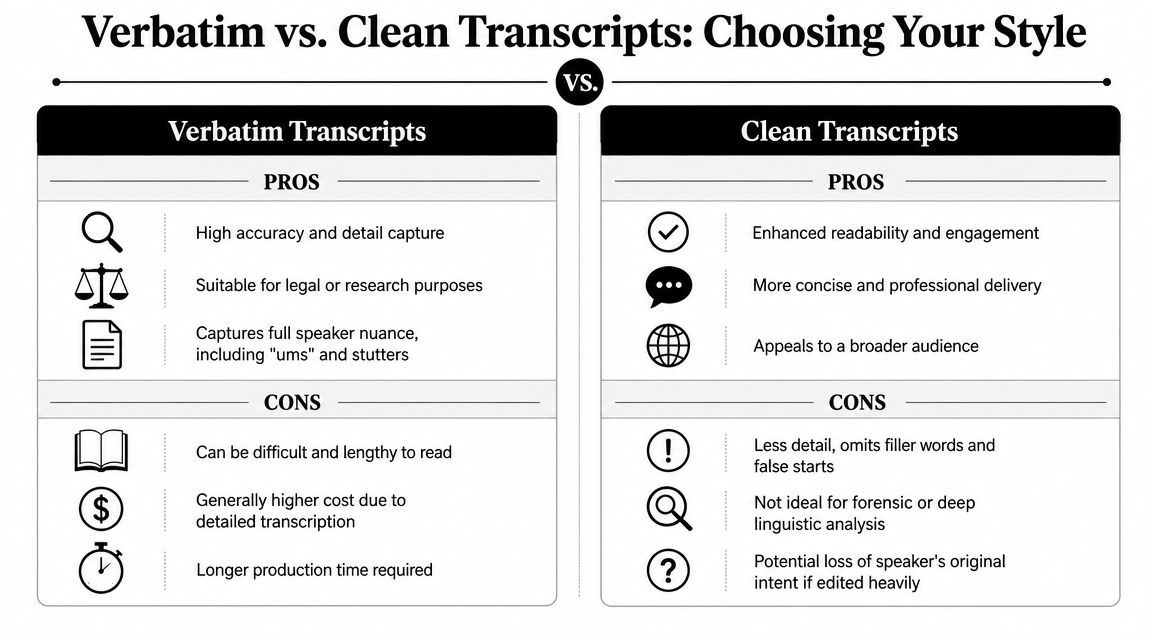
Style guides vary on how formal a transcript should be. Some suggest clean formatting with speaker turns and light punctuation, while others keep nonverbal cues like laughter and pauses. The best format depends on whether you're focusing on quoting, accessibility, legal accuracy, or repurposing, as noted in this discussion on how to transcribe a podcast.
When verbatim makes sense
Go for a verbatim transcript if you need a precise record of what happened.
That usually fits situations like:
- Legal or compliance use where exact wording matters
- Research and analysis where speech patterns matter
- Internal archives where you want the spoken record preserved
- Sensitive interviews where over-editing could shift meaning
Verbatim transcripts can be valuable, but they're not fun to read. Spoken language is messy. People start over, interrupt, and meander before making a point.
When clean works better
For most podcast websites, clean verbatim hits the sweet spot. You keep the speaker's meaning, tone, and sequence, but cut out distractions like repeated fillers or verbal clutter.
A clean transcript usually works better for:
- Episode pages
- Search visibility
- Pull quotes and article repurposing
- General audience reading
Practical rule: Edit for readability, not for rewrite. If the cleaned line sounds like something the speaker still would have said, you're in the safe zone.
If you're handling this cleanup manually after automated transcription, this post on proofreading in transcription can help sharpen that review step.
Essential Formatting Standards for Readability
Formatting isn't just decoration. It determines whether a transcript feels usable or exhausting.
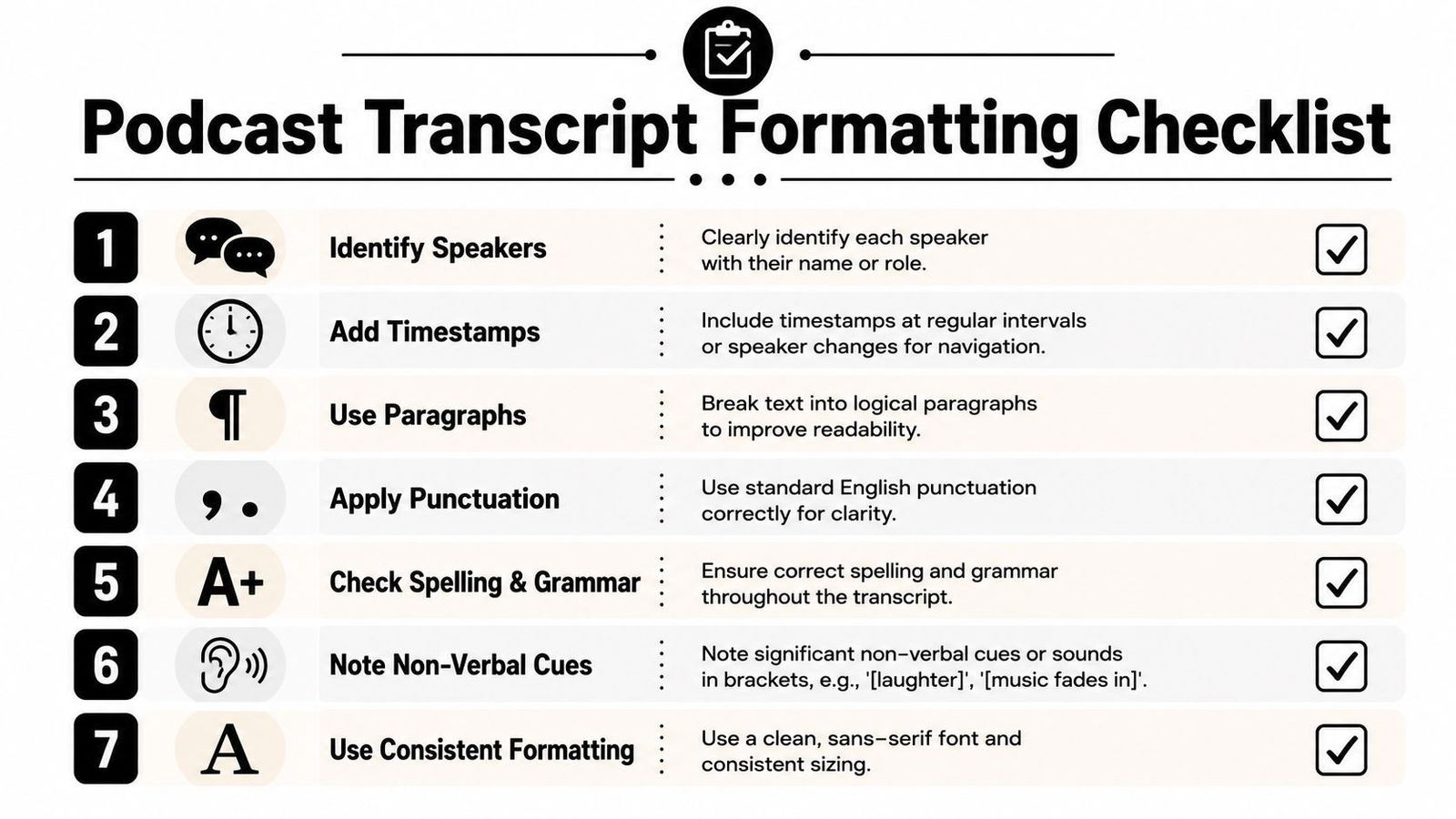
W3C guidance suggests formatting transcripts into logical paragraphs or sections and clearly indicating speakers. Podcast transcript style guides also recommend bracketed descriptions for music, sound effects, laughter, and other meaningful audio cues so readers can follow the conversation without listening, according to the W3C overview of media transcripts and accessibility.
Use speaker labels every time
Don't make readers guess.
The standard format is simple:
- Host: Welcome back to the show.
- Guest: Thanks for having me.
Use real names when possible. If roles are clearer than names, use those instead. Consistency is key. Don't switch between "John," "Host," and "Speaker 1" in the same transcript unless you want the reader to work harder than they should.
Break the text into real paragraphs
A podcast may be conversational, but a transcript still needs visual structure.
Good paragraph breaks usually happen at:
- Speaker changes
- Topic shifts
- Long answers that need breathing room
- Moments where a timestamp or section marker helps navigation
Long uninterrupted blocks are the quickest way to make a transcript unreadable.
Punctuation should support speech, not fight it
Transcript punctuation doesn't need to mimic formal essay writing. It should help readers follow the rhythm and meaning.
That usually means:
- Commas for natural pauses
- Periods when a thought is complete
- Question marks when someone is clearly asking
- Ellipses sparingly if a trailing thought is important
- Avoiding overcorrection that makes a speaker sound unlike themselves
Add non-speech context only when it matters
Not every breath needs a note. Some sounds matter because they change the meaning of the exchange.
Use bracketed notes for cues like:
- [laughter]
- [music fades in]
- [applause]
- [crosstalk]
- [long pause]
If a reader would miss context without hearing the audio, label the moment.
Be selective with timestamps
Timestamps are useful, but too many can clutter a reading version. For a website transcript, many producers add them at topic changes or major transitions rather than after every line. If the transcript will support captioning, editing, or synchronized playback, a different export format handles that better.
How Transcript Formatting Boosts SEO and Accessibility
A readable transcript helps two groups at once: people and machines.
Search systems work with text. Listeners who are deaf or hard of hearing need an alternative to audio. People in loud offices, quiet trains, or shared spaces often scan before they listen. A transcript that is clear, structured, and published in the right place serves all of them.
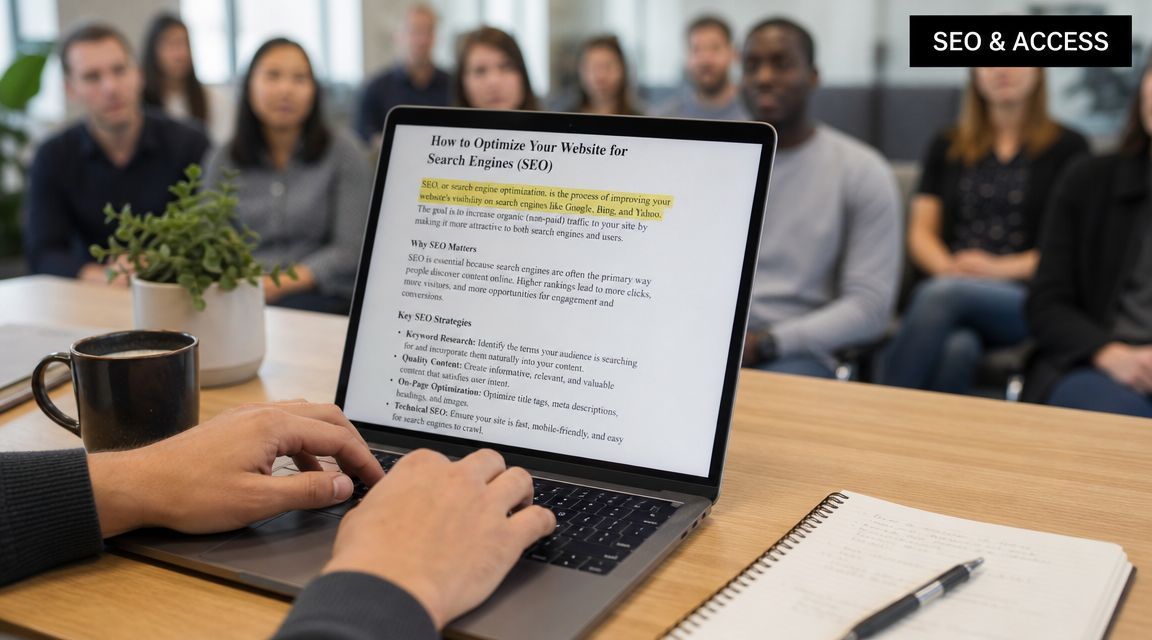
Most articles stop at styling rules. The bigger issue is distribution. Guidance around podcast publishing often skips practical decisions like RSS-enclosed transcripts or embedding transcripts in podcast apps, even though discoverability depends on how you publish them so listeners and search systems can find them.
Where to publish your transcript
The best options are usually:
- On the episode page where the audio already lives
- Inside expanded show notes when space and design allow
- In RSS-connected workflows if your hosting stack supports transcript distribution
- In podcast apps or directories that can surface transcript content
A transcript hidden in a download folder doesn't help discoverability.
Structure affects page usability too
If you publish long transcripts on episode pages, navigation matters. Readers often want to jump to a section, quote, or answer. If your page links to transcript sections, this guide on troubleshooting anchor links in WordPress is worth keeping handy, especially when your headings or jump links stop behaving the way they should.
The best transcript format doesn't end with text cleanup. It ends when the right reader can actually find and use it.
Choosing the Right Export File for Your Goals
Transcript text format and transcript file format are related, but they solve different problems.
A readable transcript on your site may start as one export type and become several assets after that. At this stage, teams either save time or create avoidable mess.
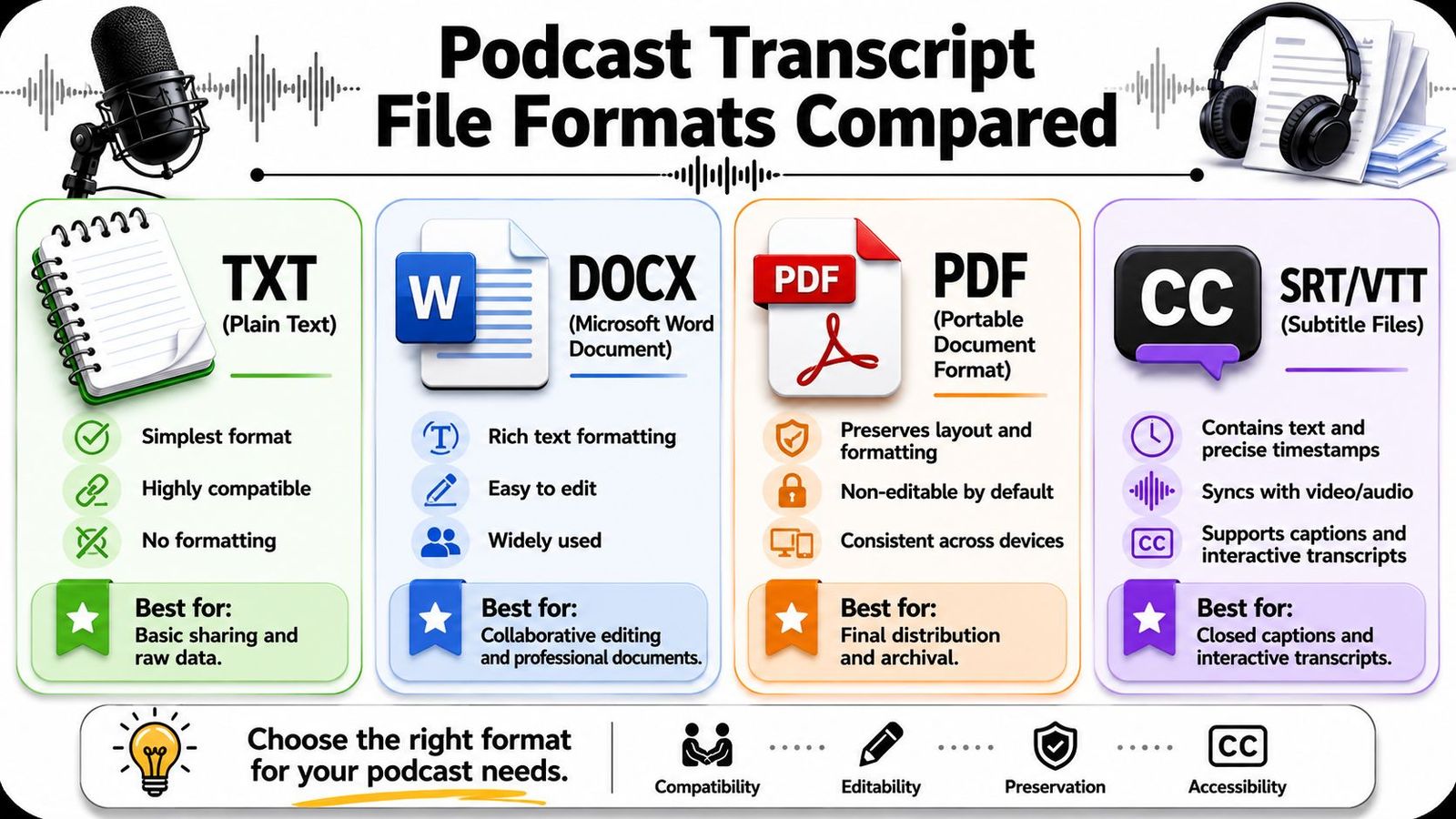
Plain TXT exports usually preserve the full transcript but omit timestamps, while SRT exports segment the transcript into short timed blocks with speaker labels for subtitle use. This difference matters because timed segmentation improves synchronization for video playback and editing.
Quick format guide
| File type | Best use | Main trade-off |
|---|---|---|
| TXT | Reading, search, copy-paste into blogs or notes | Minimal formatting |
| DOCX | Editing, collaboration, comments, revisions | Less ideal for timed media |
| Final shareable version or archive copy | Harder to reuse quickly | |
| SRT/VTT | Captions, subtitles, video editing, synced playback | Not pleasant to read as a normal article |
What usually works in practice
For most podcast workflows, keep more than one export:
- TXT or DOCX for your website, editing, and repurposing
- SRT for YouTube, clips, reels, and captioned social content
- PDF if a client, team, or archive process needs a locked final version
If you need a more detailed walkthrough of subtitle-ready exports, this guide to creating an SRT file is a good reference.
The mistake I see most often is using SRT as if it were a reading document. It isn't. SRT is built for timing, not comfort.
Putting It All Together with a Real Example
Raw machine output often looks like this:
host hi everyone welcome back today we are talking about hiring for small teams guest yeah thanks for having me i think a lot of founders hire too late and then they rush the process host right and that usually creates expensive mistakes laughter
That contains the words, but it doesn't create a usable reading experience.
Clean website transcript example
Here's the same snippet in a solid podcast transcript format:
Host: Hi, everyone. Welcome back. Today we're talking about hiring for small teams.
Guest: Thanks for having me. I think a lot of founders hire too late, and then they rush the process.
Host: Right, and that usually creates expensive mistakes.
[Laughter]
This version works because it does a few simple things well. It labels speakers, restores punctuation, breaks lines naturally, and keeps a meaningful audio cue.
Slightly longer example with paragraphing
If the guest continues with a longer answer, break it into digestible chunks:
Guest: The first problem is urgency. When a team waits too long, every candidate feels like the answer to a staffing problem.
Guest: The second problem is clarity. If you haven't defined the role well, the interview turns into guesswork for both sides.
That second paragraph break matters. Readers can scan it. Editors can quote it. Accessibility improves because the transcript no longer depends on hearing tone alone.
Clean formatting should preserve the conversation, not flatten it.
The same moment in SRT format
If you need subtitles or synchronized captions, the same content might look like this:
1
00:00:00,000 --> 00:00:02,500
Host: Hi, everyone. Welcome back.
2
00:00:02,500 --> 00:00:05,500
Host: Today we're talking about hiring for small teams.
3
00:00:05,500 --> 00:00:08,500
Guest: Thanks for having me.
4
00:00:08,500 --> 00:00:12,000
Guest: I think a lot of founders hire too late.
5
00:00:12,000 --> 00:00:14,500
Host: Right, and that usually creates expensive mistakes.
6
00:00:14,500 --> 00:00:15,500
[Laughter]
Same content. Different job.
Choose one version for humans who want to read, and another for platforms that need timing.
If you want a faster way to produce polished transcripts, captions, and export-ready files without wrestling with cleanup from scratch, try WhisperAI - #1 AI Transcription. It gives podcasters and teams a practical way to turn spoken audio into readable transcripts and usable formats for publishing, editing, and repurposing.