What Is Whisper AI? OpenAI Whisper vs WhisperAI, Explained
Discover what OpenAI Whisper AI is, how its models work, what transcription costs, and how the free open-source model compares with WhisperAI, an independent transcription app.
"Whisper AI" can mean two different things:
- OpenAI Whisper is a free speech-to-text model made by OpenAI. Developers download it and run it on their own computers.
- WhisperAI (one word, the site you're on) is a transcription app made by us, a separate company, WhisperAI Technology Inc. You upload a video or audio recording and get back a transcript you can edit and export.
The names are similar, but the companies are different. OpenAI doesn't make, own, or endorse WhisperAI. Our app uses OpenAI Whisper as its underlying technology. In this guide, "OpenAI Whisper" means OpenAI's model and "WhisperAI" means our transcription app. A third name, Wispr Flow, is an unrelated voice dictation app made by Wispr AI.
OpenAI Whisper is free to download, but running it means installing Python and FFmpeg, choosing a model, and having the hardware to process your files. That's a good fit for developers. Most people searching for Whisper just want the transcript.
That’s where we come in
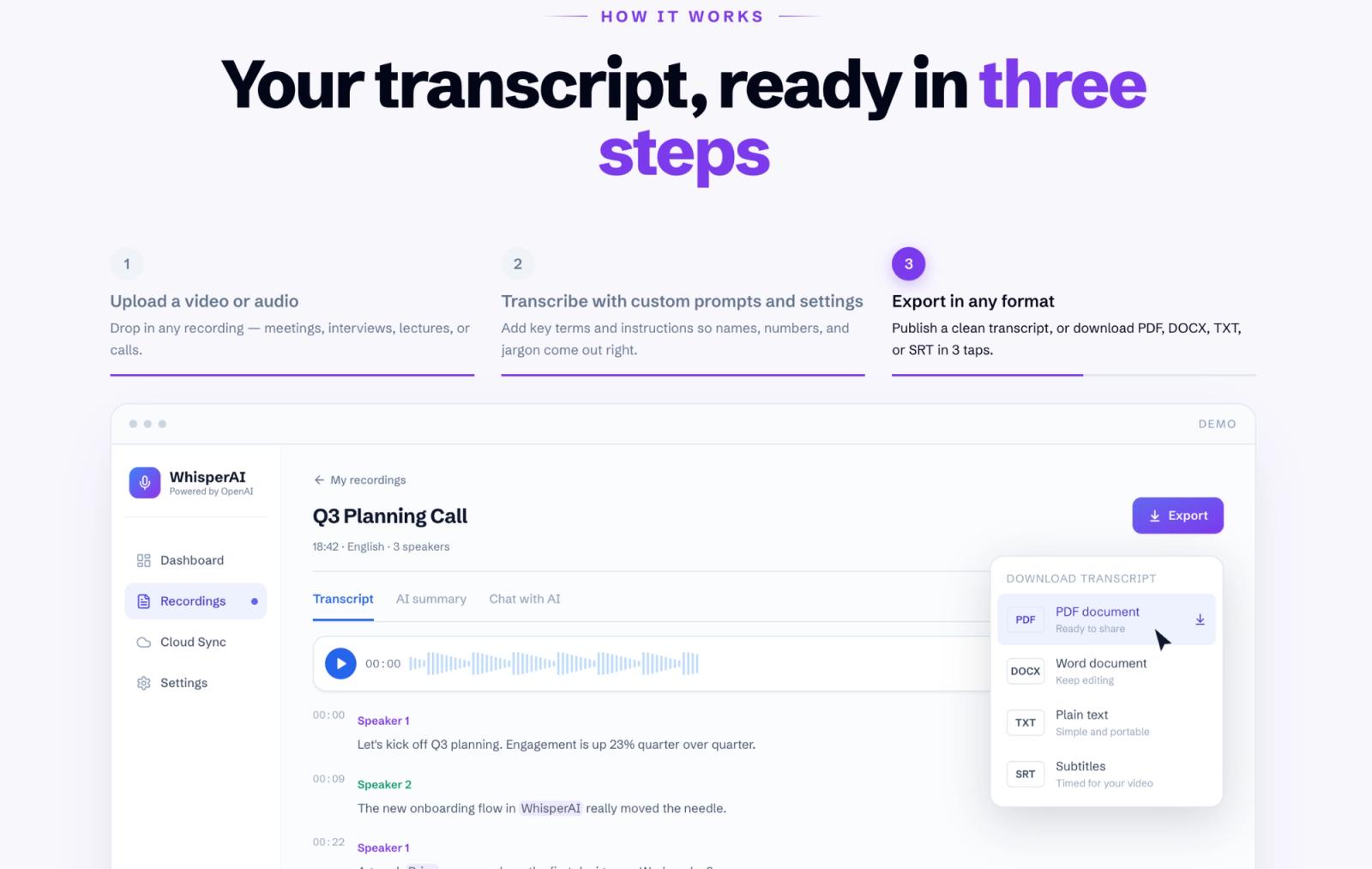
If you're building software, the WhisperAI Developer API skips the setup. And if you just need the transcript for everyday use, our WhisperAI app does the whole job in your browser or on iPhone and iPad. Upload a recording or record live, and you get a transcript with speaker labels in 98 languages. You can tell it which names and terms to spell right, edit the text, and export it as PDF, DOCX, SRT, and more.
What is Whisper AI?
Whisper is an automatic speech recognition (ASR) model released by OpenAI on September 21, 2022.
It listens to recorded speech and predicts the words being spoken. It can transcribe multiple languages, identify the language in a recording, and translate supported non-English speech into English.
OpenAI trained the original model on 680,000 hours of audio paired with text collected from the web. Roughly a third of that audio wasn't in English. It also released the model weights and code under the MIT License. That means anyone can download, run, modify, and build products using Whisper, subject to the license terms.
If you want to know what the model can do in practice, our guide to Whisper transcription covers it.
What is Whisper used for?
Whisper turns speech into text, so it's useful for interviews, meetings, lectures, podcasts, subtitles, speech translation, and voice-enabled software.
The model can support all of those jobs, but the work around it changes. A developer may care about API access and latency, while someone working with interviews needs timestamps, speaker labels, editing, and exports.
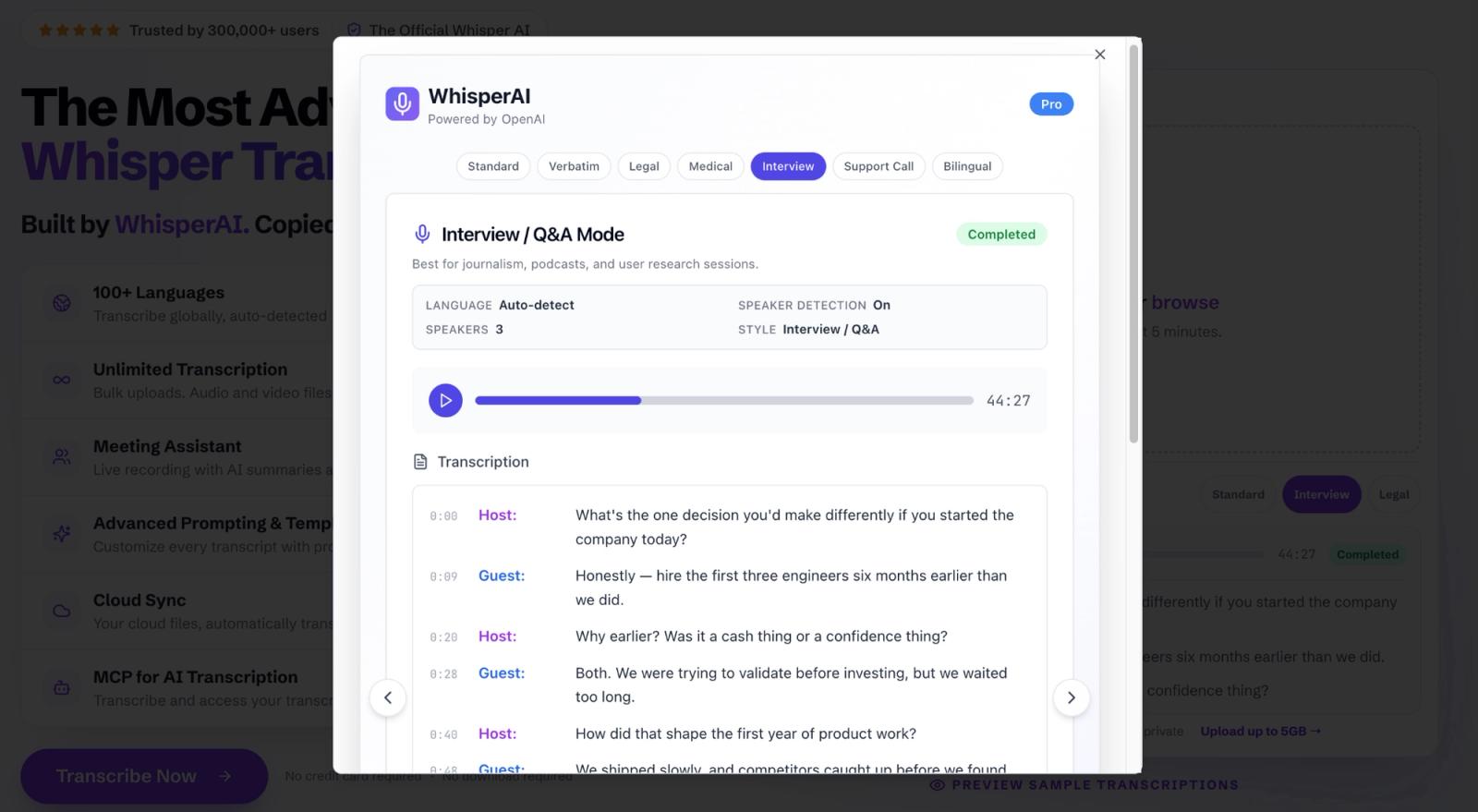
WhisperAI is built for that second group. Upload an interview, lecture, or podcast, and you get a transcript with speaker labels that you can edit and export as PDF, DOCX, SRT, VTT, TXT, or JSON.
Is Whisper part of OpenAI?
Yes. OpenAI developed Whisper and released it as an open-source project.
OpenAI doesn't own every app that uses it, though. The license lets other companies build products with the model, and WhisperAI is one of them.
Which languages can Whisper understand?
Whisper supports roughly 100 languages, although language support doesn't mean equal transcription accuracy.
OpenAI says this directly in Whisper's official GitHub documentation: “Whisper's performance varies widely depending on the language.”
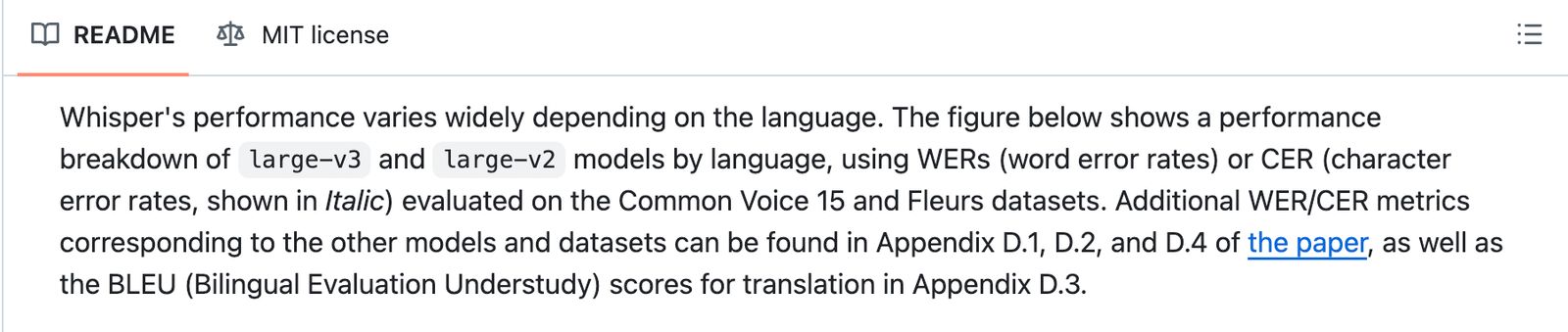
The same section shows language-by-language error rates, which is why it's safer to say Whisper supports many languages than to imply it performs equally well across all of them.
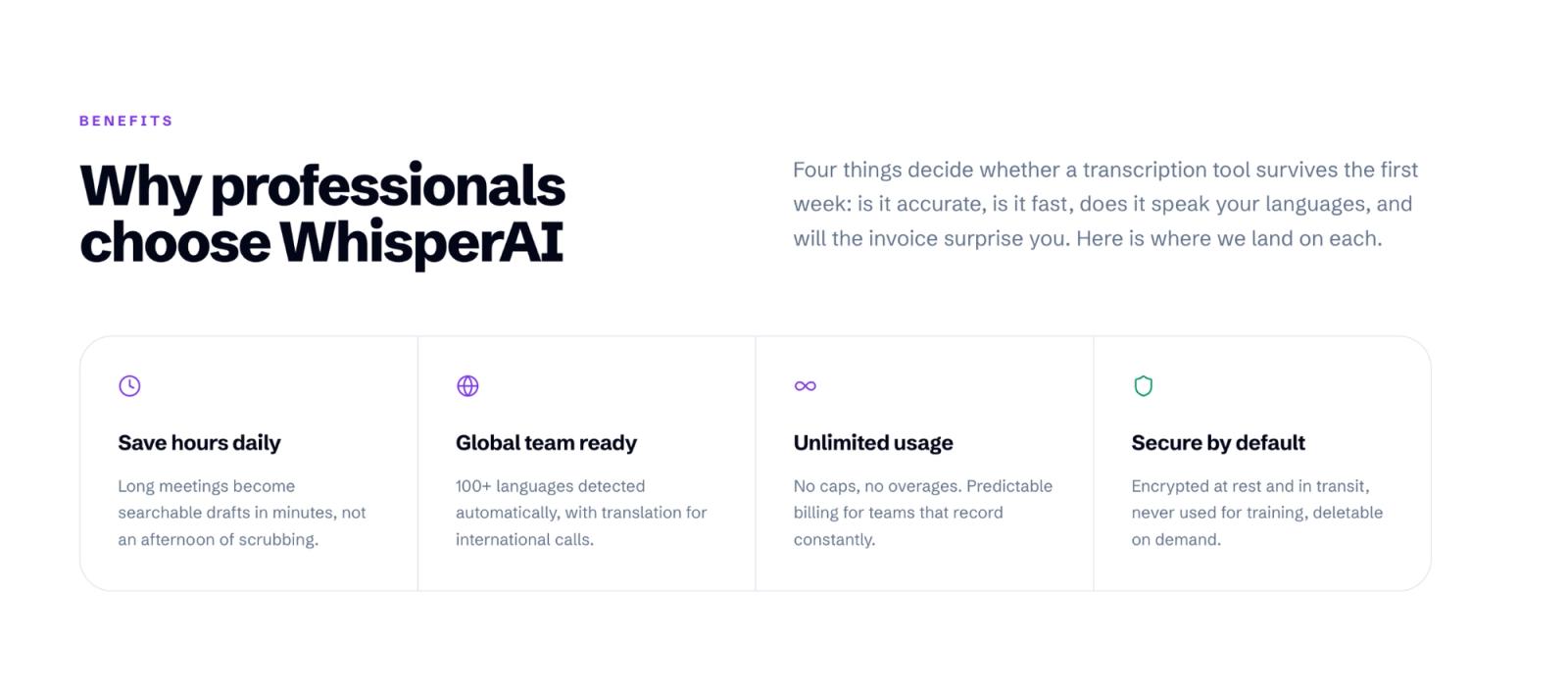
If you work in more than one language, WhisperAI transcribes uploaded files in 98 languages and can translate a finished transcript into other languages from the editor.
What's the difference between OpenAI Whisper and WhisperAI?
OpenAI Whisper is a model you set up and run yourself. WhisperAI is a finished app that gives you the transcript and everything you need to do with it afterwards.
We're WhisperAI Technology Inc., an independent company. We reference OpenAI and Whisper to identify the underlying technology, not to suggest a corporate affiliation.
| OpenAI Whisper | WhisperAI | |
|---|---|---|
| What you're getting | A speech recognition model | A transcription application |
| Who makes it | OpenAI | WhisperAI Technology Inc. |
| Getting started | Install Python, FFmpeg, and the model | Upload your recording in the browser or the iPhone app |
| Price | Free to download; you supply the hardware | Free plan, paid plans from $14.99/month |
| File-size limit | Depends on your machine | Up to 5 GB per file |
| Speaker identification | Requires additional tooling | Built-in speaker labels |
| Editing | Use your own editor or software | Integrated transcript editor |
| Exports | TXT, SRT, VTT, TSV, JSON through the command line | PDF, DOCX, TXT, SRT, VTT, JSON |
| Audio processing | On your own computer | In the cloud, encrypted in transit and at rest |
Here's where the difference shows up.
Say you've recorded an hour-long interview with three people. Whisper can transcribe it and provide timestamps. But a transcript usually isn't the end of the job.
You still need to handle names and technical terms, work out who said what, check unclear lines against the audio, fix mistakes, and export the result in the format you need.
WhisperAI puts all of that into one workflow: names and terms before transcription, large-file uploads, speaker labels, transcript editing, playback next to the text, and exports such as DOCX, PDF, SRT, VTT, TXT, and JSON. A speech recognition model produces the text. WhisperAI turns it into something you can use.
Because WhisperAI runs in the cloud, there's nothing to install or maintain. Audio is encrypted in transit and at rest, WhisperAI doesn't use your recordings to train AI models, and you can delete your recordings and transcripts from your account at any time.
You can see the full feature comparison in WhisperAI vs OpenAI Whisper.
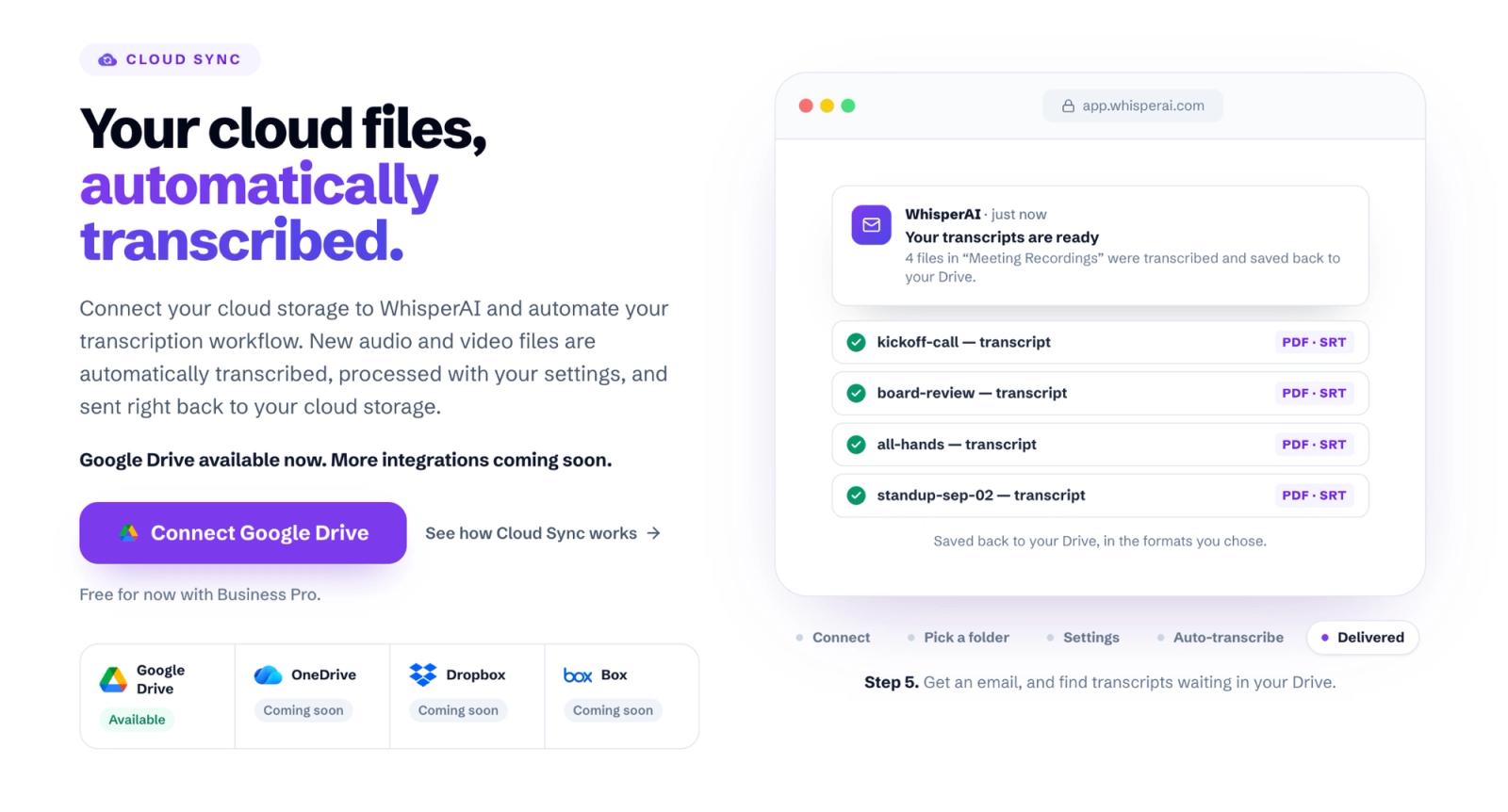
Want to see the difference on a real file? Upload a recording to WhisperAI and check the transcript, speaker labels, and exports for yourself.
Who owns WhisperAI?
WhisperAI is owned and operated by WhisperAI Technology Inc., an independent company founded in 2025 by Eman Khoubian and headquartered in Los Angeles, California.
Which Whisper models are there?
OpenAI offers six Whisper model sizes. The choice mainly comes down to available hardware, processing speed, and how much performance you need.
Here are the specifications from OpenAI's official README.
| Model | Parameters | English-only version | VRAM | Speed vs large |
|---|---|---|---|---|
| tiny | 39 M | tiny.en | ~1 GB | ~10x |
| base | 74 M | base.en | ~1 GB | ~7x |
| small | 244 M | small.en | ~2 GB | ~4x |
| medium | 769 M | medium.en | ~5 GB | ~2x |
| large | 1550 M | none | ~10 GB | 1x |
| turbo | 809 M | none | ~6 GB | ~8x |
Credit: GitHub
Smaller models use less memory and run faster, while larger ones trade speed and hardware for stronger performance. OpenAI also provides English-only versions of tiny, base, small, and medium using the .en suffix.
Two models are worth a closer look: large-v3, the current full-size model, and turbo, the faster option with an important trade-off.
Whisper large-v3
Large-v3 is the latest full-sized model in OpenAI's Whisper family. It has about 1.55 billion parameters and needs roughly 10 GB of GPU memory, which most laptops don't have.
Don't have a GPU with 10 GB of memory? WhisperAI does the processing in the cloud, so you can transcribe a difficult recording in your browser or on the iPhone app without setting anything up.
Whisper turbo
Turbo is an optimized version of large-v3. OpenAI reports about eight times the speed of ‘large’, with relatively little reduction in accuracy.
The catch is translation. Turbo isn't trained for speech translation. It can transcribe Japanese into Japanese text, but if you want Japanese speech translated into English, OpenAI recommends a multilingual model such as ‘medium’ or ‘large’.
How does Whisper work?
Whisper uses an encoder-decoder Transformer, a sequence-to-sequence architecture that processes audio in 30-second chunks.
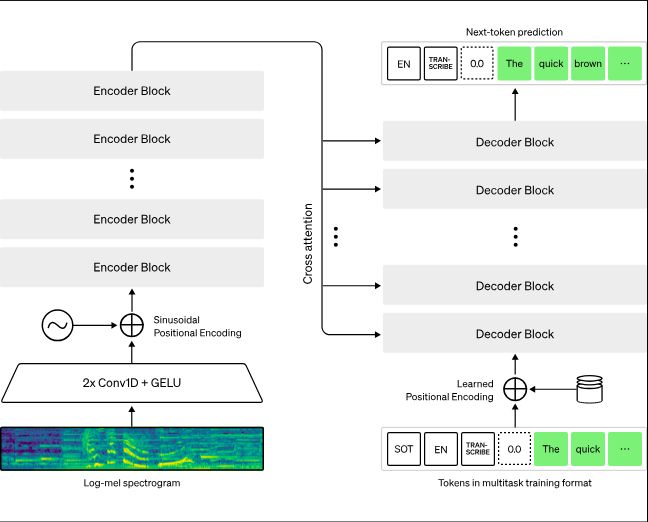
Source: OpenAI
First, Whisper converts each 30-second chunk into a representation called a log-Mel spectrogram, which describes how different sound frequencies change over time.
An encoder examines the audio representation. A decoder then predicts the words, along with information such as timestamps and task instructions.
One detail matters for anyone using the output. The model predicts text from the audio and the patterns it learned during training. It doesn't check whether every generated word was actually spoken, so a plausible-looking transcript still needs checking. That's why WhisperAI keeps the recording next to the transcript: you can play back any line and fix it in the editor.
How accurate is Whisper?
Whisper can transcribe recordings with different accents, background noise, and technical language, but no single accuracy percentage tells you what it'll do with your audio. The common measurement is word error rate (WER). It counts three kinds of mistakes: words that were replaced, words that were missed, and words that were added.
For example, if a recording contains 100 words and Whisper makes five word mistakes, its WER is 5%. Lower WER means fewer mistakes.
OpenAI reported that Whisper made 50% fewer errors in one of its evaluations. That claim is real, but it needs context. The comparison was against models optimized for the LibriSpeech benchmark. Whisper didn't outperform those specialized systems on LibriSpeech itself, but it did better across a broader set of datasets without additional fine-tuning. So it doesn't mean Whisper makes 50% fewer errors than every other speech recognition model.
OpenAI's own model card adds a warning: Whisper can occasionally produce text that wasn't spoken at all, and it can struggle with certain languages, dialects, accents, and recording conditions.
That's why a test on your own difficult recording tells you more than any company's accuracy claim. It takes a few minutes on WhisperAI. Upload your hardest recording, add up to 100 names and terms it should spell right, pick a style such as Interview or Technical, and check the transcript against the audio.
Is OpenAI Whisper free?
Yes, if you run the open-source model yourself. Whisper's code and model weights are MIT-licensed, so you don't pay OpenAI to download and run it on your own hardware. You do supply the computer, the setup, and the maintenance.
OpenAI's hosted transcription API is paid per minute. As of October 16, 2026, OpenAI lists these options for recorded transcription:
| OpenAI API model | Estimated price per minute |
|---|---|
| gpt-transcribe | $0.0045 |
| gpt-4o-transcribe | $0.006 |
| gpt-4o-mini-transcribe | $0.003 |
| Whisper (whisper-1) | $0.006 |
Those prices cover processing only. To use them, you write the code, split any file over 25 MB, and build your own way to review, edit, label speakers, and export the result.
A transcription app includes all of that. With WhisperAI, that work is already done, and Business Pro covers unlimited transcription for $24.99 a month, with files up to 5 GB.
Is WhisperAI completely free?
WhisperAI has a free plan with 5 transcription minutes a month, enough to try it on your own audio. For regular use, the main monthly plans are:
| Plan | Price | Transcription |
|---|---|---|
| Free | $0 | 5 minutes/month |
| Premium | $14.99/month | 120 minutes/month |
| Business Pro | $24.99/month | Unlimited |
For teams, Enterprise plans start at $75/month. You can compare all plans, including weekly and annual billing, on our pricing page.
Start on WhisperAI's free plan. You don't need a credit card, and you can move to Premium or Business Pro when 5 minutes a month isn't enough.
How do I get OpenAI Whisper?
There are three ways in, depending on whether you want the model itself, an API, or a finished transcript.
1. Run Whisper locally
Start with OpenAI's GitHub repository. You'll need Python and FFmpeg. OpenAI's README says the codebase is expected to work with Python 3.8-3.11 and recent PyTorch versions.
Install Whisper with:
‘pip install -U openai-whisper’
Then transcribe an MP3 with:
‘whisper audio.mp3 --model turbo’
Whisper downloads the required model weights automatically. You can also choose another model, set the language, or request translation.
2. Use a hosted API
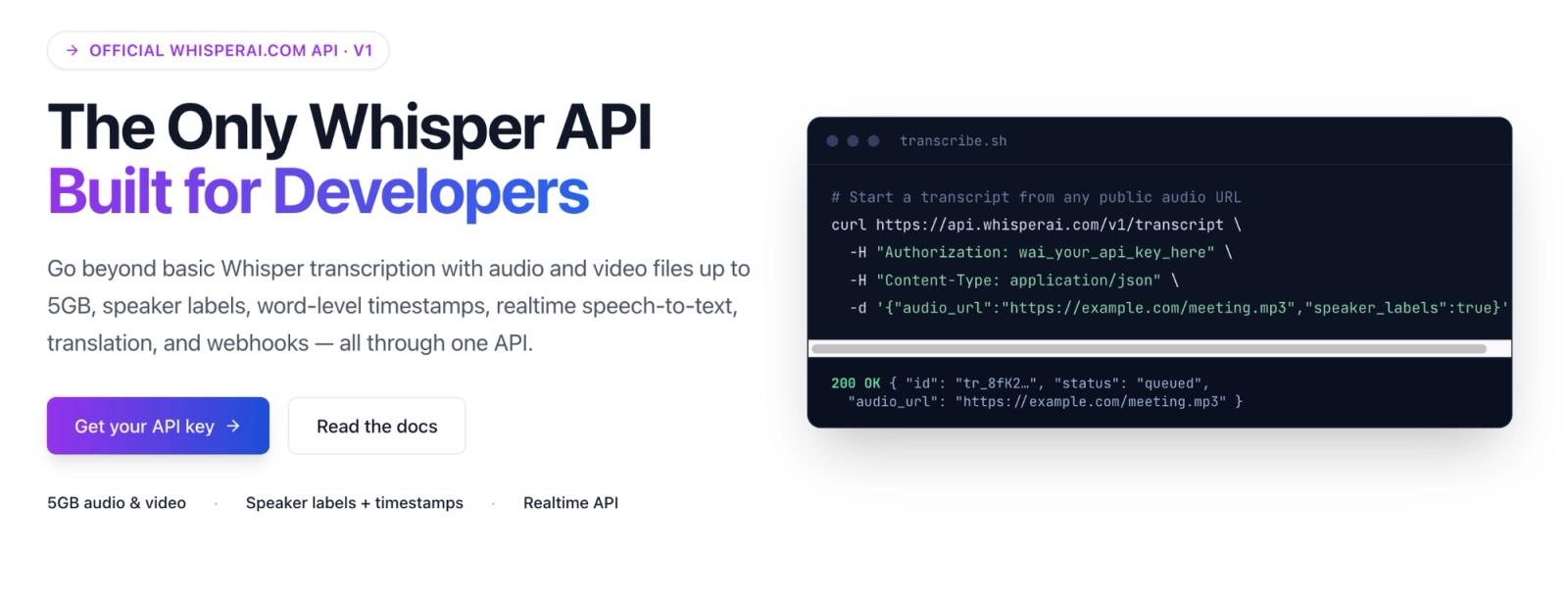
If you're building software, an API saves you from running the model yourself. OpenAI's file transcription API accepts files up to 25 MB, so longer recordings have to be compressed or split first.
The WhisperAI Developer API accepts files up to 5 GB, handles up to 250 requests at once, and sends results by webhook. It costs $0.01 a minute pay-as-you-go, or $99 a month for 10,000 minutes.
3. Use an application
If you just need an interview, lecture, or video transcribed, an app removes the technical setup completely.
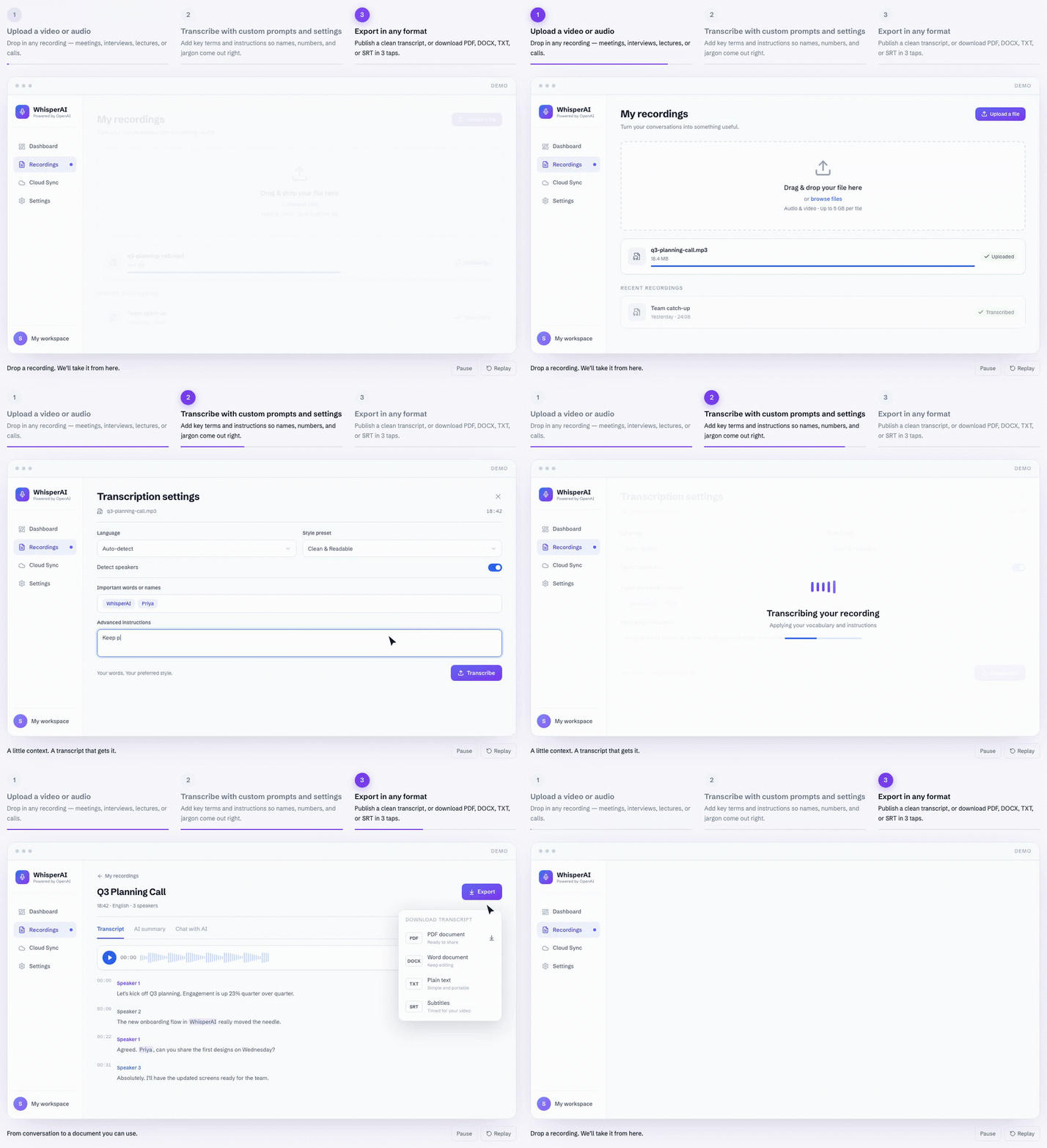
WhisperAI lets you upload recordings, provide names and terminology, organize speakers, edit the transcript, and export the result, the same steps our guide on how to transcribe MP3 to text walks through on a real file. The main service supports files up to 5 GB; the public free preview accepts up to 25 MB.
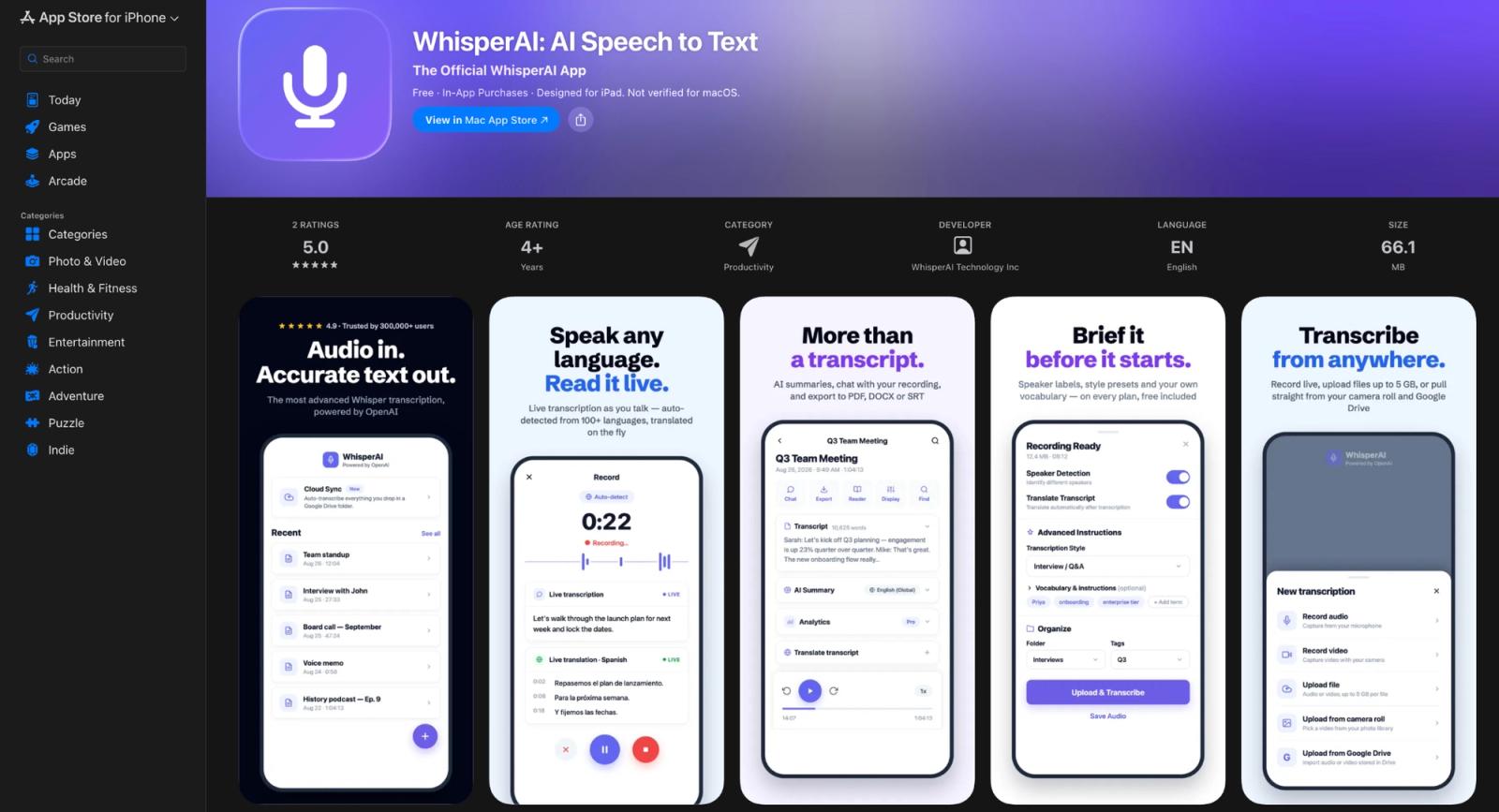
WhisperAI is also available on iPhone and iPad, where you can record and transcribe on the go, and as a Chrome extension for dictating into web pages on paid plans.
Our guide to using Whisper without coding walks through the options.
And if what you need is dictation in every app on your computer, compare the best AI dictation software, which includes the free option probably already built into your laptop.
What replaced Whisper?
Nothing has replaced the downloadable Whisper project. The open-source model and code are still on GitHub, and a local setup keeps working.
What's changing is OpenAI's hosted API. OpenAI now recommends ‘gpt-transcribe’ for recorded audio and ‘gpt-live-transcribe’ for live transcription, and it plans to remove whisper-1, gpt-4o-transcribe, gpt-4o-mini-transcribe, and gpt-4o-transcribe-diarize on February 26, 2027. The newer models are OpenAI speech models, but they aren't new versions of the open-source Whisper family.
If you're a developer moving off ‘whisper-1’ before that date, compare the WhisperAI Developer API. It takes files up to 5 GB instead of 25 MB and sends results by webhook.
Which should you use?
Think of OpenAI Whisper as the engine. Developers can build their own car around it, or plug it into their software through an API.
WhisperAI is the finished car. It's for people who want the transcript and don't want to spend time assembling speaker labels, editing, search, exports, and the rest of the workflow themselves. If transcription is only the first step and you still have to clean, organize, review, and package every recording afterwards, that's the work WhisperAI takes off your plate.
Try WhisperAI with your own recording. The first five minutes are free, so you can judge it on your own audio.
Frequently asked questions
Is WhisperAI safe?
WhisperAI encrypts your data in transit (TLS 1.3) and at rest (AES-256), doesn't use your recordings to train AI models, and lets you delete recordings and transcripts from your account at any time. An independent lab, TAC Security, completed a CASA AL1 assessment of our Cloud Sync integration. The details are on our security page.
Can WhisperAI transcribe my voice?
Yes. Record yourself in the browser with WhisperAI's Meeting Assistant or on the iPhone and iPad app, or upload a recording you already have. WhisperAI turns it into editable text with speaker labels. Seeing the transcript live while you record needs a paid plan.
If most of what you record is calls, our comparison of AI note takers and meeting assistants shows which ones join as a visible bot and which ones stay out of the participant list.
How can I use WhisperAI?
Open WhisperAI in your browser, upload an audio or video file, add any names or technical terms you want it to recognize, then review and edit the transcript. You can label speakers, search the text, and export it as PDF, DOCX, SRT, VTT, TXT, or JSON. No OpenAI setup or model installation is required.
Can ChatGPT use Whisper?
Yes, but not in the way many people mean. When OpenAI added voice conversations to ChatGPT in September 2023, it said ChatGPT used Whisper to turn your spoken words into text. OpenAI hasn't said which speech model ChatGPT uses today.
Which transcription app is the best?
It depends on what happens after transcription. If you want speaker labels, editing, search, and exports in one place without installing anything, WhisperAI is built for that. For other use cases, compare our guides to the best AI transcription software.
Eman Khoubian
Founder & CEO