How to Transcribe YouTube Video to Text in Minutes
tl;dr: You have three main options to transcribe a YouTube video: do it yourself (accurate but slow), use YouTube's free captions (fast but flawed), or use an AI service. For most people, AI tools like WhisperAI offer the best mix of speed, accuracy, and cost, turning your video into text in minutes. Just grab the audio, upload it to the AI, and polish the resulting transcript.
You've got a YouTube video, and you need a text version of it. You could grab the auto-generated captions from YouTube for a quick, rough draft, but for real accuracy, you'll want to use a dedicated AI transcription tool. These services can take your video's audio and turn it into an editable, searchable document in just a few minutes, opening up a ton of new possibilities for your content.
Why Transcribing Your YouTube Videos Is a Game Changer
Turning the spoken words in your video into a written script isn't just a technical task—it’s a strategic decision that completely changes what your content can do for you.
Think about a marketing team trying to pull key quotes from a webinar for a blog post. Or a student needing to cite a specific point from a long lecture. Maybe you're a creator who wants to make sure people who are deaf or hard of hearing can enjoy your videos. In all these cases, a transcript is the solution.
When you convert that audio to text, you're essentially unlocking all the valuable information trapped inside your video file. It stops being a one-and-done piece of media and becomes a versatile asset you can search, repurpose, and share in countless new ways.
Boost Your Video's SEO and Get Found More Easily
Search engines like Google are fantastic at reading text, but they can't actually watch your video to figure out what it's about. By transcribing your video and adding that text to your video's description or your website, you're handing search engines a perfect script to crawl and index.
- Rank for more keywords. Suddenly, every single word you said in the video is a potential keyword someone could search for.
- Get more views. It’s not just a hunch. Studies have shown that videos with captions or transcripts can see a view increase of over 7% because they show up in a much wider range of search results.
This means people can find your video by searching for a specific phrase you mentioned deep in the content, not just the title you happened to give it.
Make Your Content Accessible and Reach a Wider Audience
A surprising number of people might not be able to listen to your video's audio. Making your content accessible isn't just about ticking a box; it's about genuinely connecting with more people.
A transcript ensures your video speaks to everyone, even those who never hit the "play" button with the volume up. It's about inclusivity and ensuring your message can be received by the widest possible audience.
Lots of people watch videos in noisy public places with the sound off. Others might not be native English speakers and find it much easier to follow along with text. A good transcript makes your content work for everyone. If you're looking for high-quality results, a professional service like the AI transcription from WhisperAI can get the job done right.
Exploring Your Transcription Options From Manual to AI
So, you need to turn a YouTube video into text. You’ve basically got three roads you can go down, and the best one for you really depends on what you’re trying to achieve, how much you want to spend, and how much time you have on your hands. It’s the classic balancing act between accuracy, speed, and cost.
Let's start with the old-school approach: manual transcription. This is exactly what it sounds like. You, a pair of headphones, and a lot of typing. While you can get a nearly perfect transcript this way, the time commitment is massive. On average, it takes a professional four to six hours to manually transcribe just one hour of audio. That's a huge chunk of your day.
Turning your video into text unlocks a ton of value, from making your content accessible to boosting its SEO.
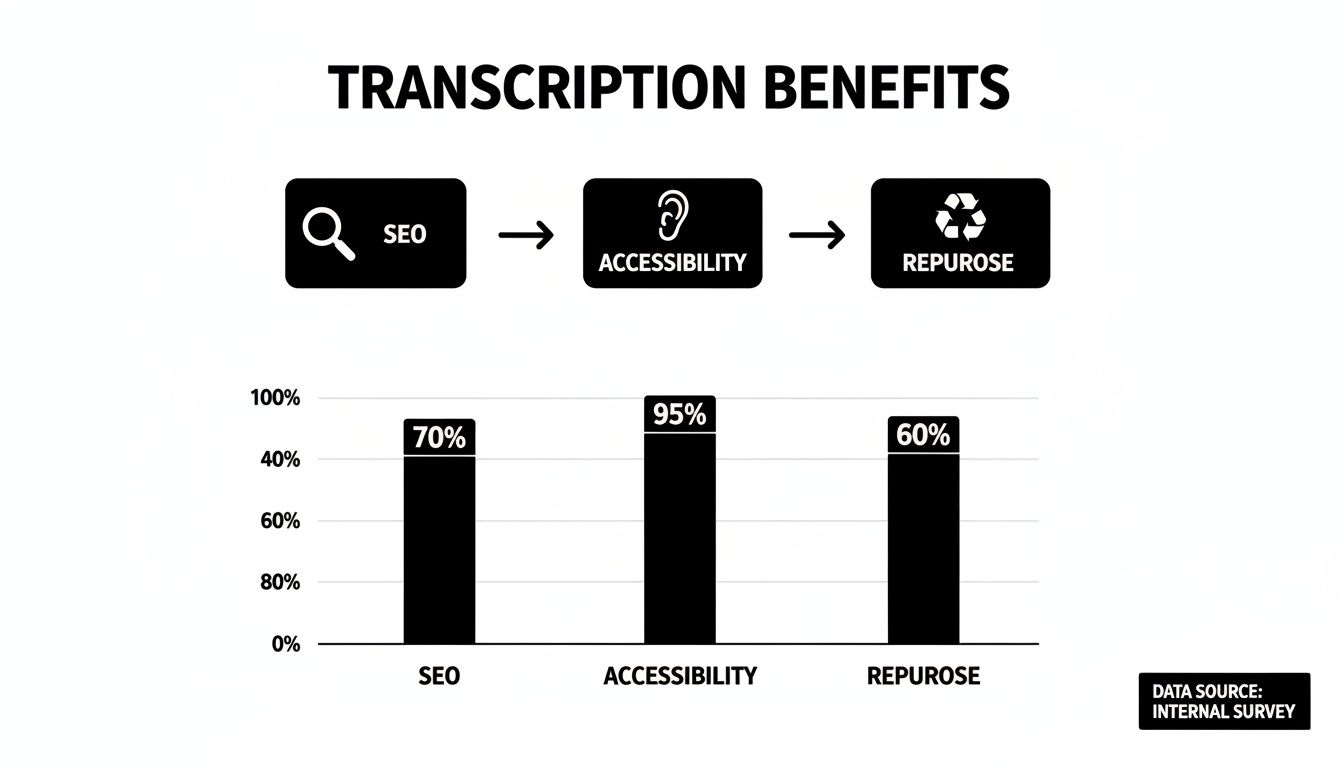
Each of these benefits shows how a simple text file can make your video a much more powerful and flexible asset.
The Built-in but Flawed Option
Then you have YouTube's own auto-caption feature. It's built right in, it's free, and it generates a transcript with a single click. If you just need a rough-and-ready gist of what's said in a video, it can be a decent starting point.
The catch? The accuracy is notoriously hit-or-miss. Strong accents, background noise, multiple people talking over each other, or specialized jargon can completely throw it off, leaving you with a transcript full of confusing—and sometimes hilarious—mistakes.
The Rise of AI Transcription
This leads us to the modern solution: automated AI transcription services. These tools have quickly become the go-to method for good reason. They offer a fantastic middle ground, delivering impressive speed and high accuracy at a price that won’t break the bank.
With over 500 hours of video uploaded to YouTube every minute, the need for fast and reliable transcription is bigger than ever. YouTube's built-in tool, with its disappointing 61.92% accuracy rate, just can't keep up for any serious professional use. This is where AI tools really step up, turning hours of footage into searchable, usable text in minutes.
AI transcription isn't just about getting words on a page; it's about reclaiming your time. What used to take half a day can now be done in minutes, freeing you to focus on using the content instead of just creating it.
Platforms built on powerful models like OpenAI's Whisper can handle tricky audio like a pro. They can differentiate between speakers, filter out background chatter, and correctly identify technical terms, often delivering a transcript that's 95% accurate or even higher. For creators, businesses, and researchers, this is a total game-changer. For a deeper look at the options out there, check out this guide on the best AI transcription apps.
YouTube Transcription Methods Compared
To make the decision easier, let's break down how these methods stack up against each other. Each has its place, but one is likely a better fit for your specific project.
| Method | Typical Accuracy | Time Investment | Cost | Best For |
|---|---|---|---|---|
| Manual Transcription | 99%+ | Very High (4-6 hours per audio hour) | High ($1.50+ per minute) | Legal proceedings, medical records, or situations where absolute precision is non-negotiable. |
| YouTube Auto-Captions | 60-85% | Very Low (minutes) | Free | Getting a quick, rough idea of the video's content without needing perfect accuracy. |
| AI Transcription Service | 95-98%+ | Low (minutes) | Low (often pennies per minute) | Most business, academic, and creative projects that need a fast, accurate, and affordable solution. |
Ultimately, picking the right method comes down to what you value most. If perfection is the only option and budget isn't a concern, a human transcriber is still a solid choice. If you need a quick, free, but flawed script, YouTube's tool is there.
But for just about everyone else, AI offers the most practical and efficient way to transcribe a YouTube video.
Your Guide to Transcribing with an AI Tool
Alright, let's get down to the nuts and bolts. Using an AI tool to turn a YouTube video into text is much simpler than it sounds. Think of it less as a technical hurdle and more like handing over your audio file to an incredibly fast assistant. I'll walk you through the process, using a platform like WhisperAI as our example.
The whole journey from video to text hinges on one thing: the audio. Your first job is to pull the audio track from the YouTube video. You can find a bunch of free online tools or simple desktop apps that will take a YouTube link and spit out an MP3 or WAV file for you.
Getting Your Audio Ready and Uploaded
Once you have that audio file, it's time to upload it to your AI transcription service. Platforms like WhisperAI are designed to handle different file types and even hefty files (up to 500MB), so you don't have to stress about compressing the audio and losing quality.
Just drag and drop the file into the uploader. Now, you’ll give the AI a few quick instructions to get the best possible result.
- Pick the Language: Tell the tool which language is spoken in the video. This is crucial for accuracy, especially if you're dealing with specific accents or dialects.
- Tag the Speakers: If you have an interview, a panel discussion, or any video with more than one person talking, you'll want to enable speaker labeling. The AI will automatically identify who is speaking and tag their dialogue (like "Speaker 1," "Speaker 2").
Reviewing and Polishing Your Transcript
After a few moments, the AI will serve up the raw text. Let’s be real—while today's AI is shockingly accurate, it’s not infallible. It might stumble over a unique company name, a tricky surname, or some industry jargon.
This is where your human touch comes in. Most professional services give you an editor right in the browser that syncs the text with the audio. You can click on any word, hear that exact moment in the audio, and make corrections on the fly. It's incredibly intuitive.
The editing stage is what separates a decent AI transcript from a truly professional one. Spending just five or ten minutes cleaning things up ensures your final document is polished and ready for whatever you need it for.
This step is a must for maintaining credibility, especially if you plan to repurpose the transcript into a blog post or share it with colleagues.
Exporting for Any Use Case
With your edits locked in, the final step is to export the transcript. You can choose the format that makes the most sense for your project.
- .TXT: A plain text file. It's perfect for quickly copying and pasting the content anywhere.
- .DOCX: A formatted Microsoft Word document. This is ideal if you're writing articles, creating reports, or compiling detailed notes.
- .SRT: The industry standard for video captions. This file includes the text perfectly synced with timestamps, ready to upload directly back to YouTube or another video platform.
The business case for using AI here is a no-brainer. Manually transcribing video can take 4-6 hours for every hour of audio. AI tools get it done in minutes at a fraction of the cost, with top-tier services hitting 95-99% accuracy. This efficiency lets you transform hours of video content into searchable, valuable assets without the old-school time commitment.
When you start thinking about how AI can help with text, you might also find tools like an AI caption generator handy for your other social media needs. And for a deeper dive into the transcription process itself, check out our guide on AI audio transcription.
From Raw Text to Polished Transcript
An automated transcription tool gives you a fantastic head start, but what it spits out is just a first draft. The real work—and where the value comes in—is turning that raw text into a polished, professional document. This is how you take a good transcript and make it truly great.
Before we even get to editing, let's talk about the source material. A transcript is only as good as the audio it's based on. Even the smartest AI will stumble over muffled voices, loud background music, or people talking over each other. For the best results, start with the cleanest audio possible. A decent microphone and a quiet recording space can save you hours of editing later.
Correcting Names and Technical Jargon
Once you have that initial transcript, your first pass should be all about accuracy. AI is brilliant, but it's not a subject matter expert in your field. It can easily get tripped up by specific terminology it hasn't encountered before.
Your main job here is to hunt down and fix errors in:
- Proper Nouns: Scan for misspelled names of people, companies, or unique products.
- Acronyms: Make sure industry-specific acronyms are capitalized and correct (e.g., "SEO" not "S. E. O.").
- Unique Terms: Correct any specialized jargon or technical language the AI misinterpreted.
This initial clean-up is crucial for making the transcript credible. Many platforms, like WhisperAI AI transcription, have a built-in editor that syncs the audio with the text. This lets you play a section, read along, and make corrections on the fly—a massive time-saver.
Formatting for Readability
No one wants to read a giant wall of text. It's intimidating and almost impossible to scan. The next step is to break up that raw transcript into something that’s easy on the eyes.
Start by hitting the 'Enter' key. Add paragraph breaks to separate different ideas or every time the speaker changes. For longer content, use headings and subheadings to organize the transcript into logical sections, much like a blog post. This simple formatting makes the document instantly more user-friendly.
A well-formatted transcript isn't just easier to read; it's easier to understand. Breaking up the text with paragraphs and headings turns a simple data dump into a truly functional document.
Using Timestamps and Speaker Labels
If you're transcribing an interview, a webinar, or any video with more than one person, timestamps and speaker labels are essential. They provide context and make the conversation easy to follow. While most modern tools add these automatically, you should always give them a quick check during your review.
Timestamps are a lifesaver. They let you click a sentence in the transcript and jump right to that moment in the video, which is perfect for pulling video clips or verifying quotes.
Speaker labels (like "Speaker 1," "Jane Doe") clearly attribute who said what, eliminating any guesswork. Adding this final layer of polish is what ensures your effort to transcribe a YouTube video to text results in a clear, accurate, and incredibly useful asset.
Putting Your Transcript to Work
So you've cleaned up your text and now you're holding a polished, accurate transcript. This is where the real fun begins. That text file isn't just a record of what was said; it's a versatile asset you can spin into all sorts of valuable content.
Think of it as your new content creation engine. That one YouTube video can now be sliced, diced, and repurposed to find new audiences on completely different platforms. This extends the life and impact of your original work, and for most creators, it's where the effort to transcribe a YouTube video to text really pays off.
Fueling Your Content Strategy
For marketers and content creators, a good transcript is basically a shortcut to a ton of new material. Instead of staring at a blank page, you've already got a detailed script ready to go.
- Create Detailed Blog Posts: Your transcript is pretty much the first draft of an in-depth article. Just clean it up, pop in some headings and images, and you have a solid blog post that backs up your video's message.
- Generate Social Media Content: Pull out the best quotes, key stats, or surprising insights. These punchy little snippets are perfect for creating graphics for Instagram, sparking conversations on X, or posting updates on LinkedIn.
- Build Email Newsletters: You can summarize the main points of your video in an email to your subscribers and include a link back to the full video. It’s a simple way to provide value and drive more views.
Enhancing Business and Academic Workflows
Beyond just creating content, transcripts are incredibly powerful tools for professionals and researchers. They bring structure and searchability to audio and video information that used to be completely locked away.
In a business setting, a transcribed meeting becomes a searchable record. You can instantly find out who agreed to what or revisit a key decision without having to sit through a whole hour-long recording again. These transcripts can also be turned into training materials, standard operating procedures (SOPs), or internal knowledge-base articles.
For academics, it means you can build searchable archives of lectures, interviews, and seminars. This makes it incredibly easy to find specific quotes for a research paper or to analyze spoken data for qualitative studies. For an amazing tool that handles this, check out the service at whisperai.com/ai-transcription.
Unlocking Powerful SEO Benefits
But maybe the biggest win of all is the boost it gives your search engine optimization (SEO). Search engines can't watch videos, but they are fantastic at reading text. When you embed the full transcript on your website right next to your video, you make every single word spoken indexable by Google.
This means your content can suddenly start ranking for thousands of long-tail keywords—those specific, conversational phrases people actually type into search bars. It's one of the most effective ways I've seen to pull in organic traffic directly from search results.
This approach also makes your content way more accessible. With over 1.5 billion people worldwide living with some form of hearing loss, accurate transcripts and captions are no longer a "nice-to-have." They're essential for being inclusive.
And it goes beyond traditional SEO. Understanding how your transcribed text performs in AI-driven search environments through concepts like Generative Engine Optimization can give you a serious edge. This is especially true when you consider that YouTube's auto-captions have only 61.92% accuracy, making a high-quality transcript a real competitive advantage.
Your Top YouTube Transcription Questions, Answered
Once you start turning YouTube videos into text, you'll quickly run into a few common questions. It's smart to get a handle on the legal side of things, how to get the most accurate results, and what all those different file formats are actually for. Nailing these basics down will make your whole process smoother and ensure the final transcript is genuinely useful.
Is It Actually Legal to Transcribe Someone Else's YouTube Video?
This is a big one, and the short answer is: it depends entirely on what you're going to do with the transcript.
If it's just for your own personal use—say, for study notes, internal company training, or private research—you're generally in the clear under "fair use." You aren't distributing it or trying to profit from someone else's content.
The game changes completely the second you plan to take that transcript public. If you want to post it on your blog, share it all over social media, or use it in any commercial project, you must get permission from the person who made the video. Without their okay, you risk running into copyright infringement. When in doubt, the best policy is always to ask the creator first.
How Do I Get the Best Possible Accuracy from an AI Tool?
Great AI transcription isn't just about picking the right software; it’s about giving the AI good material to work with. The single most important factor is audio quality. Always try to pick videos where the speakers are clear, there's not a lot of background noise, and people aren't constantly talking over one another.
When you're ready to upload your audio to a service like the one at whisperai.com/ai-transcription, take a moment to check the settings.
- Make sure you select the correct language spoken in the video. This seems obvious, but it’s a common mistake.
- Turn on speaker labeling if there's more than one person talking. This feature, often called "diarization," is a lifesaver.
Even the most advanced AI isn't perfect. A quick human proofread is non-negotiable. Just five minutes of scanning the text to fix proper nouns, company-specific terms, or technical jargon can make the difference between a decent transcript and a professional one.
What’s the Difference Between TXT, DOCX, and SRT Files?
When you export your finished transcript, you'll usually see these three options. Each one is designed for a different job.
A TXT file is as simple as it gets—it's just plain text. There's no formatting, no frills. This makes it perfect for quickly grabbing the text to paste into an email, a messaging app, or another simple document.
A DOCX file is a standard Microsoft Word document. It keeps all the formatting, like paragraphs, bold text, and headings. This is your go-to if you plan on turning the transcript into a more formal document like a blog post, a report, or training materials.
Finally, an SRT file is the gold standard for video captions. This special format breaks the text into timed chunks, with precise start and end codes for each line. When you upload an SRT file to a video platform like YouTube, it knows exactly when to show each caption on the screen, creating perfectly synced subtitles for viewers.
Ready to turn your videos into accurate, searchable text in minutes? With WhisperAI, you can transcribe and translate your content with professional-grade speed and security. Try our AI transcription service today.